Inspiration
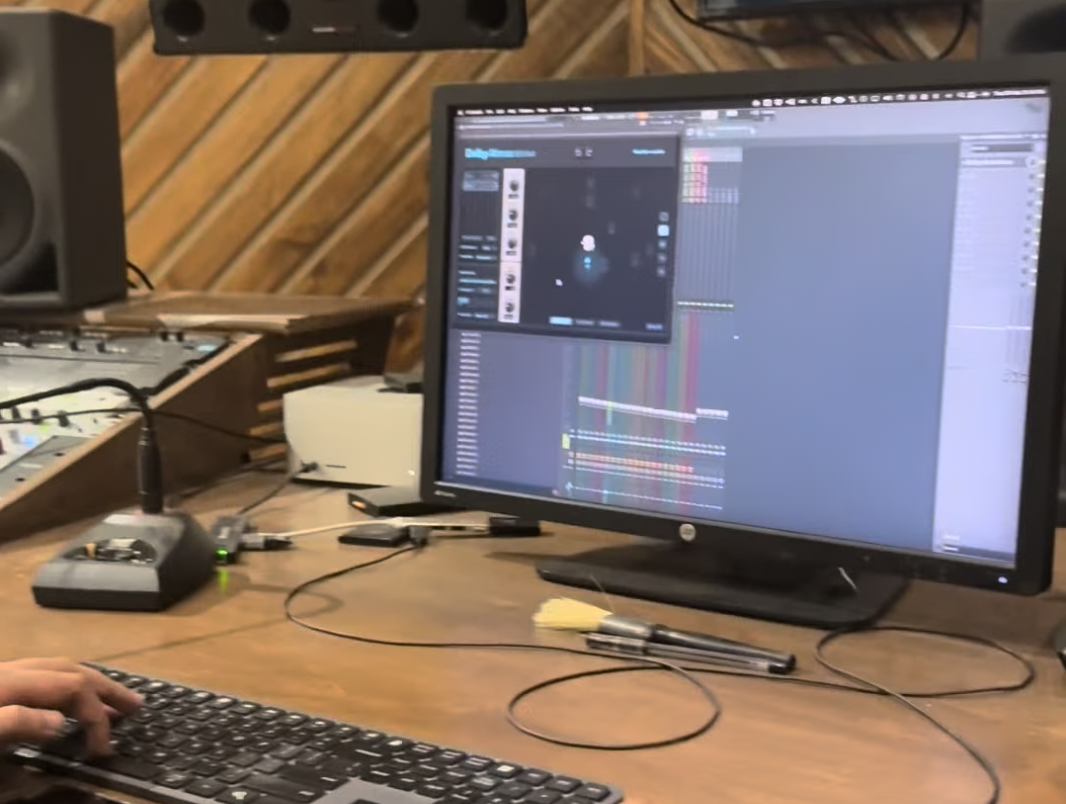
STORY-TIME! (Our favourite part of the project) We recently had an exciting opportunity to hang out with some of our audio-engineering/musician friends while recording of some voice-samples for their new mixes! One of the perks we were sold on was the dolby atmos studio experience that sound engineers use to prep the track. I am adding some peeks of what that looks like. The one thing we observed that there are a lot of tiny tasks and aspects of their process that can be reduced into macros/logitech creative console patterns and the dial would be a power tool in a lot of their extraction processes.
What it does
It is a plugin that makes musicians/audio-engineers lives way way easier!
How we are planning it
We are planning The Conductor as a lightweight but deeply customizable plugin that sits comfortably inside an audio engineer’s existing workflow instead of demanding a new one.
We began by mapping real studio actions observed during mixing sessions, things like track isolation, stem navigation, automation tweaking, spatial placement adjustments, reference switching, and repetitive export workflows. These were translated into programmable macro patterns designed specifically for the Logitech Creative Console dial and keys.
The core idea was to connect DAW actions with tactile control. Using plugin scripting, MIDI mapping layers, and macro orchestration, we created interaction patterns where a single dial movement could replace multiple clicks, menu dives, or keyboard shortcuts. The system focuses on contextual awareness so controls adapt depending on whether the user is mixing, mastering, editing, or exporting.
Instead of reinventing music software, we built a conductor for it.
Challenges we are expecting to run into
The practicality and testing: Making sure that everything is actually usable! We expect workflow diversity. Every audio engineer works differently, sometimes dramatically so. A shortcut that saves minutes for one producer might interrupt another’s creative rhythm. So putting together data before we build and ship.
Cross-platform performance: DAW compatibility will also present hurdles, since each platform exposes controls differently. Creating abstractions that work across environments required careful experimentation and plenty of late-night testing sessions.
What we learned and want to use for building
Creative professionals don’t just want speed. They want flow preservation.
Small interruptions compound quickly during music production, and removing even a few repetitive actions can meaningfully improve creative momentum. We also learned that physical interaction still matters deeply in digital creation. Touch, rotation, and gesture bring a sense of control that keyboards alone cannot replicate.
Most importantly, good tooling should disappear once the music starts.
Built With
- actions-ring
- creative-console
- fl-studio
Log in or sign up for Devpost to join the conversation.