-
-
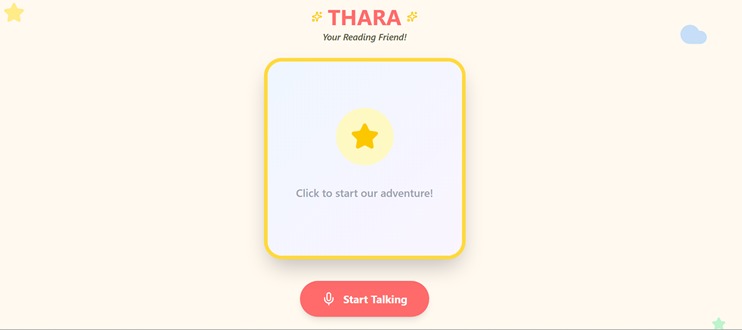
Thara - Your Reading Friend!
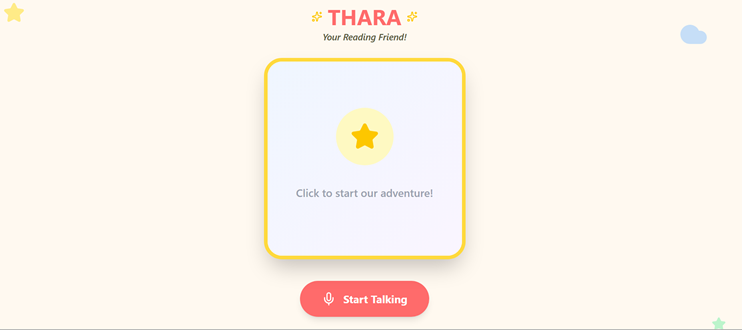
Inspiration
It all started with my 2 year old, Tharakai (nick named THARA) trying to interact with Alexa to play her favorite rhymes and Alexa saying "Sorry, I couldn't understand that" every time because Alexa couldn't understand how she pronounced. What if there is a companion who could help her pronounce, teach her small sentences to communicate and says imaginative stories and rhymes by showing beautiful animated pictures. That's our inspiration!
THARA (The Helpful Adaptive Reading Assistant)
What it does
THARA aims to revolutionize early childhood literacy by providing an interactive, AI-driven reading companion. We developed this agent to guide children through stories, asking engaging questions that spark curiosity while adapting to each child’s unique reading level.
By focusing on a "co-pilot" model rather than a replacement for parental involvement, the project ensures that technology serves as a bridge to deeper human connection. Every interaction is built around the core pillars of safety, positive reinforcement, and simplicity, ensuring the experience remains age-appropriate and encouraging for users aged 2–7.
It helps a child practice pronunciation, teaches simple conversational phrases, and tells imaginative stories and rhymes illustrated with vivid pictures. Such a tool is designed to expand a young mind’s creativity, communication skills, and perspective.
How we built it
Application Architecture: Gemini-Powered Educational Assistant Functional Flow Explanation The architecture is divided into three logical domains: the Client, Google Cloud Platform (GCP), and Google AI Services.
- The Client Application The user interaction begins here with the Child interacting with the application.
1.1. Voice Input: The user speaks to the application. The React Frontend captures this audio as a raw PCM (Pulse-Code Modulation) stream.
1.2. API Interaction: The React application communicates with the Google AI services using Google's Client Libraries. This traffic typically goes over HTTPS and is authenticated via API keys or OAuth.
- Google AI Services (Managed Services) This section represents the Google managed AI services which do not reside within your VPC but are accessed as external public endpoints.
2.1. Gemini Live (Real-Time Dialogue): The frontend streams the PCM voice data directly to the Gemini 2.5 Flash Live endpoint via a bi-directional gRPC stream. Gemini Live processes the audio, understands the intent, and provides immediate audio responses back to the frontend.
2.2. Multimodal Generation (Tool Use): If the dialogue requires image generation (e.g., "draw a rocket"), Gemini Live makes a Tool Call (specifically generate_image) to the Gemini 3.1 Flash Image API.
2.3. Search Grounding: To ensure accuracy and access real-time information, Gemini Image uses Google Search Grounding. It performs relevant searches and uses the results to inform the image generation process, ensuring the rocket looks like a real one, for instance.
2.4. Image Delivery: The generated image is returned to Gemini Live and then forwarded to the Frontend as a Base64-encoded string.
- Frontend Application (React) This is the application the user interacts with.
3.1. Display and Interaction: The frontend renders the generated images and plays the audio responses from Gemini Live. It also manages application state (transcripts, conversation history).
3.2. Magic Wand (Contextual Deep Dive): If the user is curious about the meaning or details of an image (clicking the 'Magic Wand'), the frontend sends a request containing the image data and user query to the Gemini 3.1 Pro model. This model, optimized for complex reasoning, provides a rich, text-based explanation.
- GCP: Deployment Infrastructure (Cloud Run) This section describes the automated infrastructure used to host the frontend.
4.1. Serverless Hosting: The React application itself (the static assets and potentially a lightweight SSR server) is deployed to Cloud Run. Cloud Run automatically scales the service to zero when not in use and scales up rapidly to handle traffic.
4.2. Traffic Management: All inbound user traffic (HTTPS requests to load the app) is handled by Cloud Run, which manages TLS termination and routing.
- GCP: CI/CD Pipeline (Cloud Build & Artifact Registry) This section details how the code moves from source to production.
5.1. Continuous Integration: A developer commits changes (e.g., to GitHub or Cloud Source Repositories). This triggers a Cloud Build pipeline.
5.2. Containerization: Cloud Build executes instructions (like a Dockerfile) to build a Docker container image of the application.
5.3. Image Storage: Once successfully built, Cloud Build pushes the container image to Artifact Registry, GCP's managed, secure container repository.
5.4. Automated Deployment: Upon a successful push to Artifact Registry, Cloud Build automatically updates Cloud Run to deploy a new revision using the latest image.
Challenges we ran into
Many as we are new developers still learning.
Accomplishments that we're proud of
With zero knowledge about AI agents to building a Gemini Live Agent of our own. Thanks to our hard working teammate - Gemini ! We couldn't have done anything without you.
What we learned
Everything about Google's AI capabilities. About ourselves - We could actually built a Live agent!
What's next for THARA
THARA can be a powerful intervention tool for children with speech delays, autism, and ADHD by leveraging AI to provide a structured, multisensory, and low-pressure environment for learning.
Support for Speech Delay
• Real-Time Pronunciation Feedback: THARA can listen as a child reads aloud, offering immediate, gentle corrections that help build phonetic skills and fluency.
• Modeling and Imitation: By demonstrating correct word and phrase usage, the assistant encourages the child to imitate sounds, which is a foundational technique in speech therapy.
• Vocabulary Expansion: Interactive stories introduce new words in a meaningful context, which research shows can lead to significantly higher vocabulary growth compared to traditional methods.
Support for Autism (ASD)
• Visual Storytelling: Since many children with autism are visual learners, pairing verbal narratives with vivid pictures increases comprehension by making abstract concepts more concrete.
• Social Stories and Cues: The assistant can use "Social Stories" to describe social situations and expected behaviors, helping children recognize facial expressions and emotions in a safe, digital space.
• Predictability and Routine: THARA provides a consistent, repeatable experience that reduces anxiety for children who thrive on structure and routine.
• Low-Pressure Communication: Interacting with an AI companion can feel less overwhelming than face-to-face social interaction, encouraging children with minimal verbal skills to make more spontaneous communication attempts.
Support for ADHD
• Sustaining Attention: Gamified elements—such as earning badges, rewards, and points—can increase dopamine levels and motivation, helping children with ADHD stay engaged longer than they might during traditional lessons.
• Scaffolding Large Tasks: For children who struggle with executive function, the AI can break down stories or activities into small, manageable "chunks" to prevent them from becoming overwhelmed.
• Immediate Reinforcement: Positive reinforcement through instant feedback helps maintain focus and builds the self-confidence needed to tackle more difficult tasks.

Log in or sign up for Devpost to join the conversation.