-
-
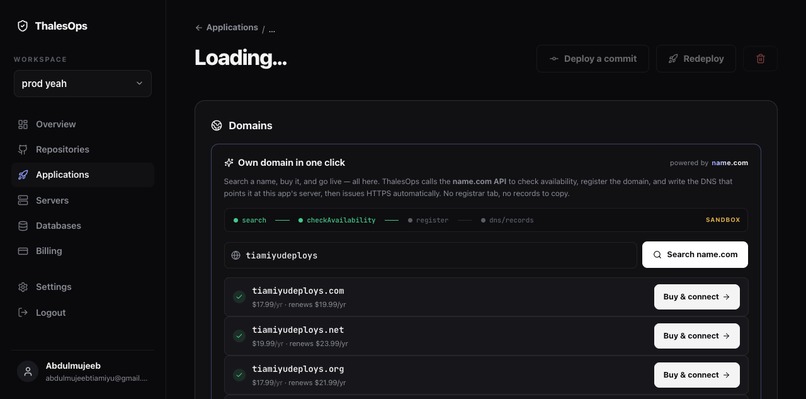
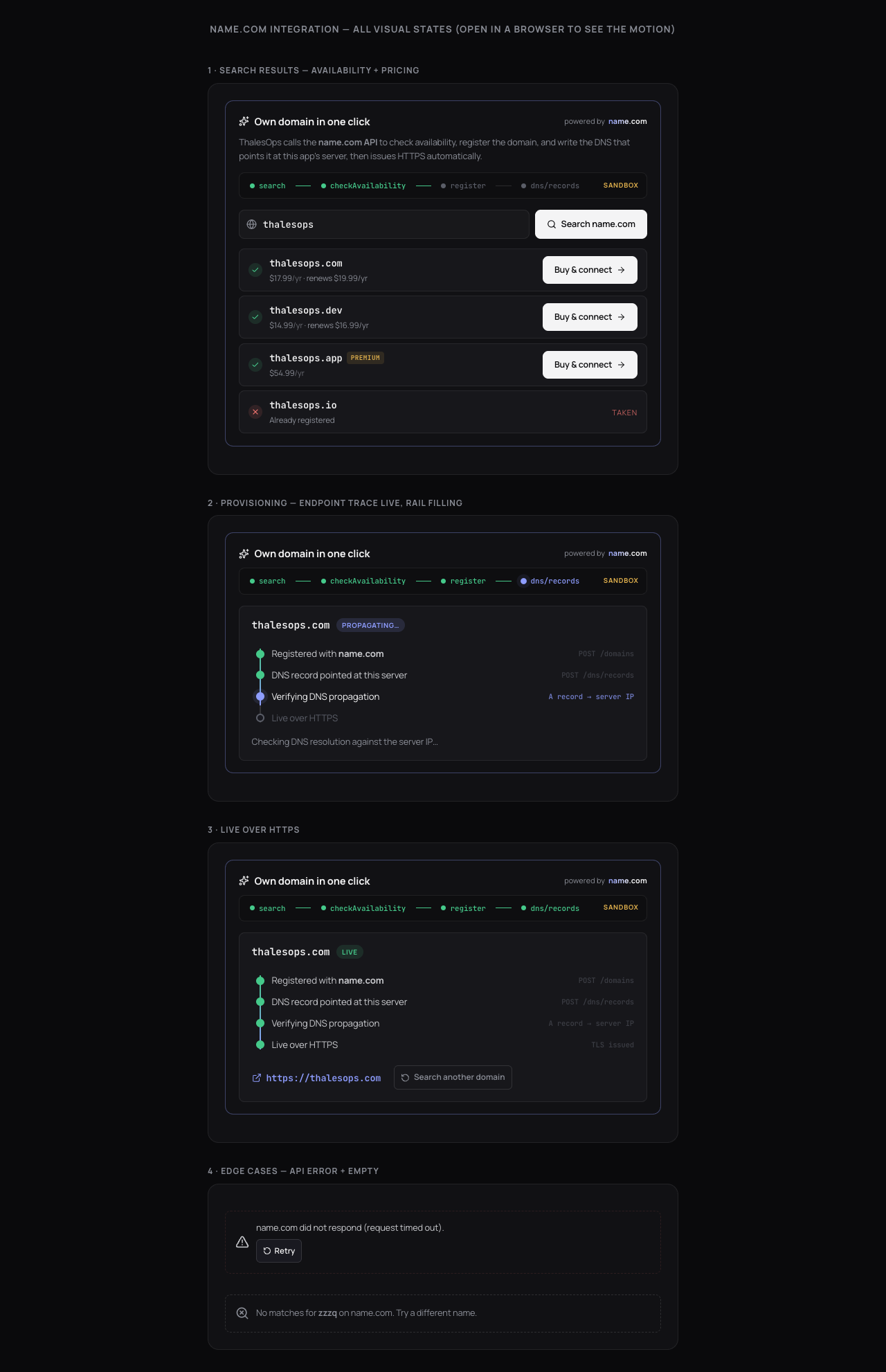
search + pricing
-
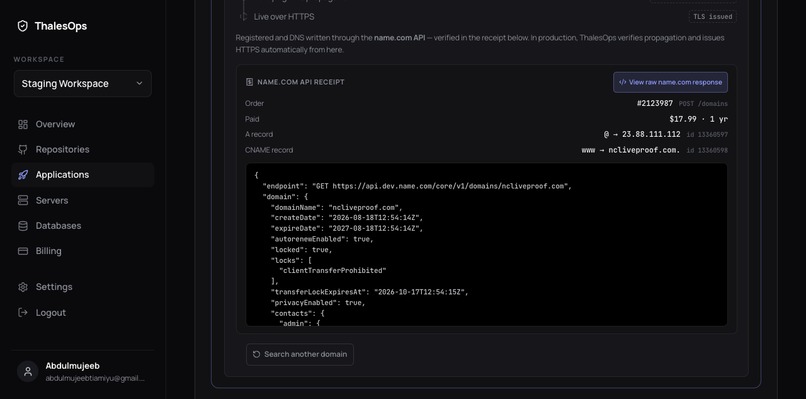
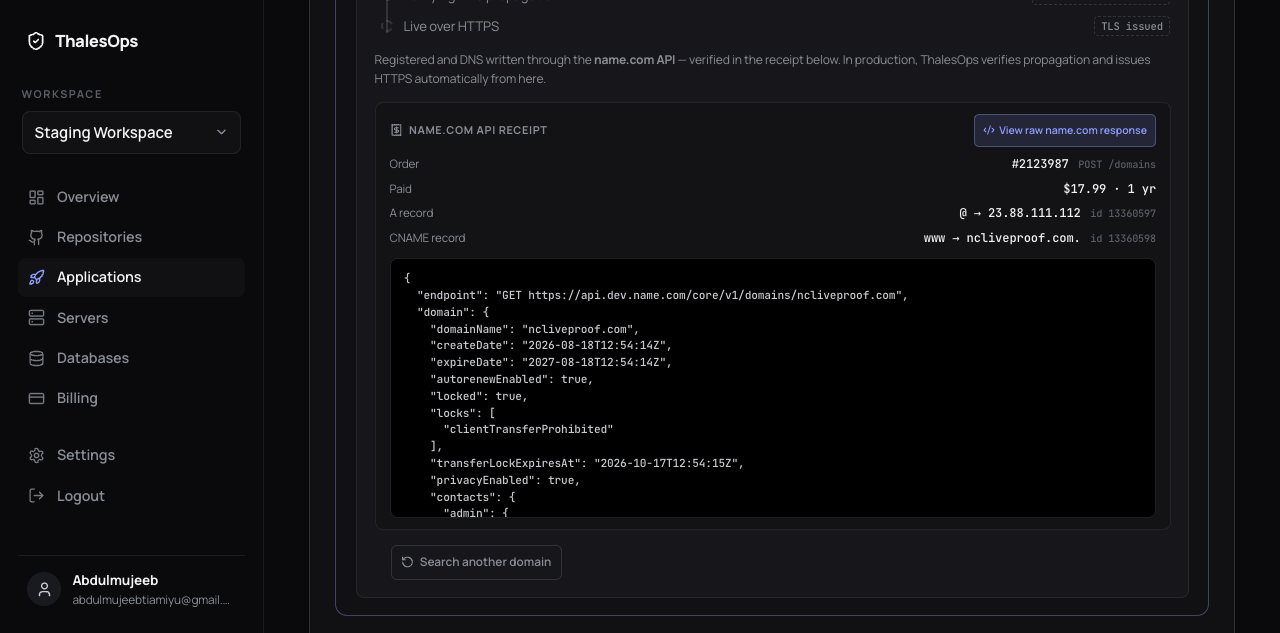
the receipt + raw name.com response
-
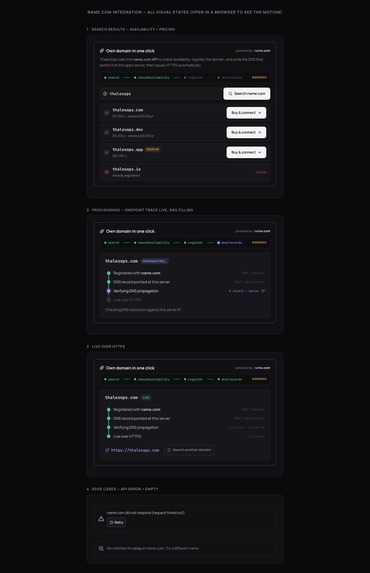
all the states including edge cases
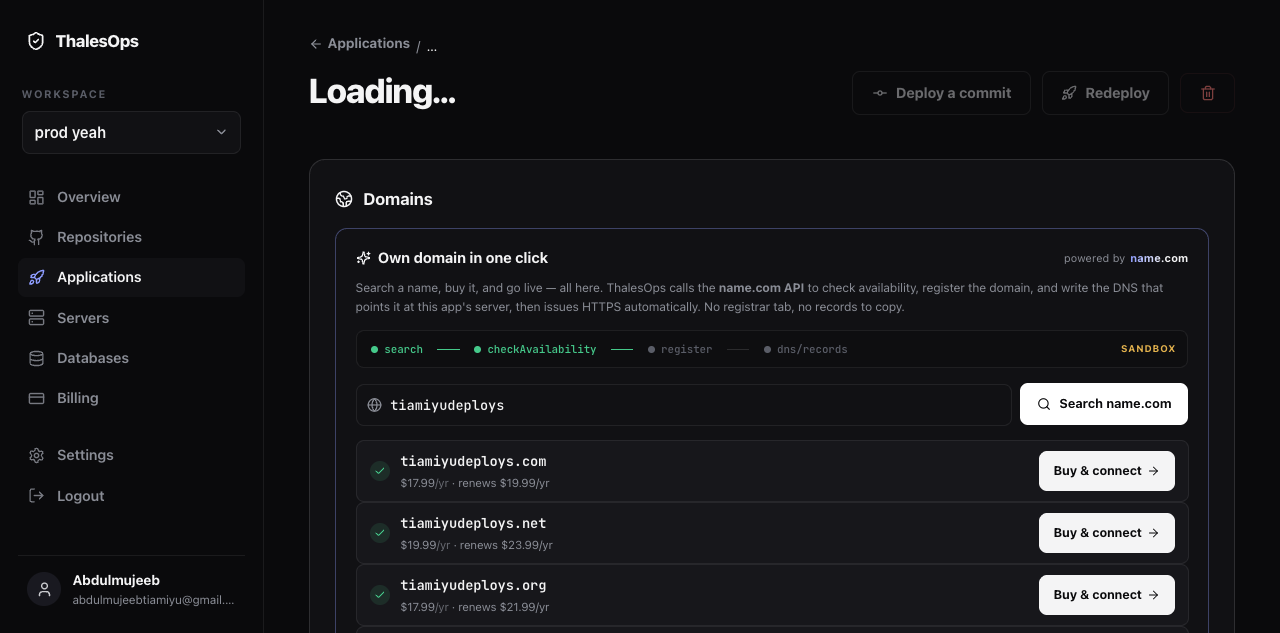
Inspiration
Deploying an app to a server you own is a long, repetitive checklist: install the runtime, configure a reverse proxy, issue TLS certificates, set environment variables, and more. I built ThalesOps, a self-hosted deployment platform, to collapse all of that into one button. But one step still forced users off the platform: getting a domain. They had to leave, go to a registrar, buy a domain, then come back and hand-copy DNS records. That break in the flow is exactly what this integration removes.
What it does
ThalesOps now lets you search for a domain, buy it, and go live on it without ever leaving the deploy dashboard. The name.com API is the spine of the whole feature:
- Search a name —
POST /domains:search - Check availability and live pricing across every TLD —
POST /domains:checkAvailability - Register the chosen domain —
POST /domains - Write the DNS that points it at the app's server, an apex A record and a www CNAME —
POST /domains/{domain}/records - Read the domain and its records back, live from name.com, as on-screen proof —
GET /domains/{domain}andGET /domains/{domain}/records
Once the domain is registered and DNS is written, ThalesOps points it at the customer's server and, in production, issues HTTPS automatically through the existing deploy pipeline. The user goes from typing a name to a working site in one flow.
The UI makes the integration visible on purpose. A live endpoint trace lights up each name.com call as it fires. A receipt shows the real order number and DNS record IDs the API returns. And a "View raw name.com response" button fetches the domain straight from name.com, so anyone can see it genuinely exists in the registrar's system.
How I built it
The backend is Django. A small, dependency-light client wraps the name.com Core API v1 (HTTP Basic auth, one method per endpoint). An orchestration layer runs the full sequence: register, then write DNS at the app's server, then verify propagation, then hand off to the reverse proxy and certificate step. That same client, extracted and made framework-free, is in the public repo with a runnable demo that calls name.com directly.
Environment is a config switch, not a code change: the same code runs against the name.com sandbox (test credit) or production by changing one base URL.
Challenges I ran into
The hardest part was ordering. If you configure the reverse proxy and request a Let's Encrypt certificate before the domain's DNS has propagated, certificate issuance fails and the app is left in a broken, rate-limited state. So the flow verifies propagation first: it polls public DNS resolvers until the domain actually resolves to the server IP, and only then hands off to the proxy and TLS step. Getting that sequence right, with a clean timeout and honest states along the way, was the core engineering.
What's next
Domain transfers and using name.com DNS for domains registered elsewhere, so existing domains get the same one-click connection. And surfacing renewal and expiry management inside the dashboard.
About
Built solo by Abdulmujeeb Tiamiyu, a software engineer and Mastercard Foundation Scholar completing an MSEAI at Carnegie Mellon University Africa, as part of building ThalesOps.
Built With
- caddy
- django
- django-rest-framework
- docker
- go
- javascript
- let's-encrypt
- name.com-api
- nginx
- postgresql
- python
- requests

Log in or sign up for Devpost to join the conversation.