

Inspiration
My robot vacuum's paper manual was unclear, and I was afraid to break it. A video helps, but it is on another screen: you still guess which part is which on your own thing.
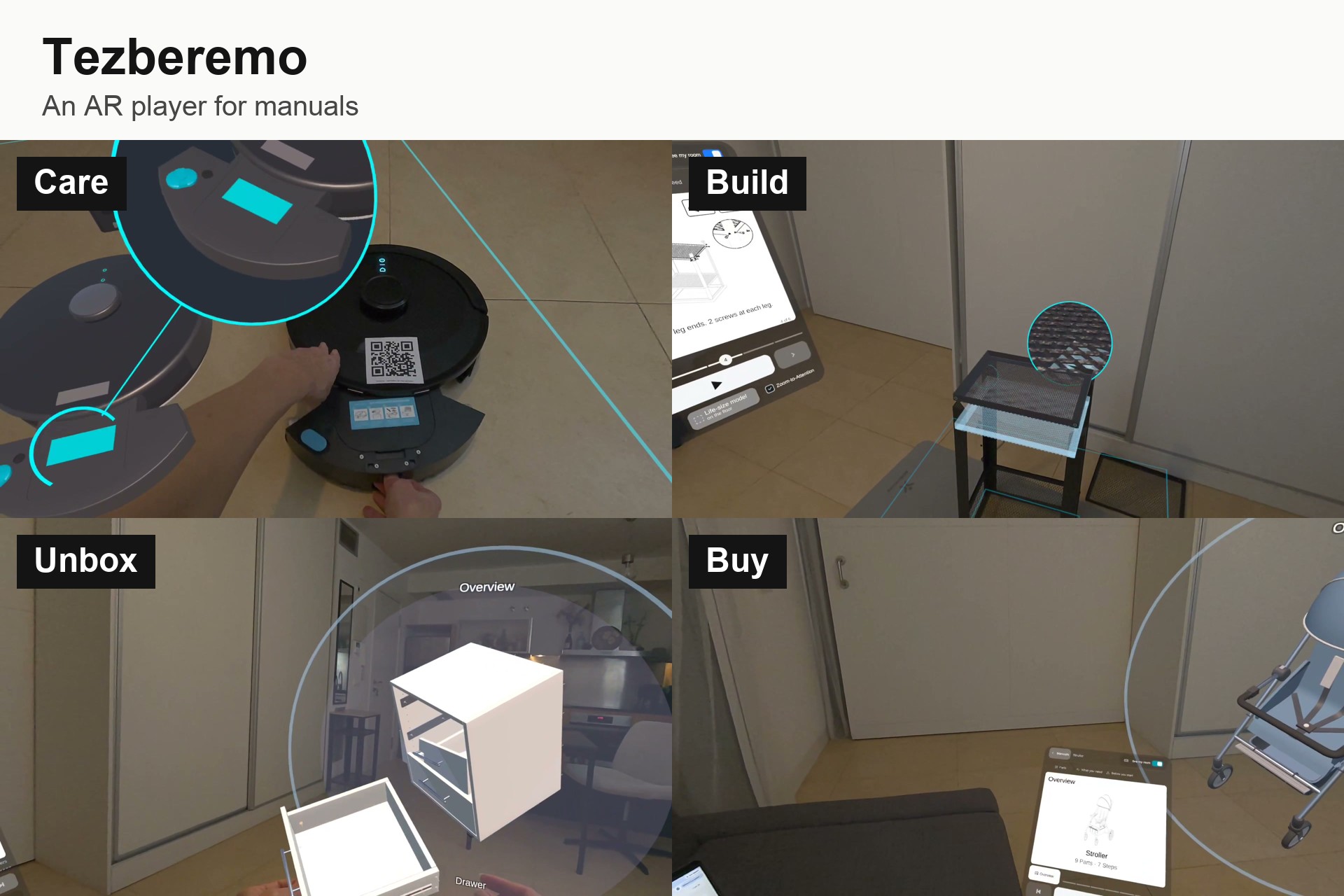
At home I had four things at four stages: a vacuum to clean, a table half built, a nightstand in its box, a stroller I was thinking of buying. Each came with its own manual in its own place. I wanted one app for all of them.
What it does
A video player plays videos. Tezberemo plays manuals: in AR, beside the thing. The app has no code for any one product: a manual comes by its code, and the app plays it.
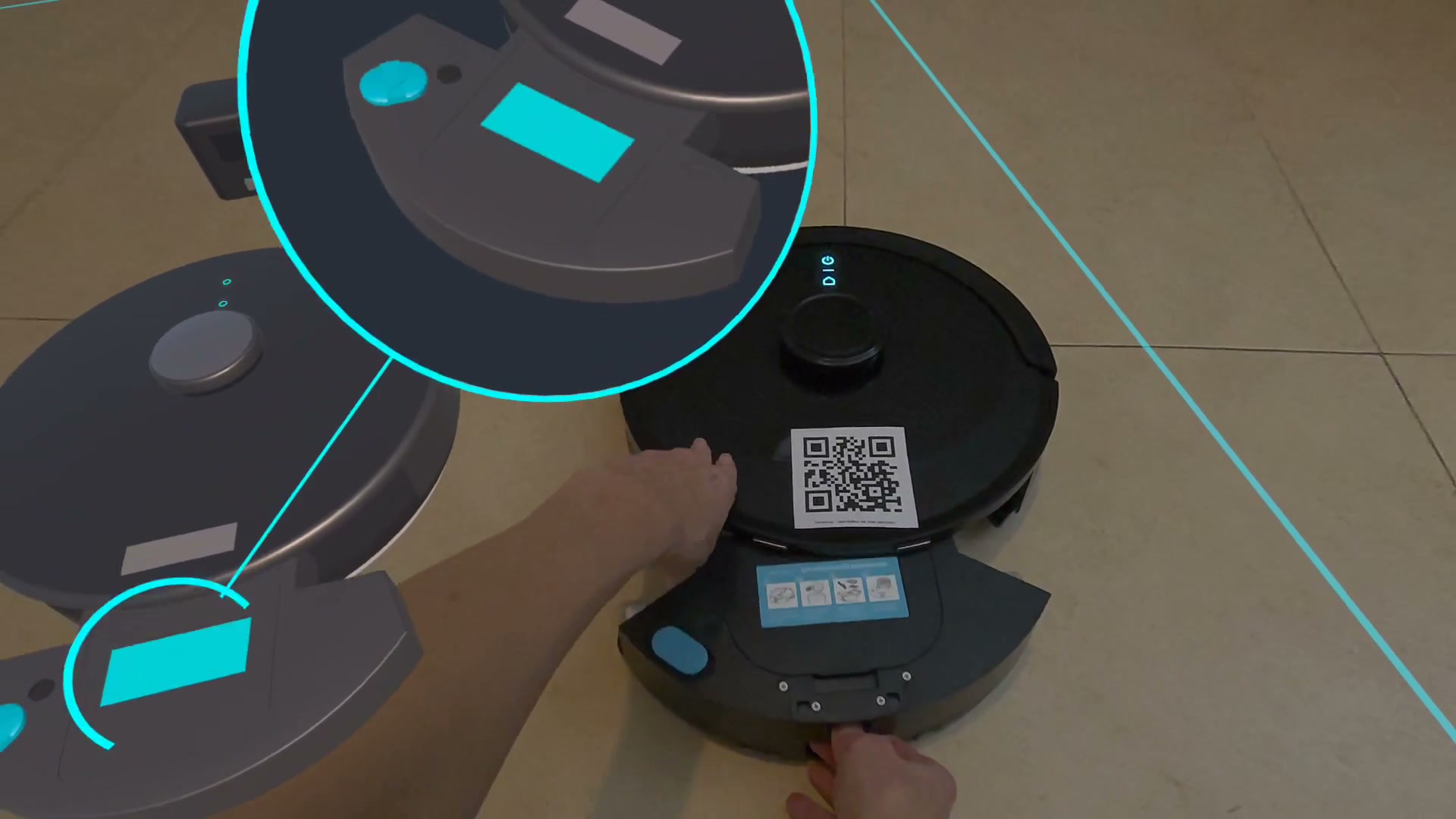
- Care: robot vacuum. Code on the vacuum. Scan it, the manual opens. Take the dust tank out of the model, then out of the real vacuum.
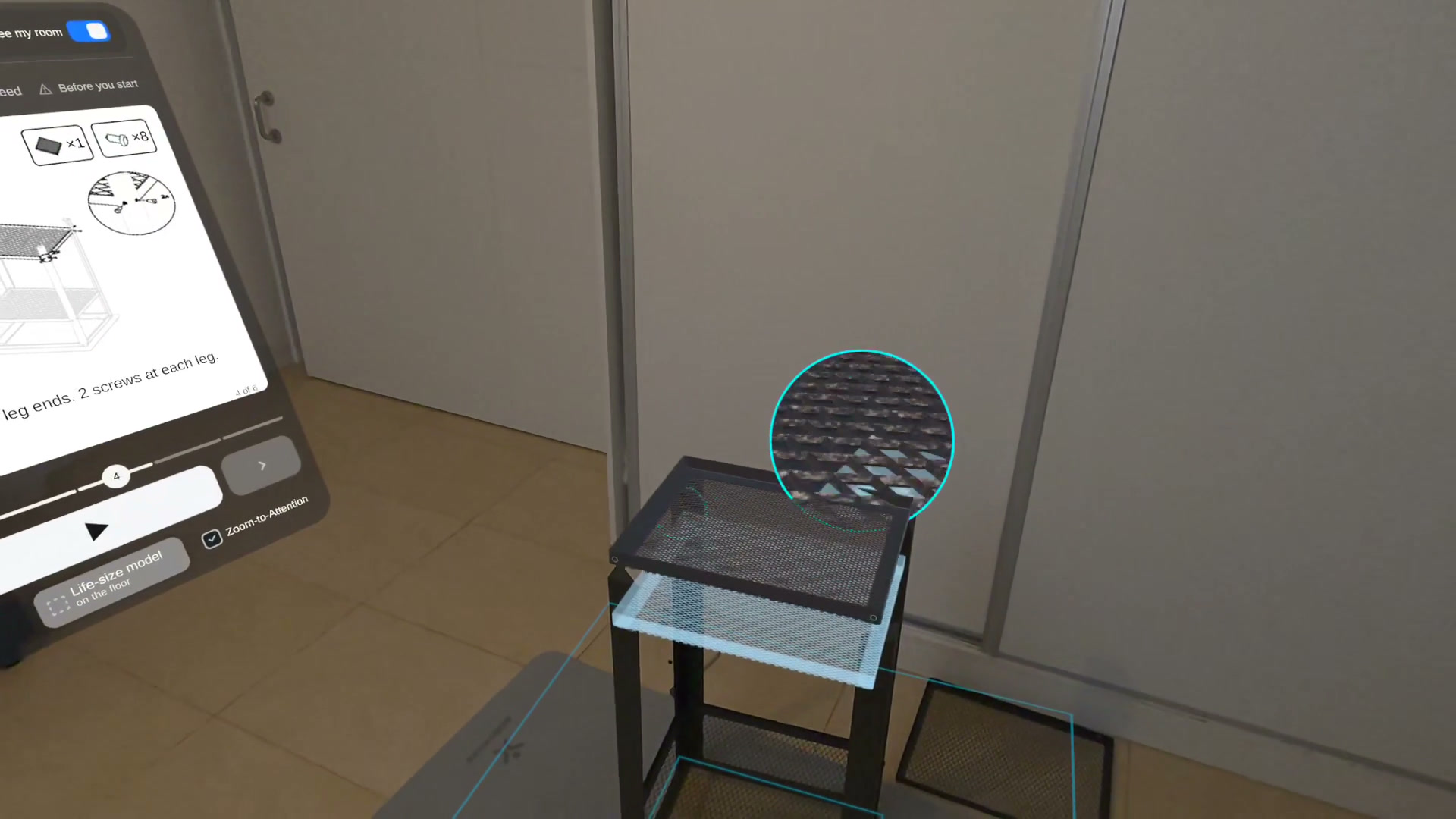
- Build: side table. Half built. The headset looks at the table, finds the current step and offers its page.
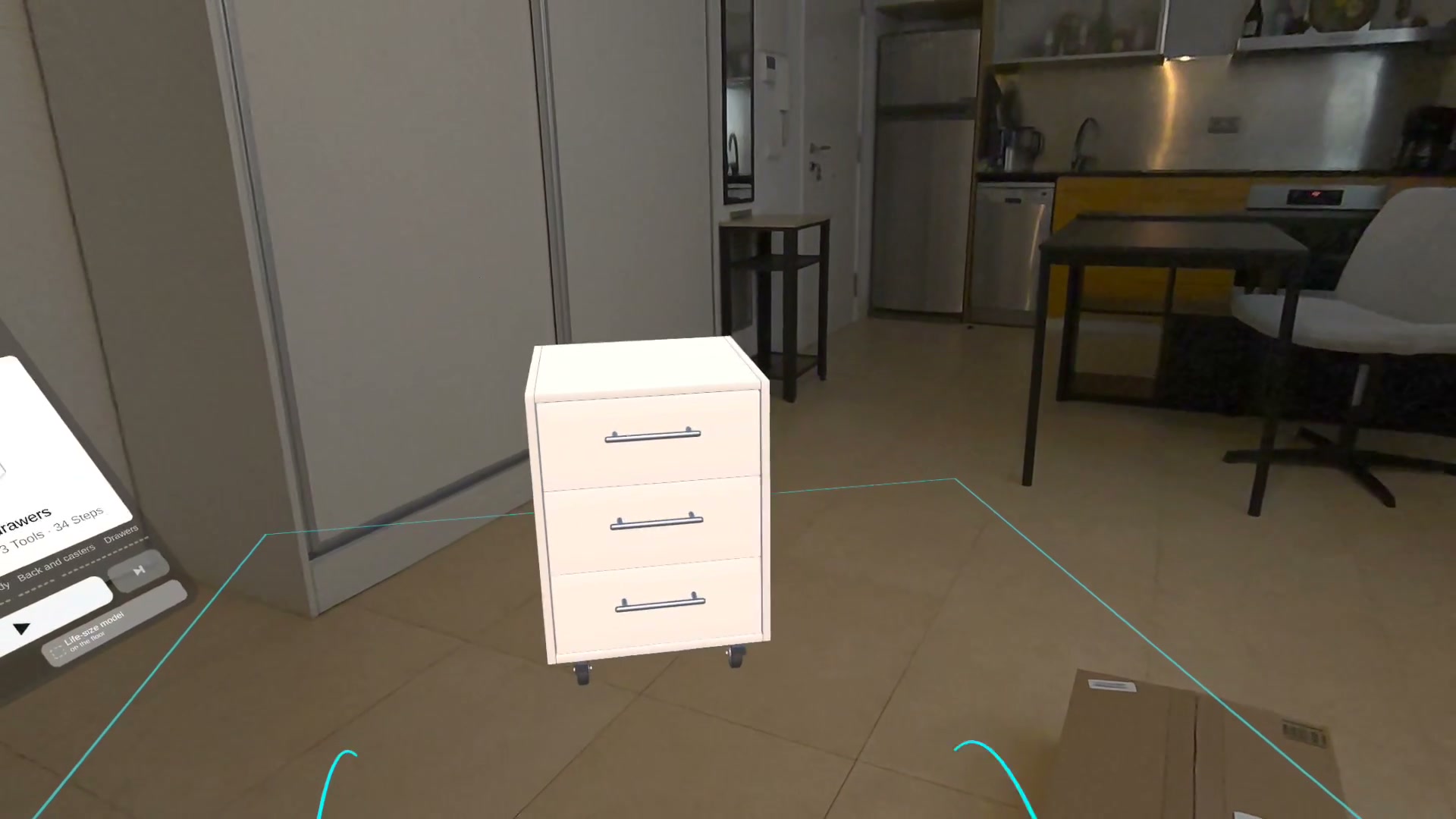
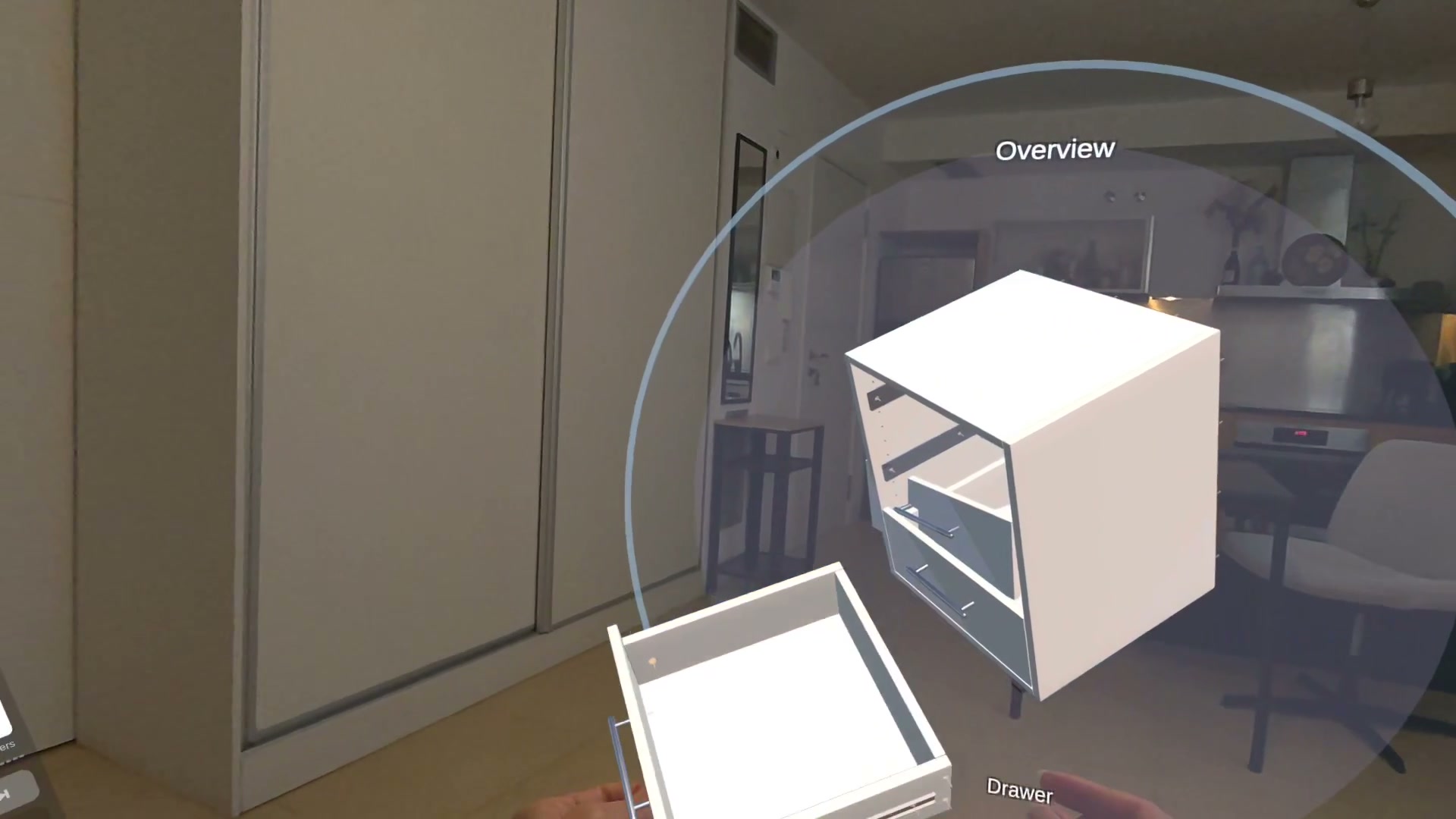
- Unbox: nightstand. Code on the box. The manual is not in the app; it downloads. Hold a drawer before the first screw, see the nightstand at full size where it will stand.
- Buy: stroller. Code on the shop's page. Scan it from the screen, see how it sets up before you buy it.
Each manual is a page per step, like paper. Beside the page: a small 3D model of the step, a part you can take in your hand, the same step at full size on your floor.
Hands only. Camera images stay on the device.
For makers and shops
Whoever makes or sells things for the home sends us the paper manual they already have, and a few photos. We adapt it to AR: AI drafts it, our team corrects it. They check it, and put its code wherever their buyers meet the thing: on the thing, on the box, on the shop's page.
This is how it will work, not what has happened yet. No maker or shop has sent a manual or issued a code. In this demo, we are the maker: the four manuals were made by us with AI tools, and the codes are ours. Today there is only a simple form at tezberemo.github.io/add.
Try it
Seated, hands only, about five minutes. No real furniture is needed. Scanning needs the camera permission and Wi-Fi once.
- Open the shelf. Manuals holds two manuals that come with the app: Robot vacuum and Side table.
- Scan a code. Choose Scan a code and look at the nightstand's code below, on your screen, about an arm's length away. A tick, then Downloading: the manual was not in the app, it came by its code. It joins the shelf and stays there, also offline.
- Watch the overview. Nightstand with drawers opens on a short film: the whole nightstand, then a few main steps.
- Take it in your hand. Go to a step and pinch the part it moves, a drawer for example. Turn it in your hand.
- Stand it beside your own. Choose Life-size model. The nightstand stands on your floor. With See my room off it stands in a plain virtual room, if you have little floor.
- One more code. Scan the stroller's code below: a second thing, a second manual, the same scan.
The two codes are the last two images in the gallery: first the nightstand, then the stroller. Open one full screen on your computer and scan it from the headset.
Then open Robot vacuum and take out its dust tank. Step recognition needs our real side table, so it is only in the video.
How I built it
- Unity 6.3 LTS, Meta XR SDK v207. Interaction SDK for hands: pinch grabs, poke buttons, two-hand scaling. No controllers anywhere.
- Passthrough Camera API for two things: reading the code, and step recognition.
- Step recognition on the device. A small image classifier, trained on about 2,500 frames of the real side table in every state of its assembly, runs on the headset's GPU with Unity Inference Engine. In our test it named the right page in 71–97 % of frames. The app never turns the page by itself: it offers the page, and you open it.
- Manuals are data. Each one is a manifest and a glTF model: parts, fasteners, steps, sections, texts. The app has no code written for the vacuum, the nightstand or the stroller. The nightstand is deliberately complex: 34 steps, 152 fasteners of nine kinds, drawers and sides built apart as sub-assemblies.
- AI drafts, a validator checks. The models were built in Blender by scripts written with AI, and the pages and texts were drafted with AI. A validator checks every manual when it is imported, and refuses what the app could not play.
- Delivery by code. The app carries two manuals, the vacuum and the side table. The nightstand and the stroller are not in the APK: each comes as a pack, downloaded by its code from a static site, kept on the headset and back in Manuals after a restart without network.
What is not there yet
- Step recognition reads one product, our side table, on the happy path. The other manuals are paged by hand.
- The app does not find the real vacuum or the real nightstand. You stand the life-size model beside them yourself.
- The codes in the video and on this page are ours, made for the demo. No maker or seller has issued one.
- A pack works only with the app build it was made for.
- All four manuals were made by us with AI tools. The validator runs on our machine when a manual is imported, not on the headset. The tool that turns a paper guide into a manual is not part of this submission.
- Nothing is built for Meta smart glasses yet. They are the direction.
Built during the competition
Everything in this submission was built after 24 September 2026, solo: the app, the manual format, the validator, the four manuals and the step recognition model.
What's next
- Makers and shops. After the hackathon this is the main focus: we adapt their manuals, they check them and use them as they want.
- Step recognition for every manual, trained from the manual's own 3D model instead of filmed frames.
- Meta smart glasses. A headset you put on twice: before you start, and when you are stuck. Glasses you already wear, so the instruction is there when you look at the thing.
- EU ecodesign rules (Regulation (EU) 2024/1781) point the same way: instructions for installing, using, maintaining and repairing a product become digital information that travels with the product.
