
Inspiration
Building starts with the ideation process. We decided to think of problems we have encountered when learning, and we found explaining context to an AI to be rather difficult. Therefore, we made tEXTRACT.
What it does
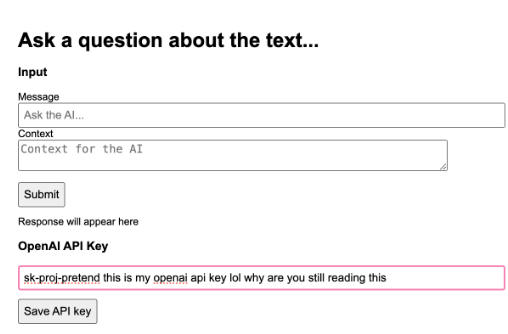
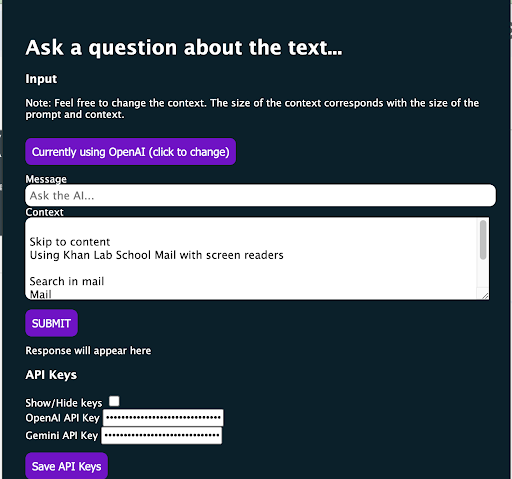
tEXTRACT is a Chrome extension to automatically fetch from the OpenAI and Gemini APIs and include an engineered prompt that has both the user's page and the user's question.
How we built it
We simply used JavaScript and created a project in Chrome's extension format. Then, we could add all the features we needed.
Challenges we ran into
In order to test the OpenAI API, we needed an API key which we did not have. To overcome this challenge, we made a purchase for the API today. Additionally, we have never created a Chrome extension before. We had to learn the basics today.
Accomplishments that we're proud of
Considering our team's varying experiences of programming, we are very proud to have created this project. We are also very proud of finding a topic in the first place.
What we learned
We learned how to use the Gemini API and how to create a chrome extension. Within creating a Chrome extension, we had to learn how to create each part of a Chrome extension, such as content scripts, service workers, and just setting up the popup.
What's next for tEXTRACT?
In the future we can improve the UI and add more features such as text to speech on the extension. And we also could make it compatible with many languages
Built With
- gemini
- javascript
- openai

Log in or sign up for Devpost to join the conversation.