-
-
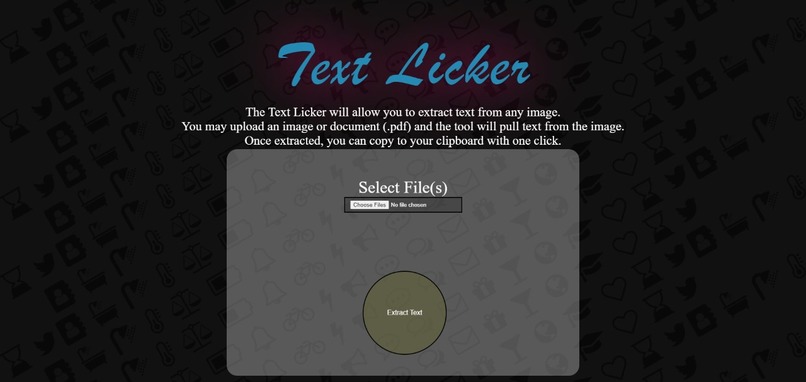
Text_Licker

Inspiration💡❤️
we always struggled to copy text from the assignment papers which teachers give us in the form of scanned document or image file and we had to type them out completely which is redundant work to do , TADA so we came up with this web application called Text Licker 👅 which enables you to copy text from any kind of document
What it does💻
The text extractor will allow you to extract text from any image. You may upload an image or document (.pdf) and the tool will pull text from the image. Once extracted, you can copy to your clipboard with one click.
How we built it⚒️🥰
Optical character recognition (OCR) technology is a business solution for automating data extraction from printed or written text from a scanned document or image file and then converting the text into a machine-readable form to be used for data processing like editing or searching.so we used FastAPI which is a Web framework for developing RESTful APIs in Python and we made the user interface using html, CSS , JavaScript
Challenges we ran into💦
While debugging the code and selecting correct tools to use within the time period , GUESS WHAT we made it hurry!!
Accomplishments that we're proud of🥲
Project setup, local debugging with typescript, and tests with 90%+ code coverage .
What we learned📚📖
we learned python-tesseract which is an optical character recognition (OCR) tool for python. That is, it will recognize and “read” the text embedded in images. and also digged deeper into FastAPI concepts and made a beautiful user interface which gave rise to creative side of our brin
What's next for TextLicker❓
we want to scale this big , and would like incorporate many more language's to help with extraction and help lots of students like us.
Built With
- css
- fastapi
- html
- javascript
- python


Log in or sign up for Devpost to join the conversation.