-
-
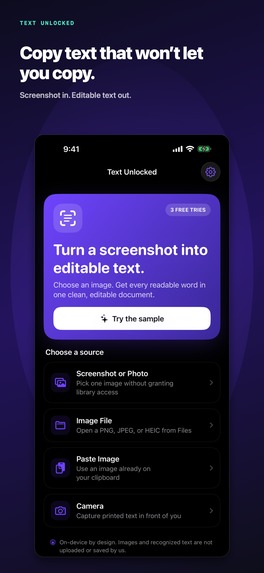
Text Unlocked turns words in a screenshot into editable text.
Inspiration
Words are often visible on a screen but impossible to select or reuse because they are trapped inside a screenshot or photo. I wanted one unusually useful transformation: image in, editable text out. I also wanted it to be trustworthy. A utility that reads screenshots should not require an account, upload the image, track the user, or turn a simple need into another subscription.
What it does
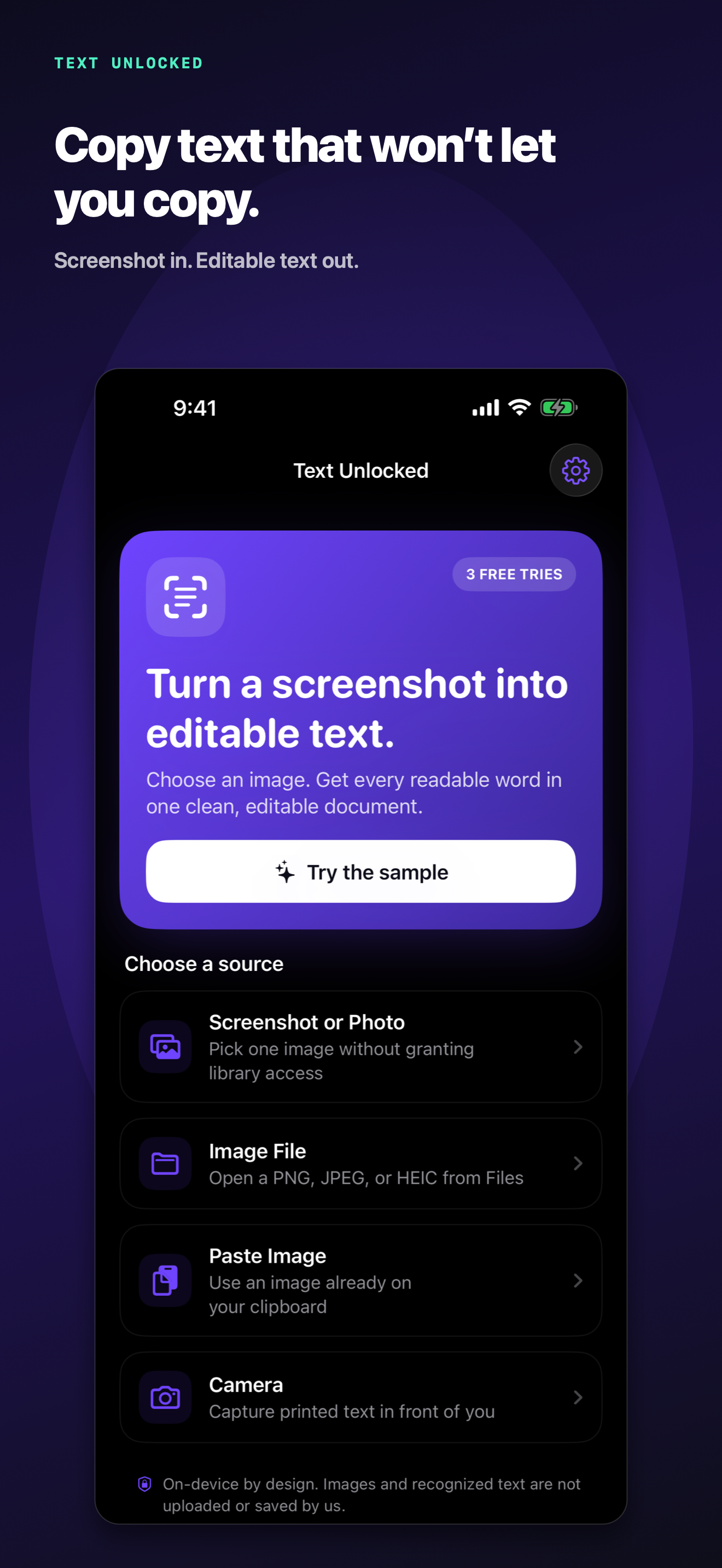
Text Unlocked converts printed or on-screen words in screenshots and photos into a clean, editable document. Users can share a screenshot directly to the Unlock Text Action extension, choose an image from Photos or Files, paste an image, scan with the camera, or use a built-in sample that requires no permission.
Recognition happens entirely on the device. The result opens in an editor where it can be corrected, copied, or shared. The app includes three complete free conversions, followed by an optional $7.99 lifetime unlock. It has no account, subscription, advertising, analytics SDK, or server-side image processing.
How I built it
I built Text Unlocked during OpenAI Build Week with Codex running GPT-5.6 Sol. My role was to define the product, privacy promise, pricing, completion standard, and final design decisions. Codex translated those decisions into a release-ready native iOS implementation.
The app uses Swift 6 and SwiftUI. VisionKit provides the primary text-analysis path, while Vision supplies a robust fallback and explicit reading-order reconstruction. An iOS Action extension makes the core workflow available from another app's action sheet. StoreKit 2 manages the one-time purchase and restore flow, with shared app-group state between the app and extension.
Codex also created the icon, screenshots, App Store metadata, privacy manifest, support and privacy website, automated tests, signed archive, and App Store Connect release package. GPT-5.6 helped reason across product, engineering, design, testing, privacy, and release operations in the same primary task.
Challenges
The first challenge was making OCR feel like a product rather than a framework demo. Recognized lines needed stable reading order, useful errors, editing, exporting, multiple input paths, and a fast no-permission sample.
The second challenge was carrying the same access state into an Action extension. The main app and extension use a shared app group so the free-conversion limit and lifetime unlock behave consistently.
The third challenge was privacy. The app handles potentially sensitive screenshots, so the architecture had to make the privacy claim true: recognition on device, no accounts, no analytics, no uploaded images, clear retention language, and a privacy shield when the app leaves the foreground.
Finally, done meant more than compiling. Codex verified tests, built App Store screenshots, deployed support and privacy URLs, configured StoreKit and App Store metadata, produced a signed archive, and uploaded the release build.
Accomplishments
- Went from a one-sentence idea to a complete native iOS product and uploaded App Store release package in one primary Codex task.
- Built five useful input paths around one clear transformation.
- Kept image recognition entirely on device.
- Added an Action extension, StoreKit lifetime purchase, restore flow, accessibility work, and privacy shielding.
- Passed eight unit/OCR/access tests and one end-to-end UI test.
- Created and verified a live product site, privacy policy, and support page.
What I learned
The strongest use of an advanced coding agent is not merely generating code. It is maintaining one coherent product intent while moving through architecture, implementation, verification, design, privacy, and release.
I also learned that a narrow utility can require serious engineering. The promise is one sentence, but earning trust requires the entire product to agree with it.
What's next
The immediate next step is App Store release and customer feedback. After launch, I will improve recognition and reading order using real failure cases, add Shortcuts support, and test small workflow improvements while preserving the core promise: turn trapped text into text the user can use.

Log in or sign up for Devpost to join the conversation.