-
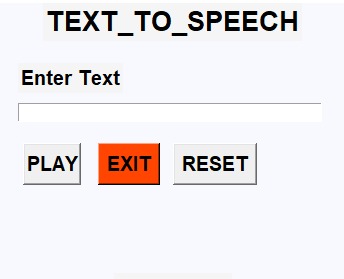
snapshot
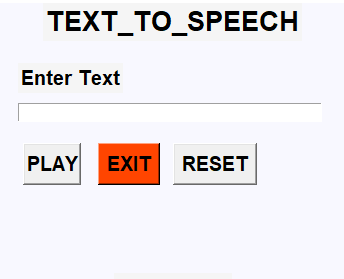
Text to Speech Converter
Text to Speech is a process that converts any text into voice. This project takes words on digital devices and converts them into audio with a button click or finger touch. It is particularly beneficial for people struggling with reading.
Code Implementation
# import libraries
from tkinter import *
from gtts import gTTS
from playsound import playsound

# Initialized window
root = Tk()
root.geometry('350x300')
root.resizable(0,0)
root.config(bg='ghost white')
root.title('Text to Speech Converter')

# heading
Label(root, text='Text to Speech Converter', font='arial 20 bold', bg='white smoke').pack()
Label(root, text='GetProjects', font='arial 15 bold', bg='white smoke').pack(side=BOTTOM)

# label
Label(root, text='Enter Text', font='arial 15 bold', bg='white smoke').place(x=20, y=60)

# text variable
Msg = StringVar()

# Entry
entry_field = Entry(root, textvariable=Msg, width='50')
entry_field.place(x=20, y=100)

# define function
def Text_to_speech():
    Message = entry_field.get()
    speech = gTTS(text=Message)
    speech.save('GetProjects.mp3')
    playsound('GetProjects.mp3')

def Exit():
    root.destroy()

def Reset():
    Msg.set("")

# Button
Button(root, text="PLAY", font='arial 15 bold', command=Text_to_speech, width=4).place(x=25, y=140)
Button(root, text='EXIT', font='arial 15 bold', command=Exit, bg='OrangeRed1').place(x=100, y=140)
Button(root, text='RESET', font='arial 15 bold', command=Reset).place(x=175, y=140)

# infinite loop to run program
root.mainloop()
Built With
- gtts
- python

Log in or sign up for Devpost to join the conversation.