-
-
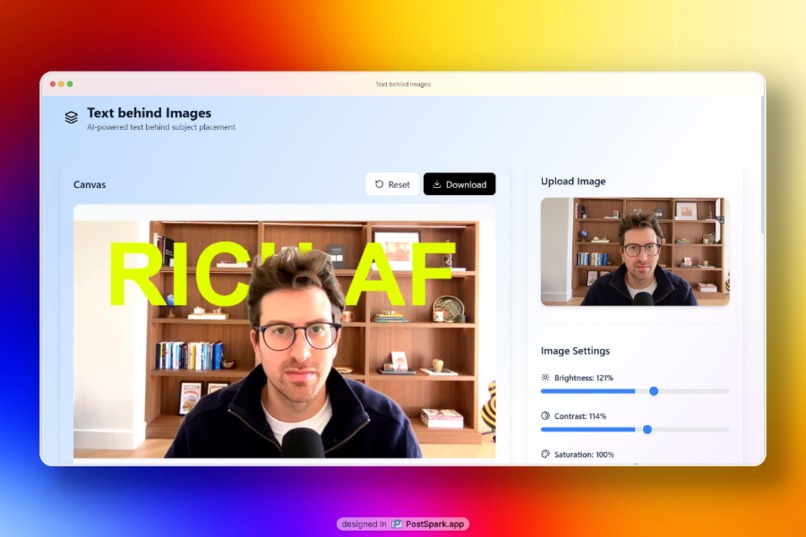
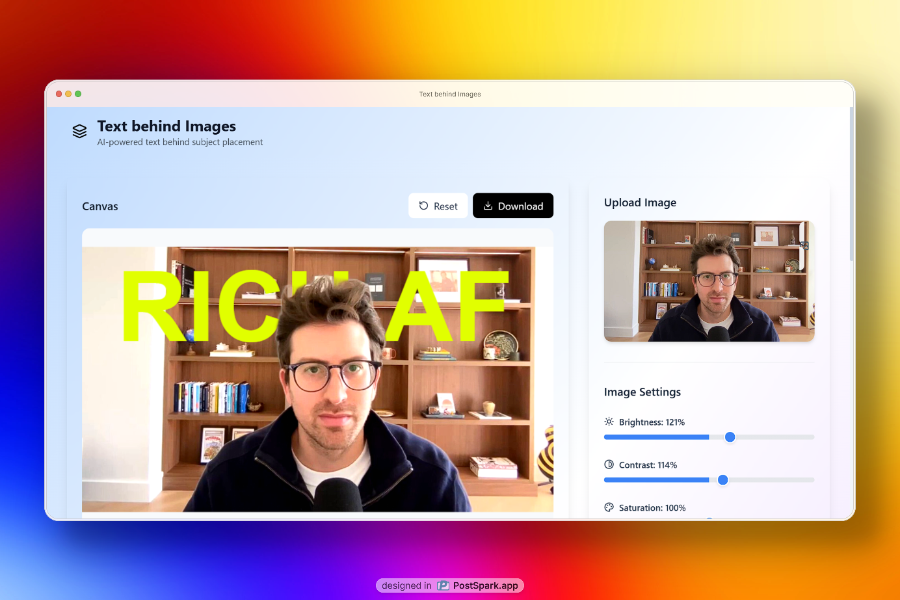
Rich AF Greg Isenberg
-
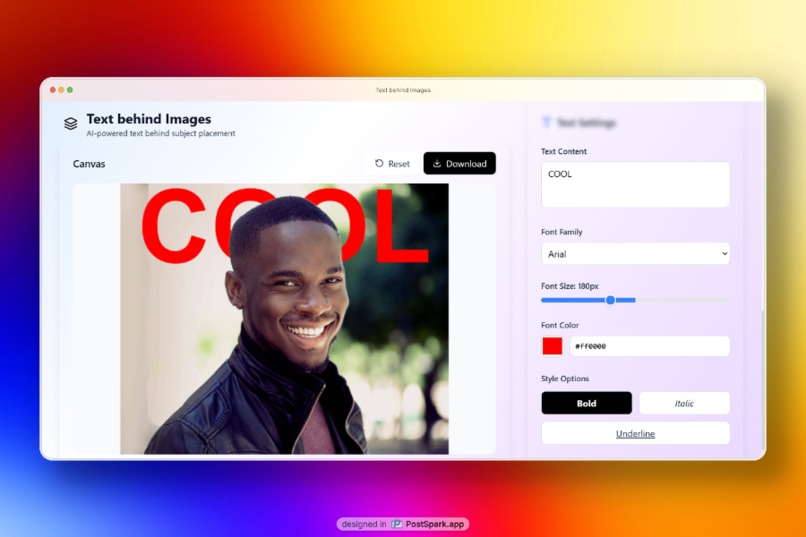
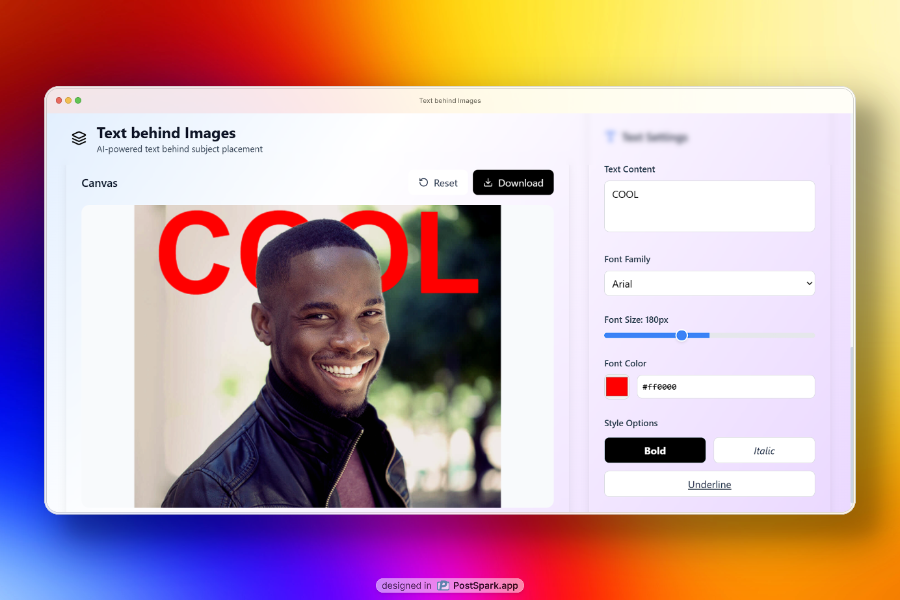
COOL picture of a man
Inspiration
The idea for Text Behind Images was born from the growing trend of creative typography in social media and digital marketing. I noticed how designers often struggle to create that perfect “text behind subject” effect that makes images pop on platforms like Instagram, TikTok, and Pinterest.
Traditional photo editing software requires complex masking techniques and professional skills, making this effect inaccessible to everyday users. I wanted to democratize this creative process using the power of AI.
What it does
Text Behind Image is an AI-powered web application that automatically places text behind the main subject of any photo while preserving the natural background. Users simply upload an image, type their desired text, and our AI instantly separates the subject from the background. The text is then intelligently layered between the background and the subject, creating a professional-looking composition that appears as if the text was naturally part of the original scene.
Key features include:
- AI-powered background removal for automatic subject isolation
- Drag-and-drop text positioning with real-time preview
- Comprehensive text styling (fonts, colors, sizes, effects)
- Image enhancement controls (brightness, contrast, saturation, blur)
- High-quality export for social media and print use
How I built it
I built the application using modern web technologies for optimal performance and user experience:
- Frontend: React with TypeScript for type safety and component architecture
- Styling: Tailwind CSS for rapid, responsive design development
- AI Integration:
@imgly/background-removallibrary for client-side subject isolation - Canvas Rendering: HTML5 Canvas API for real-time image composition and layering
- Build Tool: Vite for fast development and optimized production builds
- Deployment: Netlify for seamless hosting and continuous deployment
The core challenge was implementing the three-layer rendering system:
Background → Text → Subject.
I used advanced canvas manipulation techniques to create masks, apply filters, and composite layers in real-time while maintaining high performance.
Challenges I ran into
- Performance Optimization: Processing high-resolution images in the browser while maintaining smooth interactions required careful memory management and canvas optimization techniques.
- AI Model Integration: Integrating the background removal AI model to work reliably across different image types and qualities, while handling edge cases where subject detection might fail.
- Layer Composition: Creating a robust system to properly layer background, text, and subject while applying different filters and effects to each layer independently.
- Cross-browser Compatibility: Ensuring consistent canvas rendering and AI model performance across different browsers and devices.
- User Experience: Designing intuitive controls that make complex image editing accessible to non-technical users while providing enough customization for power users.
Accomplishments that I'm proud of
- Seamless AI Integration: Successfully implemented client-side AI background removal that works instantly without server dependencies
- Intuitive User Interface: Created a clean, professional interface that makes complex image editing feel simple and accessible
- Real-time Performance: Achieved smooth, responsive interactions even with large images and complex compositions
- Production-Ready Quality: Built a fully functional application with professional-grade output suitable for social media and marketing use
- Responsive Design: Developed a mobile-friendly interface that works across all device sizes
What I learned
This project taught us valuable lessons about:
- AI/ML Integration: How to effectively integrate machine learning models into web applications for real-time processing
- Canvas Performance: Advanced techniques for optimizing HTML5 Canvas operations and memory management
- User-Centered Design: The importance of progressive disclosure and intuitive controls in creative tools
- Modern Web Development: Leveraging cutting-edge browser APIs and libraries to create desktop-quality experiences in the browser
- Image Processing: Deep understanding of image composition, layering, and filter application techniques
What's next for Text Behind Image
I have exciting plans to expand the platform:
Advanced AI Features:
- Multiple subject detection and selective text placement
- Automatic text color suggestions based on image analysis
- Smart text positioning recommendations
Enhanced Creative Tools:
- Text effects (shadows, outlines, gradients)
- Custom font uploads
- Template library with pre-designed layouts
Collaboration Features:
- Team workspaces for brand consistency
- Version history and project sharing
- Bulk processing for social media campaigns
Platform Integration:
- Direct publishing to social media platforms
- API for third-party integrations
- Mobile app development
Advanced Export Options:
- Video support for animated text effects
- Multiple format exports (PNG, JPG, SVG, PDF)
- Print-ready high-resolution outputs
Our Vision
Our vision is to become the go-to platform for anyone looking to create stunning visual content with professional-quality text effects, regardless of their design experience.
Built With
- html5
- imgly/background-removal
- lucide-react
- netlify
- react
- tailwind-css
- typescript
- vite

Log in or sign up for Devpost to join the conversation.