-
-
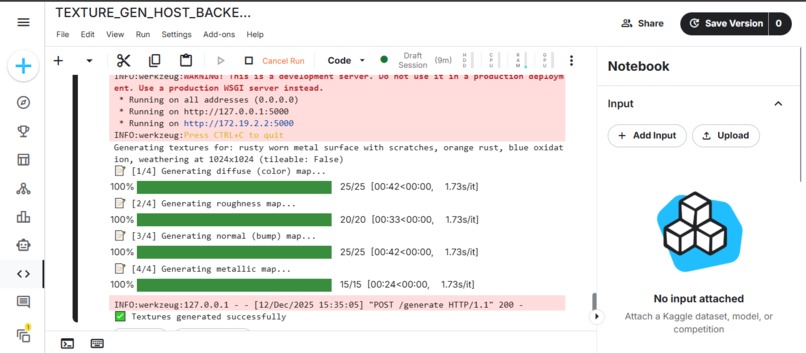
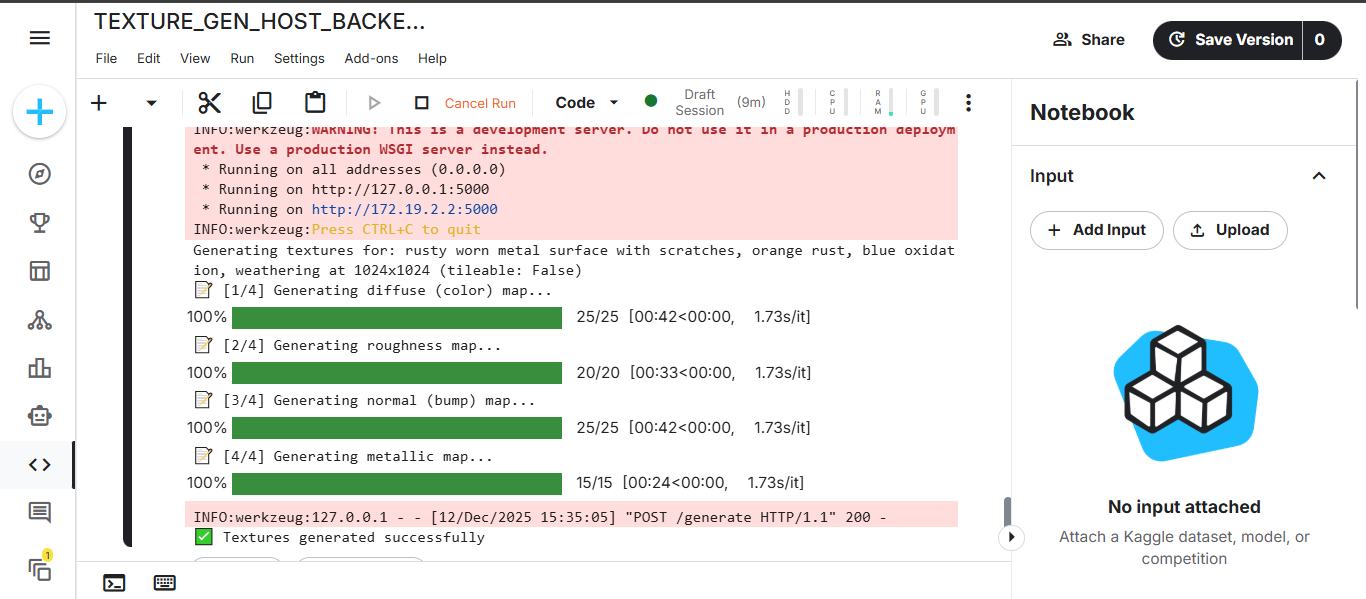
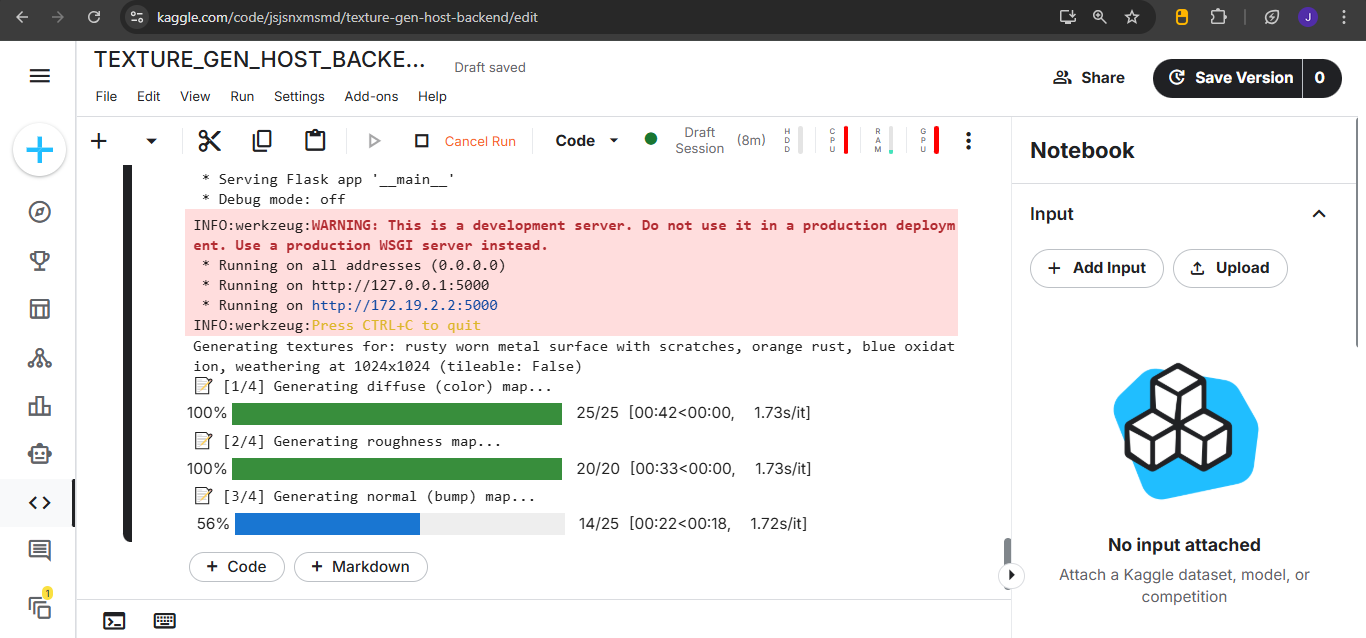
Backend progress
-
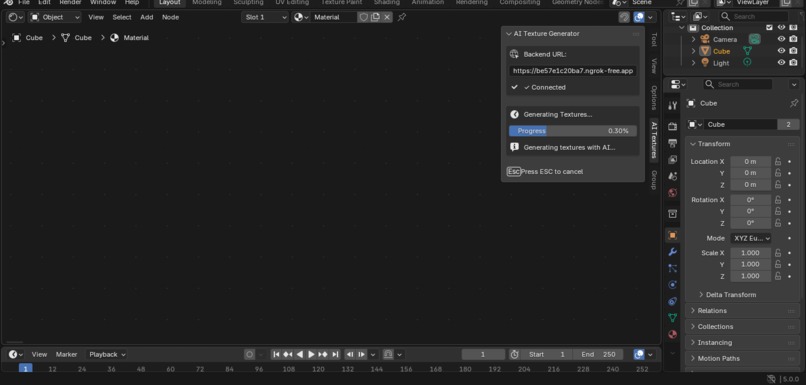
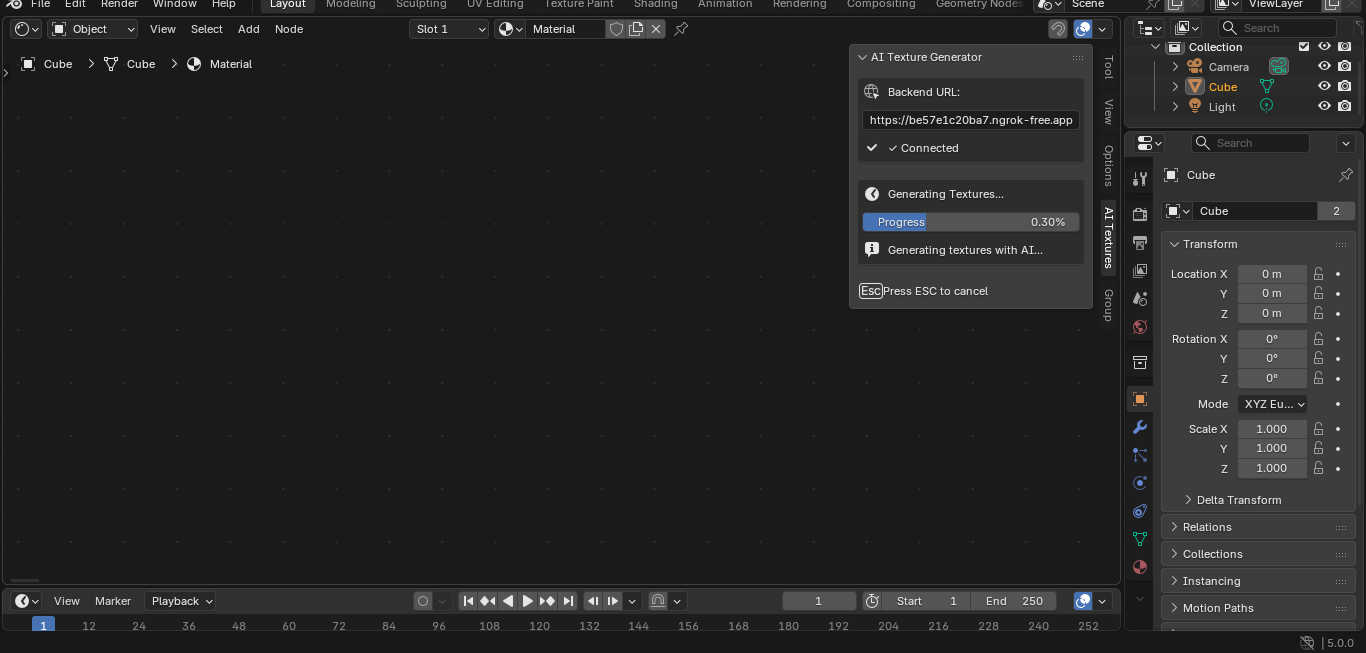
Texture Generation
-
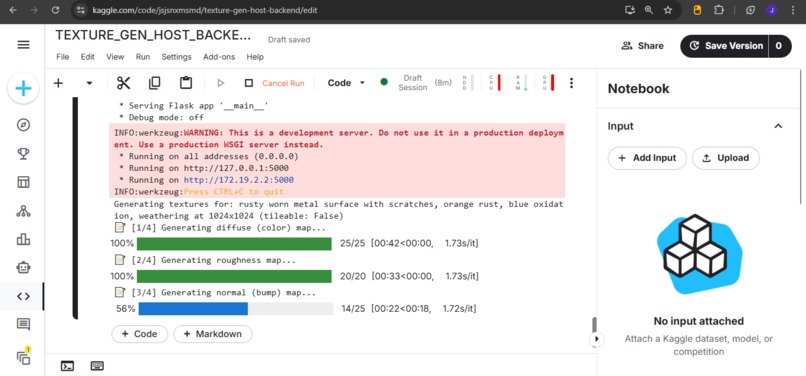
Backend Progress
-
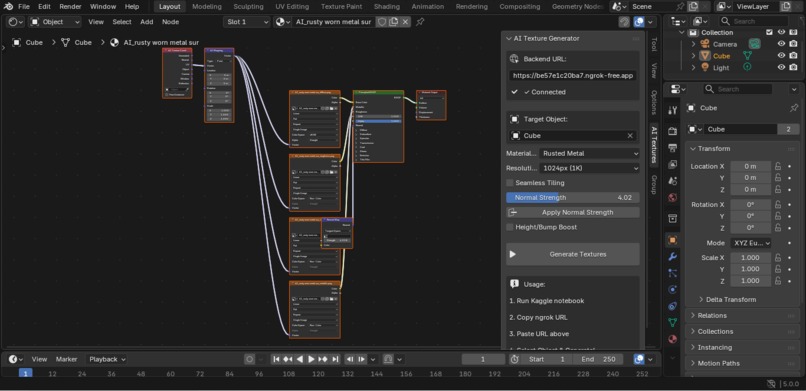
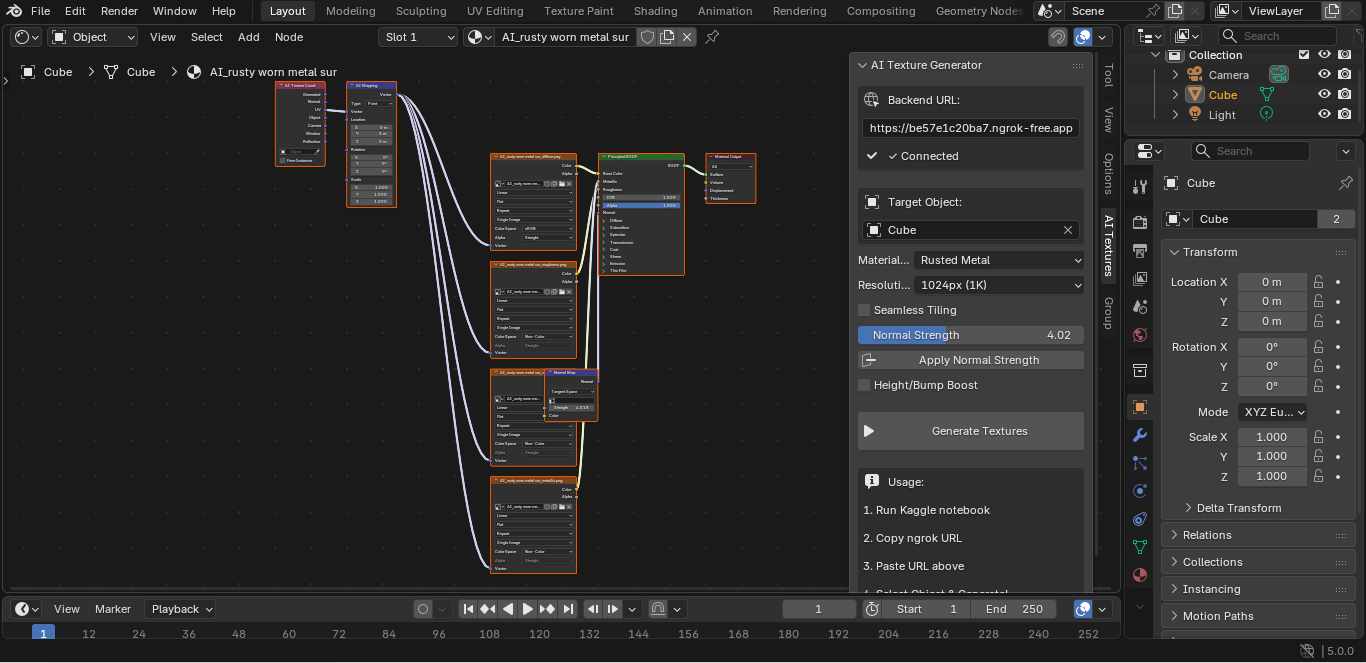
Texture Generated
-
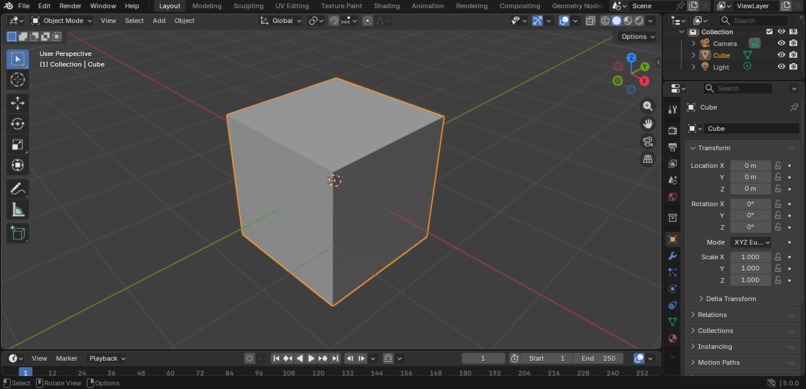
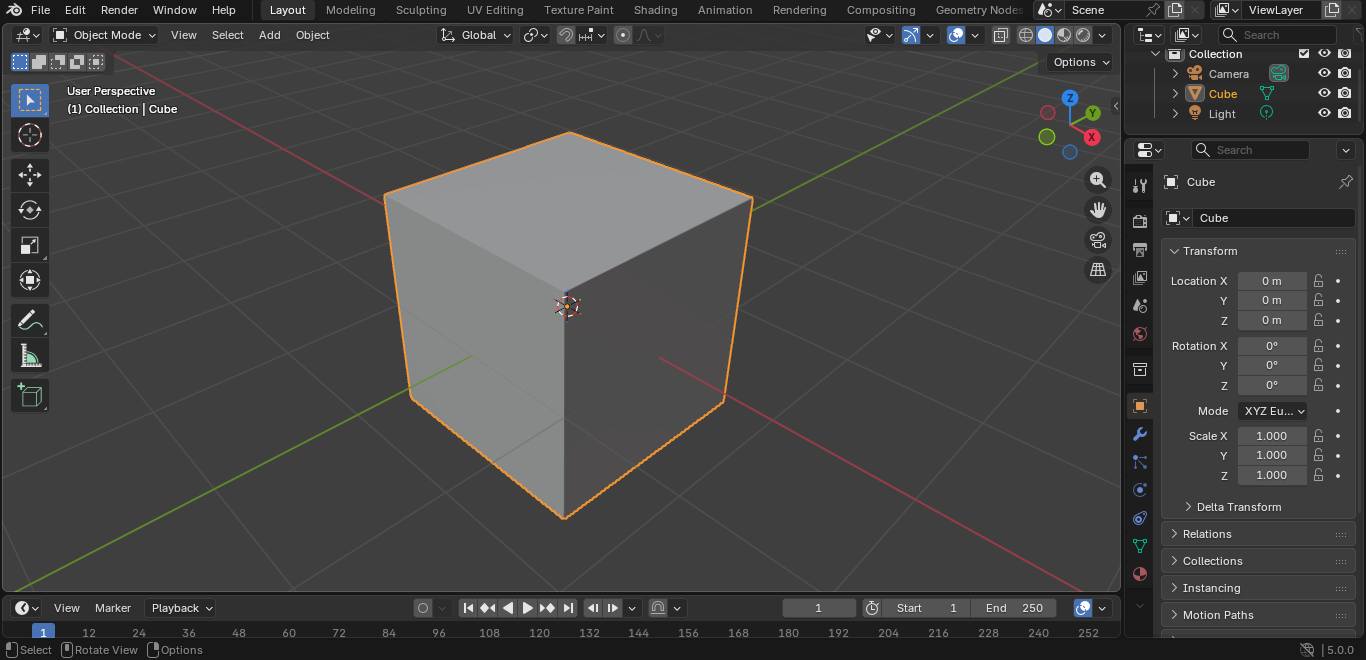
Before Generation
-
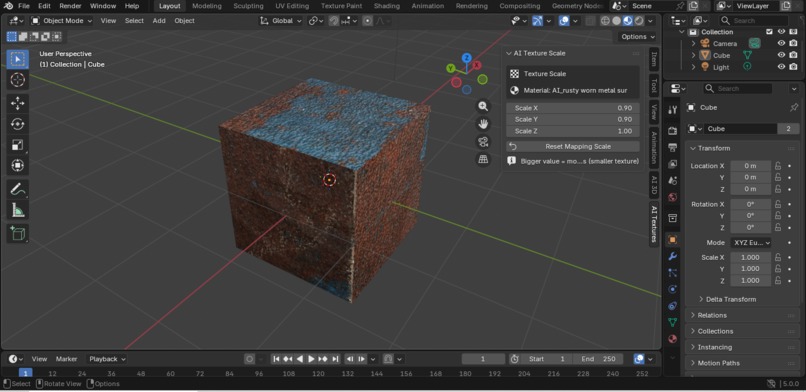
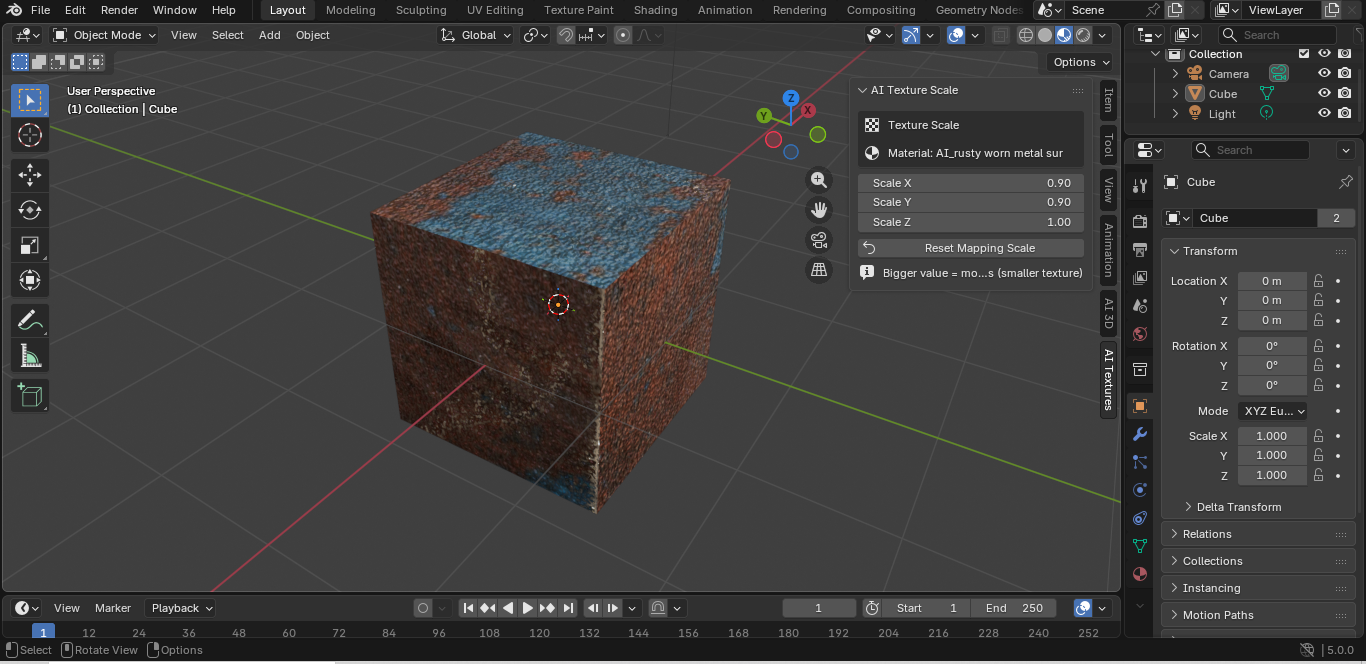
After Generation
Inspiration
I was inspired by the massive time sink involved in creating high-quality, unique 3D textures. A 3D artist might spend hours sifting through asset libraries, manually painting texture maps, or complex node setups just to get a single usable material (like "cracked concrete"). I wanted to leverage the power of Generative AI to cut this 3D texturing process from hours to seconds.
What it does
TexAI is a seamless Text-to-PBR Material Generator built directly into the Blender 3D application.
- The user selects a target object in Blender.
- The user types a description (e.g., "rough red granite with gold flakes").
- The addon instantly sends the request to either a local GPU backend or a cloud GPU server (Kaggle).
- The server uses a high-quality Realistic Vision model to generate the necessary 3D texture maps: Diffuse (Color), Roughness, Normal, and Metallic.
- The addon receives the maps and automatically creates the complete material node setup in Blender, applies it to the target object, and provides user controls for scaling.
How we built it
The project is built on a flexible, dual-mode architecture:
- The Backend (Local GPU or Kaggle + AI)
- The backend can run on either a Local GPU (with offline capability after initial setup) or Kaggle Notebooks (providing access to free cloud GPU).
- We run the Realistic Vision V5.1 model (example ID used in the notebook:
SG161222/Realistic_Vision_V5.1_noVAE) because it yields higher quality texture outputs for our prompts. - Local Mode: A Flask API runs on the user's computer with smart model caching - downloads once, works offline forever.
- Cloud Mode: A Flask API is hosted inside the Kaggle notebook to listen for texture-generation requests.
- ngrok is used in cloud mode to expose the temporary API URL so Blender can communicate with it securely.
- The API generates four separate texture maps for each request:
- Diffuse, Roughness, and Metallic maps are generated directly using specialized AI prompts tailored to the Realistic Vision aesthetic.
- The Normal Map is produced by first generating a Height Map and then converting it mathematically using a Sobel filter (
scipy.ndimage) to ensure correct 3D lighting response.
- Implementation notes:
- We configure the pipeline to use the DPMSolverMultistepScheduler (dpmsolver++) and appropriate dtype (FP16 on CUDA) for best results with the Realistic Vision family.
- The local backend includes automatic model caching to
./models/directory for offline operation.
- The Frontend (Blender Addon)
- The addon is written in Blender Python (
bpy). - It handles user input (prompt, object selection, scaling) and UI updates (progress bar and status).
- It uses Python's
requestslibrary to send the user prompt via HTTP POST to either the local server or the Kaggle ngrok URL. - The base64 image data returned from the server is decoded, saved to a temporary file, and then automatically loaded as PBR nodes (Image Texture, Normal Map, Mapping, Texture Coordinate) and linked correctly to the Principled BSDF shader. ## Challenges we ran into
- The addon is written in Blender Python (
Dual-Mode Architecture
Designing a system that works seamlessly with both local and cloud backends required careful URL validation, error handling, and mode-specific setup instructions to prevent user confusion.
Model Caching and Offline Operation
Implementing reliable local model caching that detects existing models, handles interrupted downloads, and provides clear feedback about offline capability required careful file system management.
Networking and Authentication
Setting up reliable communication between the local Blender client and the remote Kaggle GPU using the temporary ngrok tunnel and handling potential SSL conflicts required specific troubleshooting.
PBR Map Consistency
Ensuring the Roughness, Metallic, and Normal maps aligned contextually with the Diffuse map (e.g., rust spots on the color map corresponding to rougher spots on the roughness map) required careful prompt engineering and post-processing (such as brightness enhancement on the roughness map).
Accomplishments that we're proud of
Dual-Mode Flexibility
Successfully creating two deployment modes (local with offline capability, cloud with free GPU) in a single cohesive project, giving users genuine choice based on their hardware.
End-to-End PBR Generation
Successfully creating a true 4-channel PBR material from a single text prompt and automatically applying the full node setup.
Normal Map Conversion
Designing and implementing the reliable Height Map → Normal Map mathematical conversion (using Sobel filters) was a major technical achievement that ensures the final 3D material reacts to light naturally.
Professional UX
Implementing the explicit Target Object Selector and the Texture Scaling controls makes the tool feel like a fully polished, production-ready 3D utility, not just a hack.
What we learned
We gained deep knowledge in:
- Cross-Process Integration: Connecting local Blender API with both local Flask servers and remote Generative AI frameworks.
- Model Deployment Strategies: Understanding the tradeoffs between cloud (easy setup, no hardware requirements) and local (offline, private, reliable) deployment.
- Blender Python Modals: Mastering Python threading and the modal operator pattern for handling long-running background tasks in 3D software.
- 3D Generative Prompt Engineering: Learning that 3D textures require different prompts than general images, needing keywords like "seamless," "PBR," and "high contrast."
What's next for TexAI
The next step is to transform TexAI from a material generation tool into a complete 3D Asset Creation Pipeline and Workflow Automation System. We are moving into the domain of Intelligent 3D Workflow Automation, allowing users to accelerate their entire production pipeline.
- Enhanced Texture Control
- Image-to-Texture: Upload reference photos to generate matching PBR textures
- Texture Inpainting: Edit specific regions without regenerating entire texture
- Real-time Preview: Use faster models (LCM/Turbo) for instant iteration
- Geometry-Aware Generation
- We will integrate ControlNet to make textures respect 3D geometry
- Smart Masking: Using Blender's API to generate Ambient Occlusion (AO) and Curvature maps from the mesh.
- AI Conditioning: Sending AO and Curvature maps back to the Realistic Vision pipeline as ControlNet-style inputs ensures the materials become context-aware:
- Rust appears in crevices (high AO).
- Scratches appear on sharp edges (high curvature).
- AI Workflow Agent
- Natural language Blender control for complex operations
- Multi-step operation planning and execution from simple text commands
- Asset variation generation, LOD creation, and scene optimization


Log in or sign up for Devpost to join the conversation.