-
-
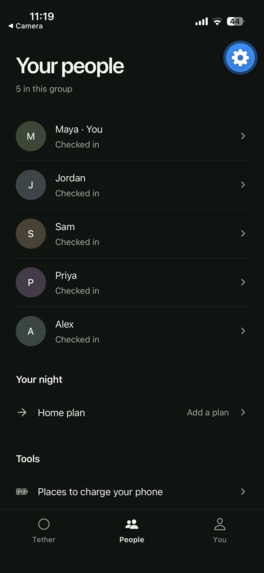
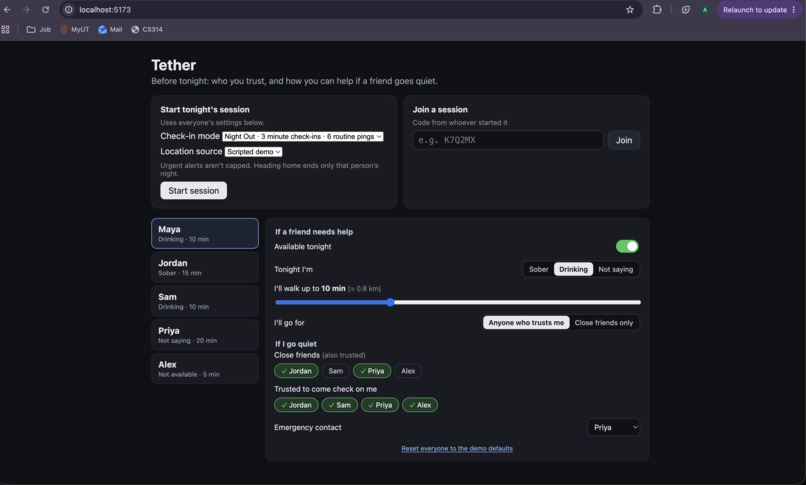
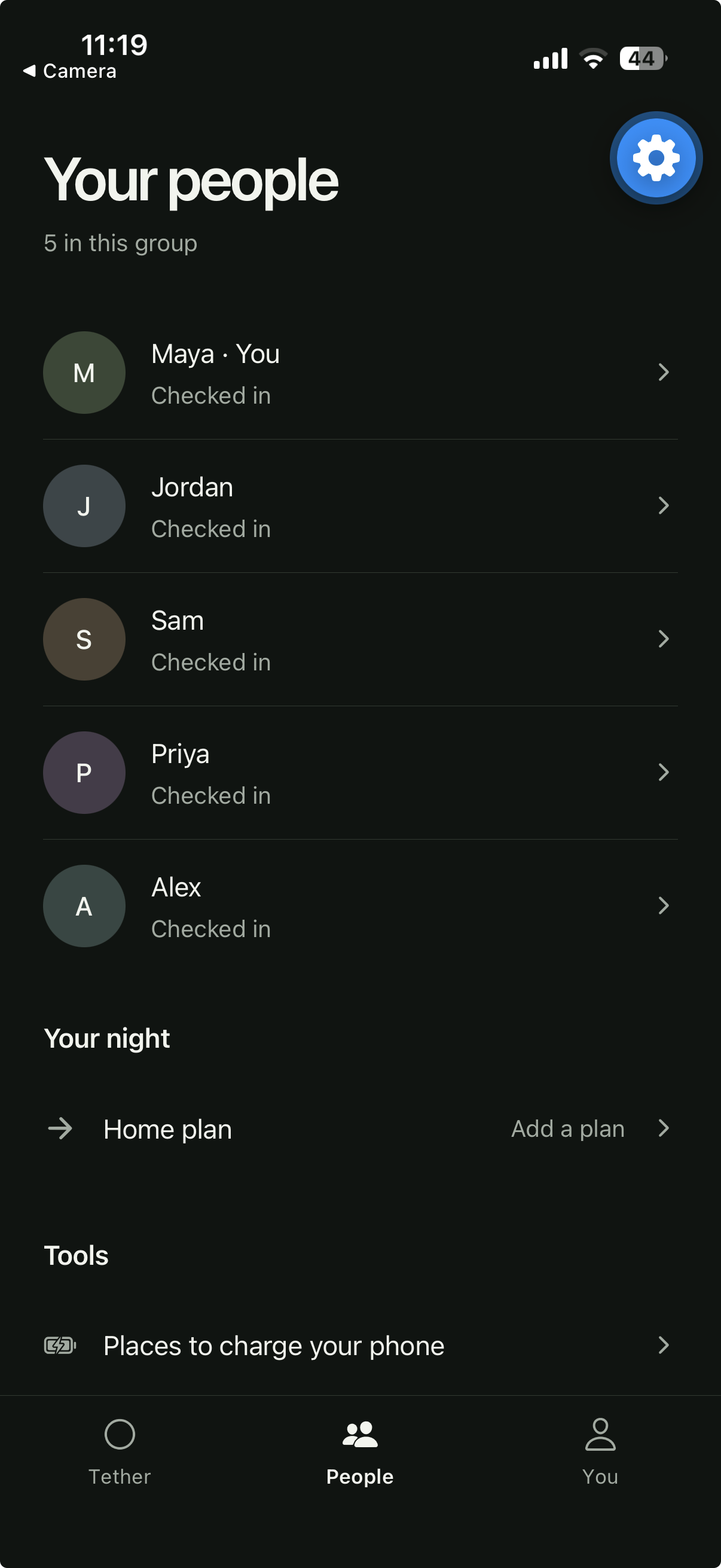
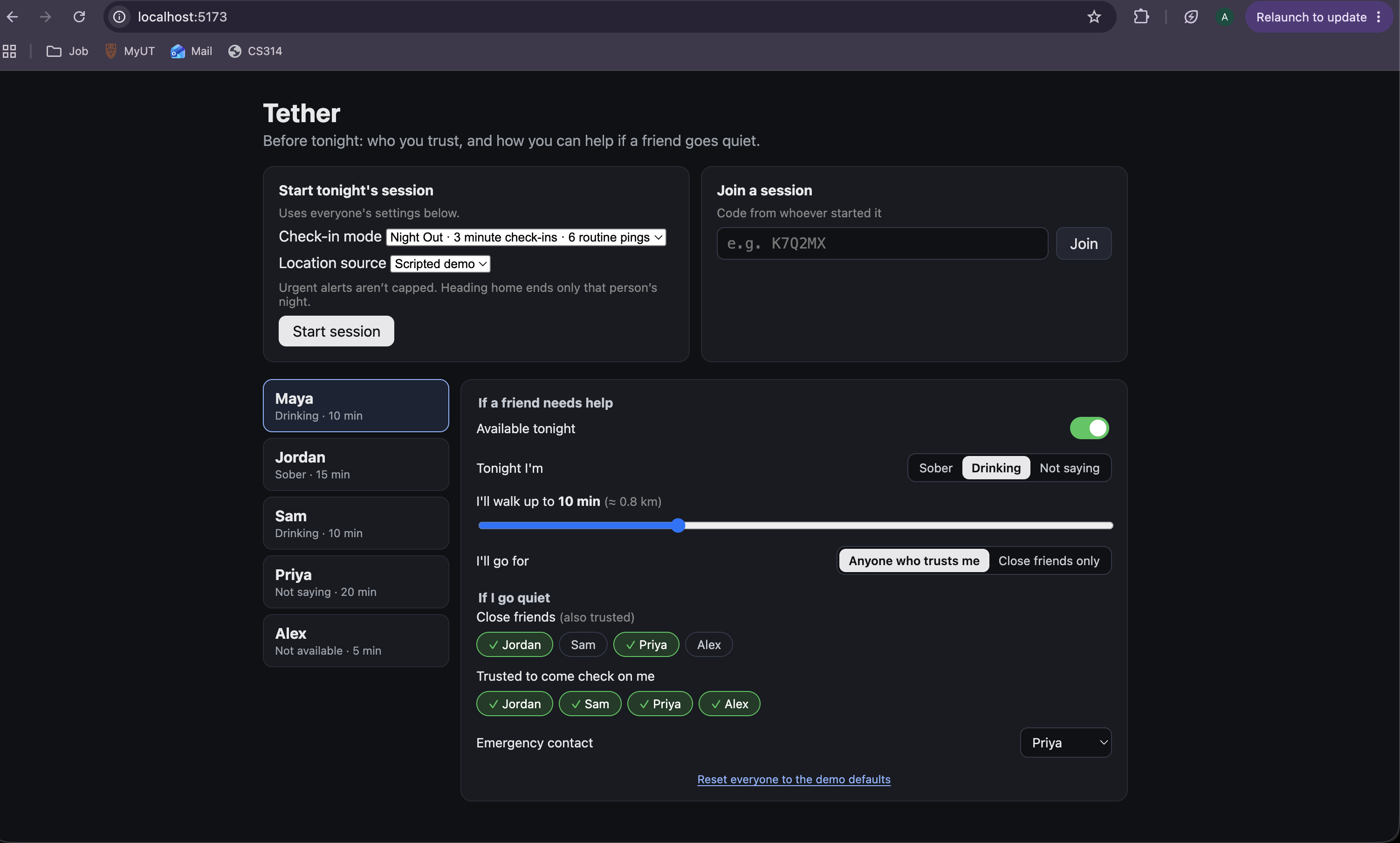
Landing Page and View of a single user in an "all okay" state with session participants and current predicted status
-
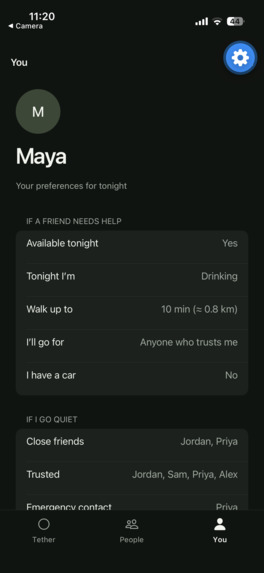
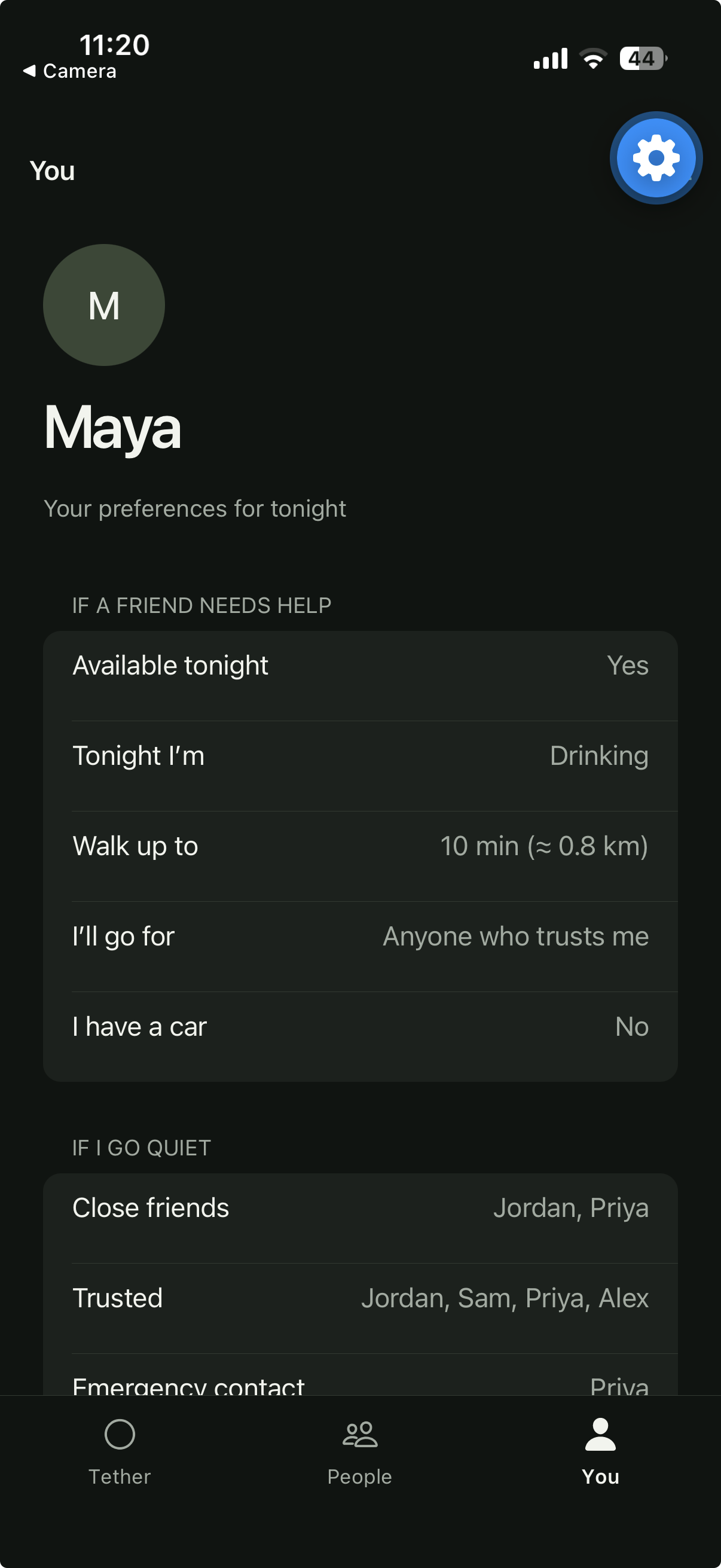
Profile Page with parameters of the user along with critical information about last check in and menu for taking/assigning responsibility
-
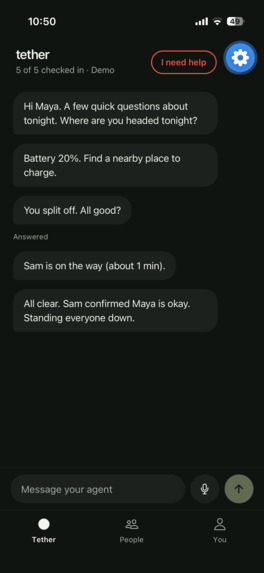
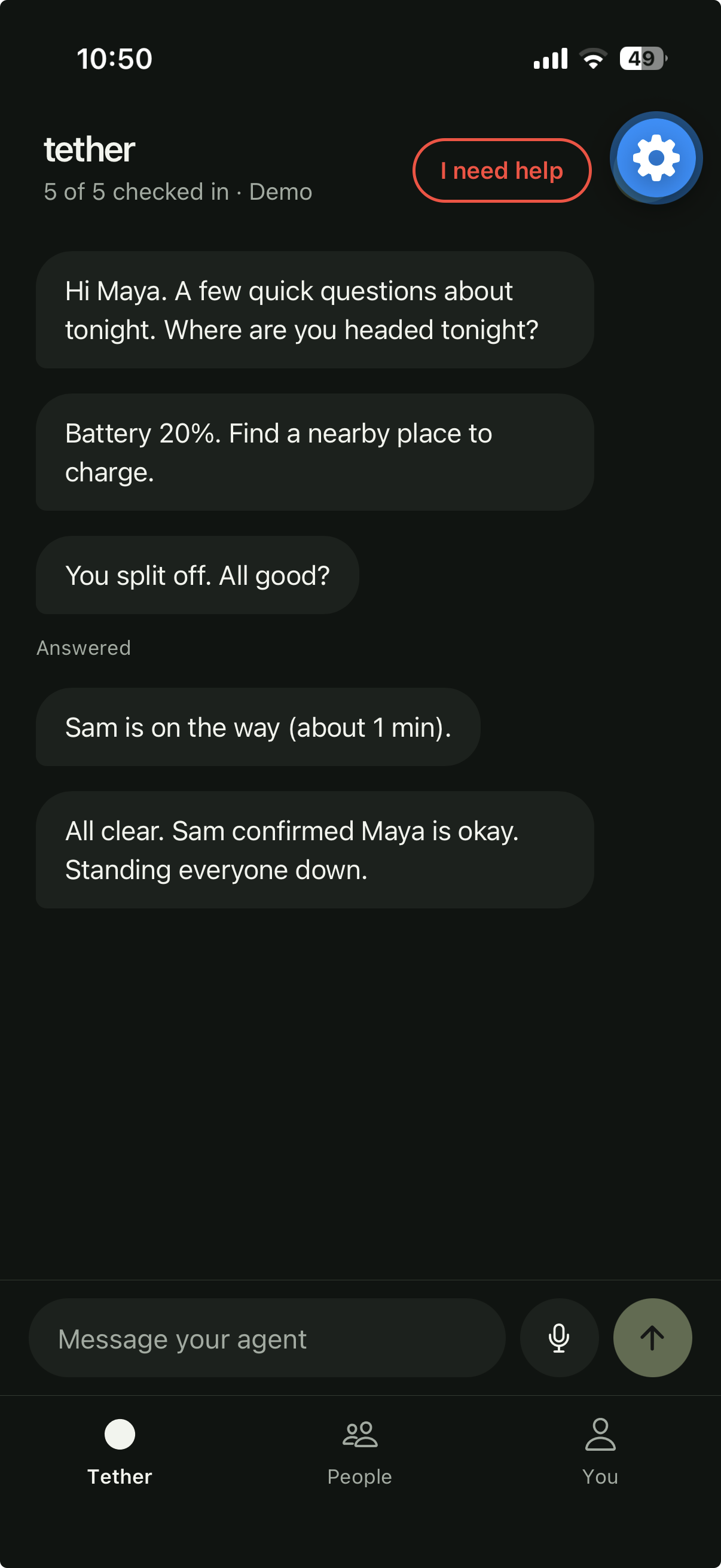
Communicating with your agent gets you the help you need in minutes, not hours.
-
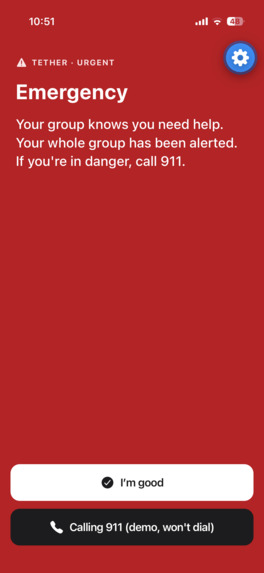
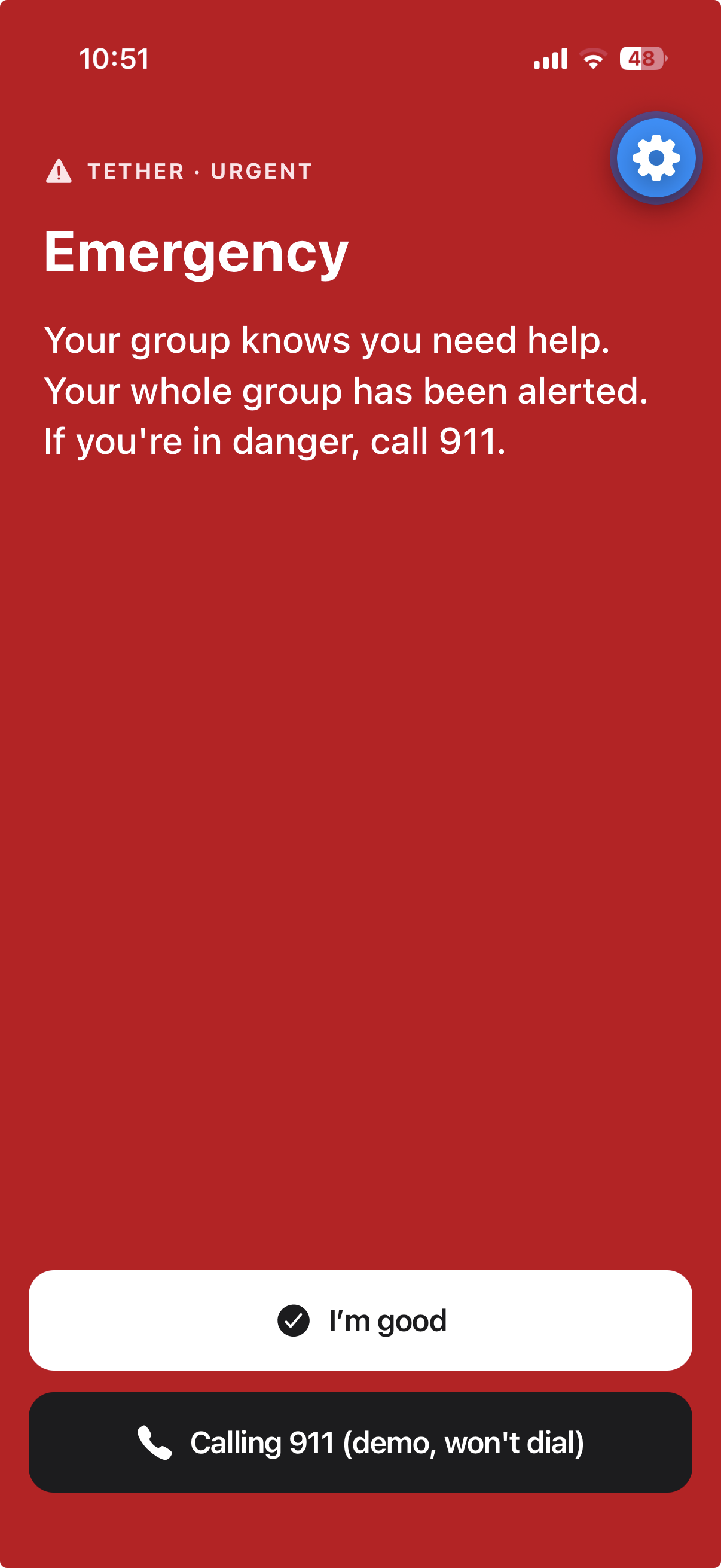
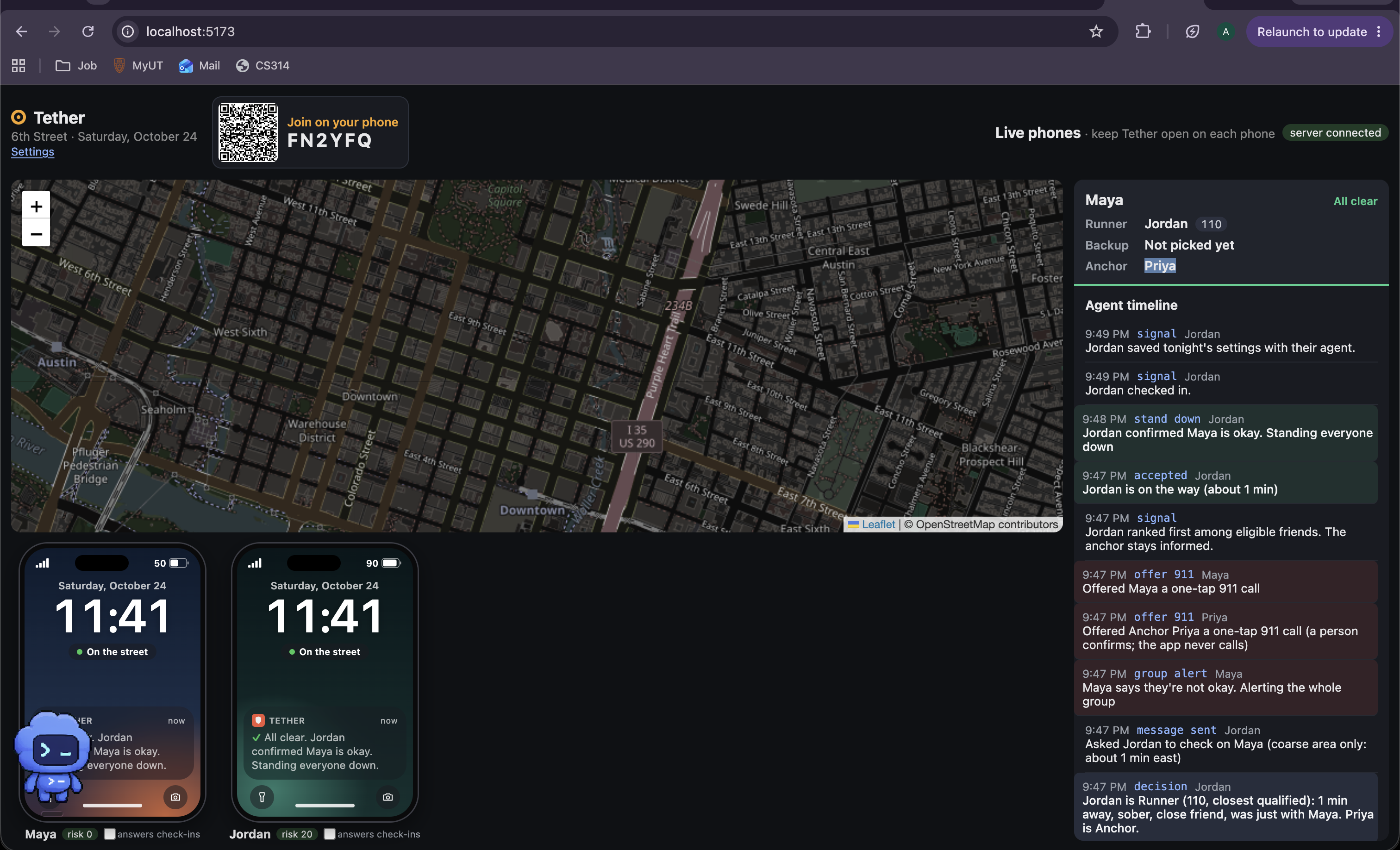
Maya taps “I need help”: her whole group is alerted, and a 911 call is offered that she must confirm. Tether never dials itself.
-
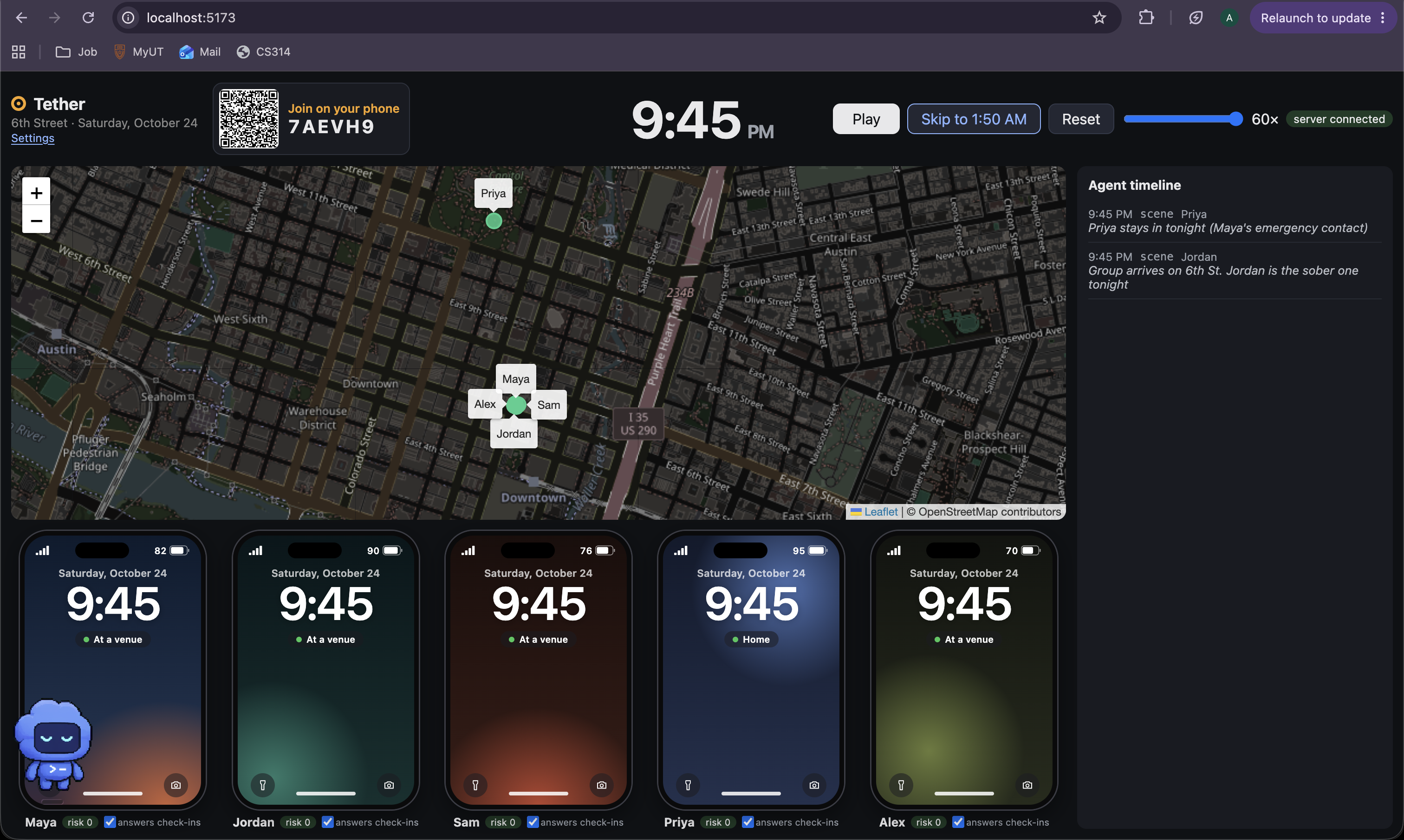
Custom built simulator to demo live view and simulate situations while visualizing multi-agent coordination
-
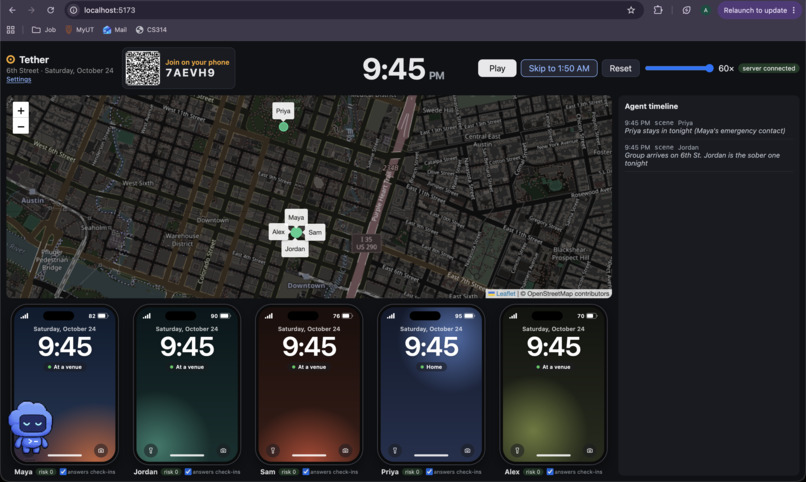
9:45 PM: the group arrives on 6th Street. Five simulated phones, all at a venue except Priya, who’s home tonight.
-
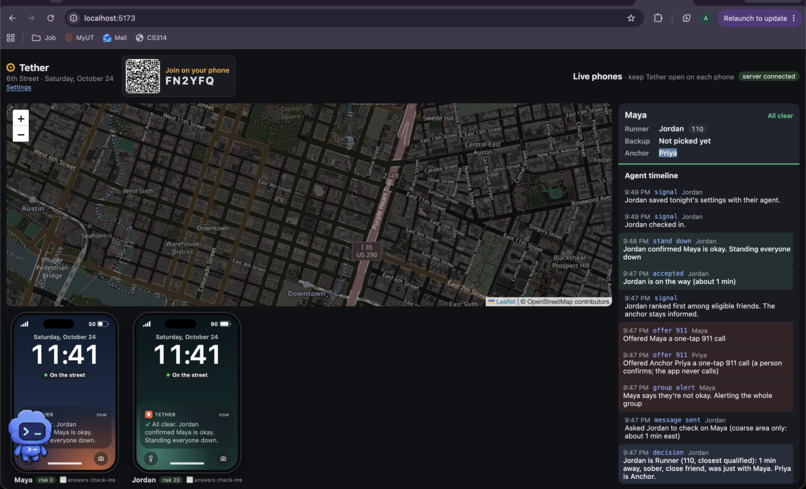
Simulator being used to visualize a live demo with agent logging, confirmed commands, and full live locations
-
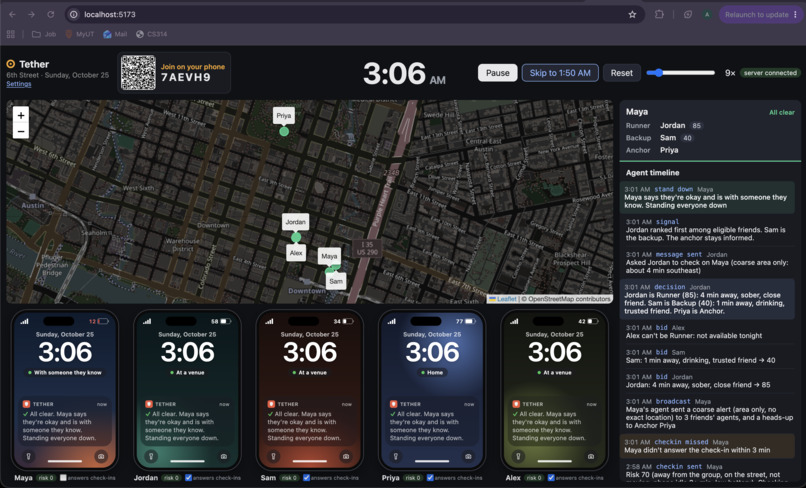
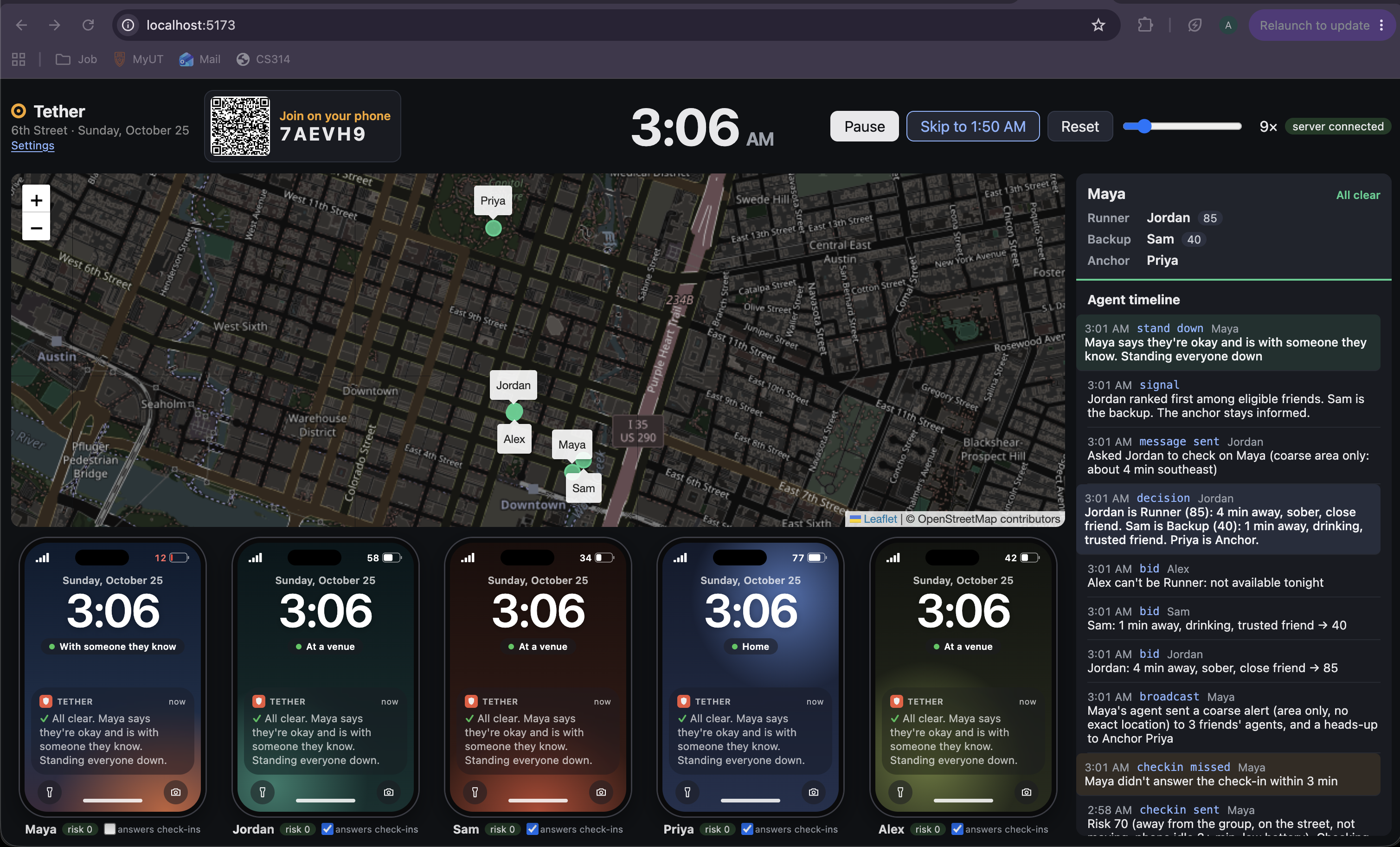
3:06 AM: all clear. Jordan was picked as Runner (85) over Sam (40), and every phone shows Maya is okay and with someone she knows.
Inspiration
A couple nights ago, friend of ours was found alone and incapacitated on the street at 2:30 a.m. She couldn't ask for help, and nobody in her group knew to look. If we hadn't been awake and checked, things could have gotten bad. We all had her location, but it didn't do anything: it shows where someone is, not that something is wrong, and it doesn't decide which friend should go. On a night out, the closest friend might be the one who's been drinking, and the person in trouble is the one person who can't send the message.
We wanted the group itself to be the safety net, with software doing the noticing and the coordinating.
What it does
Every friend in a group gets a personal AI agent in the Tether app.
Before the night, you tell your agent the plan by voice or text: where you're going, who you're with, whether you'll be drinking, and how many minutes you'd walk to help a friend. One sentence like "Rainey Street with Maya and Sam, staying sober, I'd walk 10 minutes" fills most of it. The agent asks only for what's missing, shows a summary, and saves nothing until you tap Save.
During the night, a signal engine watches for a combination of risk signals: separated from everyone, on the street, stopped, phone untouched, low battery. Separation alone never triggers anything. When the combined signals cross a threshold, the person gets a private check-in first. If they don't answer within 3 minutes, their agent opens an incident:
- It sends friends' agents a coarse request: a rough direction and walking time, never an exact location.
- Each friend's agent replies with a bid based on that friend's own settings and live state.
- Code filters and scores the bids and assigns three roles: Runner (goes), Backup (on standby), and Anchor (the person's emergency contact, always told).
In our demo, Maya stops on a side street at 2:08 a.m. with 18% battery and misses her check-in at 2:14. Sam is closest (1 minute) and was with her last, but he's drinking, so he scores 55. Jordan is 4 minutes away, sober and a close friend, so he scores 85. Jordan is the Runner, Sam is Backup, and Priya is the Anchor. Alex said he isn't available tonight, so he's filtered out.
Escalation runs on fixed timers from the missed check-in:
- T+0: ask the Runner and give the Anchor a heads-up
- T+2: the exact location unlocks for the Runner who accepted, or the Backup is promoted
- T+5: the whole group is alerted, and the Anchor is offered a one-tap 911 call
- T+10: everyone is offered the one-tap 911 call
A single "she's okay" from anyone stands everyone down. An explicit "I'm not okay" skips the waiting. Tether never calls 911 itself; a person always confirms the call.
The Runner's phone shows "Can you check on Maya?" with On my way / Can't, plus a "Why you" line explaining the pick. After accepting, they see the rough direction, then the exact location and a Directions button once it unlocks. Friends can also tap "They're with me" to take responsibility for someone, request a private check-in for a friend, or tell their agent "I'm heading home." Every request becomes a confirm card, and nothing runs until the person taps Confirm.
How we built it
- Server: Node, TypeScript, Express and WebSockets (
ws). It holds sessions, live state, the signal engine, responder selection and escalation timers. Every weight and threshold lives in one sharedCONFIGobject. - Responder selection: Stage 1 is hard filters: trusted and not blocked, available tonight, within their own max walking time, online, battery at least 10%, and not already a Runner. Stage 2 is a score built from ETA, relationship, sobriety, current state, who was last seen together, car, and battery. An override makes a sober close friend within 2 minutes the Runner regardless of score. Unit tests pin the demo numbers.
- Laptop simulator: React, Vite and Leaflet. It shows a god's-eye map of 6th Street, five phone cards, and an agent timeline. It plays a scripted night on a demo clock and pauses itself whenever a real phone is asked to respond.
- Phone app: Expo / React Native, running on a real iPhone. You join by scanning the laptop's QR code, claim your identity, talk to your agent, answer alerts, and get Directions.
- AI: Meta Muse Spark 1.3 through the Meta Model API runs the intake conversation, handles requests, and writes plain-language explanations. Muse Voice Transcribe 1.0 handles voice. The phone records 16 kHz mono WAV and the server forwards it with its own key, so the key never reaches a phone.
- Fencing in the AI: Server code owns the intake checklist. The model can only return answers through a
record_answerstool with a strict schema, and the server validates every value and decides when the intake is complete. Requests can only become one of six existing actions, and only after a tap. The model never sees other people's private fields or locations, and it has no path to scores, timers, roles or location unlock. If the model is missing, fails or is slow, the same checklist runs with tap-to-answer buttons.
Challenges we ran into
- Keeping the AI useful without letting it decide. Our first design let the LLM break close ties between friends. We removed that, because a safety decision that can change between runs is hard to test and hard to trust. Now the model only explains an assignment that code already made.
- Privacy with real phones on the socket. The server originally broadcast everyone's exact coordinates, which was fine while only the laptop was listening. Once phones connected, that would have leaked Maya's location before it unlocked. Now phones receive state with coordinates removed, rosters are redacted, and every request is checked against the identity that phone claimed.
- Real and simulated time in one demo. The laptop runs a fast-forwarded night while a real phone answers at human speed. We made the sim pause when a real phone is asked and resume when it answers.
- Voice across platforms. iOS records WAV directly. The web preview re-encodes the browser's audio to 16 kHz mono WAV in JavaScript.
- Scope. At 4 a.m. we cut features that didn't work well enough to demo honestly: QR handoff of responsibility between friends, detecting when a guardian leaves, and dead-phone detection.
Accomplishments that we're proud of
- The demo plays identically every run, because every safety decision is deterministic code with unit tests behind it.
- The pick is explainable in one line: Jordan beat the closer friend because Sam was drinking, and Jordan's phone tells him exactly that.
- One spoken sentence fills most of the intake, and an out-of-range answer ("I'd walk 400 minutes") gets asked again instead of saved.
- The whole experience still works with no model key at all.
What we learned
- The most useful thing the LLM did here was conversation, not decisions. Letting it fill validated fields and phrase questions gave us a natural intake without putting a model in the safety path.
- Privacy rules have to be enforced by the server for each client, not by what the UI chooses to show.
- The hardest questions were social, not technical: who gets asked first, what a friend may see and when, and how to avoid crying wolf. "Separation alone never triggers anything" and "private check-in before anyone else is told" both came out of those questions.
What's next for Tether
- An installed iOS build with push notifications and background location. Today the app has to stay open in the foreground.
- Accounts and saved groups. Sessions currently live in server memory and are lost on restart.
- Automatic end-of-night deletion of location data.
- Real-device testing at scale across more phones and permission setups.
- A pilot with UT student groups, plus the use case our team kept coming back to: automatic safety check-ins with friends when you go on a first date.
Built With
- apple-maps
- claude
- expo-audio
- expo-camera
- expo-go
- expo-location
- expo-notifications
- expo-router
- expo.io
- express.js
- github
- ios
- leaflet.js
- meta-model-api
- muse-spark
- muse-voice-transcribe
- node.js
- react
- react-native
- typescript
- vite
- vitest
- websockets


Log in or sign up for Devpost to join the conversation.