-
-
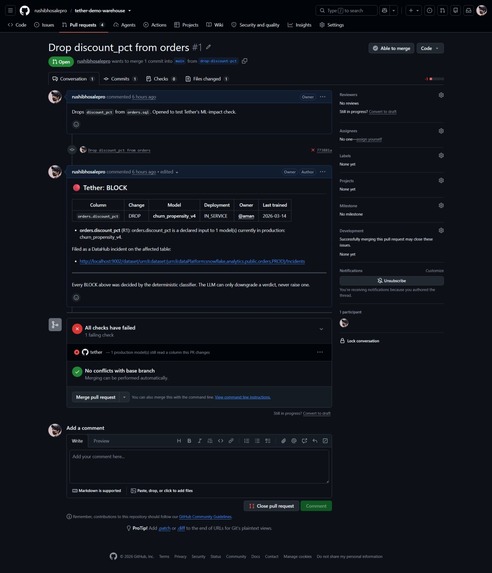
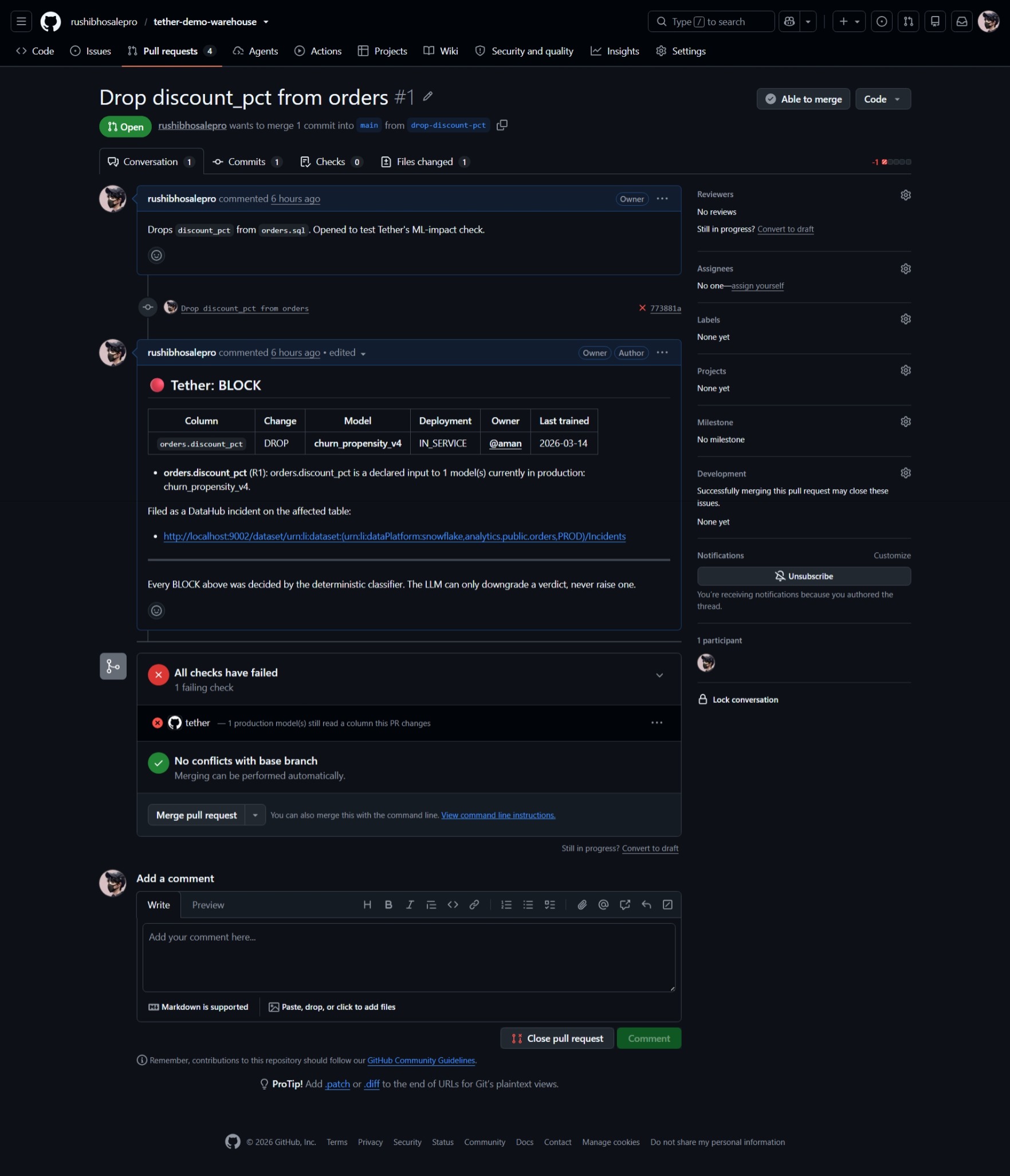
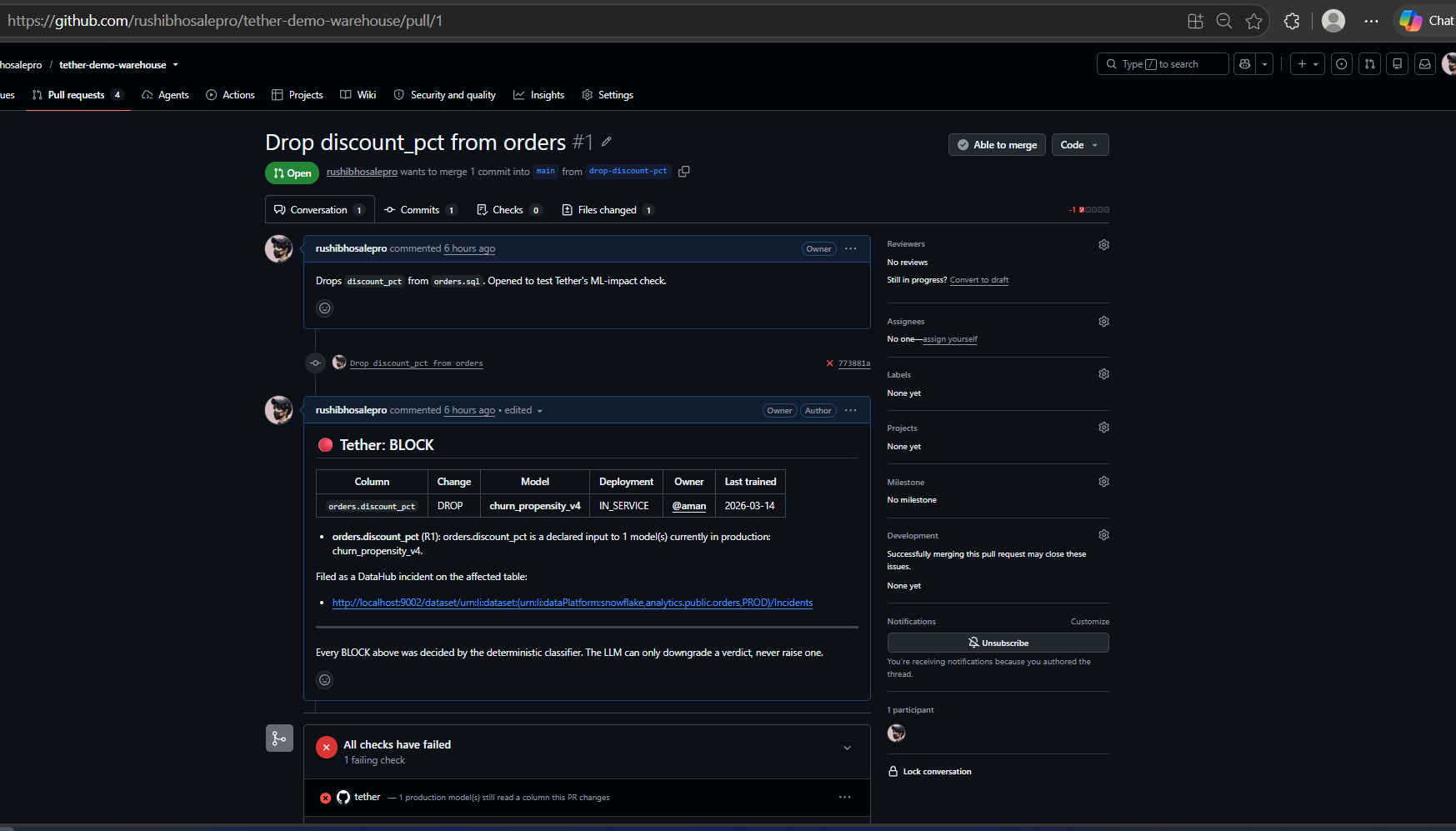
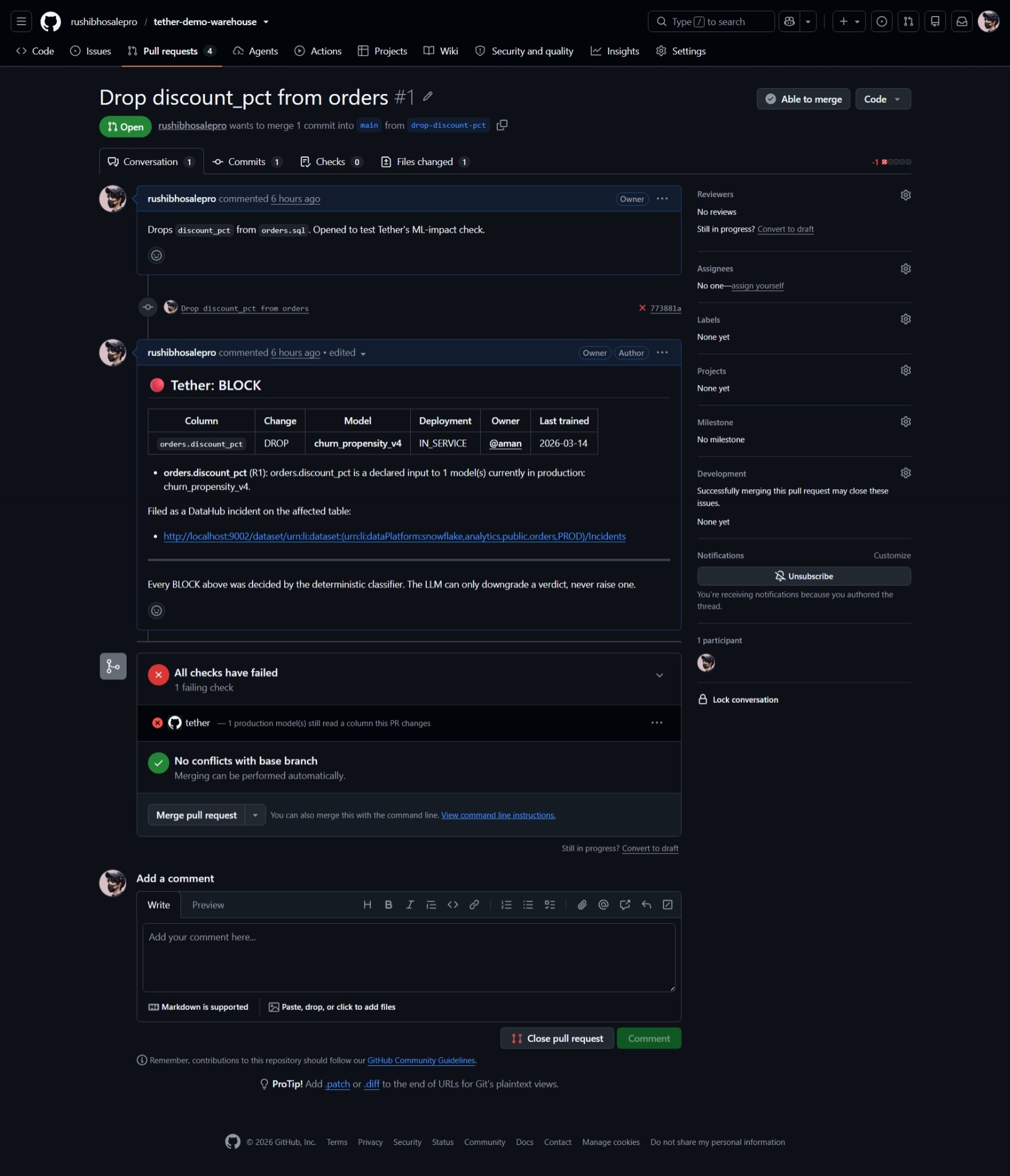
PR #1 dropping orders.discount_pct, blocked: Tether names churn_propensity_v4, its owner @aman, links the incident, and greys out merge
-
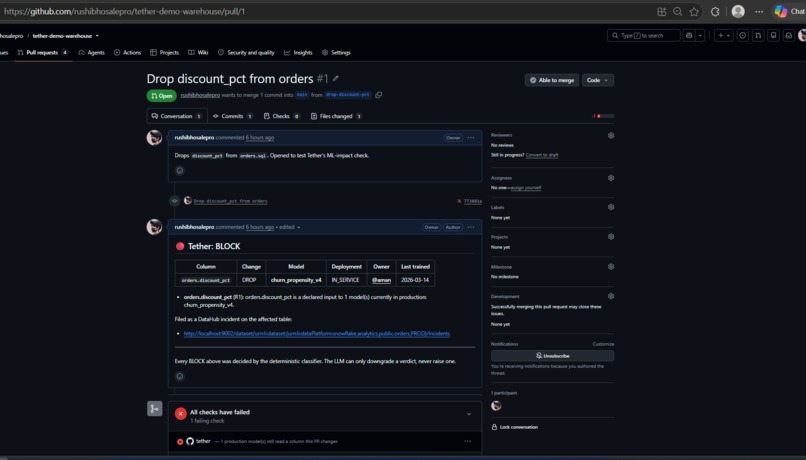
All checks failed on the same PR: the tether status reads '1 production model still reads a column this PR changes
-
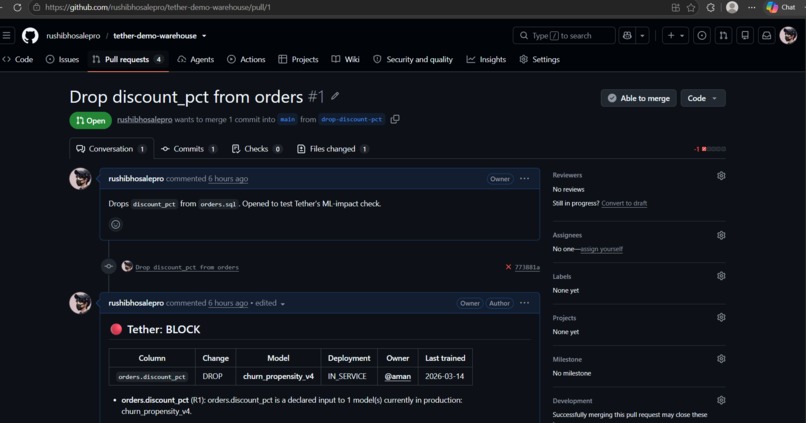
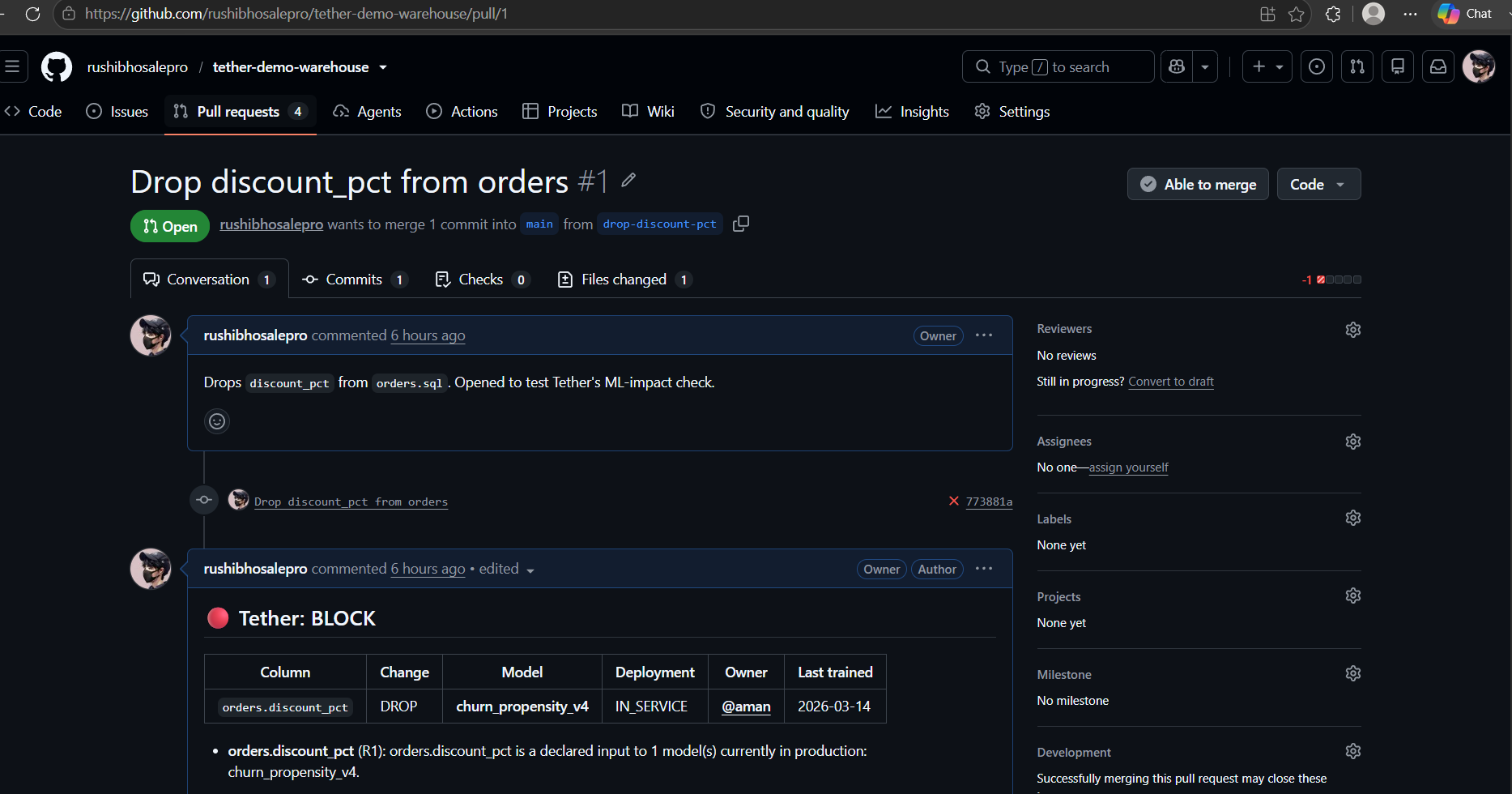
Tether's BLOCK comment up close: column, change, model, deployment, owner, and last-trained date, in one table on the PR.
-
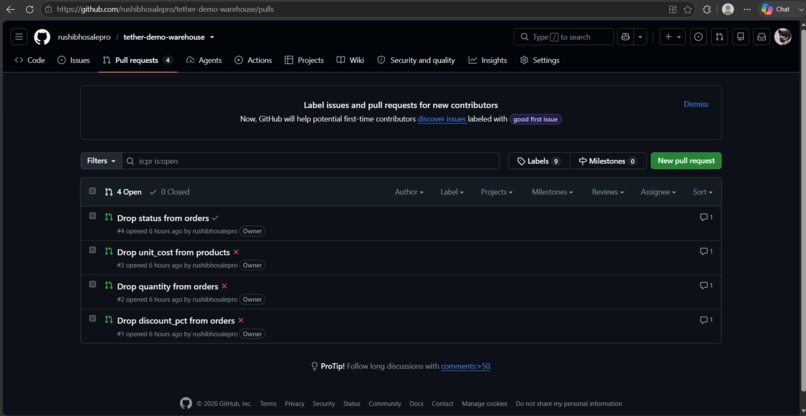
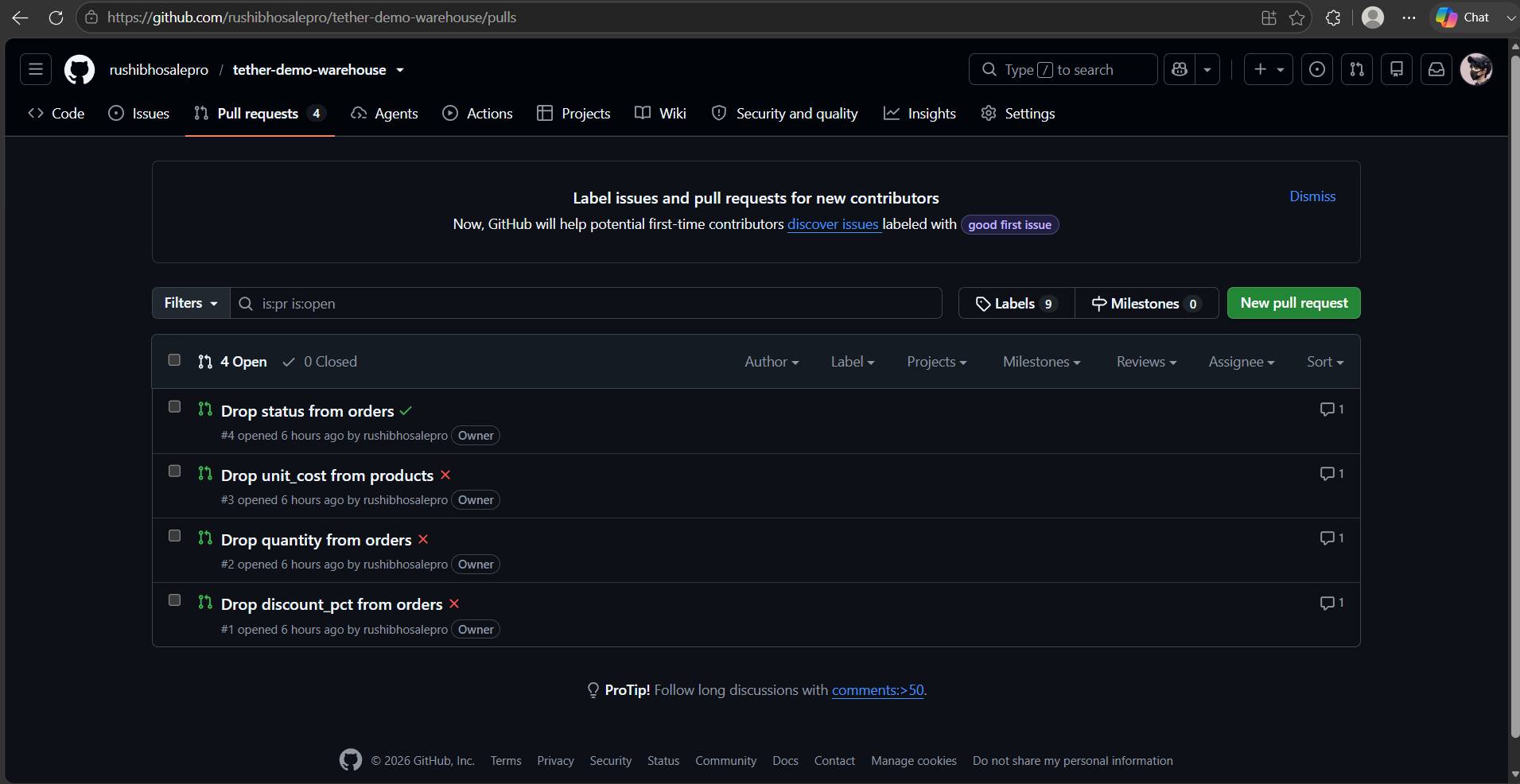
Four real PRs: three that drop a column a live model reads are blocked (red), the one with no ML impact passes (green).
-
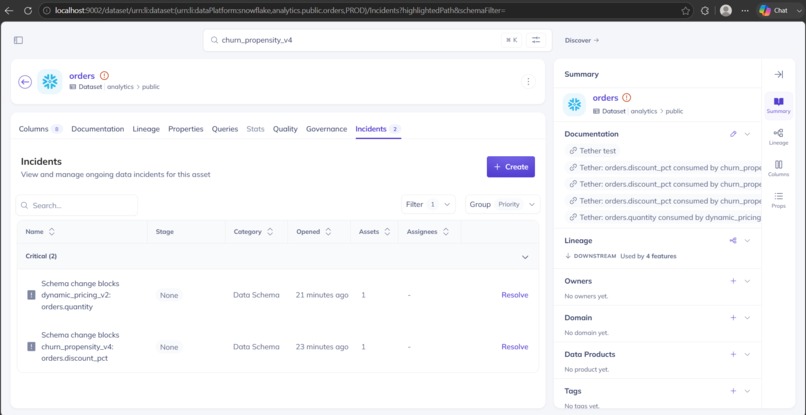
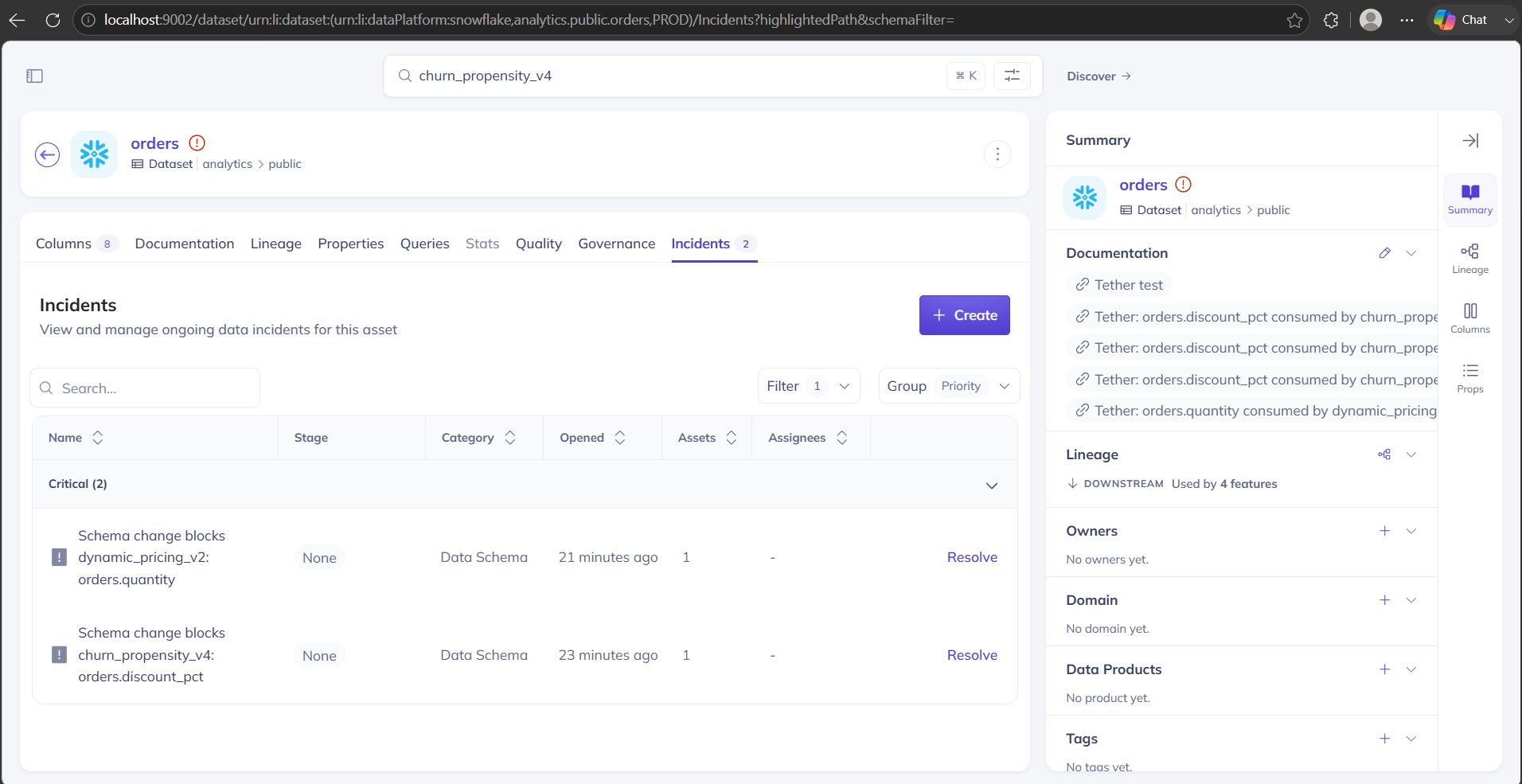
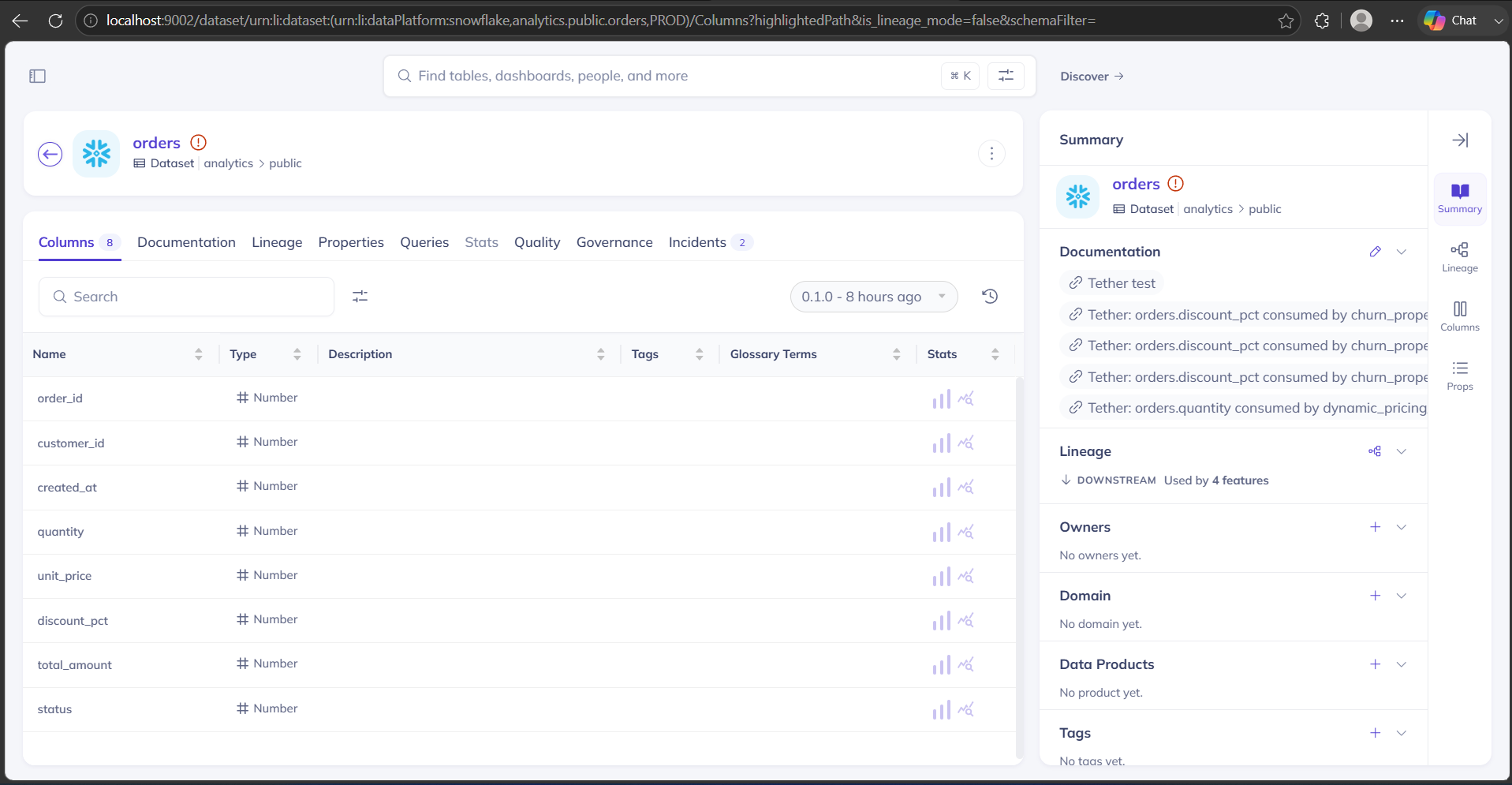
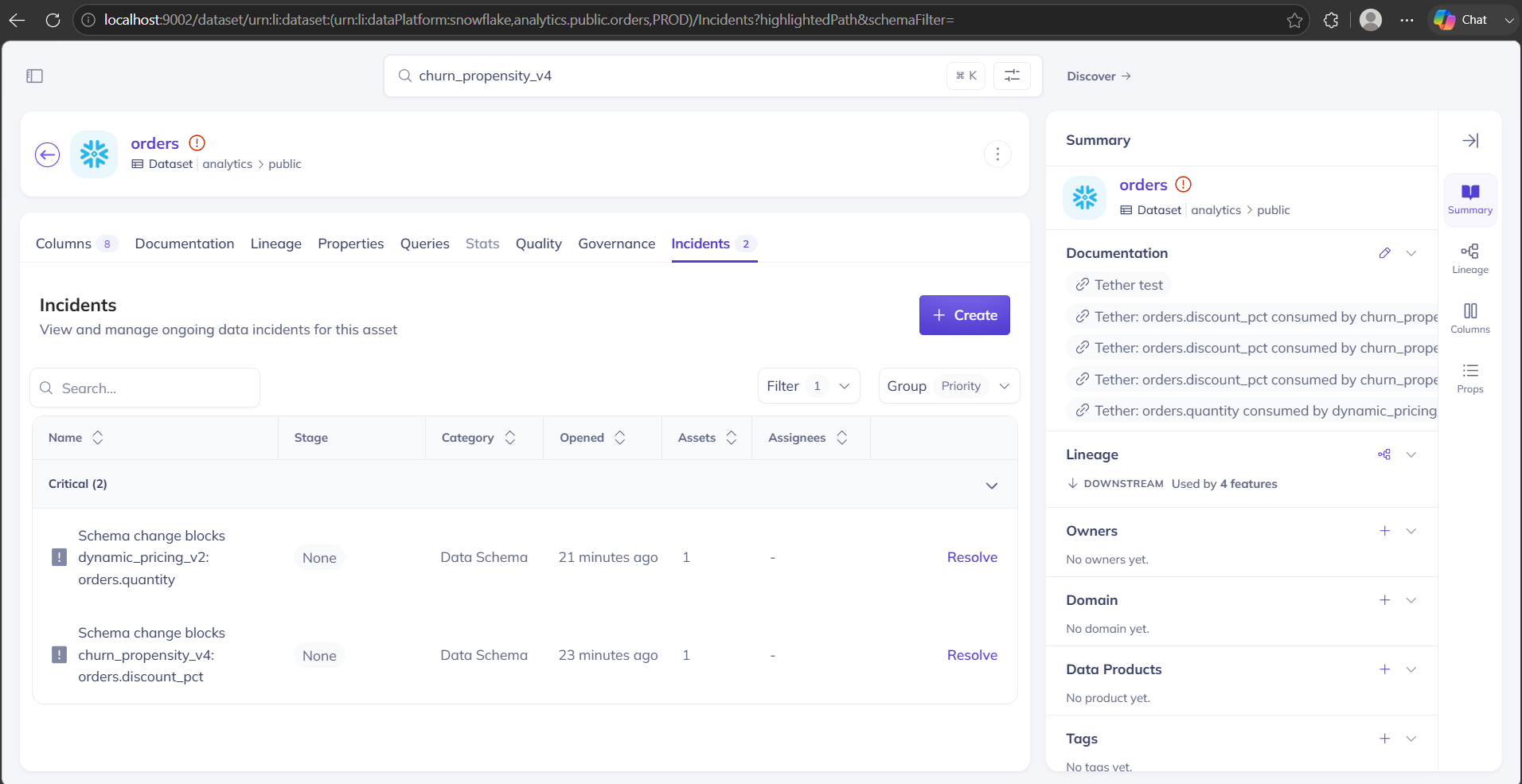
The orders table's Incidents tab: two Critical incidents Tether filed, each naming the model the change would break, each Resolvable
-
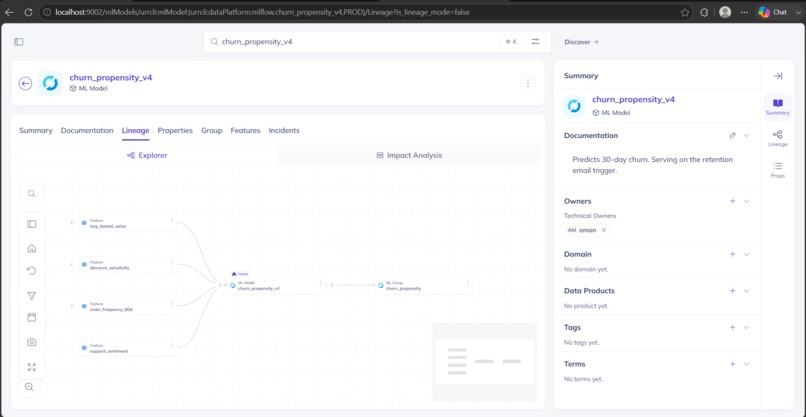
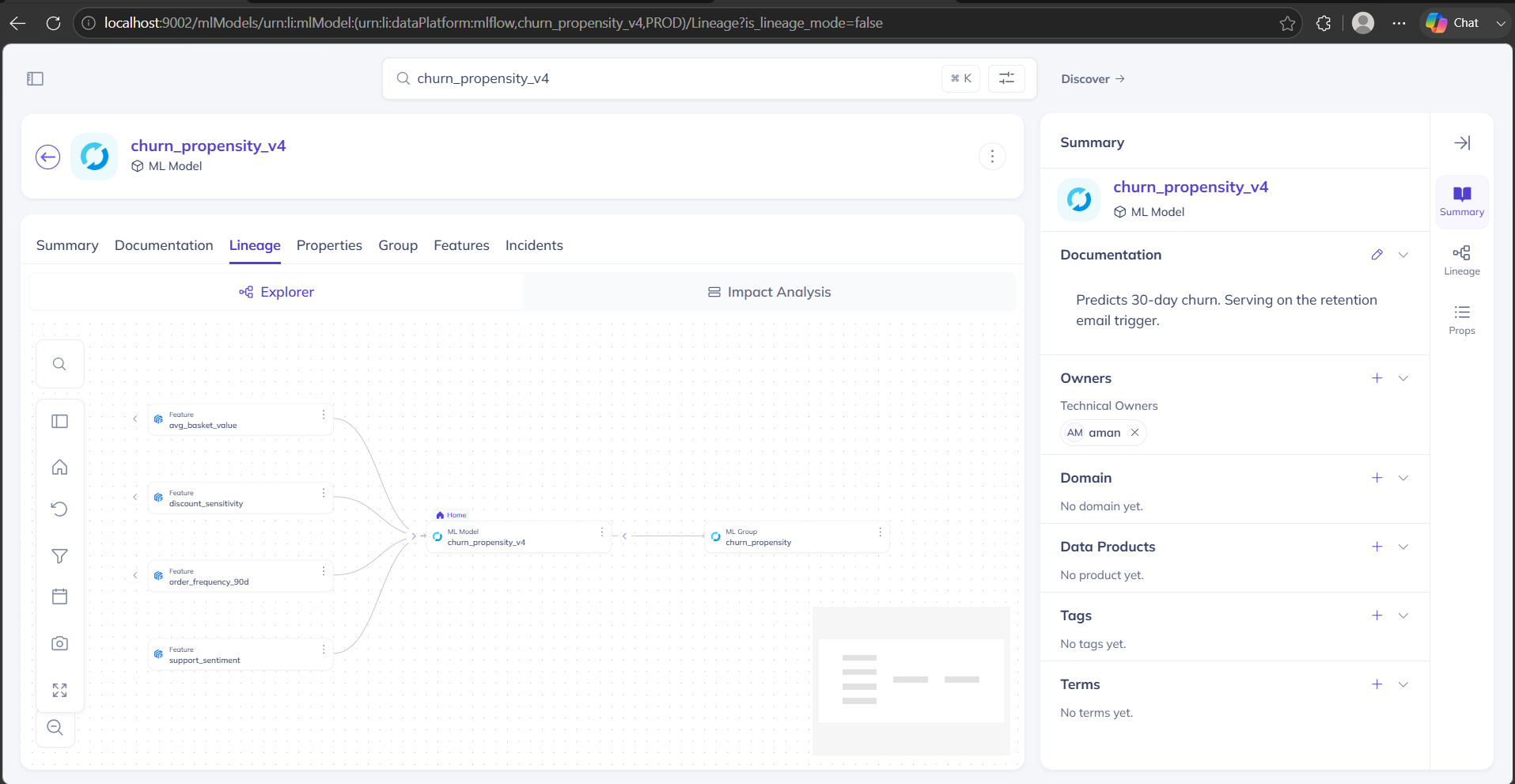
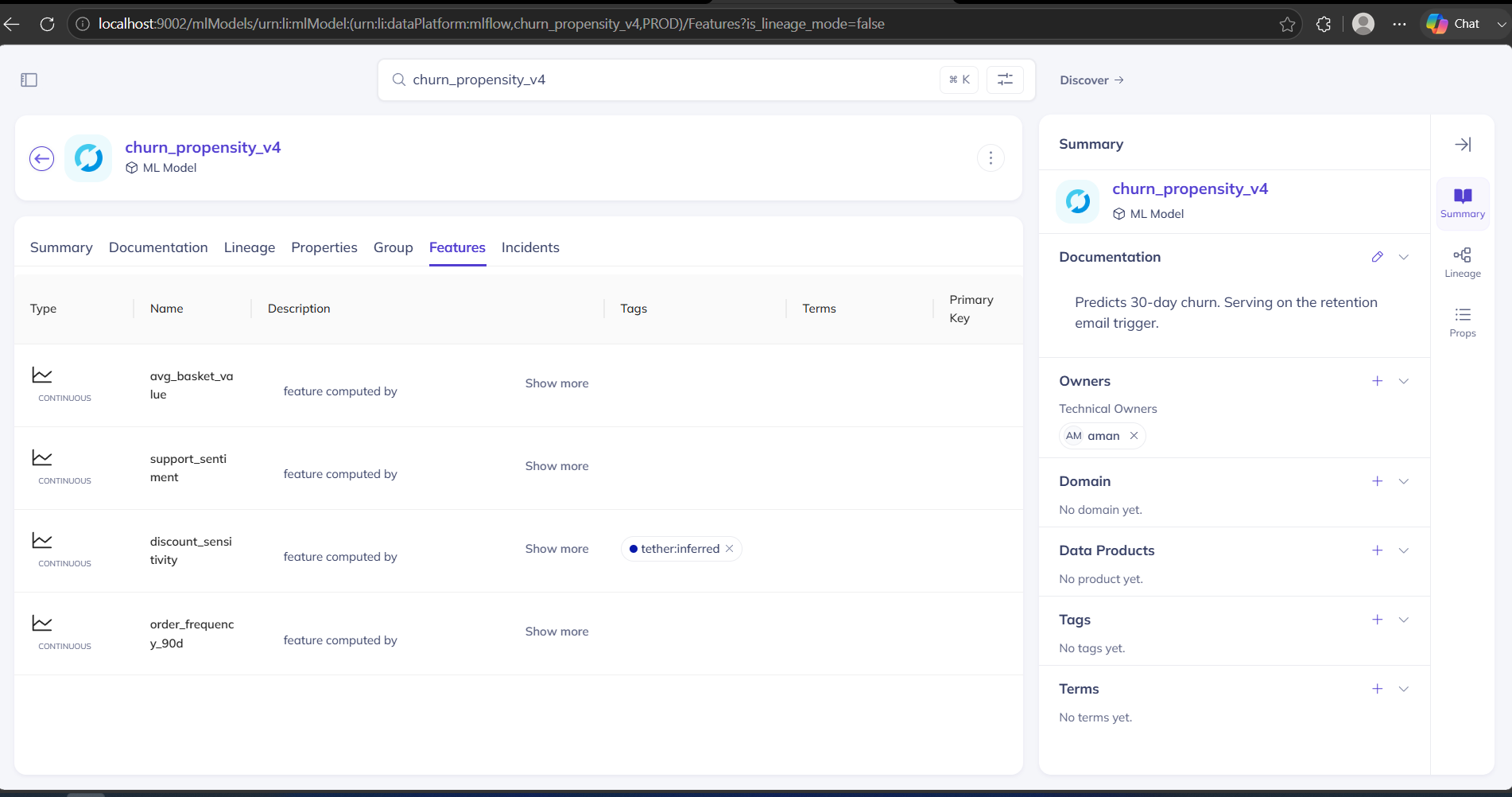
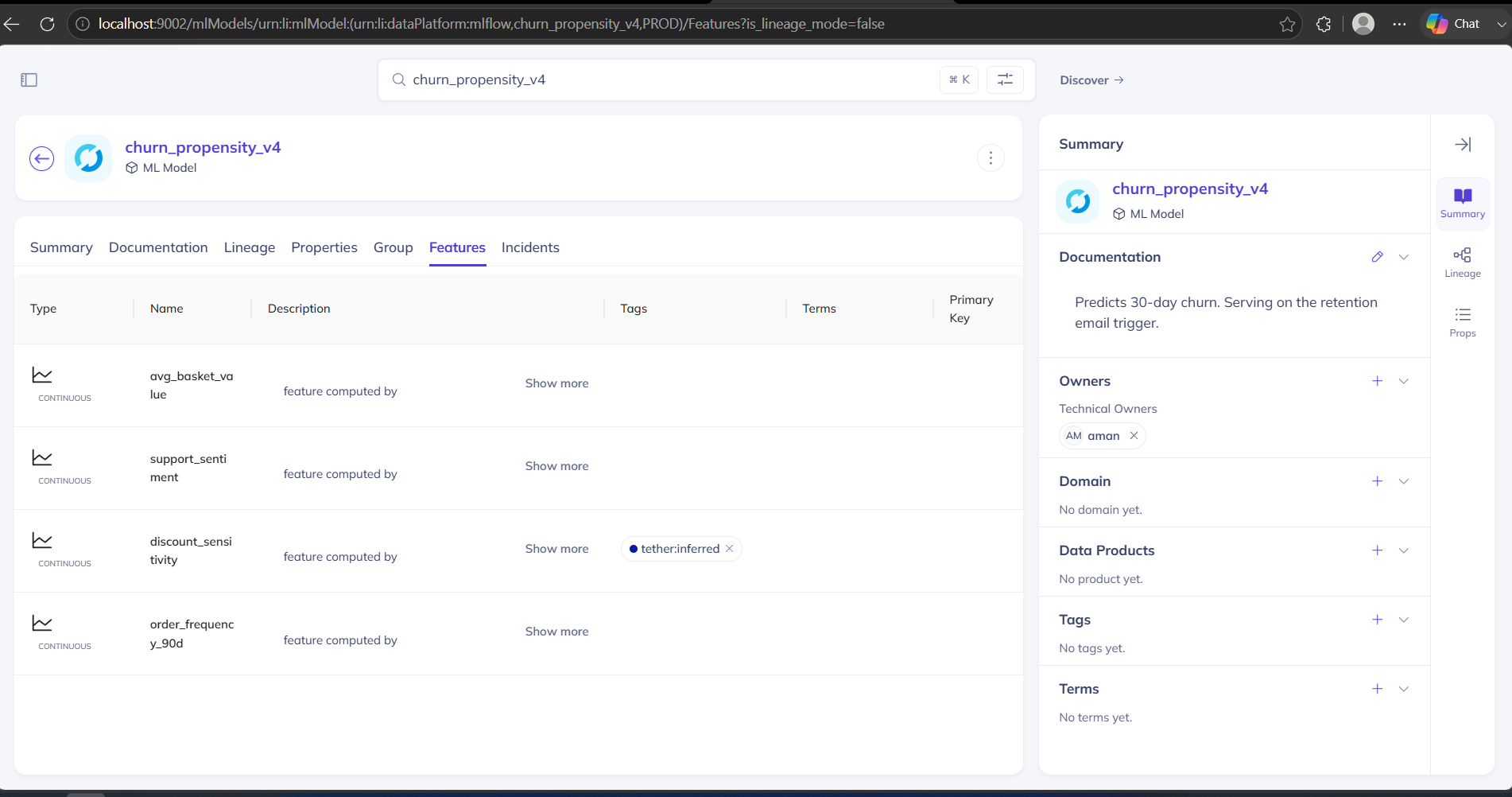
churn_propensity_v4 in DataHub: its four features and model group, the path Tether walks from a dropped column to a serving model
-
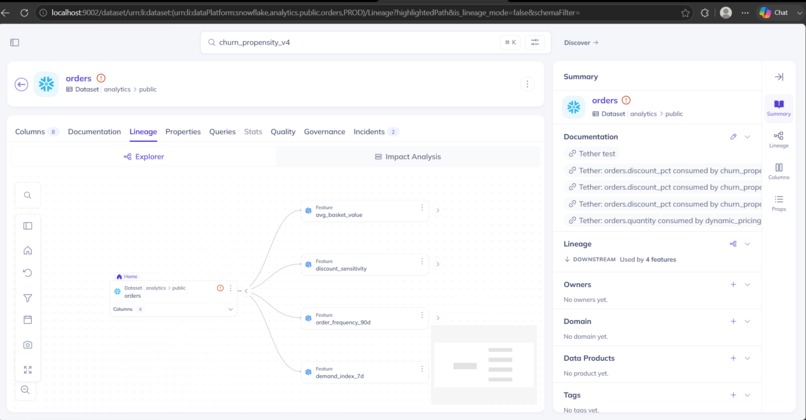
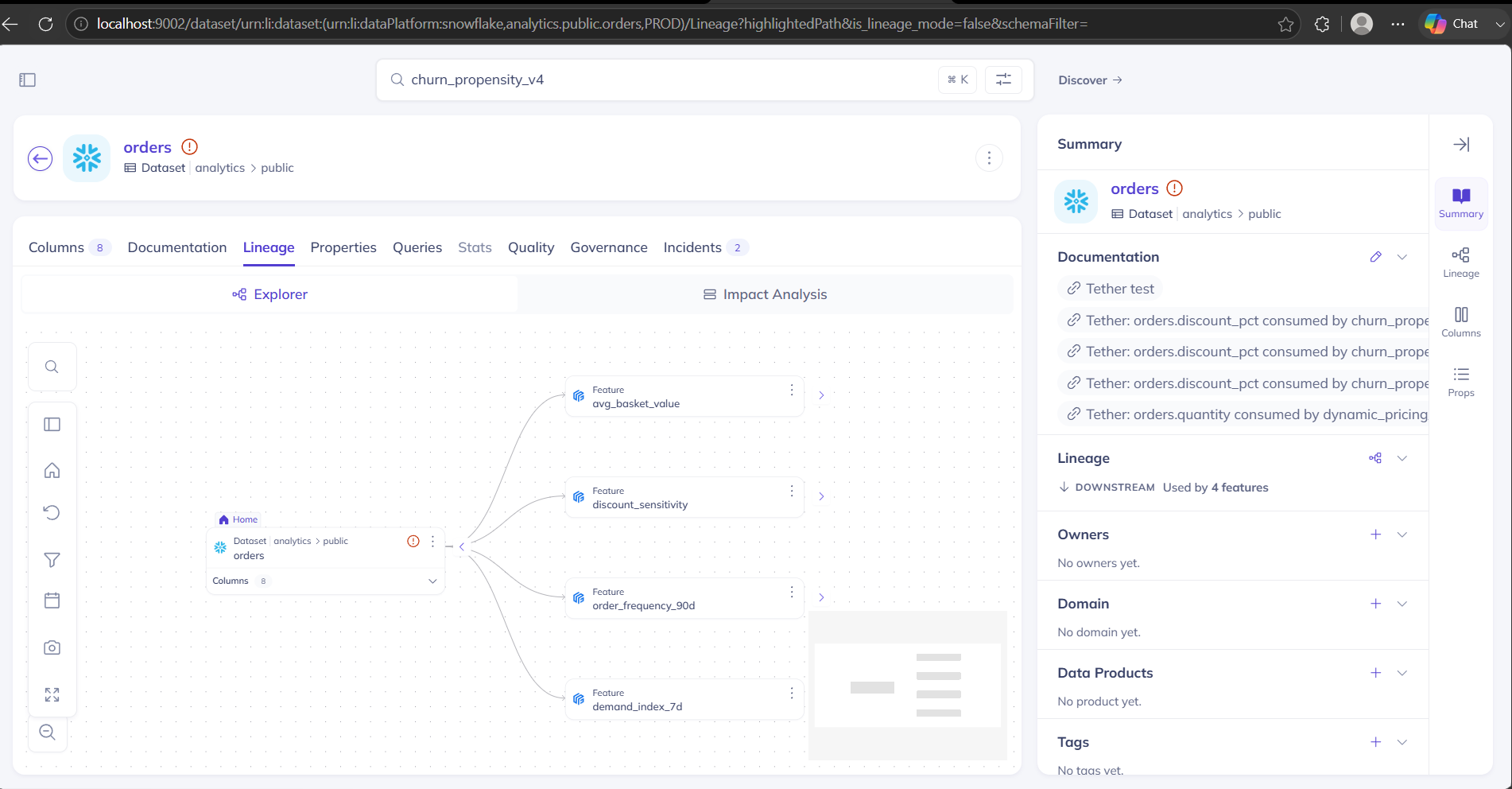
From orders forward to its four features in DataHub, including the two lineage edges Tether recovered from SQL and wrote back
-
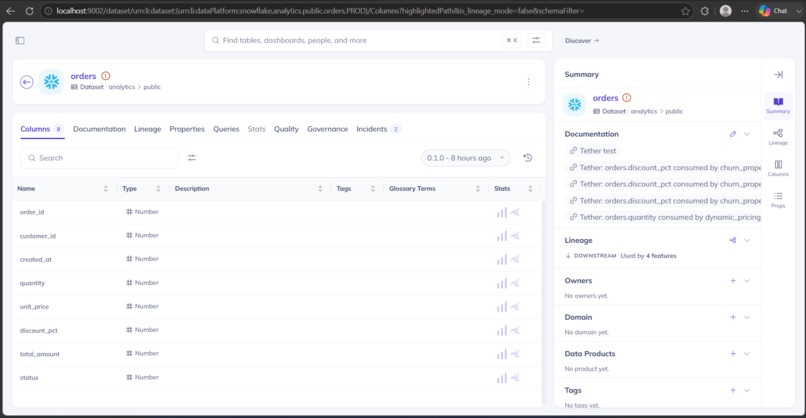
Institutional memory Tether wrote on the orders columns: 'discount_pct consumed by churn_propensity_v4,' inherited by the next engineer
-
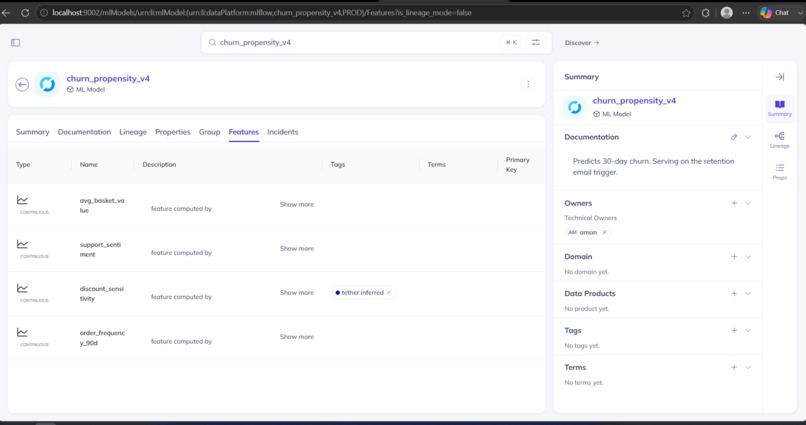
discount_sensitivity carries a tether:inferred tag, the edge Tether recovered from SQL, marked so no one mistakes it for declared truth
Inspiration
It's 4pm on a Friday. Someone opens a two-line pull request that deletes a column called
discount_pct from the orders table. Nothing on any dashboard uses it, the tests pass, so it
gets merged.
Nothing breaks. That's the problem.
Three months earlier, a model named churn_propensity_v4 was trained on a number built from that
column. It's running right now, deciding who gets a retention email. The column is gone, so that
number is empty, so the model is quietly wrong. No error. No alert. No red dashboard. Just
predictions that get a little worse every day, and a revenue line that dips for a reason nobody
can explain for three weeks.
The thing that connects the deleted column to the broken model, "this column feeds that number, which feeds that model", is exactly the kind of fact that lives in one senior engineer's head and nowhere else. When they're on holiday, no one can answer it in time. I kept reading the same phrase in my research: tracing which live models still read a dropped column is "an investigative nightmare." I wanted the nightmare to be a failing check on the pull request that caused it, before anyone clicks merge.
What it does
You give Tether a pull request that changes a .sql file. It reads the change, follows the trail,
and decides whether that change is about to break a model that's serving in production.
The trail is the whole point. DataHub already stores who depends on what: this column feeds that feature, that feature feeds that model, that model is deployed. Most tools that check "what will this break" stop at the dashboard layer, because that's where the map usually ends. Tether keeps walking, past the dashboards, all the way to the model and its owner.
Then it does one thing a graph can't do on its own: it reads the feature's SQL to see which columns that feature actually uses. That's how it tells "you dropped a column three models depend on" apart from "you dropped one nobody reads."
If a live model still reads the column you're deleting, Tether:
- fails the pull request's check, which greys out the merge button,
- comments naming the model, its owner, and when it was last trained,
- and files an incident in DataHub on the affected table, naming the model it would break.
So the fact that used to live in one person's head is now a check on the PR and a first-class incident the next person inherits.
The part I'm proudest of: it repairs the graph it just failed on
Here's the honest catch I hit on day one. That trail from a column to the model it feeds? Almost nobody fills it in. Only a handful of tools write that connection automatically, and the link from a model to its training data is essentially never there. So a real DataHub is full of models whose inputs were never written down, and no impact analysis can warn you about a connection that doesn't exist in the graph.
Most tools would shrug and pass the PR. Tether doesn't. When the trail runs out, it stops, looks at the feature's SQL, and recovers the missing link:
- it notices the gap: a feature's SQL clearly reads the column, but the graph has no connection for it,
- it recovers the connection from that SQL, and keeps the exact
file:lineas its proof, - it writes the connection back into DataHub, tagged
tether:inferredso no one mistakes a guess for a declared fact, - and it refuses to write any connection it can't point at a line of SQL for.
I measured this the only way that means anything: the same pull requests, the same code, on a live graph, once before the repair and once after.
- Cold graph, connections missing: it caught 3 of 6 breakages.
- After it repaired the graph: 5 of 6.
It recovered 2 connections from SQL evidence and refused 1, a feature computed in Python with
no SQL to cite. Delete the repair step and the second run scores exactly like the first. The
write-back isn't a receipt at the end. It's the thing that makes the next run smarter. Run
tether bench and you watch the number move from 3 to 5.
How this maps to the Production ML Agents track
| The track asks for | Where Tether does it |
|---|---|
| Uses DataHub's end-to-end ML lineage | follows dataset → feature → model → deployment, past the dashboards where most tools stop |
| Catches silent problems before they cost money | blocks the PR before a serving model loses an input it reads |
| Writes results back so the next person inherits them | files a named incident on the table, and writes the recovered connection back into the graph |
| Goes beyond reading metadata | the recovered connection makes the graph strictly richer after Tether runs than before |
How I built it
DataHub isn't a step in the middle here. It's where the answer lives and where the output goes back. The graph is richer after Tether runs than before, and you can see the before and after on the model's own page.
| Layer | Choice |
|---|---|
| The agent | Python, one readable pipeline: read the change, follow the trail, decide, write back |
| DataHub | OSS quickstart; GraphQL to read the graph and file incidents, Python SDK to write connections |
| Reading the SQL | sqlglot, to recover which source columns a feature actually uses |
| The gate | a GitHub commit status plus a PR comment, posted by the agent |
| The LLM | one optional Anthropic call, fenced so it can only ever soften a block, never cause one |
What this is NOT
I'd rather state the limits than have a judge find them.
- It does not guess. A feature computed in Python, with no SQL to point at, gets refused and the miss is reported. That's exactly why the number is 5 of 6, not 6 of 6.
- The LLM does not decide to block. It's called once, only to downgrade a block when the change itself proves it's safe. A unit test fails the build if the LLM ever blocks on its own.
- It's not a dashboard. The output is a failed PR check and a DataHub incident, not another tab to go check.
- It works honestly inside OSS DataHub's limits. "Serving" comes from a property on the model (OSS hides live deployments), incidents are filed on the table rather than the model (that's where OSS shows them), and a table it doesn't recognize is reported as un-assessable rather than waved through.
Results
Four real pull requests on a separate public repo. Three of them drop a column a live model reads, and get blocked. The fourth touches nothing a model uses, and merges clean.
And the write-back lands somewhere a human inherits it. After Tether runs, the orders table in
DataHub carries two Critical incidents, each naming the model the change would break, each
with a Resolve button.
The full set of screenshots is in examples/screens/:
the PRs, the model lineage, the connections Tether recovered, and the memory links it wrote. It
ships with 40 passing tests, and installs on any repo as a GitHub Action, with a zero-setup
DEMO_MODE for anyone who wants to try it without standing up DataHub.
Challenges I ran into
Building against OSS DataHub taught me things the docs don't, and every one is a real commit in the history.
- You can't attach column-level detail to a feature. I assumed I could hang the exact columns on the feature in the graph. DataHub rejects it; ML lineage is dataset-level. So Tether reads the columns out of the SQL instead, which turned out to be the better story: reading the code is exactly what a human would do.
- The obvious way to walk the graph returned nothing. The lineage search came back empty and the whole thing looked broken, until I switched to walking the relationships one hop at a time, which is deterministic and immediate.
- A gate has to fail closed, and my first one didn't. An early version returned "pass" when it couldn't reach DataHub or couldn't parse a change. That's the worst thing a merge gate can do: a green check on a PR it never actually checked. Now an unverifiable change goes red and blocks the merge, the same direction the LLM fence fails.
- GitHub check runs need a full GitHub App. A normal token gets a flat 403. A commit status works with an ordinary token and greys out merge the same way, so that's what Tether posts.
What I learned
The write-back is the whole game. My first version was a clean pipeline that read the graph and blocked PRs, and it would have lost, because nothing it wrote made it better at its own job. The moment I made it repair the connection it had just failed on, it stopped being a linter and started being an agent that leaves the graph richer than it found it. Every model it missed was a connection nobody had written down. So now it writes them down.
What's next
- Watch a merged-anyway PR's next scoring run and record whether the model actually broke, to grade Tether's predictions against real outcomes over time.
- Promote a
tether:inferredconnection to a declared one once a human confirms it. - Ship the incident write-back as the DataHub Python SDK incidents module the docs currently list as "coming soon."
Open-source contribution
Tether's incident code is a working Python module for raising DataHub incidents over GraphQL, which the docs currently list as "Python SDK support coming soon." I'm offering it upstream, along with the ML-layer seed as a reusable datapack.
Try it out
- Zero setup:
DEMO_MODE=1 tether check --diff bench/cases/001-drop-orders-discount-pct/diff.patch - The full loop:
bash scripts/quickstart.shthentether bench - Real PRs: https://github.com/rushibhosalepro/tether-demo-warehouse/pulls
- Code: https://github.com/rushibhosalepro/tether

Log in or sign up for Devpost to join the conversation.