-
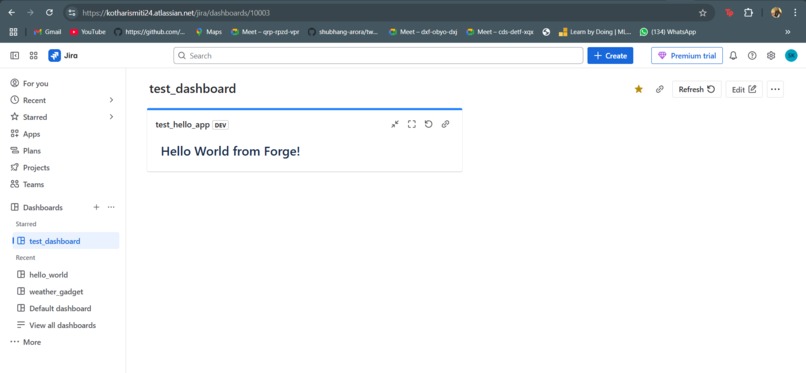
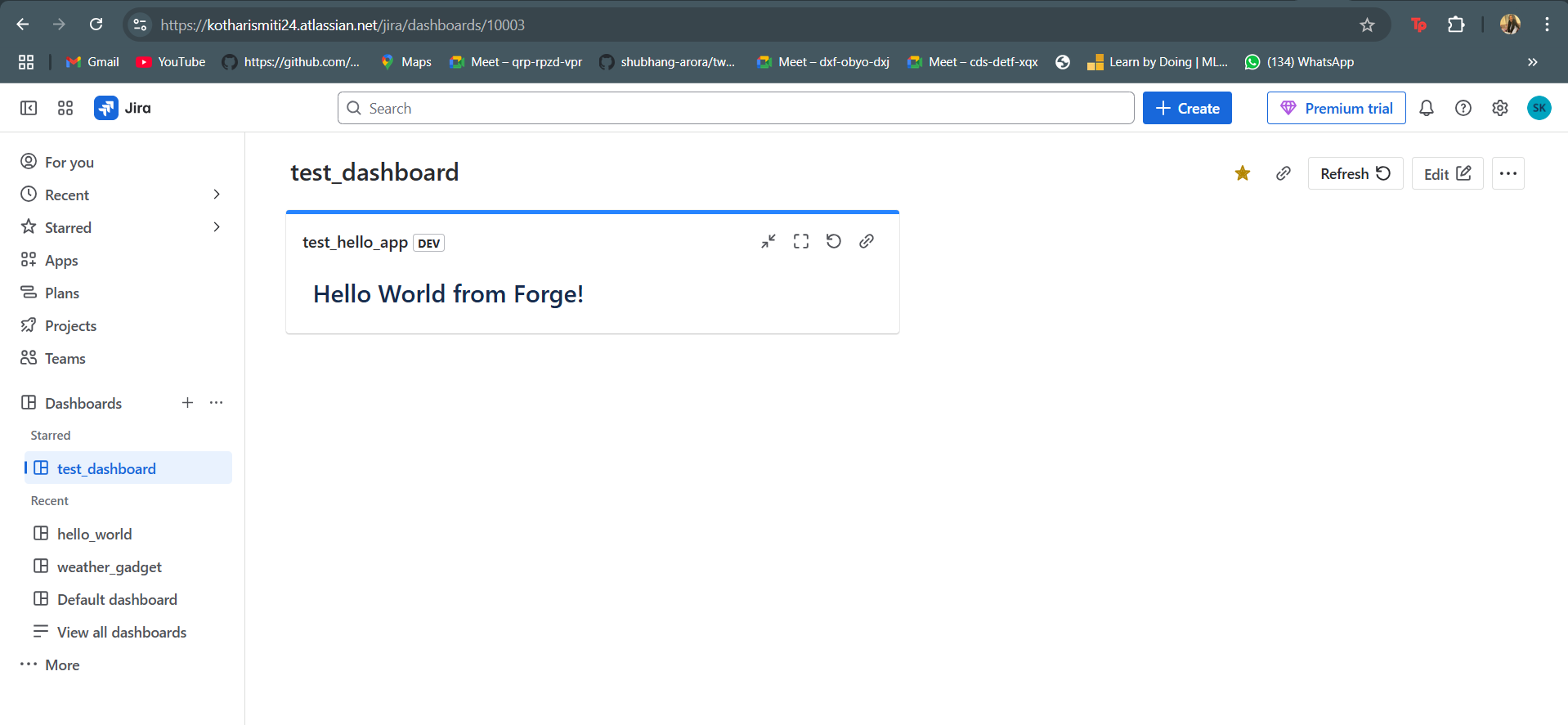
Screenshot of the app’s front-end rendered inside the Jira product UI (dashboard view).
About the Project
This project is a simple "Hello World" gadget built using the Atlassian Forge platform with Custom UI. The goal was to understand the end-to-end development flow of building a dashboard gadget for Jira, including backend and frontend integration, deployment, and installation within the Jira environment.
Inspiration
I wanted to get hands-on experience with Atlassian Forge and understand how Custom UI apps integrate with Jira products. This “Hello World” project provided a perfect opportunity to get familiar with the Forge CLI, manifest configurations, deployment steps, and gadget setup.
How I Built It
Scaffolding: I used forge create with the jira-dashboard-gadget template. Development: Built the frontend using React and Forge’s Custom UI bridge to fetch a simple string from the backend. Deployment: Used forge deploy and installed the app on my Jira site using forge install. Dashboard Integration: Added the gadget to a test dashboard and verified that the text rendered correctly.
What I Learned
The structure and components of a Forge app (manifest.yml, resolver functions, static resources). How to work with Custom UI and bridge APIs to connect backend and frontend. How to debug UI issues and troubleshoot common deployment or environment errors. The importance of matching React versions when using Atlaskit components to avoid dependency conflicts.
Challenges Faced
Encountered dependency conflicts between React 16 and Atlaskit components expecting React 18. Misconfigured gadget name and resource keys initially prevented the app from rendering. Faced build failures due to missing react-scripts, which were resolved by cleaning node_modules and reinstalling with the correct flags.


Log in or sign up for Devpost to join the conversation.