-
-
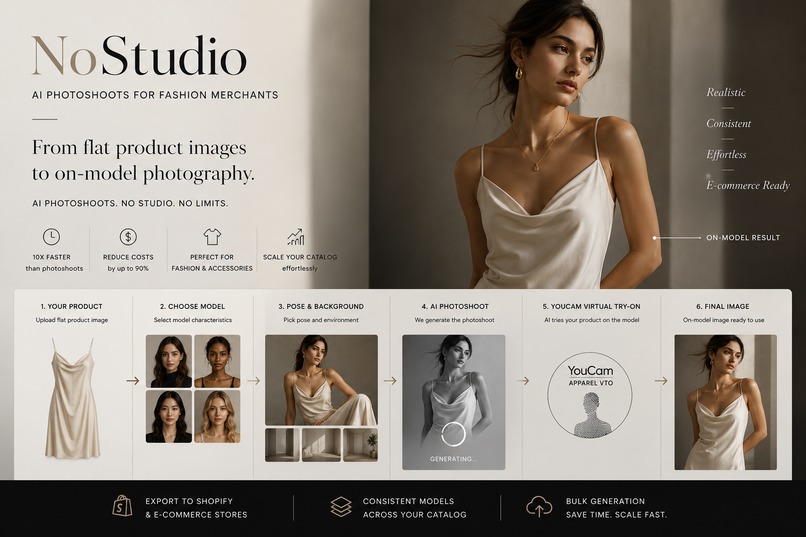
NoStudio — AI Photoshoots for Fashion Merchants
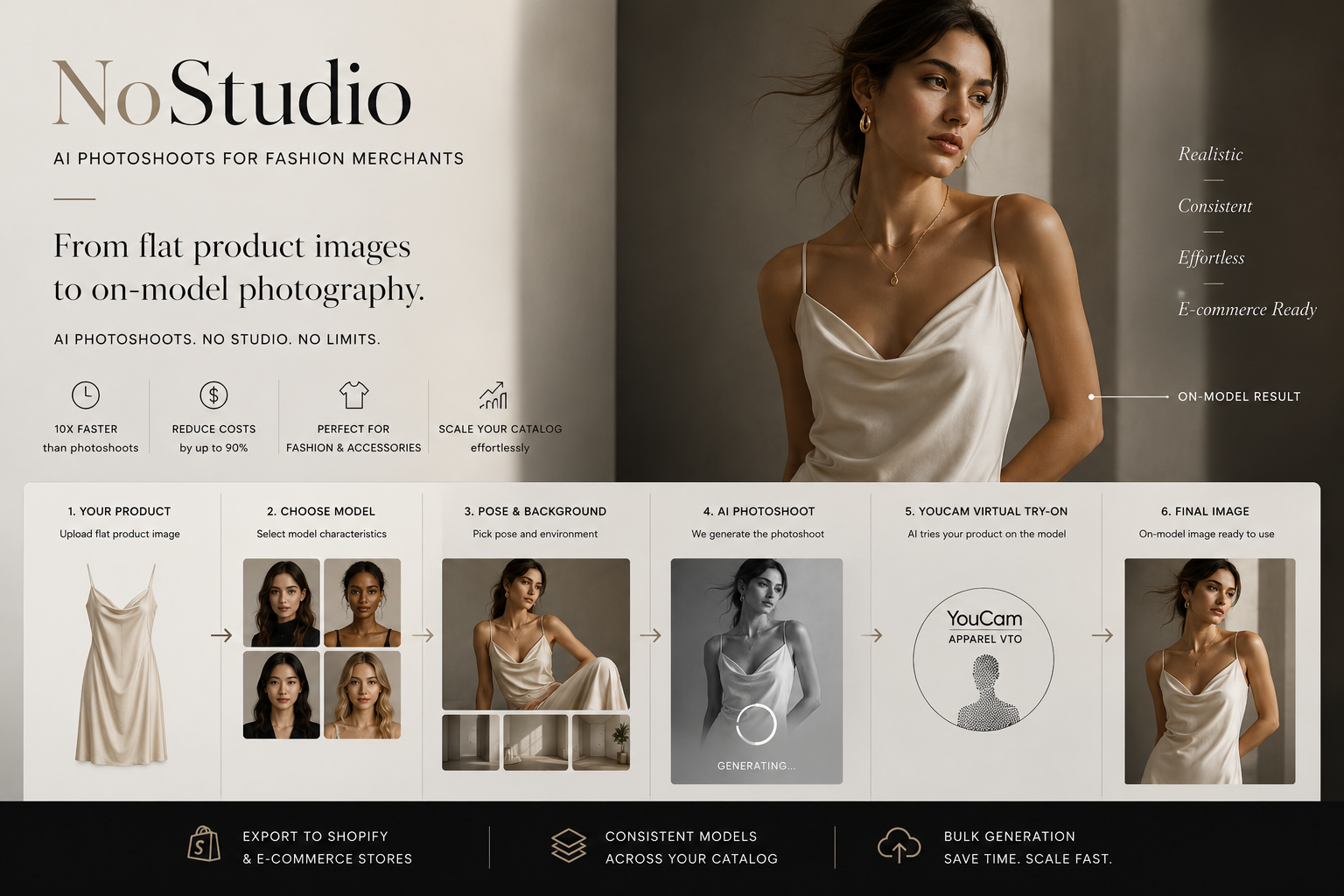
NoStudio : AI Photoshoots for Fashion Merchants
Inspiration
I run a fashion and accessories e-commerce store, and one of the biggest challenges I've experienced isn't creating the products — it's creating high-quality, natural, studio-grade on-model photography for them.
Traditional photoshoots require models, photographers, locations, lighting, styling, and significant time and money. For an e-commerce business with a constantly changing catalog, this quickly becomes a major bottleneck.
I started thinking:
Why should I need an entire photoshoot just to show my product on a model?
That became NoStudio — an AI photoshoot studio that turns flat product images into hyper-realistic, natural-looking, studio-grade on-model catalog photography.
How I Built It
I built NoStudio as a multi-stage AI pipeline instead of trying to generate everything in one prompt.
The merchant selects:
- Model — age, gender, ethnicity, body size
- Pose — automatic or manually selected
- Background — automatic or manually selected
- Look & Feel — curated visual templates
- Product — uploaded by the merchant
I created a curated prompt and style library containing predefined pose recipes, backgrounds, lighting, composition, photography directions, and visual references. This allows me to consistently produce natural, hyper-realistic fashion photography with professional studio lighting and composition, rather than generic AI-looking images.
The selected inputs first generate the model and photoshoot environment using GPT-5 and GPT Image.
The goal is for the generated photography to look as though it came from a real professional fashion shoot — natural skin, believable lighting, realistic poses, authentic environments, and editorial-quality composition.
I then pass that generated model image together with the merchant's actual product to YouCam Apparel Virtual Try-On, which handles the product try-on.
The Core Pipeline
Merchant Inputs → Prompt & Style Library → AI Model Generation → YouCam Apparel VTO → Final Hyper-Realistic On-Model Image → E-commerce Ready
The complexity is hidden behind one button: Generate Shoot.
What I Learned
The biggest thing I learned was that AI photoshoot generation and virtual try-on are separate parts of the workflow.
I use my own generation pipeline to create the model, pose, background, lighting, and visual style. I then use the YouCam Apparel Virtual Try-On API specifically for the try-on stage, taking the generated person image and the merchant's actual product image as inputs.
This separation allowed me to keep the creative direction under my control while using YouCam specifically for its VTO capability.
I also learned that realism and consistency matter as much as image quality. A merchant doesn't need just one impressive AI image — they need an entire catalog that looks like it was photographed by the same professional studio.
That's why I designed NoStudio around hyper-realistic model generation, reusable AI models, curated photography styles, natural poses, consistent lighting, and controlled visual direction.
The goal is not to make an image that simply looks AI-generated but to create photography that feels natural, believable, and professionally shot.
Challenges I Faced
One of the biggest challenges was building a high-quality library of hyper-realistic, studio-grade fashion imagery that could consistently work as inputs for the YouCam VTO API.
Getting a model to simply look good wasn't enough. The images needed natural poses, realistic skin, believable lighting, accurate body positioning, authentic environments, realistic shadows, and professional fashion-photography composition.
I had to continuously refine and curate poses, backgrounds, visual references, lighting directions, and prompts to create a library that produced consistent, professional-looking photography rather than generic AI images.
Another challenge was making these generated images work reliably with the YouCam Apparel VTO API. I had to structure the model-generation stage carefully so the resulting person images were suitable inputs for the VTO process.
I also use Promptfoo to version and evaluate prompt variations, making it easier to identify which combinations consistently produce the most realistic and professional results.
Technology & Architecture
NoStudio combines generative AI, virtual try-on, cloud infrastructure, and e-commerce integration.
AI & Generation
- GPT-5 — generation and orchestration
- GPT Image — hyper-realistic AI model and photoshoot image generation
- YouCam Apparel VTO — virtual try-on
- Promptfoo — prompt versioning and evaluation
Backend & Infrastructure
- Next.js + TypeScript — application
- Node.js background workers — long-running and batch generation jobs
- Azure Service Bus — asynchronous job queues
- Azure PostgreSQL — application and generation data
- Azure Blob Storage — generated images and assets
- Firebase Authentication — merchant authentication
- Vercel — application hosting
E-commerce
- Shopify integration using Liquid — designed to bring generated product imagery into Shopify storefronts
- Future support for additional e-commerce platforms
The architecture allows the merchant-facing application to remain responsive while generation tasks are processed asynchronously in the background.
What's Next
I want NoStudio to become more than an image generator — a complete e-commerce photography workflow.
The goal is to let merchants generate hyper-realistic, studio-grade catalog imagery, manage consistent AI models, generate images in batches, and eventually export them directly into platforms such as Shopify and other e-commerce storefronts.
The larger workflow becomes:
Product → AI Photoshoot → YouCam VTO → Hyper-Realistic Catalog Images → Shopify / E-commerce Store
My vision is simple:
Your catalog shouldn't need a studio.
Built With
- gpt-5-sol
- nextjs
- postgresql
- shopify-liquid
- typescript
- vercel

Log in or sign up for Devpost to join the conversation.