-
-
SYNC - Logo - FULL 3:2
-
SYNC - Now - Screenshot FULL 3:2
-
SYNC - Circles - Screenshot FULL 3:2
-
SYNC - Week - Screenshot FULL 3:2
-
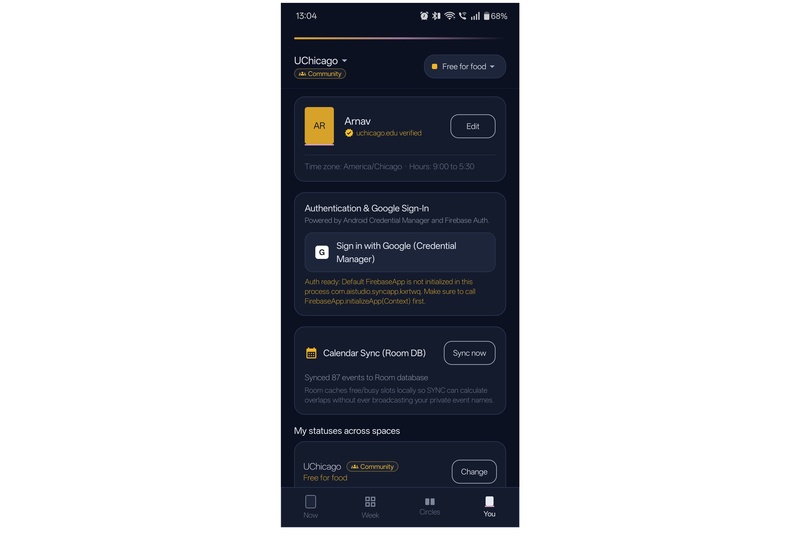
SYNC - You - Screenshot FULL 3:2
-
SYNC - Logo
-
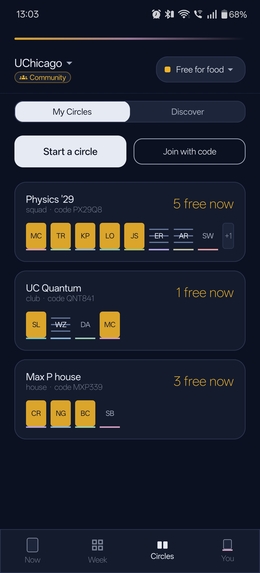
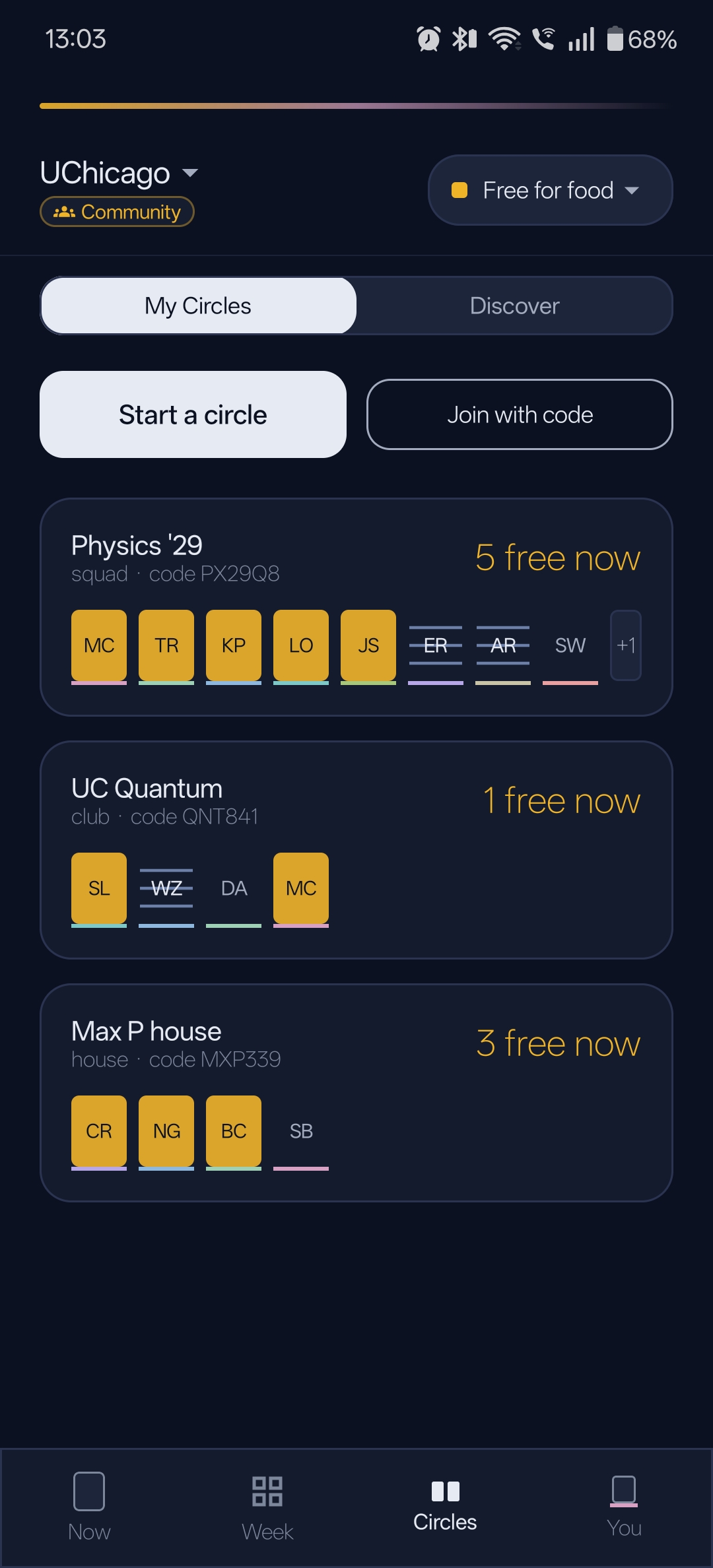
SYNC - Circles- Screenshot
-
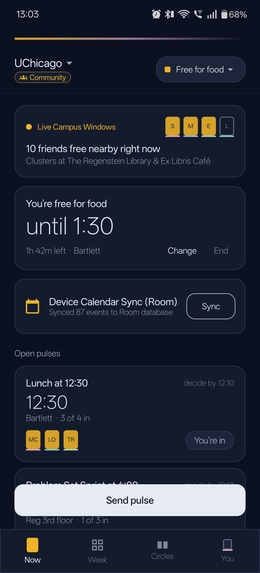
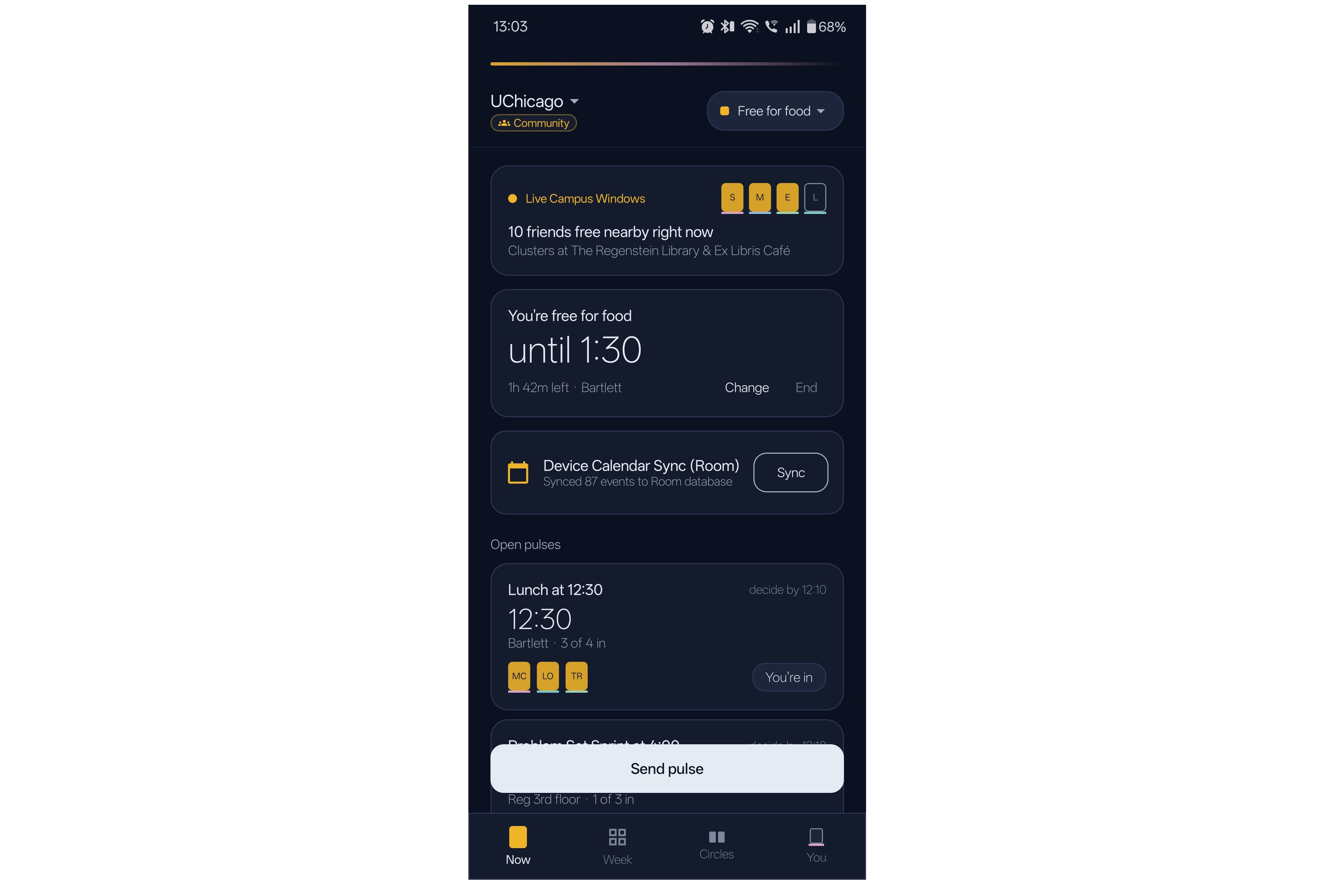
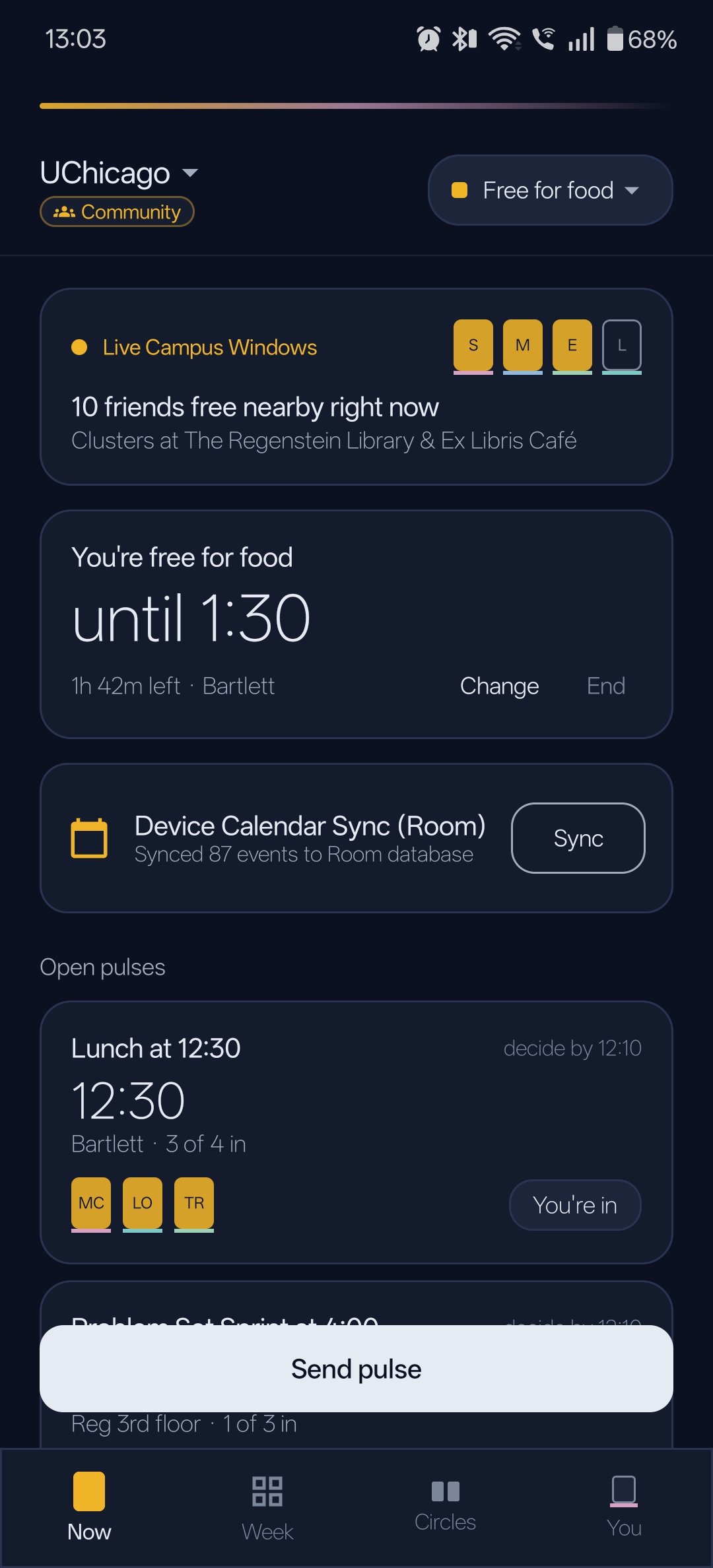
SYNC - Now - Screenshot
-
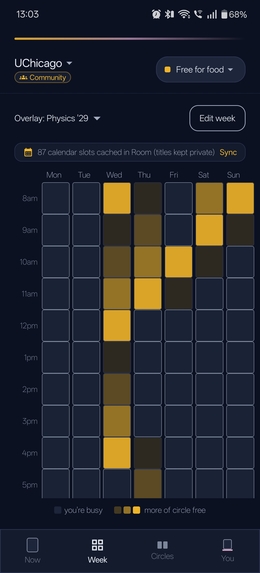
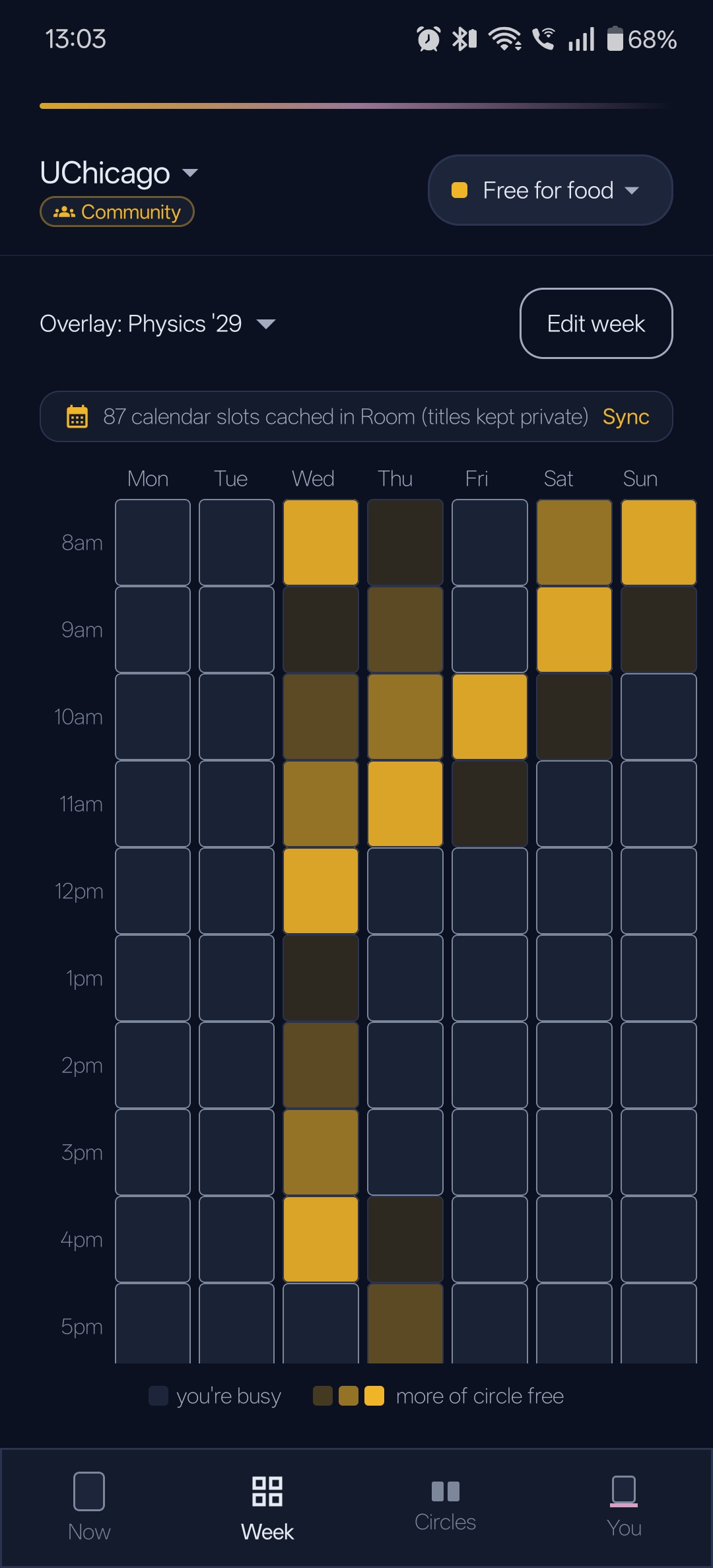
SYNC - Week - Screenshot
-
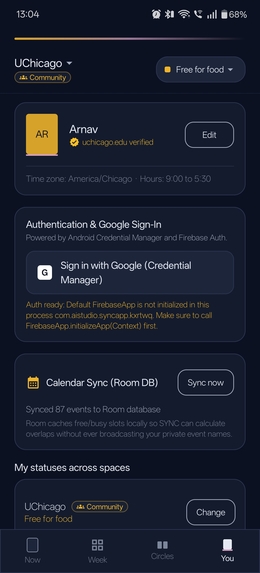
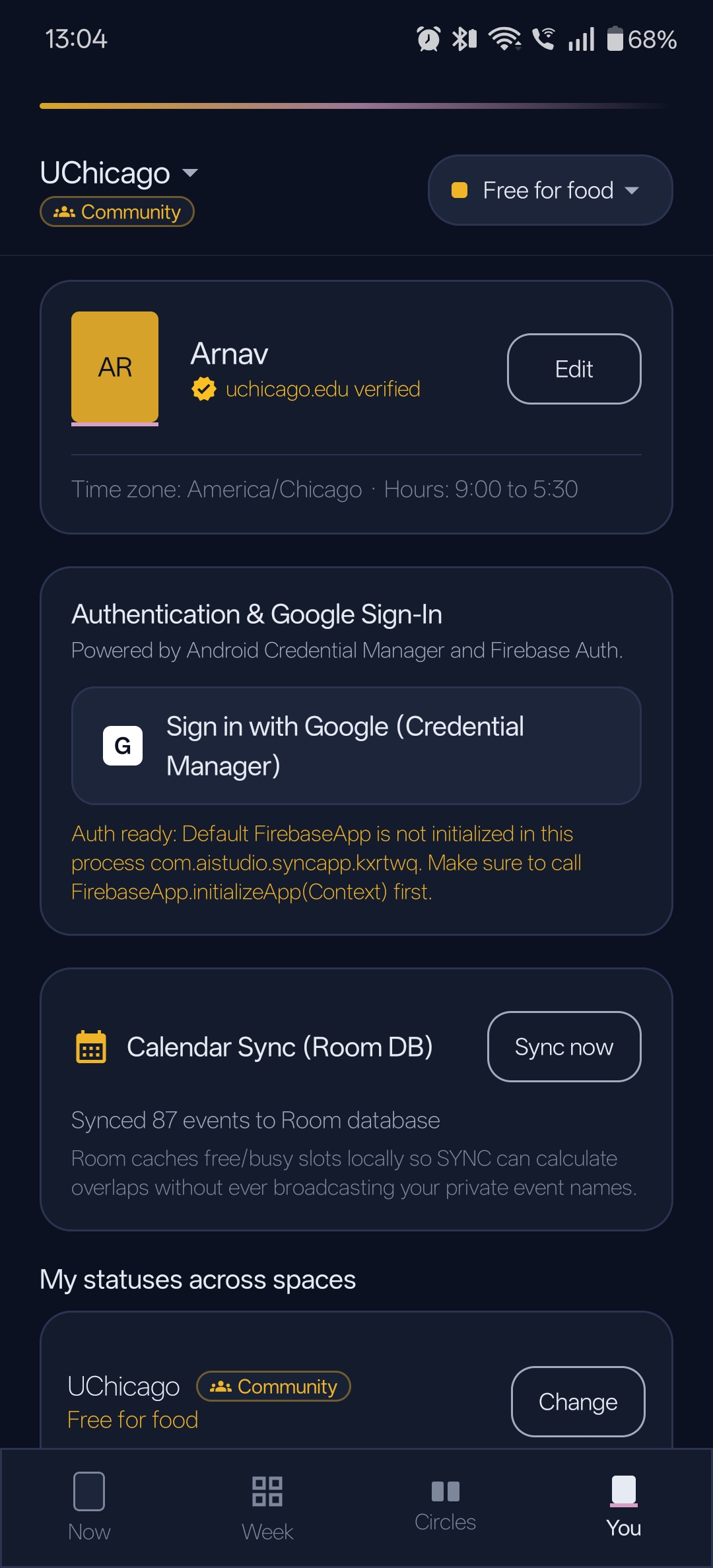
SYNC - You - Screenshot
Inspiration
Every plan I make at UChicago starts the same way: a group chat, five "when are you free?" messages, and half the people never answering. Then I noticed the same problem in offices. Two coworkers ask each other about lunch every day, while a third friend nearby is free too but no one knows each other's schedule, so the poor guy ends up eating alone. The problem isn't communication. It's that all scheduling infromation is not streamlined. SYNC makes that visible and turns it into a plan in one tap.
What it does
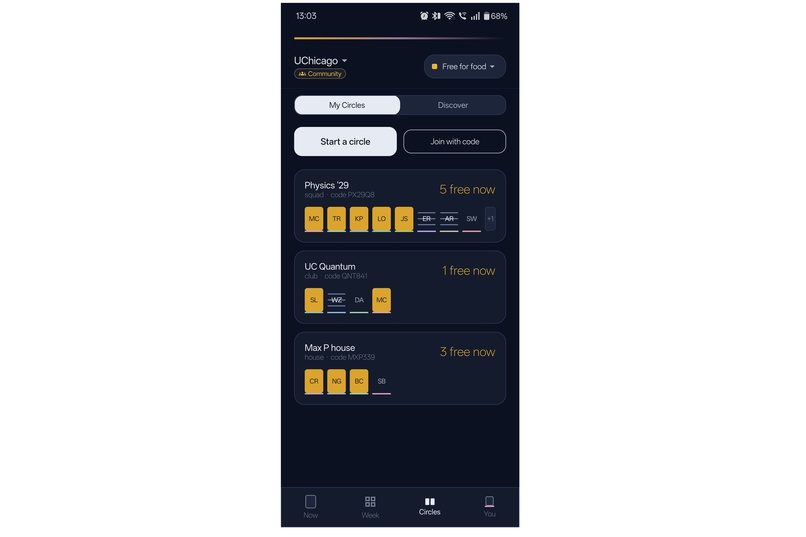
SYNC has two kinds of spaces in one app.
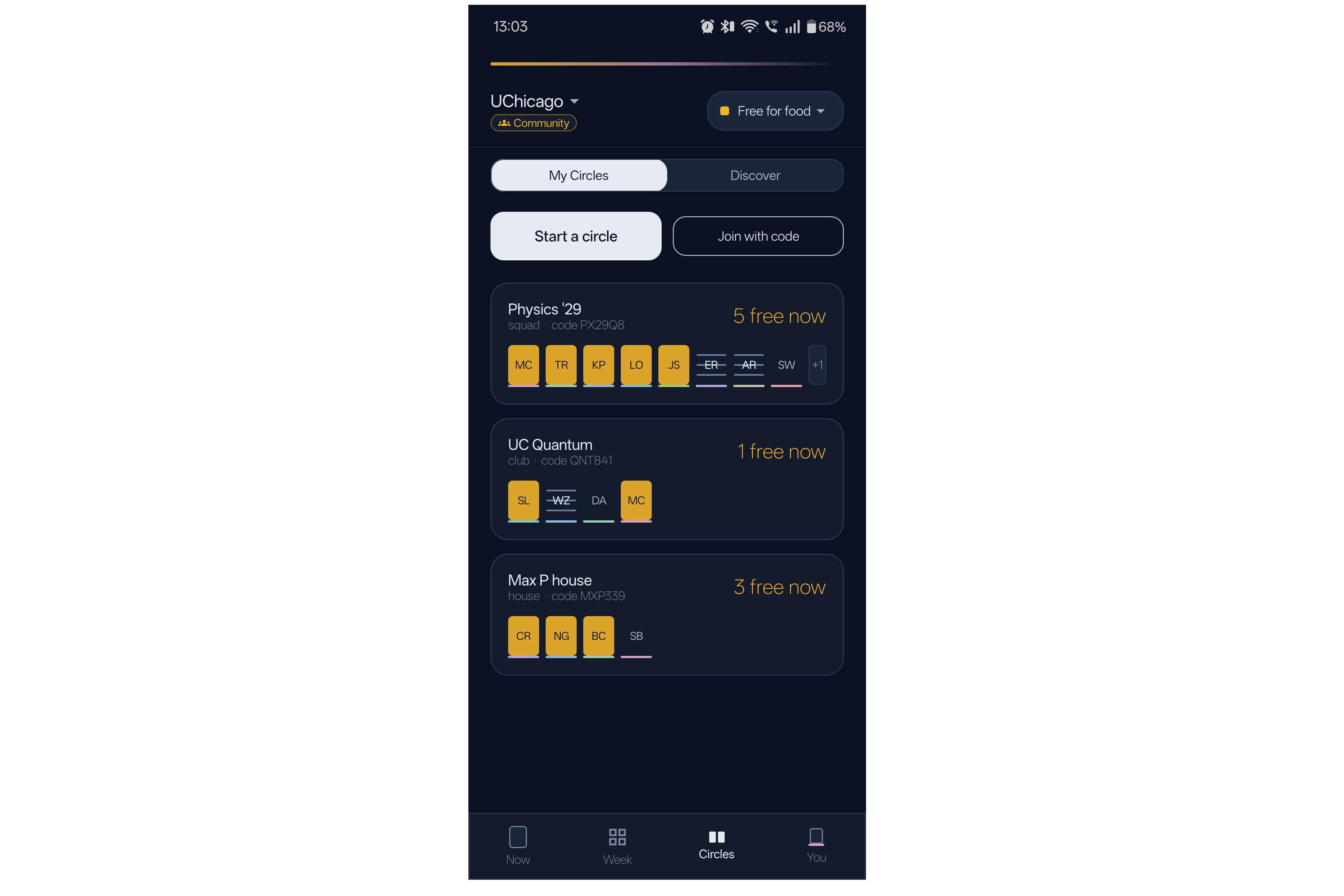
Community spaces (friends, campus, clubs, neighborhoods)
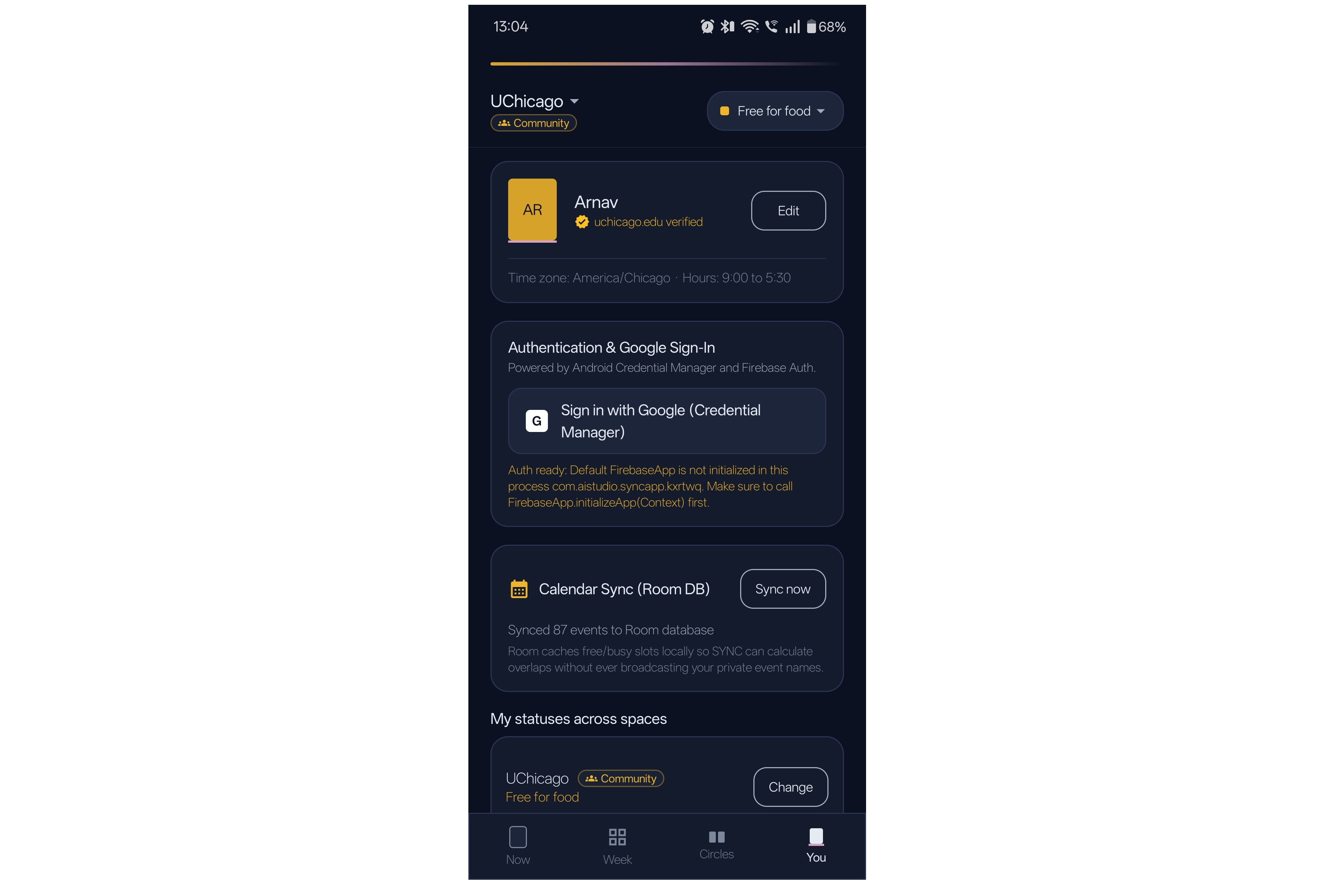
- Status per space, with an expiry. You can be "heads down" at work and "free after 6" at run club at the same time. Every status expires, so nothing goes stale.
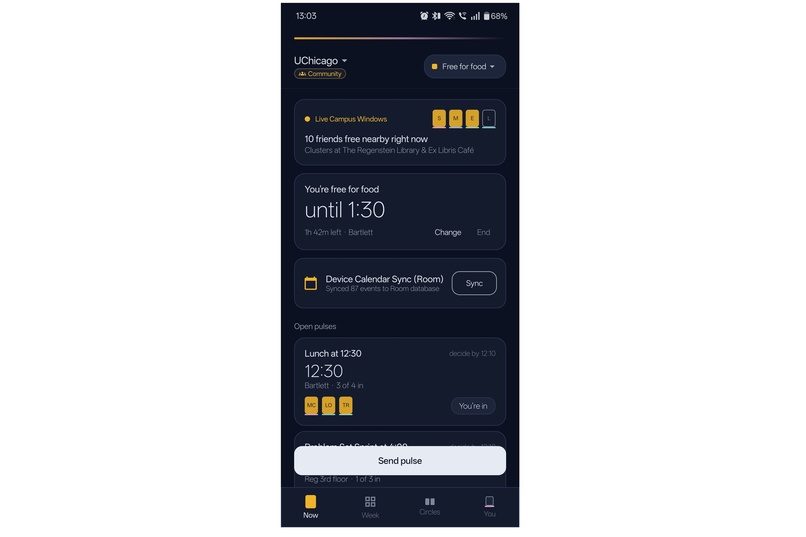
- Pulses. A one-tap invite with a quorum: "Lunch at 12:30, need 3." When enough people tap In, it confirms. If not, it quietly expires, so nobody has to say no.
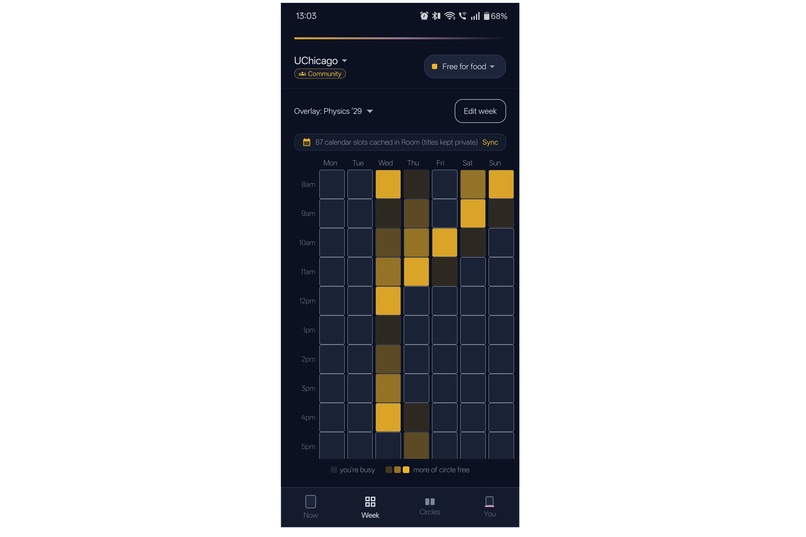
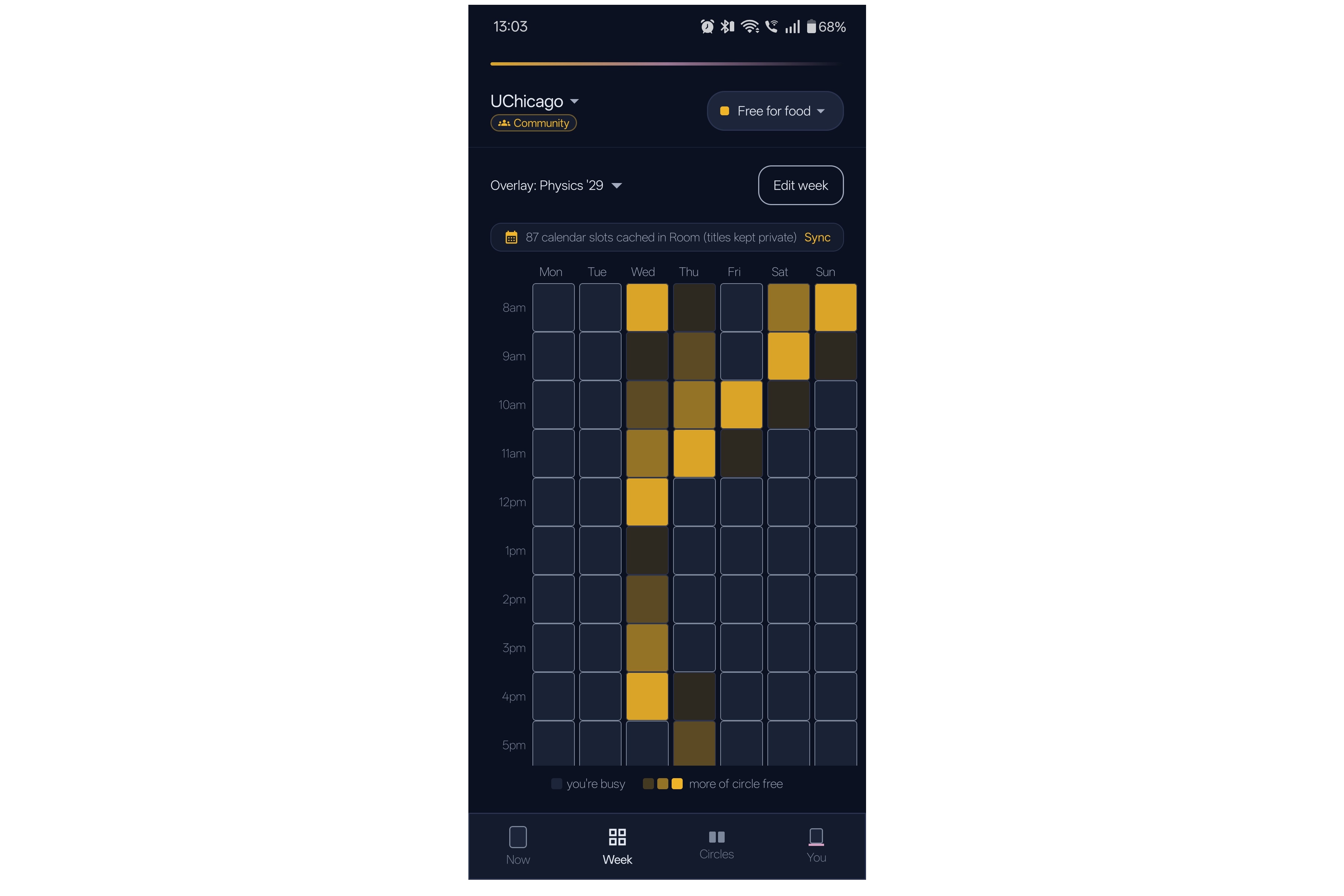
- Week view. Your schedule, with an overlay that lights up where friends are free.
Workplace spaces (teams and companies)
- Office days. See who's in on which day, with a suggested anchor day when most of the team overlaps.
- Focus hours. Protected team windows that set everyone to heads down.
- Mixer. Opt-in cross-team coffee pairings.
- Aggregate-only insights. Managers never see individual data. That rule is what makes people willing to install a workplace app.
The design idea is "lit windows": free time glows warm amber against a night-blue background, so a group reads like a building at night.
How it makes money (RevenueCat)
Free for communities, paid by workplaces.
- Community Pro (monthly or yearly) unlocks unlimited circle members, unlimited circles, weekly rituals and custom status words. The paywall appears only at the moment of need, such as adding a 13th member, never at launch.
- Workplace plans are annual seat tiers (Team 25, then Business 100/250/500). When a team hits its cap, the admin moves up a tier.
The Pro purchase runs through the RevenueCat Android SDK (Test Store, entitlement sync_unlimited), with prices loaded from the current offering and Pro gated on CustomerInfo. Restore purchases is wired up too. Workplace tiers buy through a RevenueCat "workplace" offering; in this build they're display-only until that offering is configured.
How I built it
SYNC is a native Android app in Kotlin with Jetpack Compose and Material 3, using Room for local storage and the RevenueCat SDK for purchases. I built it with Gemini in Google AI Studio and Claude, writing a detailed product spec first and then building and testing screen by screen on my own phone. This build runs on seeded local demo data; a real multi-user backend is the next step.
Challenges
- Scope. The idea started as a social app for students, then grew to cover workplaces. The hardest part was finding the shared core (status, availability, intent) so one app could serve both without becoming two apps.
- Changing platforms mid-build. I started in Expo, then switched to a native Kotlin version that was much further along.
- Honest payments. Reviewing the AI-generated code, I found the paywall unlocked Pro for free, checked the wrong entitlement, and used a placeholder key. I replaced it with real RevenueCat purchase calls right before the deadline.
- Privacy. Designing a workplace availability tool that can't be used for surveillance, which led to the aggregate-only rule.
What I learned
Reading AI-generated code critically matters as much as generating it. I also learned how entitlements and offerings work, and that the features that make people trust an app, like expiring statuses and no individual analytics, matter more than the flashy ones.
What's next
A real-time backend, a launch at UChicago with one UChicago dorm house, called Max P, and on RSO (Recognized Student Organization), — UChicago Quantum, and then workplace pilots in larger communities and companies.
Built With
- ai
- android
- android-studio
- claude
- gemini
- google-ai
- jetpack-compose
- kotlin
- kotlin-coroutines
- material-design-3
- revenuecat
- room

Log in or sign up for Devpost to join the conversation.