-
-
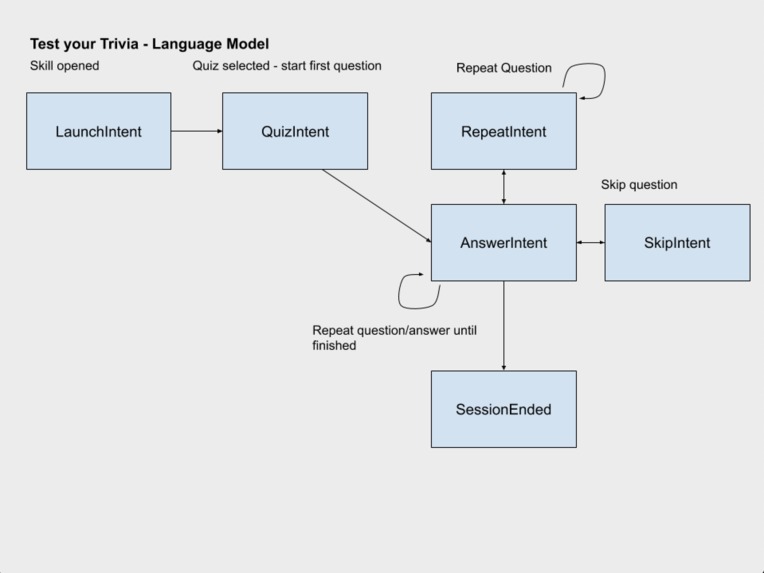
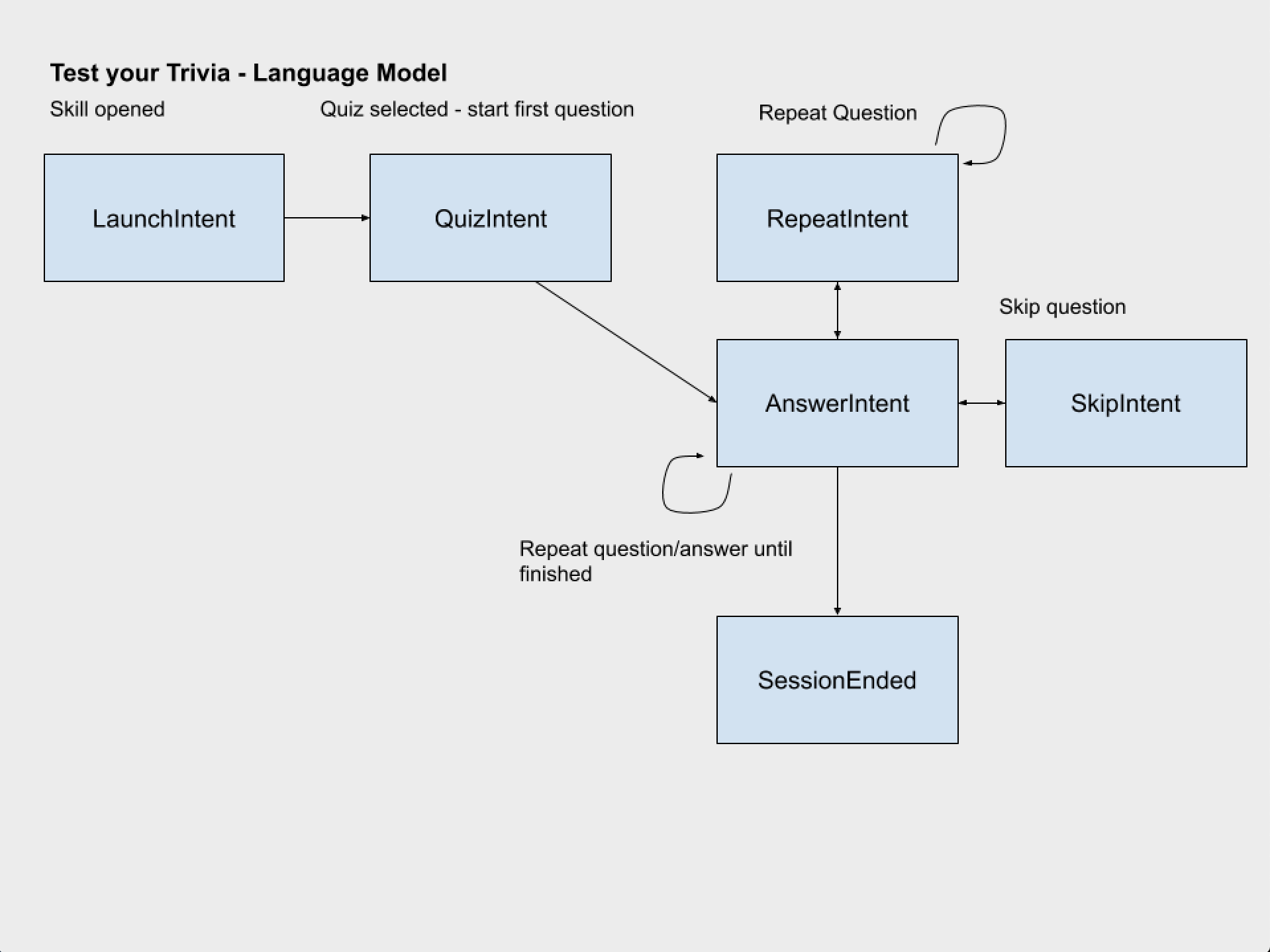
Language model state diagram for the Alexa app
-
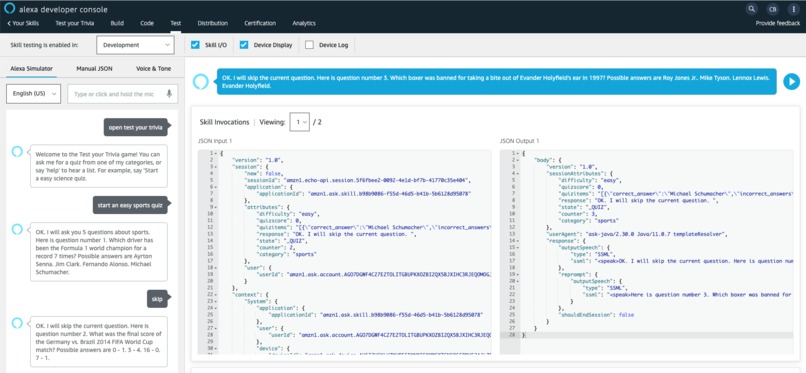
Testing the lambda skill interactively after each Quarkus update
-
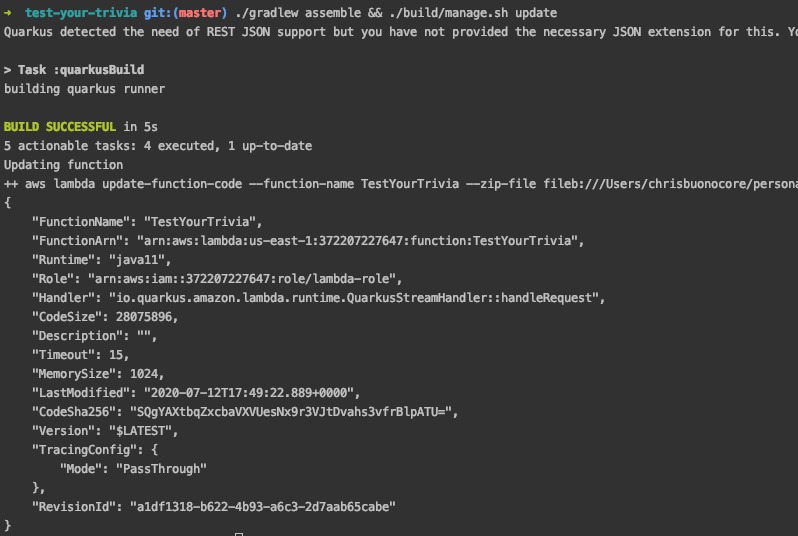
Quarkus leveraged for quick deploys, updates, and unit tests of the Alexa lambda function
-

Test your Trivia - IoT learning skill for Alexa


Test your Trivia
A new kind of trivia Alexa game built on Kotlin and powered by the Quarkus framework.
Leverages the Quarkus framework
- Used for unit testing of Lambda (launch) intent handler
- Rapid deployment to AWS using the
./build/manage.sh updatescript - Prepackaged REST client enabled building a retrofit-like API out of the box.
- AWS sdk for lambda already included through the Quarkus package.
- Can be used as a starter project using Kotlin and Gradle toolchains.
Try it out on your Alexa: https://www.amazon.com/dp/B08CY6YF6G
Inspiration
- Many Alexa quiz games exist but generally have:
- A fixed number of questions.
- Limited set of categories, or sometimes just one category, and don't leverage a dynamic question API.
- Don't give you control over the quiz category.
- Can be too long.
- Not open source.
How to use
You can ask for a quiz on any of the below categories. ex: Start an easy sports quiz.
- Alexa, open test your trivia.
- Start a {easy, medium, hard} {category} quiz.
- Ok, here's your first question. Say A,B,C or D...
- (5 multiple choice questions)...
- {Terrible, Good effort, Great Job, Perfect}! Your final score is {x} out of 5. Thank you for playing Test your Trivia! Let's play again soon!
In test your trivia, you pick the category:
Supported categories:
general knowledge
books
film
music
musicals
television
video games
board games
science
computers
math
mythology
sports
geography
history
politics
art
celebrities
animals
vehicles
comics
gadgets
anime
cartoons
Keep playing and improve your knowledge over time!
Running the application in dev mode
You can run your application in dev mode that enables live coding using:
./gradlew quarkusDev
Packaging and running the application
The application can be packaged using ./gradlew quarkusBuild.
It produces the test-your-trivia-1.0.0-SNAPSHOT-runner.jar file in the build directory.
Be aware that it’s not an über-jar as the dependencies are copied into the build/lib directory.
The application is now runnable using java -jar build/test-your-trivia-1.0.0-SNAPSHOT-runner.jar.
If you want to build an über-jar, just add the --uber-jar option to the command line:
./gradlew quarkusBuild --uber-jar
Creating a native executable
You can create a native executable using: ./gradlew build -Dquarkus.package.type=native.
Or, if you don't have GraalVM installed, you can run the native executable build in a container using: ./gradlew build -Dquarkus.package.type=native -Dquarkus.native.container-build=true.
You can then execute your native executable with: ./build/test-your-trivia-1.0.0-SNAPSHOT-runner
If you want to learn more about building native executables, please consult https://quarkus.io/guides/gradle-tooling#building-a-native-executable.


Log in or sign up for Devpost to join the conversation.