

Inspiration
Competitive Pokémon was a hobby of mine during highschool and university, but I stopped in the late 2010s. In that time, two new generations of pokemon have been added, along with a new metagame (set of most-effective strategies that most players employ). Understanding the metagame, or "meta", is important when designing and building your Pokémon team. However, adjusting to a new meta can be tough, especially if you're returning from an extended break. There is no substitute for playing when it comes to learning the current metagame, but I think an AI-assisted solution could help people catch up and devise new strategies or movesets.
What it does
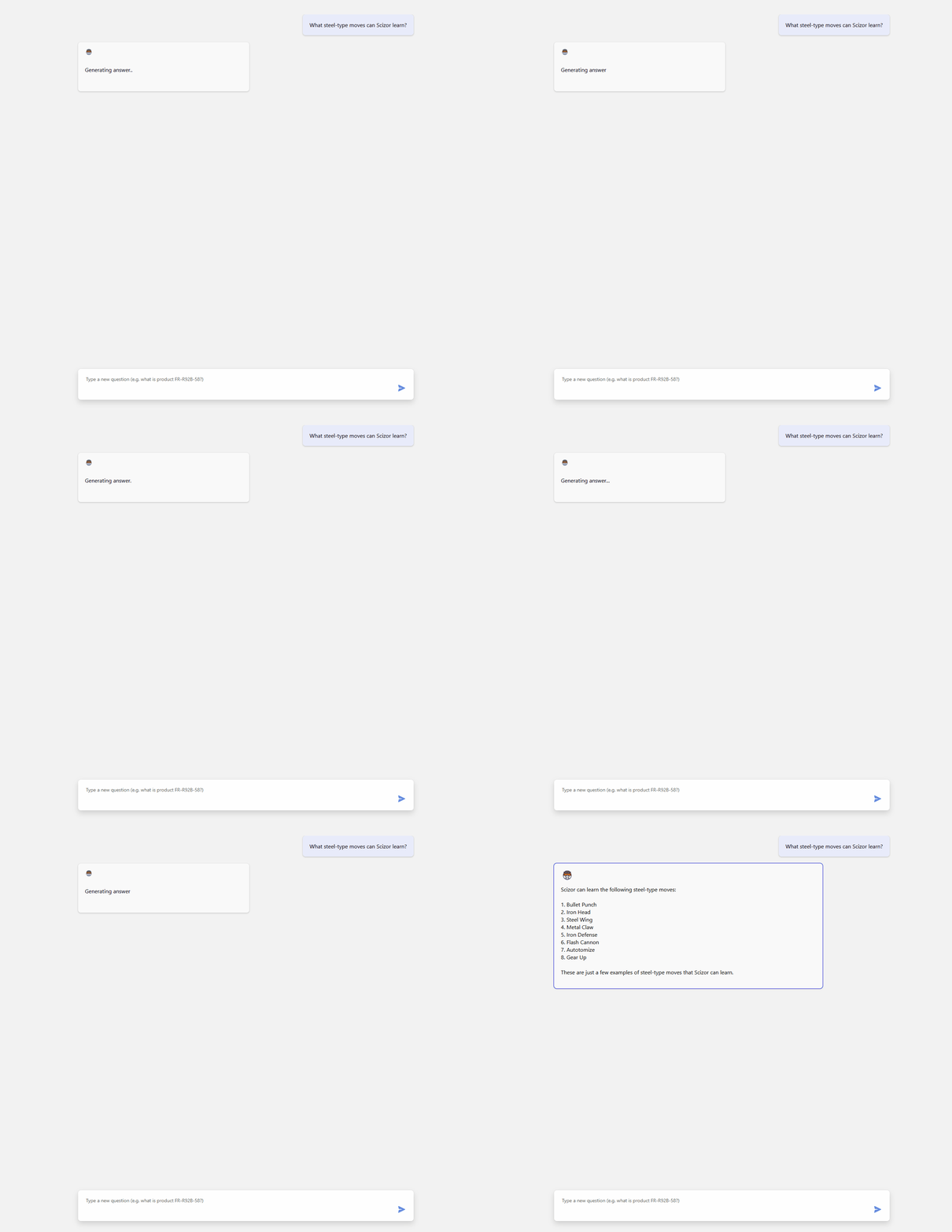
Pokécopilot is currently a Chatbot that can provide users information on competitive Pokémon battling. This includes information like a Pokémon's base stats, the moves it can learn and the abilities it can have. Strategies often revolve using Pokémon with specific movesets and abilities. But Pokémon are not made equal. Some Pokémon can learn useful moves or have abilities that others can't, while other Pokémon have really good type combinations or just have better base stats. My original vision for Pokécopilot is for it to be a static website like Smogon and Bulbapedia, but with an AI chatbot that can help users lookup specific information. Websites like Smogon and Bulbapedia can already tell users which Pokémon can learn the move U-turn, but determining the fastest (highest Speed) or strongest (highest Attack) dragon-type (or any type) Pokémon that can learn U-turn will often require users to do more research. Answering questions like this help players decide what Pokémon, movesets, and abilities would best suit their desired strategy, and it's questions like this that I think an AI Chatbot can help quickly answer.
How I built it
After following the Azure-OpenAI-Node.js-Developer-Guide, I divided the project into three parts:
- Resource deployment
- Database preparation
- Backend development
- Frontend development
I built this project by first deploying my cloud resources, creating and preparing the vector database, writing a backend that could talk to my cloud resources (specifically Azure OpenAI Service and Cosmos DB), and finally the frontend.
Provisioning Azure resources
Using the bicep file provided in the NodeJS Developer Guide was really helpful. I ultimately didn't put the azuredeploy.bicep and the azuredeploy.parameters.json files on my repo because I was worried about exposing secrets like my CosmosDB username and password.
Database preparation
Data Source
Normally, the PokeAPI could be used to retrieve Pokémon data. However, I wouldn't be able to do that for this project because I had to connect my Azure OpenAI Service to my Cosmos DB instance. This meant I had to create and host my own database.
Database Design
I created three json files which would become three collections on my Cosmos DB instance:
- pokemon - pokemon data (name, base stats, types, abilities, possible moves)
- moves - move name, base power, type, effect text
- abilities - ability name, effect
The idea behind this was that by vectorizing all of these collections and giving them access to my Azure OpenAI service, the Chatbot would be able to link together the information in these collections to answer questions like "what's the fastest non-bug type pokemon that can learn U-turn".
Data preprocessing
Luckily, the data I needed was available on the PokeAPI, but I had to remove a lot of information that wasn't relevant to competitive Pokémon (e.g. Pokedex data, catch rates). This pre-processing step was important because the less data in my database documents meant the less time it would take to vectorize each database document. I downloaded the entire database of Pokemon, Abilities, and Moves from the PokeAPI - all stored in PokeAPIData and prepared JavaScript files that would retrieve only the relevant information I needed and write it to JSON files in processedData.
Uploading Data to Cosmos DB Instance
After preparing my JSON files, I wrote loader files that would upload my processed data into collections on my Cosmos DB Instance. This can be an expensive step if you upload unnecessarily, which is a lesson I learned the hard way.
Vectorization
After creating the database. I wrote vectorInitialization.js to vectorize and store embeddings in my collections, which would allow my Azure OpenAI Service instance to refer to my database when responding.
This was a long step, which required to keep my computer on overnight. In fact, vectorization was such a long process that I only vectorized a portion of my pokemon database collection. I vectorized the last 300 or so pokemon, which are the ones that would have been released after I stopped playing competitive Pokemon. I was luckily able to vectorize the entirety of my moves and abilities collections.
The backend (pokecopilot-api)
The backend was largely modelled off of backend example provided in the Node JS Developer Guide. However, because I intend for my app to serve my database information as well as a ChatBot, I added additional API routes:
- GET /api/pokemon
- GET /api/pokemon/:id
- GET /api/moves
- GET /api/moves/:id
- GET /api/abilities
- GET /api/abilities/:id
I also replaced the agent tools in the example with my own tools:
Referring to the Developer Guide examples, I then containerized my backend and deployed it to an Azure App Container instance.
Frontend (pokecopilot-client)
I tried and failed to create my own frontend that would serve my static content as well as a chatbot. However, after many failed attempts I ultimately used a modified version of the Dev Guide Frontend Example.
I also had trouble getting my frontend deployment to connect to my backend. When sending a message on my frontend deployment, the response will fail. I hope to create my own frontend in the future.
Challenges we ran into
Costs and vectorization time
Vectorization took a long time, which caused me to ultimately vectorize only a portion of my pokemon collection. After fidgeting with my database during the Developer Guide labs and my project, I noticed I've nearly reached my credit limit for my Azure Student subscription. I was surprised to see that the majority of my costs was related to the CosmosDB I deployed for this project, and not hosting my web app or the OpenAI service.
Combining input from my other database collections into my LangChain Agent
I made 3 collections so my LangChain Agent could access all of them, but I couldn't find a way to combine three retrievers into one query. I know it's possible, but it's something I'll have to do after the challenge
Frontend Deployment
Designing a good frontend is challenging and can present a lot of technical issues I wasn't prepared for.
Things like my deployment not connecting to the /ai frontend is something I wasn't expecting. Designing an aesthetic frontend is also something I'm not good at, but it is something I want to improve on in the future.
Accomplishments that we're proud of
Successful Integration of Azure Services: I successfully integrated Azure OpenAI Service and Cosmos DB, which was a complex task involving multiple steps from resource deployment to backend development.
Efficient Data Processing: I managed to preprocess and filter the Pokémon data from PokeAPI to include only the relevant information for competitive play. This significantly reduced the time required for vectorization.
Custom API Development: I developed custom API routes to serve Pokémon, moves, and abilities data, which enhanced the functionality of the chatbot.
Vectorization and Embedding: Despite the long processing time, I successfully vectorized most of my database, enabling the chatbot to provide (somewhat) accurate and relevant responses.
Cost Management: I learned to monitor and manage Azure costs effectively, which is crucial for the sustainability of the project.
Containerization and Deployment: I containerized the backend and deployed it to an Azure App Container instance, ensuring that the application is scalable and maintainable.
User-Centric Design: The chatbot is designed to answer complex questions that would otherwise require extensive research, making it a valuable tool for competitive Pokémon players.
What we learned
Provisioning Azure Resources: I learned how to provision Azure resources using a bicep file, which streamlined the deployment process and ensured that all necessary resources were correctly configured.
Data Processing with JavaScript: I gained experience in processing and filtering large datasets using JavaScript, which was essential for preparing the Pokémon data for vectorization.
Vectorization Techniques: I learned how to vectorize data and store embeddings in a database, enabling the AI to reference this data when responding to user queries.
API Development: I developed custom API routes to serve specific data, enhancing the functionality and usability of the chatbot.
Cost Monitoring and Management: I learned how to monitor and manage Azure costs effectively, which is crucial for maintaining the project within budget constraints.
Containerization and Deployment: I gained experience in containerizing the backend and deploying it to an Azure App Container instance, ensuring that the application is scalable and maintainable.
User Experience Design: I learned the importance of designing a user-centric application that can answer complex questions quickly and accurately, providing real value to competitive Pokémon players.
Handling Large Datasets: I learned how to handle and preprocess large datasets efficiently, which is crucial for applications that require quick access to specific information.
Combining Data Sources: I learned how to combine input from different database collections into a cohesive response, enhancing the chatbot's ability to provide comprehensive answers.
What's next for Pokécopilot: Your AI Assistant for Pokémon Competitive Play
- Updating the UI
- Adding an offline experience using PWA
- Turning the Chat Window into a Pop-Up Chat Box
Built With
- azure
- azure-cosmos-db
- javascript
- openai
- pokeapi
- react
- typescript
- vite


Log in or sign up for Devpost to join the conversation.