Inspiration
The idea for InstantReadme came from my own experience forgetting to create proper documentation for projects. I noticed that many repositories on GitHub lack good README files, making it difficult for others to understand and use them. I wanted to create a simple tool that would make documentation less of a chore.
What it does
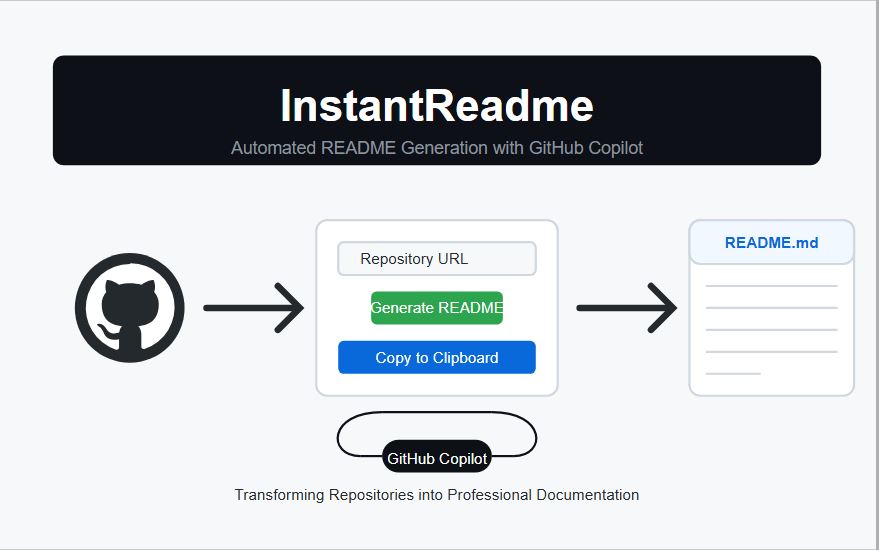
InstantReadme is a web application that:
- Takes a GitHub repository URL as input
- Fetches basic repository data (description, language, stars, etc.) using the GitHub API
- Generates a simple but comprehensive README file based on that data
- Allows users to copy or download the generated markdown
How we built it
I built InstantReadme using a straightforward tech stack:
- A Flask backend to handle requests and GitHub API integration
- The Requests library to make API calls to GitHub
- Jinja2 for templating the README structure
- Basic HTML/CSS/JavaScript for the frontend
- Visual Studio Code was used as the primary code editor for this project. Its features, such as syntax highlighting, integrated terminal, and Git integration, were instrumental in developing the application. GitHub Copilot, integrated within VS Code, helped write and refine the code.
The application follows a simple workflow:
- Parse the GitHub URL to extract owner and repo name
- Make API calls to gather repository data
- Pass that data to a template to generate markdown
- Return the formatted README to the user
Challenges we ran into
- Rate limiting: The GitHub API has limits on how many requests you can make, which required implementing authentication
- Varied repositories: Different repos contain different information, so creating a template that works for all types was challenging
- URL parsing: Ensuring the application could handle different URL formats from GitHub required careful regex work
- Error handling: Creating user-friendly error messages for API failures took time to get right
Accomplishments that we're proud of
- Creating a functional tool that actually solves a real problem for developers
- Successfully integrating with the GitHub API
- Building a clean, intuitive interface that makes the process simple
- Using GitHub Copilot effectively to speed up development
What we learned
- How to work with the GitHub REST API
- Effective ways to template markdown documents
- Better error handling for API-dependent applications
- How to use GitHub Copilot to accelerate development
What's next for InstantReadme - GitHub README Generator
Future improvements could include:
- Adding custom template options
- Supporting more repository analysis (like detecting common frameworks)
- Adding a GitHub Action for automatic README generation
- Improving the design and user experience


Log in or sign up for Devpost to join the conversation.