-
-
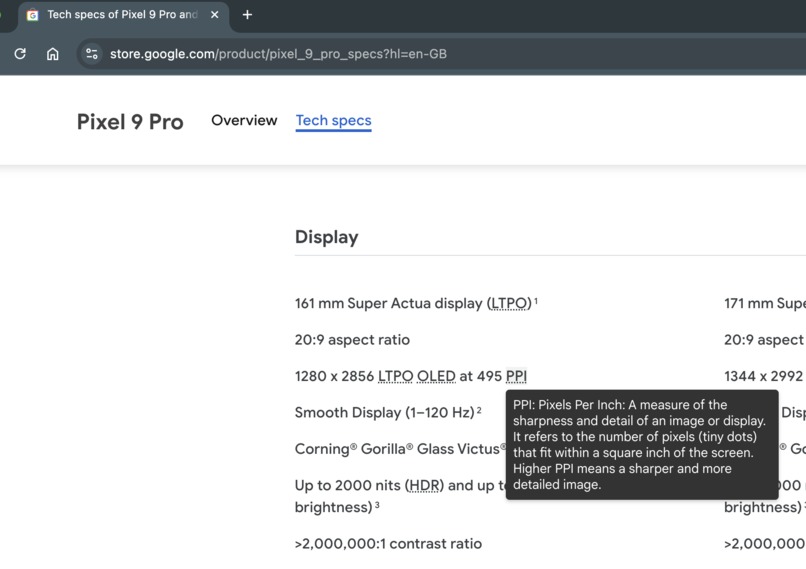
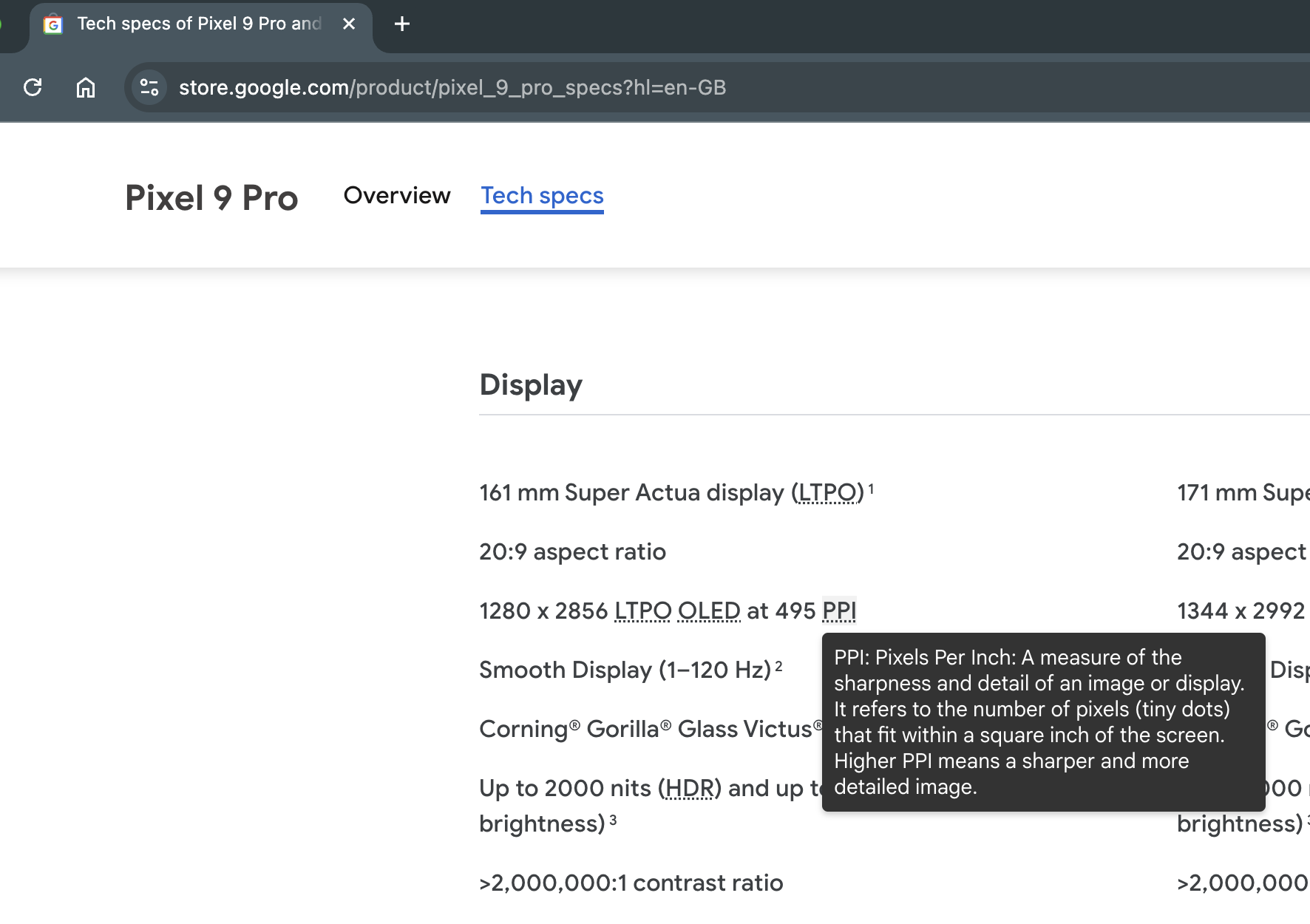
Hovering over "PPI" shows the expanded definition and explanation
-
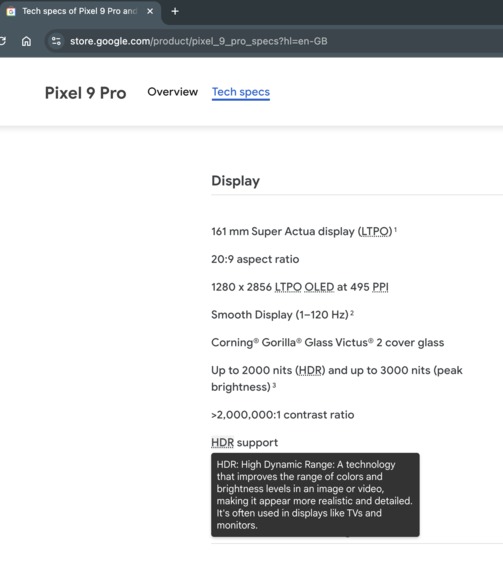
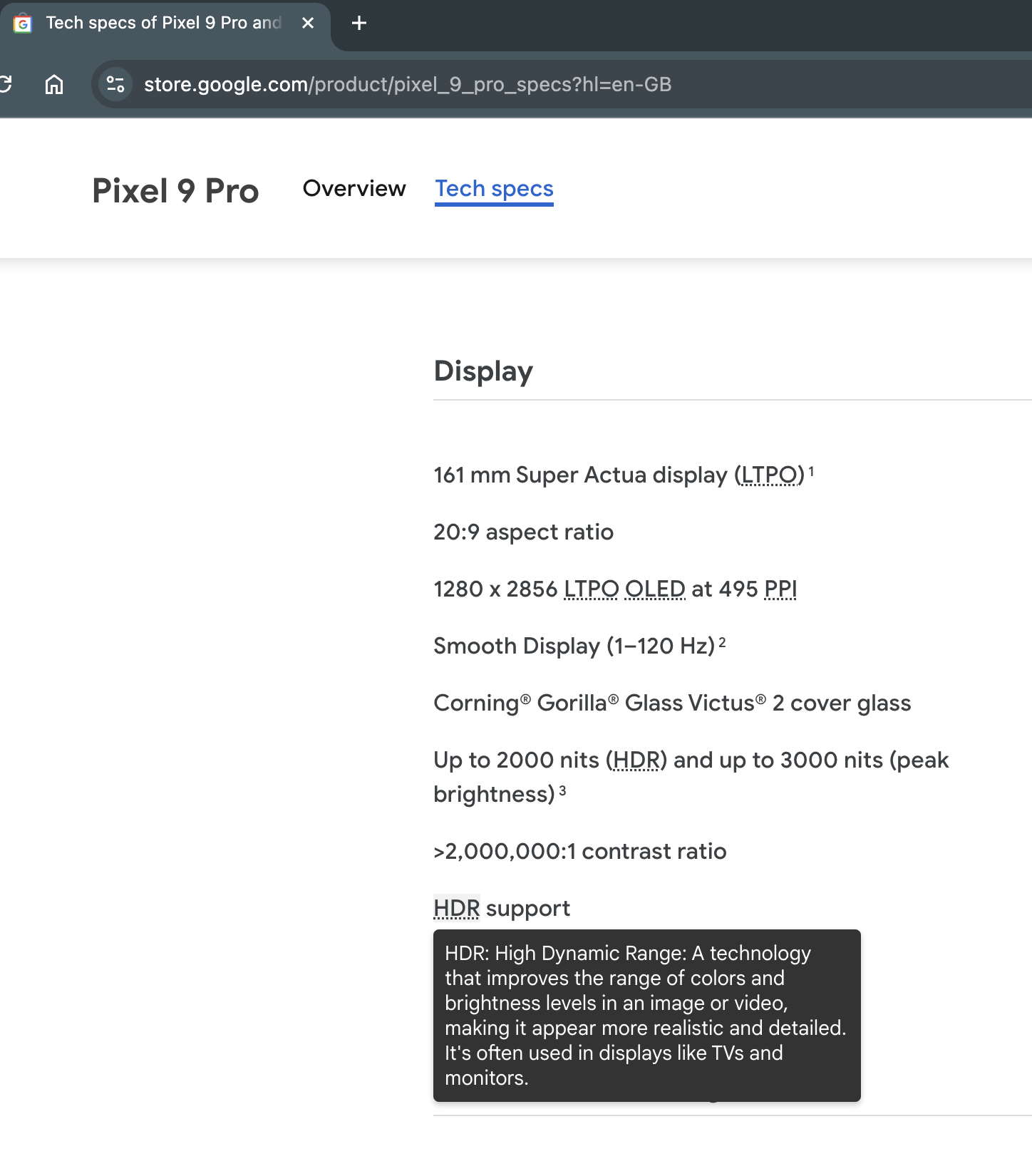
Hovering over "HDR" shows the expanded definition and explanation
-
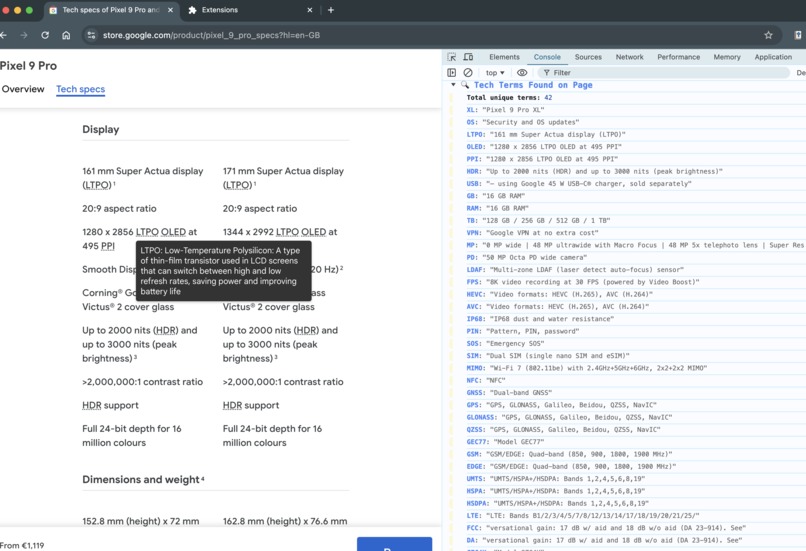
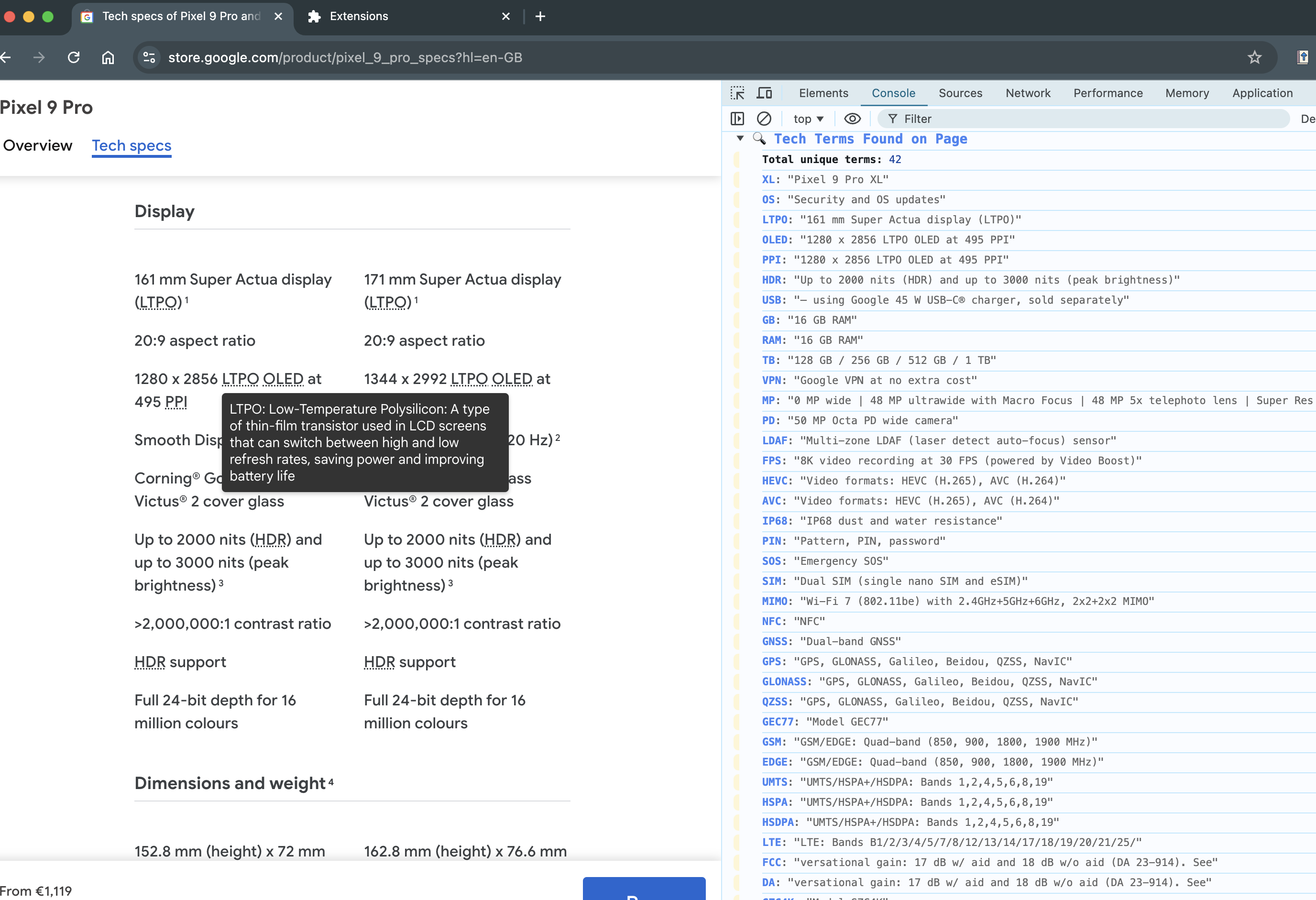
Console shows detected acronyms
-
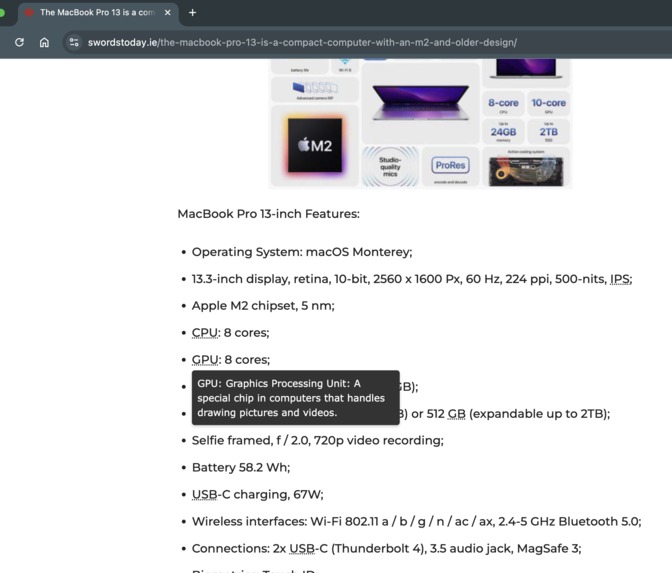
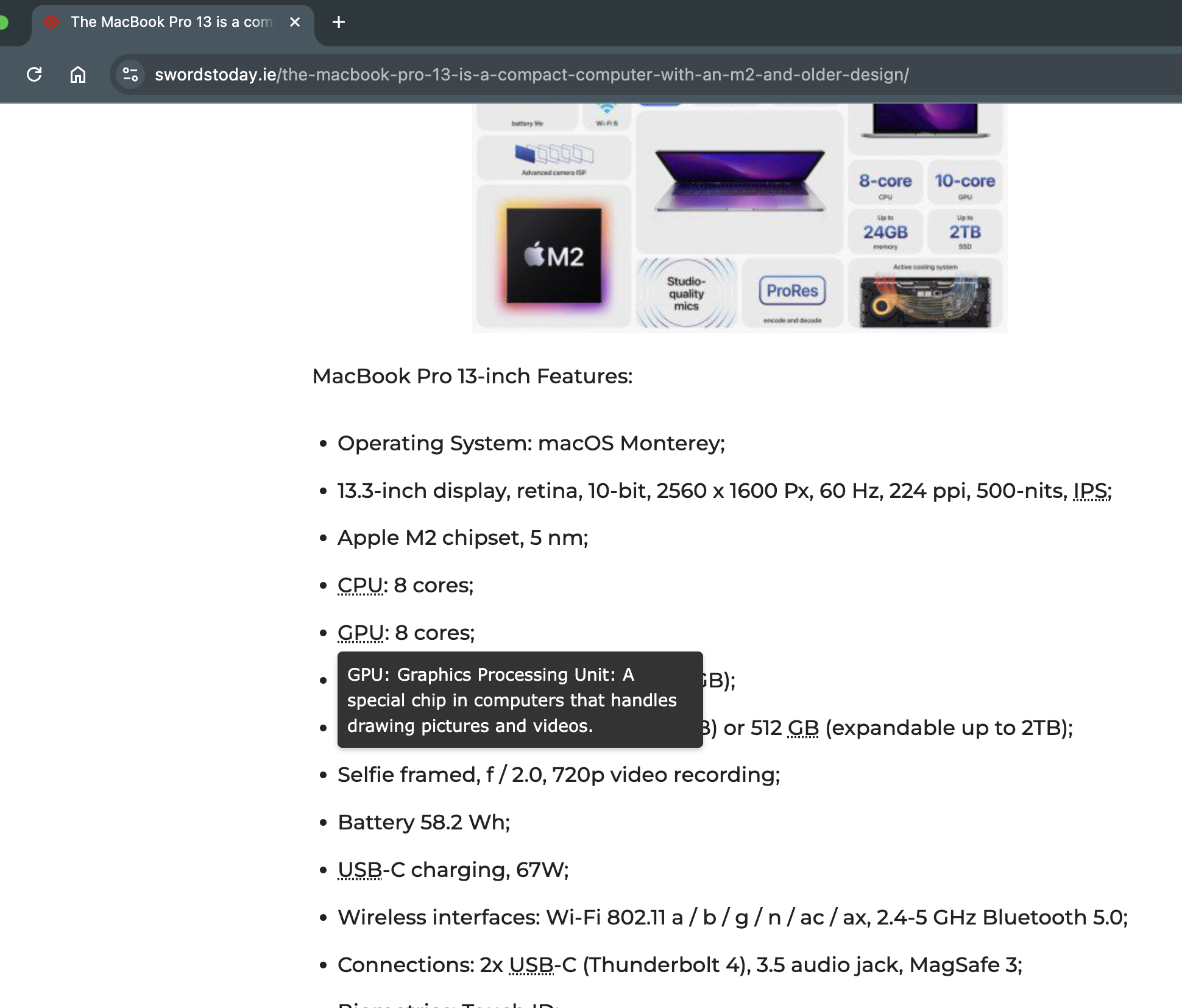
Hovering over "GPU" shows the expanded definition and explanation
Inspiration
The inspiration for Acronym Expander comes from my Master’s thesis, where I focused on creating tools to aid digital literacy. While researching, I found that many internet users, especially those with limited technical backgrounds, often struggle with understanding acronyms and technical terms on websites. This project aims to bridge that gap by providing instant, contextual definitions, helping users comprehend complex terminology without leaving the page.
What it does
The Acronym Expander is a Chrome extension that identifies acronyms and abbreviations on any web page. When users hover over an acronym, a tooltip appears with the acronym’s full form and a brief, easy-to-understand description. By providing instant clarification, the tool makes online content more accessible for users with varying levels of digital literacy.
How I built it
- Planning & Design: I started with a clear outline of features, focusing on acronym extraction, expansion, and tooltip display for maximum usability.
- AI Integration: Using Gemini Nano, I created an AI session in the background script to identify and expand acronyms. The Prompt API enabled me to retrieve relevant expansions without relying on external servers. This is a huge improvement over the proof of concept that I did in my Msc. Faster, more reliable and free, which means available to most users.
- Extension Architecture:
- Background Script: Manages AI sessions and handles messaging between the content script and Gemini Nano.
- Content Script: Detects acronyms and inserts tooltips with explanations.
- Tooltip UI: The tooltips provide the acronym’s expanded form and a brief description, enhancing user comprehension in real-time.
- Testing & Optimization: I tested the extension across different sites and refined the acronym detection pattern, ensuring accurate tooltip positioning and a smooth user experience.
Challenges I ran into
- Accurate Acronym Detection: Handling various edge cases, like acronyms with multiple meanings, required careful prompt tuning and regex patterns.
- Error Handling: Ensuring smooth fallback options when responses were delayed or inaccurate added complexity to the development process.
Accomplishments that I am proud of
- Seamless User Experience: I am proud to have created an extension that delivers real-time, contextual help without interrupting the user’s browsing experience.
- AI-Driven Accuracy: Leveraging Gemini Nano’s AI capabilities allowed me to provide accurate, contextually relevant expansions for complex acronyms.
- Accessible Interface: The simple tooltip design make this tool approachable and user-friendly for all skill levels.
- Impact on Targeted User Groups: I am particularly proud of the potential impact my extension can have on diverse users with unique learning needs. During the proof-of-concept testing, the feedback from users—including students and individuals with memory challenges or cognitive differences—highlighted how in-context definitions can significantly enhance comprehension. For example, one participant, a cybersecurity student on the autism spectrum with short-term memory difficulties, expressed how a tool could streamline his learning by reducing the need to open new tabs to search for unfamiliar terms, aiding both memory retention and focus. Knowing that my extension could support users facing similar challenges reaffirms our commitment to creating accessible, empowering digital tools that enhance learning and digital literacy for everyone.
What I learned
This project taught me how to fully utilize Chrome’s built-in AI APIs, especially Gemini Nano, to create a responsive, client-side AI application. I also gained valuable experience in Chrome extension development, working with DOM manipulation, and the nuances of handling asynchronous API requests in a seamless, user-friendly way. Big thanks for giving me access to early adopters program.
What's next for Acronym Expander
Looking ahead, I plan to:
- Add Multilingual Support: Using Chrome’s Translation API, I aim to expand support for non-English-speaking users.
- Enhance Customization: Allow users to customize tooltip styles for a more personalized experience.
- Optimize Acronym Detection: I plan to refine detection patterns further to improve acronym recognition accuracy across more varied content types.
Built With
- api
- chrome
- css
- dom
- extension
- gemini
- html5
- javascript
- nano


Log in or sign up for Devpost to join the conversation.