-
-
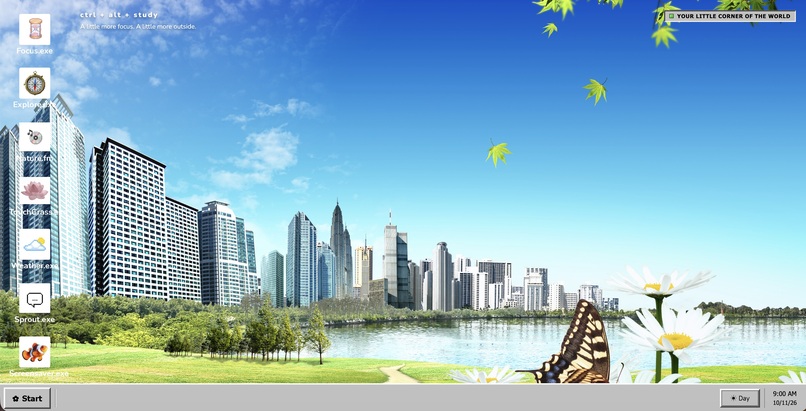
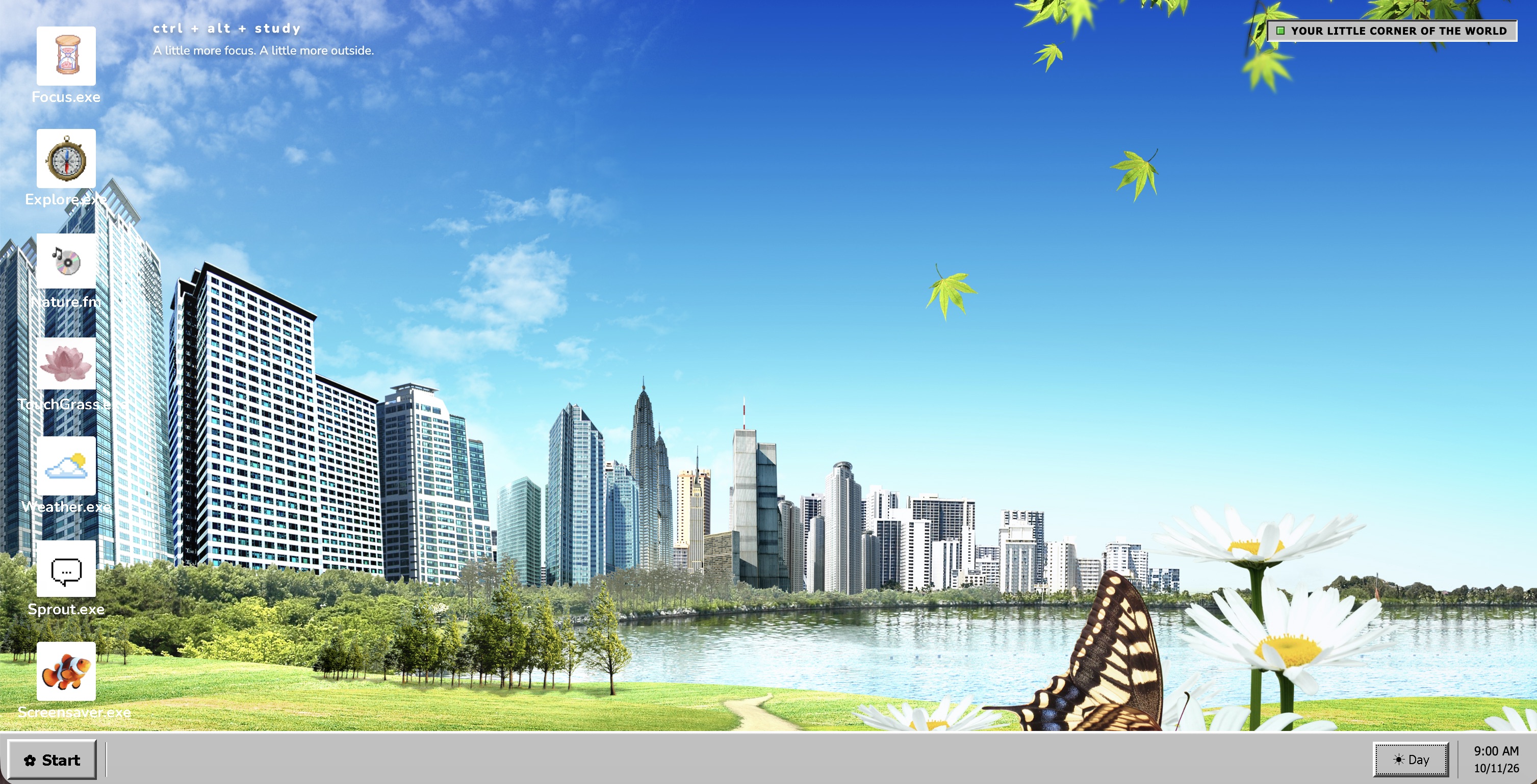
Day Mode
-
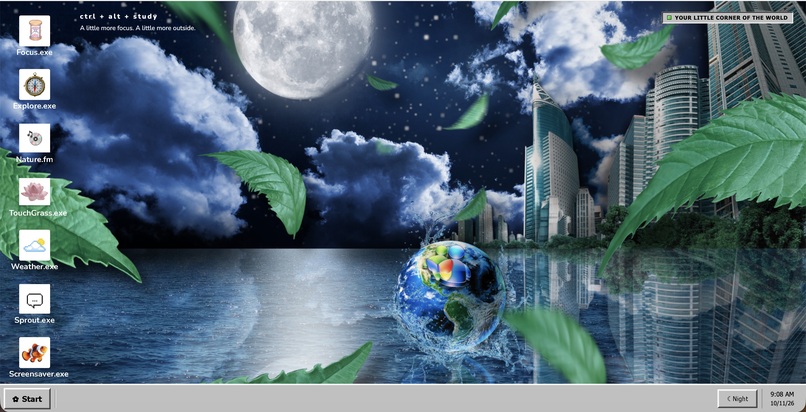
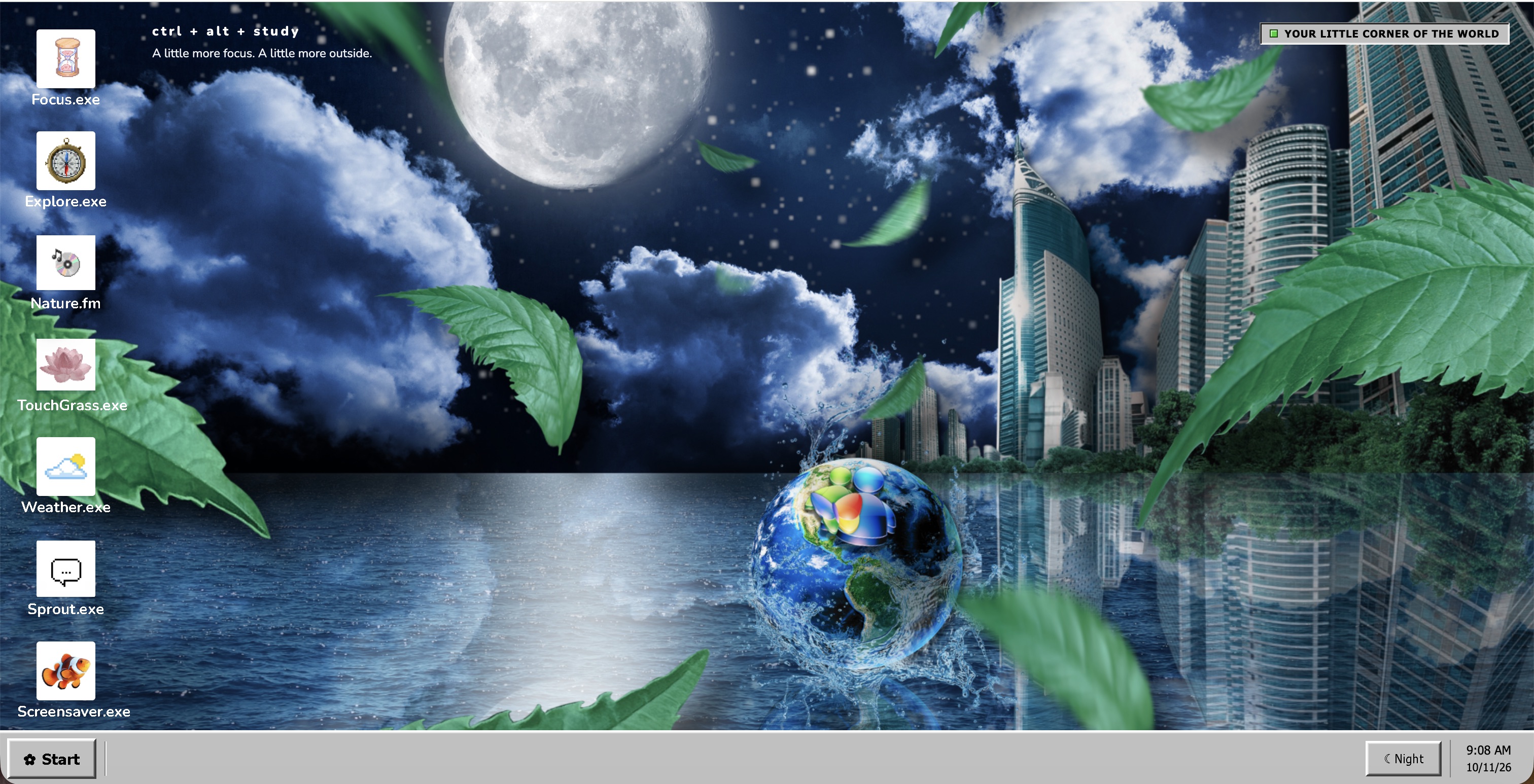
Night mode
-
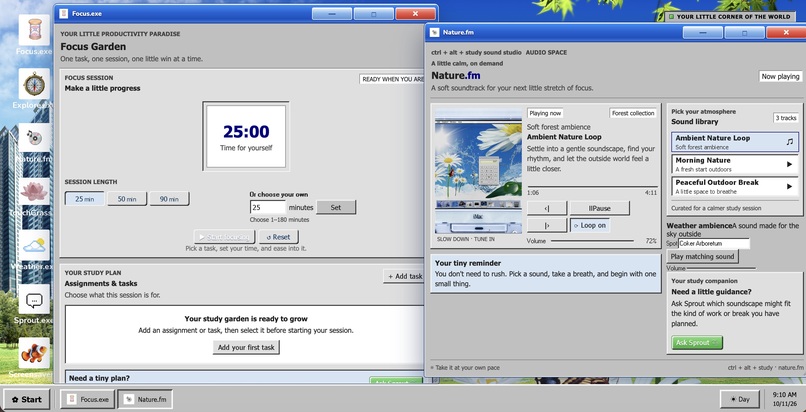
Focus.exe and Nature.fm demo
-
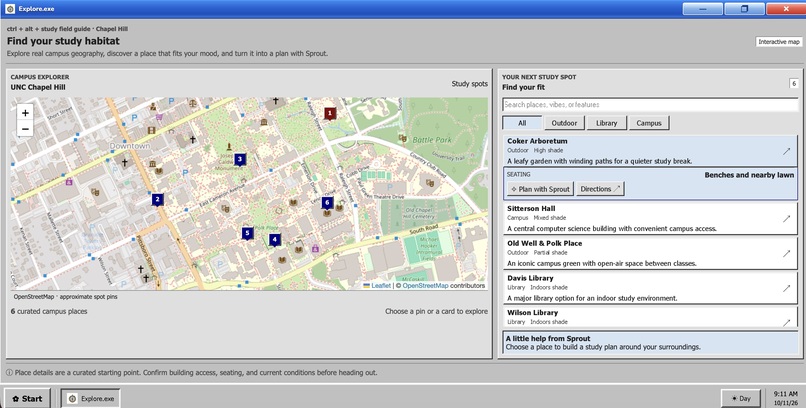
Explore.exe
-
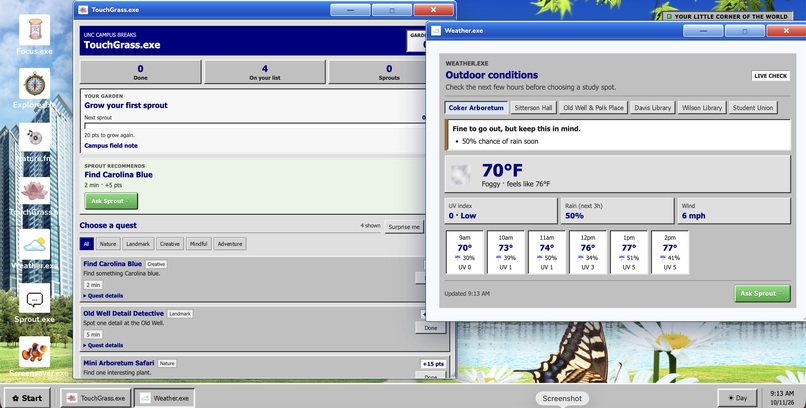
TouchGrass.exe and Weather.exe
-
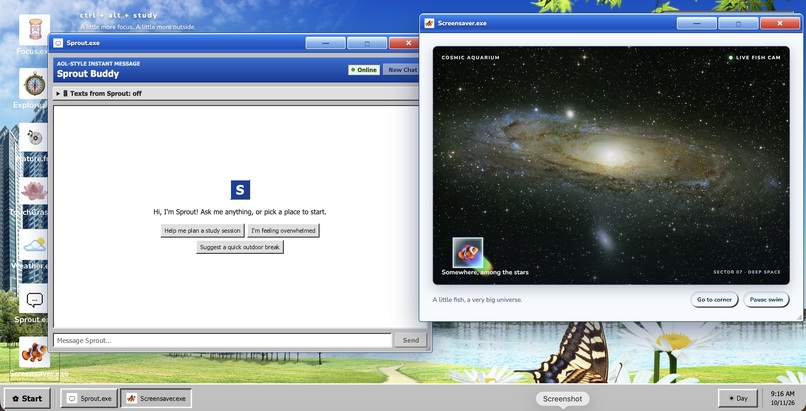
ScreenSaver.exe and Sprout.exe
Inspiration
Remember when the future looked like blue skies, glassy buttons, bubbles, and lush green hillsides? We wanted to bring that future back.
Inspired by the Frutiger Aero aesthetic and our nostalgia for the early internet, we set out to build something that felt like stepping back into the early 2000s. But beyond the glossy wallpapers and Windows-inspired interface, we wanted to bring back something else: the idea that technology could make our lives better without keeping us glued to a screen.
As students, we know how easy it is to spend hours jumping between assignments, browser tabs, and notifications. Sometimes, the best thing you can do for your productivity is stop staring at your laptop and go outside.
That's where Ctrl + Alt + Delete comes in. We wanted to create a little digital world where studying, relaxing, discovering nature, and taking breaks could all live in one place. Inspired by UNC Chapel Hill's beautiful green spaces, we built a nostalgic desktop that uses technology to help students reconnect with the world beyond their screens.
What It Does
Imagine it's 2002. You've just finished lectures, you're at the library, and midterms are coming up. You boot up your computer, open Ctrl + Alt + Delete, and find everything you need for your next study session inside a familiar, retro desktop.
Our project transforms a web application into an interactive desktop inspired by Windows 98, early internet culture, and the Frutiger Aero aesthetic. Instead of another productivity dashboard filled with endless lists and tabs, we created a collection of apps that make studying, taking breaks, and exploring campus feel like part of the same experience.
Here's what's inside:
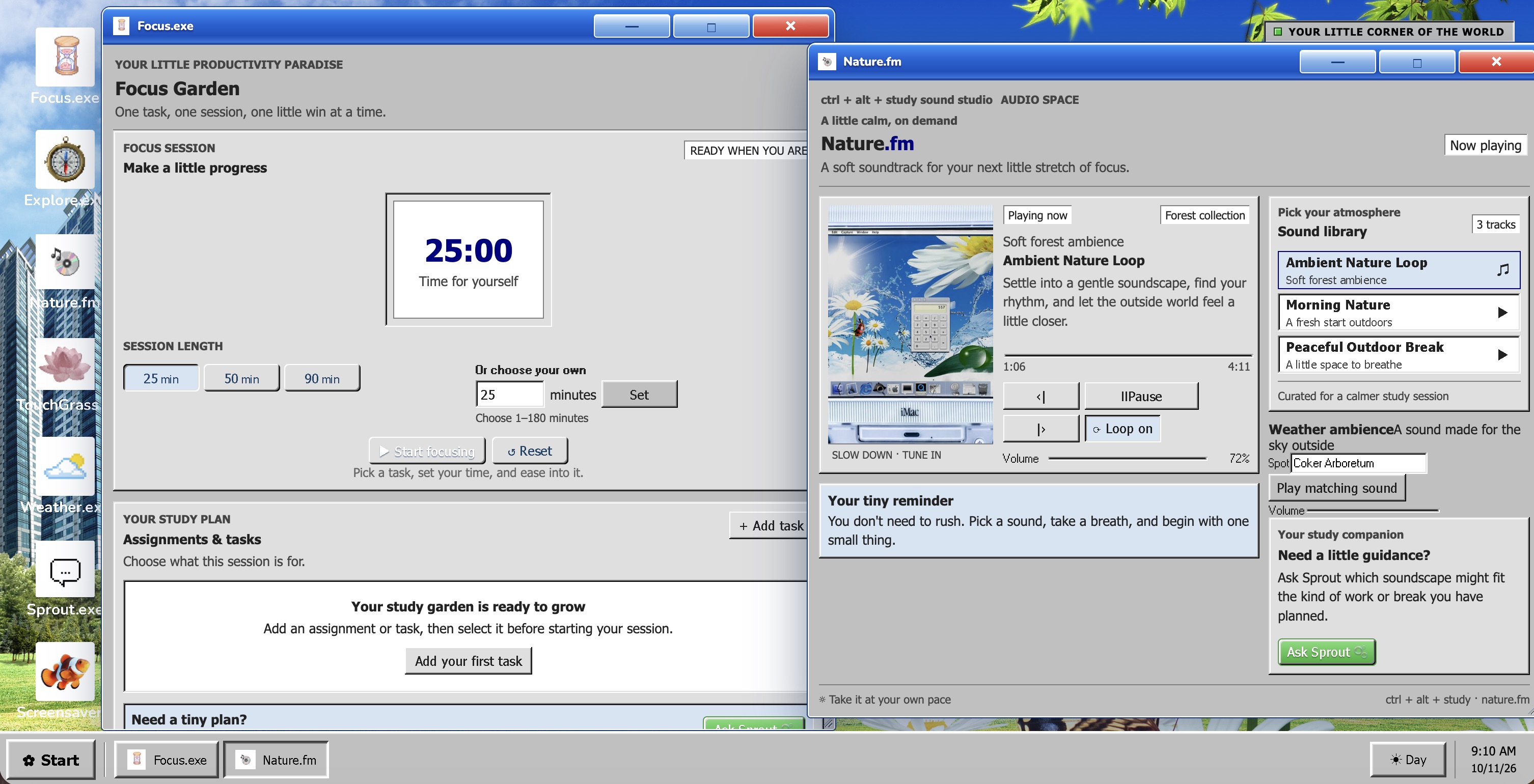
- Focus.exe: A Pomodoro timer that helps you break studying into manageable sessions and stay focused.
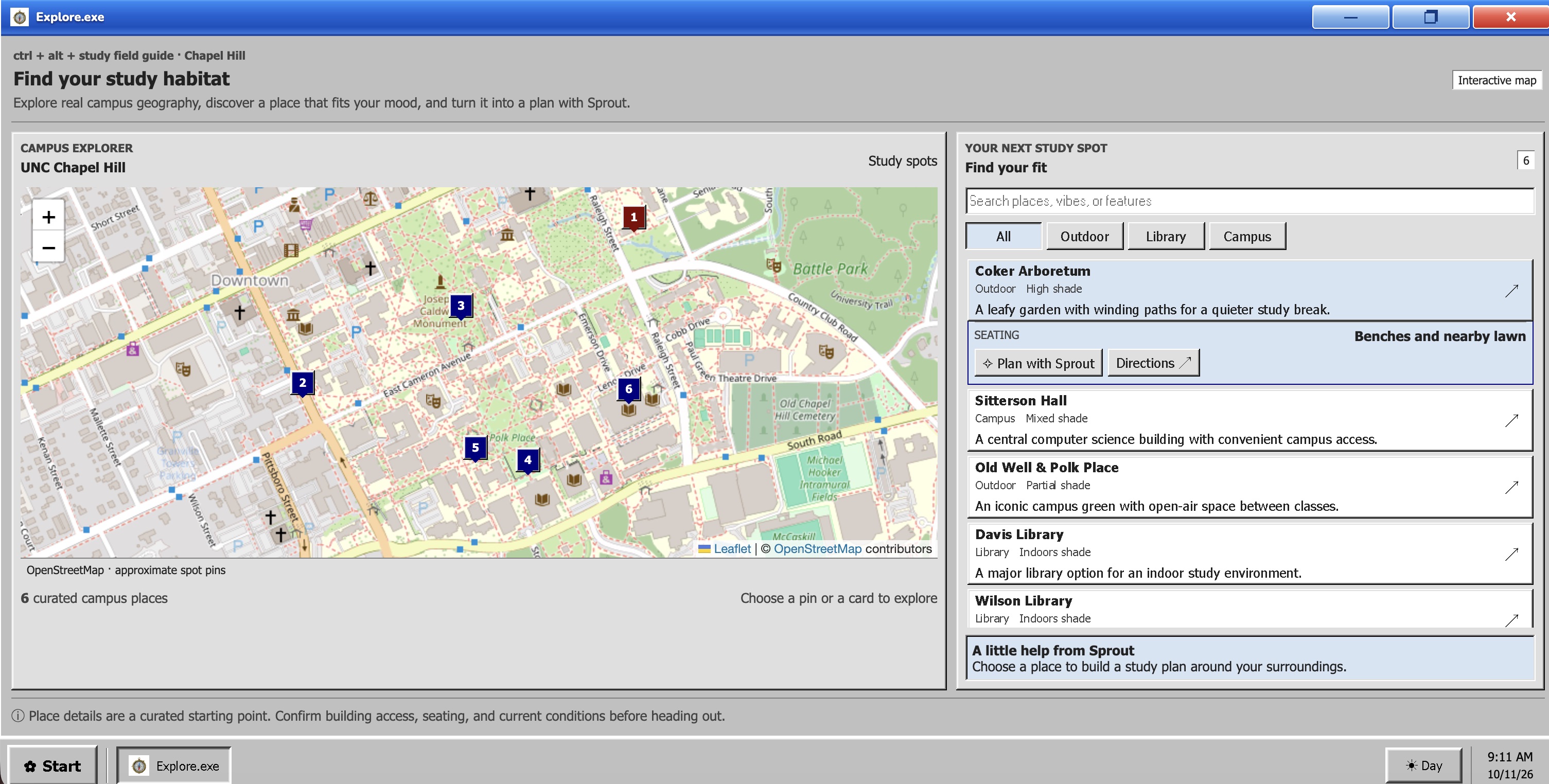
- Explore.exe: An interactive map of green spaces around UNC Chapel Hill, helping students discover places to study, unwind, and spend time outdoors.
- Nature.fm: A nostalgic music player featuring sounds that capture the dreamy, aquatic atmosphere of Frutiger Aero.
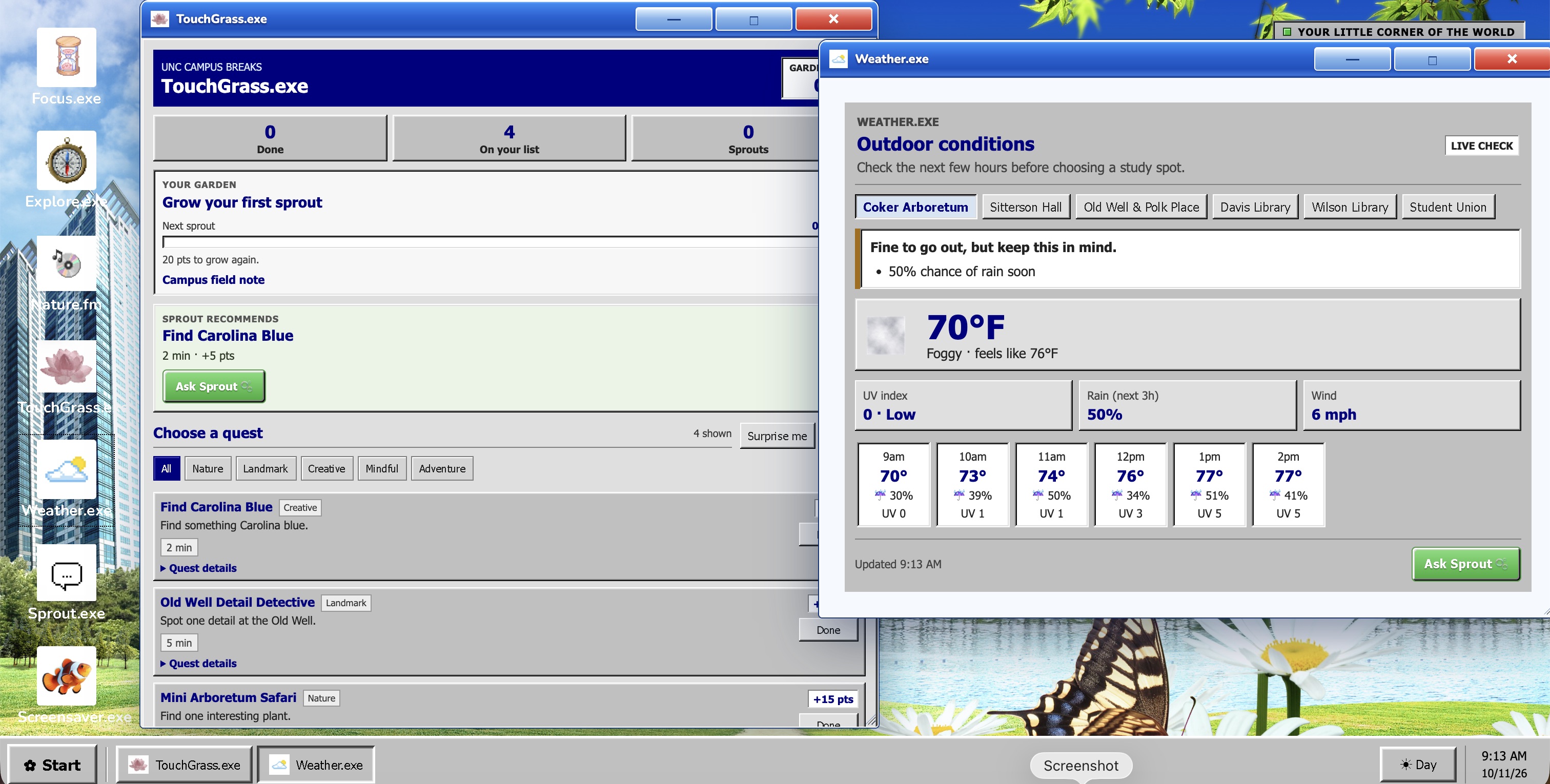
- Touch Grass.exe: A quest generator that turns taking a break into a small adventure, encouraging students to step away from their screens and explore their surroundings.
- Weather.exe: A weather app that helps students decide when conditions are right for an outdoor break.
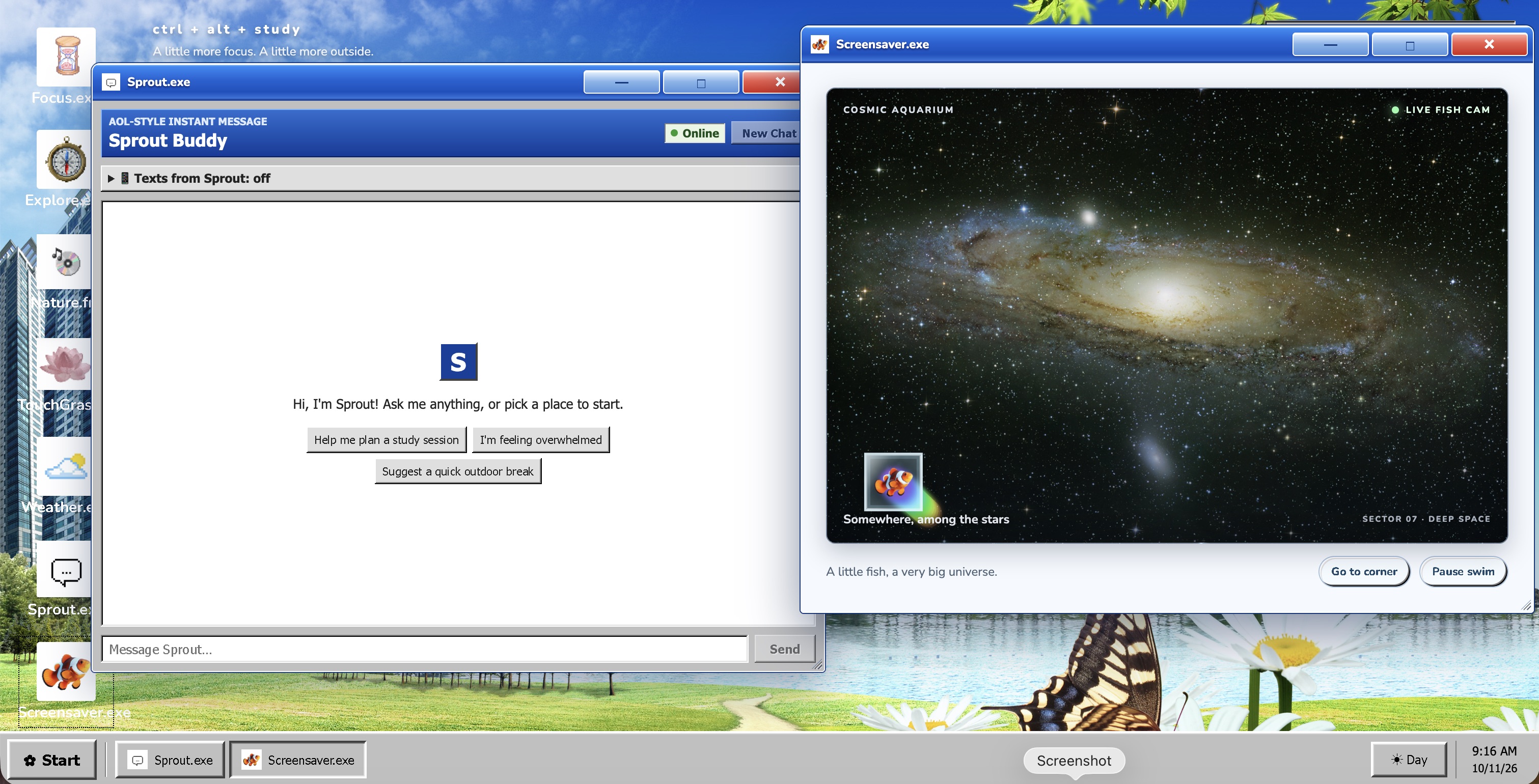
- Sprout.exe: An interactive AI companion designed to encourage well-being and help students build more sustainable study habits.
Together, these apps turn the desktop into more than a collection of utilities. It's a place to focus when you need to, take a break when you should, and discover a little more of the world around you.
How We Built It
We built Ctrl + Alt + Delete as an interactive web application using Next.js and React, with a custom desktop environment that supports opening, moving, minimizing, maximizing, and switching between application windows. We used 98.css to bring the classic Windows interface to life, combining retro controls and window styling with the bright colors, glossy visuals, and nature-inspired imagery associated with Frutiger Aero.
Each application serves a different purpose, but they all live inside the same desktop. This let us bring together studying, campus exploration, music, weather, and AI-powered support without losing the feeling of using one cohesive operating system.
For the visual direction, we drew inspiration from the Frutiger Aero Archive, which captures the optimistic vision of technology that defined the mid-2000s. We also incorporated music from A-duration to help create the atmosphere of an old computer that feels strangely comforting to return to.
We used AI tools, including Claude, ChatGPT, Gemini, and Copilot, to assist with brainstorming, development, and debugging. Photon is also part of our work on bringing Sprout beyond a conventional browser-based experience. Additionally, we used Eleven Labs to boost user-Sprout connection.
Our goal throughout development was to make the project feel like an operating system you could actually spend time in, rather than a regular website dressed up with a retro theme.
Challenges We Ran Into
Our biggest challenge was Git. Rebasing, resolving merge conflicts, and integrating everyone's changes definitely tested our patience. Getting an individual feature working was one thing; making sure it played nicely with the rest of the desktop was another.
We also had to figure out how to make several different apps feel like parts of the same experience. Each had its own functionality and styling, but everything needed to fit naturally into the desktop environment.
There were plenty of moments when something broke right after we thought we had fixed it. Working through those issues taught us the importance of clear communication, careful debugging, and making sure we were building toward the same vision.
Accomplishments We're Proud Of
We're proud that we turned a design aesthetic we love into something functional and meaningful. We didn't want to stop at recreating the appearance of an old operating system. We wanted to give that aesthetic a reason to exist today.
We're especially proud of bringing several different experiences together inside one interactive desktop. Students can move between focused study sessions, music, weather, outdoor quests, campus exploration, and AI-powered support without leaving the environment.
Most importantly, we're proud that our project connects the nostalgic optimism of Frutiger Aero with a real problem in student life. Rather than using technology to encourage people to spend more time online, we built a space that can help them decide when it's time to log off.
What We Learned
This project taught us a lot about collaborative development, especially working with Git, resolving merge conflicts, and integrating features built by different team members.
We also learned that a strong visual identity can do more than make a project look appealing. It can shape how people interact with a product and make ordinary tasks feel more enjoyable.
Finally, we learned that combining technology with well-being requires thinking beyond the screen. A productivity app isn't necessarily better because it keeps someone using it for longer. Sometimes, success means helping them finish their work, close their laptop, and enjoy the world around them.
What's Next for Ctrl + Alt + Delete?
We're not ready to log off just yet.
We'd love to expand our existing apps with more features. Nature.fm could include birdsong, ocean waves, and rain sounds, while Focus.exe could support custom Pomodoro timers and small games to enjoy between study sessions. We'd also like to add more outdoor quests and make Explore.exe an even more useful way to discover UNC's green spaces.
We also want to make the desktop more personal, with customizable wallpapers, color themes, and user accounts that let everyone create their own little digital environment.
We're particularly interested in continuing to develop Sprout as a companion that can support students outside the desktop itself, making study planning and well-being support accessible when they need it.
Ultimately, we want Ctrl + Alt + Delete to capture the future that Frutiger Aero imagined: technology that feels inviting, makes everyday life better, and helps us build a healthier relationship with the digital world.
Sometimes, the best feature a computer can offer is a reminder to close a few tabs and go outside.
Built With
- chatgpt
- claude
- copilot
- css
- gemini
- github
- javascript
- photon
- react
- typescript


Log in or sign up for Devpost to join the conversation.