-
-
Beacon : Say Where. Be There.
-
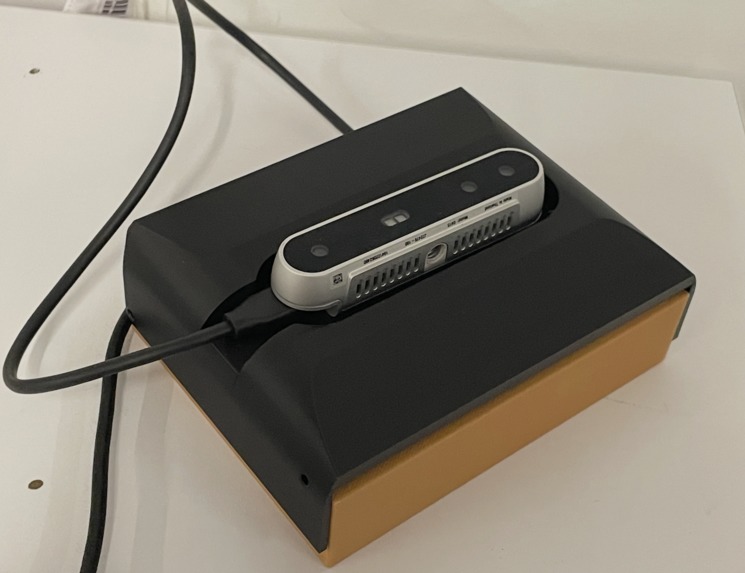
Wearable
-
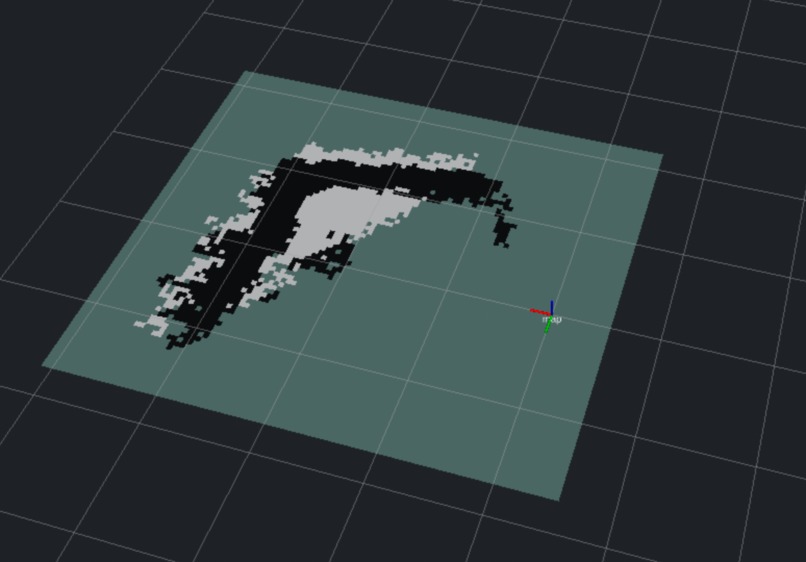
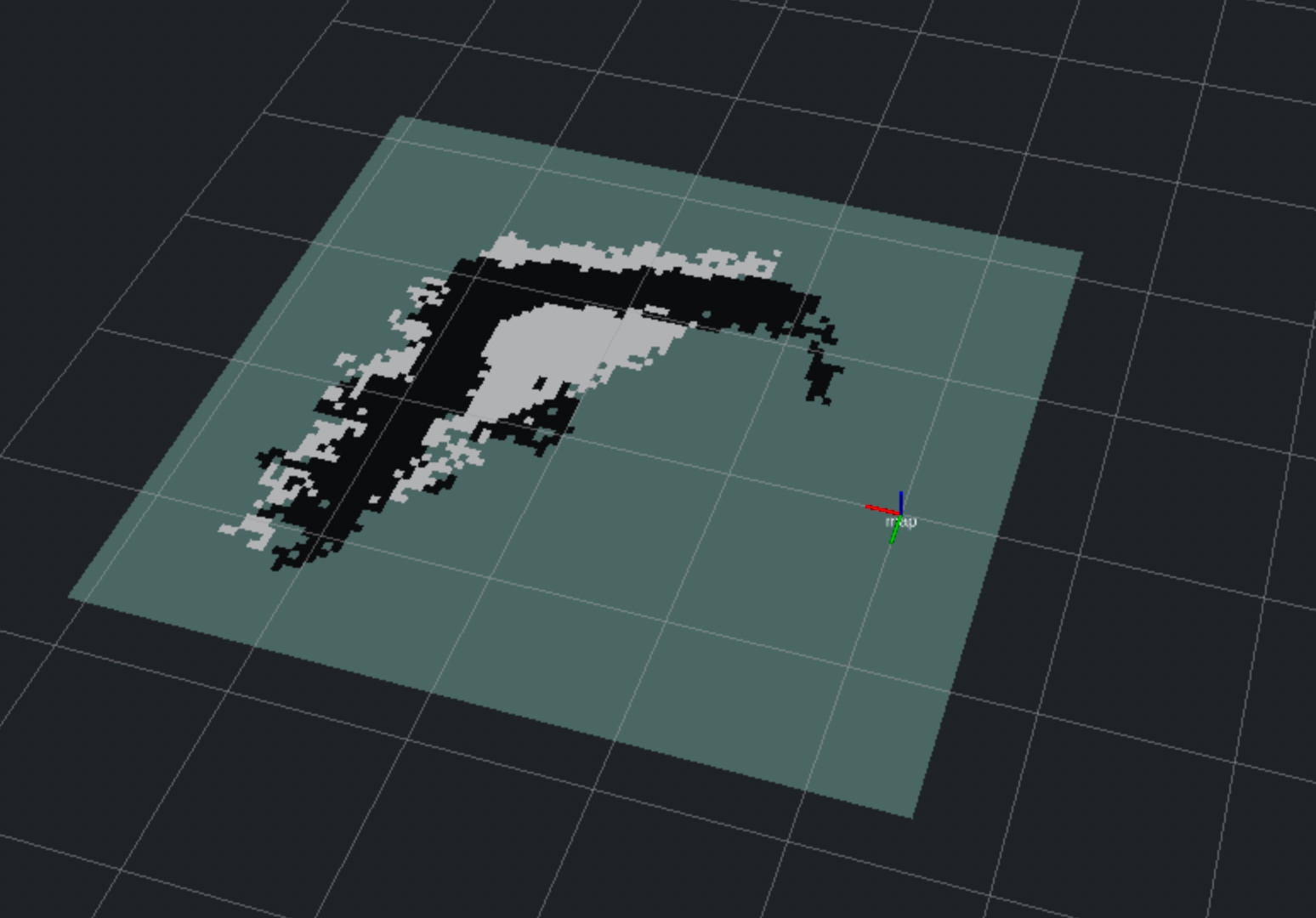
RViz
-
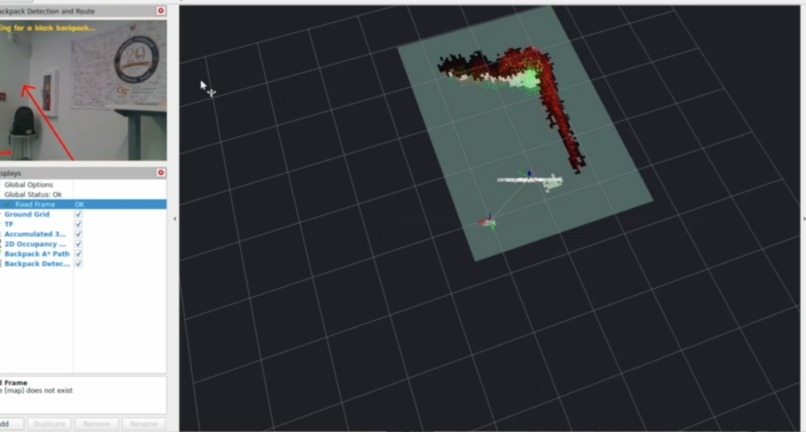
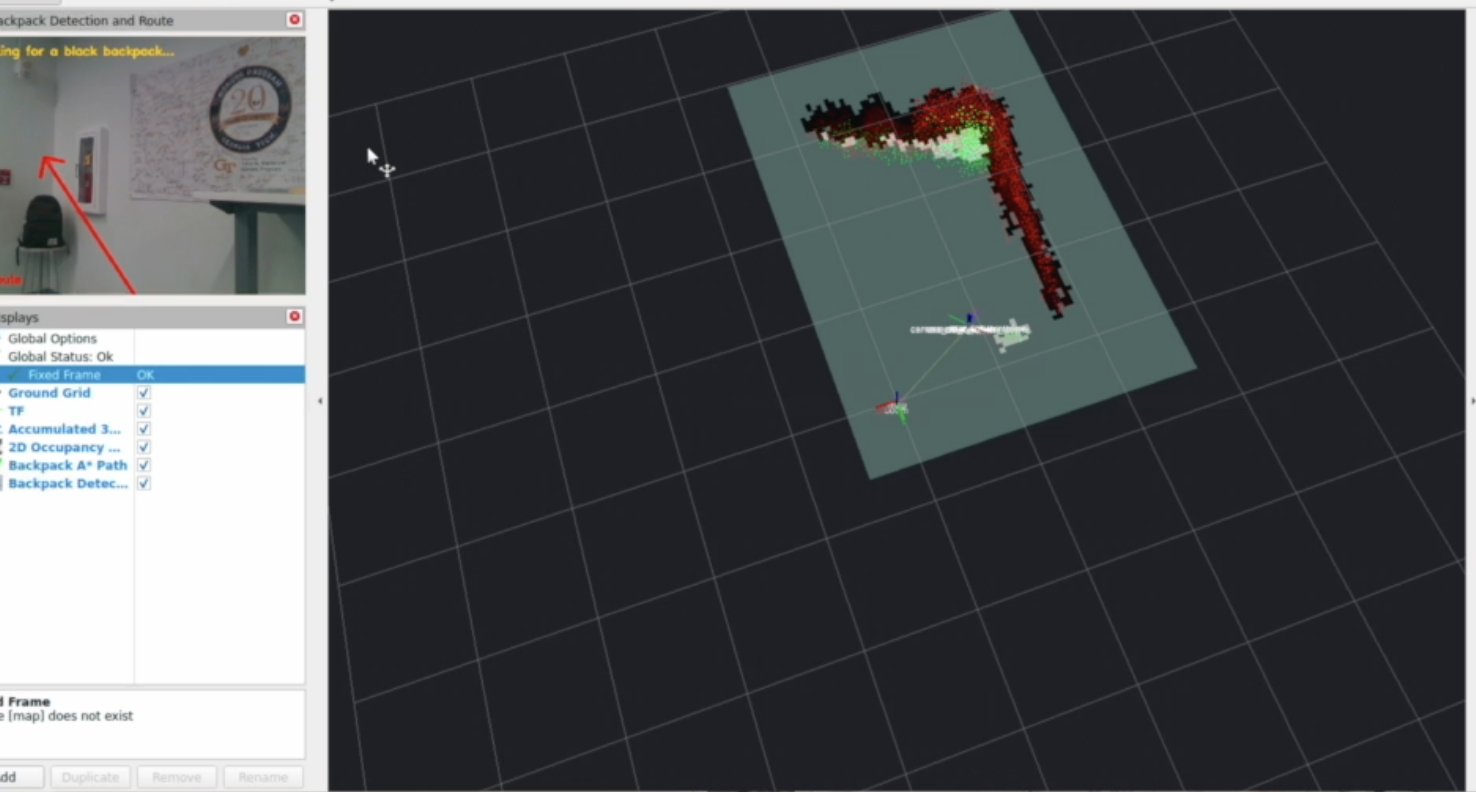
Path Finding
-
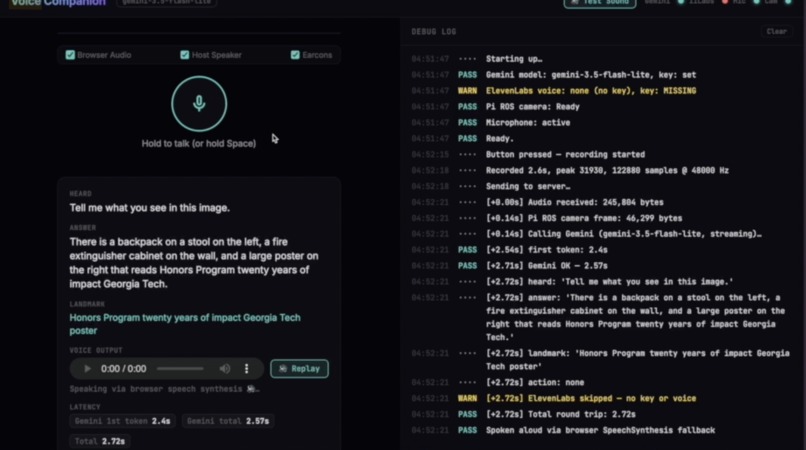
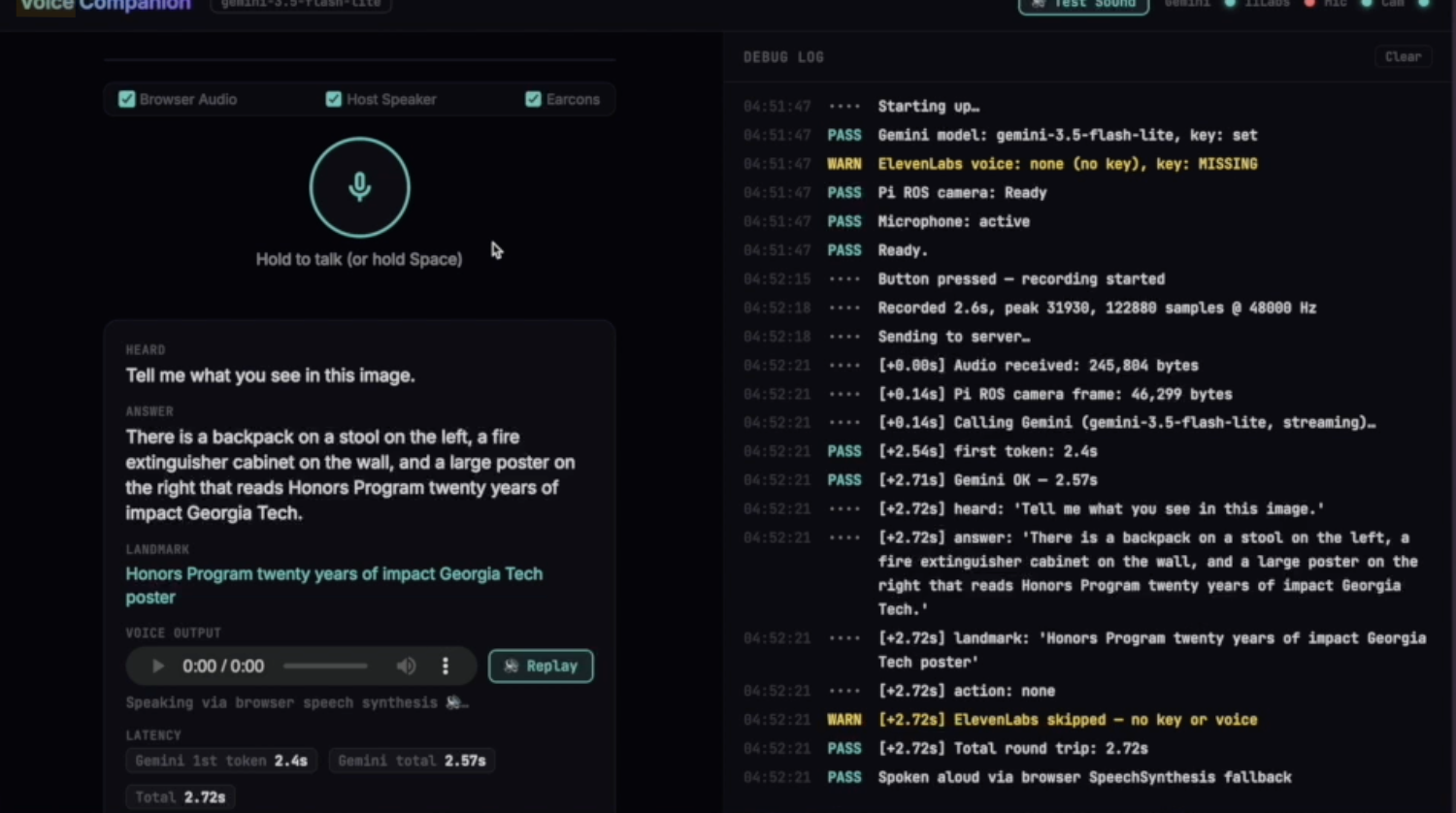
Audio Assist & Guidance
-
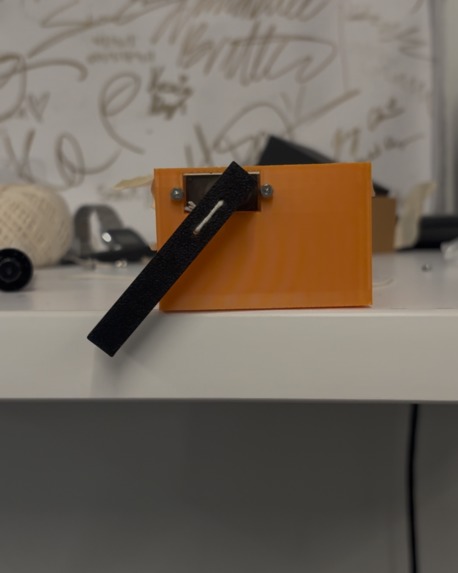
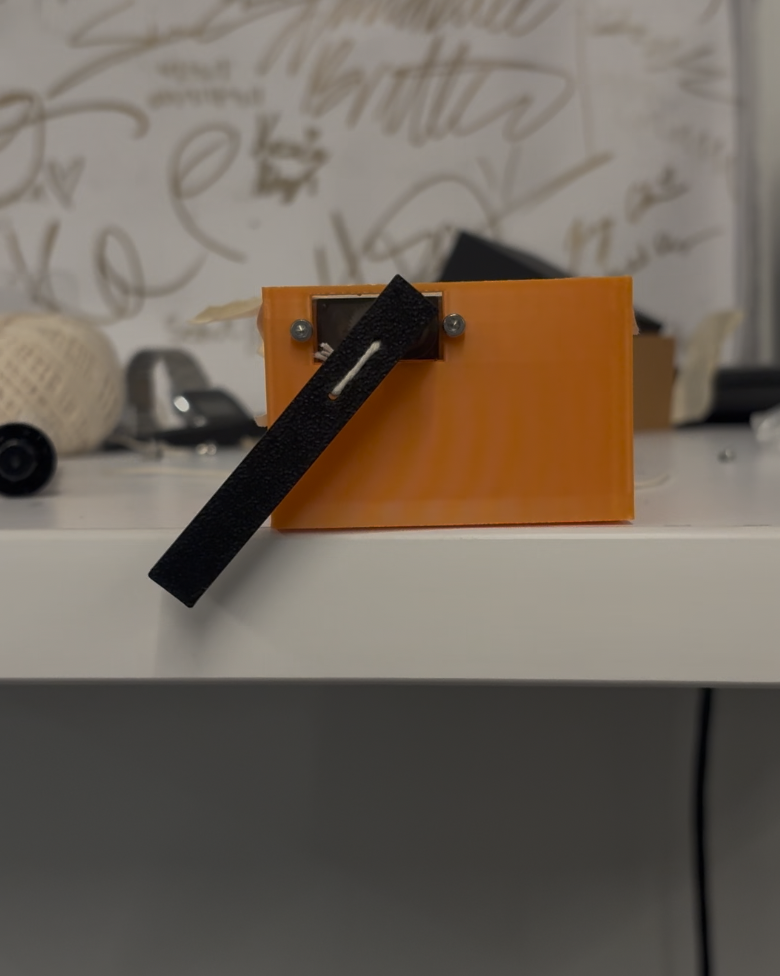
Tactile Guidance for Navigation
Beacon
A wearable spatial guide for the visually impaired.
Inspiration
We started Beacon with a question: how could a wearable give blind and low-vision people more information about their surroundings through an interaction that feels natural? We started Beacon with a question: how could a wearable make information available to blind and low-vision people, in a form they can interact with?
We wanted to build on tools people already use and trust. A white cane provides direct, dependable feedback through contact. Beacon complements it with information beyond its reach, combining depth sensing with spoken scene assistance. Someone can ask, “What’s in front of me?” or “What does that sign say?” and hear useful context about the space around them.
That purpose shaped our engineering: preserve the wearer’s ability to hear ambient sounds, make device status audible, and clearly communicate when information is missing or uncertain.
What it does
Beacon connects a depth camera, a local robotics stack, and a voice companion around three interactions:
- Ask. Ask a question aloud or type it into the demo dashboard. Gemini interprets the question alongside a camera image, and ElevenLabs speaks the answer. Ask supports scene descriptions, reading visible text, and follow-up questions.
- Navigate. Request a visible object, such as a chair. Gemini identifies it, and the local system uses aligned depth to estimate its position. A heading-aware A* planner generates a route through an RTAB-Map occupancy map. The tactile prototype translates directions into servo cues through two ESP32 hand units; hardware integration remains pending, so the current demo presents a stationary route preview.
- Guardian. Talk with an ElevenLabs conversational agent for orientation assistance, device status, and context from recent camera observations. Guardian shares Ask’s timestamped observation history, allowing it to recall a previously seen sign while distinguishing that observation from the user’s current location.
We also implemented local upper-body obstacle-warning software and an observer dashboard that exposes camera, target, warning, and conversation state. Warning simulations are explicitly labeled and spoken as simulated.
How we built it
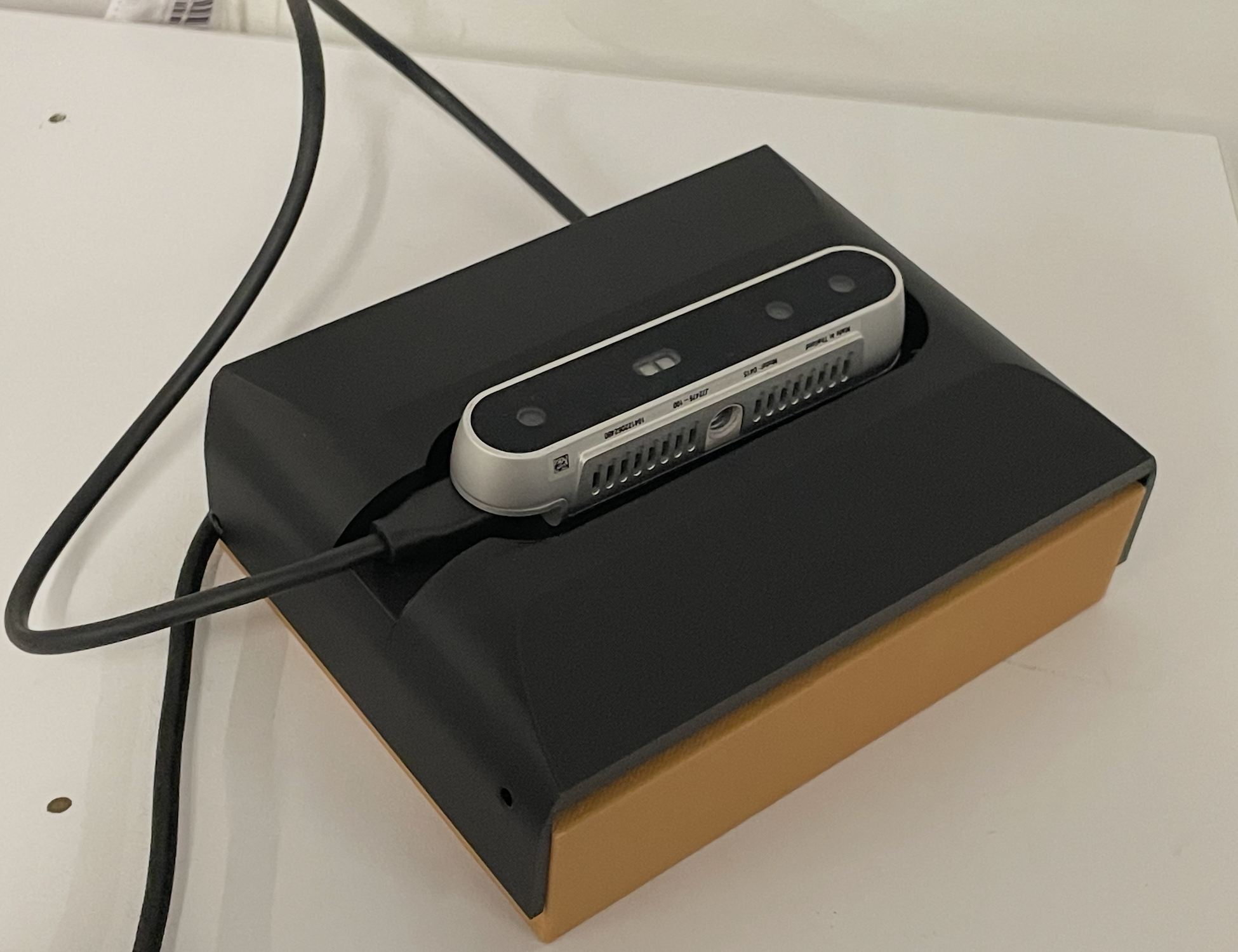
Beacon is build on a Raspberry Pi 5, an Intel RealSense D415 stereo depth camera, and an external MPU6050 IMU. Our current demo uses the laptop’s microphone, speakers, and browser controls, while the Pi hosts the camera and robotics stack.
ROS 2 and C++ handle mapping, depth processing, and planning. RTAB-Map builds the spatial map, and a heading-aware A* planner considers turns and obstacle clearance. The existing YOLOX pipeline detects backpacks; the integrated Gemini workflow extends target selection to other visible objects.
Gemini connects natural language to spatial understanding. Beacon sends the user’s spoken question and camera image together, allowing Gemini to interpret both what the user wants and what is visible. The same integration supports scene descriptions, visible-text reading, and follow-up questions with recent conversation context. For named-object requests, we utilized Gemini's image understanding toolkit to return a structured response containing an object label and bounding box, allowing us to connect requests such as “Find the chair” to our robotics pipeline without training a separate detector for every object. The local planner combines that box with aligned depth and the camera’s capture-time pose to estimate the target’s position.
ElevenLabs makes speech an interactive interface. Beacon uses ElevenLabs text-to-speech to turn scene answers into spoken feedback, with streaming playback supported by the on-device companion. Guardian goes further with ElevenLabs Agents: its conversation can invoke application tools to check device status, request a fresh Gemini scene description, and text a trusted contact. Shared, timestamped observations give Guardian context from earlier interactions. The application controls message preview and confirmation, with texting simulated in the current demo. We also integrated Guardian with the companion’s audio-priority system so urgent local warnings can interrupt agent speech. Together, these integrations let users ask, follow up, and request assistance through voice while keeping immediate warnings independent of cloud availability.
The immediate depth-warning loop runs locally, independently of cloud reasoning. In the on-device companion, a shared audio controller gives warnings priority over ordinary speech and prevents interrupted answers from resuming later.
Challenges we ran into
Matching observations across time. A model response can arrive seconds after its image was captured. Using the newest depth frame with an older image could produce the wrong target position. We preserve image timestamps and use corresponding depth and capture-time transforms.
Making Stop mean stop. Cancelling playback is only part of the problem: a pending cloud response could still arrive afterward. We invalidate cancelled requests so late answers cannot restart speech or trigger a new route.
Coordinating audio. Scene answers, device status, warnings, and Guardian all compete for the user’s attention. We built explicit audio priorities and microphone handoffs instead of allowing those services to speak over one another.
Representing missing information. Missing depth does not mean clear space. We added freshness checks, unavailable states, and expiring movement permissions so the interface can communicate what the system actually knows.
Working within wearable compute limits. Running depth processing, mapping, object detection, and route planning on a Raspberry Pi meant balancing a limited compute budget with responsive feedback. We kept time-sensitive sensing local and separated cloud-powered conversation from the real-time processing loop, so a slow AI response would not hold up obstacle warnings.Compute restrictions w/ wearables. We had to fit all of this into raspberry pi + try to make latency as minimal as possibl
Accomplishments that we're proud of
We connected spoken questions, visual object selection, depth-based target projection, local planning, and conversational assistance within one prototype.
We are especially proud of the less visible work: sharing observation history between scene assistance and Guardian, preserving capture timestamps through the target pipeline, suppressing cancelled responses, and separating route computation from permission to issue movement cues.
Our repository records passing Python and JavaScript suites, ARM64 ROS builds, and synthetic target and hazard tests. Those checks cover software behavior; they do not substitute for testing the assembled wearable.
What we learned
Accessibility requirements shape the entire system. A status indicator needs an audible counterpart. A useful answer needs to be interruptible. A remembered landmark needs a timestamp. An unavailable sensor needs an explanation the wearer can perceive.
We also learned to treat object recognition, distance measurement, and movement guidance as separate tasks. Each needs its own evidence and failure behavior before the outputs can be combined responsibly.
What's next for Beacon
Our next milestone is a supervised demonstration of the assembled system with measured warning and voice-response times. We then want to integrate the tactile hand units, explore bone-conduction audio, and evaluate controls, cue clarity, comfort, and cane compatibility with blind and low-vision participants and orientation-and-mobility specialists.
Our goal is straightforward: give the wearer more useful information about the space around them, through an interaction they control.
Built with
Raspberry Pi 5, Intel RealSense D415, MPU6050, ROS 2 Jazzy, RTAB-Map, C++, Python, OpenCV, YOLOX, A*, Gemini API, ElevenLabs TTS, ElevenLabs Agents, NumPy, sounddevice, espeak-ng, Docker, Zenoh, RViz, JavaScript, HTML, CSS.
Built With
- a*
- c++
- eislam
- elevenlabs
- esp32
- python
- raspberry-pi
- ros2
- yolo



Log in or sign up for Devpost to join the conversation.