-
-
photo
-
Just a photo
Inspiration
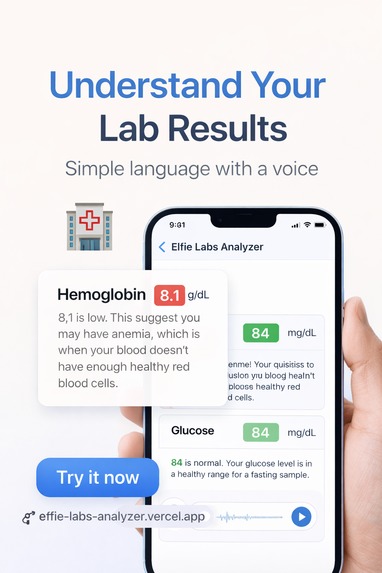
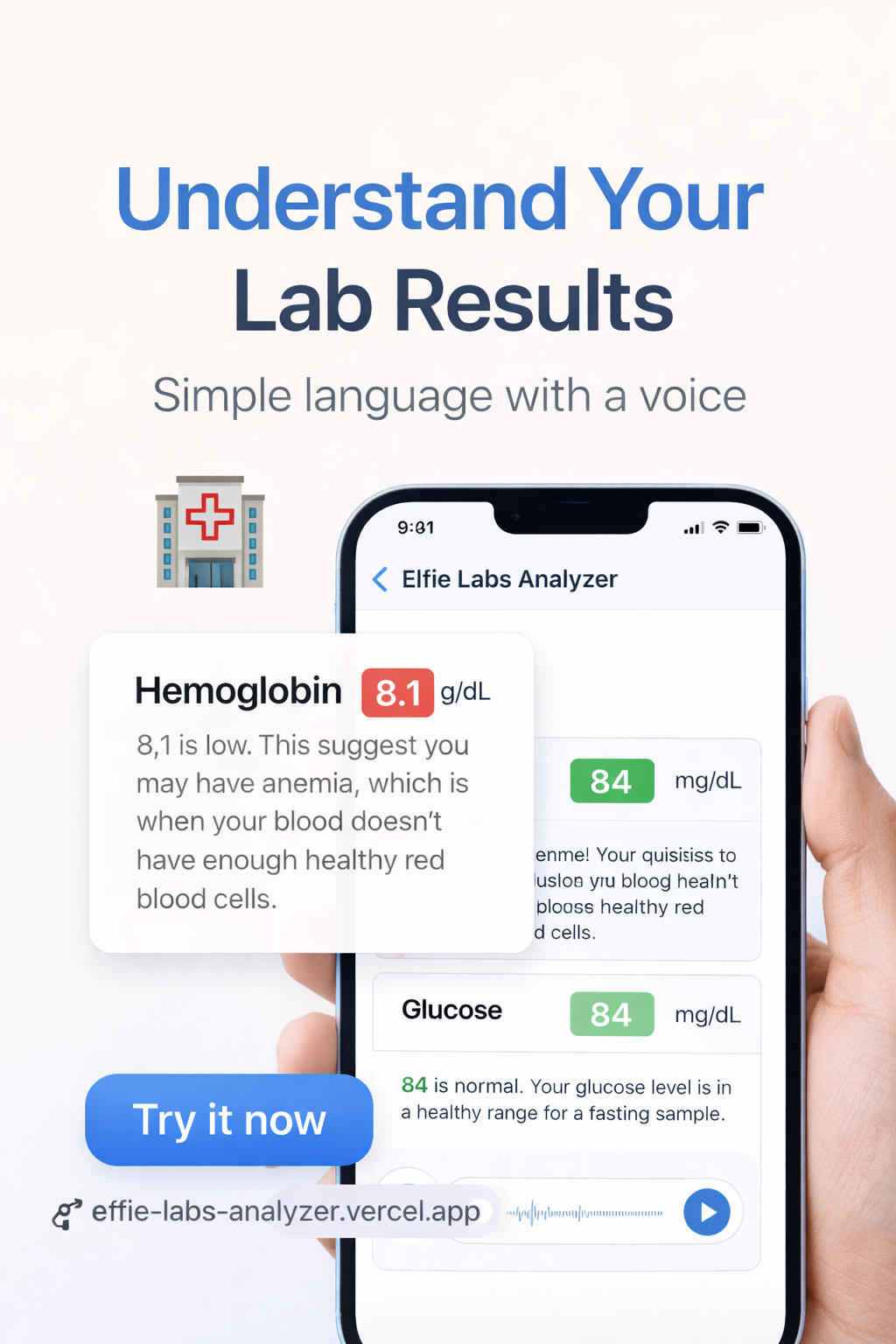
Lab results scare seniors. We built a voice-first Labs Analyzer so grandparents with poor eyesight can hear—not squint at—their results in plain language, in their language (EN/FR/AR/VN).
What it does
Upload or speak about your lab PDF → AI extracts values, flags abnormalities, and speaks back a calm, jargon-free summary with clear next steps. No reading required.
How we built it
- PDF → Structured Data: Qwen-VL + OCR for multilingual lab parsing
- Clinical Logic: Rule-based severity engine (green/yellow/red flags)
- Voice UX: Qwen-Audio TTS with slow, clear speech + empathetic persona tuning
- Simplicity Layer: One-tap voice input, zero typing, large audio feedback
Challenges we ran into
- Decoding messy, scanned lab PDFs across 4 languages
- Translating medical ranges ("HbA1c 8.2%") into reassuring, actionable voice guidance
- Designing for low digital literacy: no menus, no jargon, no confusion
Accomplishments that we're proud of
- 90%+ accuracy flagging critical values while keeping explanations under 30 seconds
- Voice flow tested with seniors: "Finally, I understand my blood work"
- Fully offline-capable voice mode for low-connectivity users
What we learned
Healthcare accessibility isn't a feature—it's the foundation. When designing for seniors, clarity beats cleverness, and voice isn't optional, it's essential.
What's next for Labs Voice
- Pilot with Elfie's elderly user cohort for real-world voice UX validation
- Add family caregiver mode: "Share this summary with your daughter" via one-tap audio message
- Integrate with Elfie Care to auto-schedule follow-ups when critical values are detected
Built With
- qwen

Log in or sign up for Devpost to join the conversation.