-
-
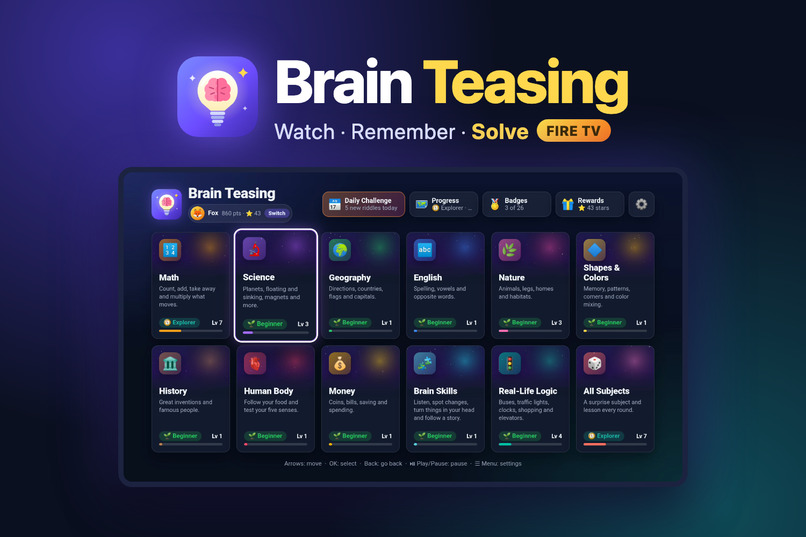
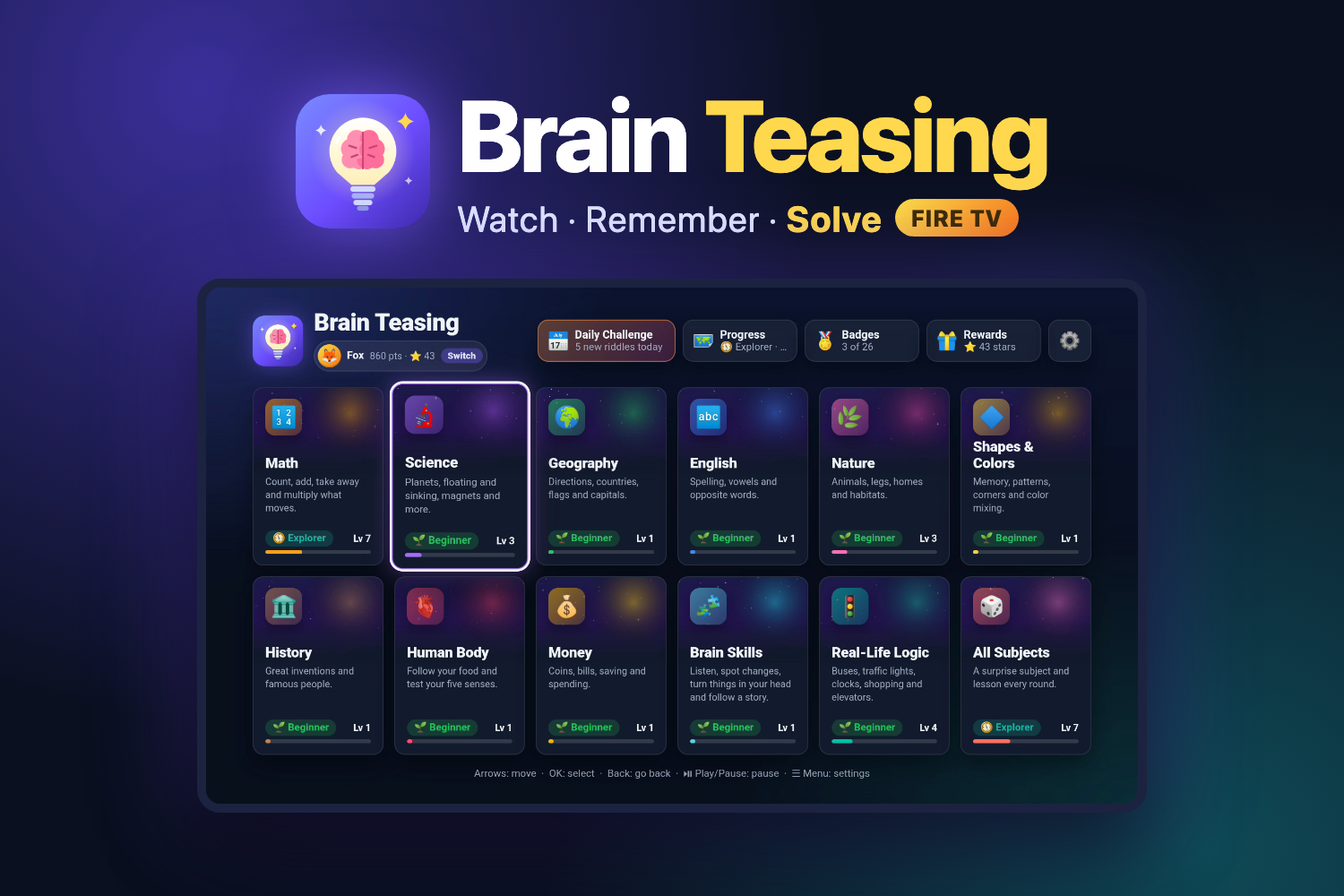
Brain Teasing: watch closely, remember everything, solve the riddle. A brain-training game for Fire TV.
-
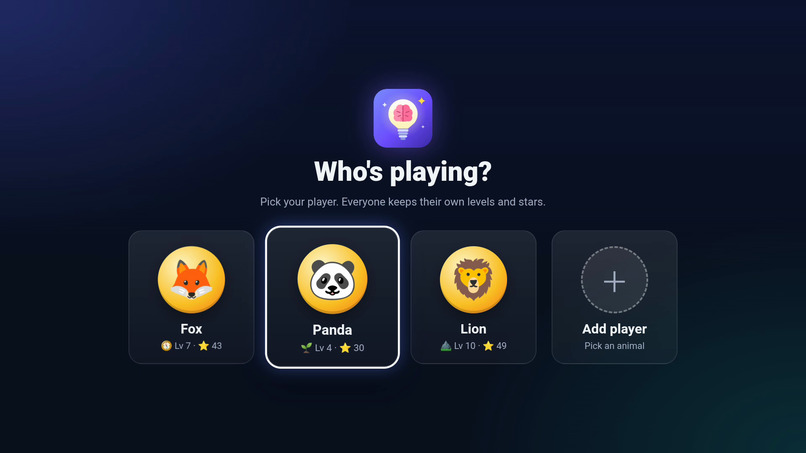
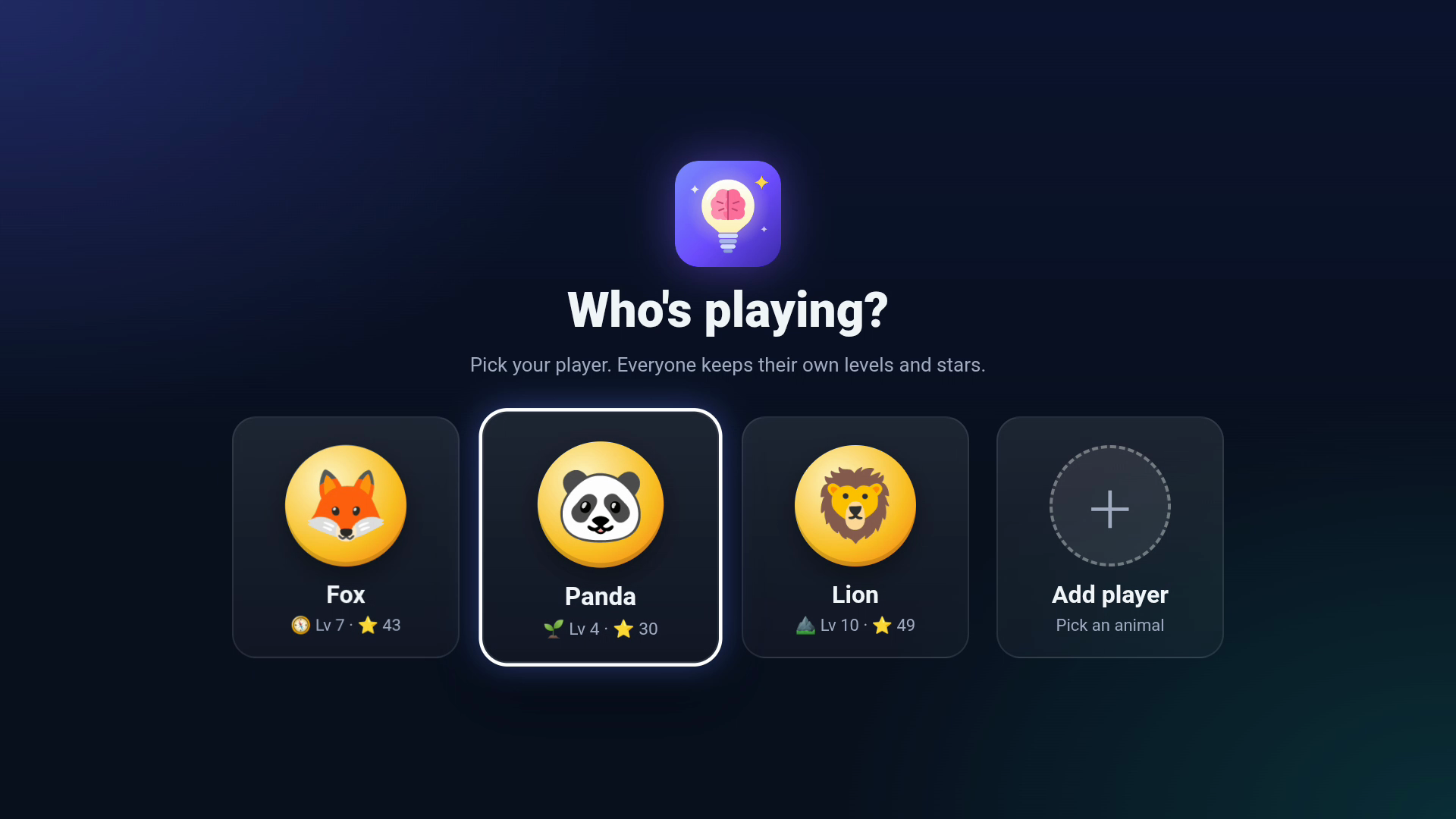
Up to 4 players, each with an animal (and a name), keep their own levels, stars and badges.
-
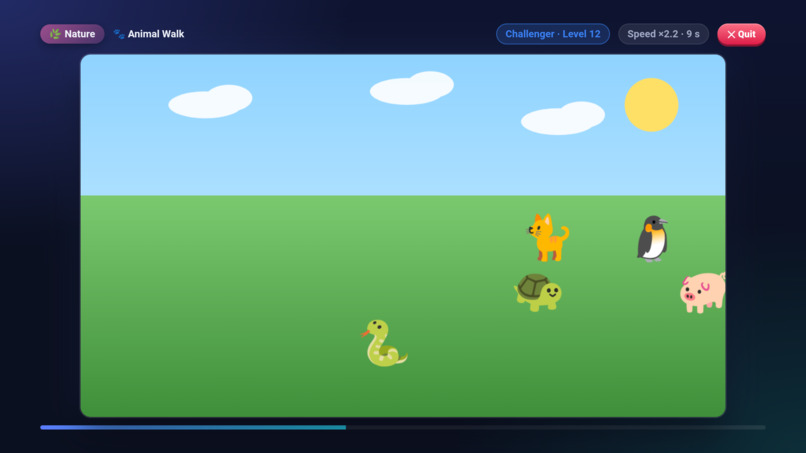
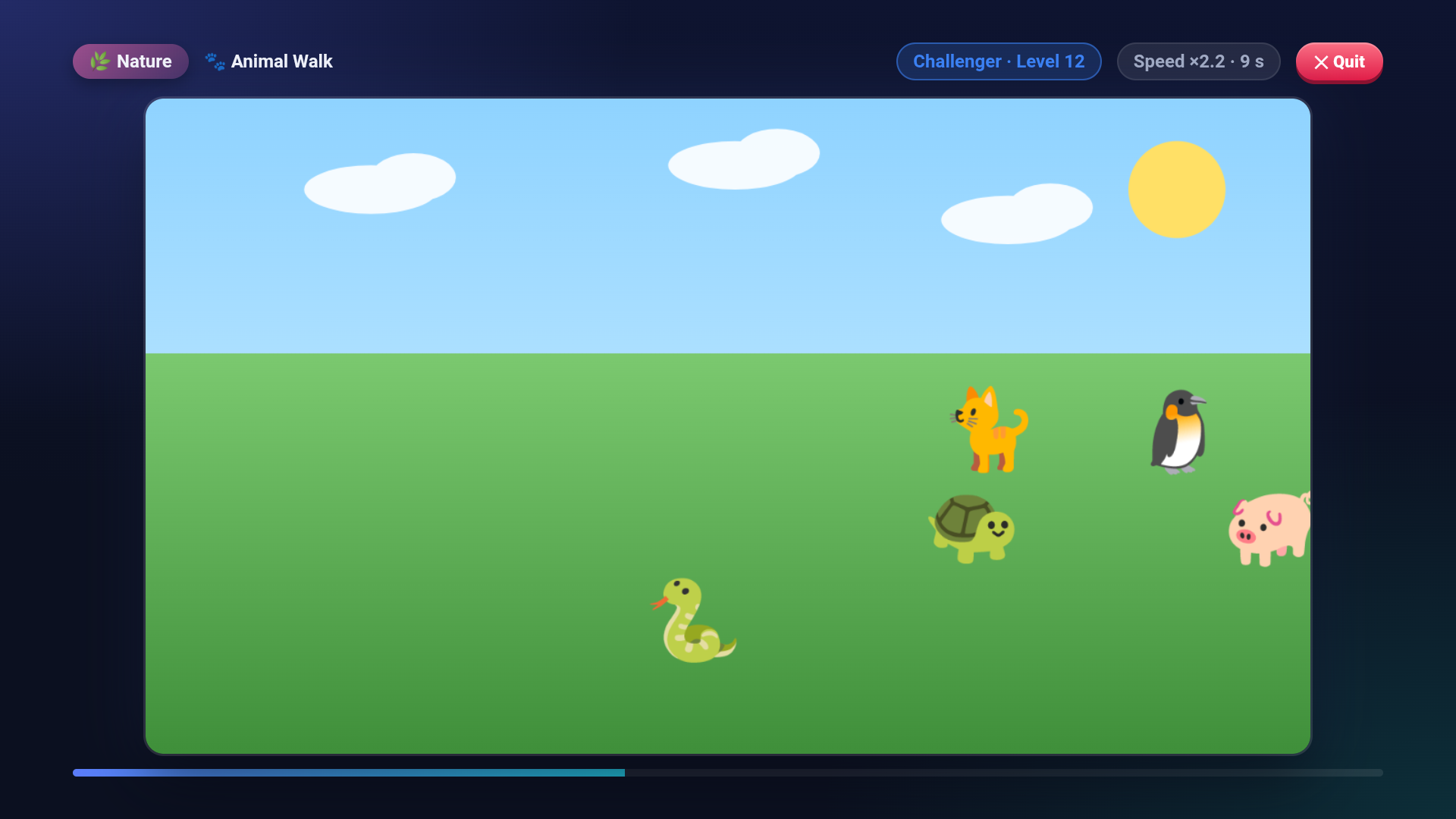
Watch closely! A short animation plays, here animals walking across a meadow. Remember everything.
-
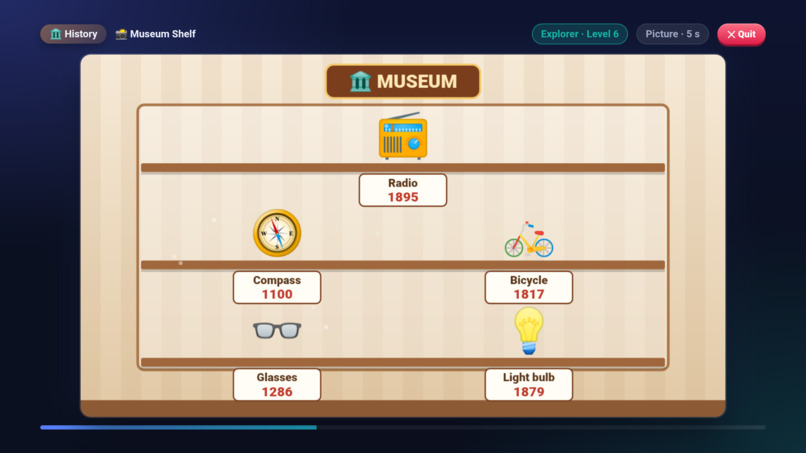
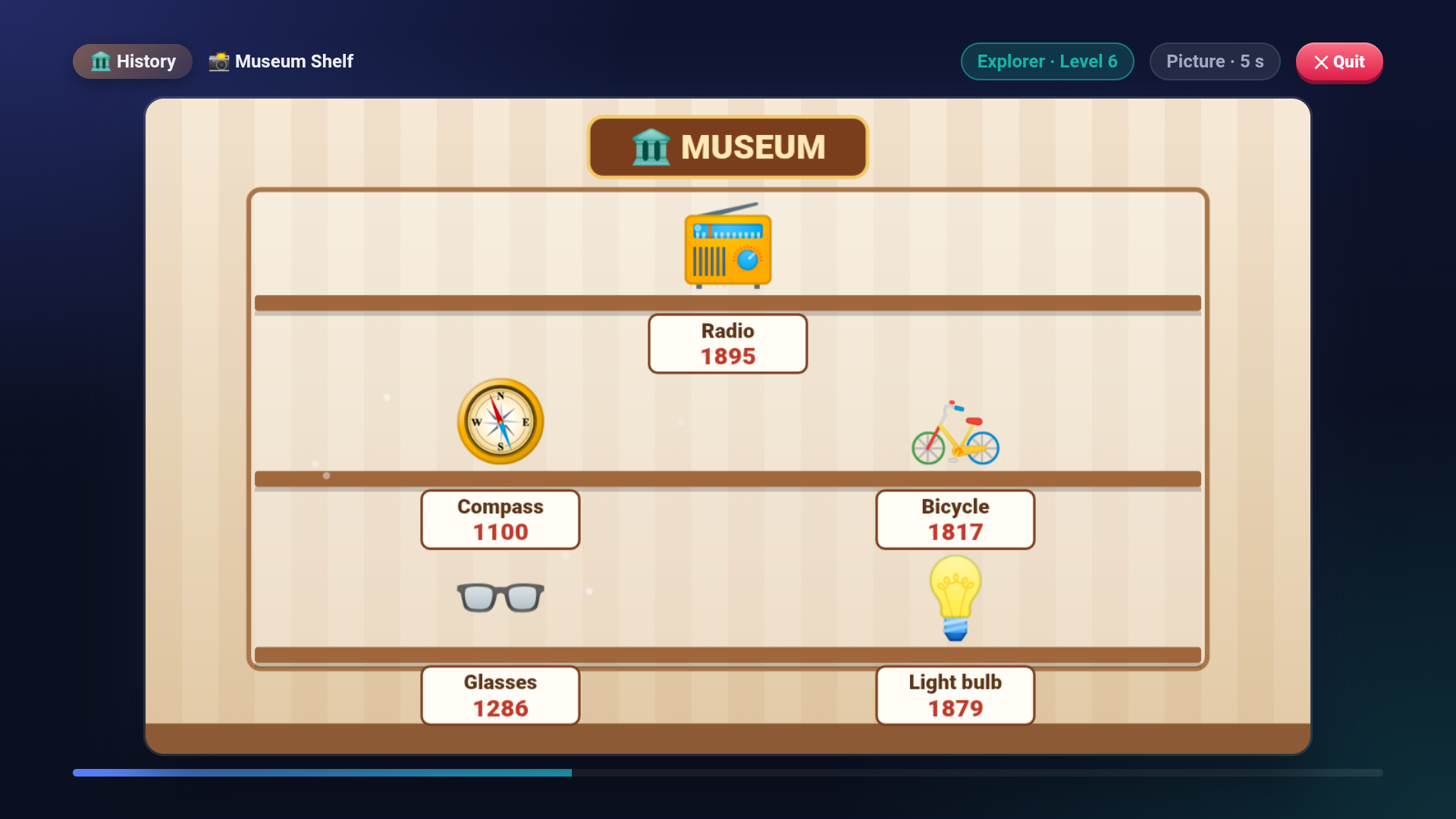
Picture lessons show one still scene for a few seconds, then ask riddles about it.
-
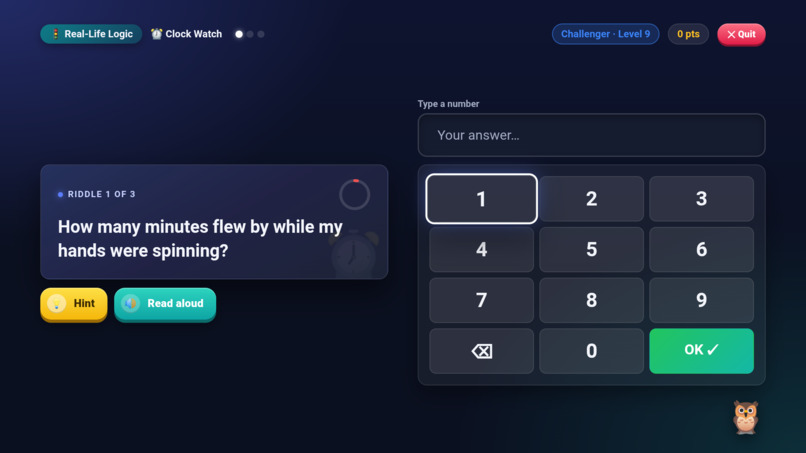
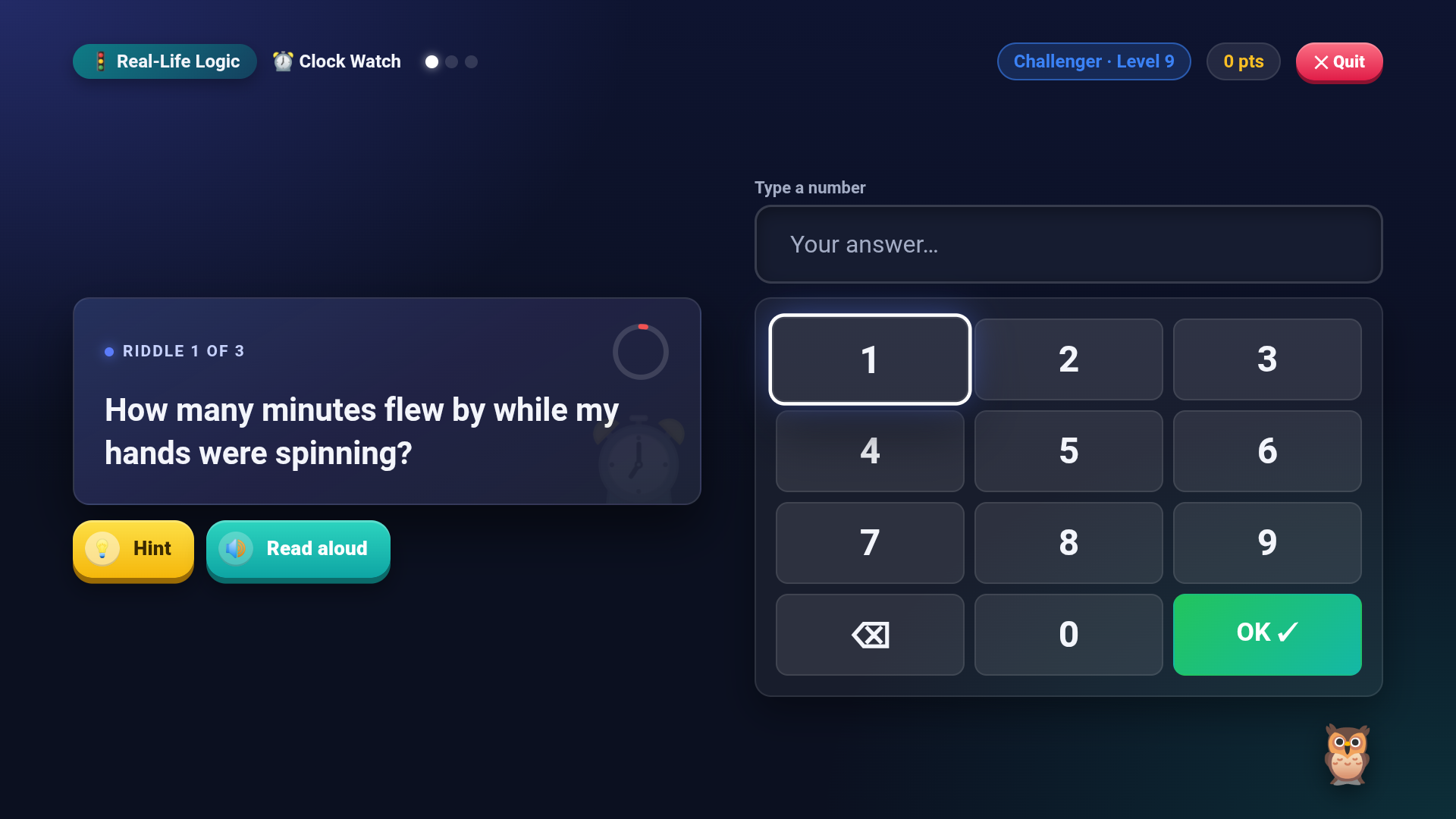
Number and time answers use a big on-screen keypad made for the remote.
-
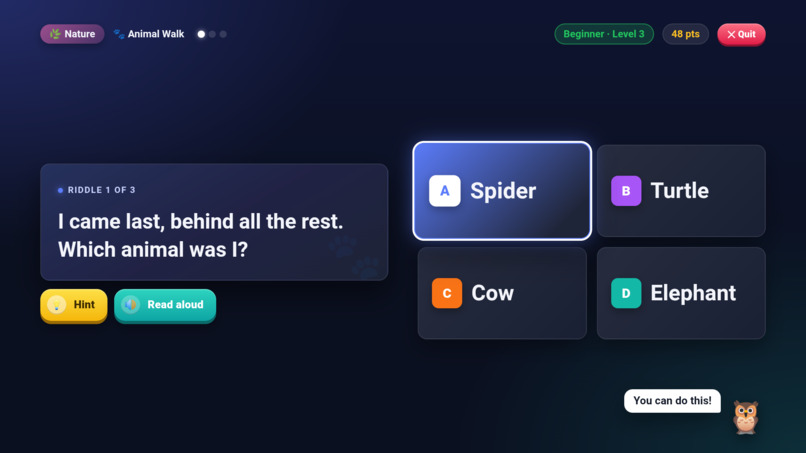
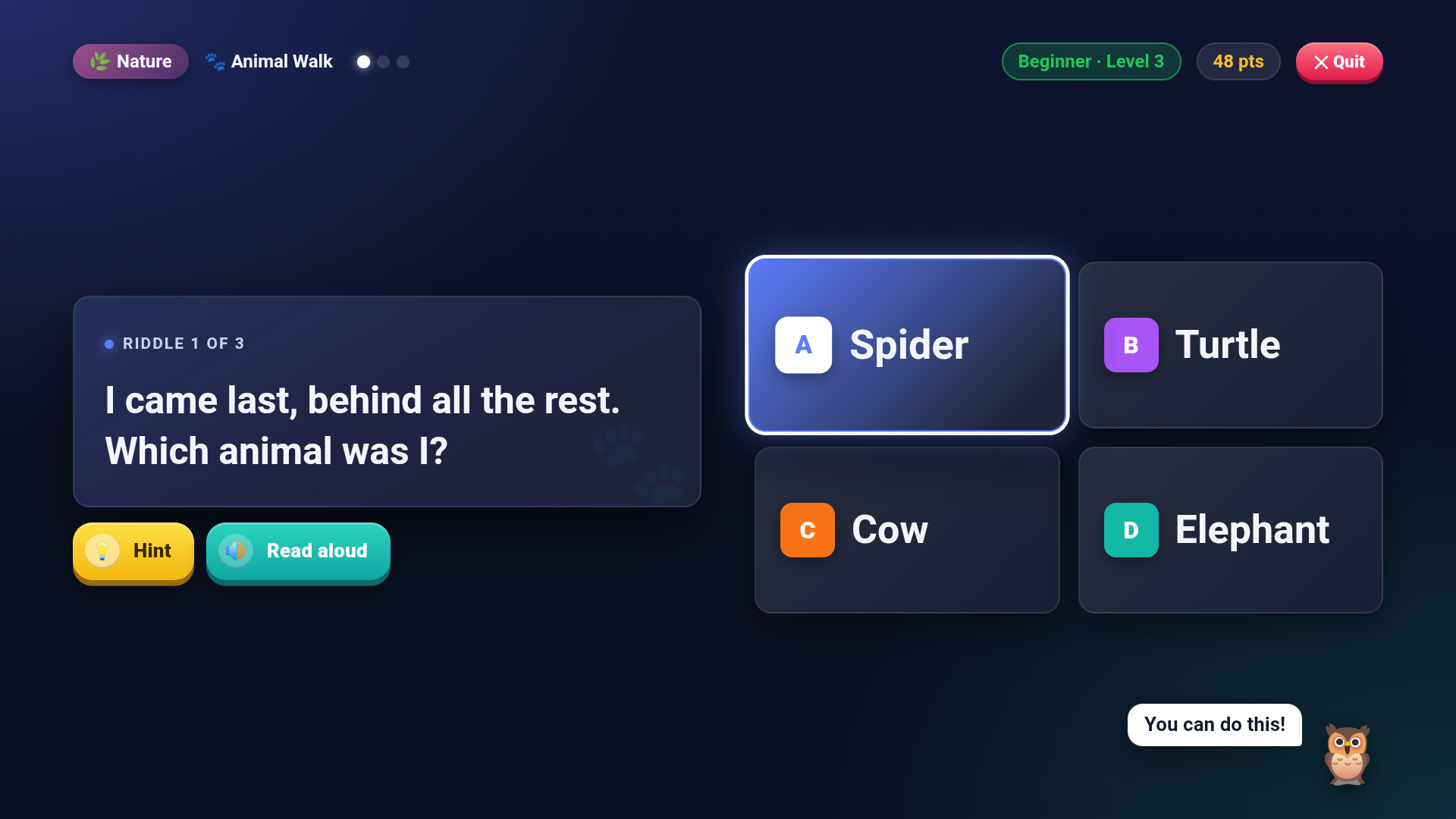
3 riddles about what you saw, answered with the D-pad. Every riddle can be read aloud.
-
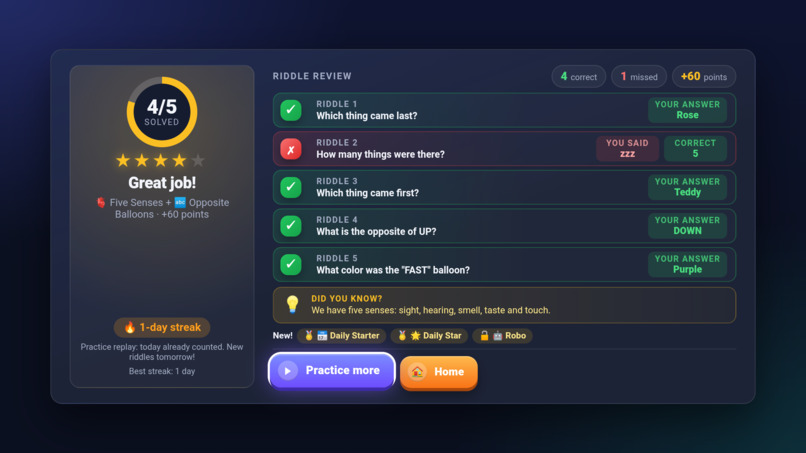
Daily Challenge: the same 5 riddles for everyone each day. Play daily to build a streak.
-
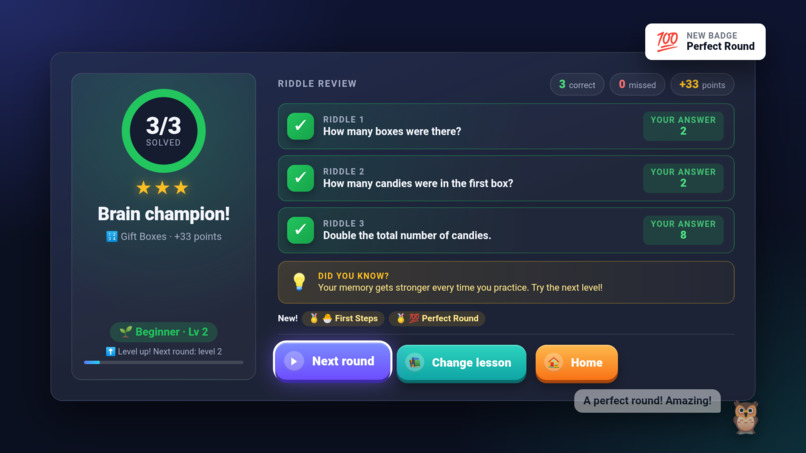
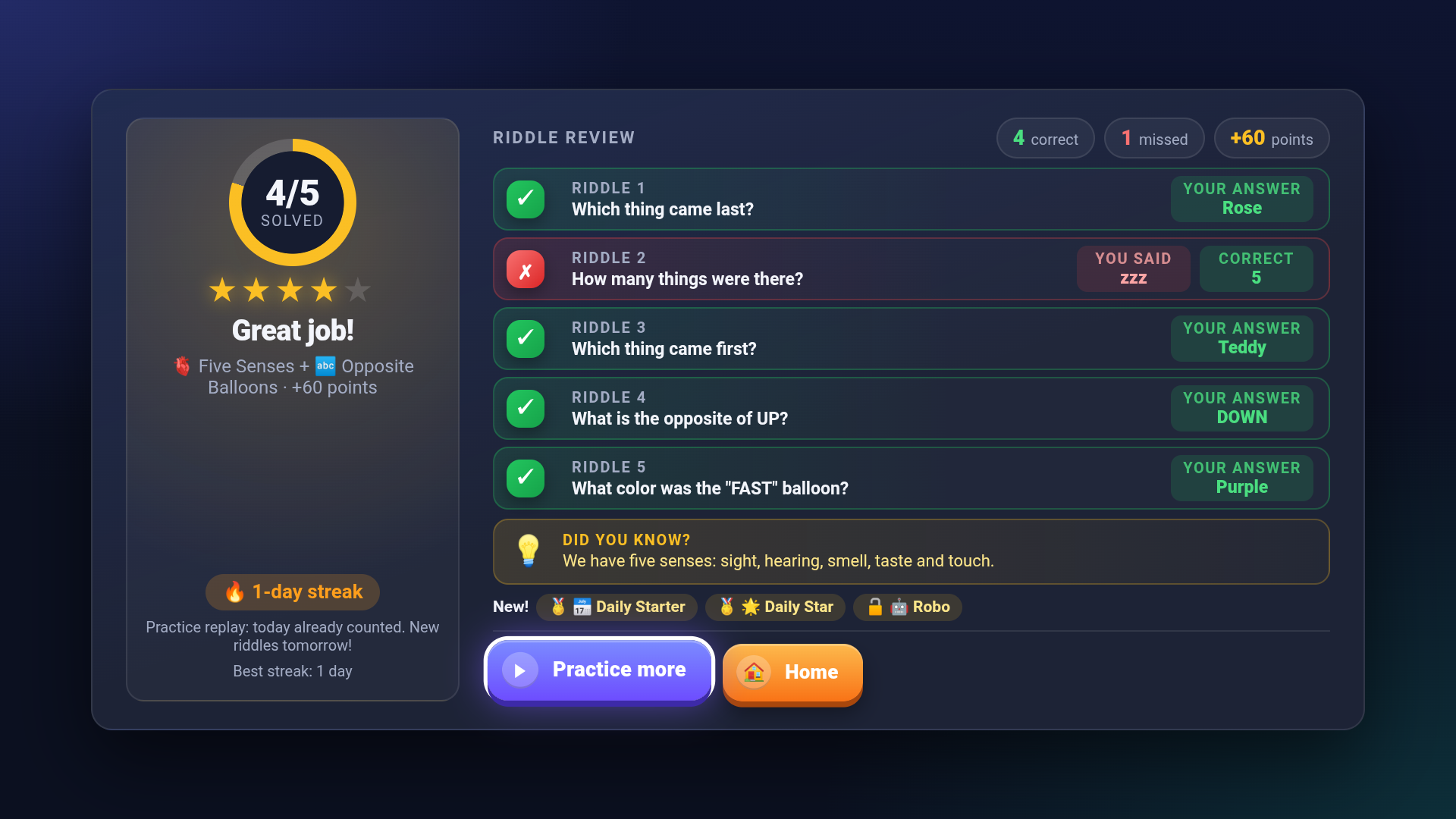
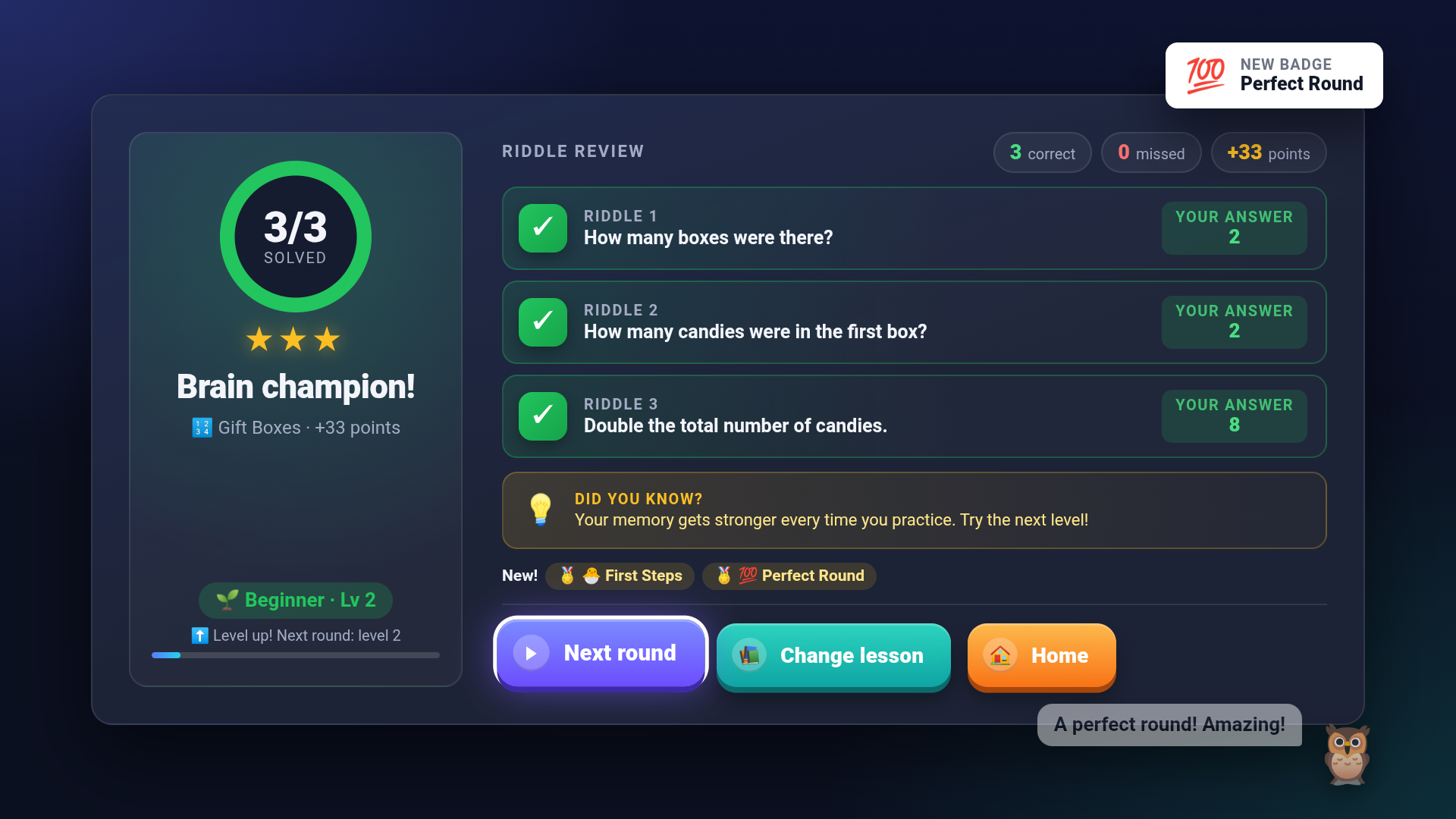
The results screen gives stars, points and a review of every answer, with Watch again to replay the round.
-
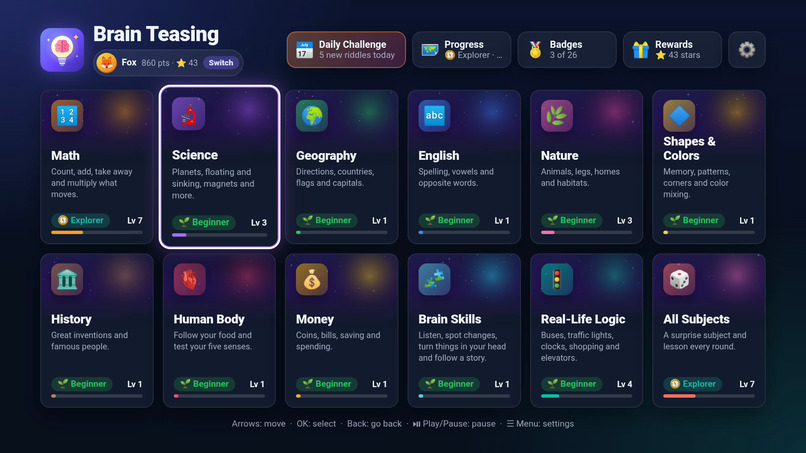
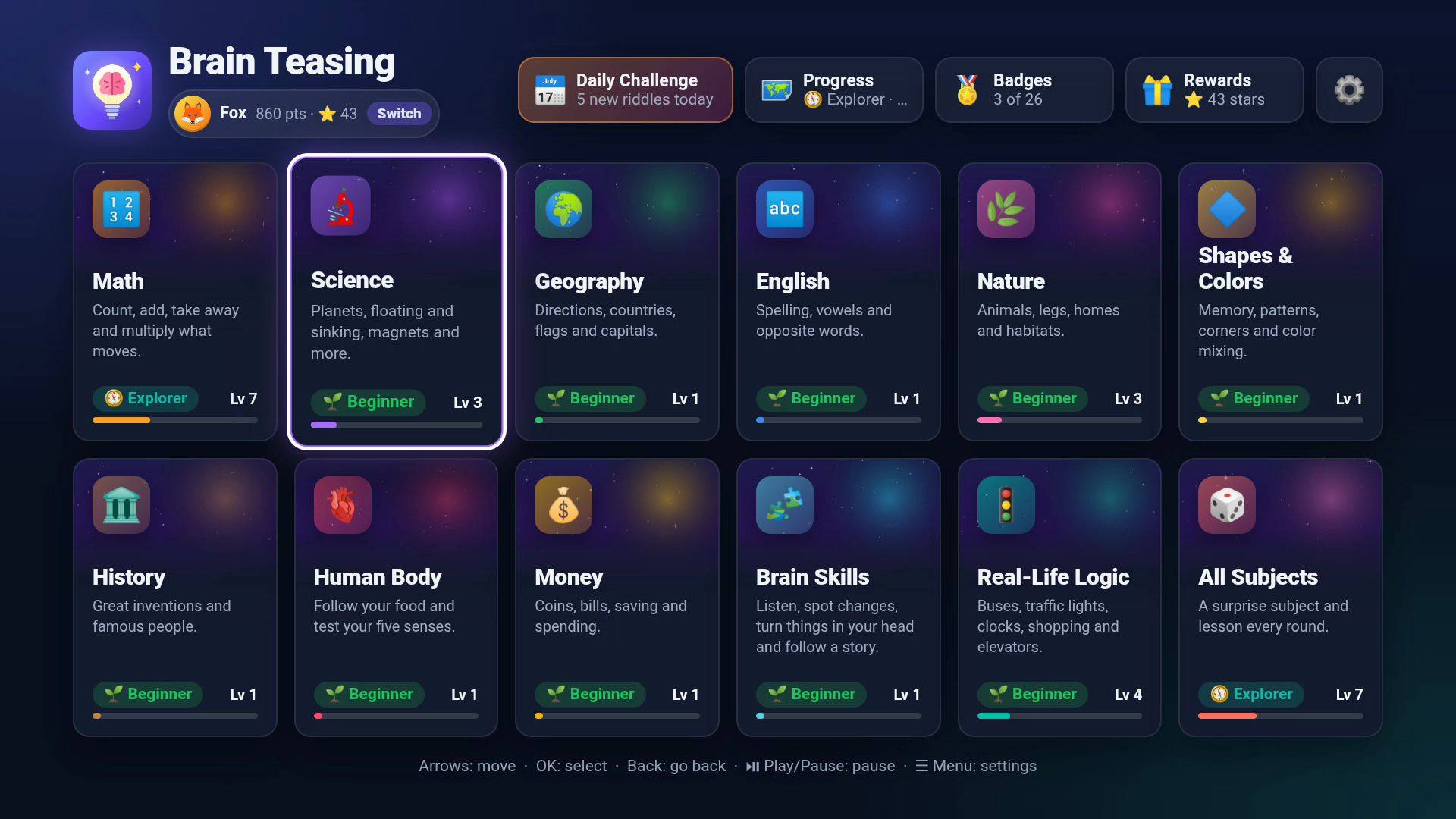
11 subjects and 44 lessons, all played with just the Fire TV remote.
-
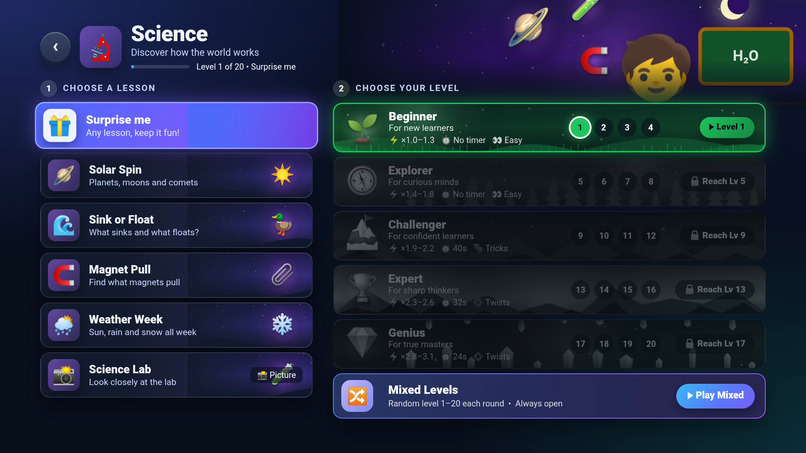
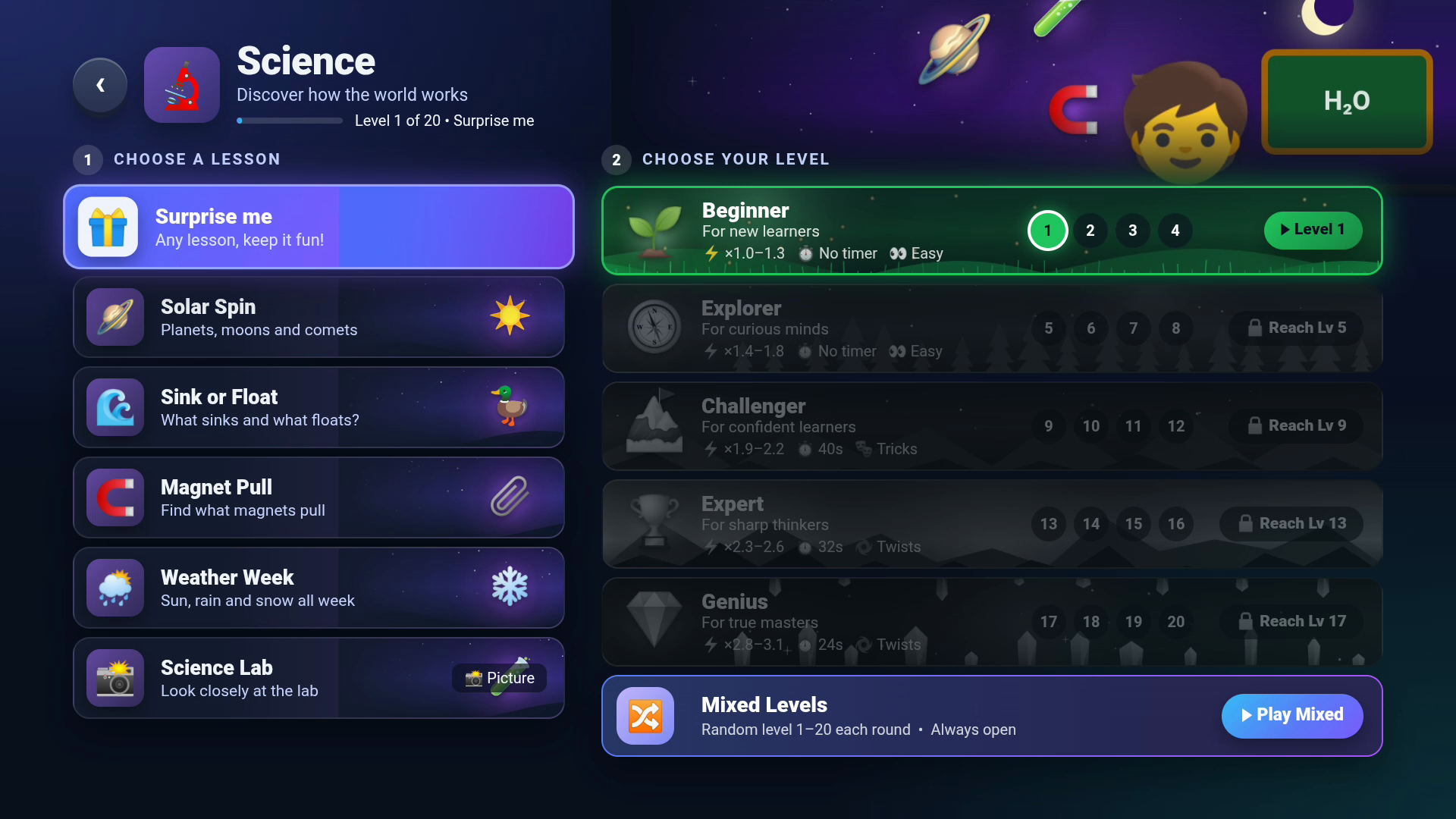
Choose a lesson first, then a level: 20 levels in 5 tiers, from Beginner to Genius.
Inspiration
Kids spend a lot of time in front of the TV, and most of it is passive. We wanted the big screen in the living room to become a place where children practise thinking: paying attention, remembering details and reasoning about what they saw. Parents and siblings can join in from the sofa. Screen time can be brain time.
What it does
Brain Teasing is an educational memory-and-reasoning app for Fire TV, played entirely with the remote.
- Pick a player, a subject, a lesson and a level.
- Up to 4 children each pick an animal and can type their name with the remote (or skip it and be "Fox"). Each keeps their own levels, stars and badges.
- The lesson is chosen first, then the level, so children always know what they are about to play.
- Watch closely. A short animation (up to 9 seconds) or a still picture (up to 6 seconds) plays. Examples: objects flying to a magnet, animals marching across a meadow, coins dropping into a piggy bank, cars at a traffic light.
- Solve the riddles. 3 riddles about what you just saw, written as rhymes and puzzles:
- Number and time answers are typed on an on-screen keypad.
- Word answers are picked from 4 options with the D-pad.
- Every riddle can be read aloud.
- A second try: a wrong answer gets a friendly "Try again" (without giving the answer away) or "Next question". A right second try earns half a star (0.5) and half the points; after two wrong tries the answer is shown and explained. The second try can be turned off in Settings.
- Learn and level up.
- Every round ends with a "Did you know?" fact and a review of each answer.
- Watch again replays the round's animation from the results screen, so children can see what they missed.
- Stars (including half stars, shown as 9.5) and badges are earned along the way, and a perfect round gets a trophy.
Content: 11 subjects and 44 lessons, both animated and picture-based. The subjects are Math, Science, Geography, English, Nature, Shapes & Colors, History, Human Body, Money, Brain Skills and Real-Life Logic.
Levels that grow with the child:
- 20 levels in 5 tiers: Beginner, Explorer, Challenger, Expert and Genius.
- Earning 10 star in a tier unlocks the next one.
- Higher levels are faster, add an answer timer, ask trickier riddles and use two-step riddles that combine answers.
- "Mixed Levels" picks a random level every round.
Something new every day:
- A Daily Challenge gives everyone the same 5 riddles each day and keeps a streak.
- A progress map, 26 badges, unlockable mascots and themes, and a celebration for perfect rounds.
Sound designed for the living room:
- Soft background music plays on the menus. It fades out when a round starts, so children can concentrate and hear every game sound.
- The music comes back on the results screen and drops automatically while a riddle is read aloud.
- It has its own on/off switch in Settings.
- Listening lessons like Drum Beats use drum, clap and bell sounds designed for TV speakers. Each one has a clear, punchy start and a part small speakers can actually play, and all three are balanced to the same loudness.
Built for the 10-foot screen:
- D-pad and OK only: no phone or keyboard needed, even for names.
- Play/Pause pauses a round, Menu opens Settings, Rewind reads the riddle again and Fast-forward shows a hint.
- Large text, TV-safe margins, a first-time "How to play" guide and kid-friendly settings (sound effects, background music, read-aloud, answer timer on or off, text size).
Safe for kids:
- Works fully offline. The app requests no Android permissions, not even internet.
- No accounts, ads, analytics or data collection.
- Progress is stored only on the TV, with a backup copy inside the app.
How we built it
- Game: plain HTML, CSS and JavaScript, with no framework and no build step.
- Every scene is drawn on a canvas from code, so all artwork is original.
- Riddles are generated from what actually happened in each scene, so no two rounds are the same.
- Each round's animation speed is varied by ±15%, so children watch rather than memorise.
- Sound: every sound and the background music are made live with the Web Audio API, with no recordings and nothing to license.
- Each sound is built from a few oscillators and filtered noise, then balanced with a compressor.
- The music is a small scheduler that queues gentle chords and a pentatonic melody a fraction of a second ahead, so it stays smooth on the stick.
- Fire TV app: a small Kotlin Android app.
- It shows the game full screen in a WebView, served offline from its assets through WebViewAssetLoader.
- It forwards the remote's Back, Play/Pause, Menu, Rewind and Fast-forward keys to the game.
- It reads riddles aloud with the Fire TV's built-in text-to-speech engine through a JavaScript bridge. If the TV's default engine has no English voice, it switches to another engine on the TV that has one.
- It keeps a second copy of each player's progress in the app's own storage.
- Performance on the stick:
- Animations are drawn at 1280×720 and scaled to full HD, which runs at 60 fps on the Fire TV.
- Memory levels off around 280 MB even after many rounds.
- Testing: the app was tested in the browser and on two real Fire TVs: a Fire TV Stick (3rd gen) and a Fire TV Stick 4K (Fire OS 8).
- Every screen and remote button was checked, including typing a name with the remote.
- In the browser, all 44 lessons were checked at all 20 levels (880 lesson-levels), and 1,143 full rounds were played: every lesson at every level, plus Surprise me, All Subjects, Mixed Levels and the Daily Challenge.
- The same 1,143 rounds were then played on the Fire TV Stick itself, each with a right answer, a right second try (0.5 star), wrong answers and the results screen: 0 errors from the app.
- Frame rate, memory, crash recovery, progress backup, read-aloud and restarting the app were all checked.
- We also ran the app through FireLab, checking remote navigation, screen fit and Back handling.
- AI assistance:
- Development was assisted by Claude (Anthropic's AI coding assistant).
- The family scenes in the demo video were generated with Google Flow.
- The demo video was assembled with the open-source HyperFrames tool, with an offline Kokoro voiceover.
Challenges we ran into
- Making a TV app feel natural with only a remote:
- Number answers use a keypad laid out like a phone keypad.
- Word answers use 4 options in a 2×2 grid.
- Focus always lands somewhere sensible, and nothing is ever selected by accident.
- The Fire TV WebView has no speech API, so we added a native text-to-speech bridge for read-aloud.
- On a Fire TV Stick 4K, read-aloud was silent: the TV's default engine (IVONA) had no voices installed, so it accepted each riddle and played nothing.
- The app now checks for an English voice when it starts and, if there is none, moves on to the TV's other speech engine (Pico). Riddles are read aloud again.
- Sounds that TV speakers can't play: our first drum was a deep tone below 150 Hz, which small TV speakers barely reproduce, so children couldn't hear the beats.
- Measured through a small-speaker model, the drum was 7 dB quieter than the clap.
- We rebuilt it as a tom-drum with a mid-range "doom" and a stick click. Drum, clap and bell now come out equally loud (about -18 dB each).
- Audio that wouldn't start in some browsers: Safari only allows sound to start inside a click or key press. The game now switches its audio on at the first press, and the background music fades out during rounds so it never covers the listening lessons.
- Full-HD canvas animation ran at 37–50 fps on the stick. Drawing at 720p and scaling up gave a steady 60 fps.
- Fitting 5 riddles and a review on one TV screen for the Daily Challenge needed a compact results layout.
- Generating fair riddles: for every word riddle, the 3 wrong options come from the same category (animals with animals, colors with colors), and there is always exactly one correct answer.
Accomplishments that we're proud of
- 44 lessons and thousands of unique riddle combinations, all drawn in code with no external assets.
- A steady 60 fps on a real Fire TV, with 0 app errors across 1,143 test rounds played on the stick itself.
- A complete, polished product: named players, levels, second tries, Watch again, daily challenge, badges, settings, tutorial, crash recovery and offline privacy.
What we learned
- Designing for the 10-foot screen: focus states, safe margins, large type, and remote buttons beyond the D-pad.
- How the Fire TV WebView and Android wrapper work together: key forwarding, asset loading, text-to-speech and lifecycle (pausing when the user presses Home).
- Learning games for children need clear feedback (You said / Correct answer), not just a score.
What's next for Brain Teasing
- Publish to the Amazon Appstore (Kids category).
- Voice answers via Alexa or the remote's microphone, so children can say the answer.
- A parents' view with weekly progress by subject.
- More languages, starting with Spanish and Hindi.
- Lessons created with teachers, matched to school grades.
Try it
Open index.html from the repo in any browser (nothing to install), or install the APK from the GitHub release on a Fire TV. Step-by-step instructions are in the README's For Judges section.
Demo video: https://youtu.be/8OaEE27y06Q· Code: https://github.com/Manjunath-78/Brain-Teasing
Built With
- android
- canvas
- css
- fire-os
- fire-tv
- html5
- javascript
- kotlin
- text-to-speech
- webview


Log in or sign up for Devpost to join the conversation.