Inspiration
As college students, we frequently face lengthy readings and complex assignments that are difficult to understand. Without immediate access to a professor or TA, we may become confused about how to proceed. With the rise of LLMs, we envisioned developing an AI tool that not only reads PDF documents, but also provides answers to questions, enhancing our understanding of course materials. Recognizing that college students are also always on the go, we also aimed to incorporate an audio output feature. This would enable students to learn while walking around campus, getting answers to their questions through their headphones, ensuring gaining knowledge at every step of the way.
What it does
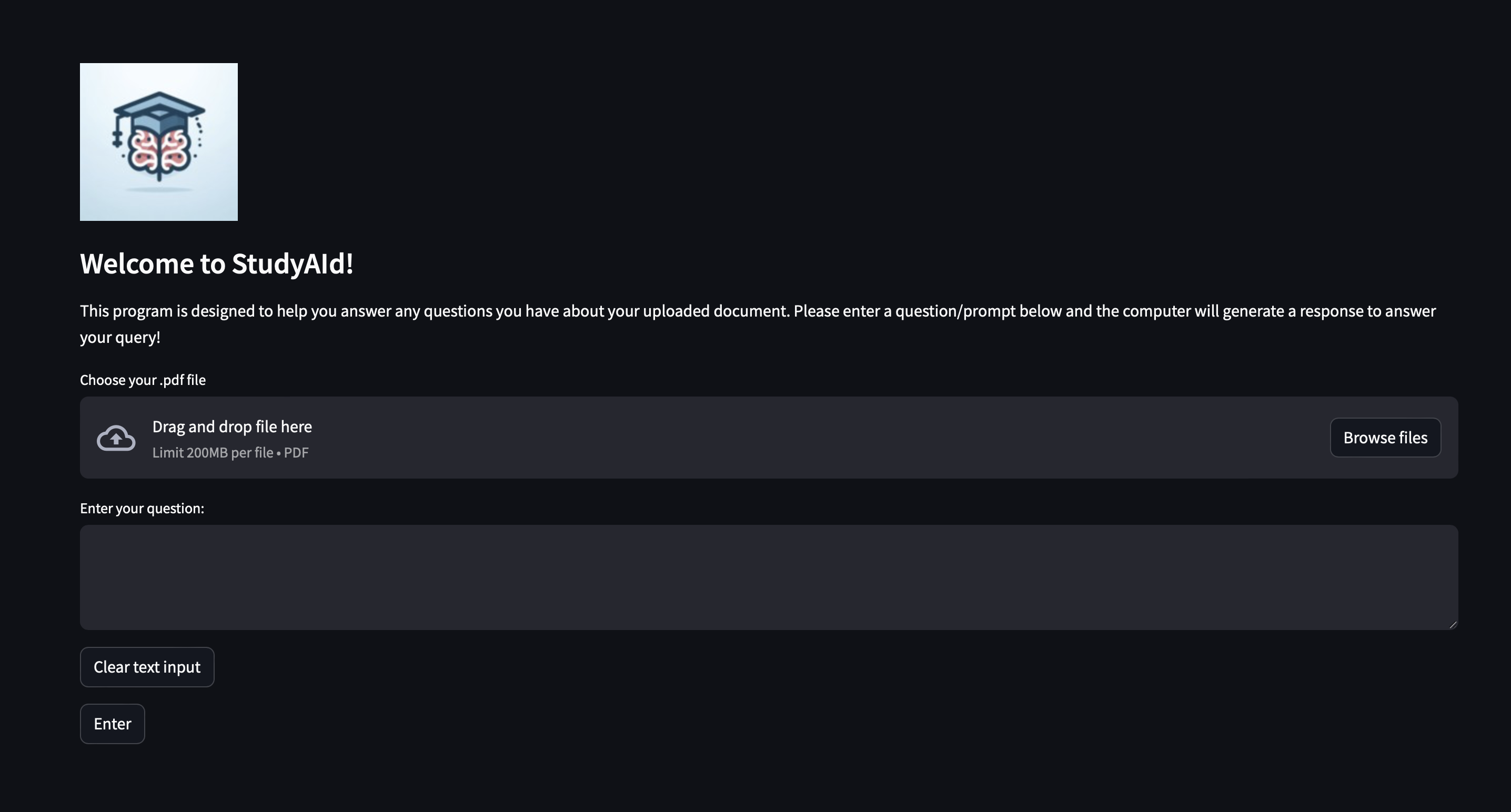
This program allows users to upload a PDF for analysis. The AI will then analyze the text and provide resposes to the user’s questions about the document. After generating a response, the AI will convert the answer into speech and read it aloud to the user.
How we built it
Our project was constructed using Python for the back-end, and we integrated Streamlit for the front-end development. Using Streamlit, we implemented various features, including a play/pause button, button for uploading PDF files, and a text box for the user to input their question. We used the OpenAI API, which allowed us to use their model for analyzing the PDF content and responding to user queries. To provide audio responses, we used the Google Text to Speech API. This API allowed us to convert the generated text responses into an audio format. To make our application accessible to a wide audience, we hosted it on HuggingFace, ensuring that anyone can easily use our tool.
Challenges we ran into
While working with publicly available LLM models, we encountered challenges integrating them with our Streamlit frontend. This resulted in a cascade of syntax or installation errors that we had to maneuver around. For instance, one of our longer issues was importing the OpenAI API to answer the question asked rather than just reading out the document that was uploaded.
Accomplishments that we're proud of
We’re proud of the way that we split the tasks so that all of the team members feel involved in the project. We were able to communicate effectively and thus were able to build a project that showcased the amount of effort we were able to put in.
What we learned
We learned about how to stay patient given the countless number of syntax errors we were running into, as being calm and communicating with our team members allowed us to think more effectively and figure out the issue in a timely manner.
What's next for StudyAId
We hope to integrate an option that will allow the user to upload more types of files, such as .txt, .xlsx, or even coding files like .java or .c so the AI can explain any code in those files that the user may not fully understand.
Built With
- google-web-speech-api
- langchain
- openai
- python
- streamlit


Log in or sign up for Devpost to join the conversation.