-
-
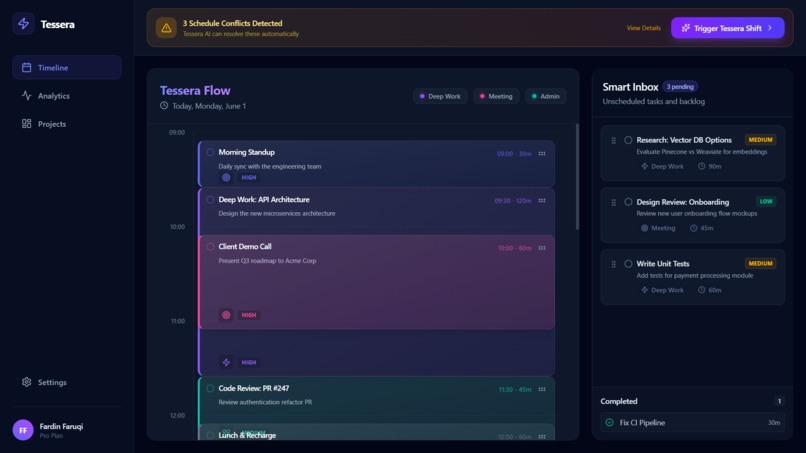
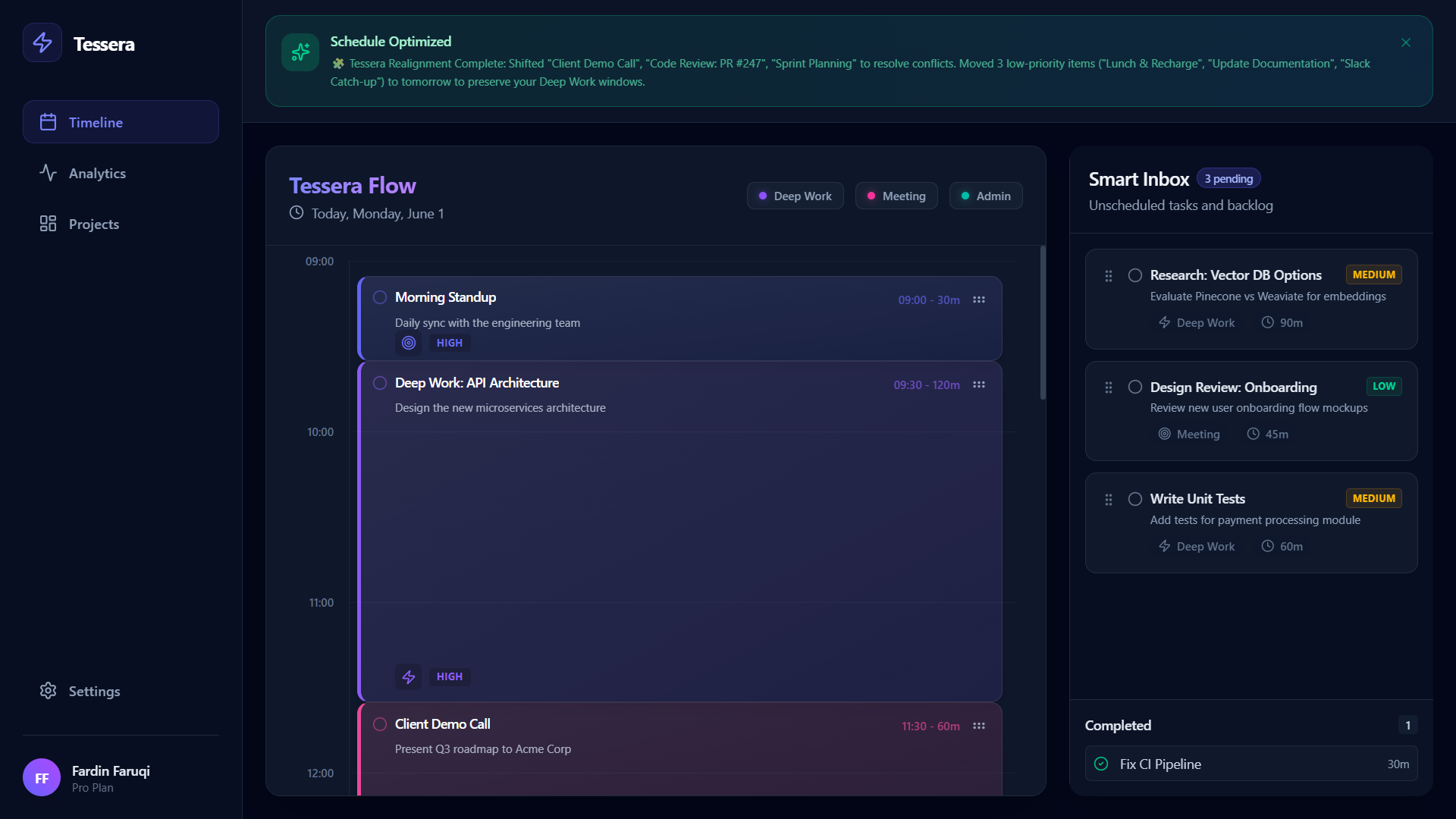
Timeline before using Tessera Shift
-
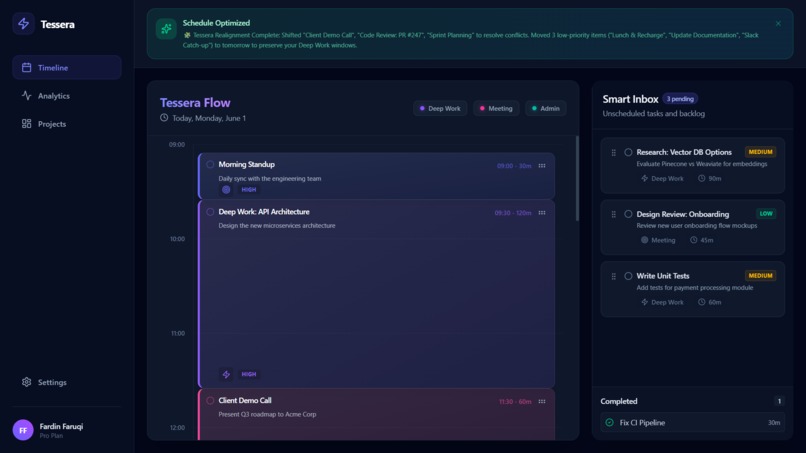
Timeline after using Tessera Shift
-
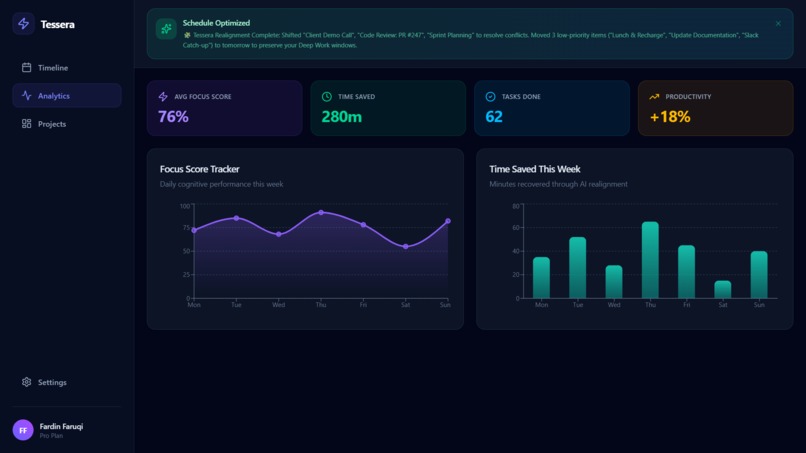
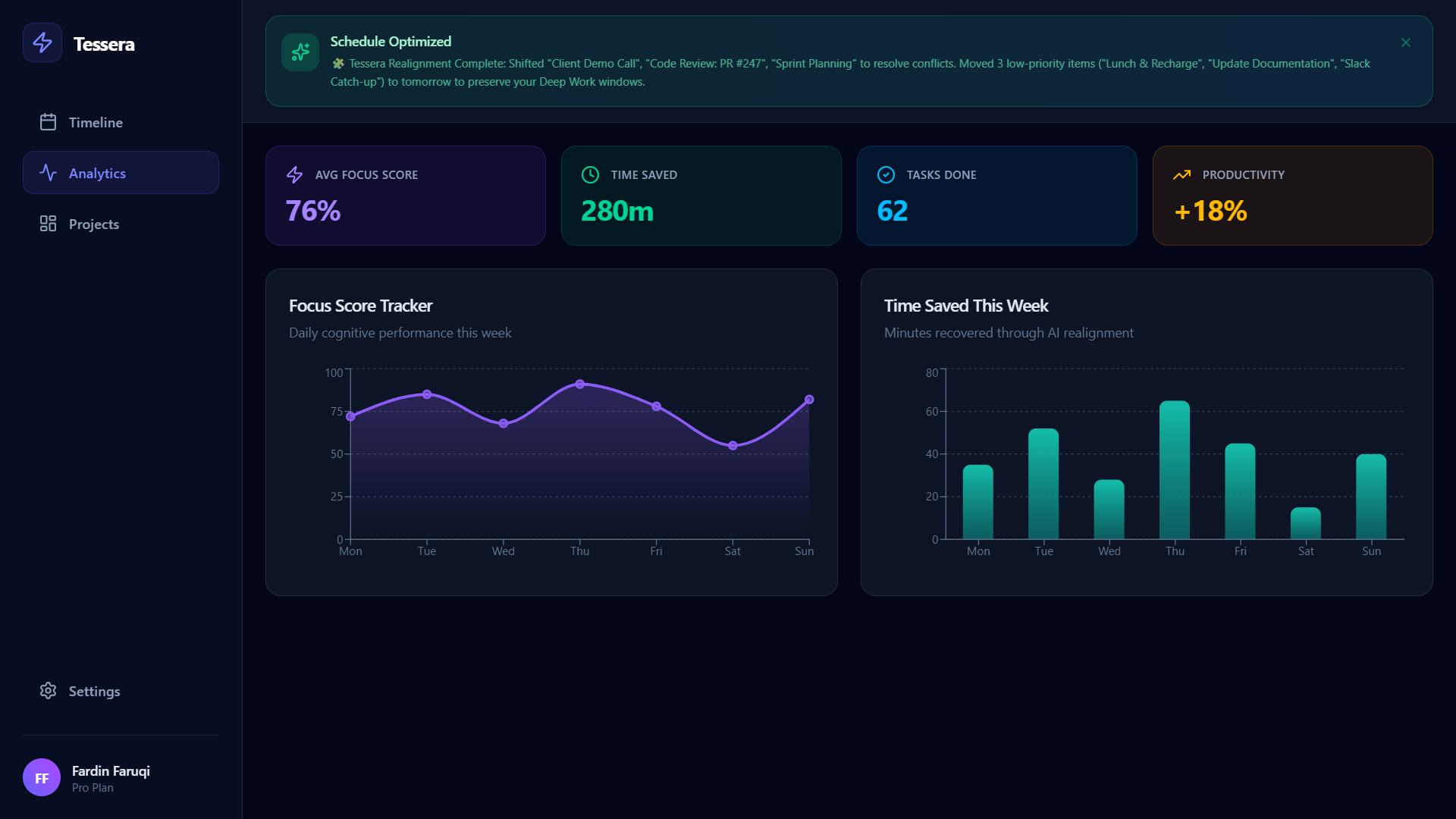
Analytics Page
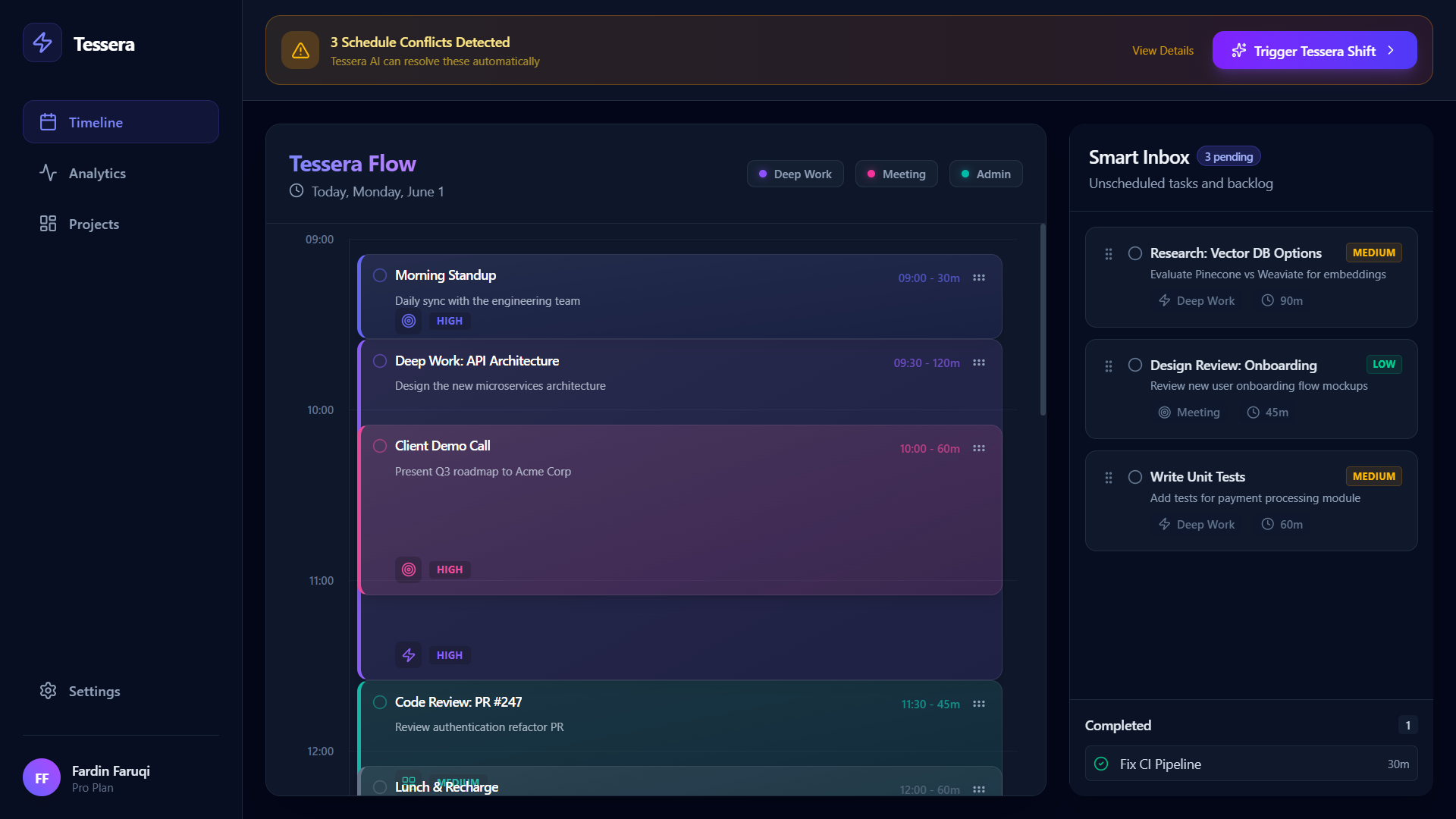
 Tessera
A context-aware, AI-driven productivity manager featuring a dynamic, self-healing calendar.
Project Story
Inspiration
Tessera was inspired by the way real workdays rarely behave like the tidy plans we make in the morning. A single late meeting, urgent message, or underestimated task can break an entire calendar, leaving people to spend even more energy rebuilding the day by hand. We wanted to turn that moment of stress into something calmer: a productivity manager that treats the schedule like a living mosaic, where each task is a tile that can shift into a better place when the picture changes.
The name Tessera comes from the small pieces used to build mosaics. That idea shaped the product: instead of a static to-do list, Tessera helps arrange many small blocks of time into a day that still makes sense after interruptions.
What it does
Tessera is an AI-driven productivity manager with a dynamic, self-healing calendar. Users can keep unscheduled work in a Smart Inbox, categorize tasks by type and priority, and drag them directly onto a visual timeline. Tasks snap into optimized time blocks, making it easier to build a realistic schedule instead of a hopeful one.
When conflicts happen, the Trigger Tessera Shift action reorganizes the rest of the day. Tessera resolves overlapping events, shifts flexible work into open spaces, and moves low-priority items into a tomorrow overflow bucket so deep work windows stay protected.
At a high level, Tessera is trying to optimize a day around time, priority, and focus:
$$ \text{Best Schedule} = \arg\max_S \left(\text{Focus}(S) + \text{Priority}(S) - \text{ConflictPenalty}(S)\right) $$
The app also includes analytics for focus score and time saved, so users can see the value of automated rescheduling instead of only feeling the friction of planning.
How we built it
We built Tessera as a modern web MVP using React, TypeScript, and Vite. The interface is styled with Tailwind CSS, with a dark dashboard layout designed around a timeline, a Smart Inbox, and an analytics view.
The drag-and-drop workflow is powered by dnd-kit, which lets users move tasks between the inbox and the timeline. The timeline logic snaps dropped tasks to 15-minute intervals, while the schedule mend engine recalculates task placement when conflicts need to be repaired. We used Framer Motion for animated state changes so the schedule feels like it is reorganizing itself rather than abruptly redrawing. For productivity insights, we used Recharts to visualize focus score and time saved.
Challenges we ran into
The hardest part was making calendar repair feel understandable. It is not enough for the app to move tasks around; users need to trust why the schedule changed. That meant designing the mend behavior around clear priorities: preserve deep work when possible, resolve collisions, and only push lower-priority work to tomorrow when the day no longer has enough room.
Another challenge was drag-and-drop scheduling. Converting a visual drop position into an accurate start time required careful mapping between pixels, minutes, and the beginning of the workday. We also had to keep the interface responsive and readable while showing scheduled tasks, pending tasks, completed items, conflict warnings, and overflow work in one cohesive experience.
Accomplishments that we're proud of
We are proud that Tessera feels like more than a task board. The self-healing calendar gives the product a clear personality: it responds to disruption instead of making the user clean up everything manually.
We are also proud of the interaction design. Dragging tasks from the Smart Inbox into the timeline, seeing them snap into place, and watching the schedule reorganize after a Tessera Shift makes the MVP feel tangible and demo-ready. The analytics panel adds another layer by showing that better scheduling is not only about neat calendars, but also about protecting attention.
What we learned
We learned that productivity tools are really about reducing cognitive load. A calendar can look organized and still create stress if it does not adapt when reality changes. Building Tessera taught us to think less about storing tasks and more about helping people recover momentum after interruptions.
On the technical side, we learned how important it is to model scheduling data cleanly. Task status, duration, priority, type, start time, and overflow state all need to work together for the UI and the mend engine to stay predictable. We also learned that small interaction details, like snapping to 15-minute intervals and animating schedule changes, make a big difference in whether the product feels trustworthy.
What's next for Tessera
Next, we want Tessera to become more context-aware. That means connecting it to real calendars, email, and task sources so it can understand commitments automatically instead of relying only on mock data. We also want to improve the scheduling engine with user preferences, energy patterns, deadlines, and smarter tradeoffs between urgent work and deep focus.
Longer term, Tessera could become a personal planning assistant that learns when someone does their best work, protects those windows, and continuously reshapes the day as conditions change.
Built with ❤️ for the ultimate hackathon pitch.
Built With
- dnd-kit
- framer-motion
- react
- tailwind-css
- vite


Log in or sign up for Devpost to join the conversation.