-
-
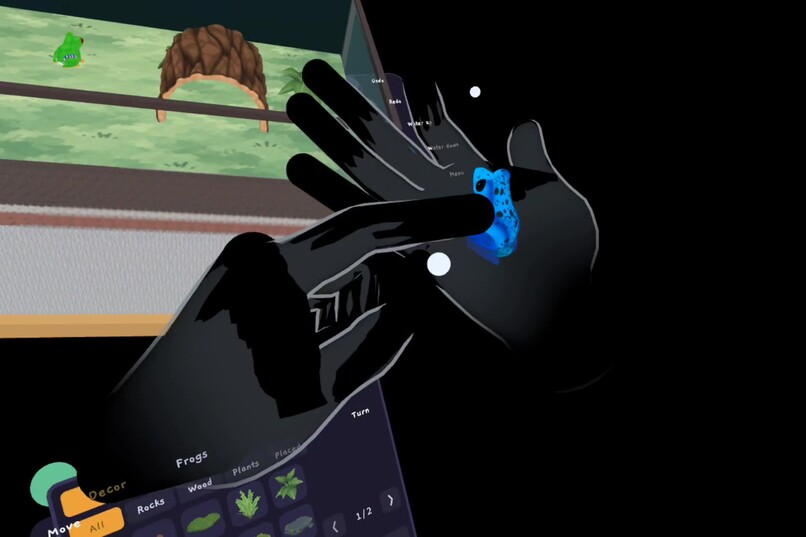
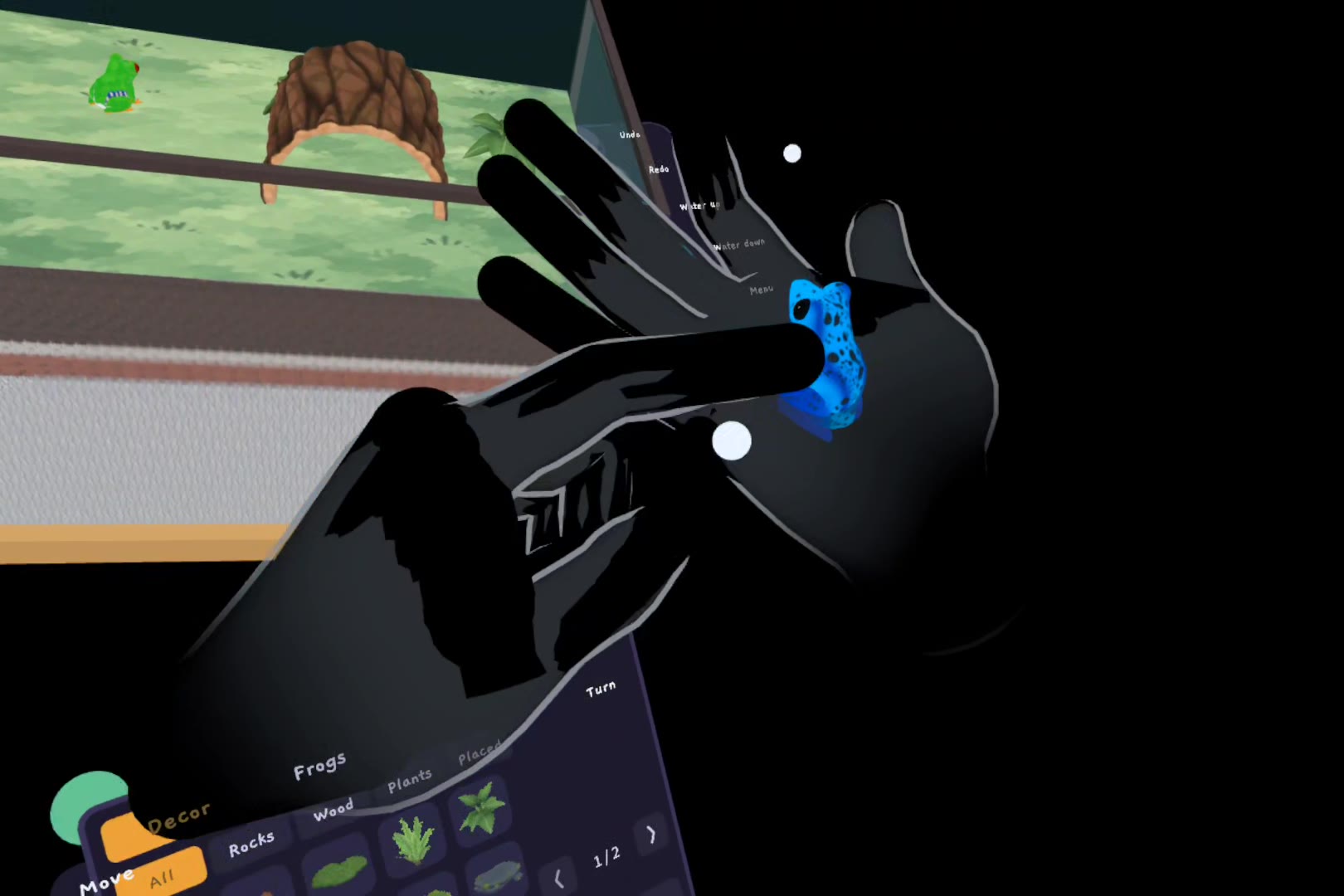
A blue dart frog sits on an open palm while a fingertip strokes its back.
-
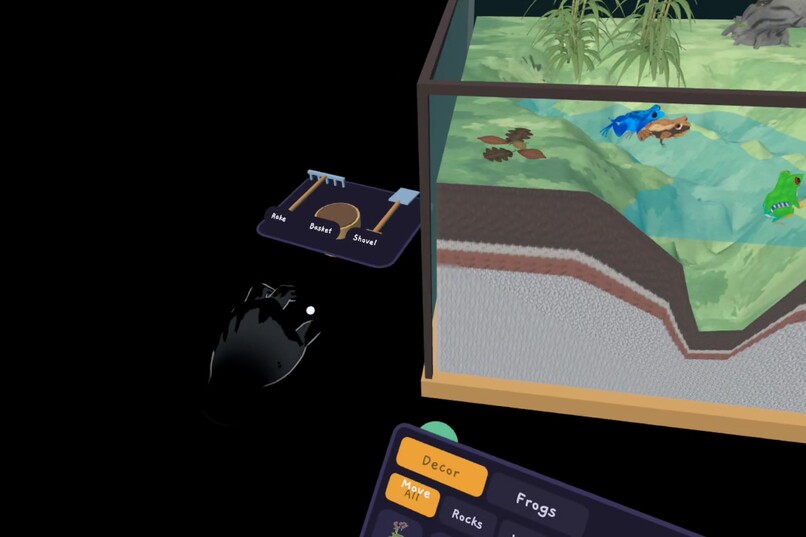
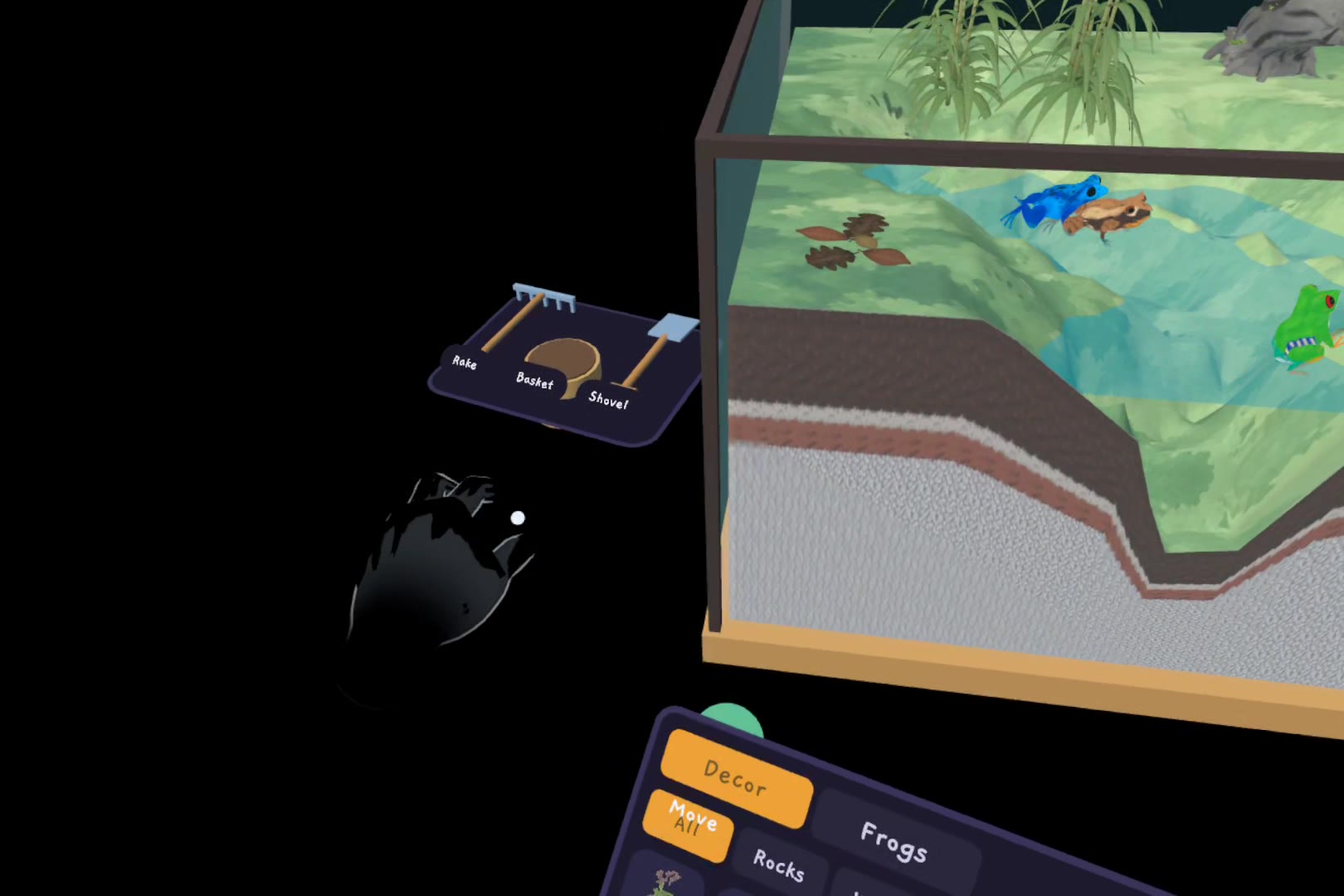
The finished tank on the desk, with the shovel, basket and rake tray beside it.
-
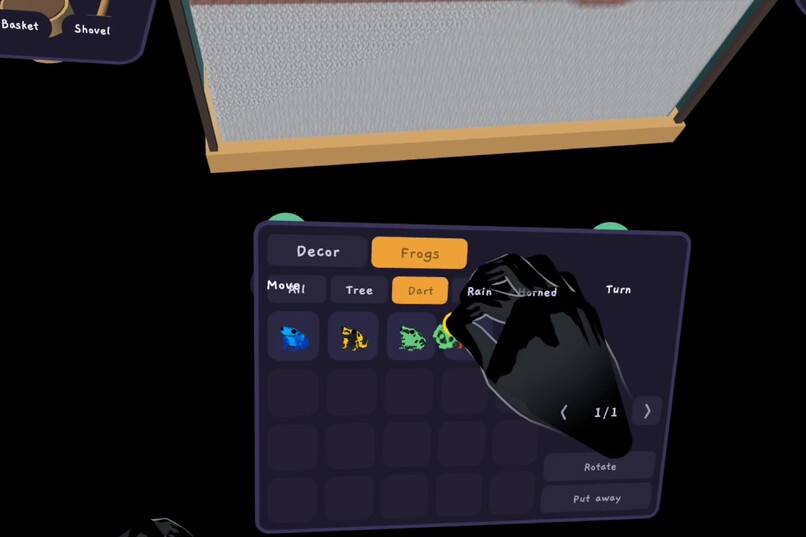
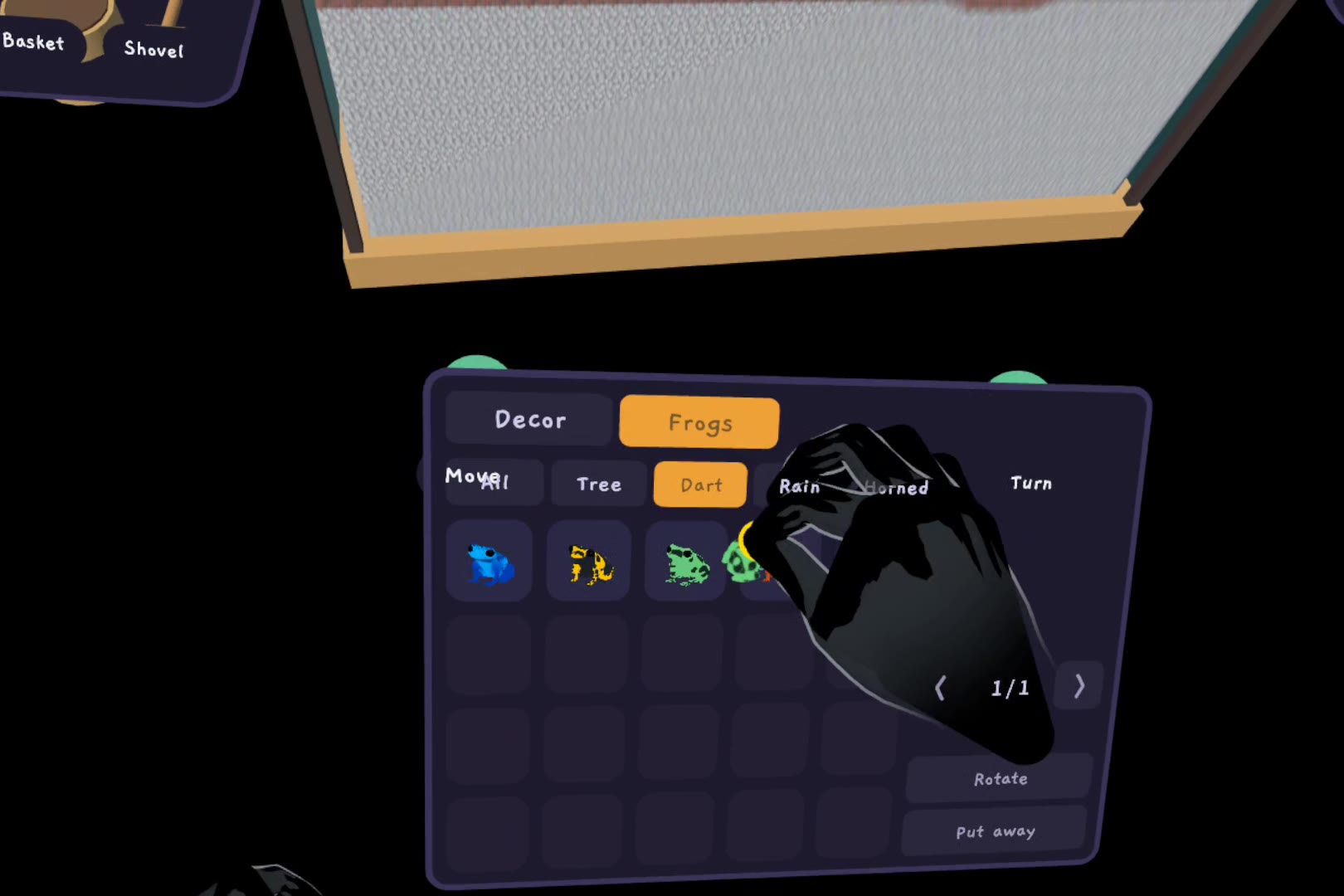
Frogs tab: pinch a dart frog off the shelf and carry it into the tank.
-
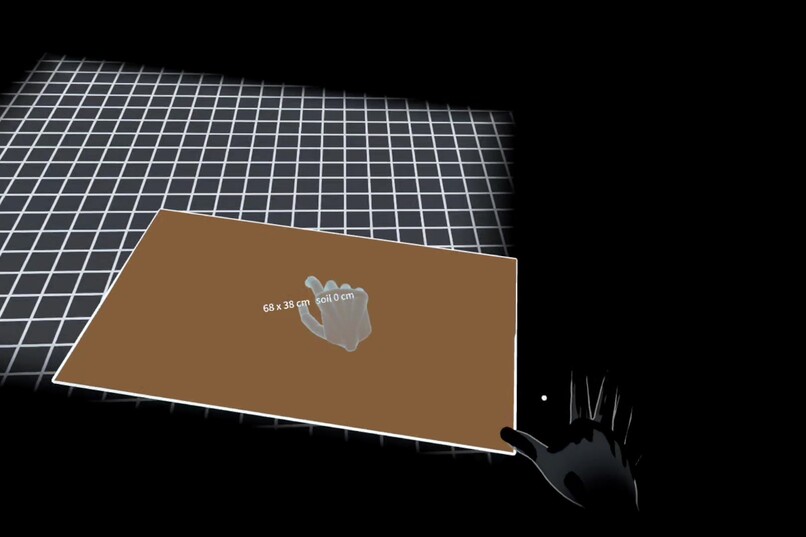
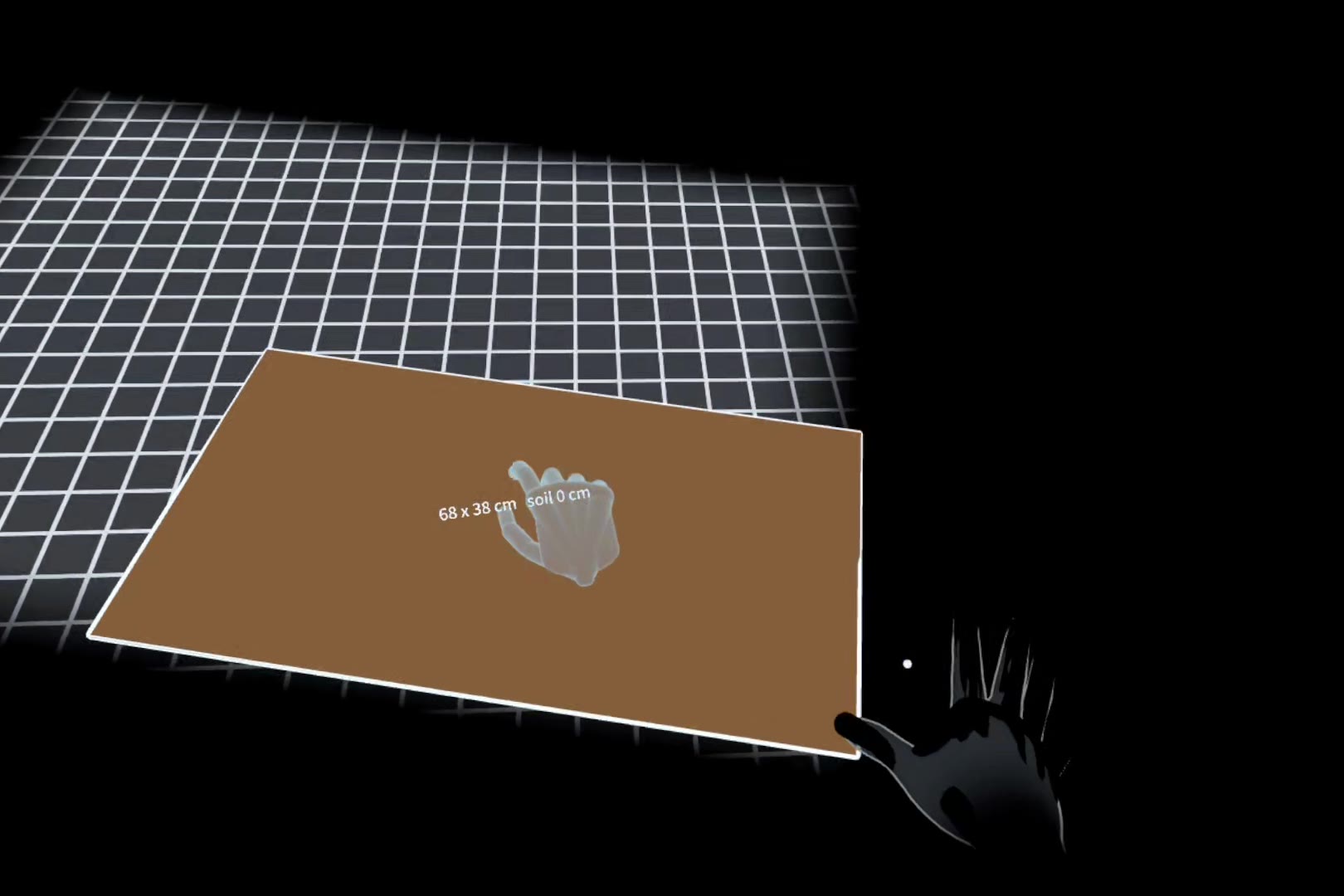
Drawing the tank: pinch and drag out its footprint on the desk.
-
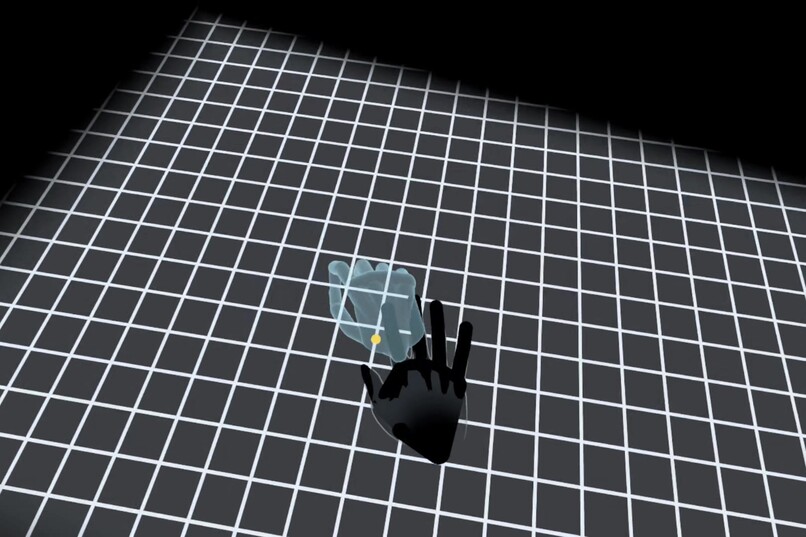
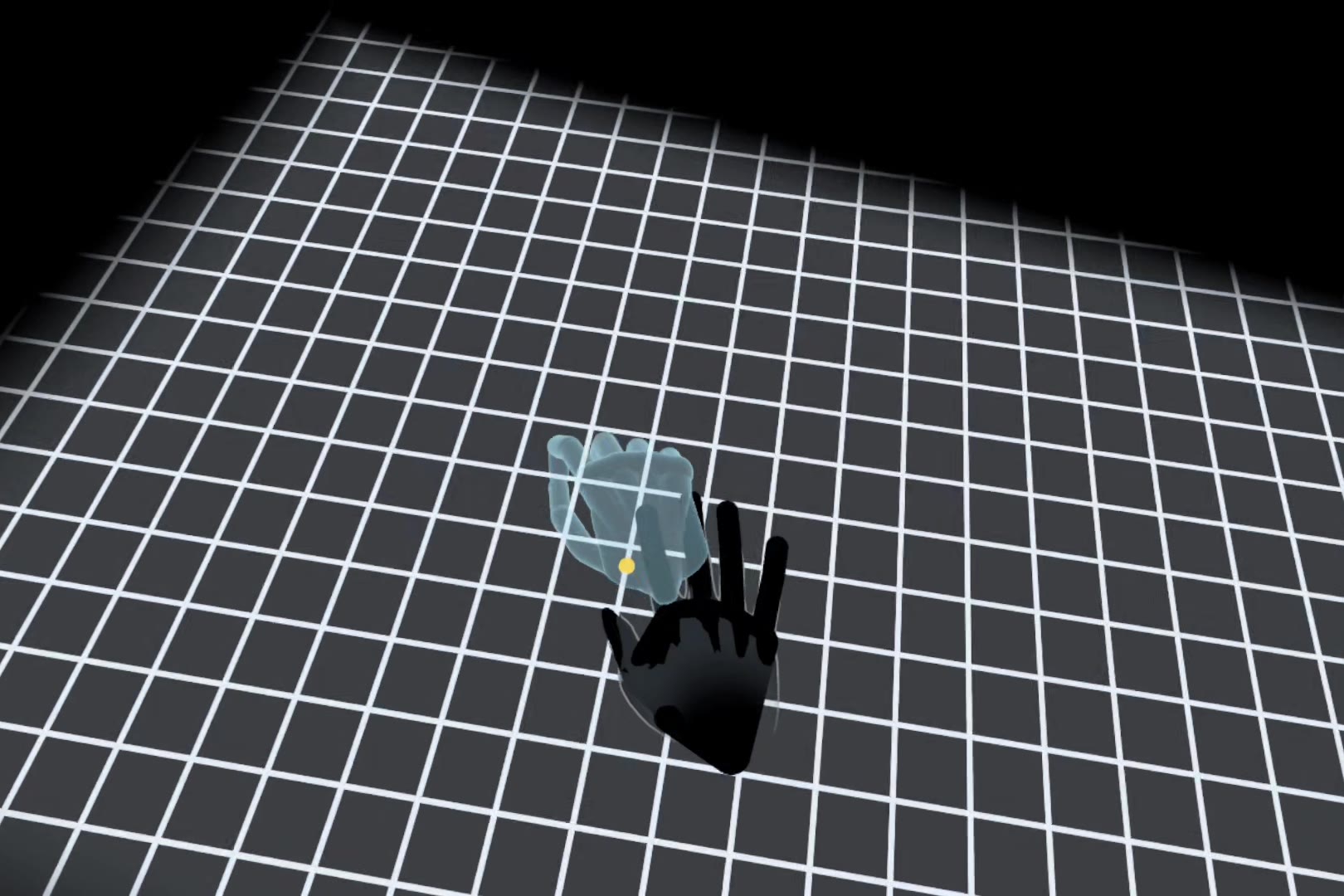
No room scan needed: lay a hand flat on the desk, as the ghost hand shows.
-
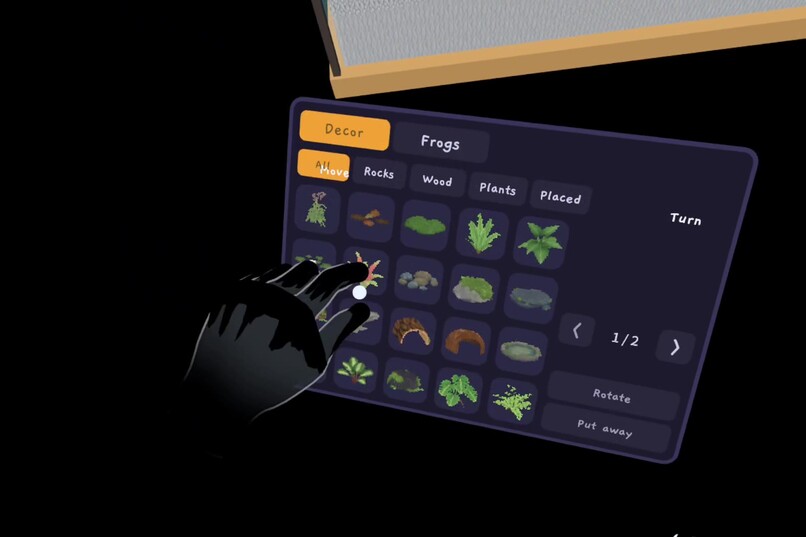
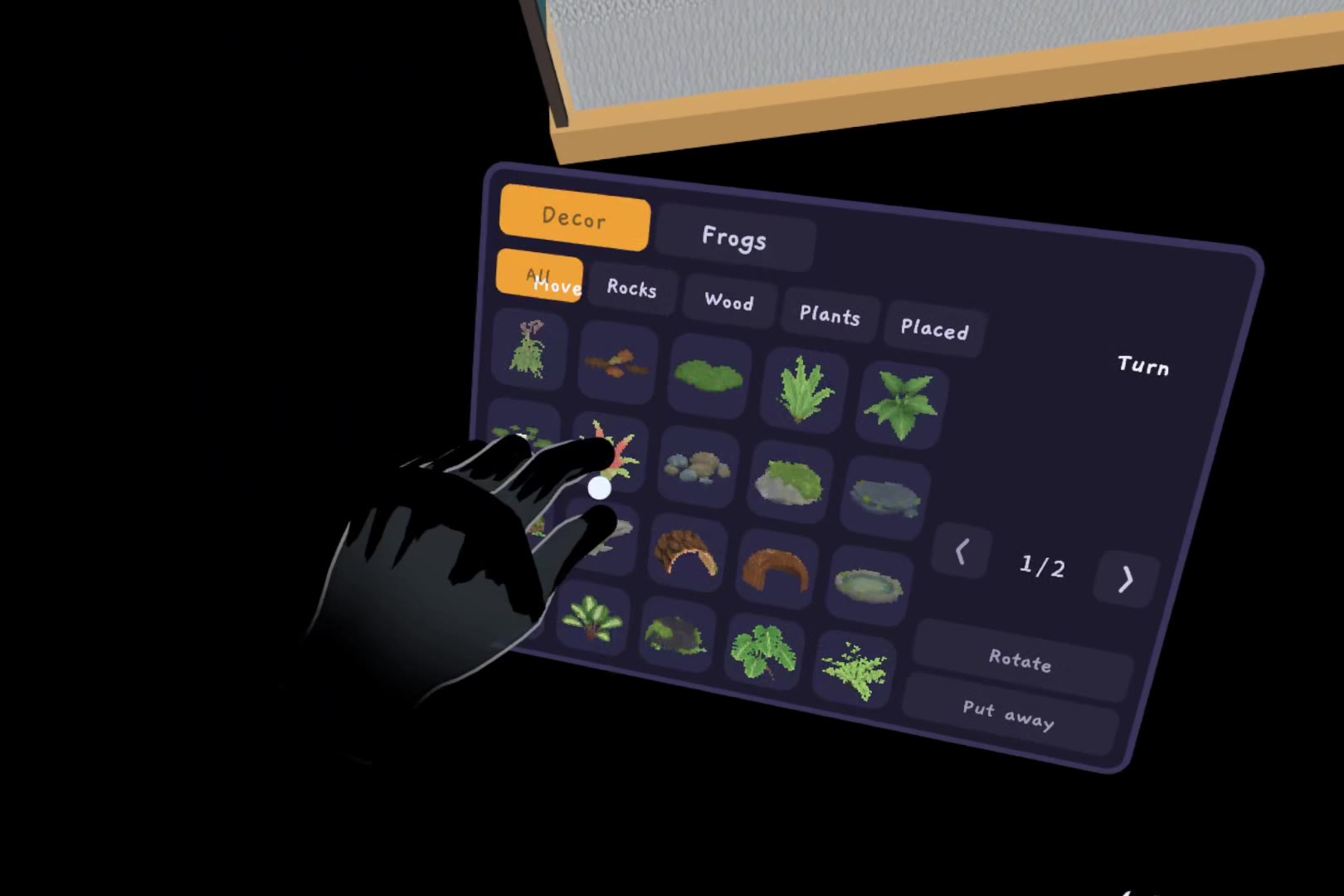
Decor shelf: pick plants, rocks and wood with a pinch.
-
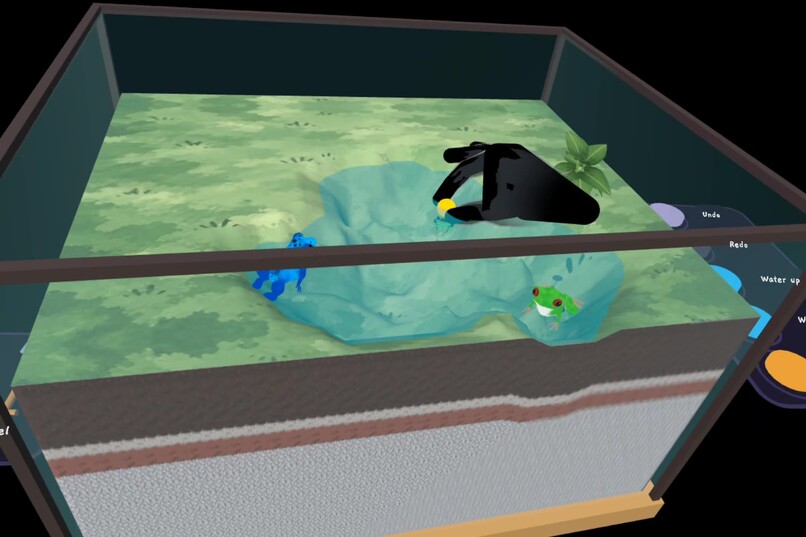
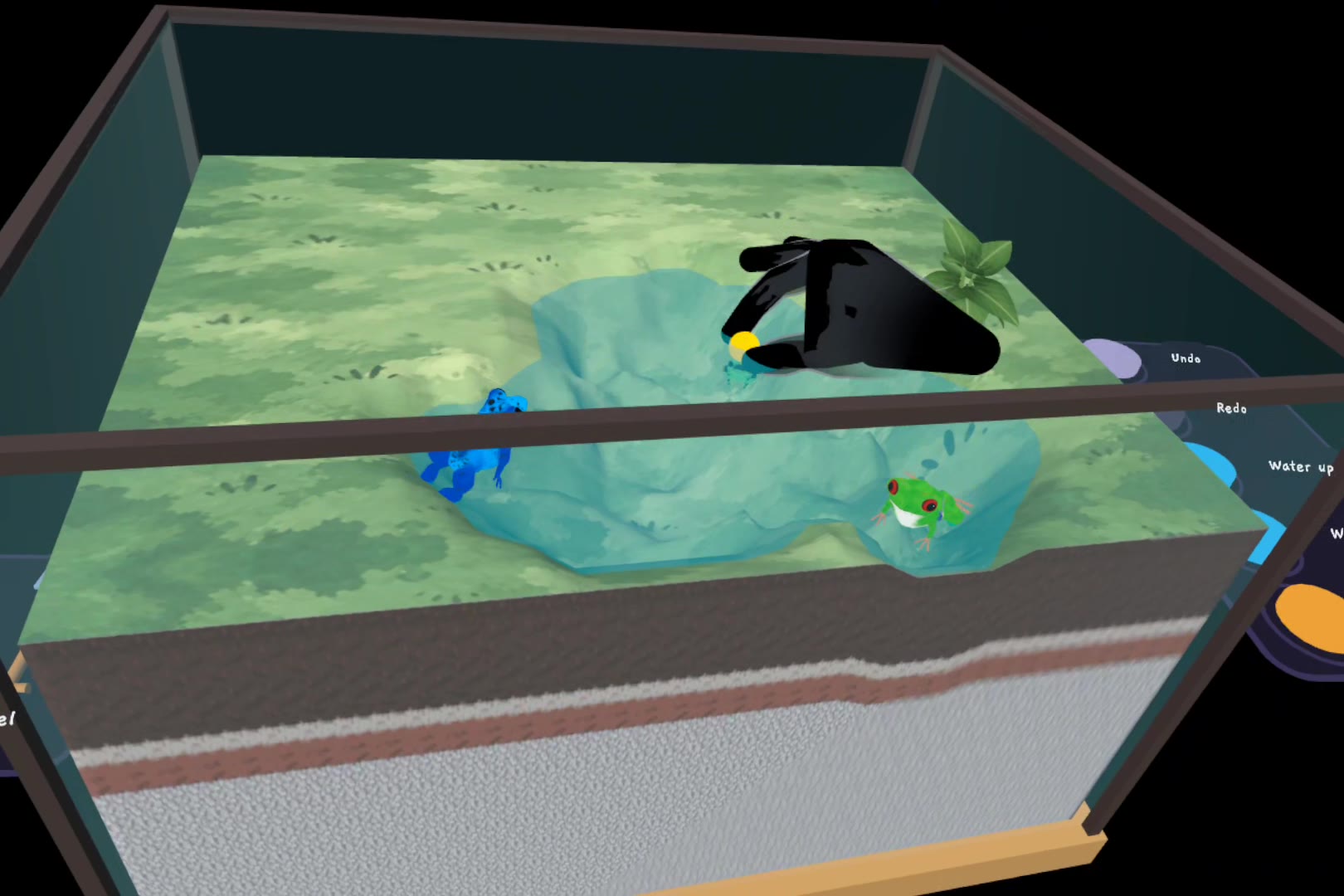
Placing a plant by the pool while a dart frog and a tree frog explore.
Inspiration
Terra Palz is our frog-terrarium game for the Windows desktop, where you watch and decorate a tank on your monitor with a mouse. On a monitor you can only look at the frogs through the glass and nudge things with a cursor. In mixed reality the tank can sit on your real desk, and your own hand can be the thing a frog hops onto.
What it does
Desk Terrarium puts a glass terrarium on the desk in front of you and hands you everything you need to build it: a shovel, a basket of soil, a rake, a shelf of plants, stones and wood, and a few frogs who would like to live there. No controllers, no menus to learn: everything is done with your hands, seated, within arm's reach.
Make a tank where you sit. Pinch over your desk at one corner, drag out the size you want and let go. Pinch the outline and pull up, and soil rises with your hand. If your room is scanned, the tank lines up with the table's edges; if not, lay your hand flat on the desk for a moment and the app learns where it really is. A see-through ghost hand shows each gesture first.
Shape it like real ground. Pick up the shovel and push it into the soil, and the ground gives way where the blade goes. Tip the basket and soil pours out and piles up. Draw the rake across to smooth it. Dig below the water table and a pool appears; raise or lower the water from the tray beside the tank.
Decorate it. Open the shelf, pick a plant, a stone or a piece of wood, carry it onto the soil and let go: it settles onto the slope where you dropped it. Pick it up again to move it, or drop it outside the tank to put it away.
Meet the frogs. They explore what you built, climbing over stones and up the slopes you shaped. Hold out an open palm and the nearest frog hops onto your real hand. Rest a fingertip on its back and it closes its eyes, croaks, and little hearts float up. Your hands are drawn as passthrough, so the frog sits on your skin, not on a virtual glove.
Choose who lives there. The shelf's Frogs tab holds eleven species from the desktop game: tree frogs, dart frogs, rain frogs, horned frogs and the milk frog. Pinch one, carry it over the soil and it hops down from your fingers. Pick up a frog in the tank to move it, or let it go outside the glass and it leaves.
Come back to it. The tank saves itself as you go and whenever you take the headset off. Next time, Continue sets your terrarium back down on your desk, with its ground, water, plants and frogs as you left them.
How we built it
Unity 6 (URP, Vulkan, multiview), Meta XR Core SDK, Interaction SDK and MR Utility Kit 209, targeting 72 Hz on Quest 2. The terrain and water simulation, the decoration catalogue, the frogs and their animation come from the desktop game; the mixed-reality mode, the hand interactions and the seated layout were built for this competition.
A note on the video: the Quest 2 recorder does not capture passthrough, so in the video the real desk is black and hands show as dark silhouettes. In the headset you see your own desk and hands.
Challenges we ran into
- Finding the desk without a room scan. Hand tracking cannot feel a fingertip touch a surface. Our first version marked the desk with fingertip taps; in headset testing a finger pausing in mid-air counted as a tap, and real taps were often missed. We replaced taps with a pose that is hard to make by accident: a hand laid flat on the desk, palm down, held still for 0.7 s. Its fingertips then lie on the desk itself.
- Teaching the gestures. Text alone did not get people to do the right thing, so a ghost hand acts out each step (lay the hand flat, drag out the footprint, pull up the soil) and steps aside while a real hand does it.
What we learned
Gestures that are easy to describe are not always easy for hand tracking to read. Poses that are held still and hard to make by accident work better than quick motions, and showing a gesture works better than describing it.
What's next
A release on the Meta Horizon Store in Q2 2027 (target: June 2027), more of the desktop game's frogs and decorations, and frogs that react to more of what your hands do.
Credits
- Fonts: Gaegu and Noto Sans KR (SIL Open Font License 1.1).
- Frog rig and animation clips based on FlexiFrogs (Unity Asset Store license).
- Sound: field recordings and Foley from Freesound, all CC0 (public domain).

