Tracks
Best Use of Gemini: Terpo isn't a Gemini chatbot with a UI — Gemini is the soul of a living desktop pet. The model fuses three real-time signals (webcam attention, screen activity, Pomodoro state) to decide Terpo's mood, generate personalized study plans, and recall memories from his "second brain" log when you ask. We even used Gemini Nano Banana to generate Terpo's sprite sheets, so the model isn't just powering the brain — it literally drew the pet you see on screen. Every interaction — the study plan he writes, the way he reacts when you pick up your phone, the things he remembers, even the way he looks — is Gemini working quietly under the hood. We think we should win because Terpo is one of the more embodied uses of Gemini at this hackathon: the model isn't the product, it's the brain and the body behind an animated turtle that actually feels alive on your screen.
Best App for UMD Students: Terpo is built for Terps, by Terps, with Testudo himself as the mascot — decked out in UMD red and gold and tuned to the rhythm of a UMD student's day. He knows McKeldin, STAMP, and Iribe as study spots; he reminds you about 251 North and Yahentamitsi; and his Pomodoro + study-plan flow is built for the brutal cadence of UMD finals weeks. There's nothing else like this on campus: the UMD app is a directory, Canvas is a gradebook, and Testudo is a statue — Terpo is the first place Testudo actually shows up for you during the hardest part of being a Terp. We should win because Terpo is the rare hackathon project a UMD student would actually keep on their laptop after the demo ends.
Inspiration
Every UMD student knows the vibe: it's 2 AM in McKeldin, you have a 9 AM final, and the only thing keeping you company is three open Canvas tabs, a dying laptop battery, and the slow realization that you should've started this a week ago. We wanted the study buddy we always wished we had — something that lives on your laptop, calls you out when you start doom-scrolling, and is just cute enough that you'd actually feel bad ditching it. So we put Testudo on a sprite sheet, gave him a brain, and named him Terpo.
What it does
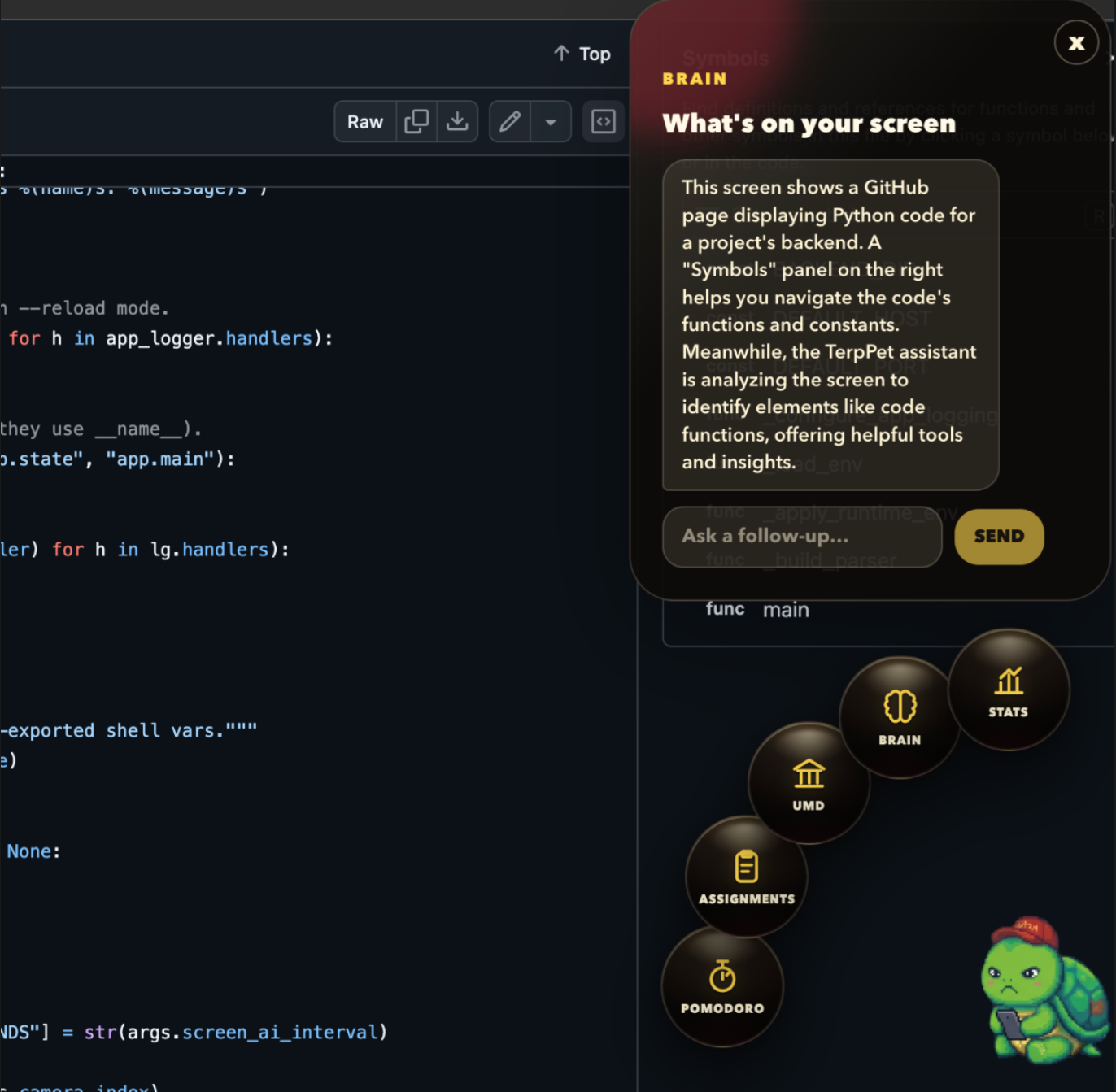
Terpo is an adorable AI Testudo who keeps you locked-in while you study. He's a transparent, click-through desktop overlay that walks across your screen, reacts to what you're doing in real time, and helps you get work done.
Reads the room. A webcam-based attention model + screen activity tracker tell Terpo whether you're focused, doomscrolling, on your phone, or asleep at the keyboard.
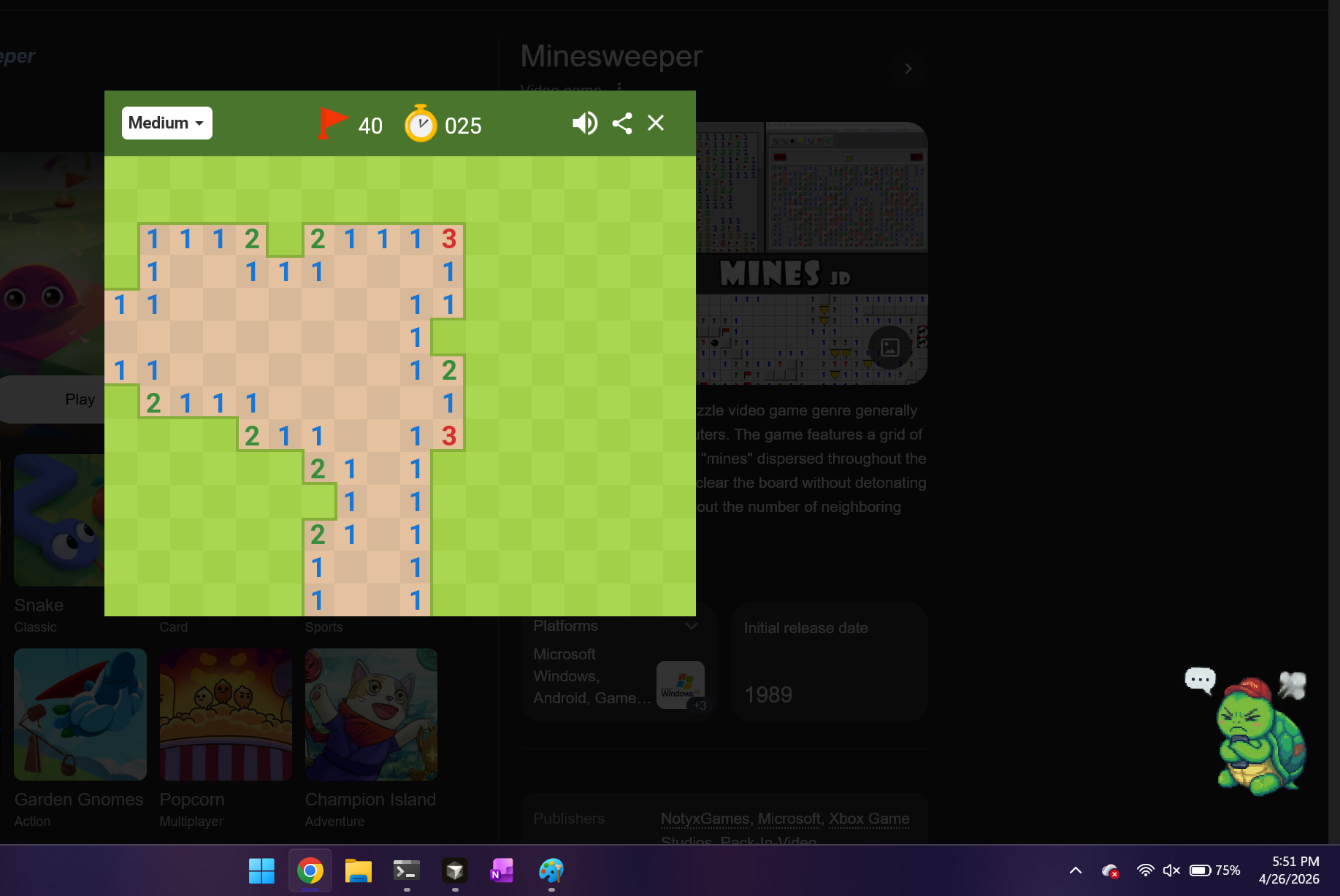
Has feelings about it. Terpo has 10+ moods (chill, focused, annoyed, sleepy, exam-panic-mode, doom-scrolling, evolved, etc.) that swap his sprite, posture, and bobbing animation based on what you're doing. Walks with you. A symmetric ping-pong cycle takes him across your full display — chill, walk off-screen, wrap seamlessly, walk back.
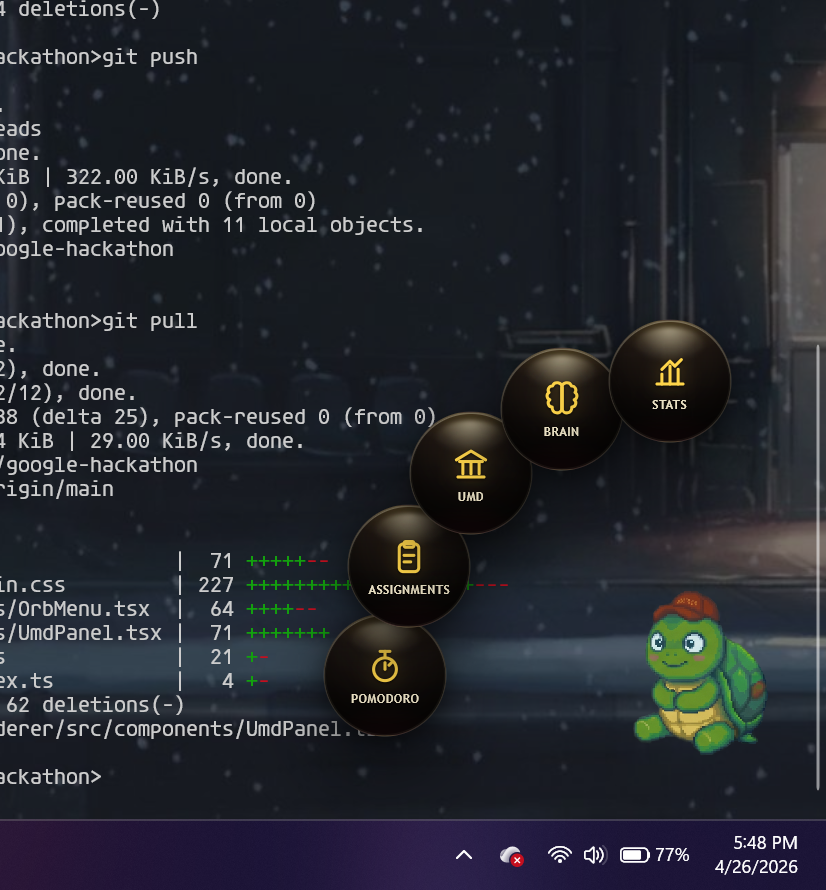
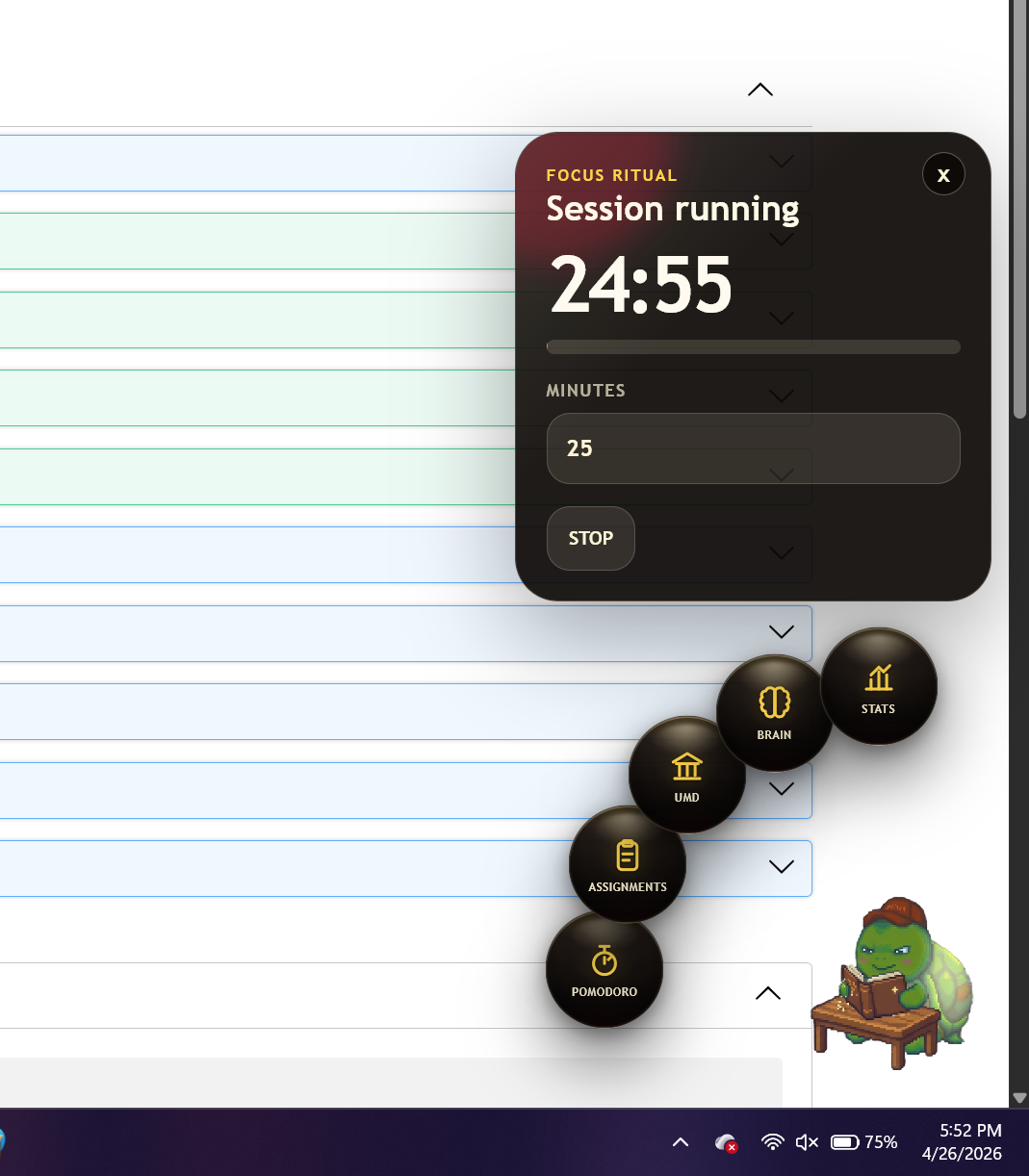
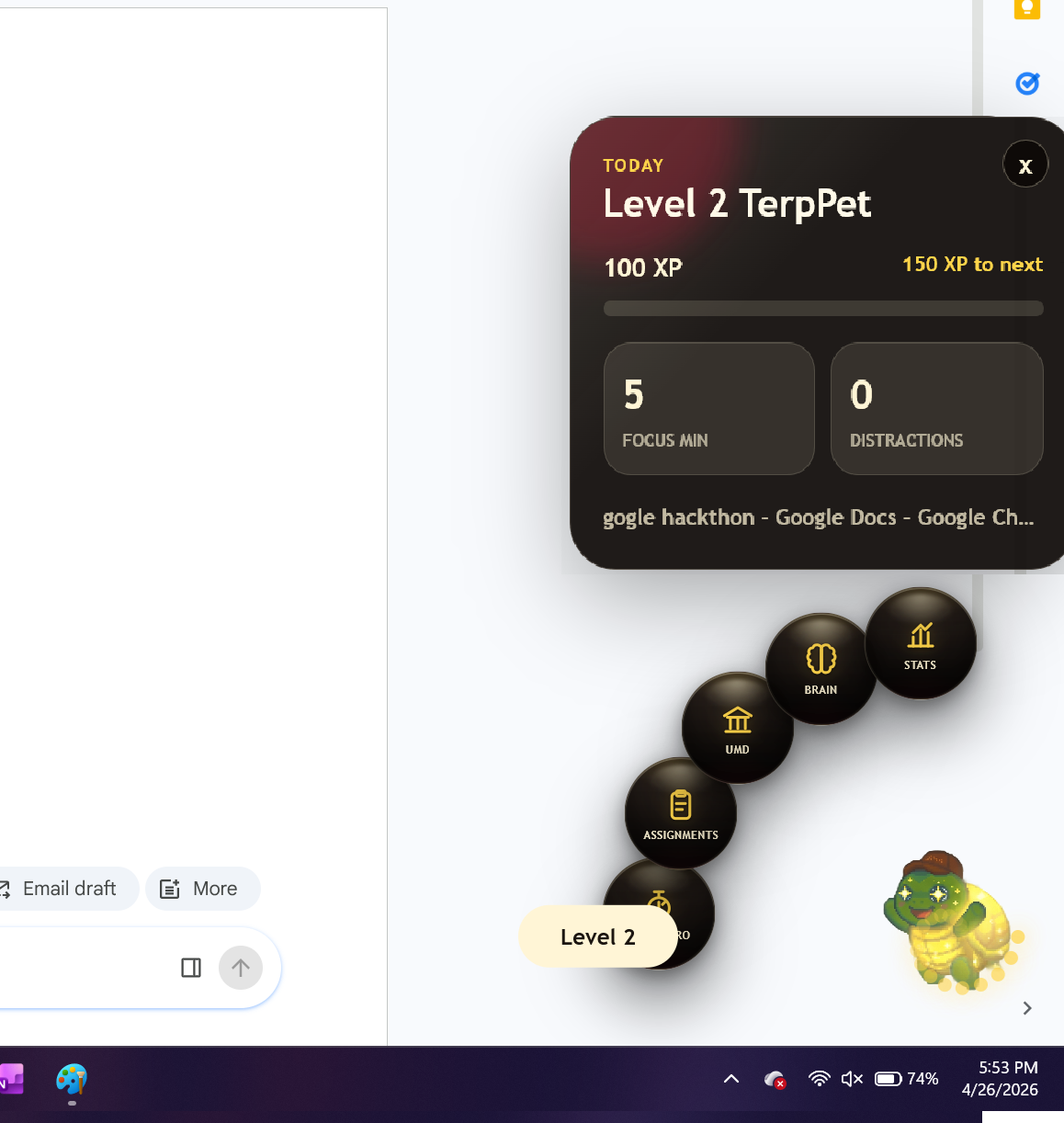
Click him to act. A radial orb menu pops out of Terpo with Pomodoro, Study Plan, Brain (his second-brain notes), and Stats. The menu is side-aware, so it always opens away from the screen edge. Pomodoro that punishes. Break early and Terpo gets a "Bad Apple" mood. Finish a session and he levels up.
UMD-native. Built-in study spot picker (McKeldin, STAMP, Iribe, etc.), dining hall reminders, and a Gemini-powered study plan generator that knows you're a Terp.
Second brain. An append-only memory log Terpo can recall from when you ask "what was that thing I read about transformers yesterday?"
How we built it
Frontend: Electron + Vite + React + TypeScript, with Zustand for shared state and Framer Motion for every animation (walking cycle, mood transitions, orb menu fan-out).
Backend: FastAPI on Python 3.12 with Pydantic v2 for the API contract. A WebSocket pushes Terpo's behavior frame at 1 Hz so the pet stays in sync with the world.
Vision: OpenCV + MediaPipe for face/eye detection, and Yolov8 small model for phone detection — that's how Terpo knows you've stepped away or are staring at your phone instead of your laptop.
Activity tracking: pywinctl for the active window and pynput for keyboard/mouse activity, fused into a "distraction streak" signal.
AI brain: Google Gemini (google-genai) powers the study plan generator and the "second brain" recall. Custom sprite system: Hand-rolled TerpPetSprite component that drives 8-frame sprite sheets at per-mood frame rates (sleepy is slower, exam-panic is faster), so Terpo's animations feel his mood.
Overlay UX: Frameless, transparent, always-on-top Electron window covering the full work area, with click-through enabled by default and only disabled over interactive elements via IPC.
Challenges we ran into
Python 3.12 dependency chaos. mediapipe, fastapi, and pygetwindow all had different opinions about which Python version they liked. We ended up swapping pygetwindow for pywinctl, pinning mediapipe==0.10.14, rebuilding the venv from scratch under pyenv shell 3.12.10, and recovering from a borked pip install along the way.
Electron almost bricked a MacBook. Our first overlay grabbed every mouse event on the screen — we couldn't click, force-quit, or even restart. Fixed it by defaulting to setIgnoreMouseEvents(true, { forward: true }) and only re-enabling input via a mousemove listener over interactive elements, plus Cmd+Shift+Q / Cmd+Shift+P global escape hatches.
Making Terpo walk naturally. Getting from "pet teleports across the screen" to "pet chills, visibly turns, walks off the right edge, seamlessly re-enters from the left, chills again, turns, walks off the left, re-enters from the right" took five animation rewrites — keyframe arrays, times offsets, instant off-screen wraps, and stepped scaleX flips that only fire when he actually changes direction.
Side-aware UI. The orb menu kept getting clipped at the screen edge. We added a shared petSide in Zustand, mirrored the menu's anchor + item angles based on which side of the screen Terpo was on, and paused the walking cycle when the menu was open so he didn't wander mid-click.
Coordinating async signals. Vision, activity, Pomodoro, and the Gemini calls all run independently — collapsing them into a single, stable pet_mood without flicker took some hysteresis tuning.
Accomplishments that we're proud of
A genuinely cute, click-through desktop pet that walks across your entire display without locking your mouse out.
Real-time mood mapping that responds to your webcam, your active window, and your Pomodoro state — Terpo actually notices when you pick up your phone.
A symmetric ping-pong walking cycle with seamless off-screen wraps and direction-aware sprite flips, all in framer-motion keyframes.
A side-aware radial orb menu that always opens away from the screen edge.
Custom sprite-sheet animation system handling 13+ moods at per-mood frame rates.
Survived our entire team using different Python versions and a teammate force-pulling over our changes mid-hack.
Built emergency keybinds before shipping the overlay, so we didn't kill anyone's laptop a second time.
What we learned
Electron overlay UX is harder than the rest of Electron combined. Mouse passthrough, transparency, multi-monitor workArea, and global shortcuts all matter more than any feature you build on top.
Framer Motion keyframe arrays + times can express surprisingly complex animation state machines without a single state library.
Zustand is great for connecting independent UI components (the pet and the menu didn't know about each other until we put petSide in shared state).
Pin your Python version on day one. Hours we'll never get back.
Hysteresis is your friend. Mood flicker is real when you fuse three different async signals.
A cute mascot covers a multitude of bugs. People forgive a lot when there's a smiling turtle on their screen.
What's next for Terpo
Voice. Gemini Live integration so Terpo can actually speak — gentle nudges when you're slipping, hype when you finish a Pomodoro.
Persistent brain. Move the second-brain log from a JSONL file to a real vector store so Terpo can do longer-horizon recall.
More Terpo. Outfits (Maryland hoodie, beach Terpo, finals-week Terpo with eye bags), evolutions, and a friend system so you can study alongside your roommate's Terpo.
Group focus mode. Multiple Terpos in a shared "study room" — one for each friend in your study group, all reacting to each other's focus state.


Log in or sign up for Devpost to join the conversation.