What it does
Small firms lose money to contracts that renew themselves because nobody sent notice in time. The date that matters is never written down; it has to be worked out from the start date, the term and the notice clause. Termwise works it out, and now it answers out loud.
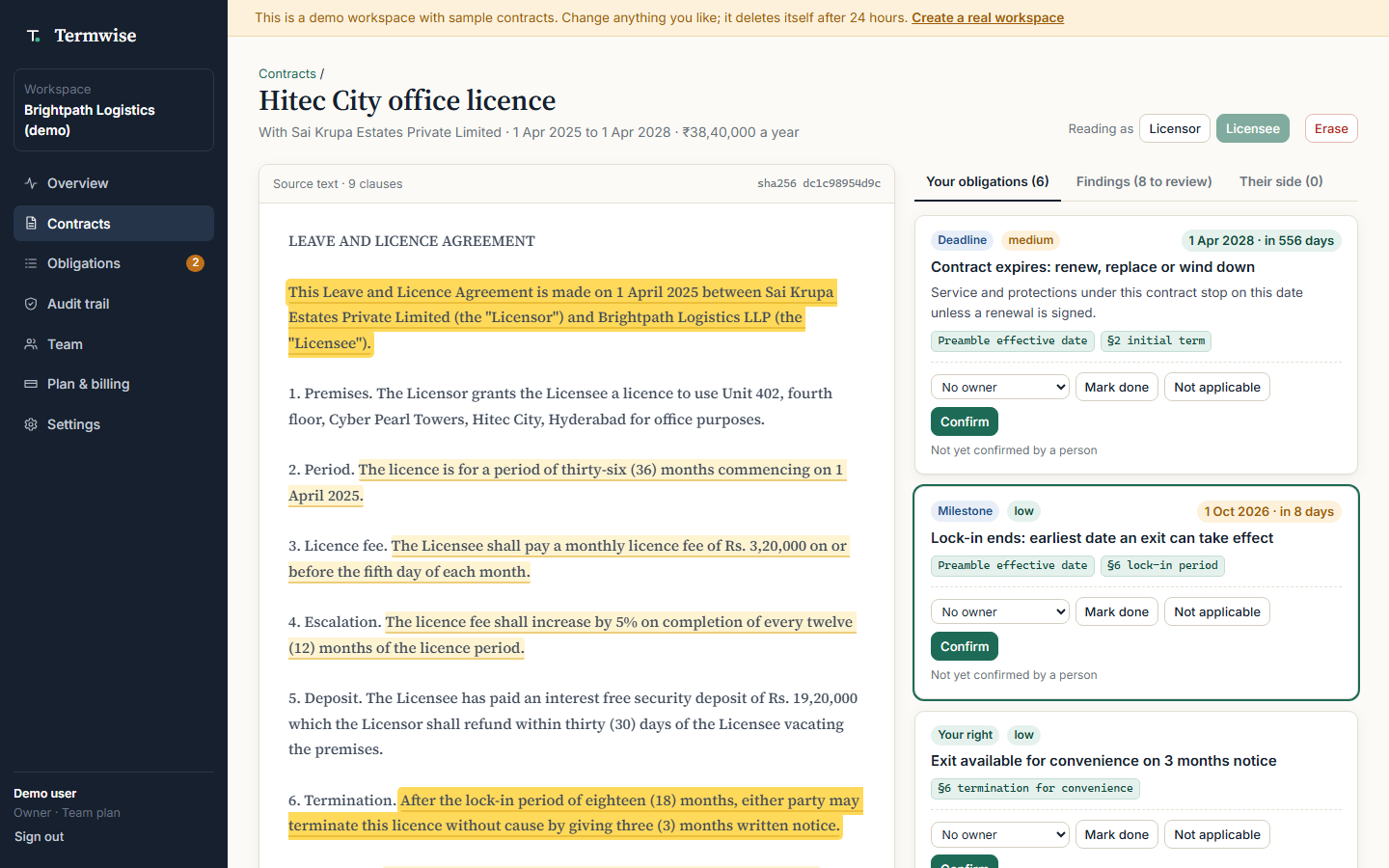
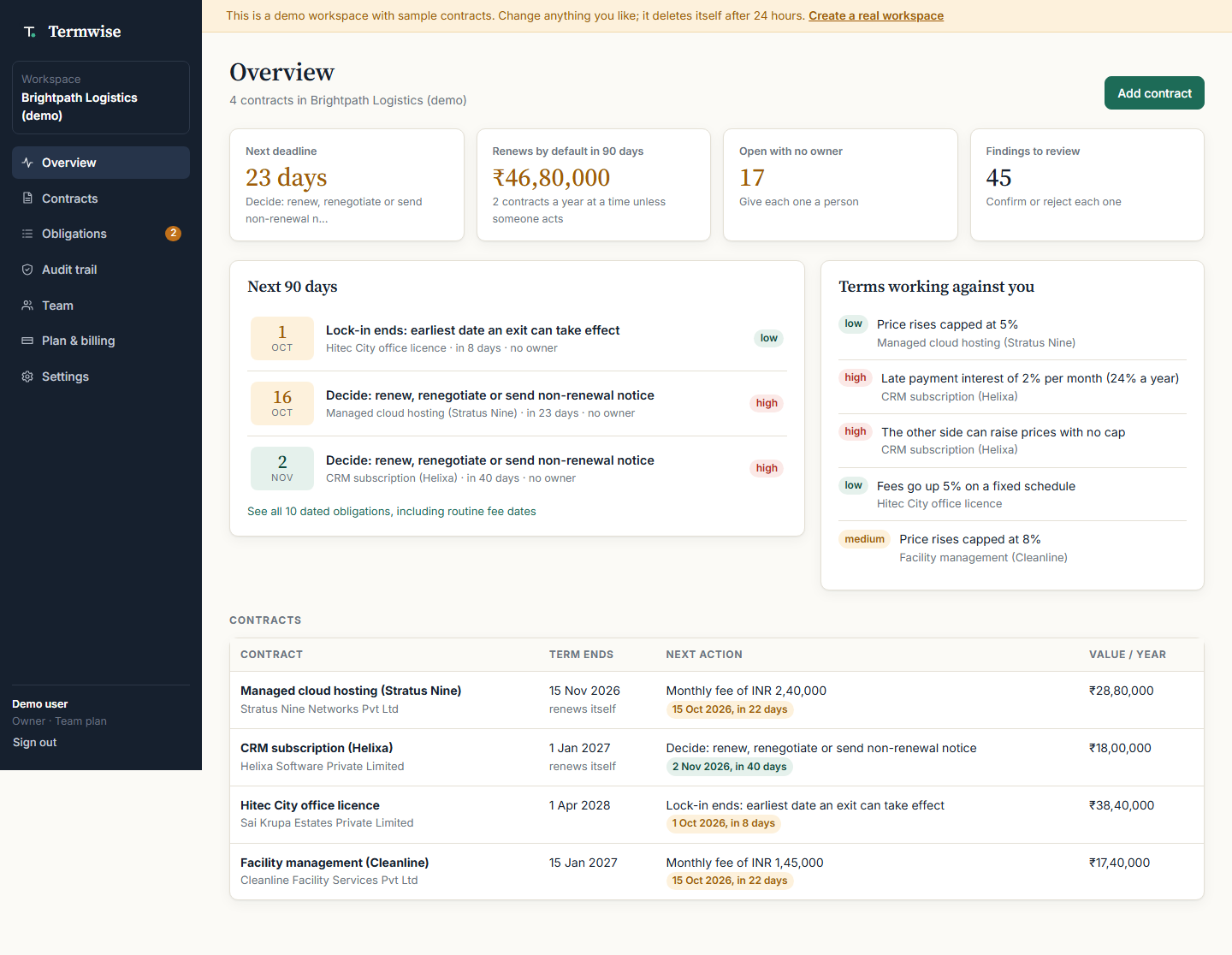
Termwise is a self-hosted MCP server that Alexa+ (or any MCP client) connects to over Streamable HTTP. Ask "what contract deadlines are coming up?" and it reads back each one with a full date and how many days are left. Ask "how much renews by default?" and it totals the yearly value that will roll over unless notice goes out, with the last day to send each notice. Ask "why is the hosting deadline on the 16th?" and it quotes each clause the date depends on: the start date from the opening paragraph, the two-year term from clause 1.1, the yearly renewal and 30-day notice from clause 1.2. It can also give an obligation an owner, mark it done with a note, and check that the audit trail has not been tampered with.
Eight tools: upcoming_deadlines, renewal_exposure, list_contracts, contract_obligations, explain_deadline, assign_obligation, complete_obligation, verify_audit_trail. Read-only tools are annotated as such.
How it is built
@modelcontextprotocol/sdk1.30.1, protocol 2025-11-25, stateless Streamable HTTP viaWebStandardStreamableHTTPServerTransportinside a Netlify Function, so there is no server to keep running.- Auth is a workspace key sent as a bearer token. The key acts as the person who made it and is capped by that person's current role on every request, so demoting or removing them demotes or cuts off their keys. Only a SHA-256 of the key is stored. Revocation takes effect on the next request.
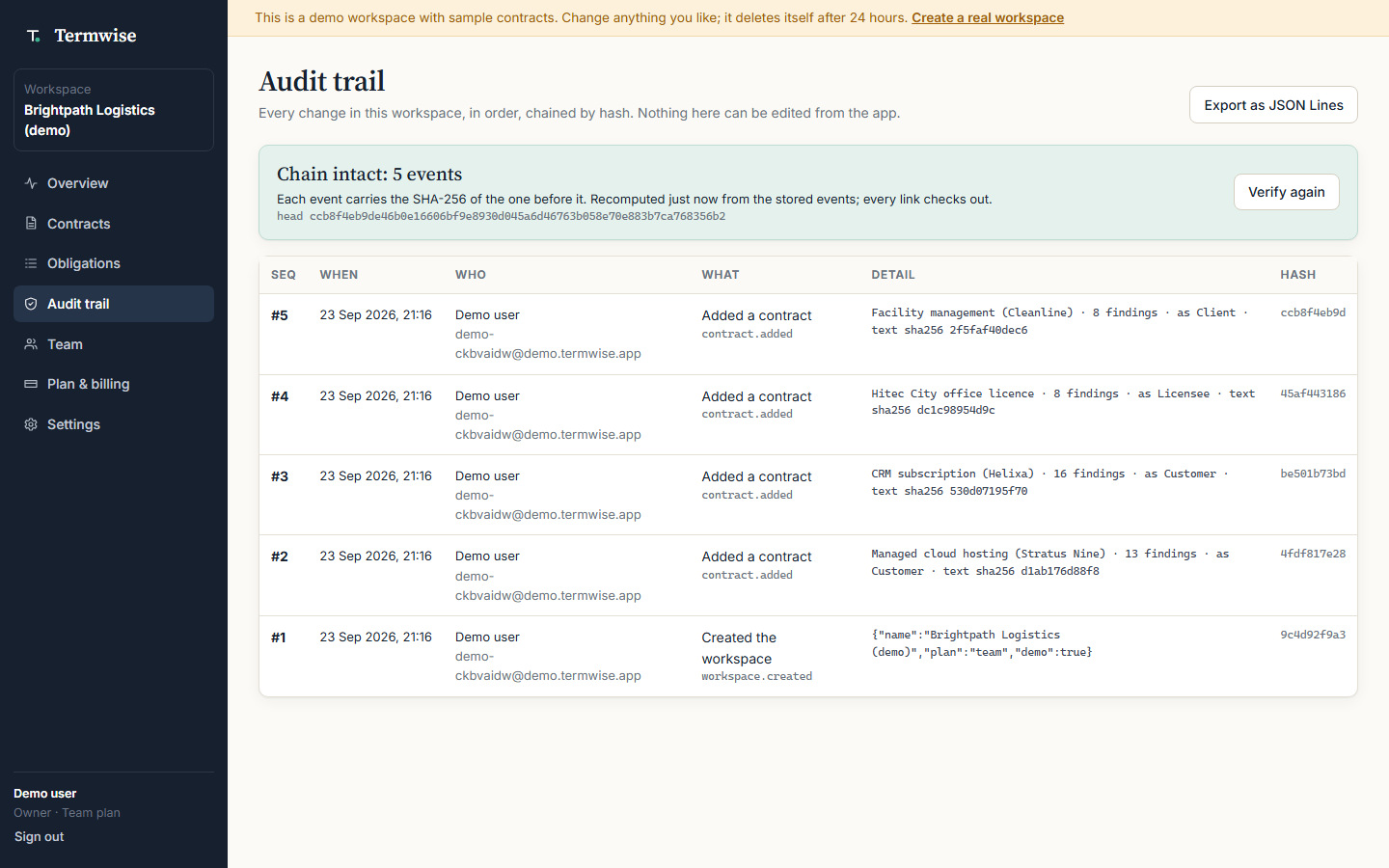
- Every tool calls the same service layer as the web app, so role checks, plan
limits and the hash-chained audit log apply unchanged. Changes made through an
assistant are logged as the person, marked
via: mcpwith the key id. - Answers are written for speech ("16 October 2026, in 22 days", "46.8 lakh
rupees") in
content, with the same data as fields instructuredContent. - Contract names are resolved the way people say them ("the hosting one", "Helixa"); when two contracts tie, the tool asks which one instead of guessing.
- Nothing in the answer path is generated. Every date is arithmetic over quoted contract text, and every quote is checked by tests to be the exact text at its stored offsets.
- 53 automated tests, 13 of them for the MCP layer: protocol version, tool list, spoken output, clause quoting, role caps, revocation, hashed storage, audit attribution.
The Assistant console
The app has an Assistant page that talks to the same /mcp endpoint with its own key and shows the conversation beside the raw JSON-RPC traffic. Choosing which tool a sentence means is Alexa+'s job; on the console a small keyword router stands in for that step, and the page says so.
Pre-existing work disclosure
Termwise (the web app, contract engine and audit log) was started on 23 September 2026, inside this hackathon's submission period. The MCP server, workspace keys, key revocation, role capping, audit attribution and the Assistant console were built on 24 September 2026 for this hackathon. The web app was also entered in Galuxium Nexus V2, a separate SaaS hackathon.
Product feedback: MCP TypeScript SDK
WebStandardStreamableHTTPServerTransportmade serverless hosting simple: a freshMcpServerper request in stateless mode, returning a webResponse, with no Express or Node HTTP adapter.enableJsonResponse: trueis worth highlighting in the docs for stateless deployments; plain JSON responses are far easier to debug than SSE when there are no server-initiated messages.registerToolwith zod shapes and annotations is clear. It would help if the docs showed returningstructuredContentwithout anoutputSchema, since voice use wants both a spoken sentence and structured data.- Tool errors: the distinction between returning
isError: true(the assistant can read the message aloud) and throwing (a protocol error the user never hears) matters a lot for voice, and deserves a paragraph in the docs.
How judges can test
Open the live demo at https://termwise-app.netlify.app (no sign-up), go to Settings, Connect a voice assistant, create a key, then point the MCP Inspector at https://termwise-app.netlify.app/mcp with Authorization: Bearer <key>, or use the Assistant page.
Built With
- alexa
- javascript
- mcp-typescript-sdk
- model-context-protocol
- netlify-blobs
- netlify-functions
- node.js
- zod

Log in or sign up for Devpost to join the conversation.