
Inspiration
As developers, we were drowning in terminal chaos—juggling dozens of local servers across multiple projects, each requiring different commands and constant context switching. We'd lose track of what was running, waste time hunting for the right terminal window, and constantly restart crashed services. There had to be a better way to bring order to this madness.
What it does
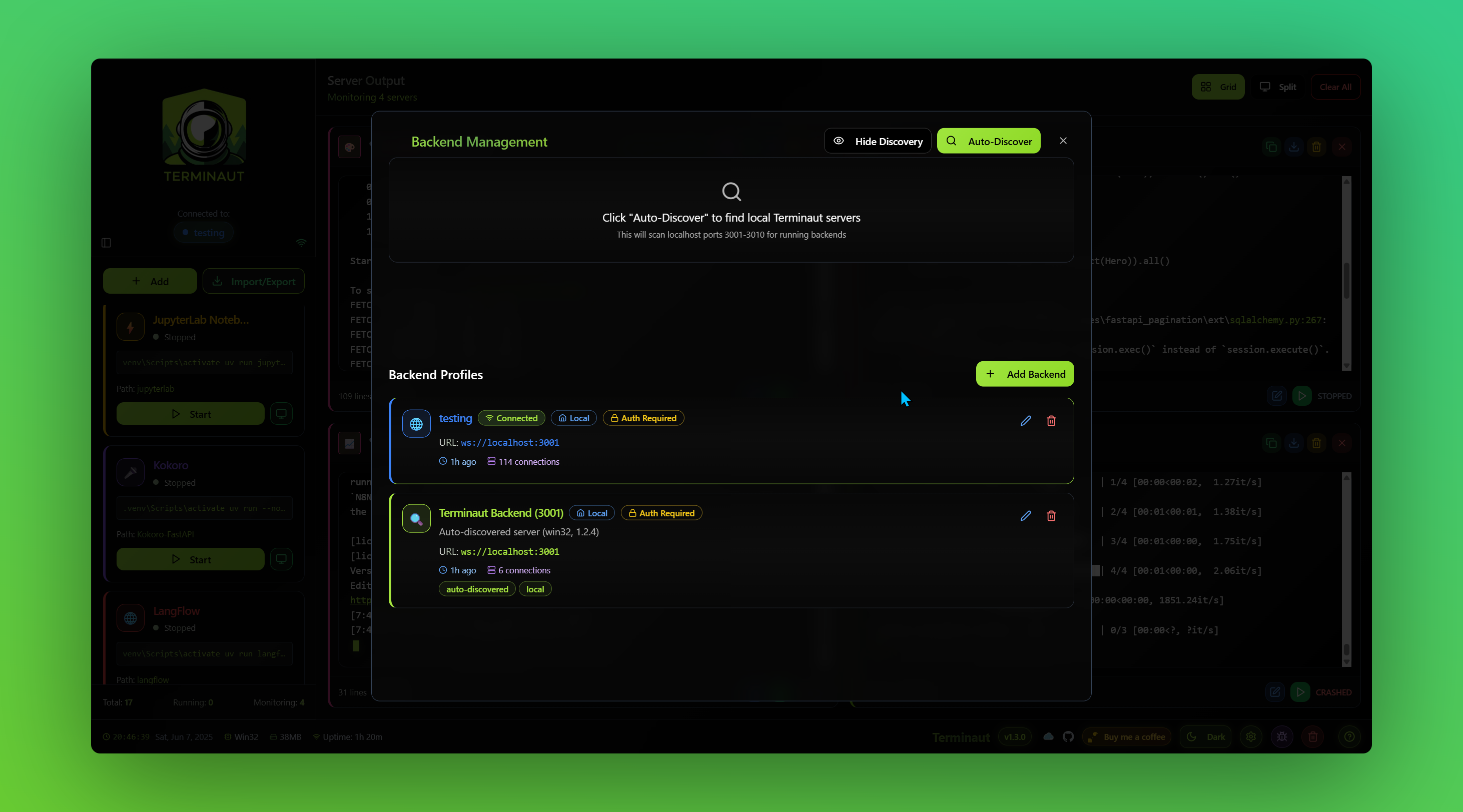
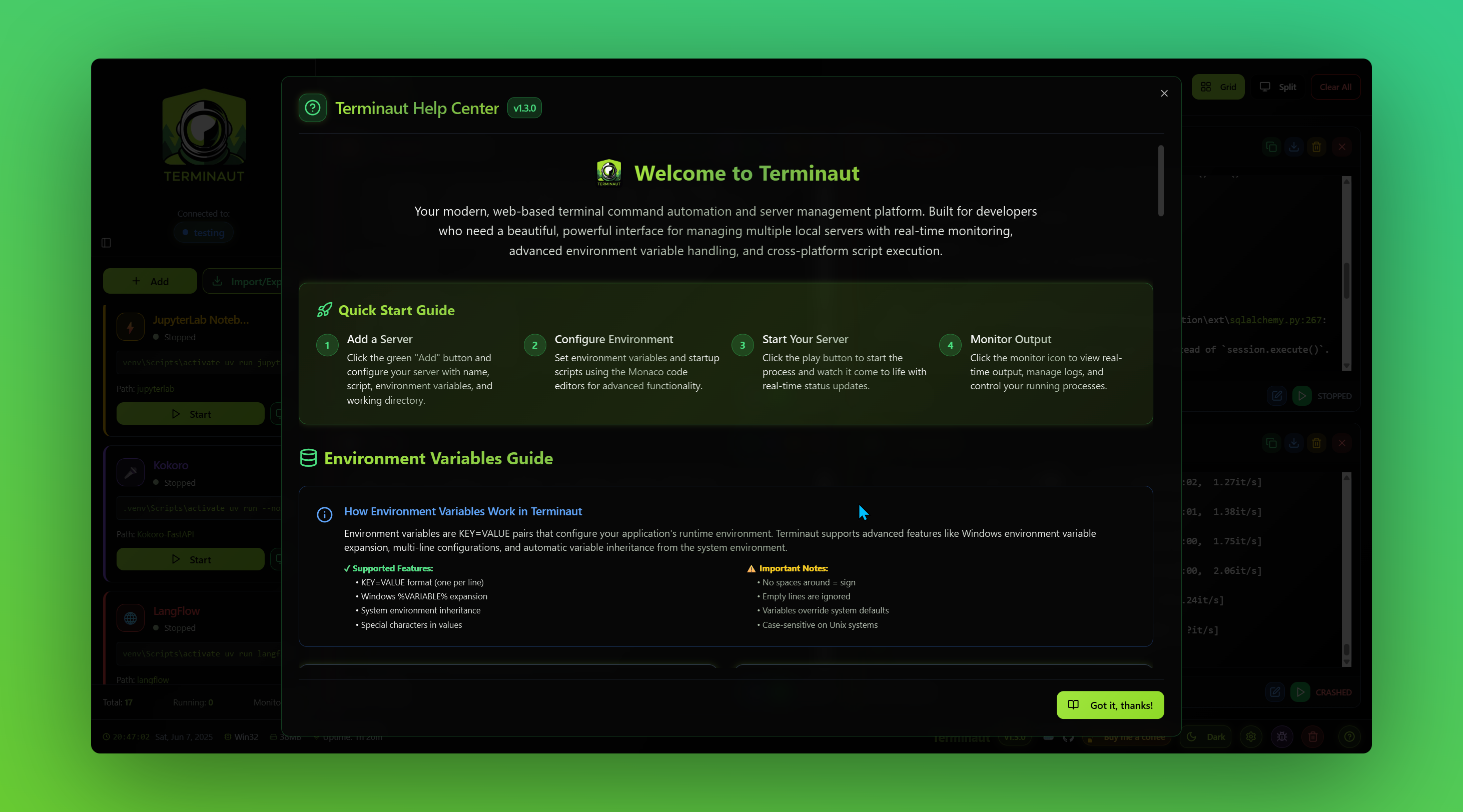
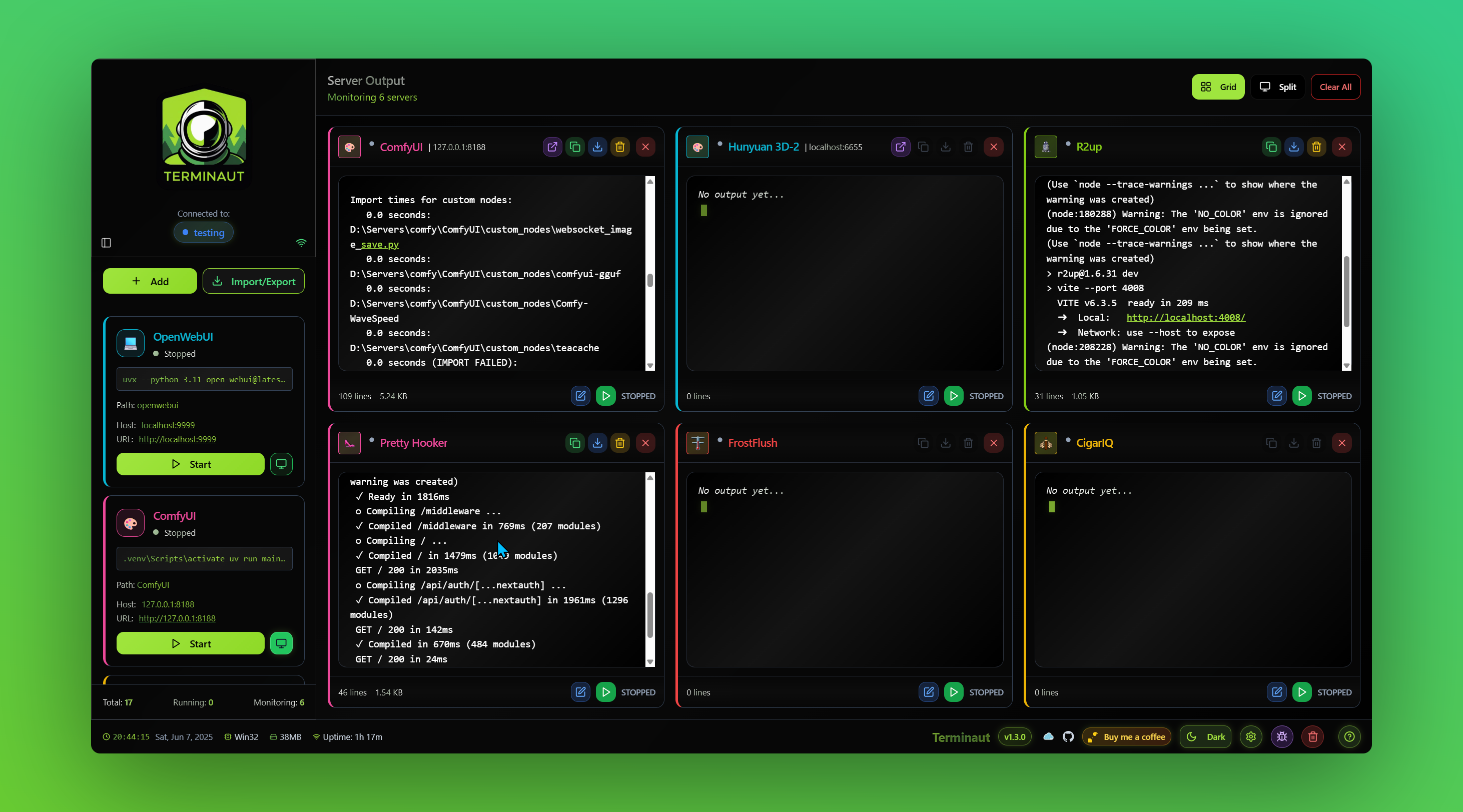
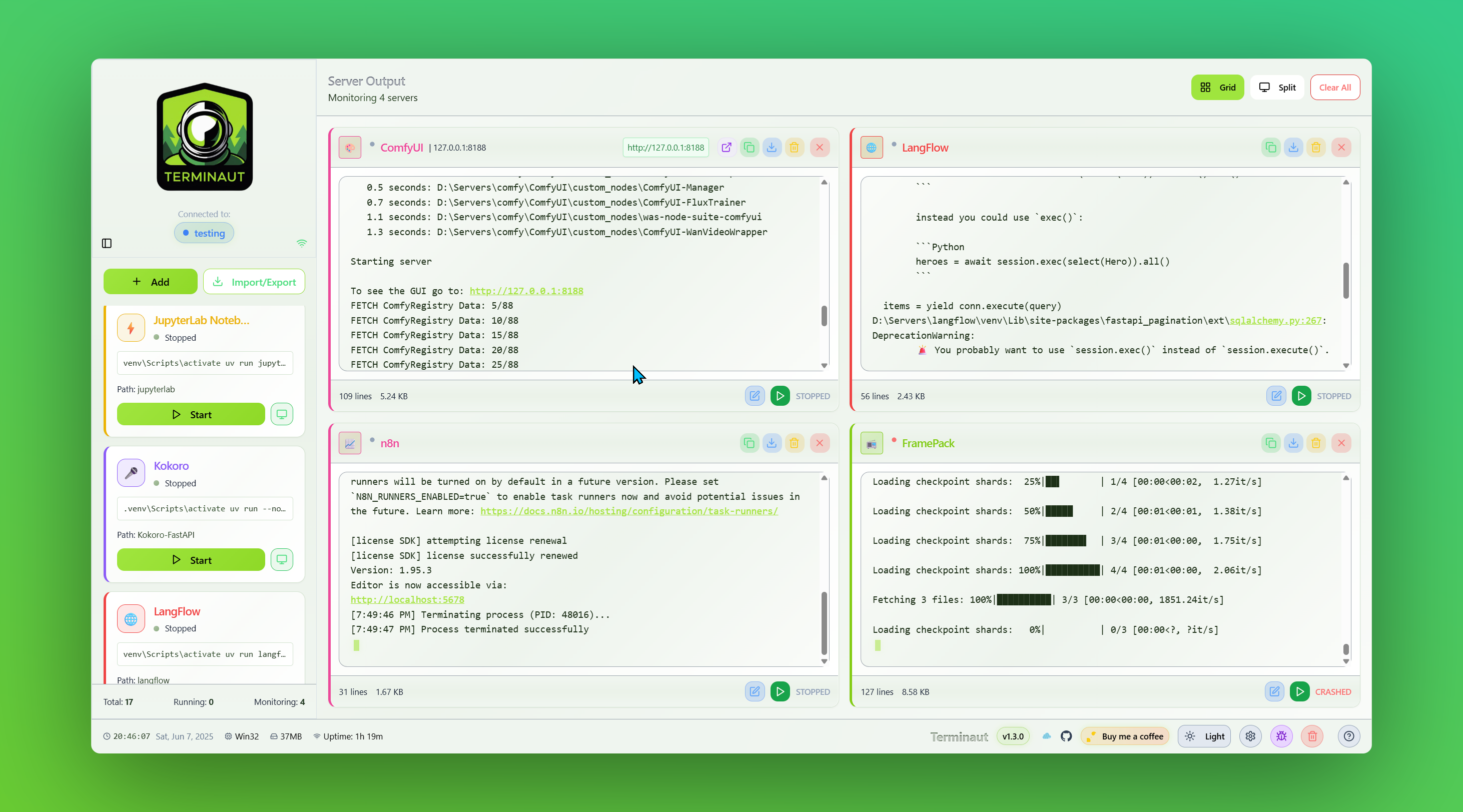
Terminaut is a revolutionary web application that transforms local server management from chaos to control. It provides a single, beautiful interface where developers can:
- Manage unlimited servers with custom configurations, environments, and startup scripts
- Start, stop, and monitor all services with one-click simplicity
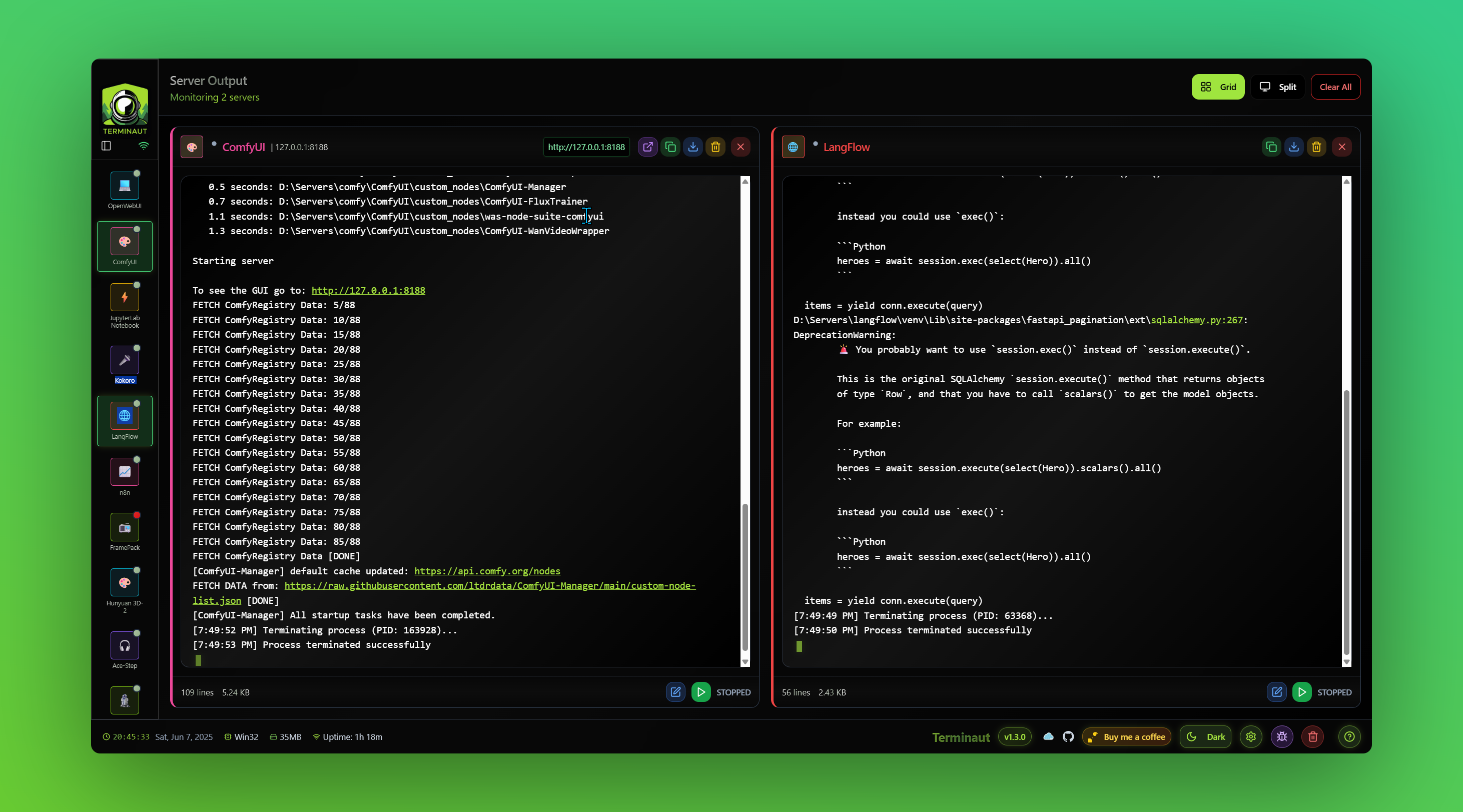
- Stream real-time terminal output with syntax highlighting and ANSI color support
- Auto-restart crashed services with intelligent failure detection
- Import/export configurations for seamless team collaboration
- Customize server icons and colors for instant visual identification
How we built it
We crafted Terminaut using cutting-edge web technologies:
- Frontend: React 18 + TypeScript + Vite for lightning-fast development
- UI/UX: Tailwind CSS + shadcn/ui with custom green-themed dark mode
- Backend: Node.js + Express + WebSocket for real-time bidirectional communication
- Process Management: Cross-platform child_process spawning with proper signal handling
- Storage: Intelligent localStorage with automatic image optimization
- Code Editor: Monaco Editor integration for advanced script editing
The architecture emphasizes real-time communication, with WebSocket streams delivering live terminal output and status updates instantly.
Challenges we ran into
- Cross-platform process management: Different operating systems handle process spawning and termination differently. We solved this with platform-specific logic and the tree-kill library.
- Real-time output streaming: Ensuring terminal output displays exactly as generated, preserving ANSI colors and formatting while handling massive data streams.
- Storage quota limitations: Large custom images exceeded browser storage limits. We implemented automatic image optimization, reducing 500KB images to 3-5KB while preserving quality.
- Process lifecycle management: Properly tracking PIDs, handling crashes, and preventing orphaned processes across different shells and platforms.
Accomplishments that we're proud of
- Zero-latency terminal streaming that displays output character-by-character as it's generated
- Intelligent image optimization that automatically resizes and compresses custom icons by 99% while preserving transparency
- Bulletproof persistence ensuring configurations never disappear, even with immediate page refreshes
- Beautiful, responsive UI that works flawlessly across desktop and tablet devices
- Cross-platform compatibility supporting Windows PowerShell/CMD, macOS Terminal, and Linux shells
- Production-ready architecture with comprehensive error handling and graceful fallbacks
What we learned
- Real-time web applications require careful consideration of data flow, buffering, and user experience
- Process management is surprisingly complex across different operating systems and shells
- Browser storage limitations can be elegantly solved with client-side optimization techniques
- Developer experience is paramount—every interaction should feel instant and intuitive
- Modern web technologies like WebSockets and Canvas API enable desktop-class applications in the browser
What's next for Terminaut
- Docker integration for containerized service management
- Remote server support to manage servers across different machines
- Performance metrics and resource monitoring dashboards
- Implimenting User Ideas! we are going to be updating this often and ensuring all your best ideas are added!
Terminaut represents the future of developer tooling—where complexity is hidden behind beautiful, intuitive interfaces that just work.
Built With
- augment
- bolt
- css3
- cursor
- express.js
- html5
- javascript
- node.js
- react
- tailwind
- typescript
- websocket


Log in or sign up for Devpost to join the conversation.