Inspiration
We watched beginners copy rm -rf from StackOverflow and AI without understanding what -rf actually does — one mistake can erase important data. Existing Linux tutorials are often static, while dashboards focus on generic progress rather than real learning. AI can give users the right command, but it doesn't always teach them why it works.
We wanted to build not a chatbot, but an operating system for learning Linux — a place where learners think in commands instead of memorizing them.
Don't just give the learner the command. Teach them how to think about the command.
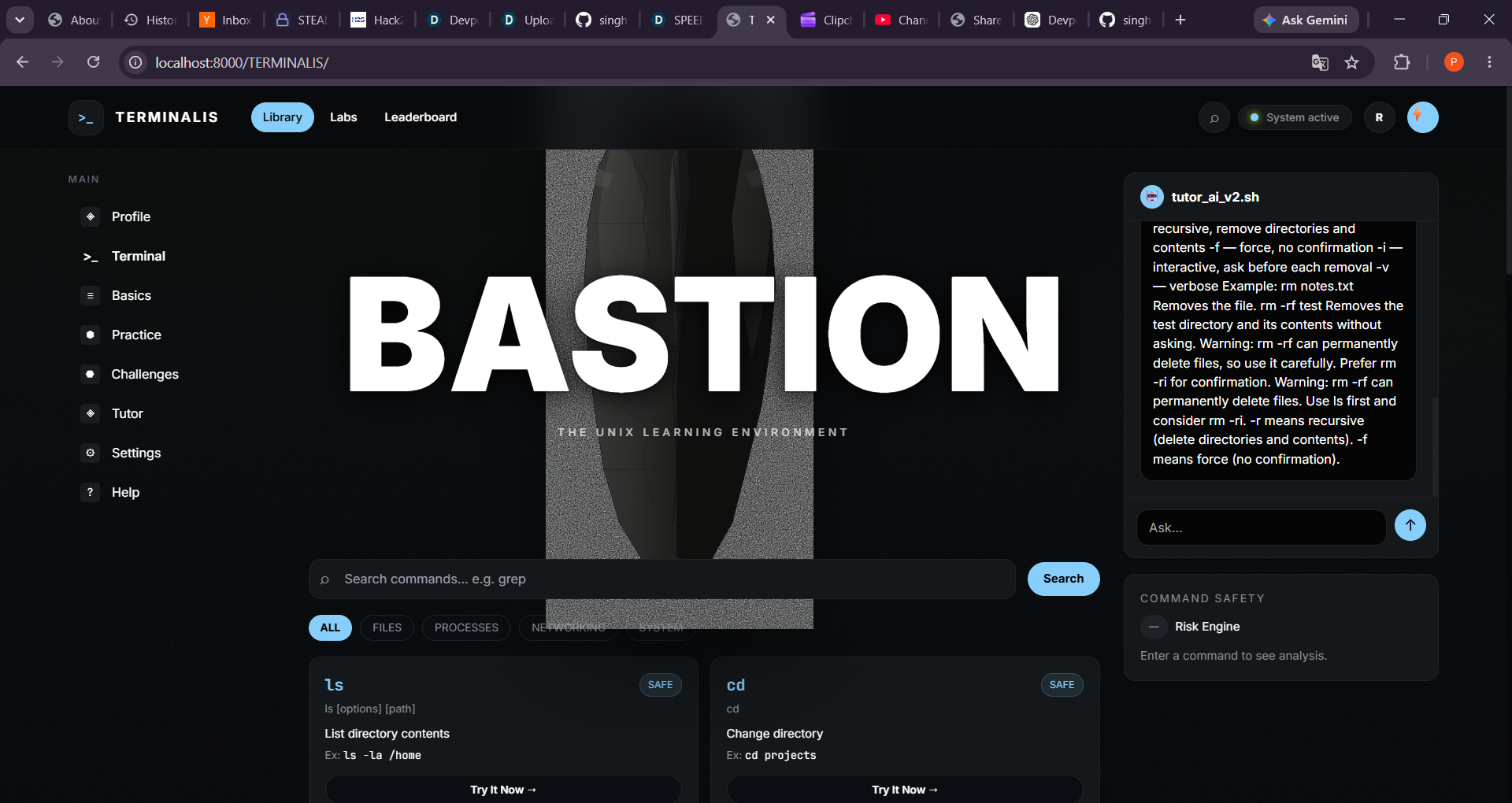
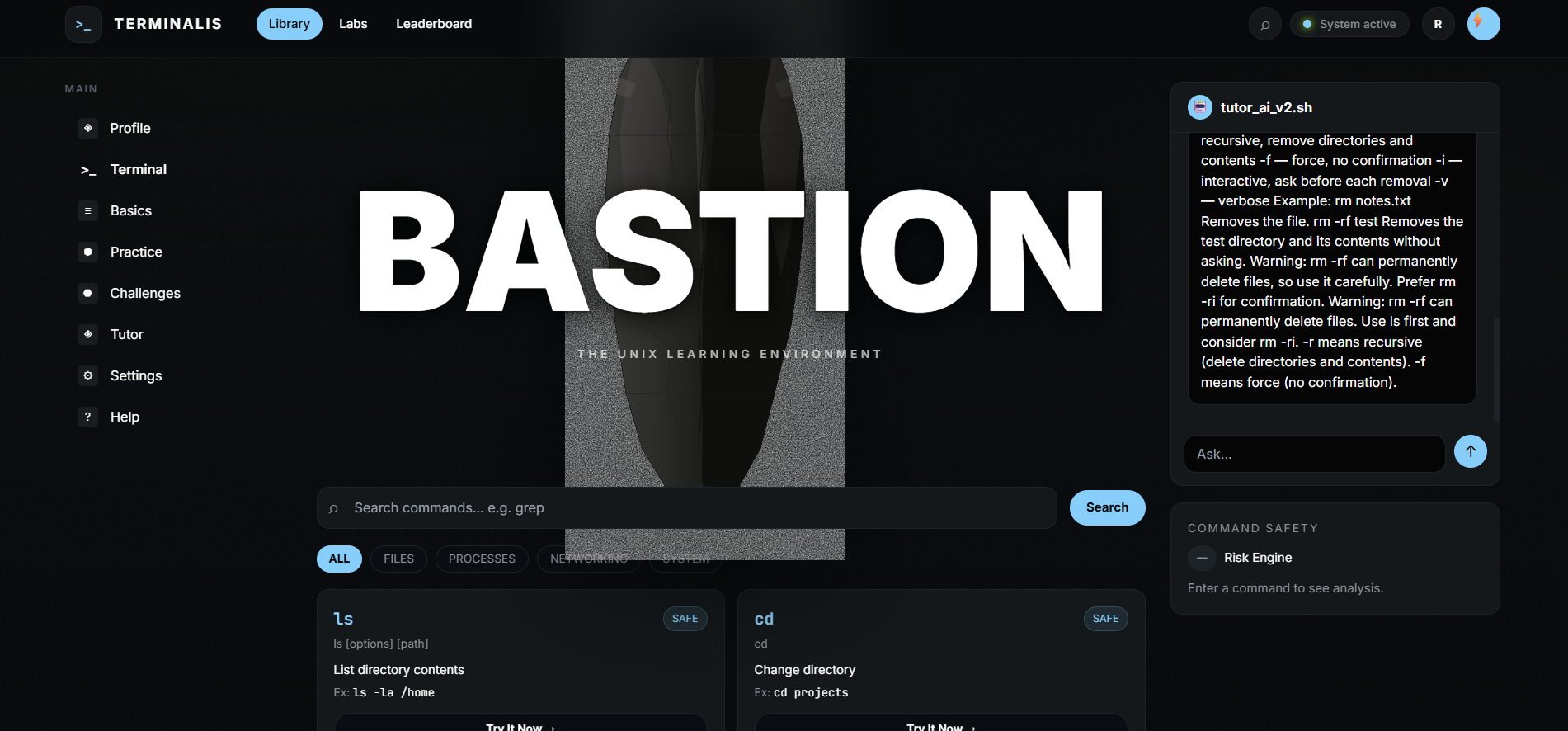
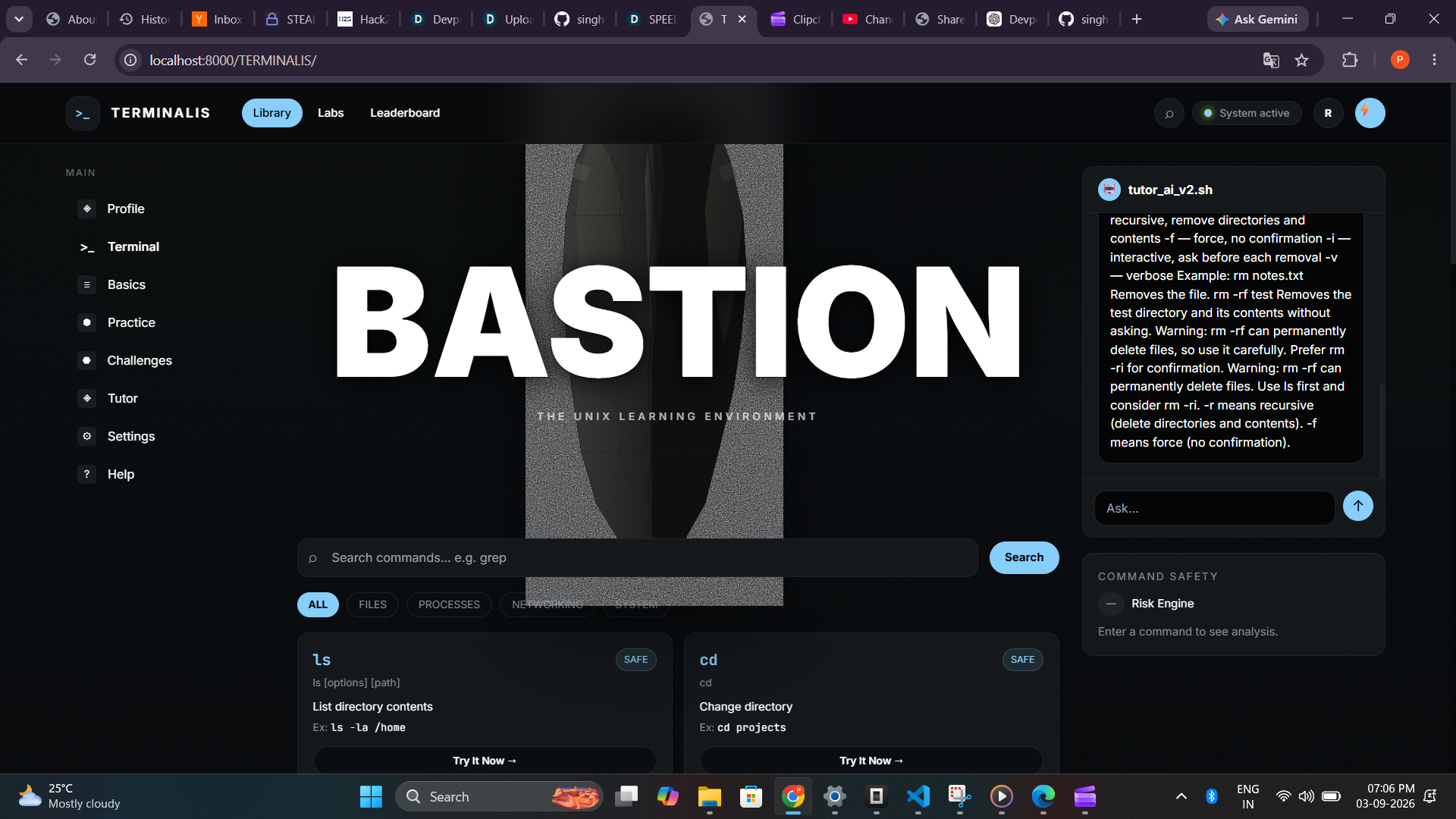
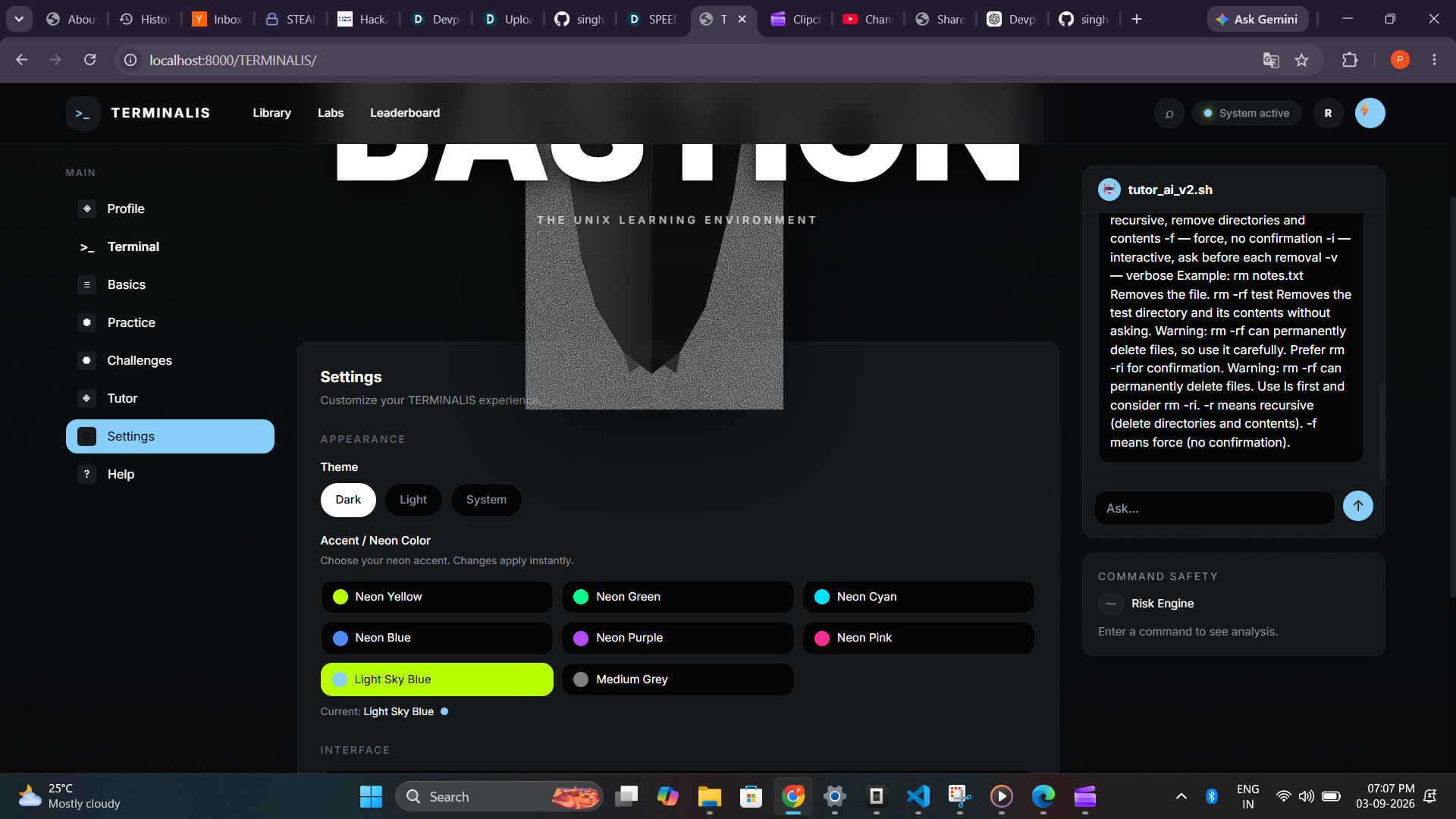
That idea became TERMINALIS — BASTION, combining underground mining + UNIX + premium editorial design. The raw stone represents the material of the terminal, while lime #B8FF00 represents the glow of a live system.
What it does
TERMINALIS follows a simple learning loop:
Learn → Practice → Execute → Get Feedback → Improve
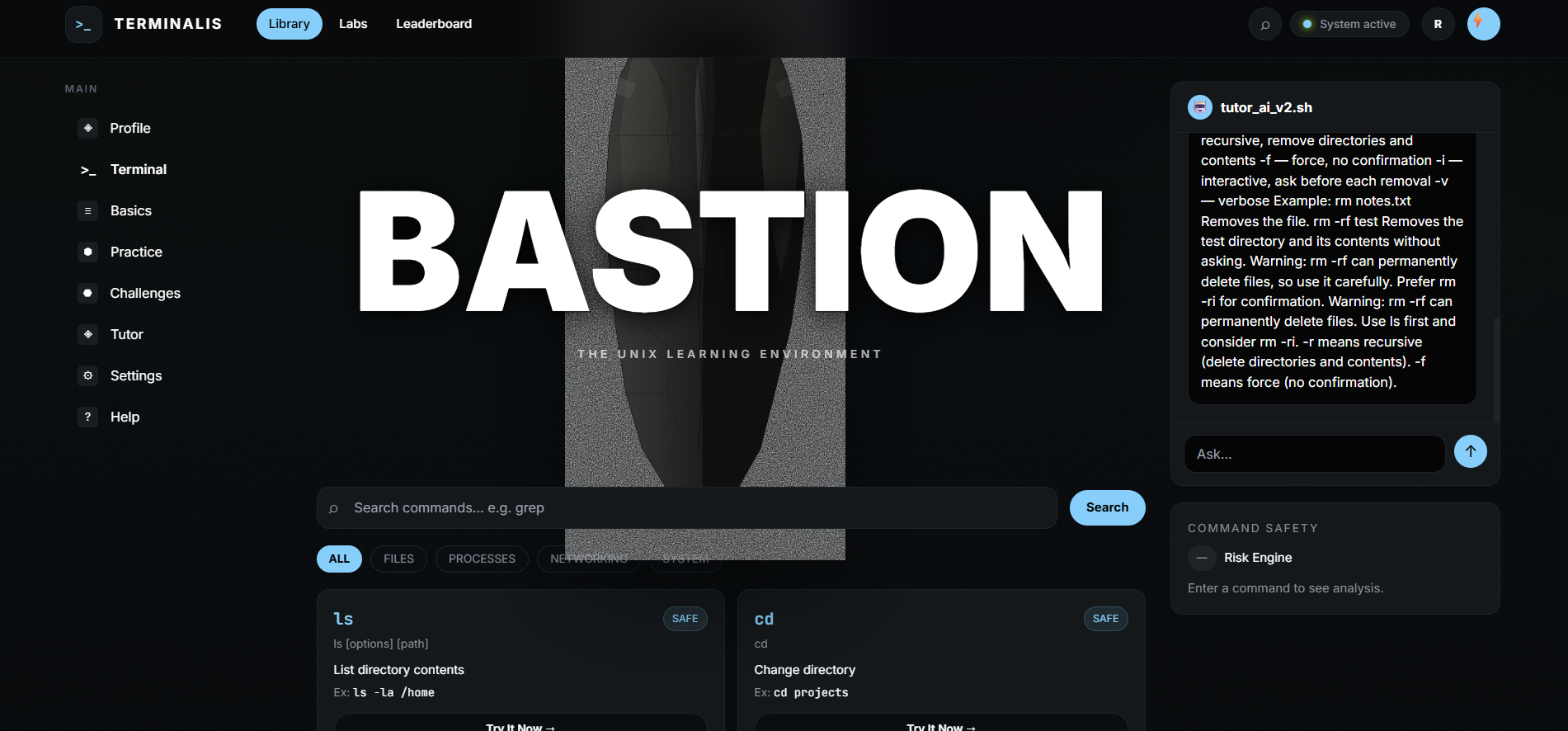
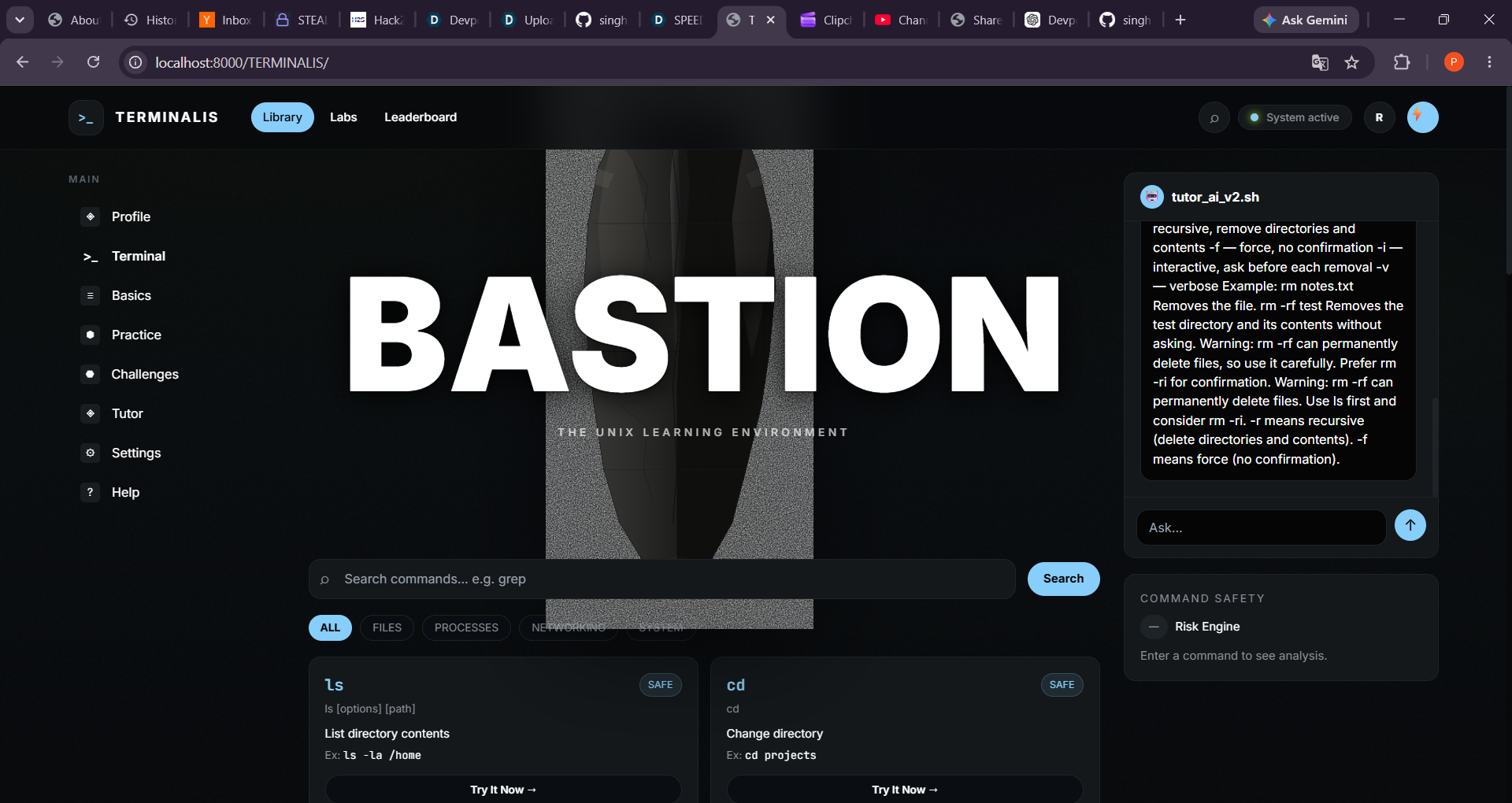
- Library — Explore 24 Linux commands from
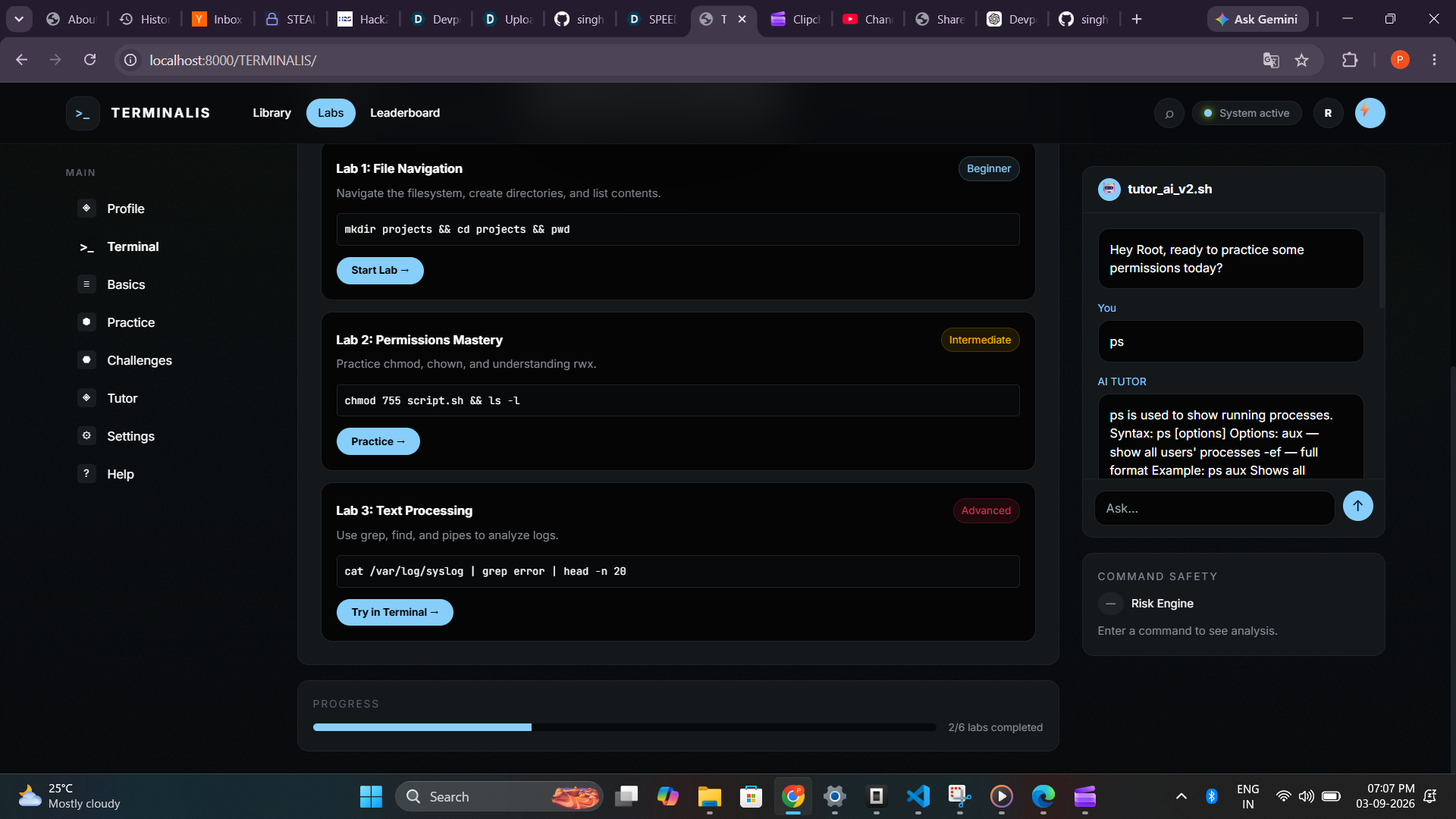
lstotar, searchable by name, description, and syntax. Commands can be filtered into Files, Processes, Networking, and System, with a Try It Now option that opens the terminal. - Labs — Three hands-on learning experiences: File Navigation, Permissions Mastery, and Text Processing.
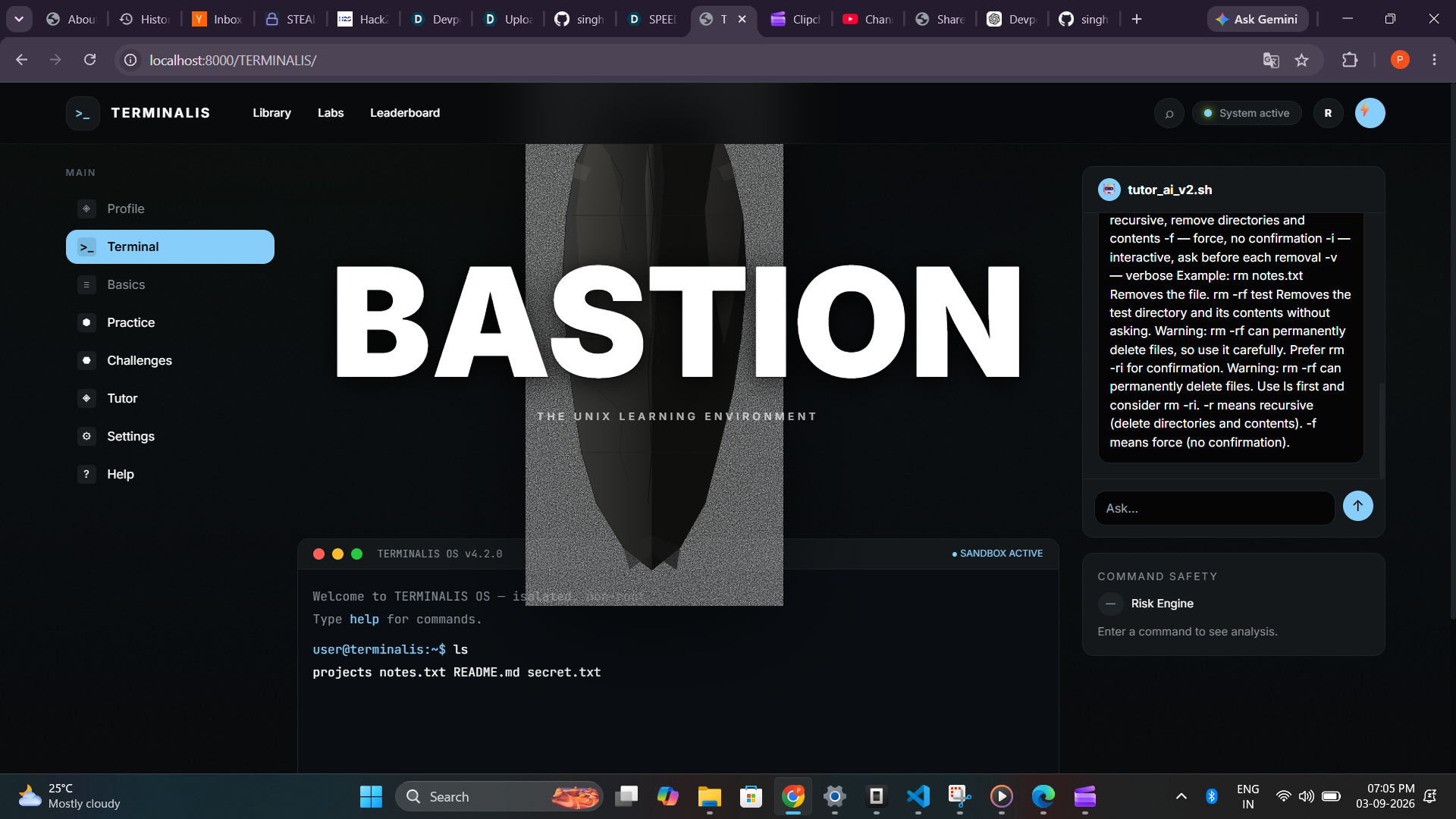
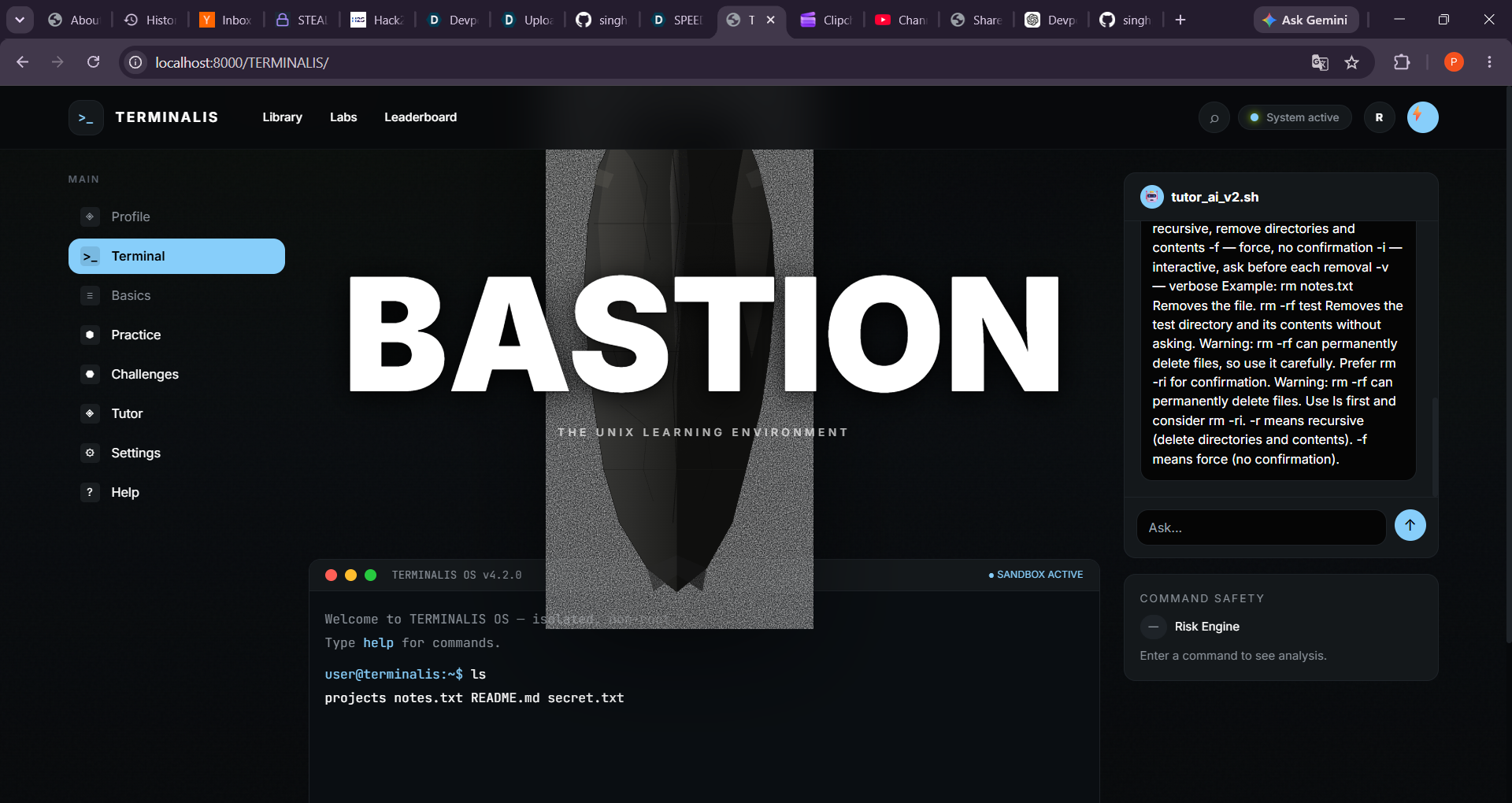
- Interactive Terminal — A sandboxed, stateful terminal with a virtual filesystem. For example:
mkdir test→ls→cd test→pwd→/home/user/test. Command Safety — Commands are analyzed before execution:
ls→ SAFErm file.txt→ CAUTIONrm -rf folder→ DANGEROUSsudo rm -rf /→ CRITICAL and blocked with ⚠️ COMMAND BLOCKED
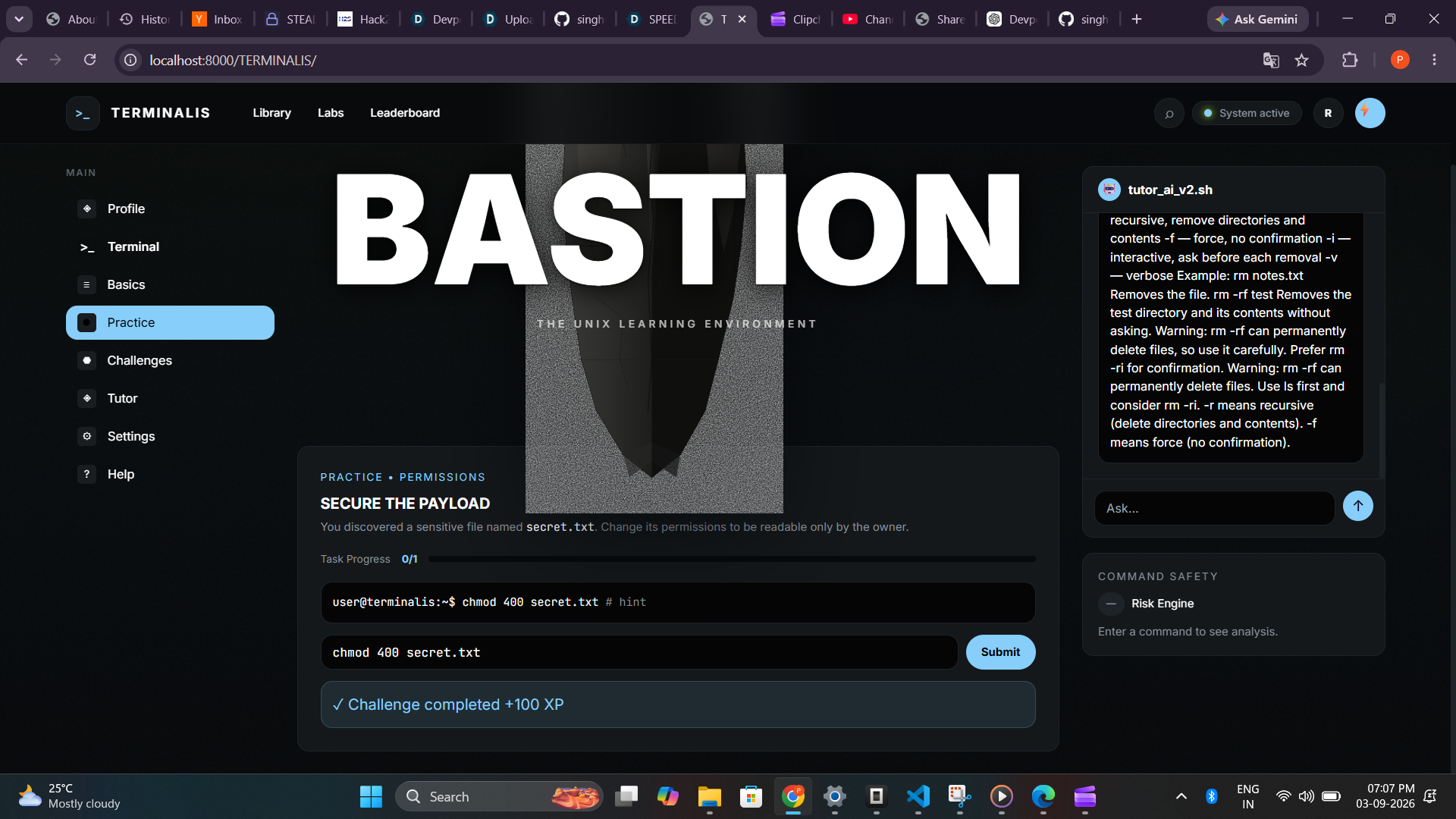
Practice — Challenges such as SECURE THE PAYLOAD, where learners use
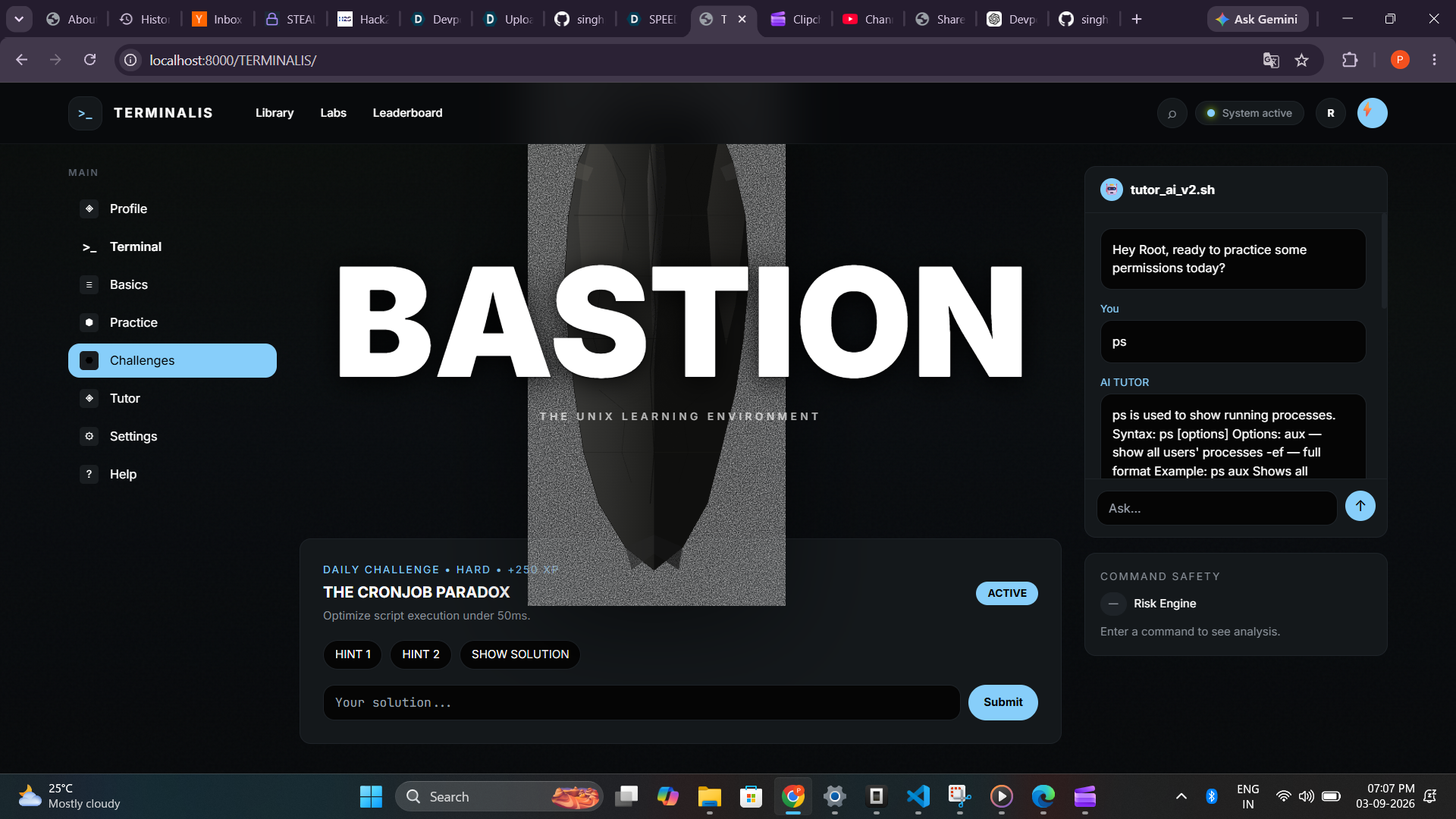
chmod 400 secret.txtand receive +100 XP after completing the task.Challenges — Advanced problems such as THE CRONJOB PARADOX, a Hard challenge worth +250 XP, using commands such as
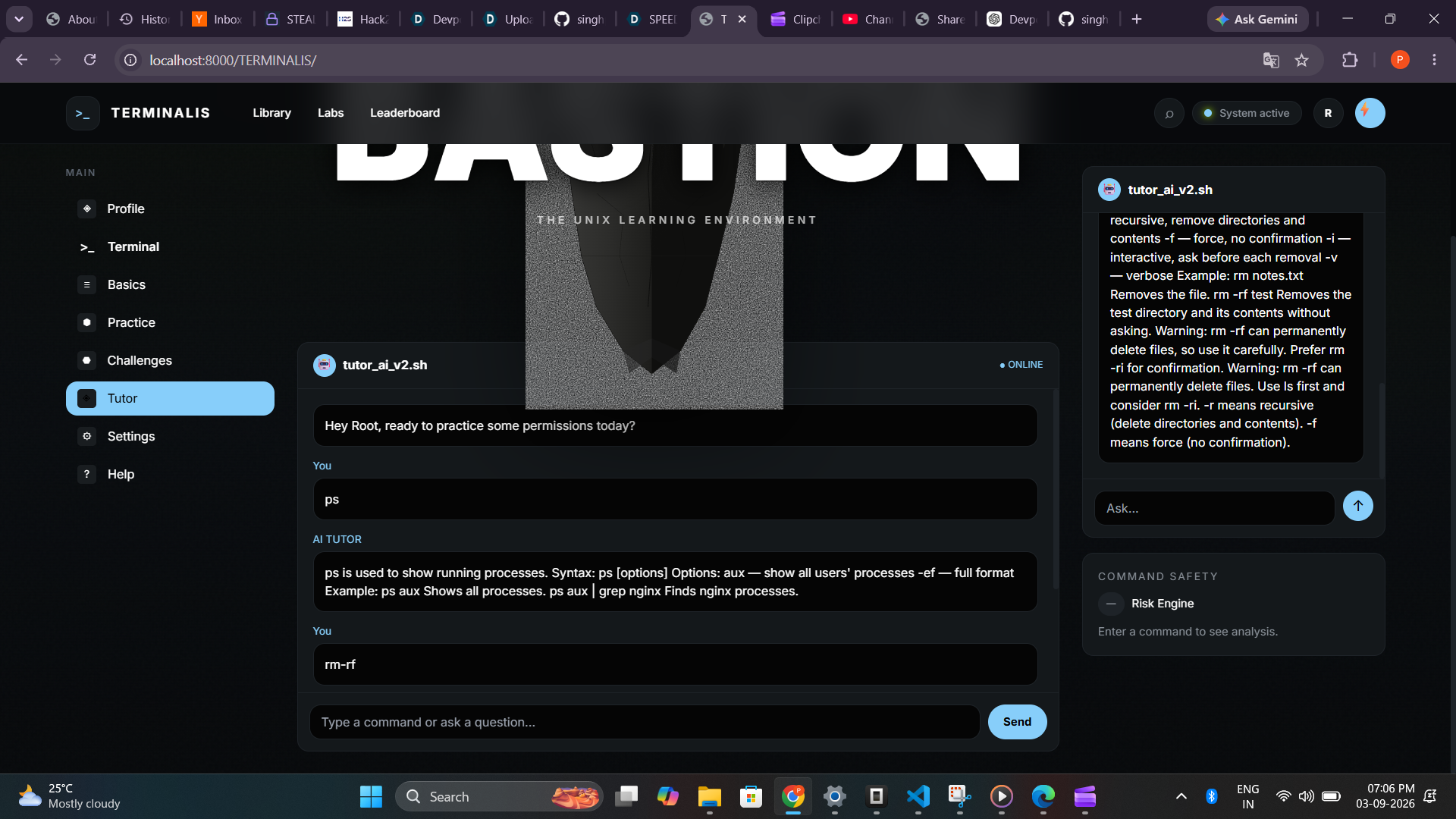
find . -name "*.log" -size +100M.AI Tutor — A Socratic tutor supporting 50+ commands, pipes, redirection, wildcards, and natural-language questions such as “How do I create a folder?” →
mkdir.Progress Tracking — Progress is based on real
localStoragedata rather than hardcoded numbers. XP, mastered commands, and streaks are persisted locally.BASTION Hero — A pure SVG stone texture using
feTurbulence, with a dark stone palette and BASTION editorial typography.
How we built it
TERMINALIS was built using:
HTML · Tailwind CSS · JavaScript · Python · SVG
The application is intentionally a static, single canonical app with no build step required.
cd "Default Project"
python -m http.server 8000
# http://localhost:8000/TERMINALIS/
Architecture
- Static HTML + Tailwind CSS v3.4.1 — Tailwind is generated locally into
TERMINALIS/tailwind.css, making the application more reliable and offline-capable. - Vanilla JavaScript — Handles application state and navigation through
setActiveView(view). - localStorage — Stores
terminalis_state, includingxp,masteredCommands[], andstreak. - No React/Next — We intentionally kept the project lightweight, fast, and offline-capable.
- Data-driven learning content — Learning pages are organized through a
learningPagesobject, allowing different Linux topics to render distinct content.
Challenges we ran into
1. CDN fragility
Initially, the project depended on cdn.tailwindcss.com. After a refresh, a network resolution error caused the page to become unstyled and produced tailwind is not defined.
Solution: We generated Tailwind locally and removed the dependency on the CDN and tailwind.config script.
2. Same-page routing bug
Initially, multiple Learn routes rendered the same component because of a Route path="*" fallback. This resulted in incorrect pages and 404 behavior.
Solution: We moved to data-driven learningPages[topic] routing with distinct view-* states for each route.
3. Safety warning timing
After pressing Enter, updateCommandSafety('') cleared the displayed DANGEROUS warning before the user had a chance to see it.
Solution: We introduced let lastCommand and used the most recent command when the terminal input was empty, ensuring the safety classification remains visible.
Accomplishments that we're proud of
- Every major section — Library, Labs, Terminal, Practice, and Challenges — contains distinct, functional content rather than placeholder pages.
- The terminal feels realistic:
psreturns process information,unamereturns Linux system information,mkdirandcdmaintain state, and unknown commands returncommand not found. - The Library and Labs are genuinely different: Library is for command discovery and reference, while Labs provide hands-on practice.
- Progress uses real user data instead of fake statistics.
- The command-safety system provides immediate feedback and blocks critical commands.
- The BASTION visual identity uses restrained black + stone texture + lime rather than a generic neon-gaming aesthetic.
- The entire experience is designed around the idea that learners should understand commands, not simply copy them.
What we learned
- Judges test clicks, not screenshots. We discovered that duplicate-looking sections were easy to miss visually, so we made sure every important navigation path leads to genuinely different functionality.
- Real data is better than fake numbers. Instead of displaying hardcoded values such as
15,124, or12,450, the interface now reflects actualstreak,masteredCommands.length, andxpvalues. - Guard the critical path. A small JavaScript initialization failure can break navigation entirely, so important state such as
activeViewmust be initialized before dependent functionality such asIntersectionObserver. - Safety should be part of learning. Showing that
rm,rm -rf, andsudo rm -rf /have different risk levels teaches learners to understand the consequences of commands rather than blindly executing them. - Learning by doing is more powerful than static documentation. The combination of explanation, terminal execution, feedback, and challenges creates a more active learning experience.
What's next for TERMINALIS
- Backend synchronization for cross-device XP and streaks.
More hands-on labs, including:
- Networking Lab —
ping,curl - Process Lab —
kill
- Networking Lab —
Accessibility audit to work toward a full WCAG compliance claim.
Expand the command library and AI Tutor to cover more real-world Linux workflows.
Built With
- html
- javascript
- jetbrains
- mono
- svg
- tailwind-css


Log in or sign up for Devpost to join the conversation.