Inspiration
Modern development workflows often suffer from screen clutter. Between text editors, web browsers, and endless terminal windows, monitoring logs and triggering build scripts can become visually overwhelming. I wanted to bridge the gap between retro hardware and modern tooling by offloading terminal tasks to a dedicated companion device. The Nintendo 3DS, with its unique dual-screen layout, touch capabilities, and built-in Wi-Fi was the perfect candidate for a physical macro pad and remote system monitor.
What it does
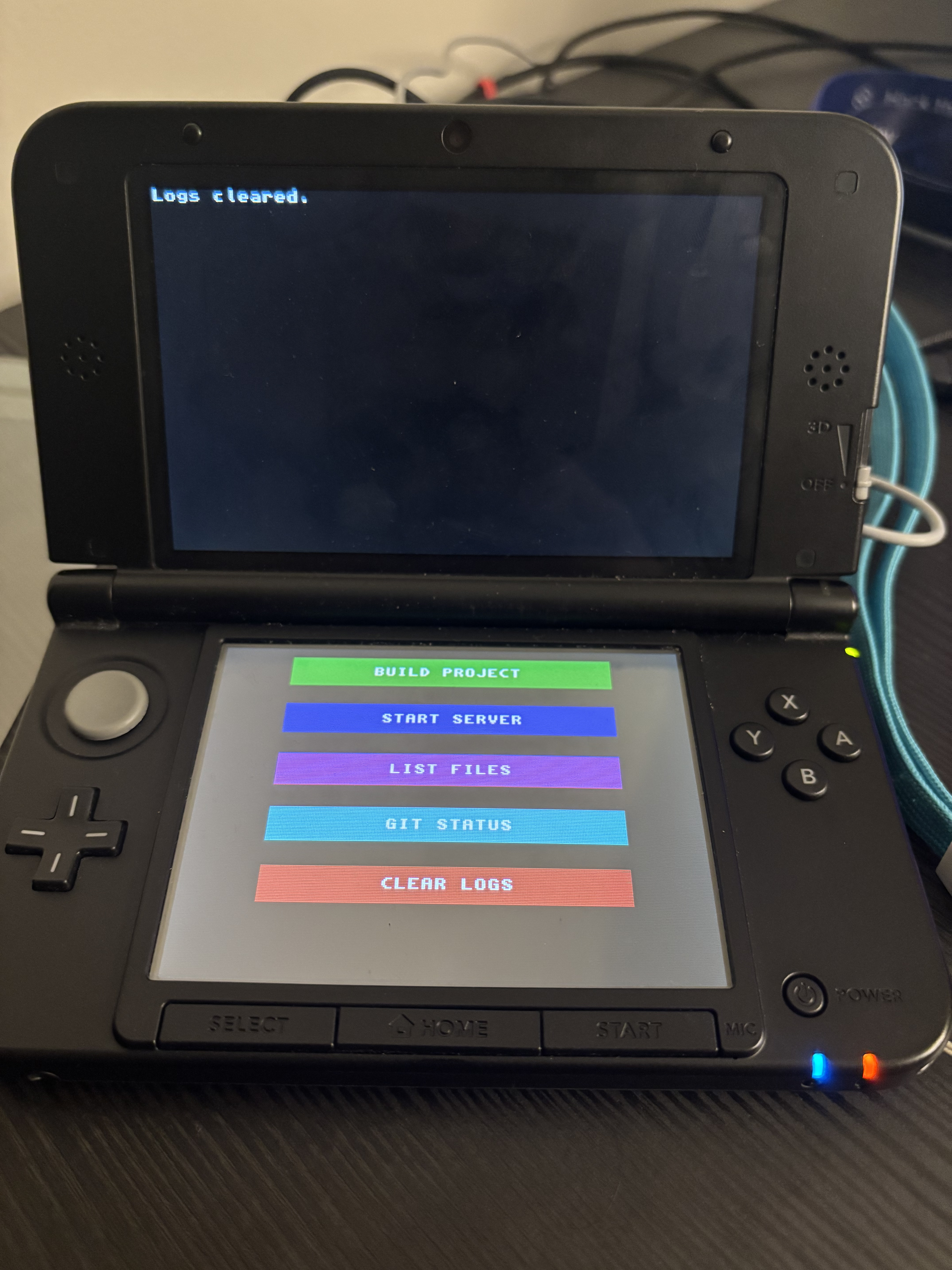
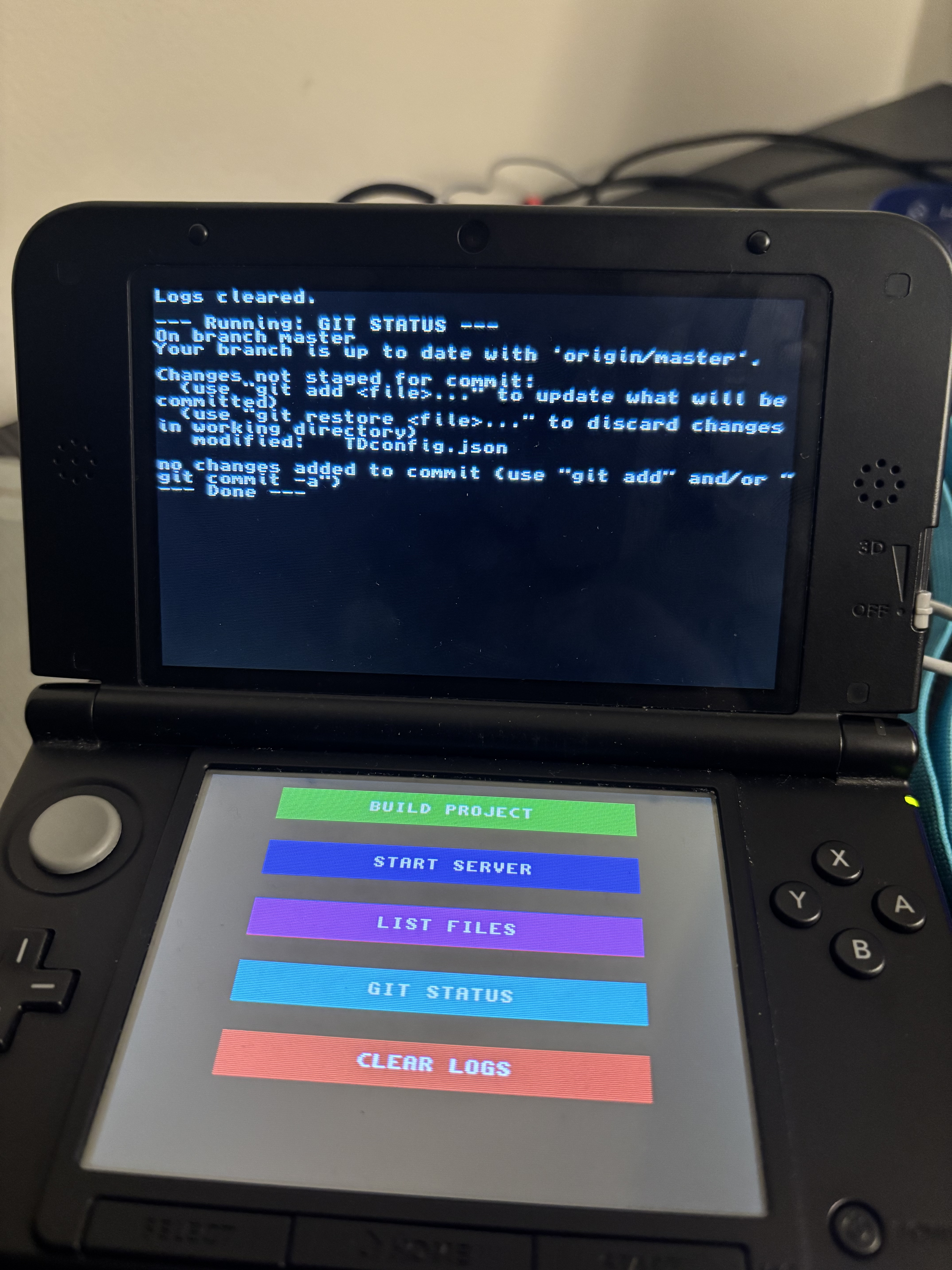
TerminalDeck turns a modded Nintendo 3DS into a Wi-Fi-connected, dual-screen terminal companion for your Mac or PC. Bottom Screen: Displays an interactive, touch-enabled macro pad. The buttons are dynamically customized based on the project you are currently working on. Top Screen: Acts as a remote monitor. When you tap a macro, the 3DS sends a payload to your computer, executes the command, and streams the live terminal output (stdout/stderr) directly back to the console's top screen in real time with near-zero latency.
How I built it
TerminalDeck relies on a lightweight Client/Server architecture across two distinct environments: The Host Agent (Node.js): I built a global CLI tool running on the host machine. It spins up a local TCP socket server using Node's net module and uses child_process.exec to run shell commands. It actively scans the local directory for a TDconfig.json file to read project-specific commands (e.g., npm run build, python3 main.py) and sends those UI labels to the console upon connection. The 3DS Client (C): The client was written in C using the libctru library to interface with the 3DS hardware. I utilized standard POSIX sockets () set to non-blocking mode (fcntl) to ensure the 3DS game loop (aptMainLoop) wouldn't freeze while waiting for server logs. The UI was constructed using raw text consoles (consoleInit) enhanced with ANSI escape codes for colored button blocks. The Build Pipeline: To bypass local OS compilation headaches, I containerized the entire devkitARM toolchain using Docker.
Challenges I ran into
Building a bridge between a 15-year-old handheld console and a modern macOS environment introduced several severe roadblocks: Toolchain & System Integrity: macOS Gatekeeper and security policies aggressively blocked the native devkitPro package manager and cryptographic keys (GPGME error: Invalid crypto engine). I pivoted entirely to a Dockerized build environment (devkitpro/devkitarm), isolating the C compiler from macOS allowing the project to compile and push .3dsx files to the console. Network AP Isolation: My home internet would not allow my laptop and 3DS to speak to each other, but I needed both to be on the same internet connection so that they could communicate. To work around this, I had to connect both to my phone's hotspot, which I had to switch over to 2.4GHz, as the modern 5GHz is not compatible with the 3DS. UI Hitbox Calibration: The 3DS text console lacks native 2D shape rendering. I engineered my own UI by painting ANSI background colors (\x1b[42;37m) and mathematically mapping the physical touch digitizer coordinates $(x, y)$ to our text rows to create highly accurate touch-screen hitboxes.
Accomplishments that I am proud of
I successfully built a true two-way hardware bridge. I am incredibly proud of the dynamic configuration system. Instead of hardcoding commands into C, the Node server dynamically reads TDconfig.json, perfectly centers the text labels, and pushes the UI state to the 3DS. Anyone can drop our agent into any project folder, activate the application, and immediately control their desktop from their console without writing a single line of code.
What I learned
Systems Programming: Managing memory alignment and POSIX socket initialization (socInit) in C on legacy embedded hardware. Network Engineering: Diagnosing TCP/IP timeouts, bypassing AP isolation, and handling ECONNRESET drops gracefully. Containerization: Using Docker volumes and execution commands to abstract away complex C++ compiler toolchains.
What's next for Terminal Deck
Full 2D Graphics Engine: Migrating the UI from a text-based console to citro2d to support rounded corners, custom fonts, and sprite-based icons. In-App IP Configuration: Adding a D-pad navigation menu to input the host IP address directly on the 3DS, removing the need to recompile the client for different networks. NPM Registry Publishing: Pushing the host agent to the public npm registry so anyone can install it globally via npm.

Log in or sign up for Devpost to join the conversation.