-
-
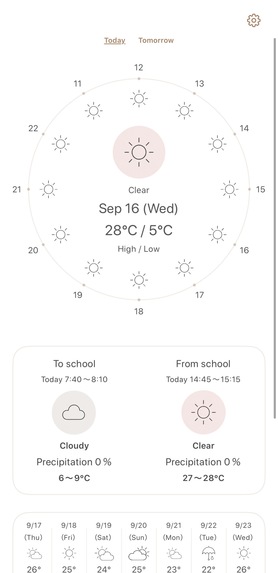
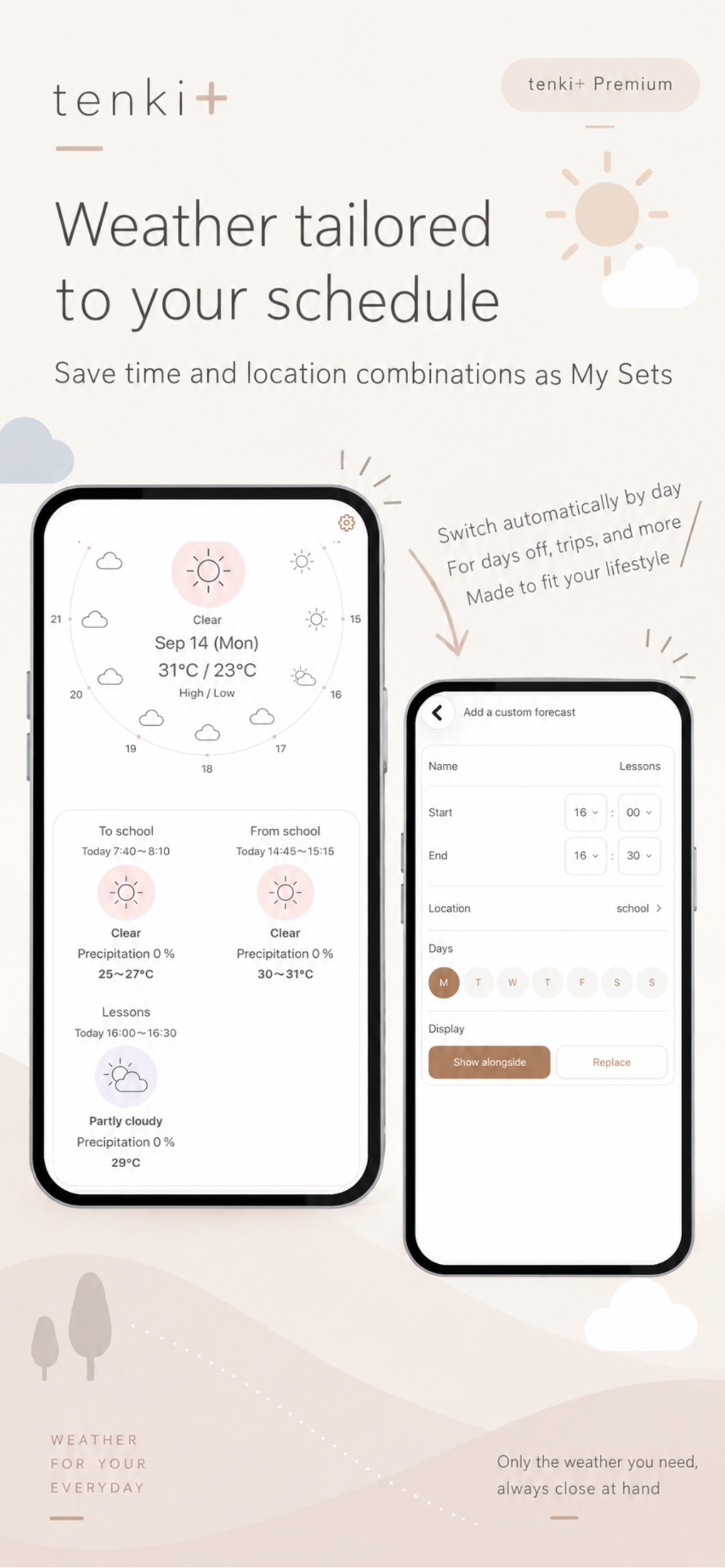
App screen (without device frame)
-
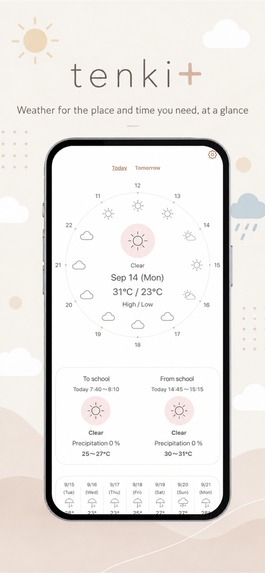
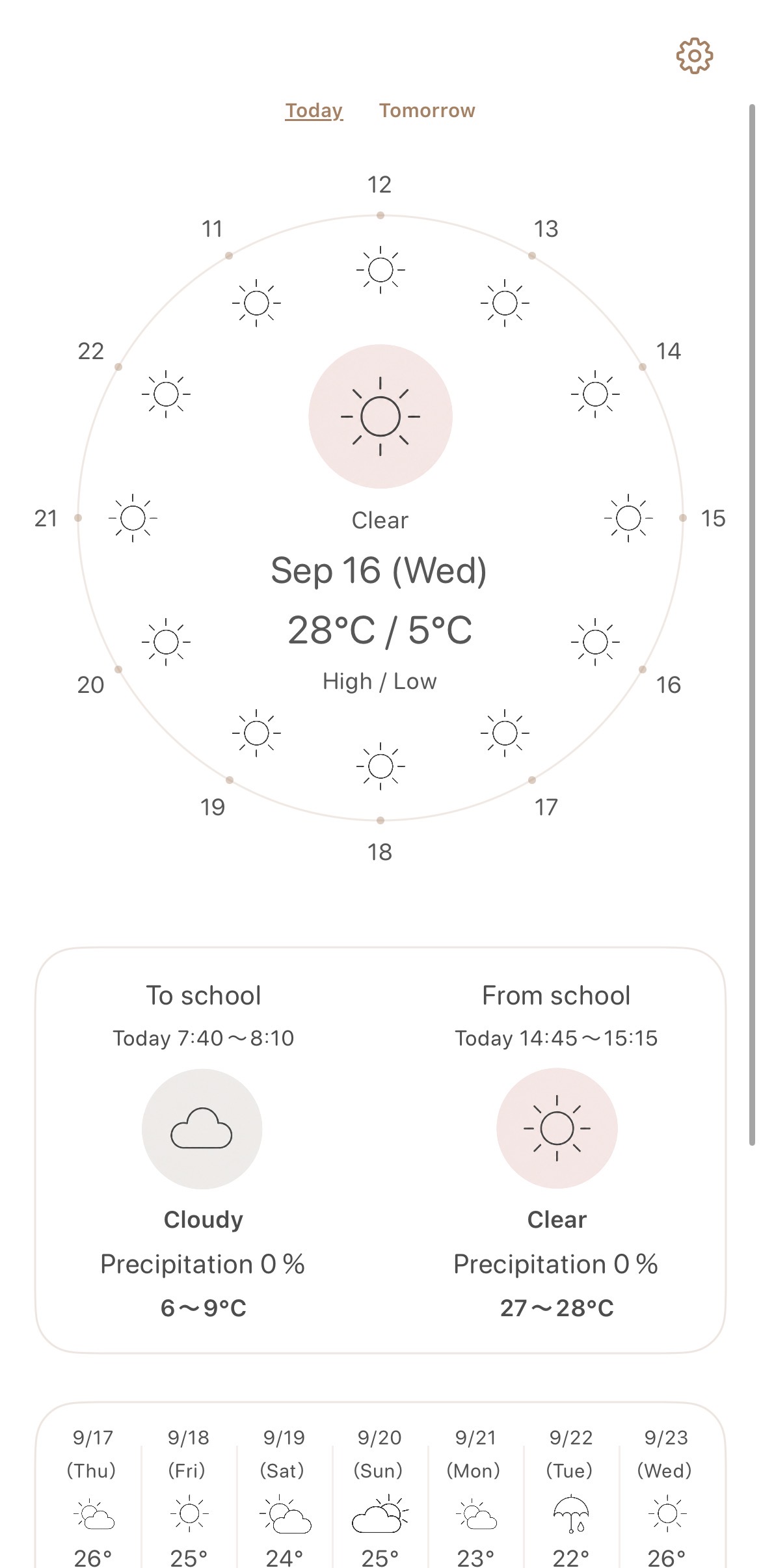
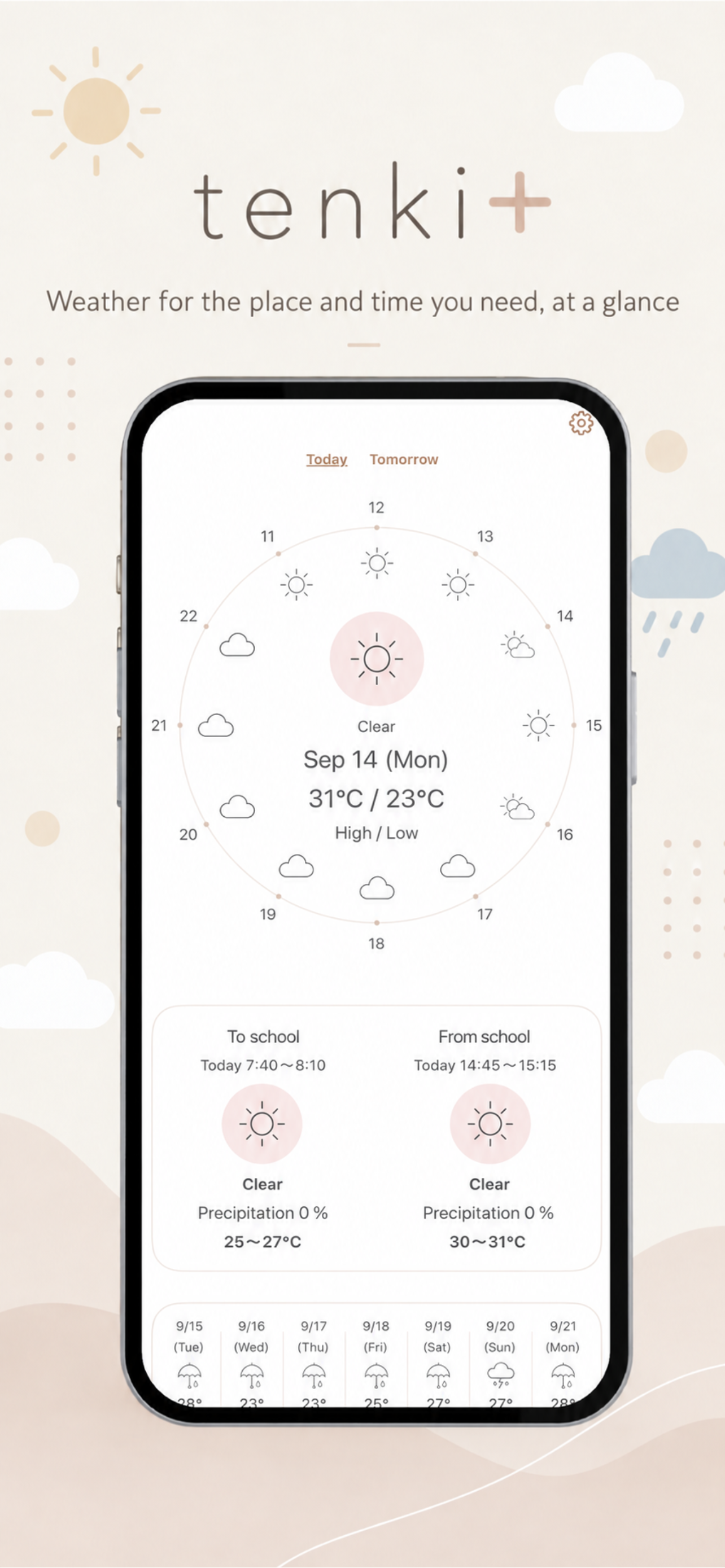
See today's weather and the weekly forecast at a glance.
-
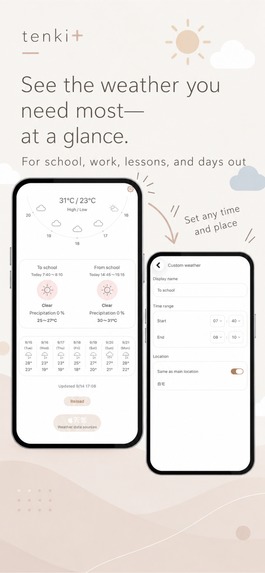
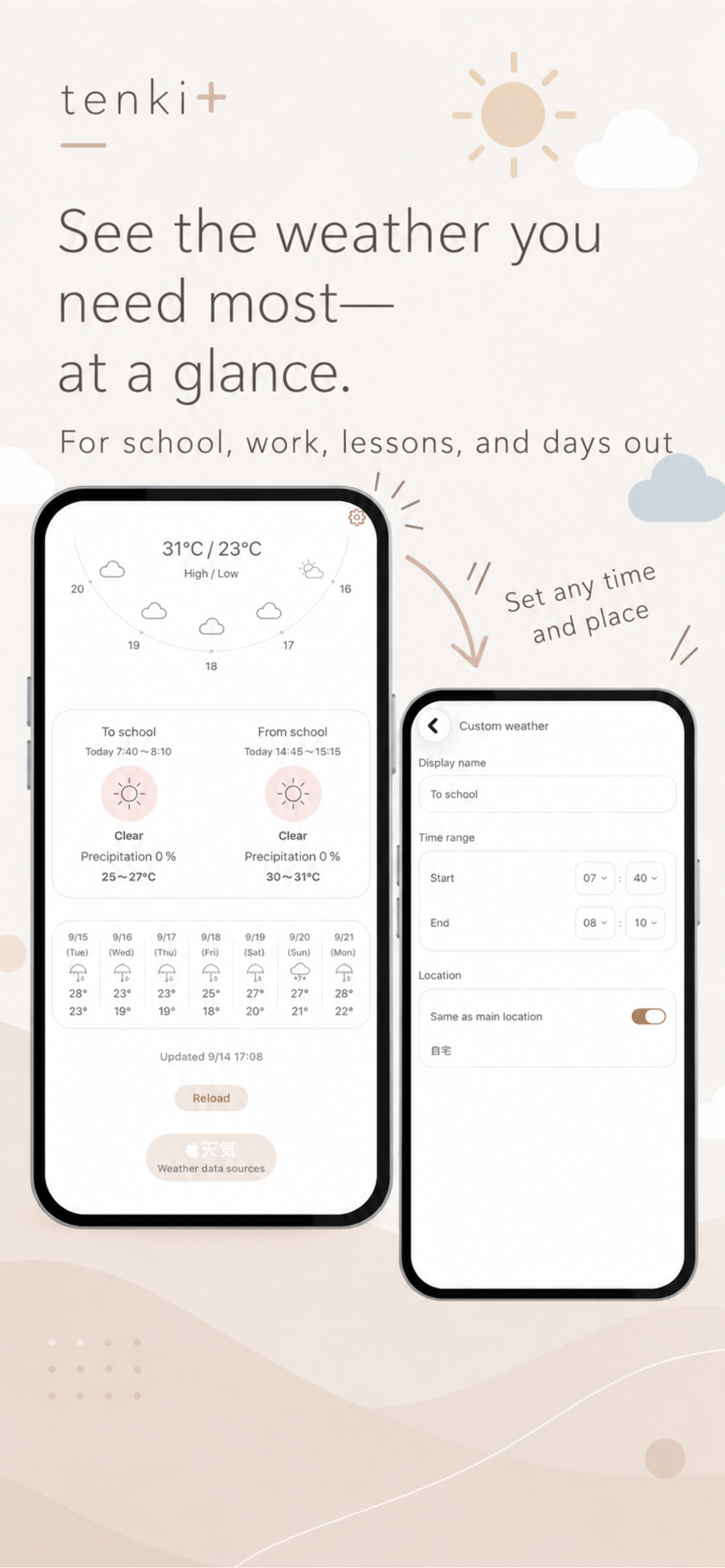
Set the times and places you care about, like school drop-off and pick-up.
-
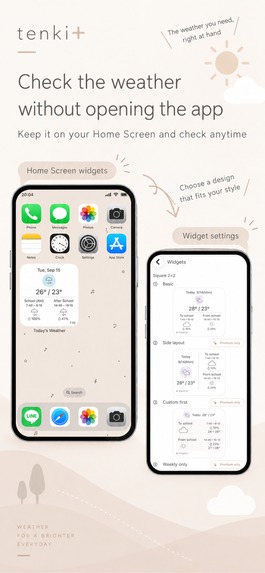
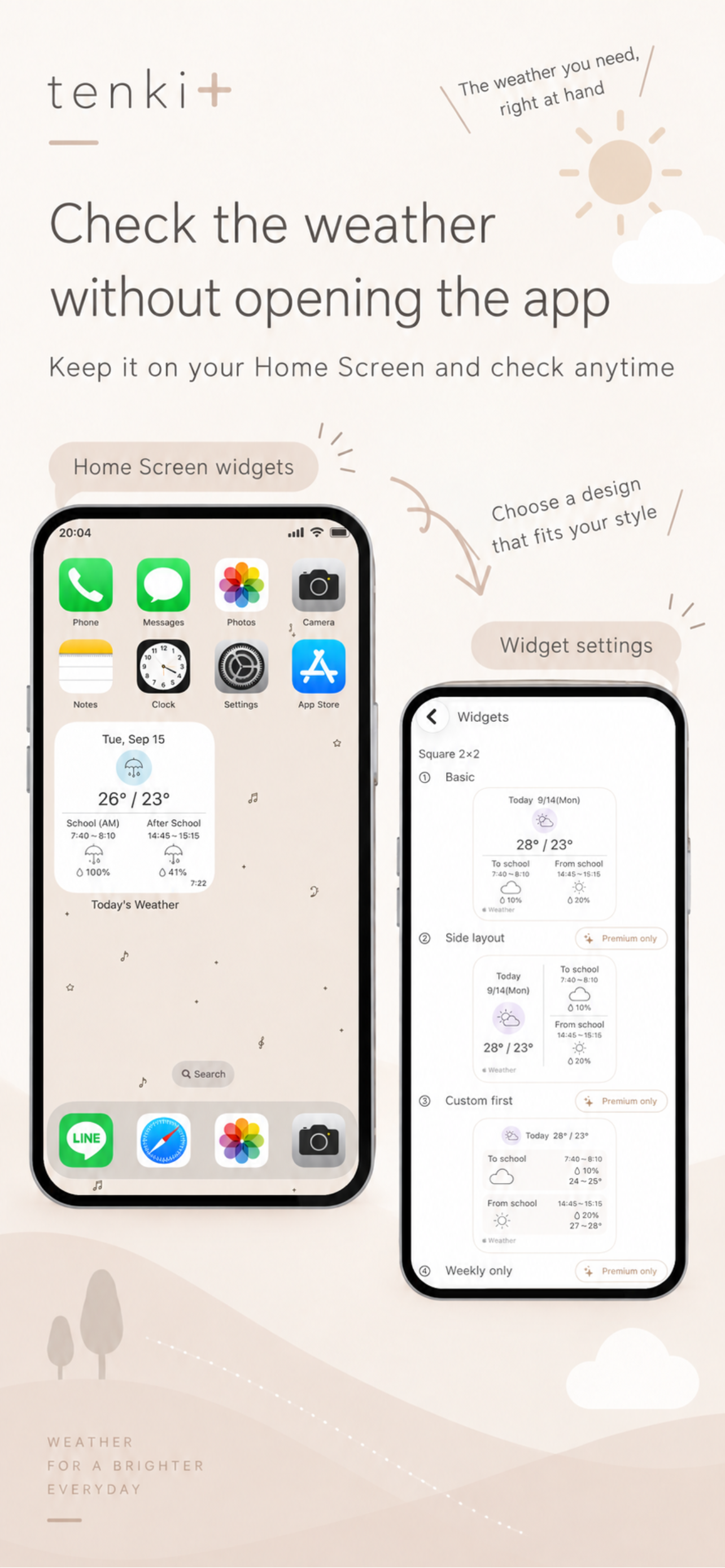
Check the weather right from your Home Screen with widgets.
-
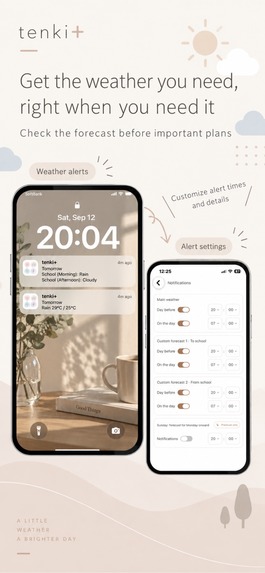
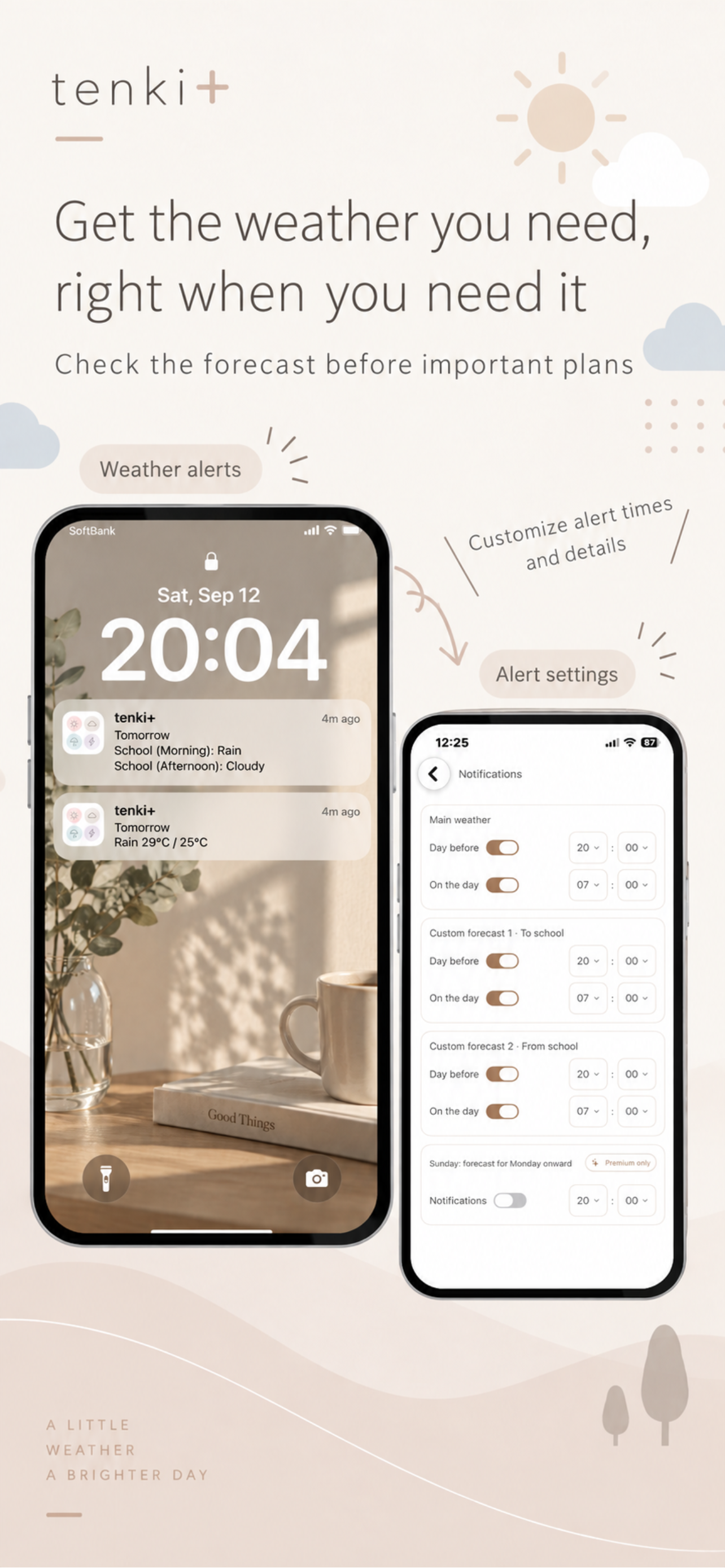
Check the weather with notifications, too.
-
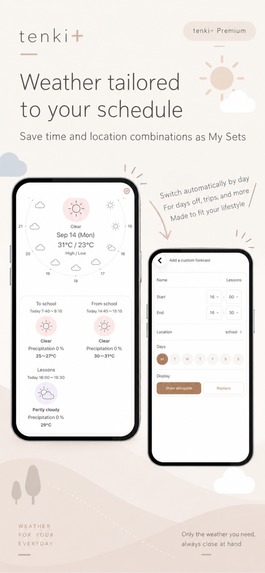
Set weather forecasts by day of the week or date to fit your lifestyle.
-
App icon
Inspiration
As a parent, I often want to know the weather at specific times in our daily routine — when my child leaves for school, comes home, or when it is time for daycare or kindergarten drop-off and pick-up.
The times people want to check the weather are different for everyone.
The weather during a daily commute or trip to school.
The weather when you usually hang laundry outside.
The weather during a daily walk or run.
Depending on each person's lifestyle, there are different times when they regularly want to check the weather.
I wanted to create an app that lets users quickly see the weather for the places and times they regularly care about, instead of searching through an entire hourly forecast every day.
What it does
tenki+ provides hourly forecasts for today and tomorrow, as well as weekly forecasts. In addition, users can register the specific places and times they regularly want to check and see the weather for those moments at a glance.
It can be customized around different routines, such as commuting, going to school, school or daycare drop-off and pick-up, doing laundry, or going for a walk.
Widgets and notifications also make it easier to access the weather information users want to check every day.
How we built it
I built tenki+ for iOS using SwiftUI, WeatherKit, and WidgetKit.
Weather data from WeatherKit is used to display hourly forecasts for today and tomorrow, weekly forecasts, and forecasts for the specific places and times selected by the user.
I also designed an analog clock-inspired hourly weather interface so users can intuitively see how the weather changes throughout the day.
Challenges we ran into
One of the biggest challenges was deciding how to translate weather data from WeatherKit into tenki+'s own visual style.
I created weather icons for many different conditions, including changing weather such as sunny then cloudy or cloudy then rainy, and built a system to map WeatherKit data to those icons.
Another challenge was deciding how to represent the overall weather for an entire day. For example, if most of the day is sunny but rain is forecast for only a short period, a simple interpretation of the data can make the whole day appear rainy.
I adjusted how the daily weather is determined by considering changes throughout the day and how long different conditions last, so the result better represents the overall feel of the day's weather.
Accomplishments that we're proud of
What I am most proud of is creating a design that makes the weather for the specific places and times users care about easy to understand at a glance.
What we learned
This was my first time building a weather app with WeatherKit and implementing home screen widgets with WidgetKit.
I learned how to work with weather data from WeatherKit and present it not only inside the app, but also appropriately in widgets.
One of the biggest challenges was designing multiple widget sizes and layouts. Because widgets have limited space, I had to carefully consider which information to show and how to arrange text and weather icons so the forecast could be understood at a glance.
I also learned that working with weather data is not just about retrieving it. Combining time, location, and presentation in a way that helps users immediately understand the information they need is just as important.
What's next for tenki+ - My Weather
Next, I would like to explore lock screen widgets and Apple Watch support, making it even easier for users to check the weather for the places and times they care about without opening the app.


Log in or sign up for Devpost to join the conversation.