-
-
App icon (1024 x 1024)
-
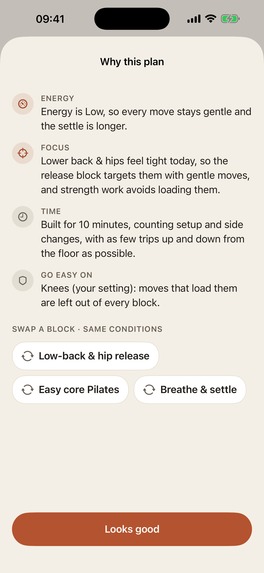
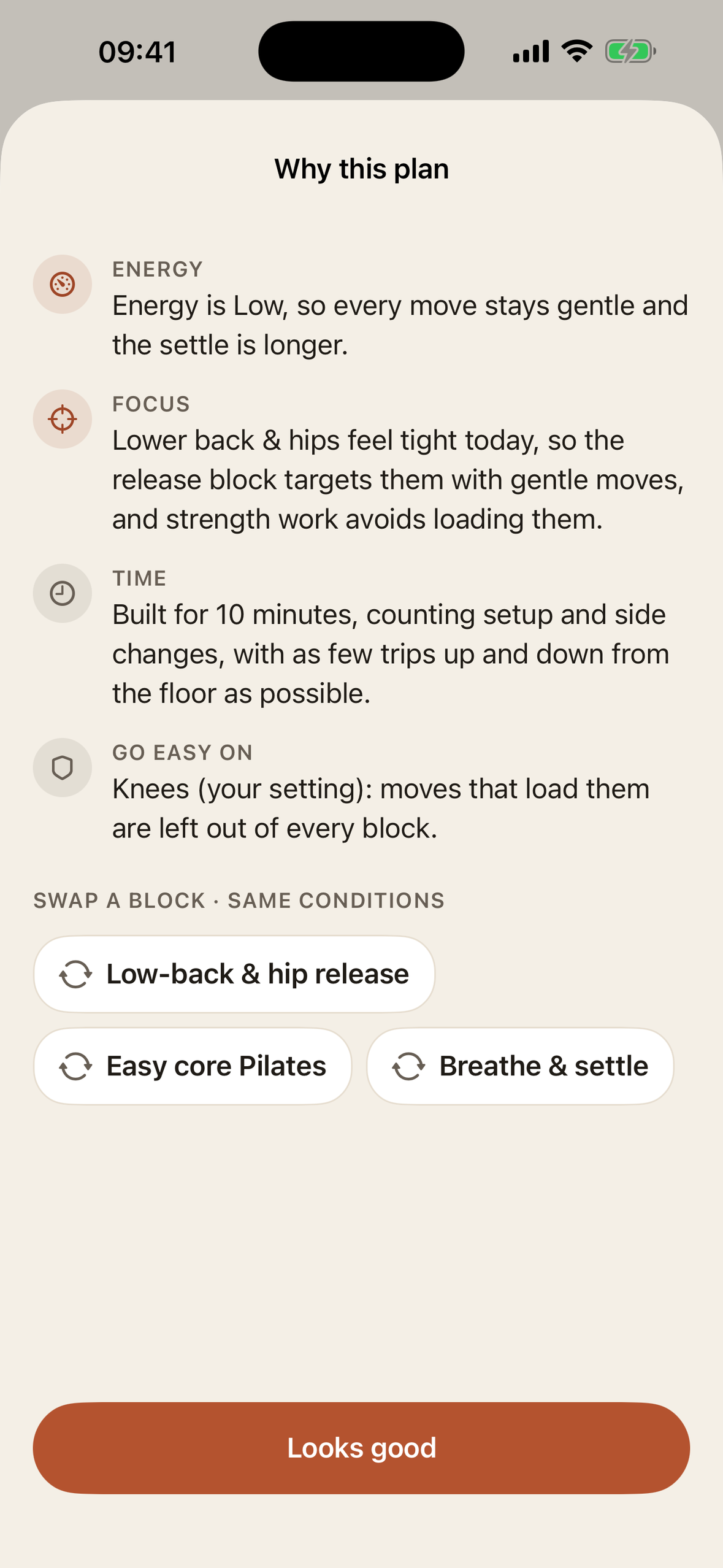
Why this plan? Every decision explained in plain words
-
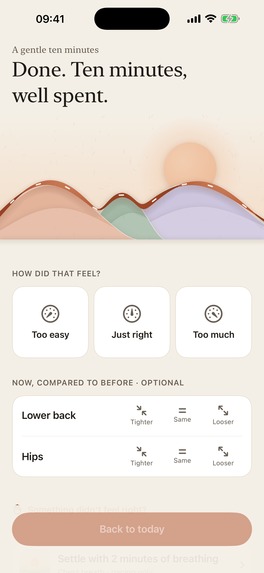
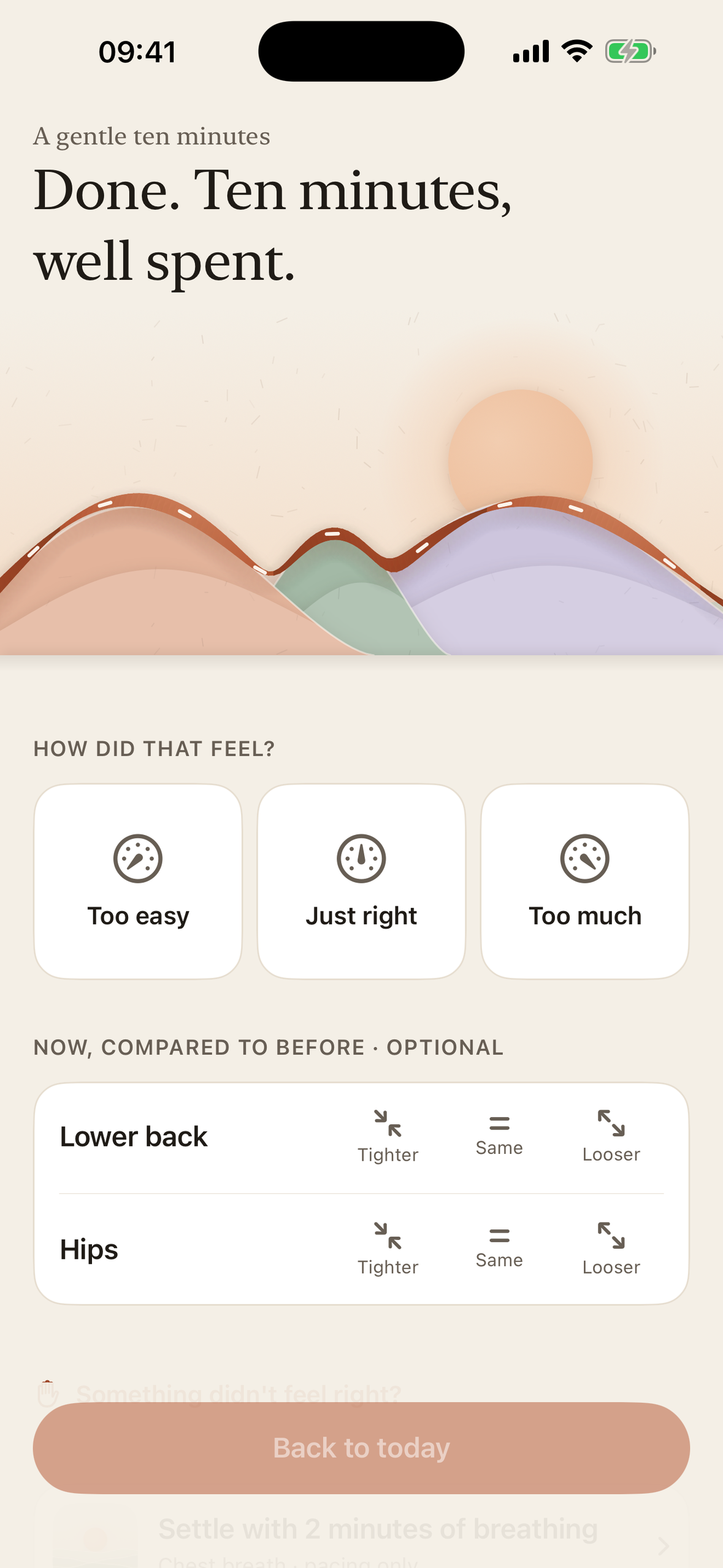
Done: the ribbon arrives, and how it felt shapes tomorrow
-
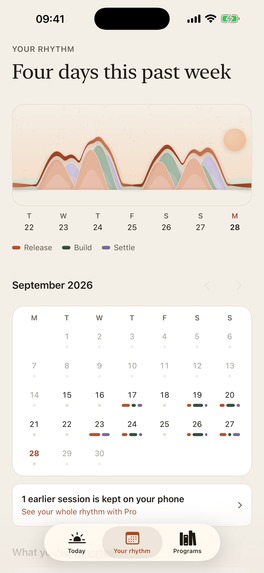
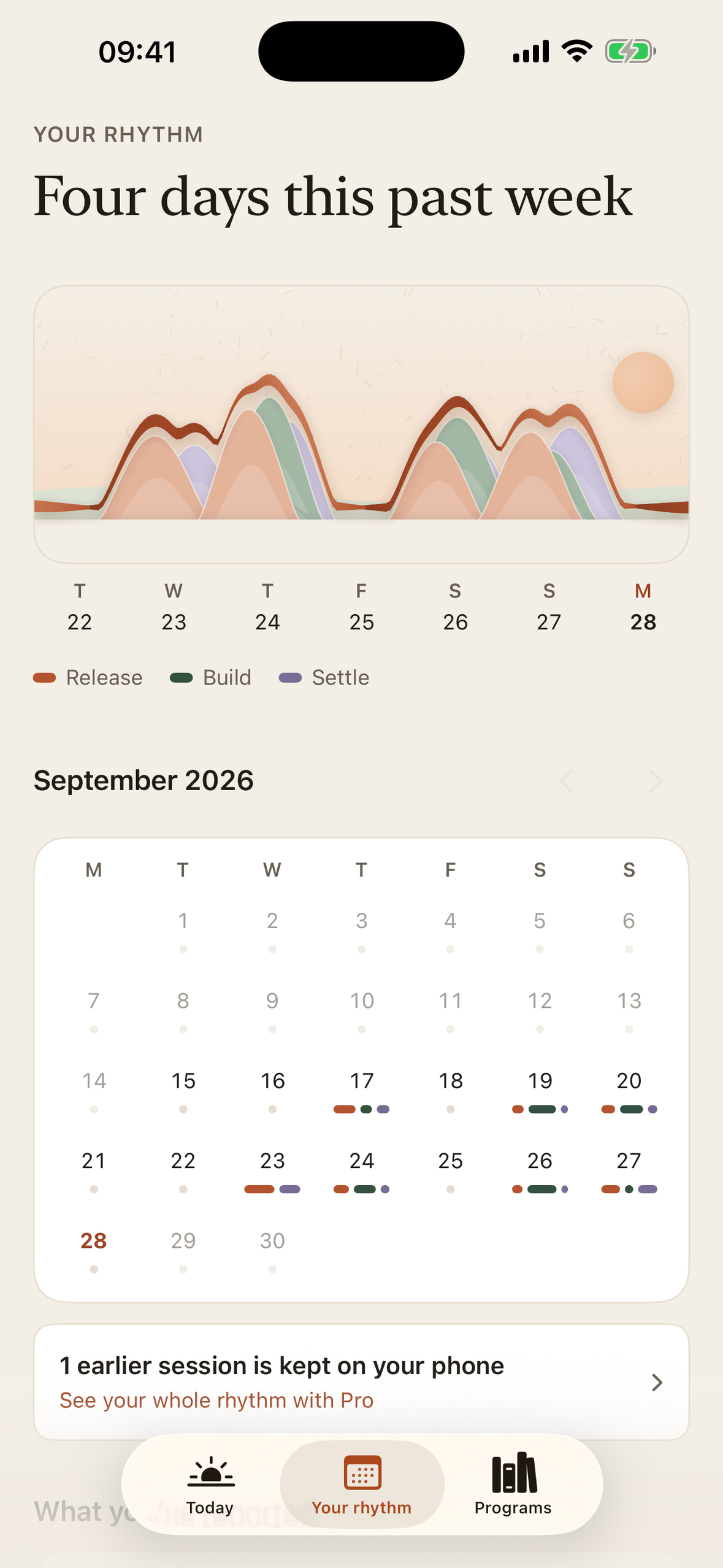
Your rhythm: the past week as a valley, no scores or streaks
-
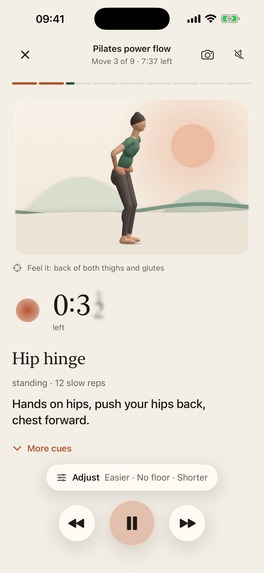
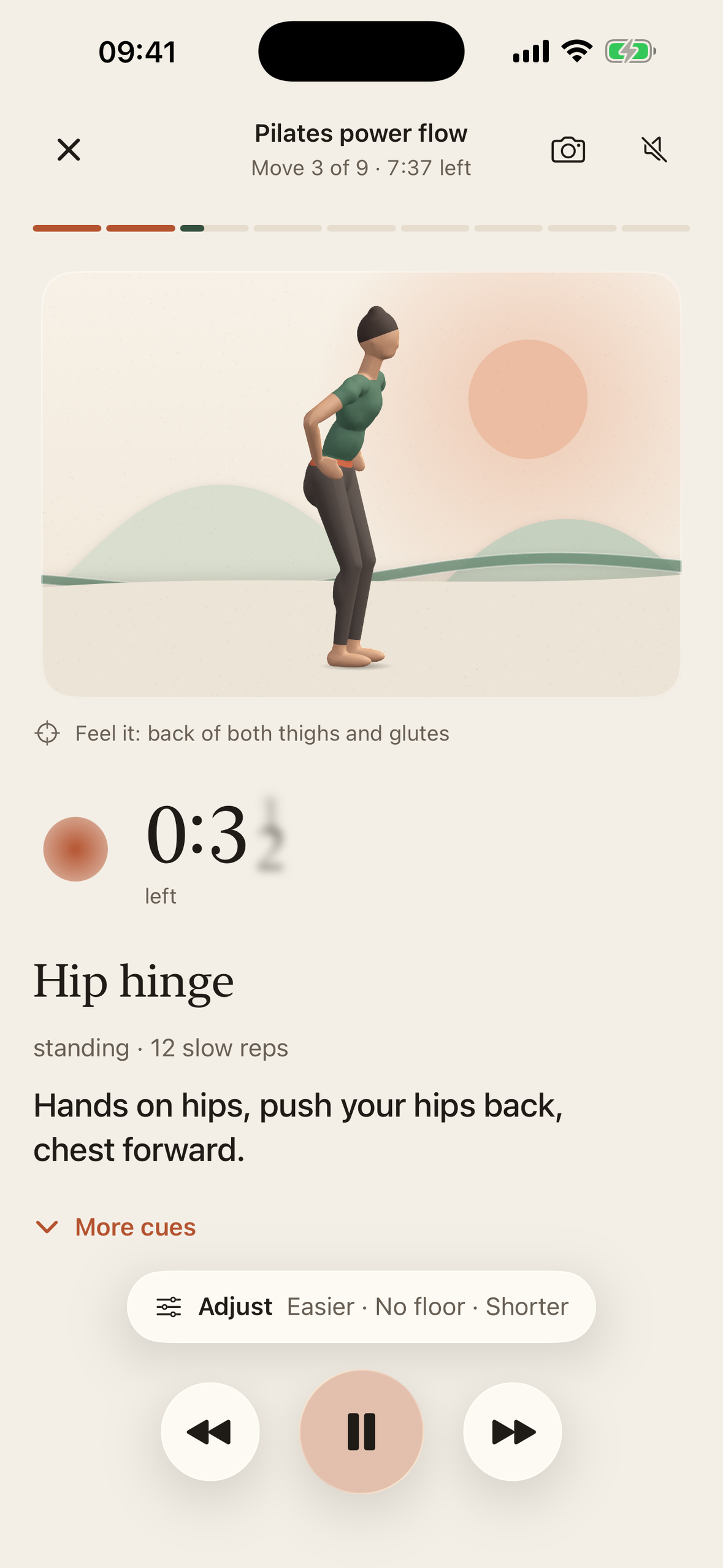
Guided session with a real-time 3D guide in step with the timer
-
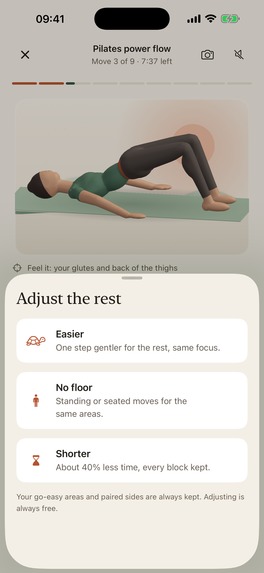
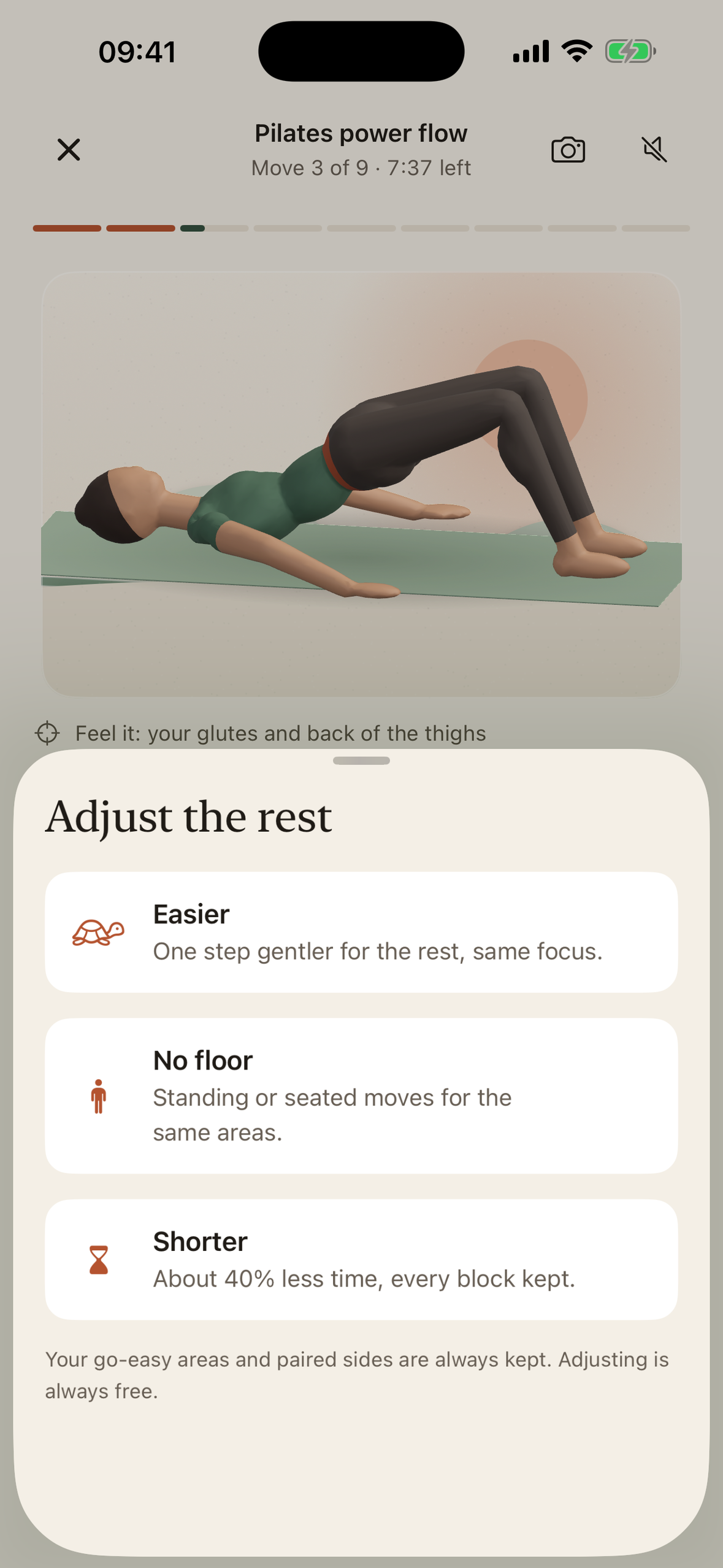
Adjust the rest of the session in one tap: always free
-
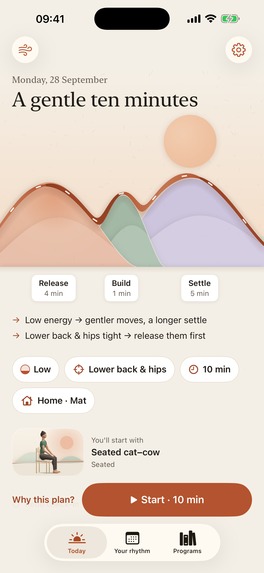
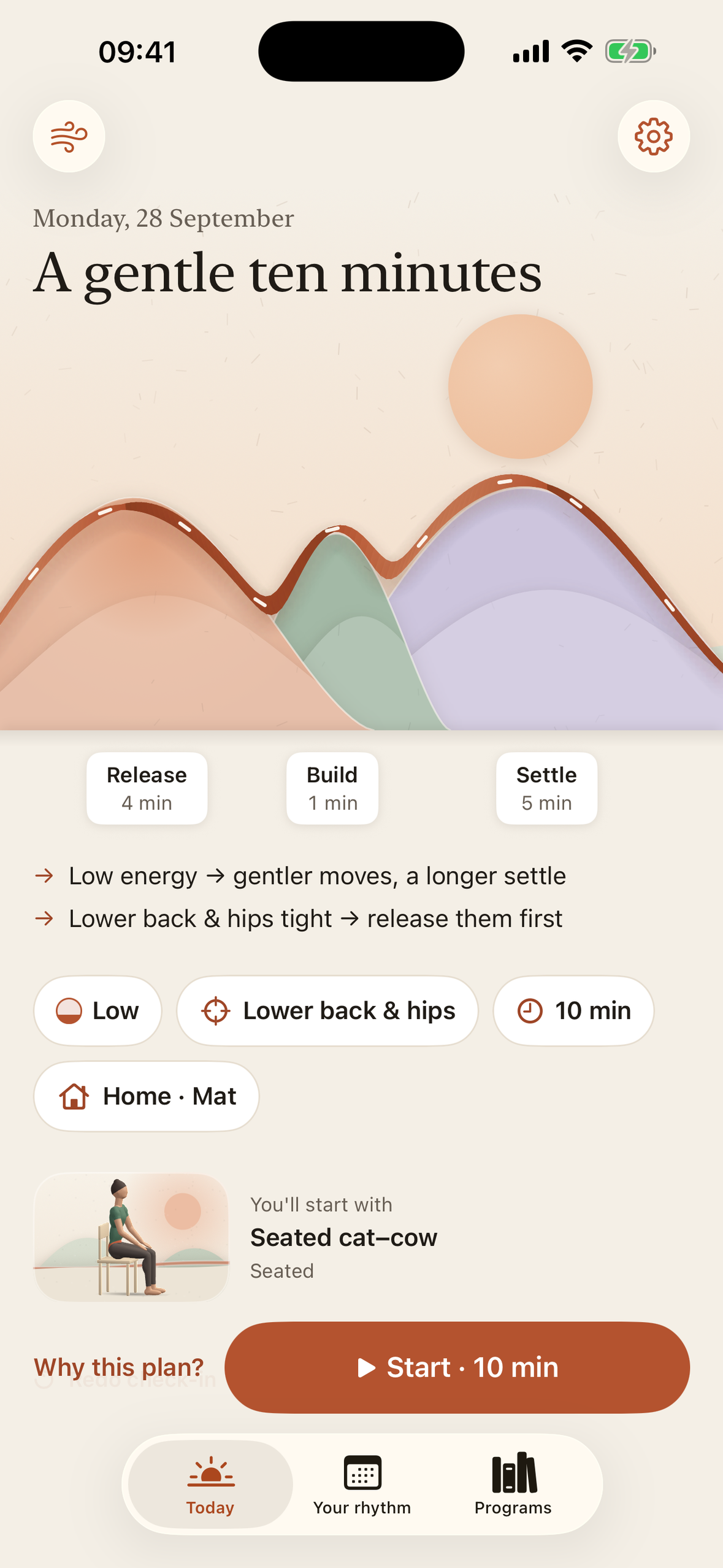
Today's plan as a paper valley: hill width = real minutes, height = intensity
-
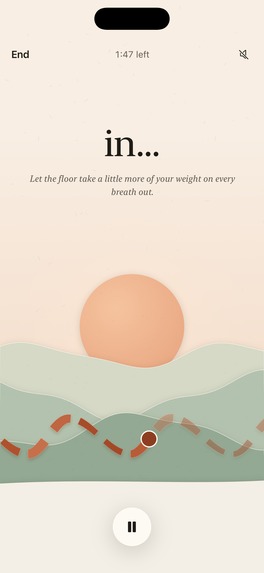
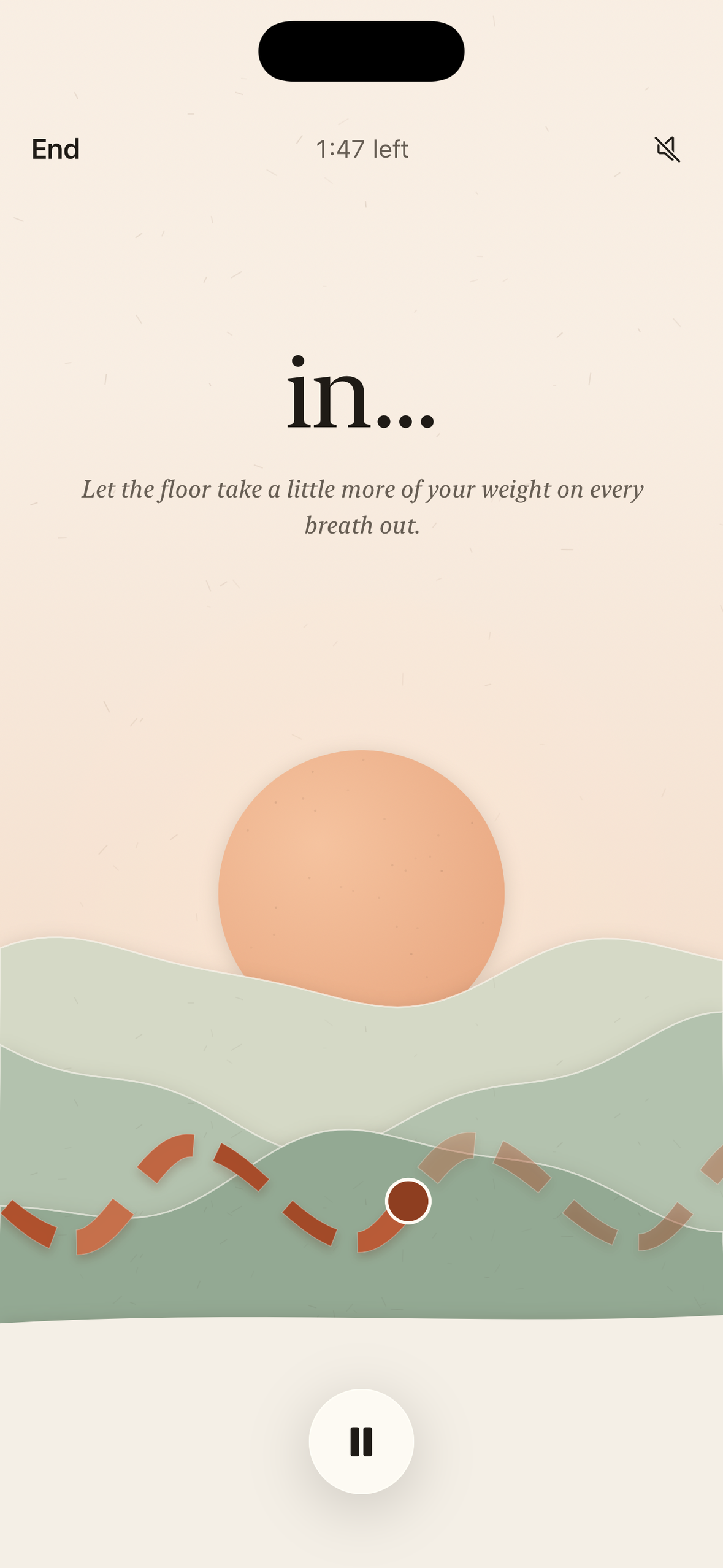
Chest breath: a paced settle in a dusk paper valley
-
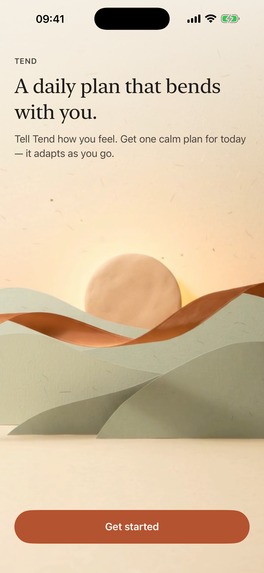
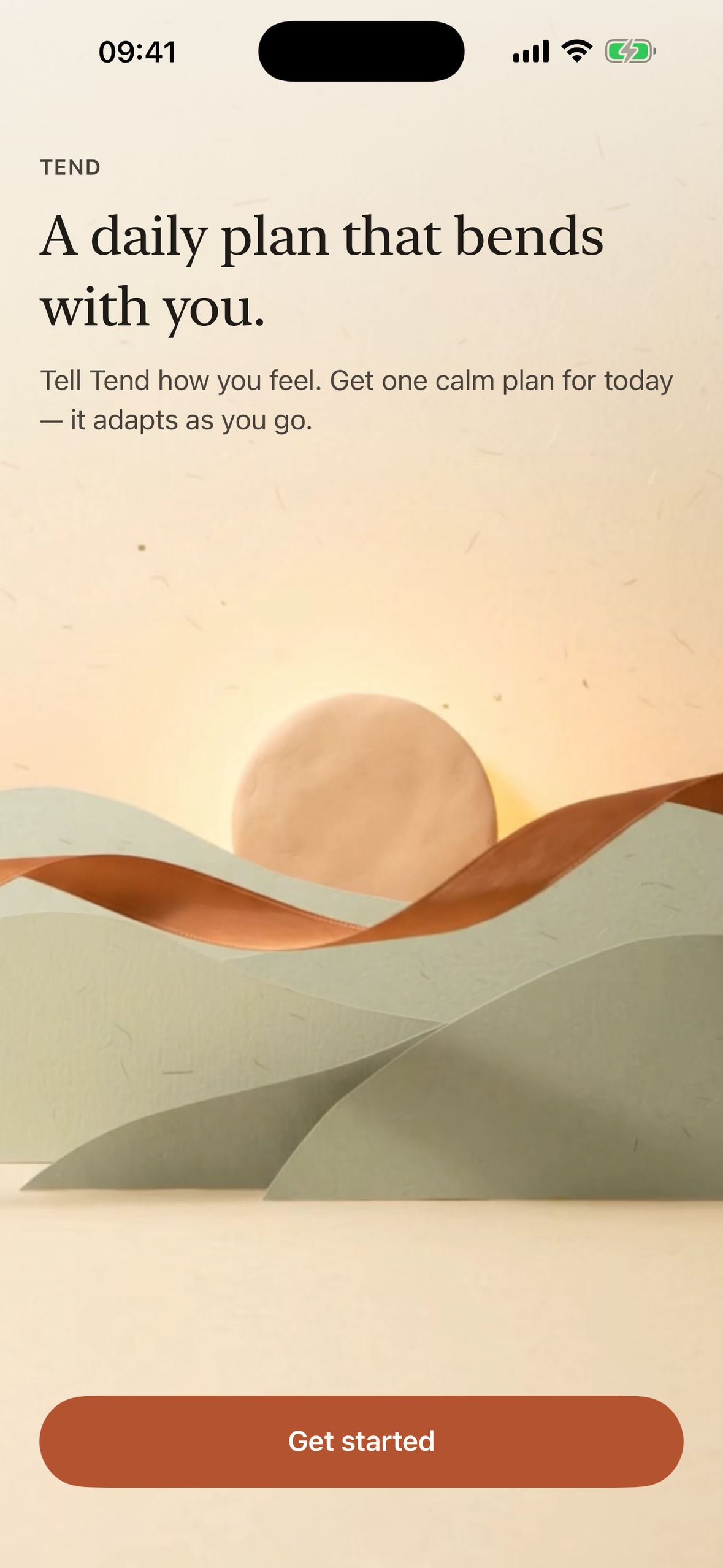
Welcome: a daily plan that bends with you
Inspiration
Most fitness apps hand you a library: hundreds of workouts, endless scrolling, and choosing becomes the workout. On a stiff morning after a long desk day, the hard part isn't the movement, it's deciding. Tend answers one question: what should I do today?
What it does
- Check in (about 10 seconds): energy, what feels tight on a simple body map, the time you have, and where you are.
- One plan, shown as a place: an on-device engine builds a release → build → settle plan and draws it as a paper valley. Each hill's width is that block's real minutes, its height is the intensity, and there is one stitch on the ribbon per move. Tap a hill to see its moves.
- Why this plan? Every decision is explained in plain words: energy ceiling, focus areas, "go easy on" areas, your past feedback, and optional Apple Health sleep and resting heart rate. On supported devices Apple Intelligence rewrites the short reasons on device.
- Guided session: a real-time 3D guide for all 40 moves, in step with the session clock (reps, holds, side changes), with optional voice, a Live Activity, and Adjust (Easier · No floor · Shorter) at any moment. Adjusting is always free.
- Camera form coach: Apple Vision body pose on the iPhone, one gentle cue at a time, gated by tracking confidence. No photo or video is recorded, saved or sent. Free on glute bridge; Pro on every other move.
- Done → tomorrow adapts: "too easy / just right / too much" and per-area changes shape tomorrow's plan. A move that didn't feel right is set aside for two weeks.
- Your rhythm: the past week as a small valley of hills. History without scores or streaks.
- Chest breath: a paced breath in a dusk paper valley, lying or seated, with a soft voice guide. Two minutes are always free.
- Programs: Desk-back reset, 14 days that fit each day's check-in.
How we built it
- SwiftUI + SwiftData, Swift 6 strict concurrency, iOS 26 (Liquid Glass controls, App Intents, widgets, Live Activity).
- TendEngine, a pure Swift package: a deterministic, seeded plan builder with a decision log, Adjust and block swap, covered by unit tests.
- The 3D guide: one procedural character and rig authored in Python for Blender, one script per move, automatically validated (timing against the plan, floor contact, planted hands and feet, self-intersections, loop seams), exported to USDZ and played live in RealityKit, scrubbed to the session clock. Real-time 3D, not video.
- Camera coach: VNDetectHumanBodyPoseRequest + One Euro filtering + data-driven form rules, each rule tested against the move's own keyframes.
- Paper Valley visuals: SwiftUI Canvas landscapes whose geometry comes straight from the plan (unit-tested), with animatable shapes so the hills morph when the plan changes.
- RevenueCat: offerings, entitlements (Pro + a one-time program purchase), trial eligibility and restore.
- Privacy: no account and no server; Apple Health and notifications are asked for only when used.
Challenges
- Making a plan visual without lying: every visual variable maps 1:1 to the engine's output.
- Keeping the 3D guide in step with the timer through pause, resume and Adjust.
- A camera coach that never nags: confidence gates, hysteresis and at most one cue at a time.
What we learned
Restraint is a feature. The best screen is the one that makes the next action obvious.
What's next
Vietnamese localization, check-in hills that reshape as you answer, more programs, and coach rules validated with real people.

Log in or sign up for Devpost to join the conversation.