-
-
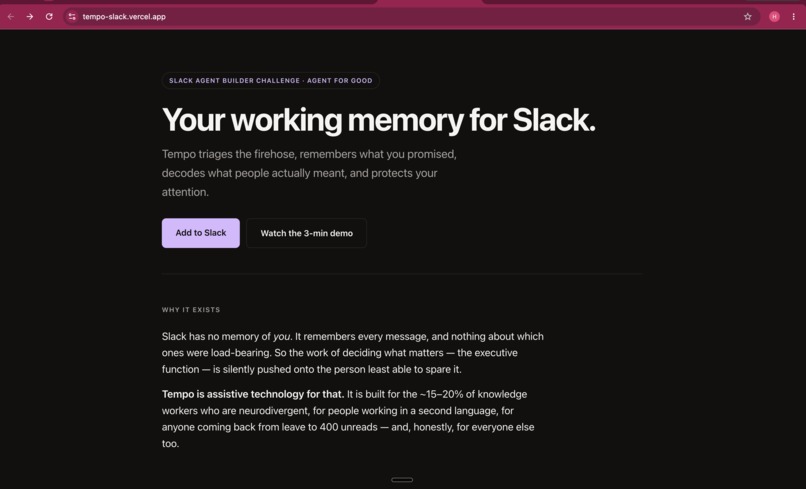
Tempo - Slack agent website
-
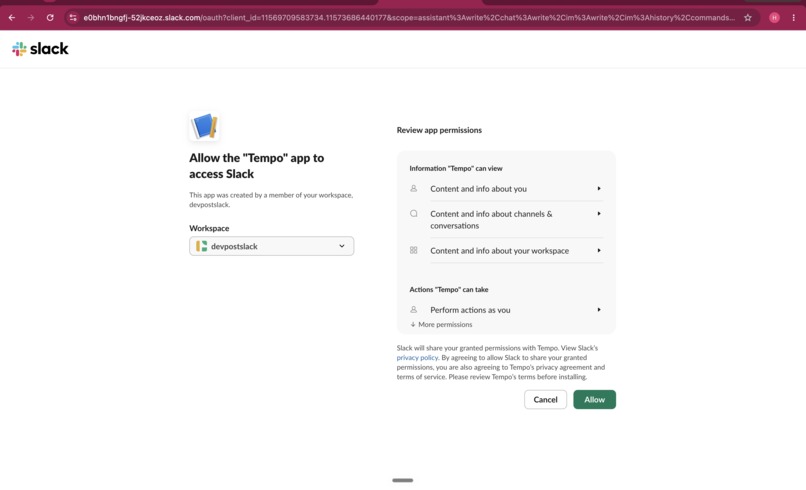
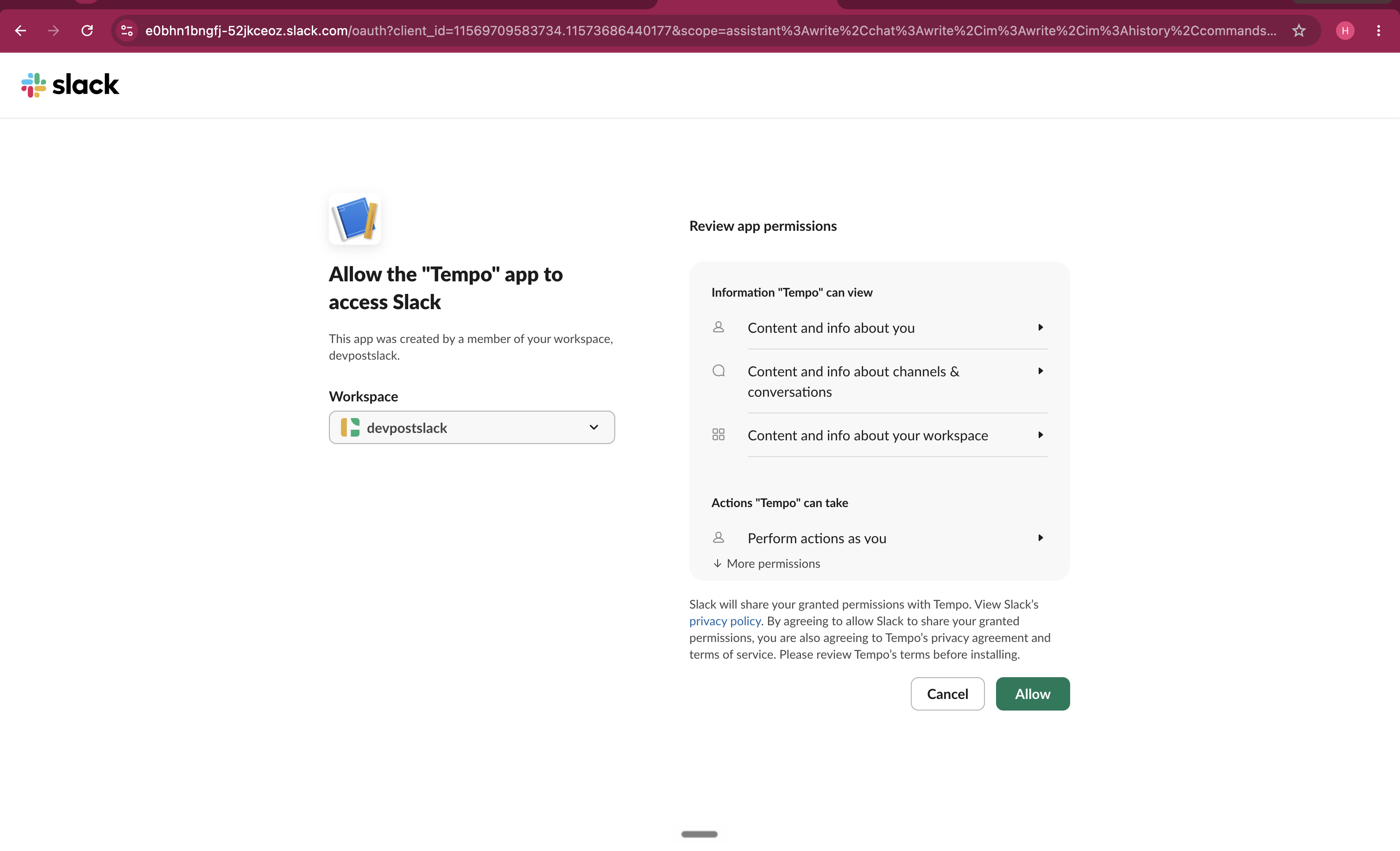
Oauth for tempo agent permission
-
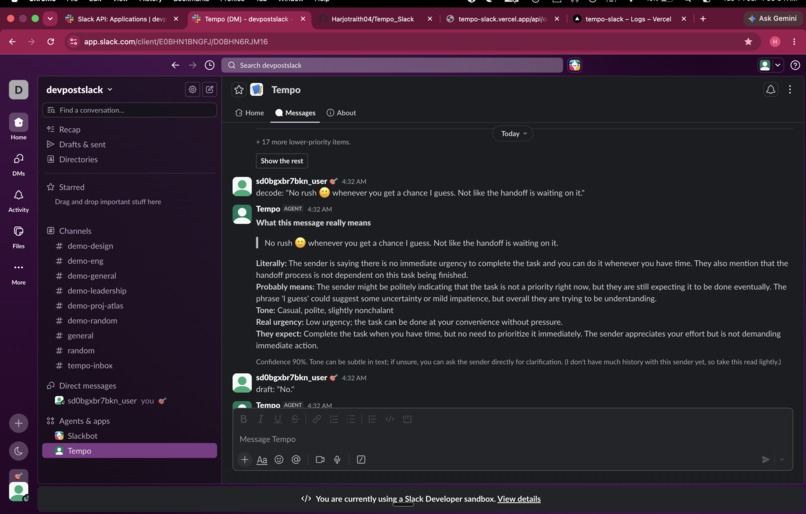
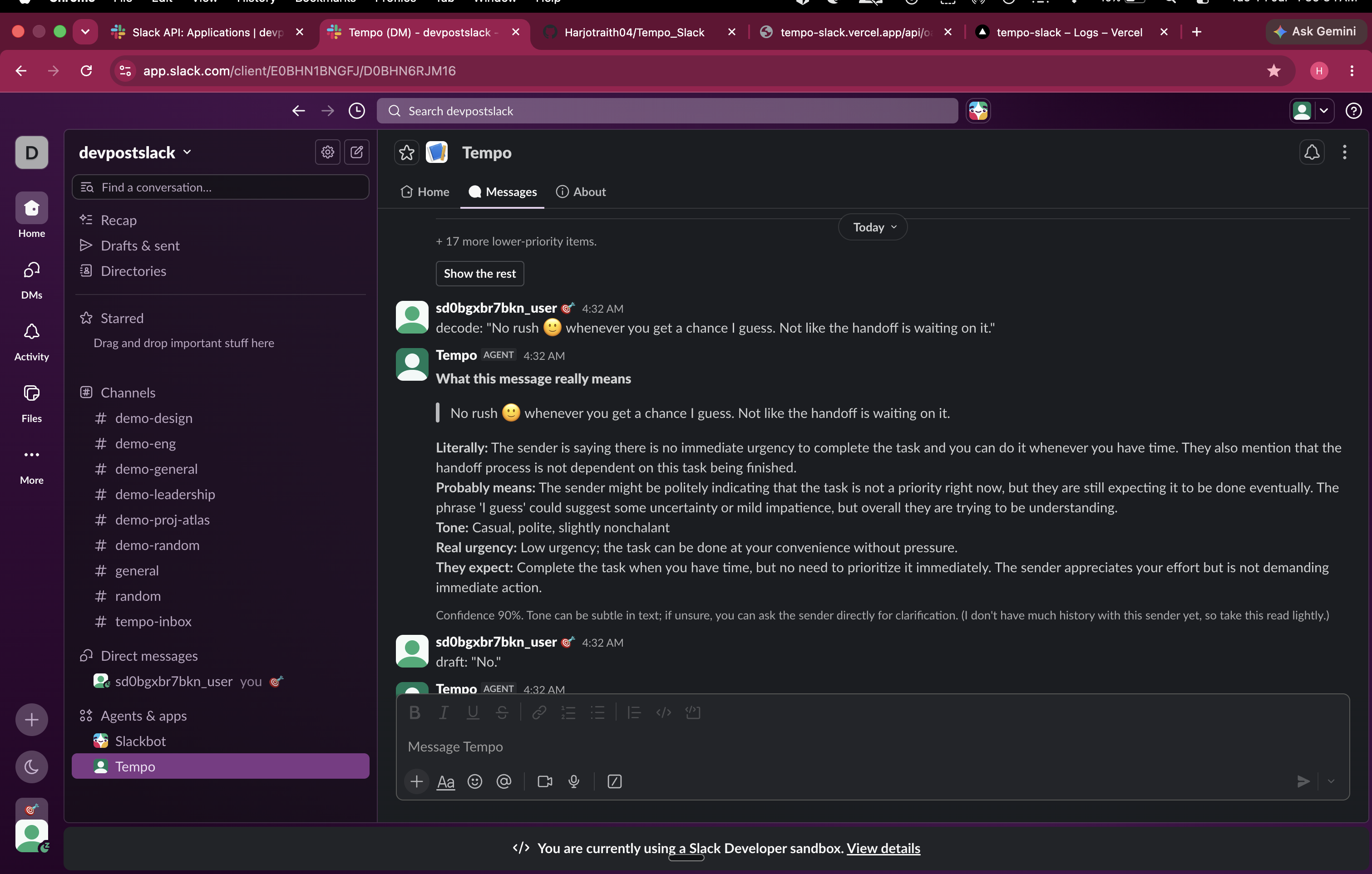
Decoding for the ones who are facing difficulties in understanding context
-
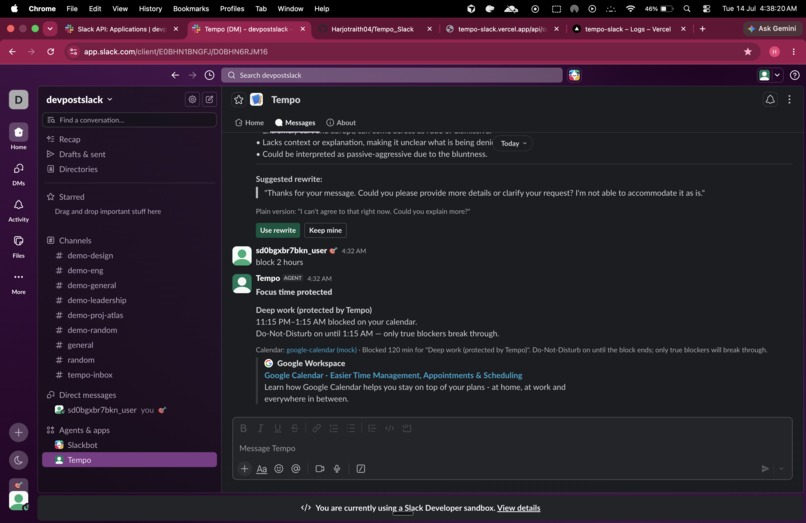
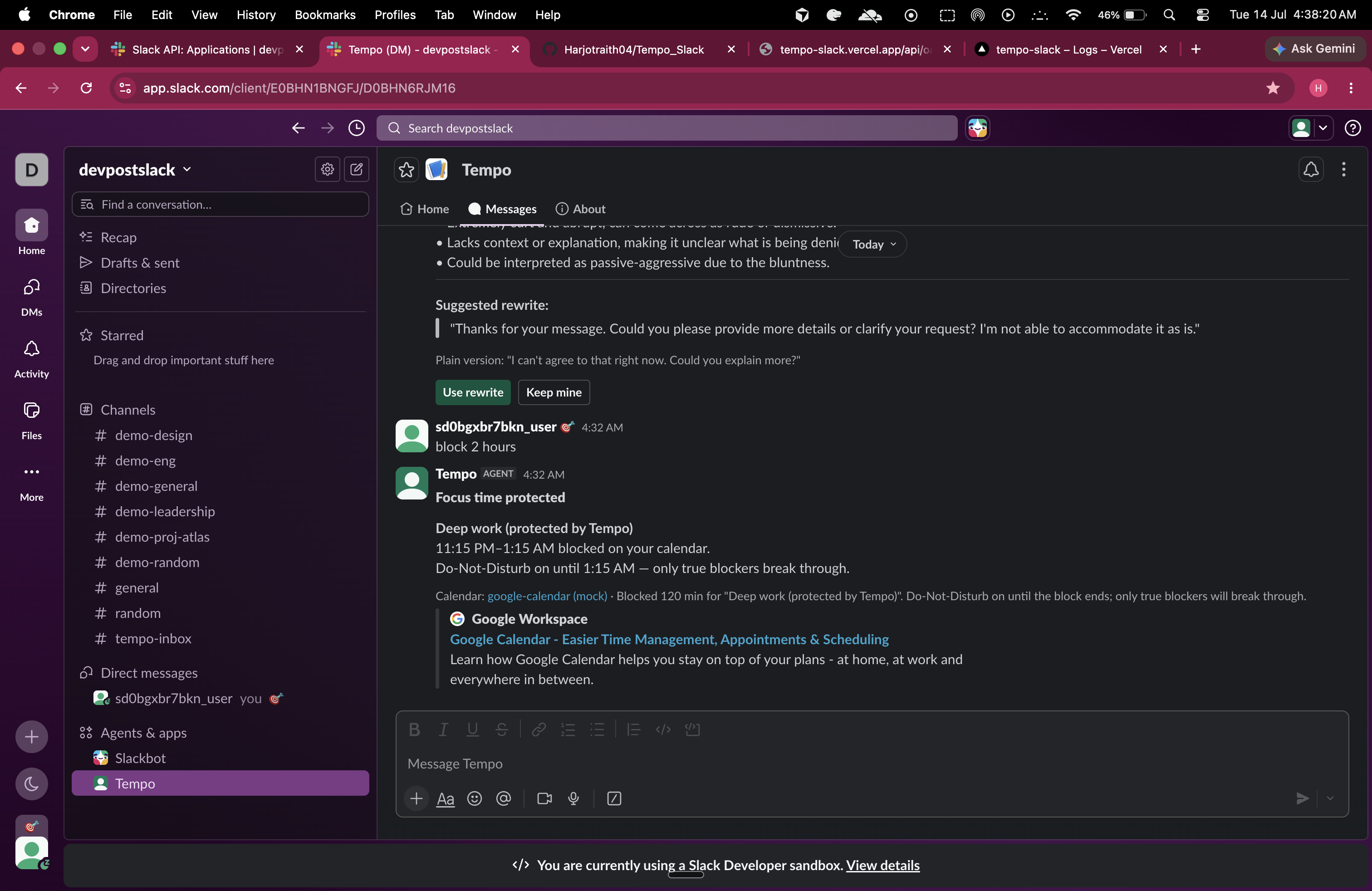
Agent connected with calendar mcp and slack dnd profile
-
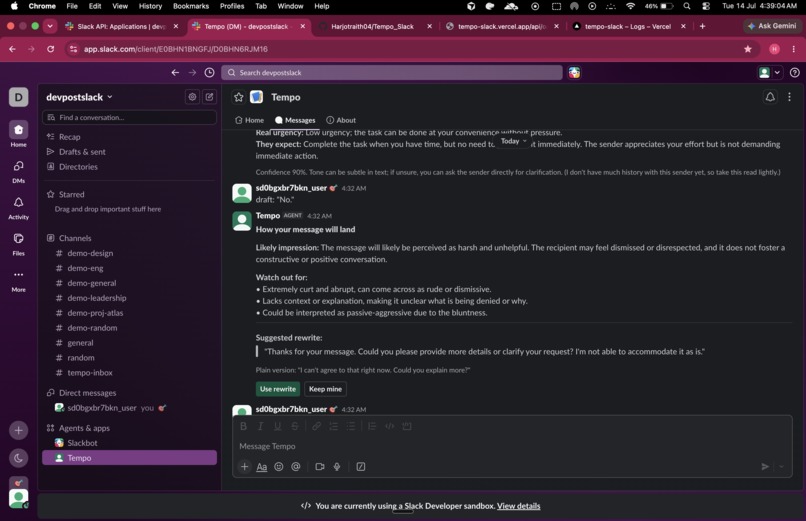
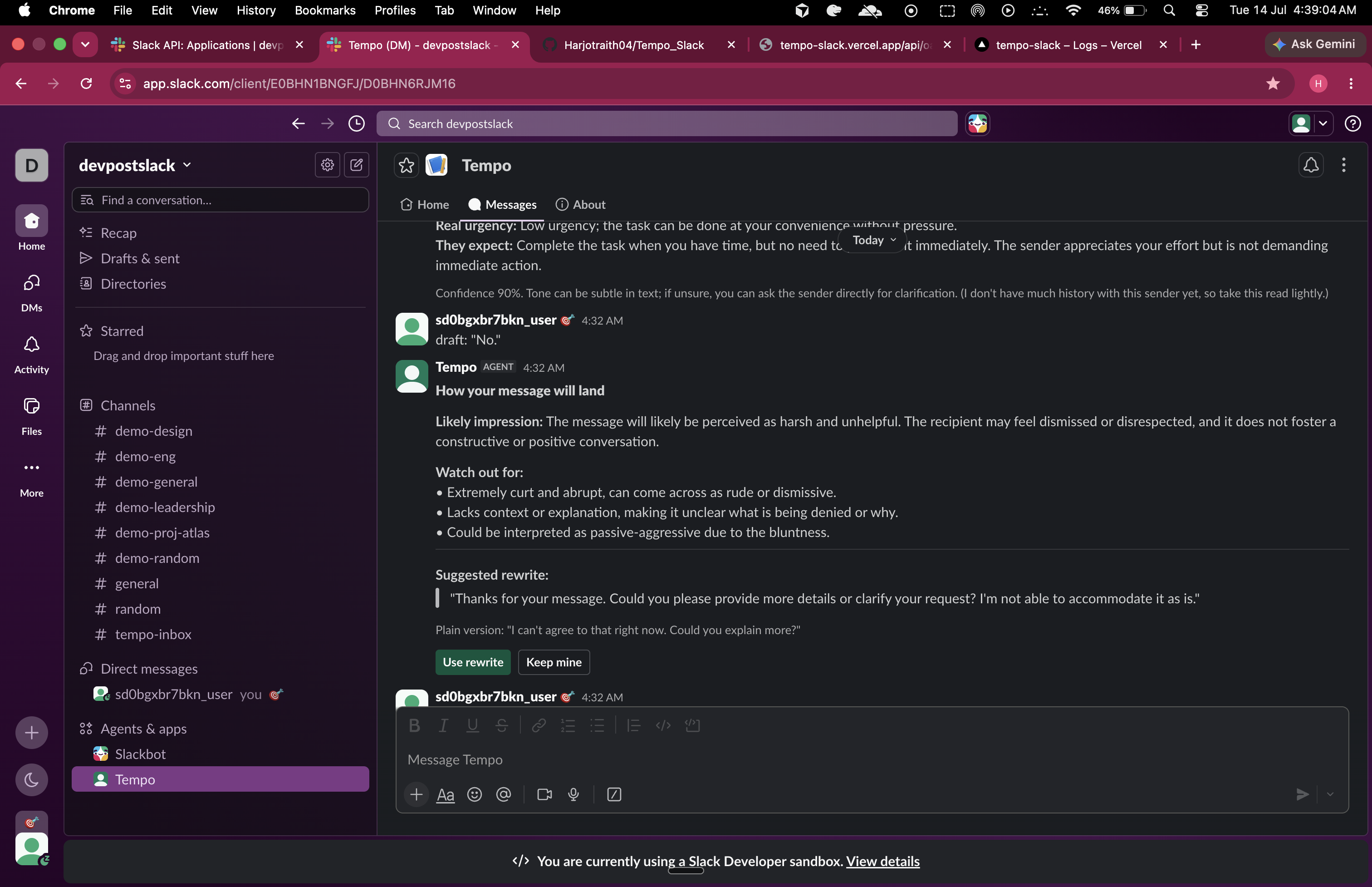
Slack agent showcasing how to present based on conversations
-
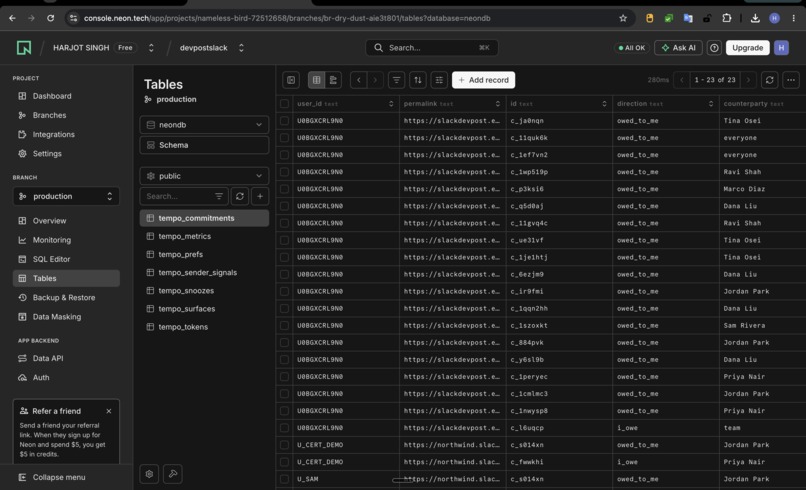
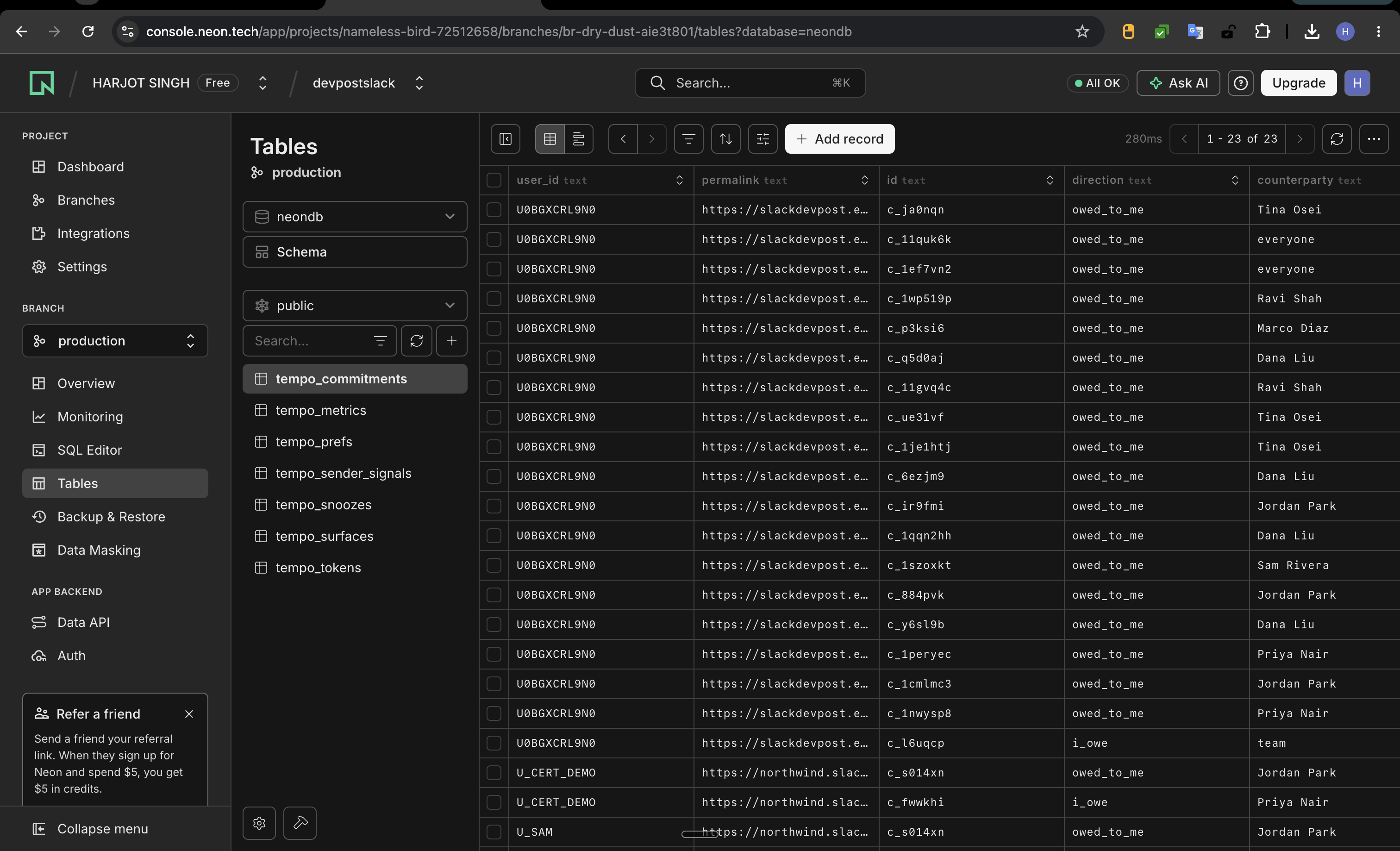
neon db for the agent db
-
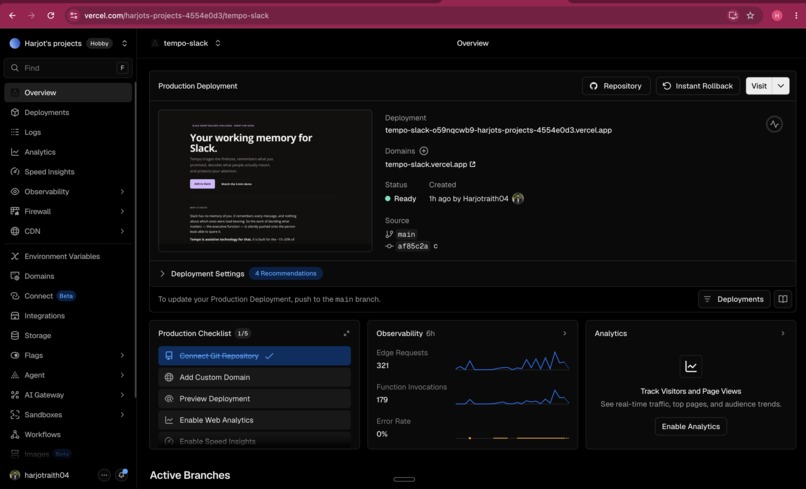
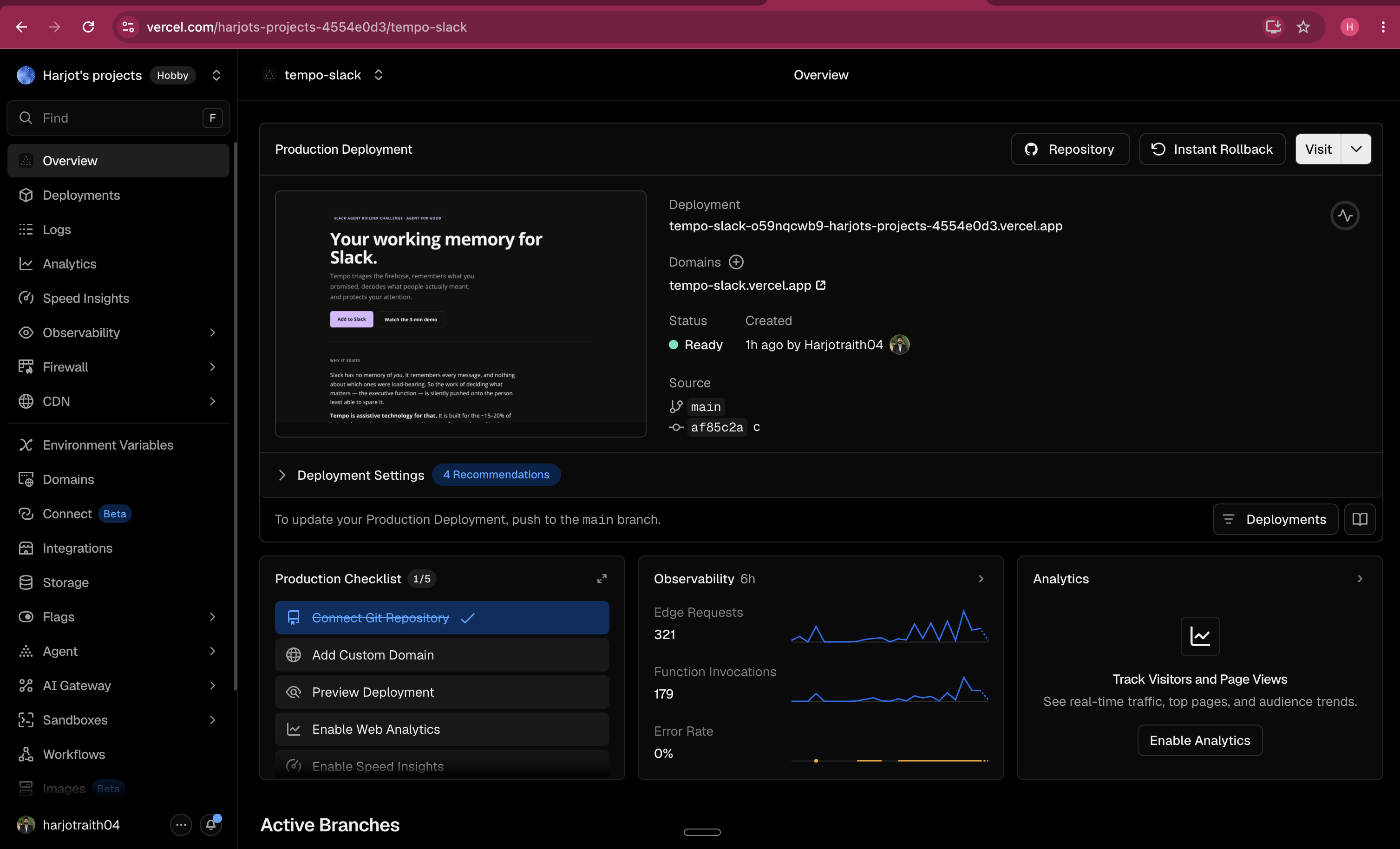
vercel hosting of the agent
Inspiration
Slack redesigned itself around focus and, in its own words, "a conscious reduction of cognitive load." That is the right diagnosis. But a client can only quiet the noise it can see. It cannot know which of your 412 unreads is a promise you made three weeks ago, which "no rush 🙂" is actually furious, or who is quietly blocked on you in a thread that never @-mentioned you.
For most people that gap is an annoyance. For the ~15–20% of knowledge workers who are neurodivergent — ADHD, autism, anxiety, dyslexia — and for the millions of people working in a second language, it is genuinely disabling. Working memory leaks promises. Implicit social subtext is either invisible or exhausting to compute, message by message, all day. Every notification arrives at the same volume, so nothing has a volume.
The important part of Slack is not in the messages. It is in between them — the urgency the words don't state, the obligation nobody wrote down, the person waiting in silence. Neurotypical native speakers reconstruct that layer automatically and for free. Everyone else pays for it, in attention they don't get back.
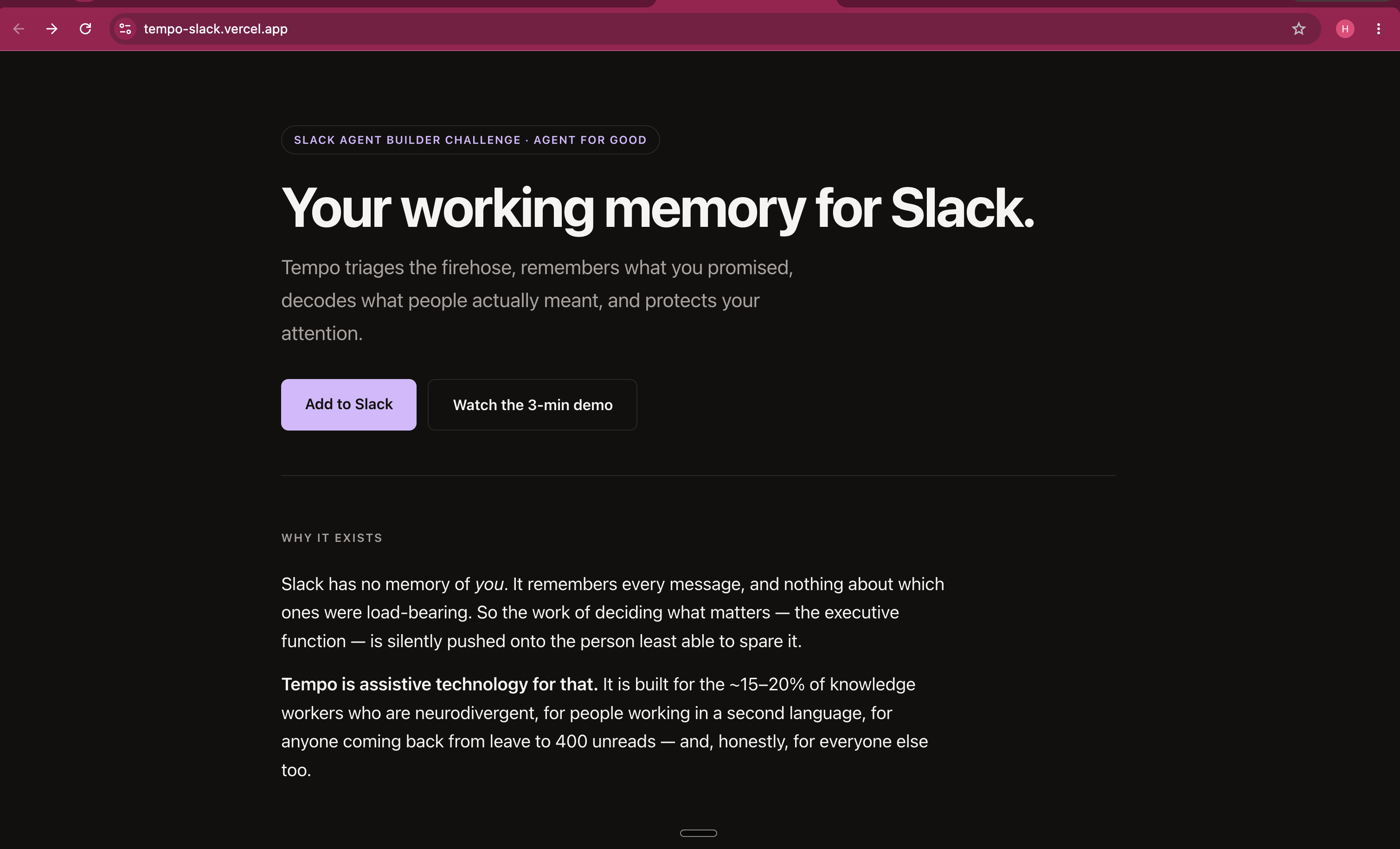
Tempo is an attempt to give that layer back. Not a productivity bot — assistive technology. It does for attention and working memory roughly what a screen reader does for sight: it makes the unwritten parts of Slack legible.
What it does
Five modules, all grounded live in the user's own permissioned messages, all human-in-the-loop, none of it stored.
1. Triage — "The Surface"
Sorts everything since you were last active into ACT / BLOCKER / FYI / NOISE, ranked 0–100 by urgency.
The category that matters is BLOCKER, and the classifier prompt says exactly why:
BLOCKER: someone is blocked or waiting on ${name}, **even if they did not @-mention them.
That is the first thing lost between the messages. Slack's own unread badge cannot find it, because nothing was addressed to you. Tempo delivers a calm "3 things actually need you" card — never more than your chosen maxItems (default 3) — and the rest waits behind a button. The cap is a feature, not a limitation: an assistive tool that hands an overwhelmed person a list of 40 items has failed them.
2. Commitment Ledger — "The Memory"
Externalized working memory. Tempo extracts real commitments — a deliverable plus (usually) a time — and tracks direction (i_owe / owed_to_me), counterparty, due date (parsed from natural language with chrono-node: "by Friday", "EOD Monday"), and status: open · at_risk · overdue · done · renegotiating. Then it drafts the nudge or the deadline-renegotiation for you to review and send.
Executive dysfunction is not forgetting that a task exists. It is the promise dissolving into a thread the moment you scroll past. The Ledger is a prosthetic for exactly that.
3. Tone Decoder — "The Translator" — the accessibility core
This is the module the whole project exists for. It runs in both directions.
Inbound — what did they actually mean? Tempo returns a structured decode, never a vibe:
| Field | What it recovers |
|---|---|
literalMeaning |
what the words say |
impliedMeaning |
what they actually mean |
emotionalTone |
"politely irritated / passive-aggressive" |
urgencyRead |
the real urgency, which routinely differs from the words |
socialExpectation |
the concrete thing you're now supposed to do |
confidence |
0–1, honestly reported |
caveat |
"I can misread tone — if it matters, ask them directly" |
The system prompt is written for the user, not the demo:
"You are Tempo, helping someone who finds implicit social subtext hard to read (e.g. neurodivergent or a non-native English speaker)… Name the emotional tone, **the real urgency (which often differs from the words), and the concrete social expectation. Always include a confidence and a short caveat… Never be alarmist; be plain and grounding."
So "no rush 🙂, it's only been a week" decodes to: they are frustrated, the smiley is sarcastic, the handoff is waiting on you, treat as needed-today — confidence 0.72, plus the caveat. Tempo never pretends to certainty about another person's feelings. That honesty is a safety property: an assistive tool that confidently misreads tone is worse than none.
It also grounds the read in how this specific person actually writes, pulling their recent messages via RTS, and adjusts confidence by familiarity — with little history it adds "I don't have much history with this sender, take this read lightly"; with more history it nudges confidence up, bounded to a maximum of +0.1 so the model can never talk itself into certainty.
Outbound — how will my message land? Paste a draft and Tempo returns risks (too curt, ambiguous, could read as passive-aggressive), howItLands, a warmer rewrite that keeps your voice, and a plainLanguage version. For anyone who has ever sent "fine." and spent the next hour wondering if they just detonated something, this is the whole product.
4. Focus Guardian — "The Shield"
One tap protects a deep-work block: real Slack Do-Not-Disturb + a real status (dnd.setSnooze, users.profile.set, on your own user token — genuinely flipped, not narrated), a calendar hold and task via outbound MCP, and a digest scheduled for the moment you surface.
5. Re-entry — "The Bridge"
A plain-language brief after time away: what was decided, what changed, who is waiting on you. Day one back stops being an archaeology dig.
The accessibility spine — through every surface
Not a settings page bolted on the side. Every response passes through it:
- Verbosity (
brief/standard) and reading level (plain/standard).plainify()breaks dense punctuation into short sentences while preserving every word, number and parenthetical — "45 min" and "(why this matters)" survive intact. Simplification that silently drops information is not accessibility, it is data loss. - Read-aloud (TTS).
toSpeech()strips all markdown and Slack's<url|label>link syntax, so a screen reader or TTS engine never voices "asterisk" or spells a URL out character by character. maxItems— a hard cap on how much Tempo is allowed to put in front of you.- English + Spanish, including spoken output.
And it is machine-checked: auditResponse() runs as a build gate over every response type, and fails on an empty read-aloud script, markdown leaking into speech, an unlabelled Block Kit button, or semicolon-joined runs in plain reading level. Accessibility regressions break the build. It is a test, not a promise.
How we built it — all three required technologies, and where each one really is
1. Real-Time Search API — the foundation
Tempo is impossible without RTS. It calls assistant.search.context with a user token, which per Slack's docs requires no action_token (bot tokens do). That single fact is load-bearing twice over:
- it legally unlocks proactive grounding — the Vercel-cron morning digest can run while you are asleep, with no inbound event to harvest an action token from; and
- it is the privacy story — Tempo reads exactly what you can already read, nothing more, and it acts as you, not as an omniscient bot.
The scope split is enforced in one file (oauth/scopes.ts) where every scope carries a plain-language why and the exact method that needs it, and scopes.test.ts fails CI if manifest.json ever drifts from it. Least privilege as a test, not a policy document.
2. MCP — both directions, and the inbound one is live right now
Tempo is an MCP server at /api/mcp/server, exposing four tools — tempo_triage, tempo_commitments, tempo_decode, tempo_focus — so Claude, Cursor, or Agentforce can use a person's Slack executive function as a capability. Tempo is infrastructure, not just an app.
The trust model is default-deny, with no ambient authority:
- a signed per-user agent token (HMAC) → the caller acts as exactly that user, using their Slack token; or
- a shared gate token, accepted only when both the token and an explicit user are configured.
- Anything else — no credential, an unknown token, a token with no configured user — returns
nulland the endpoint 401s. Turning the server on without configuring a credential serves nobody, not everybody.
And the boundary is content-tight: the MCP tools return derived facts only — category, urgency, reason, permalink. Raw message text never crosses the wire. Judges can call it themselves (see below).
3. Slack AI / agent surfaces
The 2026 Agent experience (agent_view, suggested prompts, thread status), App Home dashboard, Block Kit actions, the /tempo slash command, Workflow Builder custom steps, Canvas, Lists, reminders and bookmarks.
The engineering
A hexagonal TypeScript modular monolith on Bolt — ~13,000 lines, 381 tests across 53 files, typecheck + build + demo green on every commit via GitHub Actions.
Domain modules depend only on ports (rts, ai, slack, store, mcp). Every external system has a mock and a live adapter, which is why the entire product runs credential-free: npm run demo plays the whole narrative deterministically with zero secrets. That is not a demo trick — it is what let us harden every live seam against the published API references before a single key existed.
Deployed on Vercel Fluid Compute via @vercel/slack-bolt (sub-3-second ack, real work continued in the background with waitUntil), Neon Postgres with AES-256-GCM token encryption, and startup assertions that refuse to boot in a live posture with the dev encryption key or a file store on Vercel's read-only filesystem.
What we learned
Almost everything worth knowing came from the moment mocks met the real API.
RTS's payload is flatter than you'd guess, and its silences are the interesting part. Messages come back as content / message_ts / author_user_id / channel_id — no nested channel object and, critically, no per-message channel-type flag at all. We infer DM vs. group vs. channel from the Slack ID prefix (D / G / C).
RTS returns app-posted messages with no author. Verified live: author_user_id: "U00" — a sentinel — and author_name: "". Real workspaces are full of these (bots, integrations, anything with a display-name override), and a triage card with a blank sender is useless. So we hydrate the missing names from conversations.history, one cached call per channel, and we never leak U00 as if it were a person.
after must be a number, not a Slack ts. Passing "1783885570.724319" straight through is rejected: must provide a number [json-pointer:/after]. Sub-second precision is meaningless as a window bound anyway, so we floor to epoch seconds.
The empty query is the most useful query. CORPUS_QUERY = "" means "everything I can see in this window" — lexical search cannot find "messages by person X", because an author isn't an indexable term. So the Tone Decoder pulls the window and filters by author client-side. Knowing what a search API can't do shaped the architecture more than what it can.
Output tokens, not prompt size, set your latency. Our classification schema originally asked the model to echo each message's permalink. A Slack permalink is ~28 tokens, it tokenizes badly, and output tokens are decoded one at a time. Switching the schema to echo a simple integer index (id: 0, 1, 2…) cut roughly a third of the output tokens — and killed a silent failure mode where a model that mistyped one character of a URL had its item quietly dropped on the way back. The fastest fix was a schema change, not an infrastructure one.
Challenges we ran into
The 3-second ack versus real model work. Slack retries anything slower than 3 seconds; triage does a live RTS call and LLM reasoning. We moved to @vercel/slack-bolt on Fluid Compute: ack instantly, finish in the background.
A platform that moved underneath us. The Assistant experience we started on was deprecated for new apps mid-build. We migrated to the 2026 Agent experience (agent_view, app_home_opened + message.im) while keeping both message paths alive — with no double-replies.
"Never store what it reads" as an engineering constraint, not a slogan. It forced derived-facts-only everywhere. The Commitment Ledger's Slack List rows carry the parsed obligation, never the source message. The MCP tools return categories and reasons, never text. It is enforced at the schema level and in tests, because a privacy claim you cannot test is a privacy claim you do not have.
A garnish must never take down the meal. Focus Guardian's outbound MCP call was, for a long time, a bare await. The mock never throws — so the bug was invisible until you pointed it at a real MCP server, where an unreachable host would throw before the DND and status calls ever ran. The user would have asked Tempo to protect their focus and received an error, with their notifications still blaring. Now the calendar call runs behind a safely() guard and degrades to "(Couldn't reach your calendar — the Slack block is still on.)" The summary states only what actually happened. Claiming a calendar hold that silently failed is exactly the kind of confident lie that makes an assistant untrustworthy — and for a user who is relying on this to protect their attention, untrustworthy means unusable.
Making consent structural. "Tempo reads only what you can see" wasn't enough — people wanted "…and only where I allow." Because assistant.search.context has no channel filter, we added a ScopedRtsClient decorator: a watched-channel allowlist and a muted-user list, applied to results. It slots into the container once, and Triage, the Ledger, the Decoder and Re-entry all inherit it without a line changed in any of them. Filtering after the fact is also the safer default — an upstream API change can never silently widen a user's scope. That is the ports/adapters dependency rule paying rent.
Accomplishments we're proud of
- A category nobody ships. There is no assistive technology for attention, tone, and working memory on Slack. There are plenty of helpdesk bots.
- Honesty as a design constraint. Confidence scores and caveats on every tone read. A focus summary that admits what failed. This is the difference between a demo and something a person could actually lean on.
- Accessibility as a machine-checked build gate, in English and Spanish — not a paragraph in a README.
- 381 tests and a complete product demo that run with zero credentials.
- Least privilege enforced by CI — 25 scopes, each with a justification and the method that needs it, with a drift test against the manifest.
What is honest about this submission
Judges deserve to know exactly where the line is, so here it is:
- Live and real: RTS grounding · Slack AI/agent surfaces · the inbound MCP server · real DND + status flips · Neon Postgres with encrypted tokens · OpenAI · the Vercel cron digest.
- Built, tested, but shipping against a mock: the outbound MCP calendar/task clients. They're behind the same port and fully exercised, but we chose not to stand up third-party OAuth we couldn't test end-to-end under the deadline.
/tempo focusemits a mock calendar link — and the Focus Guardian is explicitly hardened so that, on the day a real MCP server is connected and goes down, the DND still lands. - Off by default, by design: the team/manager view and the multi-source "Attention OS" (email/calendar). Their sources are mock-only. They are a roadmap direction, and we will not call them integrations.
Impact
Tempo targets the people Slack quietly disables: neurodivergent workers (~15–20% of the workforce), non-native speakers parsing implicit tone in a second language, and everyone sliding toward burnout in the firehose.
It reduces cognitive load (ranked triage, a hard cap on items), externalizes working memory (the Ledger), translates the social subtext that costs some people their whole day to compute (the Decoder), defends recovery time (Focus + Re-entry), and speaks its answers aloud for people who process audio better than a wall of Block Kit.
And like every good piece of assistive technology, it turns out to serve everyone. Calm, ranked, plain-language communication is universal design — curb cuts were built for wheelchairs and are used by everyone with a suitcase. The person who benefits from being told "three things need you, and Priya has been blocked on you since Tuesday" is, on a bad week, all of us.
What's next
Marketplace listing (the scopes audit, privacy policy and data-governance work are already done), more locales, connecting the outbound MCP clients to real calendar and task servers, and the Attention OS: the same permission-aware working memory extended across email and calendar via MCP source adapters — already running behind a feature flag.
Built With
- agent-view
- assistant.search.context
- block-kit
- chrono-node
- fluid-compute
- mcp
- model-context-protocol
- neon
- node.js
- openai
- postgresql
- real-time-search-api
- slack
- slack-ai
- slack-api
- slack-bolt
- typescript
- vercel
- vercel-ai-sdk
- vercel-cron
- vitest
- workflow-builder
- zod


Log in or sign up for Devpost to join the conversation.