Inspiration
We've all been there: It's 1:59 PM. You have a meeting in sixty seconds, but your browser is a graveyard of 50 unrelated tabs. You're frantically digging through your calendar for a Zoom link, hunting for a specific Google Doc, and trying to pull up Google Slides that actually matter.
We call this The Flicker — that chaotic gap where productivity goes to die. We built Tempo to automate the transition, moving you from the flicker of preparation into the Flow of focused work.
What it does
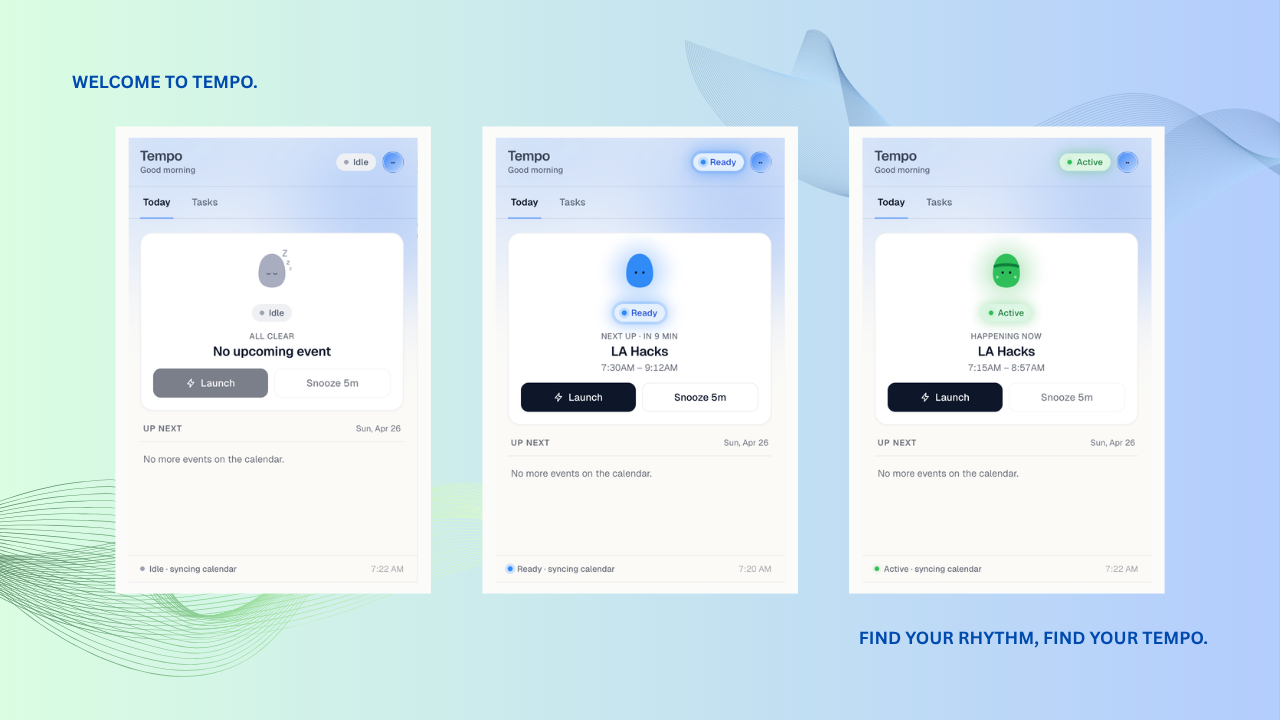
Tempo is an autonomous "Workspace Orchestrer" built as a Chrome Extension. It doesn't just wait for you to click a link; it learns what you need and prepares your stage before you even step on it.
- Contextual Learning: While you work, Tempo quietly observes. It monitors active tabs during meetings to learn that "Design Sync" usually means Figma, while "CS 180" means Canva.
- AI-Powered Predictions: Using a multi-tier engine, it extracts URLs from calendar invites and uses the Gemini 1.5 Flash API to categorize vague meetings (like "Coffee Chat") to predict the right tools from your Chrome history.
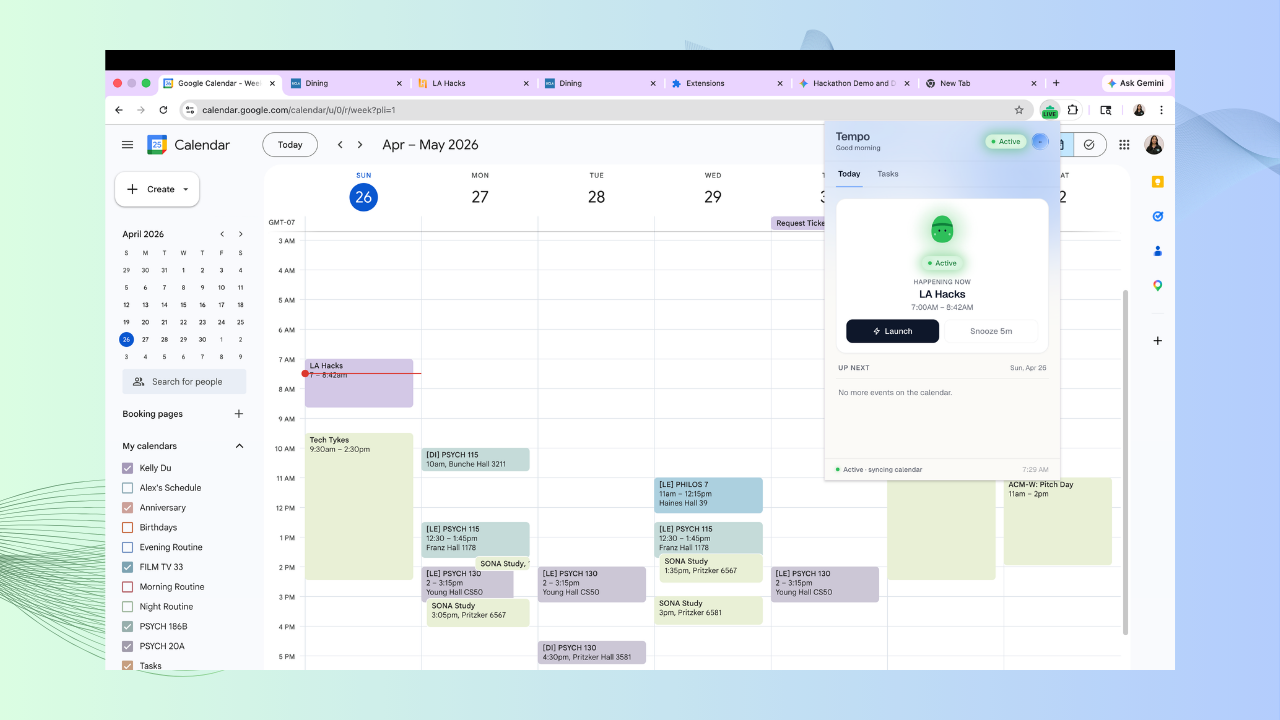
- The "Flow" Trigger: One minute before a meeting, a "Tempo is Ready" notification appears. One click launches your entire workspace — meeting links, documents, and more!
How we built it
We prioritized a "lean and local" architecture, ensuring Tempo is fast and private.
- The Brain: A Manifest V3 Background Service Worker that polls the Google Calendar API and manages state without a bulky external database.
- The Prediction Stack:
- Tier 1: Scrapes direct links from event descriptions.
- Tier 2: Local keyword mapping via chrome.storage.local.
- Tier 3: Gemini 1.5 Flash analyzes event intent and browser history to fill in the gaps.
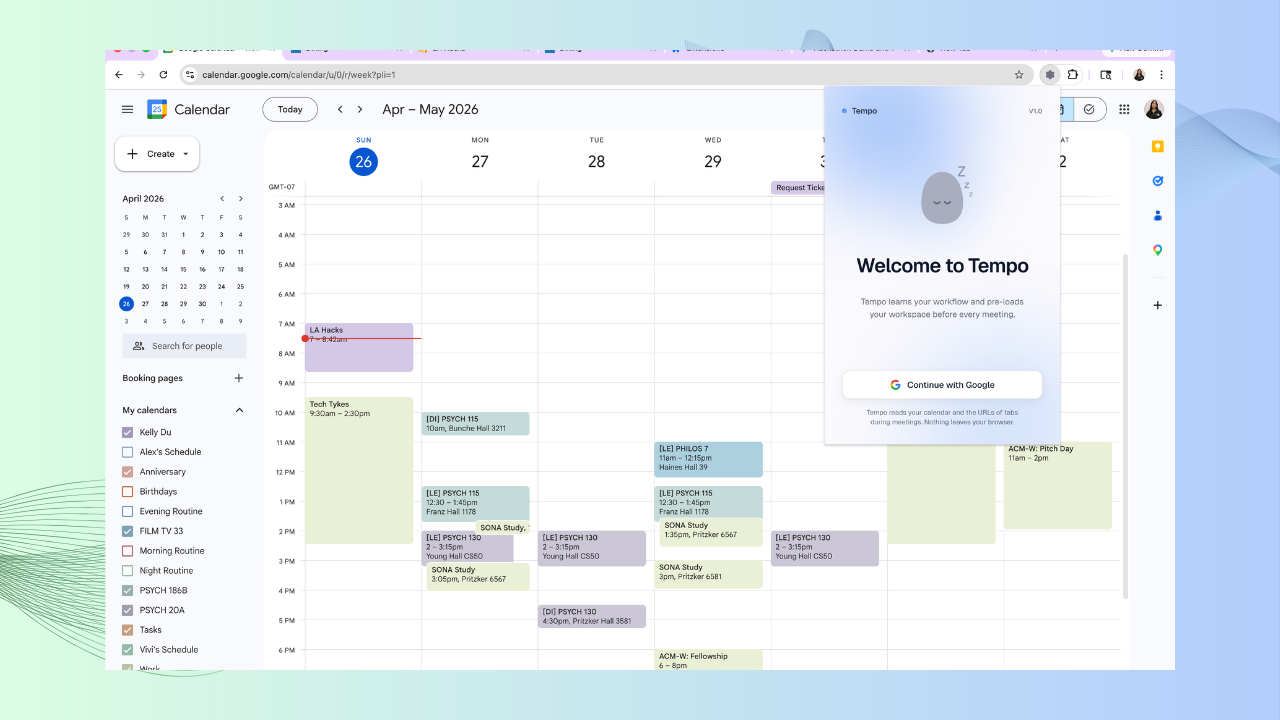
- Auth: Silent OAuth2 integration using the Chrome Identity API for a seamless "install and forget" experience.
Challenges we ran into
- The "Context" Problem: How do you know what a meeting is about when the title is just "Sync"? We built a custom filter to strip "stop words" and used Gemini to categorize the meeting's vibe (e.g., Engineering vs. Sales).
- The Storage Race: Managing high-frequency learning data in chrome.storage.local led to data collisions. We engineered a custom Storage Lock system to serialize read-modify-write sequences, ensuring your "learning" is never lost.
- Flow vs. Interruption: We initially considered fully automated launches, but realized that overriding a user's current task could be jarring. We pivoted to a refined Notification/Snooze logic to give the user control over the transition.
Accomplishments that we're proud of
We are most proud of building a "quiet" tool that solves a "loud" problem. We realized that micro-frictions—like hunting for a Zoom link or digging through bookmarks—don't just waste time; they drain the mental energy required for deep work. By engineering a solution that integrates seamlessly into the daily rhythm of life, we’ve created more than just a tab-manager; we’ve created a "bridge to flow." Seeing that friction vanish felt like opening a door to new opportunities, proving that even the smallest technical refinement can significantly expand a human's capacity to create.
What we learned
This journey was a masterclass in the synergy between Connectivity and Privacy. We discovered the immense power of the Google and Gemini APIs to personalize a user's experience, but we also learned that with great power comes a deep responsibility for safety. Building Tempo taught us how to leverage high-level AI and browser history without compromising the user's trust. We learned that the best software doesn't just work well—it respects the person using it by keeping their data local and their focus protected.
What's next for Tempo
Our vision for Tempo is universal. While it started as a tool for developers and students, the "pre-meeting flicker" is a global human experience. We aim to scale Tempo into a product that can serve millions, and eventually billions, of people across the world—from corporate executives in Tokyo to freelance designers in Berlin. Our next steps involve cross-platform expansion, integration with tools like Slack and Microsoft Teams, and refining our AI to predict the "human intent" behind a schedule, ensuring that everyone, everywhere, is only one click away from their best work.
Built With
- chromeidentityapi
- chromestorageapi
- css
- gemini
- googlecalendarapi
- googlecloudplatform
- html
- javascript
- json
- manifestv3
- oauth2

Log in or sign up for Devpost to join the conversation.