-
-
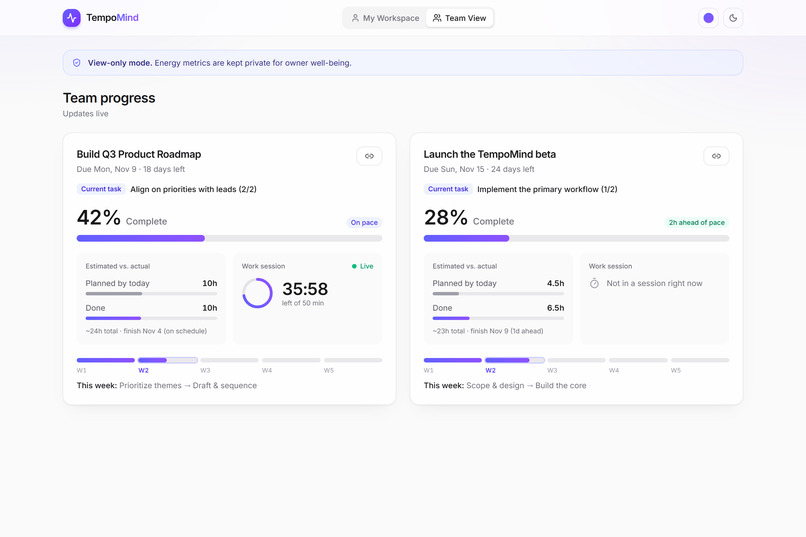
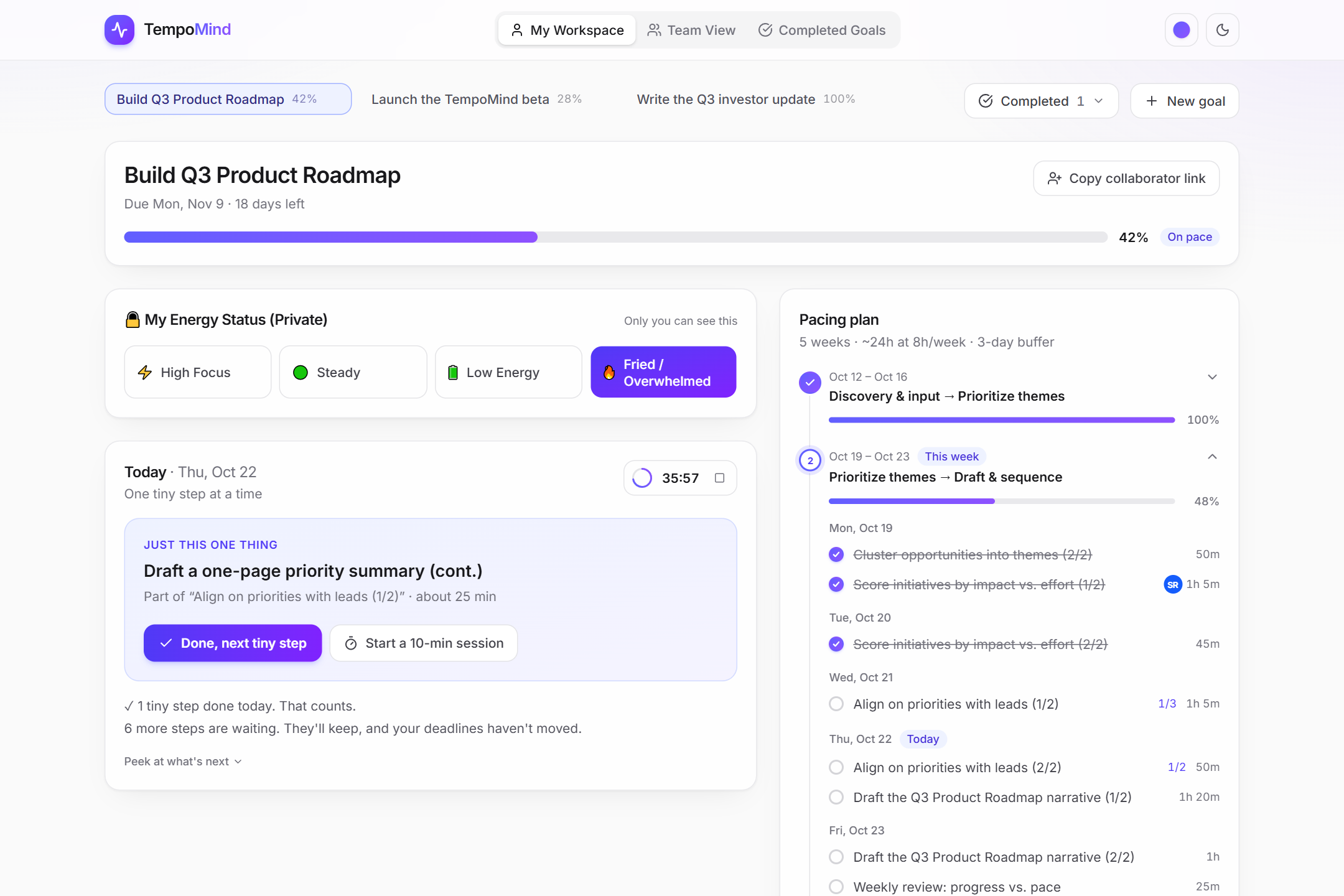
Previous version
-
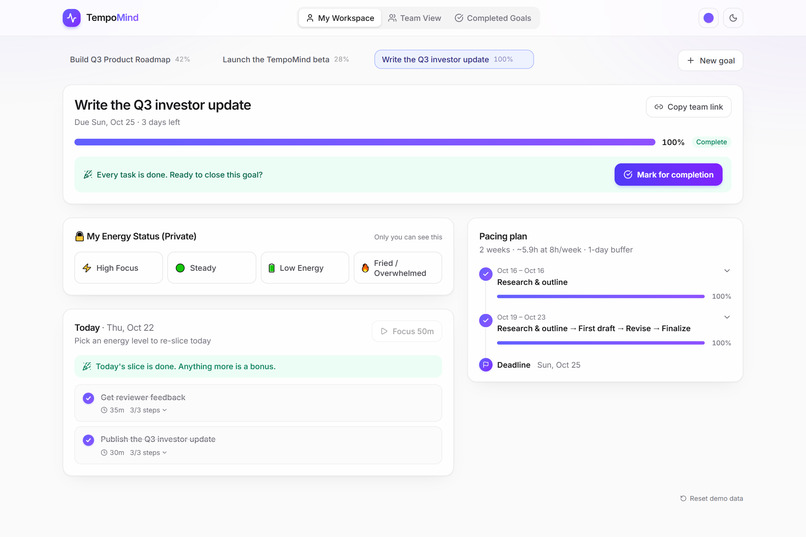
Previous version
-
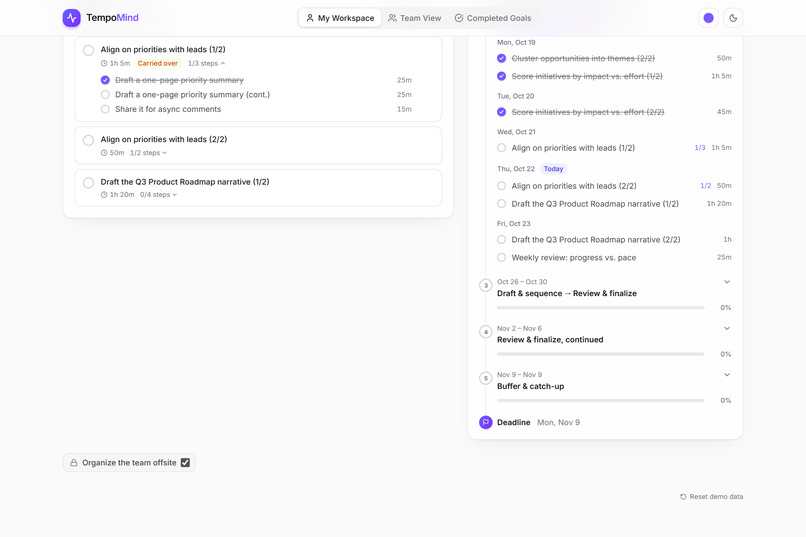
Previous version
-
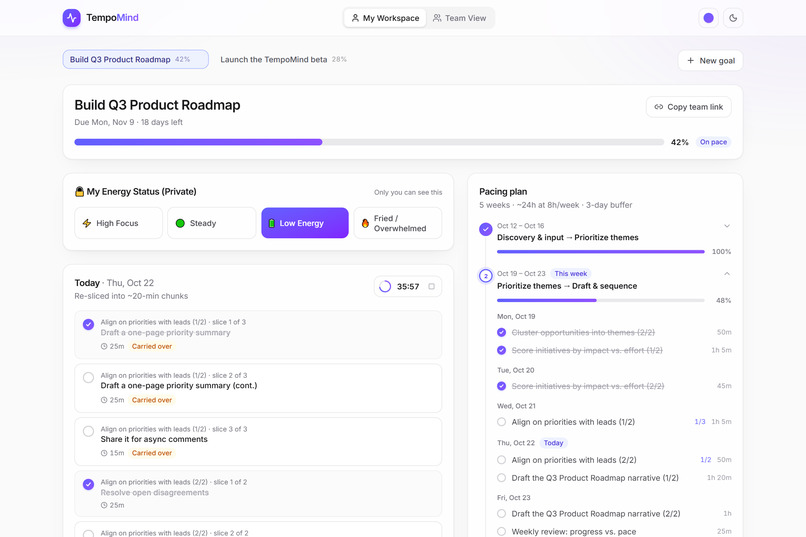
Previous version
-
Previous version
-
1st Version
-
1st Version
-
1st Version
-
Final Version
-
Final Version
-
Final Version
-
Final Version
-
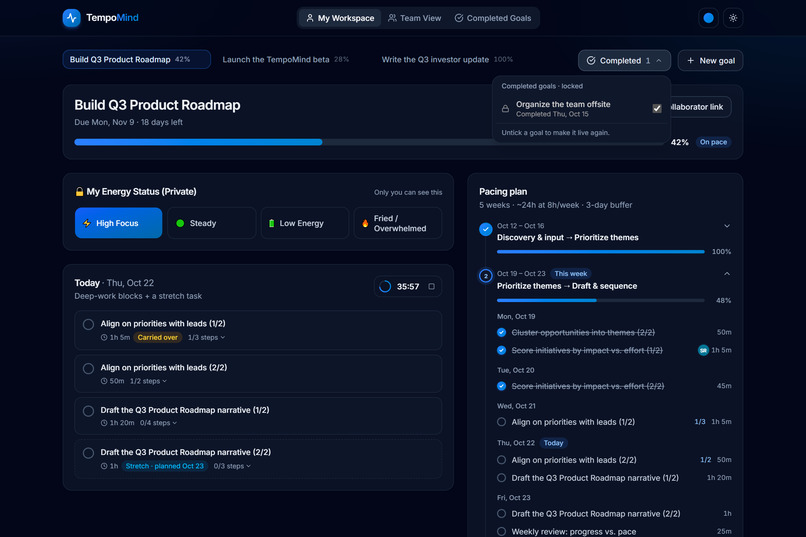
Final Version
-
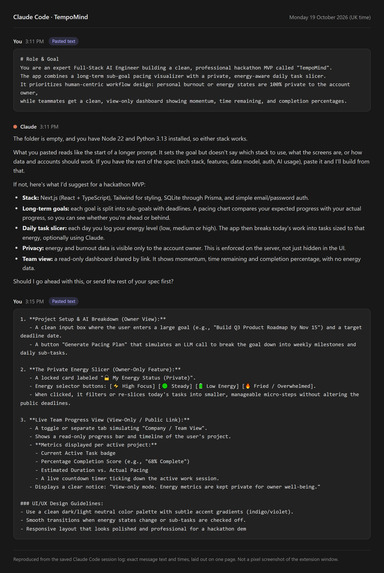
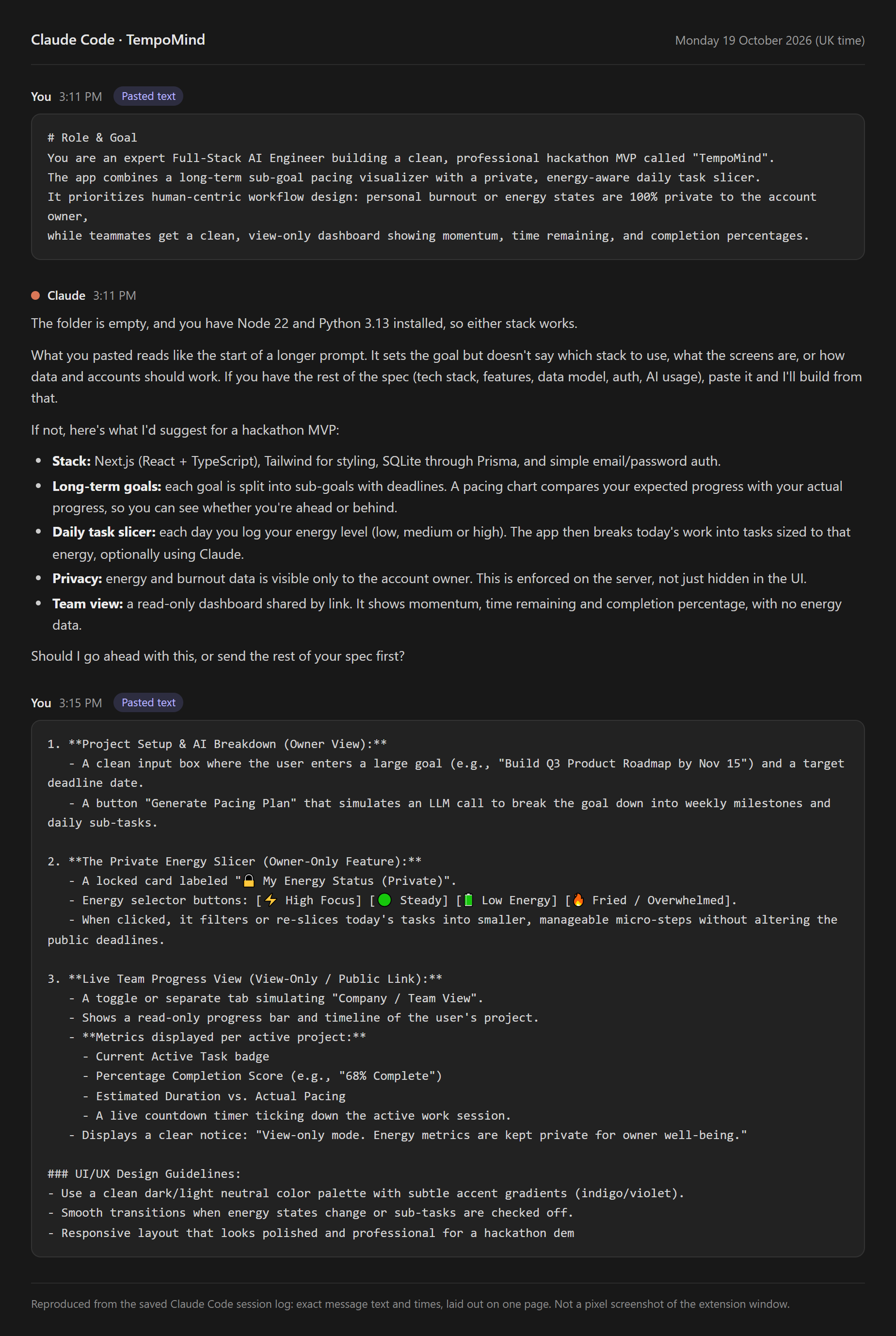
My initial prompts for the app.
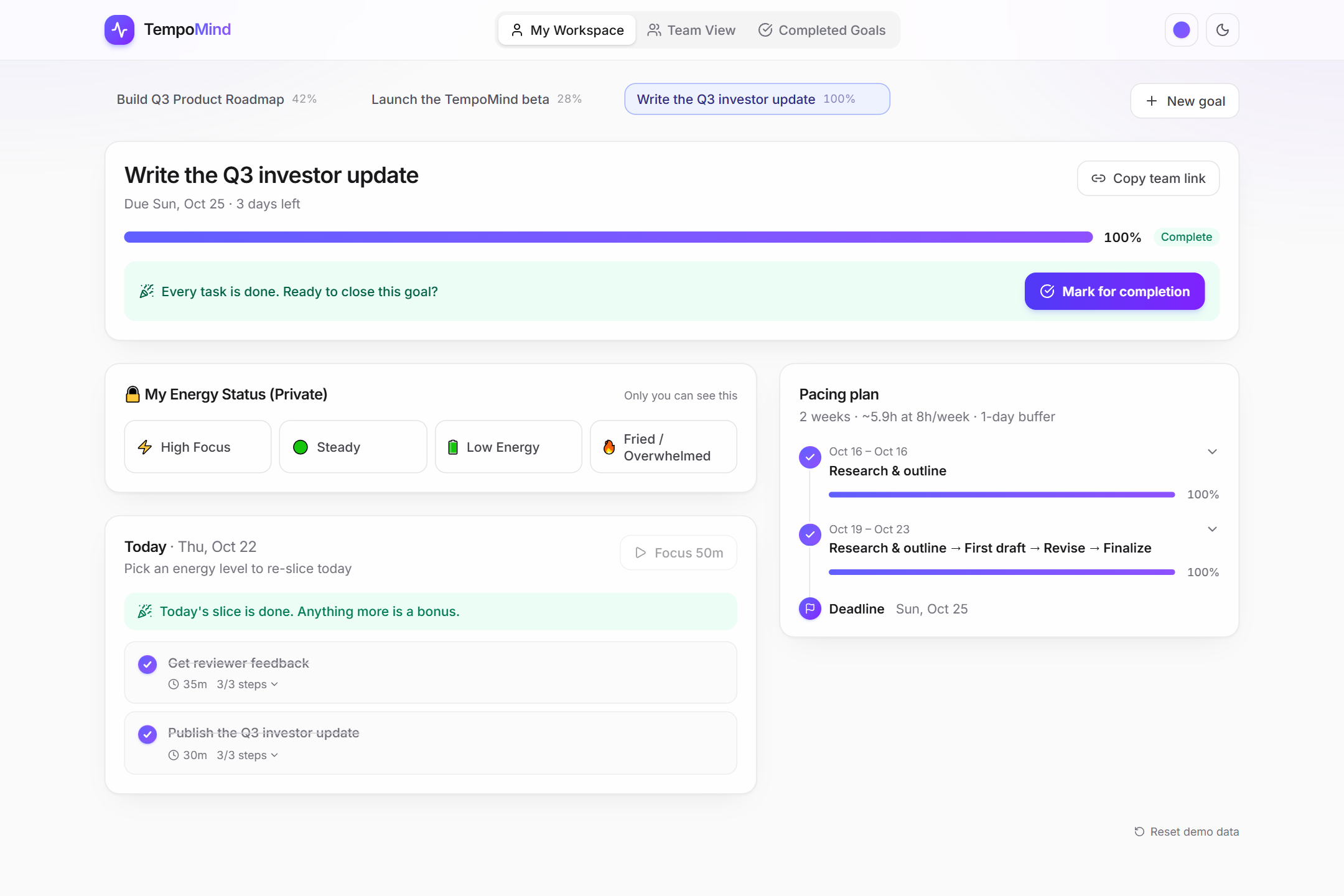
My inspiration
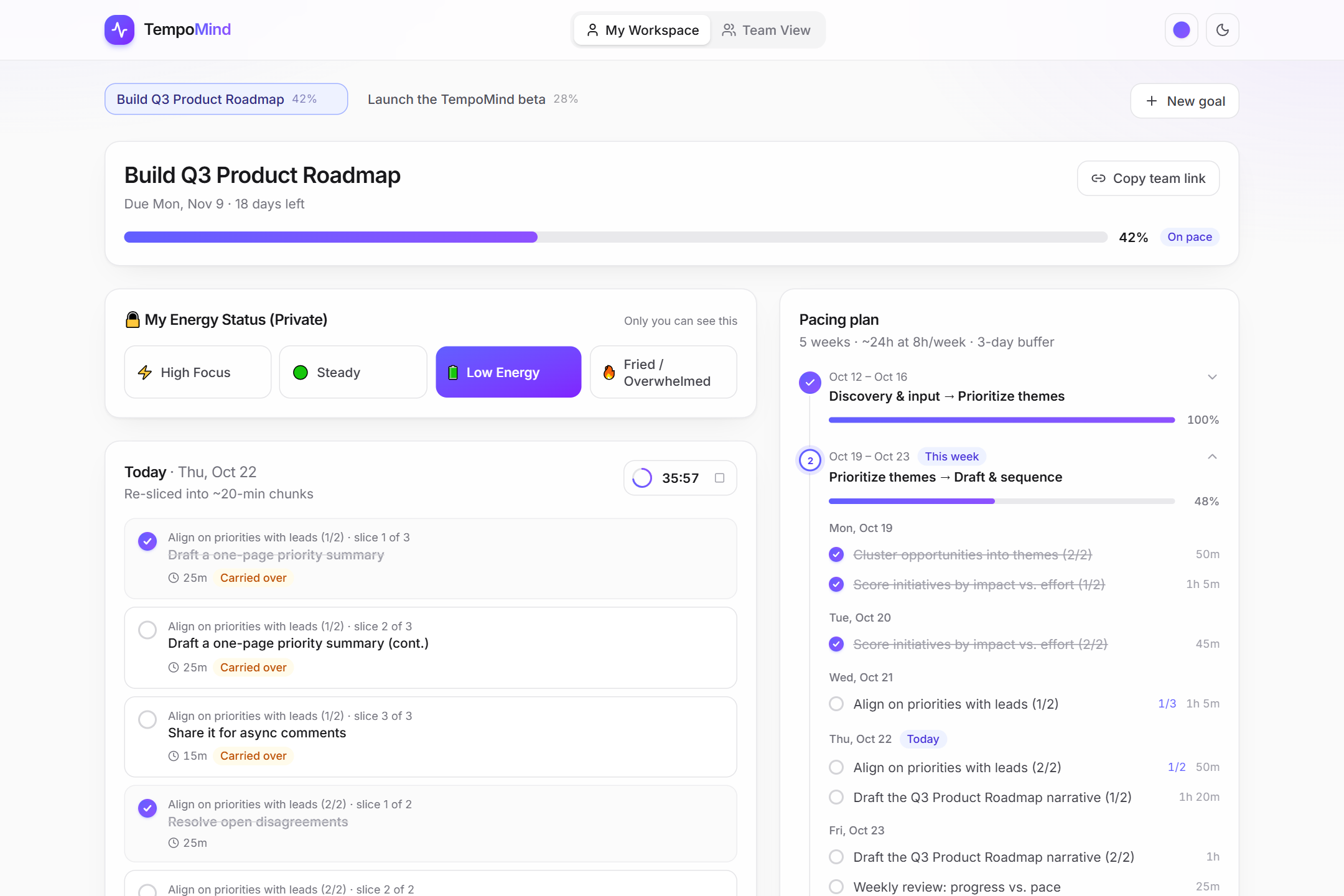
I know I'm not the only one who feels like this. Some days I'm really productive: my energy is high and I get through everything I planned. Other days my energy is low, and I'm nowhere near as productive as I know I could be.
What makes the biggest difference for me is being able to see my goals clearly. When I have a timeline and know exactly which steps, big or small, I need to take each day, it's so much easier to get started. I don't waste time procrastinating or wondering where to begin, and I actually finish things on time.
I wanted to build a tool that gives people that clarity, and one that works with their energy, not against it. That's how TempoMind started.
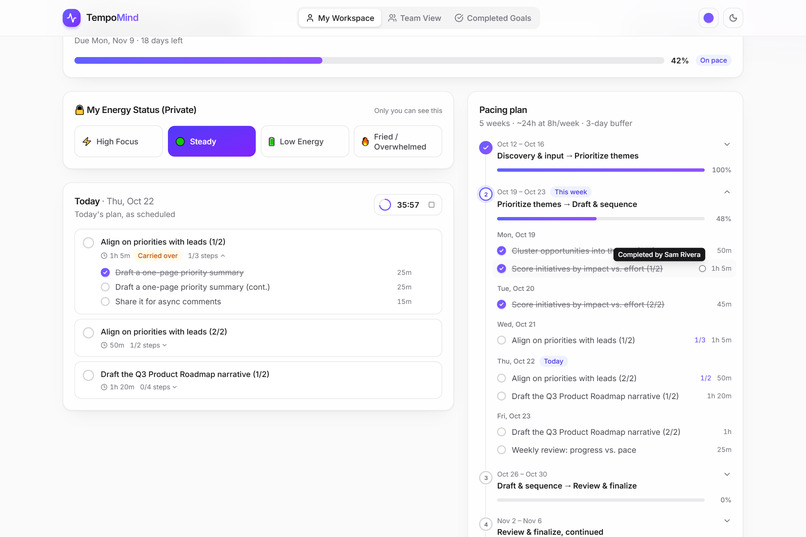
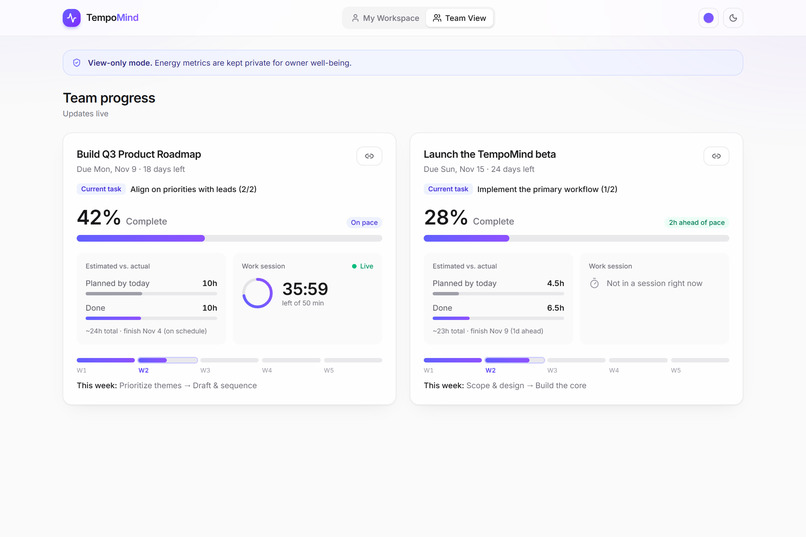
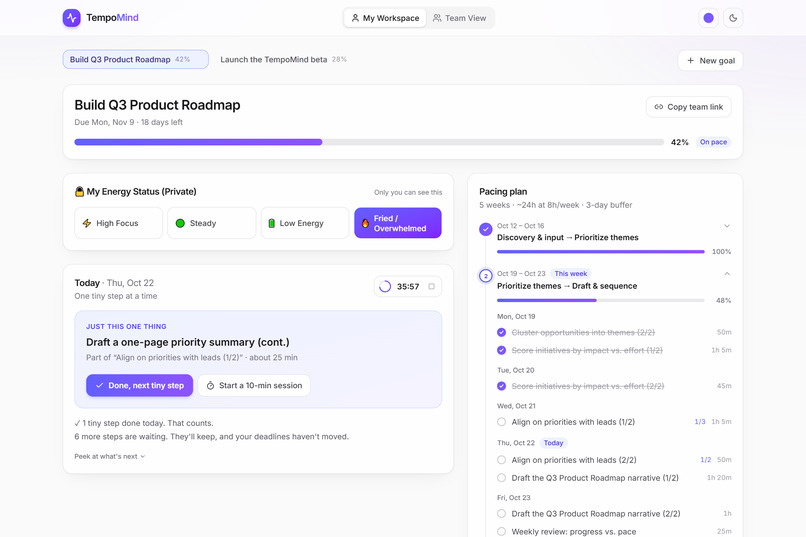
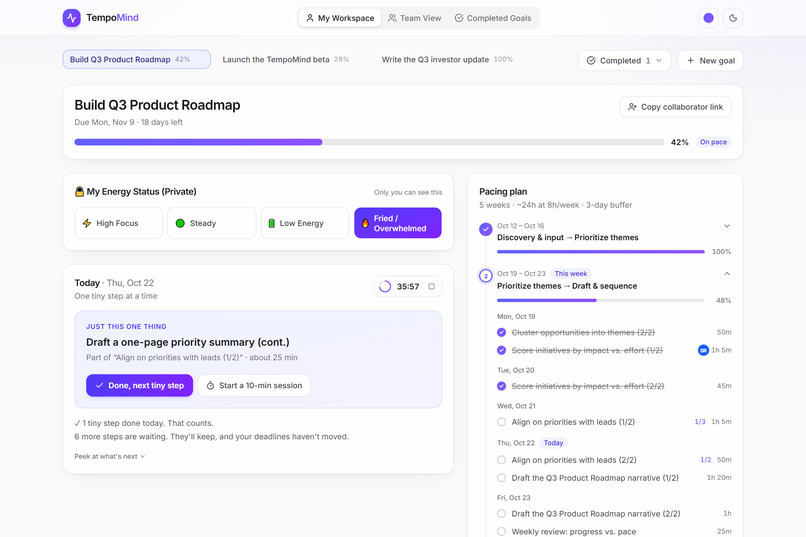
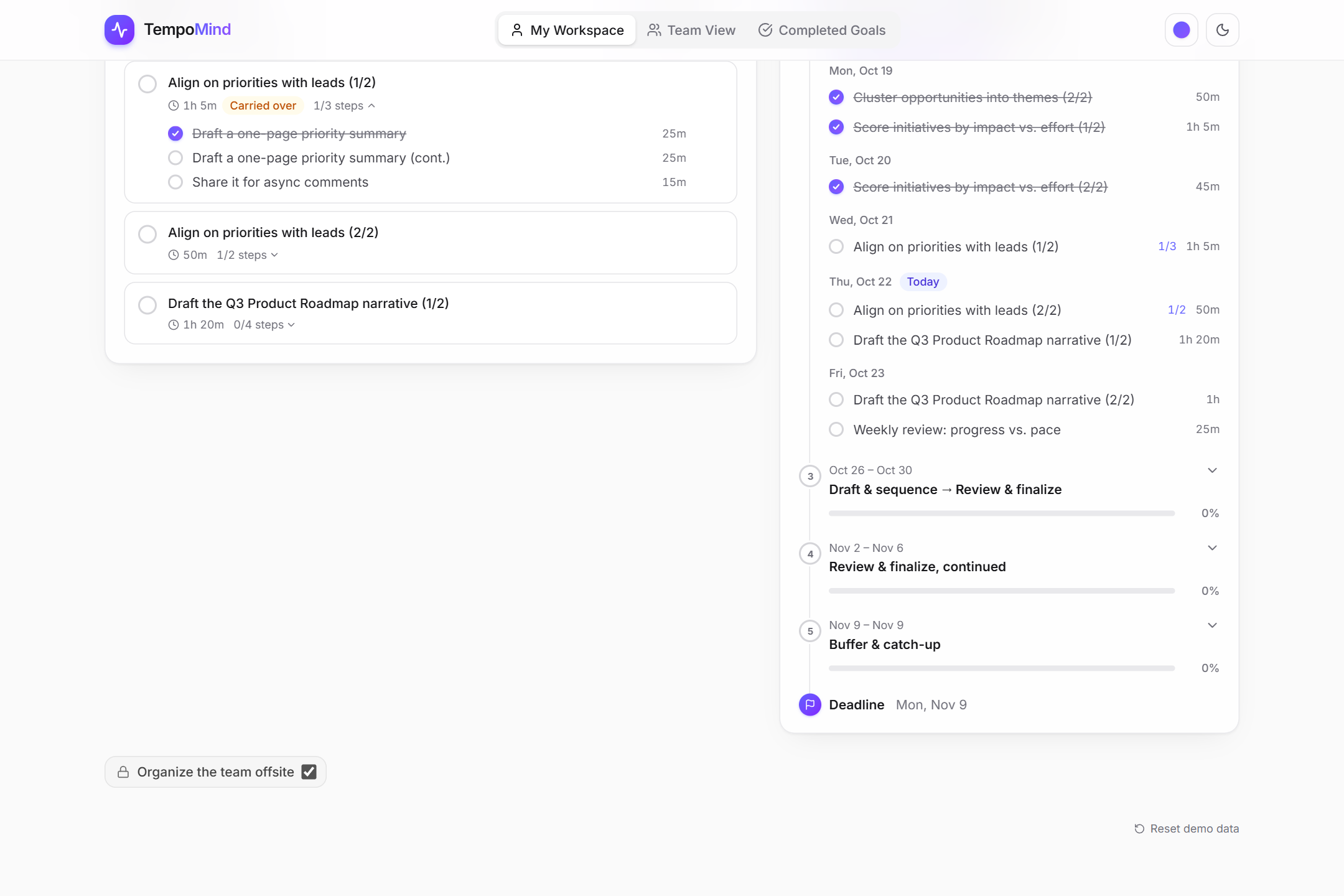
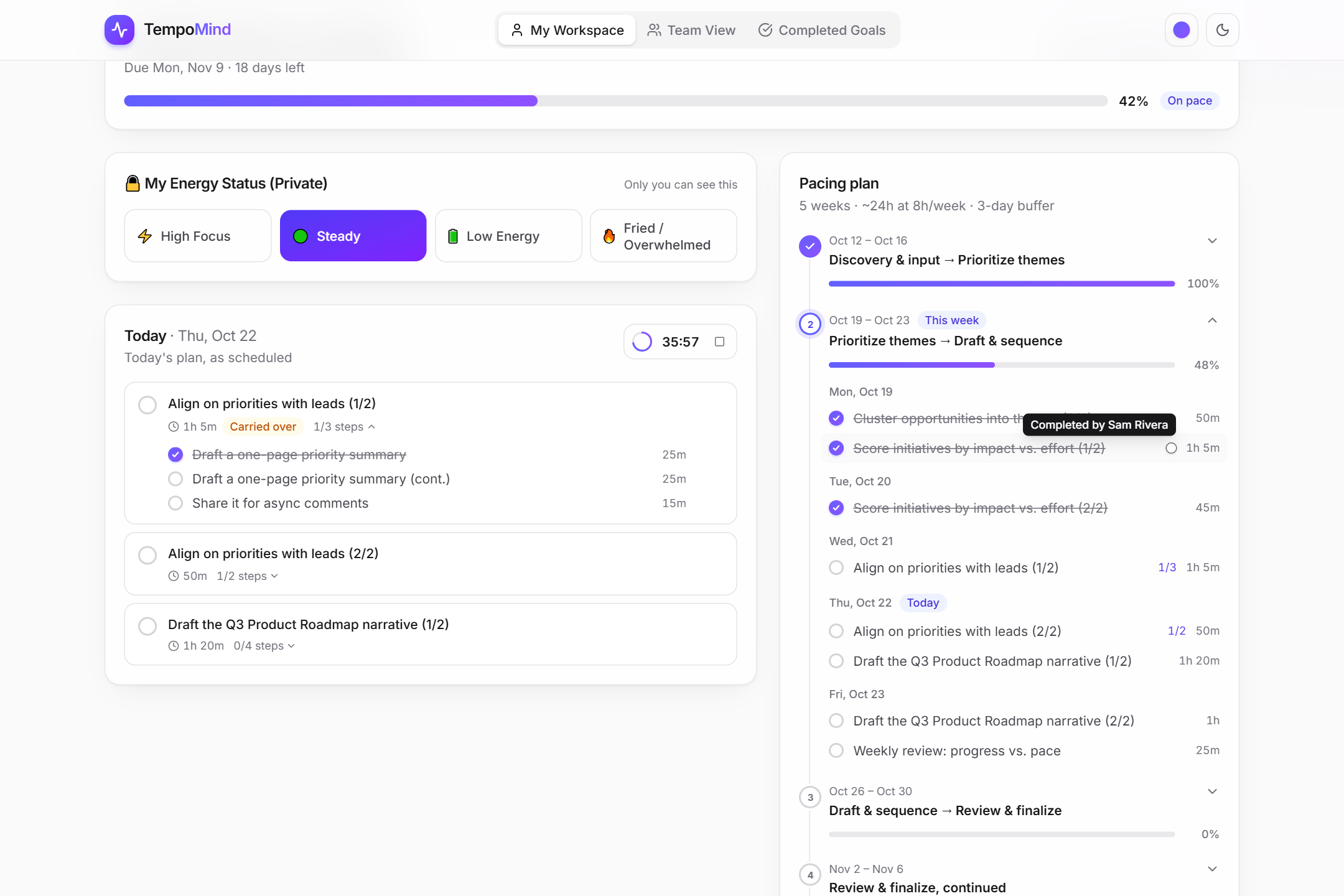
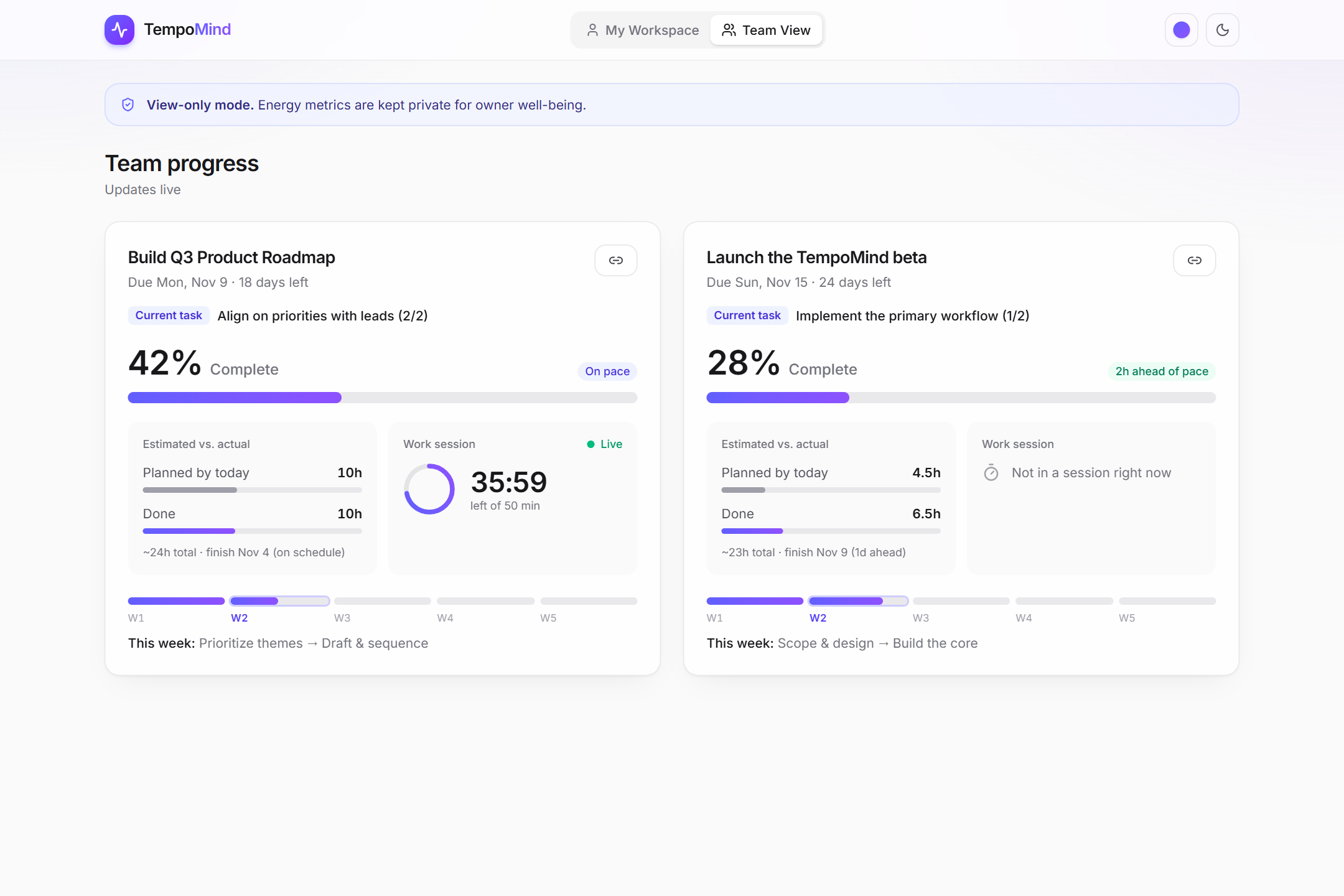
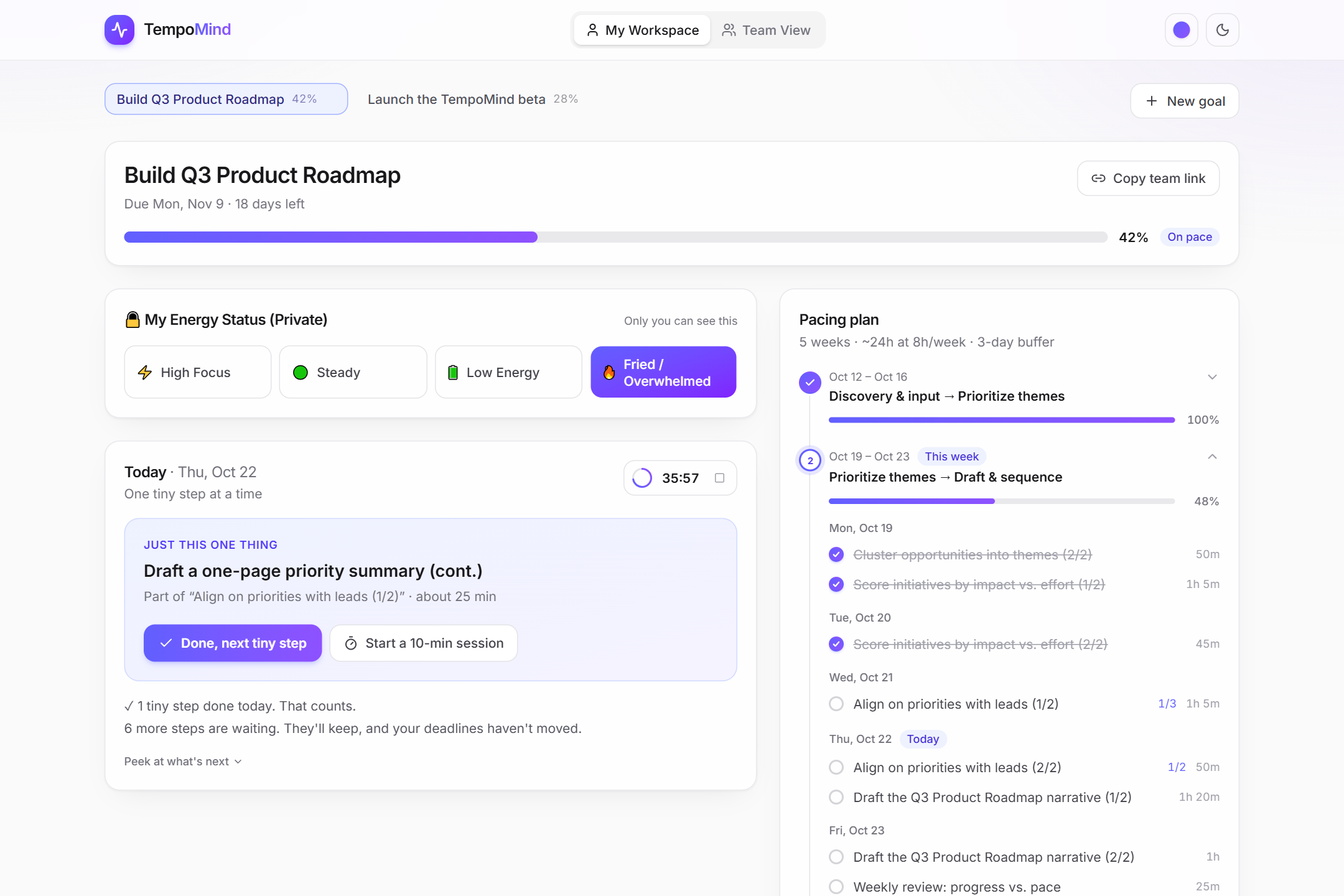
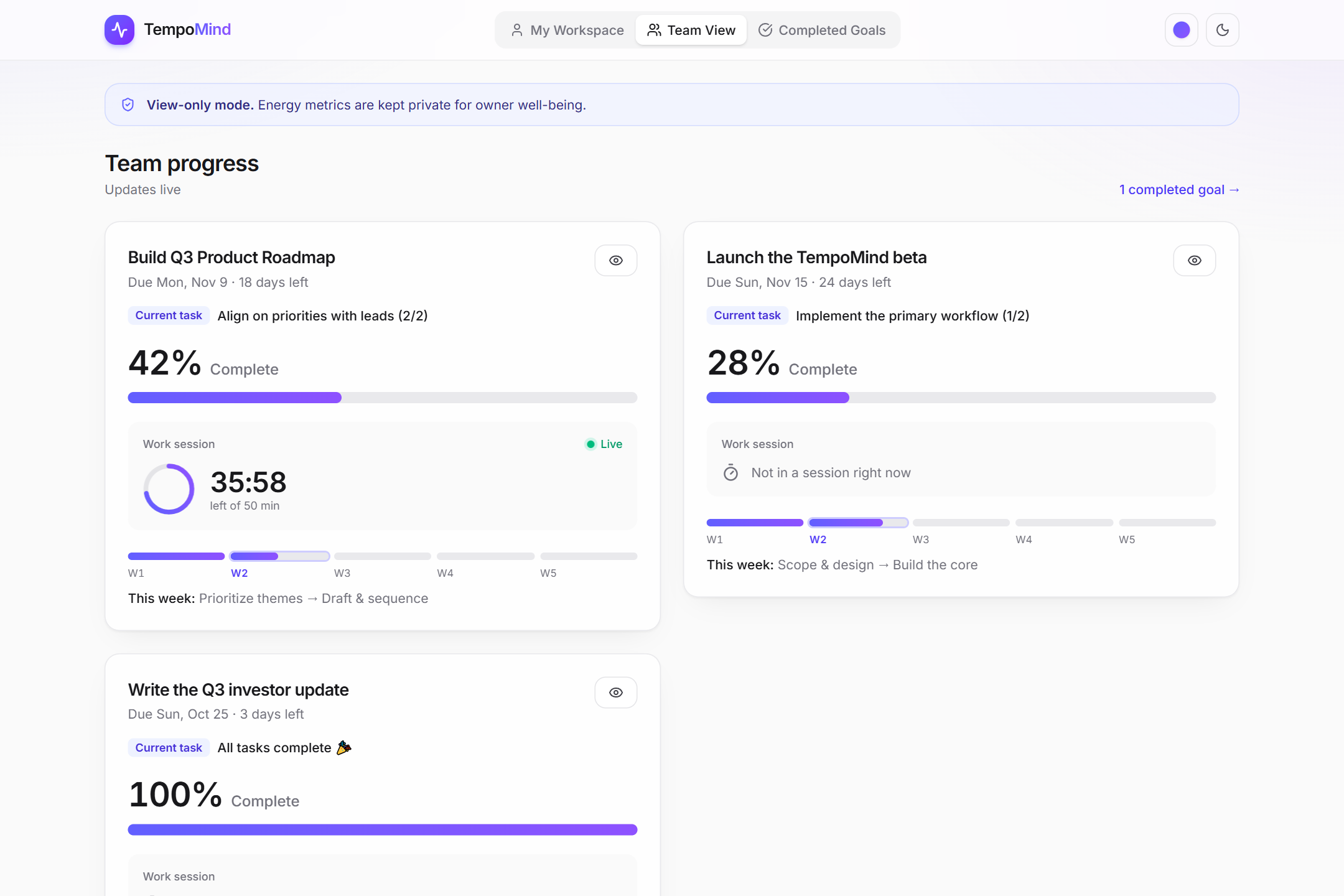
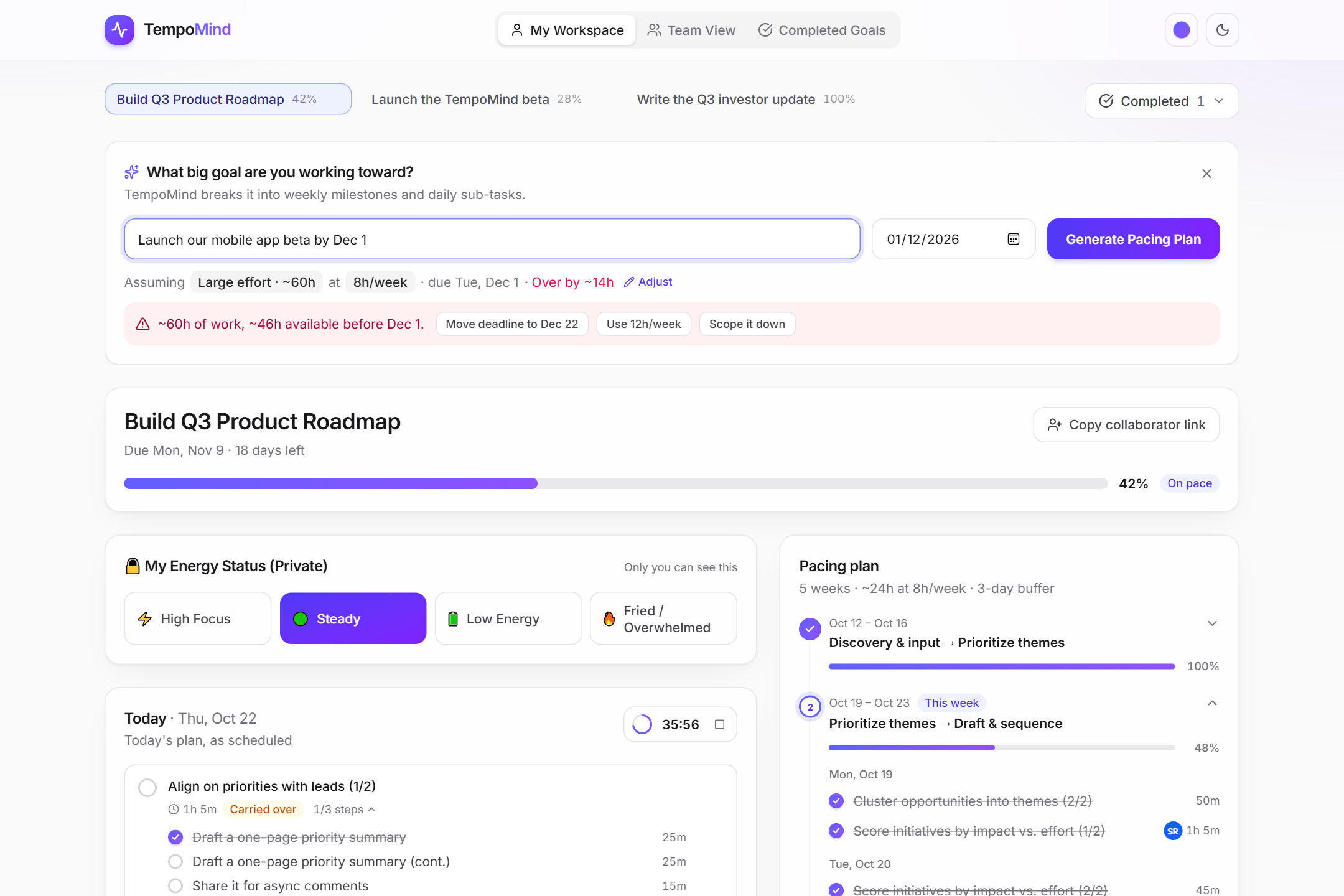
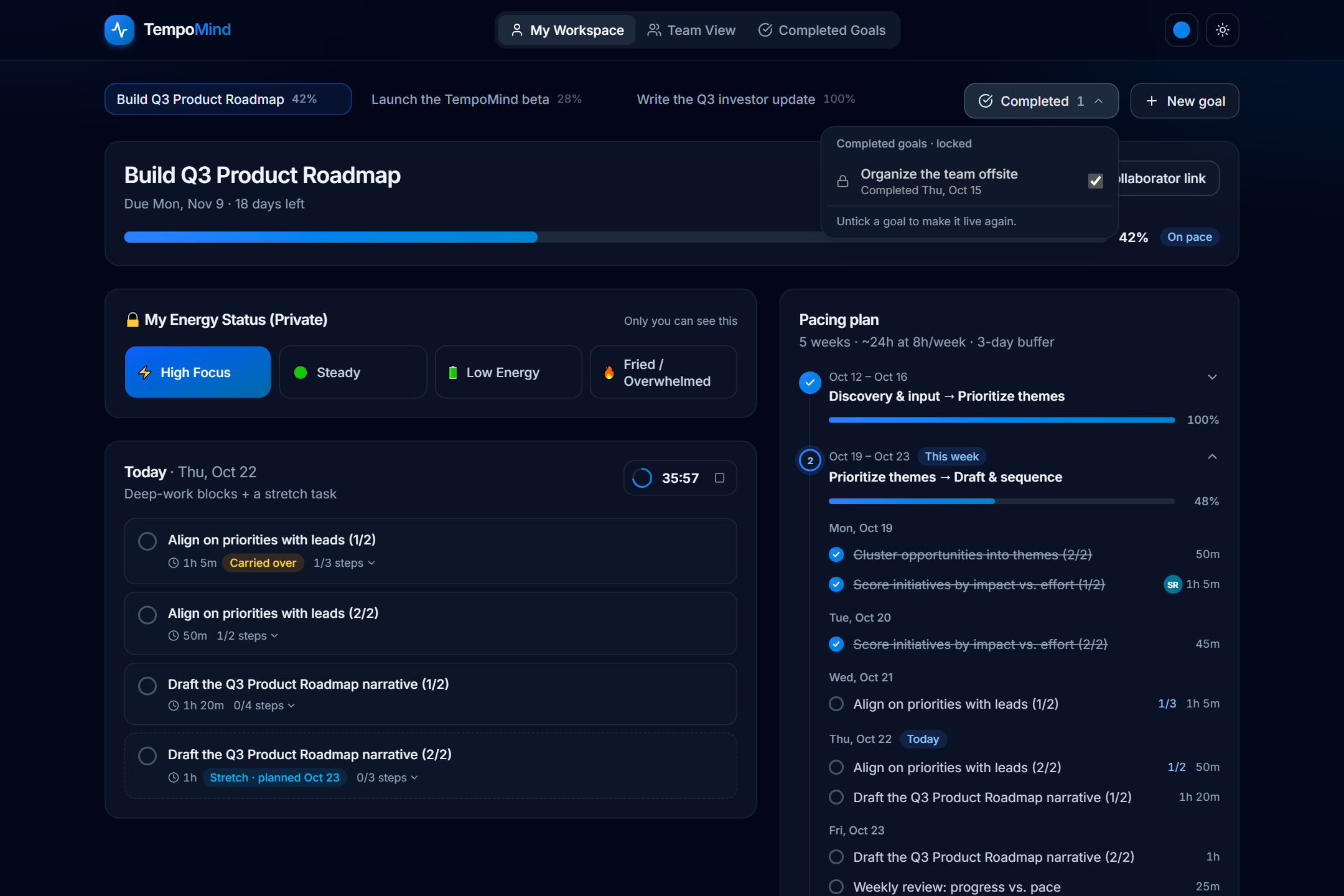
TempoMind breaks big goals into a realistic plan, adapts today's work to your energy, and keeps your teammates updated, without ever showing them how you're actually feeling.
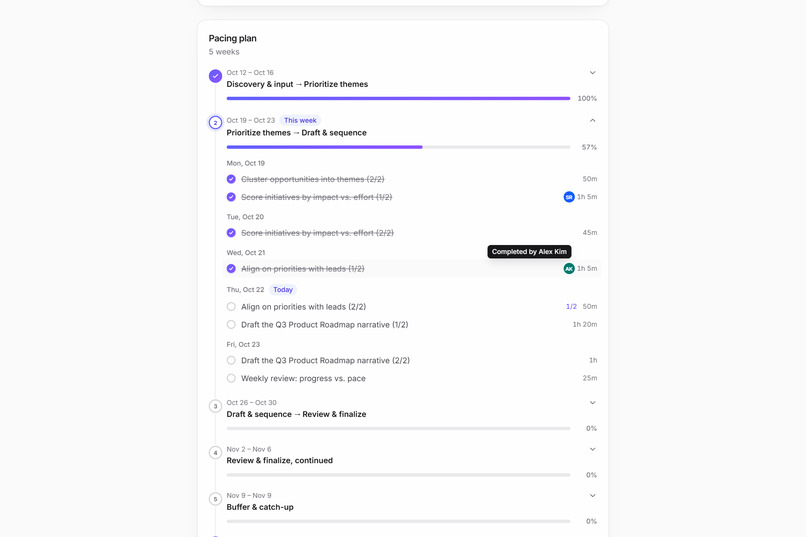
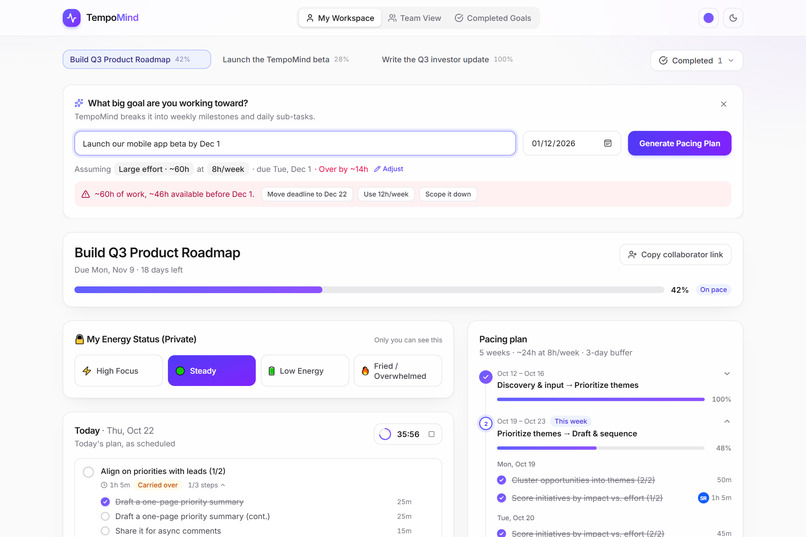
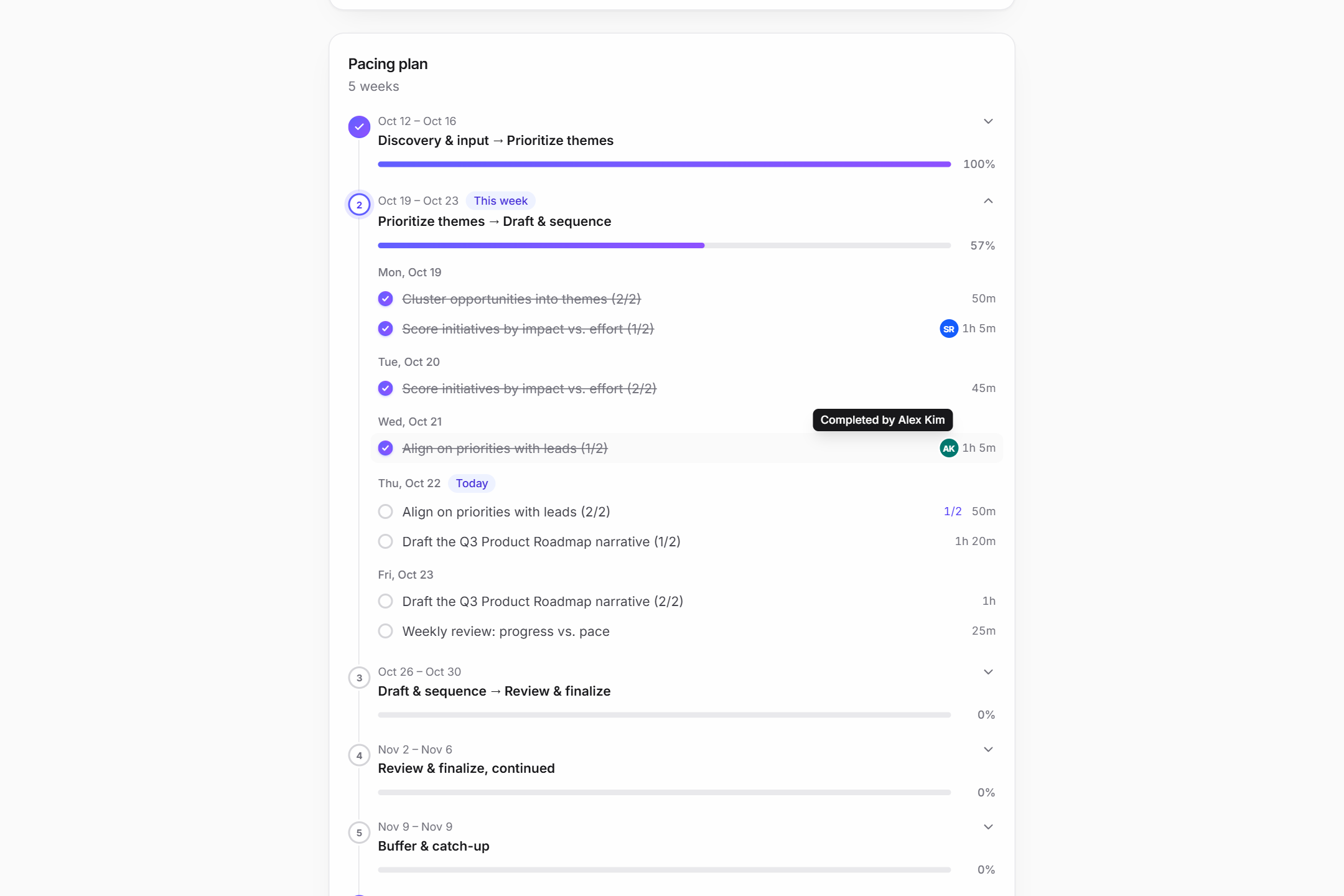
Enter a goal and a deadline, and TempoMind builds weekly milestones and daily tasks, broken into steps of 25 minutes or less. It estimates how big the goal is, checks it against the hours you actually have, and tells you honestly if it won't fit, suggesting a later deadline, more hours or a smaller scope.
I built TempoMind in VS Code using Claude Code, Anthropic's AI coding assistant, as my development partner. The stack is Vite, React 19, TypeScript, Tailwind CSS v4, Motion for animation and Lucide icons.
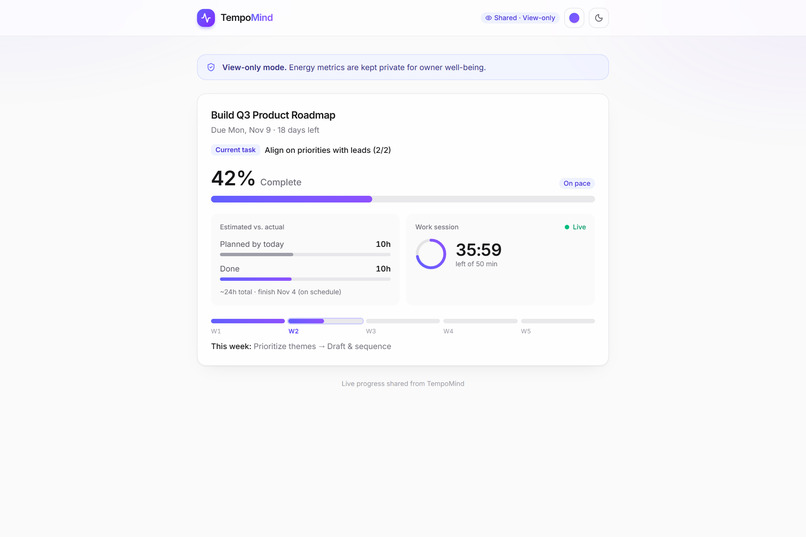
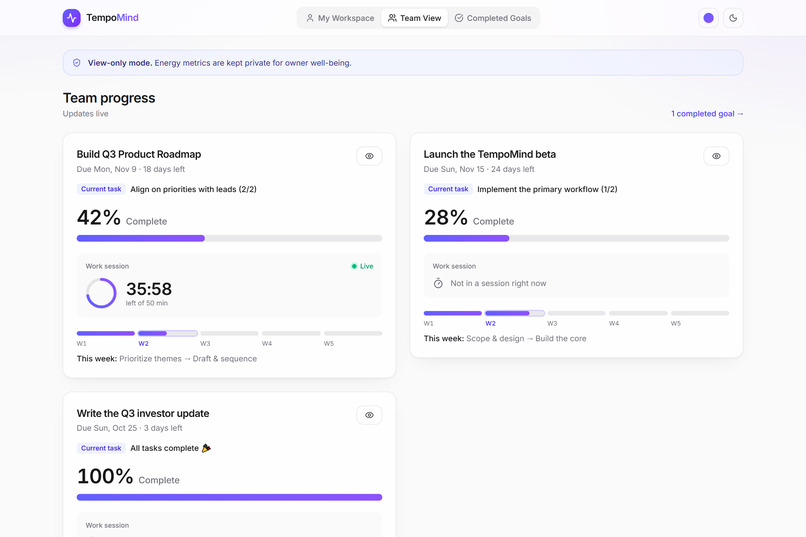
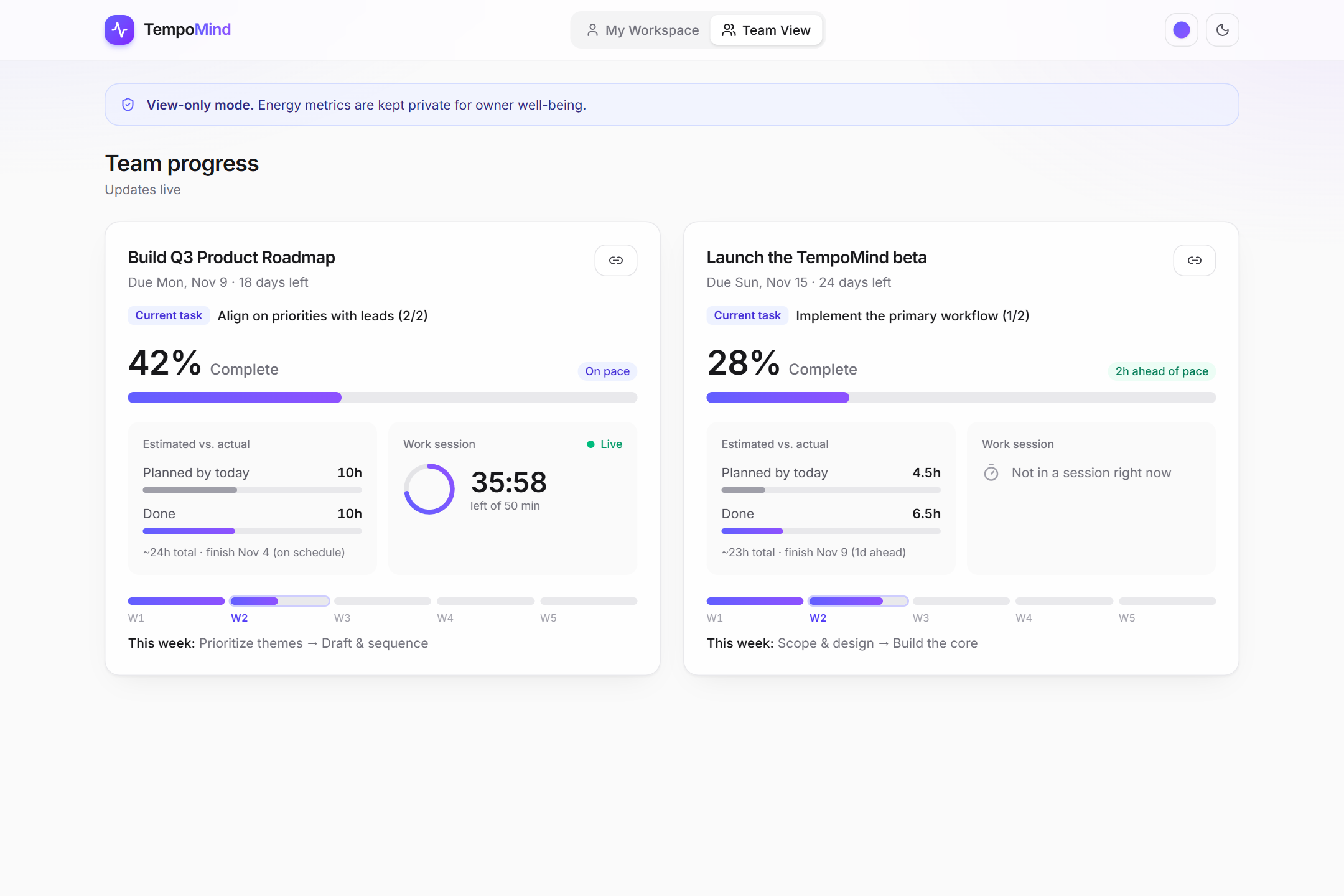
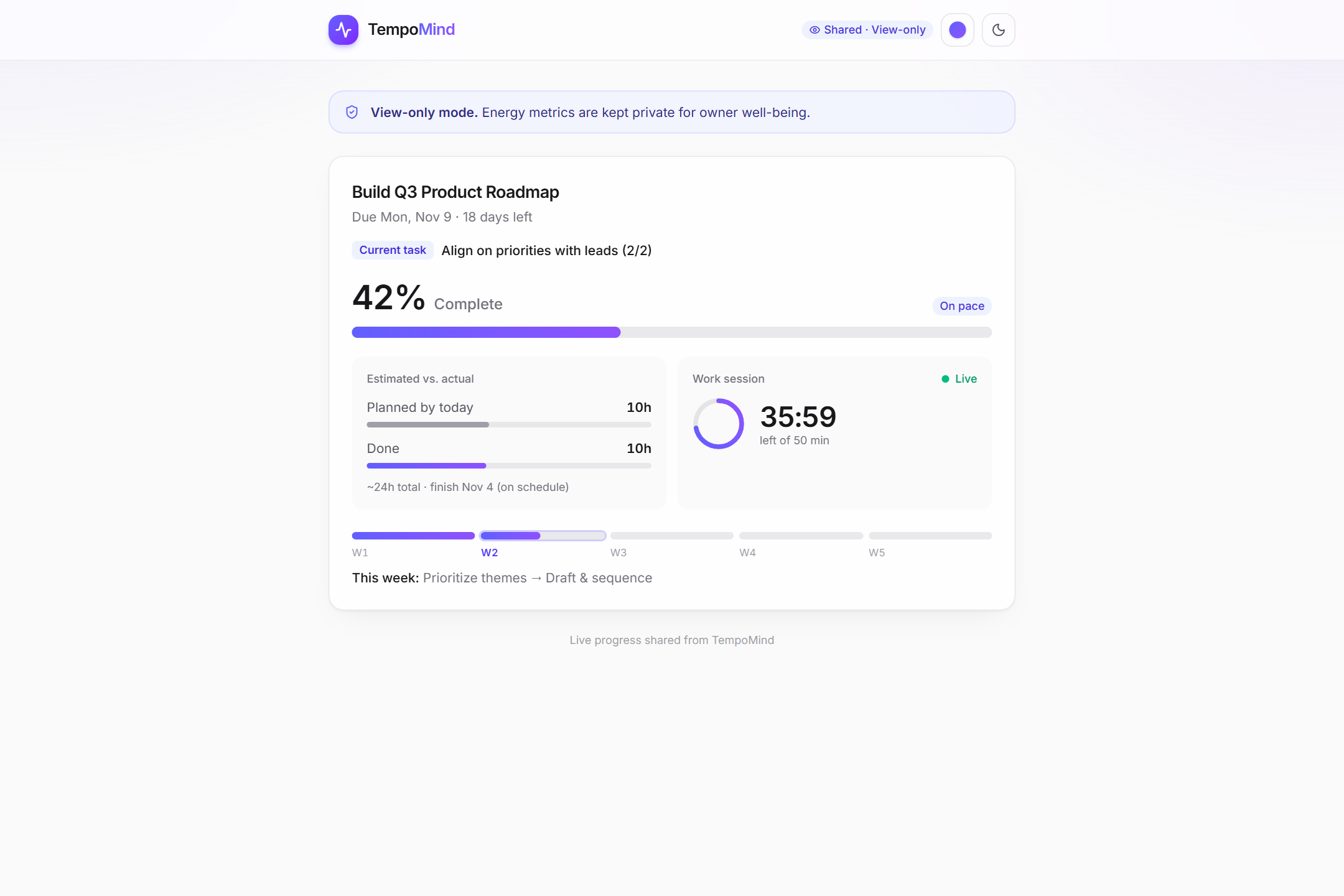
Privacy is built into the structure, not just the interface. Energy data is stored separately from project data, and team and share pages are built from a stripped-down "public view" that never includes energy, pace or hours. Share links use separate random codes, so a view-only link can't be edited into an editing link.
For this demo, the planning engine is a rules-based planner standing in for a language model. It's designed so a real AI model can plug straight in without changing the rest of the app.
Design was a constant balancing act. Early versions did too much on one screen, so I went through several rounds of simplifying: fewer cards, less repetition, and only what you need at each moment.
Accessibility was the other big challenge. I wanted TempoMind to meet WCAG 2.1 AA standards, which meant:
measuring colour contrast across all five colour themes in both light and dark mode; adding clear keyboard focus;
making sure screen readers announce changes; respecting the "reduce motion" setting.
Getting that right across every theme took far more care than I expected, but it matters for an app built around well-being
Accomplishments that I'm proud of
Honestly? Building it, and getting it to a point where I can enter it into a competition. I'm proud of the time I put in and how I pushed through when things got difficult. Taking an idea from a blank folder to a working, accessible and privacy-first app is something I'm genuinely proud of.
What I learned
Staying on course matters when building an MVP. Once you have a solid foundation, it's tempting to keep adding feature after feature, until the product looks nothing like what you set out to build. Resisting that temptation and protecting the core idea was key.
Attention to detail is everything. For example, I realised the team view was quietly giving away clues about someone's energy: hours planned versus hours done, and a "behind pace" badge could hint that someone was struggling. Nobody would have noticed at first glance, but it went against the whole point of the app, so I removed them entirely, from the data as well as the screen.
What's next for TempoMind
Next, I want TempoMind to work in the background for you. The plan is for AI agents on the backend that scan staff emails, pick out action items, turn them into to-do lists and automatically assign them to the right person's list in TempoMind, so no task, big or small, slips through the cracks.
Because privacy is central to TempoMind, this would be opt-in, limited to work inboxes, and transparent about what it reads. Alongside that, I'm planning a proper backend with secure sign-in, so collaborator and team links work across devices, and a real AI model powering the planner.
Built With
- claude-code
- lucide
- motion
- react
- tailwindccs
- typescript
- vite
