Inspiration
Many teams already have good email templates and presentation decks, but updating them can still mean editing fragile HTML, waiting for a developer, or trusting an AI assistant that may change the wrong element.
I wanted to create a workflow where people can use polished existing templates visually while AI agents help with precise, controlled edits. TemplateForge was inspired by the idea that agents should accelerate creative work without taking control away from the person.
What it does
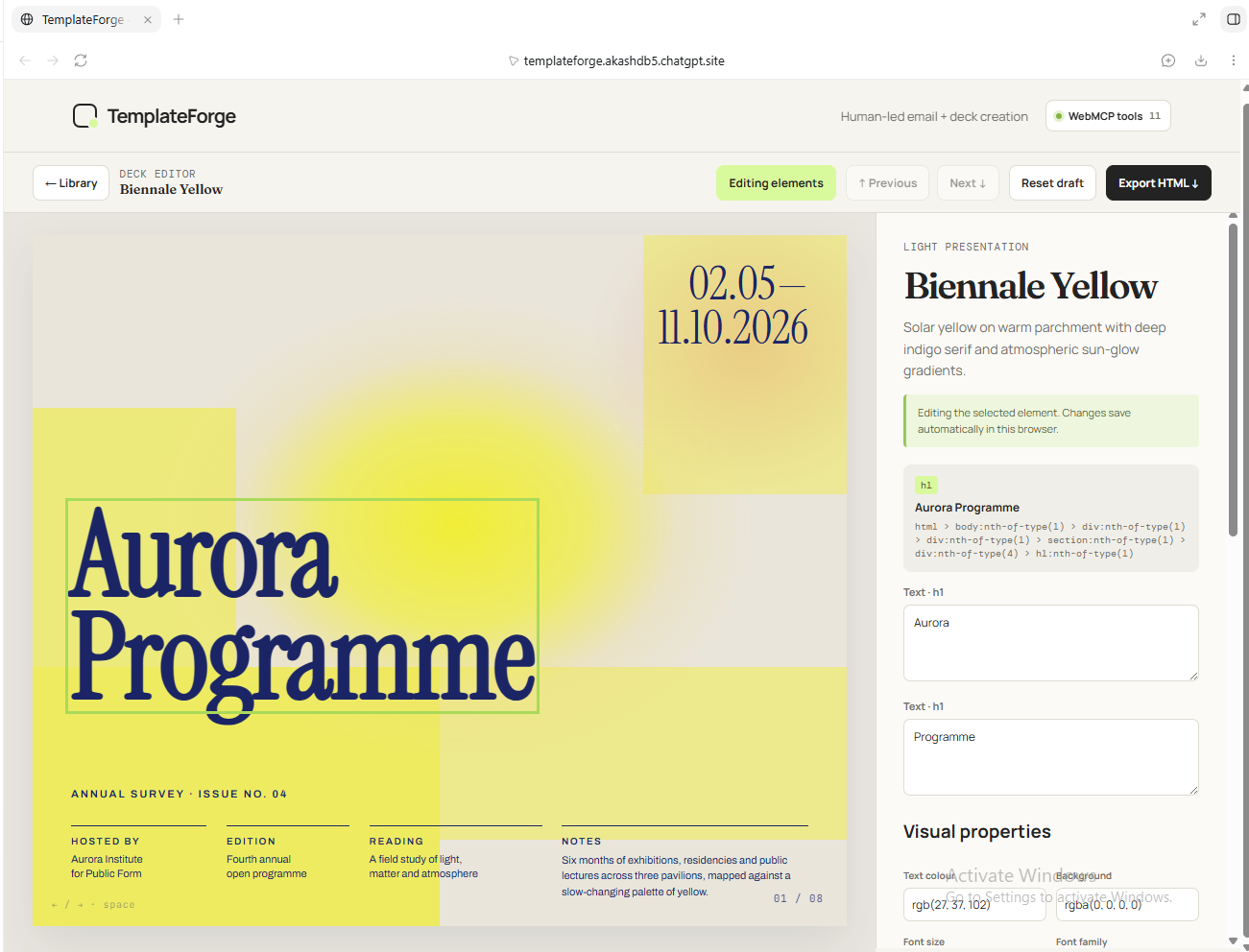
TemplateForge is a WebMCP-powered visual editor for HTML email templates and presentation decks.
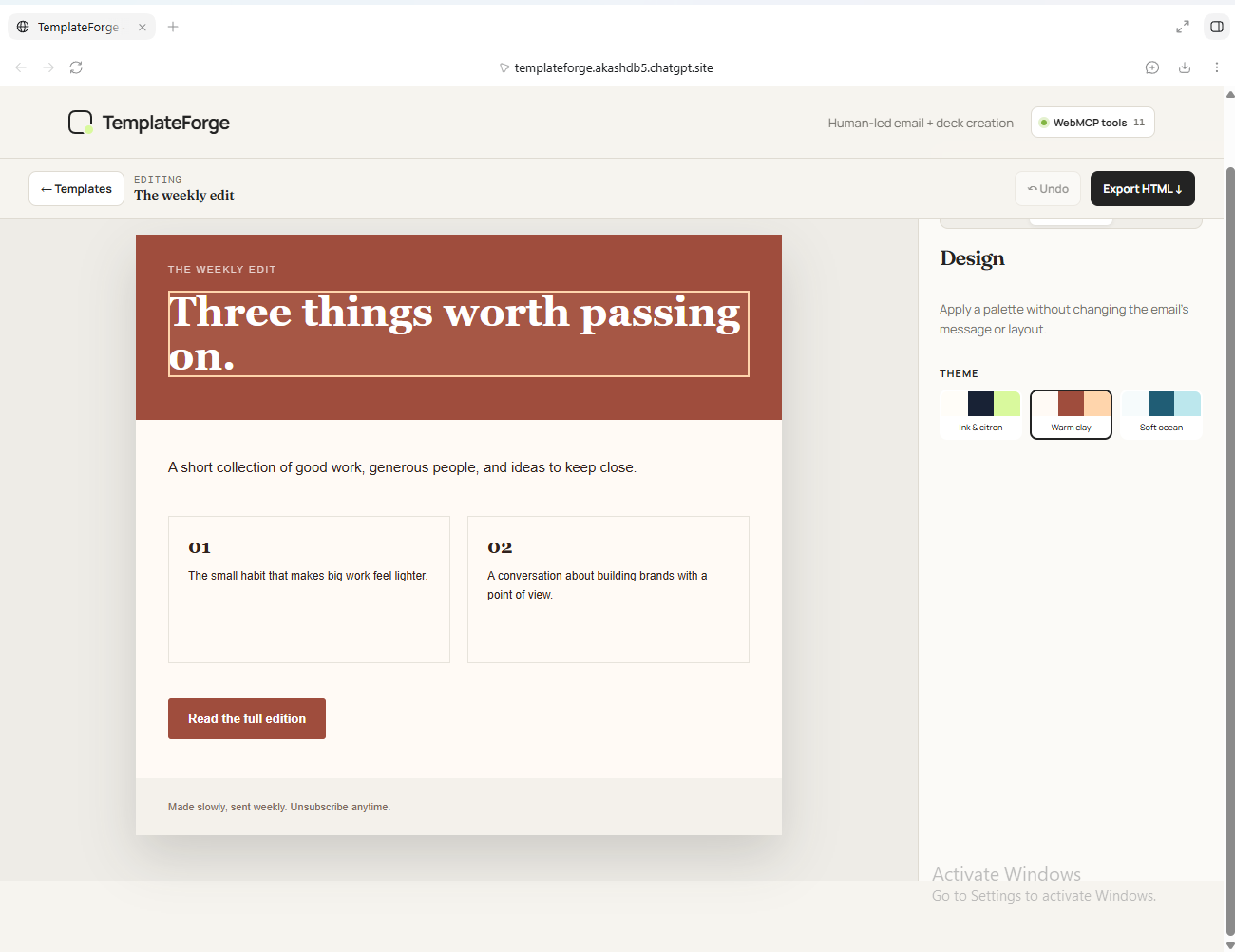
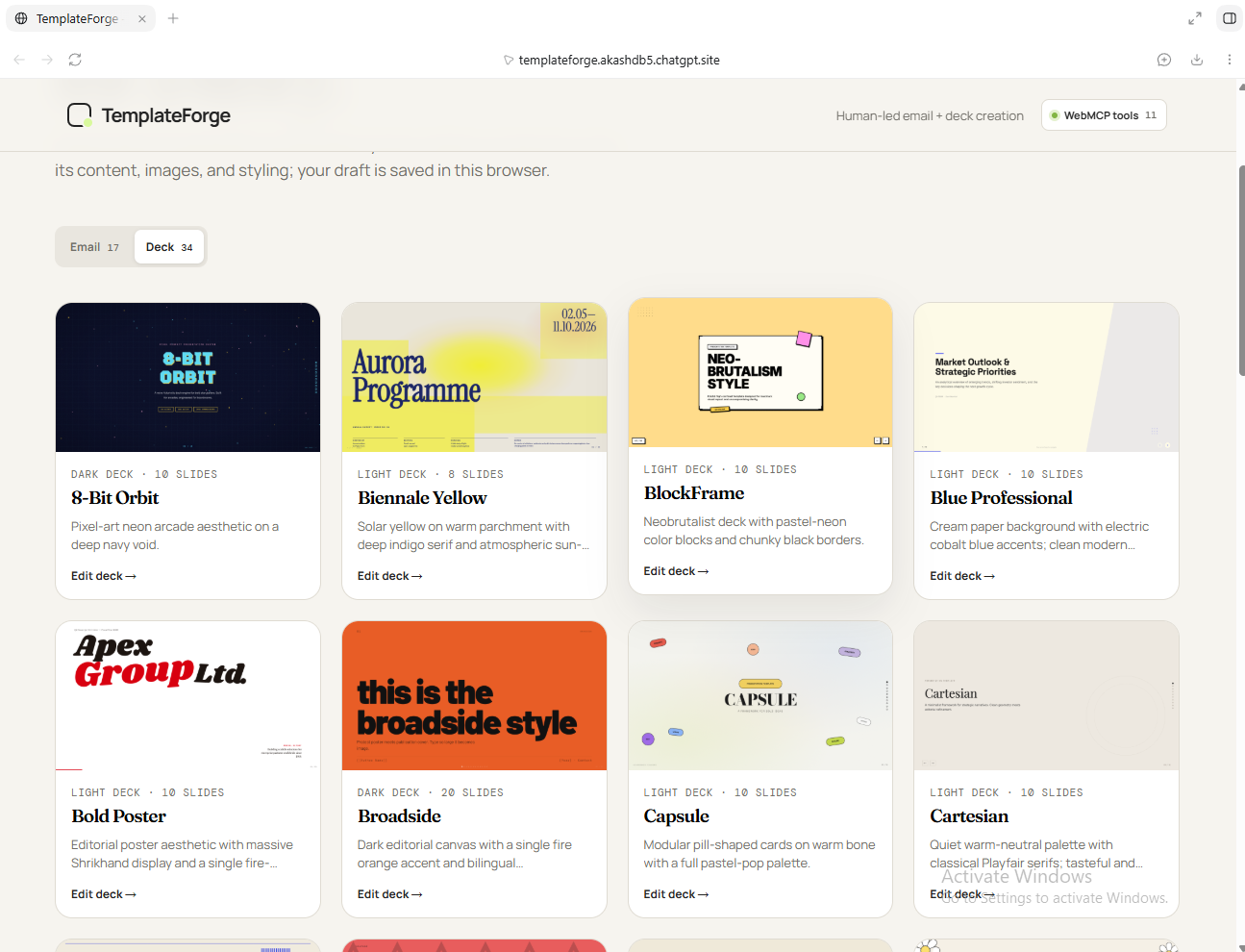
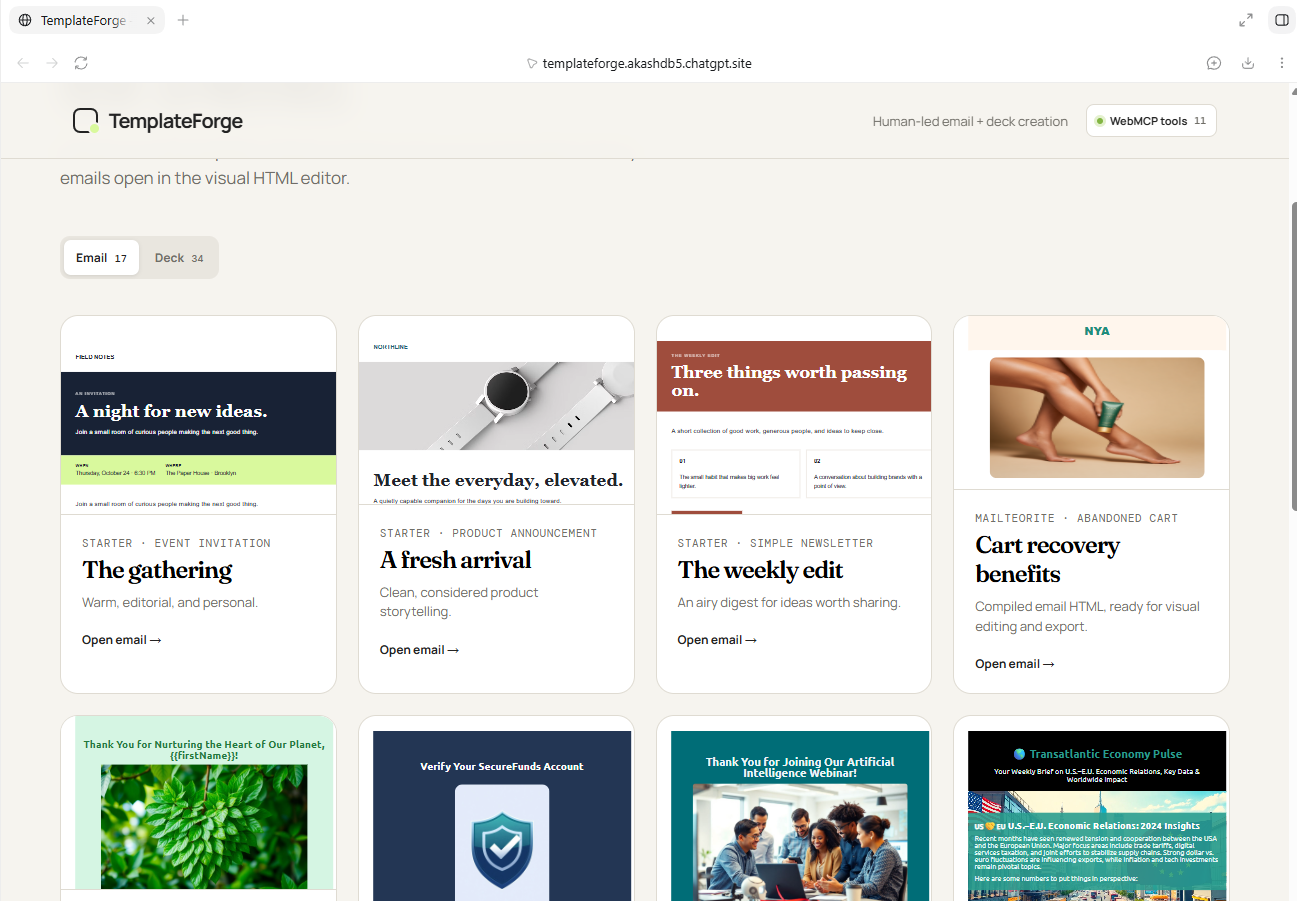
Users can choose from Email and Deck libraries, select visible content directly on the rendered template, edit text and supported visual properties, preview emails on desktop or mobile, navigate multi-slide decks, and export portable HTML.
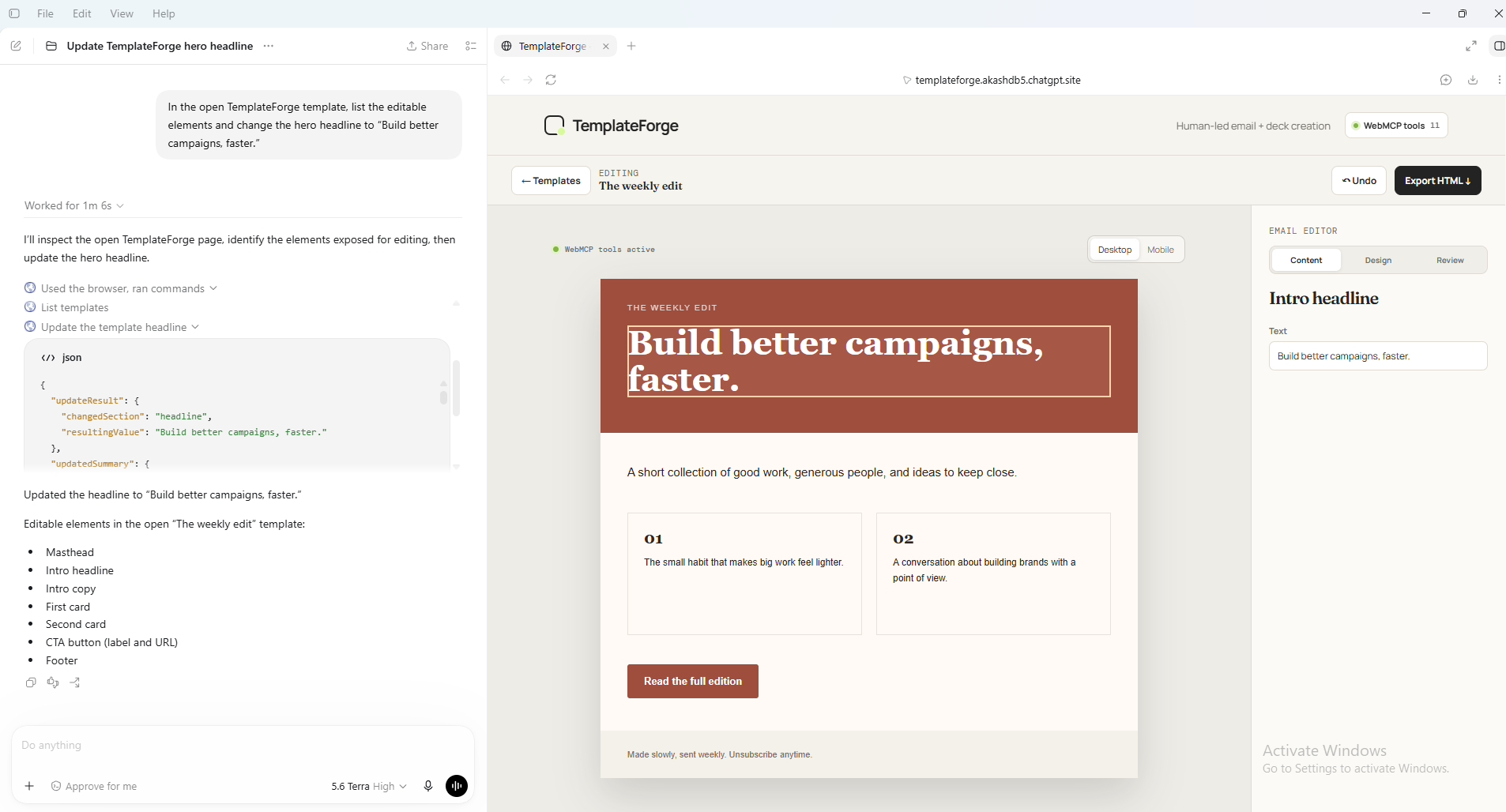
AI agents can collaborate through native WebMCP tools. They can list safe editable elements, select an exact target, and update only supported fields. Every agent action is shown in an activity timeline with the target, old value, new value, and a human Undo option.
How I built it
TemplateForge is built as a static web application with JavaScript, HTML, CSS, and Vite. It is publicly deployed with ChatGPT Sites.
The project includes curated HTML email templates and presentation decks, with original MIT licenses and attributions preserved. Visual drafts are saved in the browser so source templates remain unchanged.
WebMCP tools are registered through document.modelContext.registerTool. Read tools expose safe template details, while write tools validate the requested target and property before updating the visible draft.
Challenges I ran into
The main challenge was making agent editing useful without making it risky.
Initially, an agent needed a person to select an element before it could make a change. I improved this by adding list_editable_elements and select_canvas_element, allowing the agent to find and select a stable approved target before updating it.
Another challenge was deck navigation. Editing content on later slides could disrupt the active slide, so I refined the editor to preserve the current slide while editing. I also ensured exported decks always open from slide one.
Accomplishments that I’m proud of
- Built a complete visual workspace for both emails and decks instead of a single-purpose demo.
- Added 17 email templates and 34 deck templates as usable starting points.
- Implemented native WebMCP tools for structured, bounded agent actions.
- Created a transparent agent activity timeline with old/new values and Undo.
- Enabled editing on multi-slide decks without losing the active slide.
- Deployed a public, working application with a public source repository and open-source license.
What I learned
This project showed that effective human-agent collaboration needs more than a chat interface.
Agents need structured tools and safe boundaries; people need transparency, review, and reversible control. WebMCP makes it possible to expose these capabilities directly in the browser and allows an agent to interact with a real application in a more reliable way than guessing at page structure.
What’s next for TemplateForge
Next, I would add user accounts and cloud-saved projects so templates can be revisited across devices. I would also add collaborative workspaces, reusable brand kits, version history, richer deck controls, and more advanced agent workflows for tasks such as rewriting copy across a campaign while preserving approved design and brand rules.
Built With
- chatgpt-sites
- css
- github
- html
- javascript
- openai-codex
- vite
- webmcp
