-
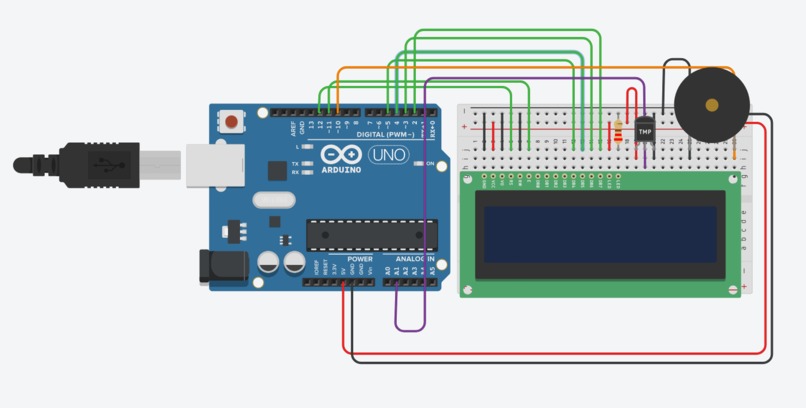
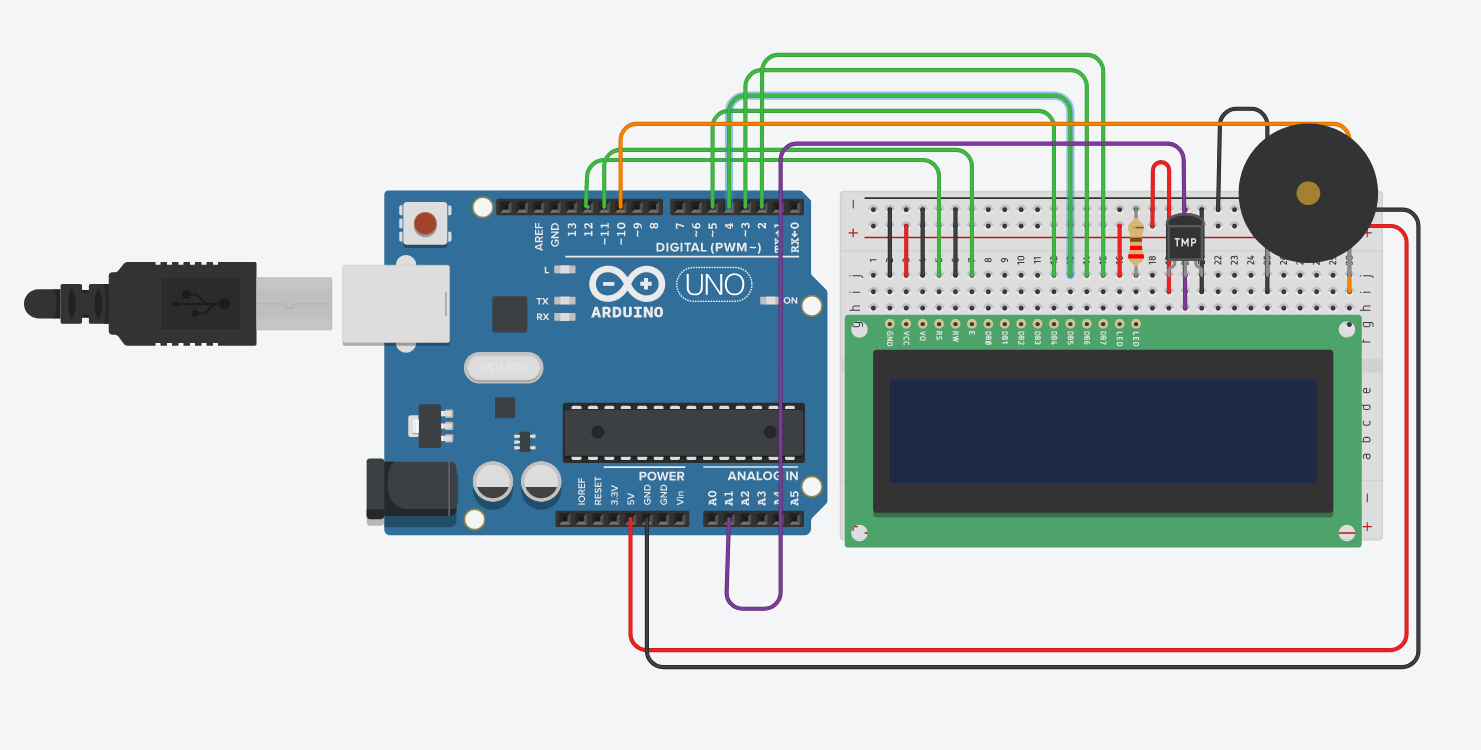
Here's our Arduino model and wiring.
-
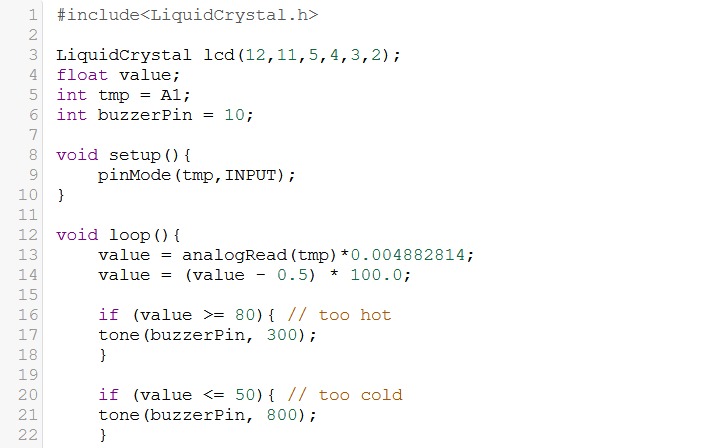
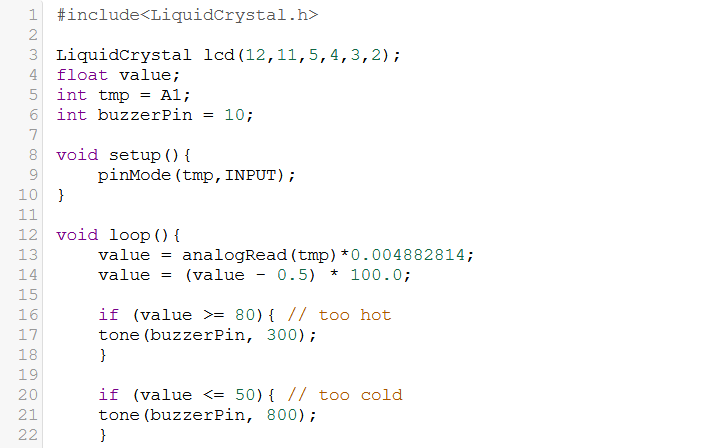
Code part 1, demonstrating setup and conditionals.
-
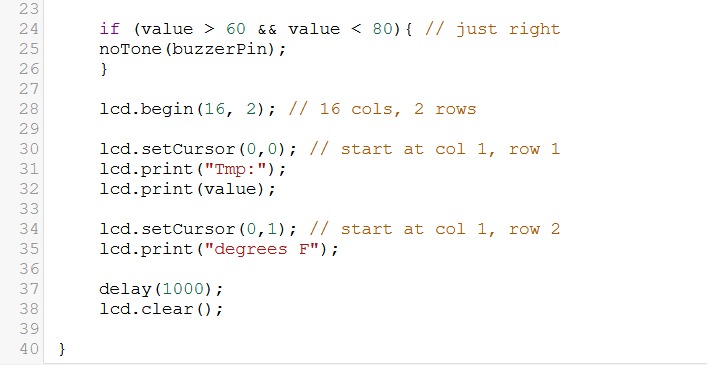
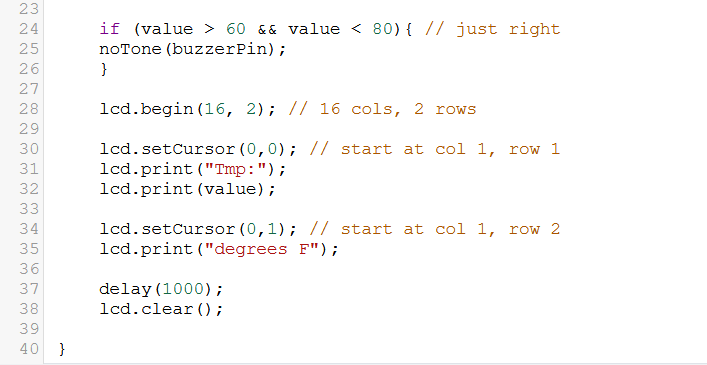
Code Part 2, relaying our desired outputs.
-
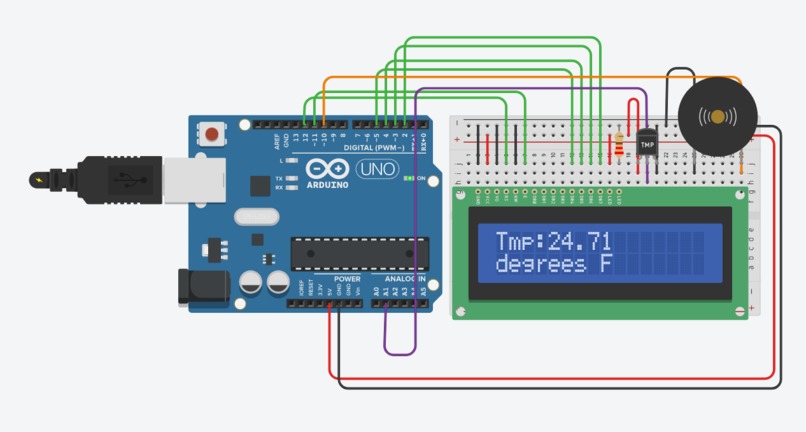
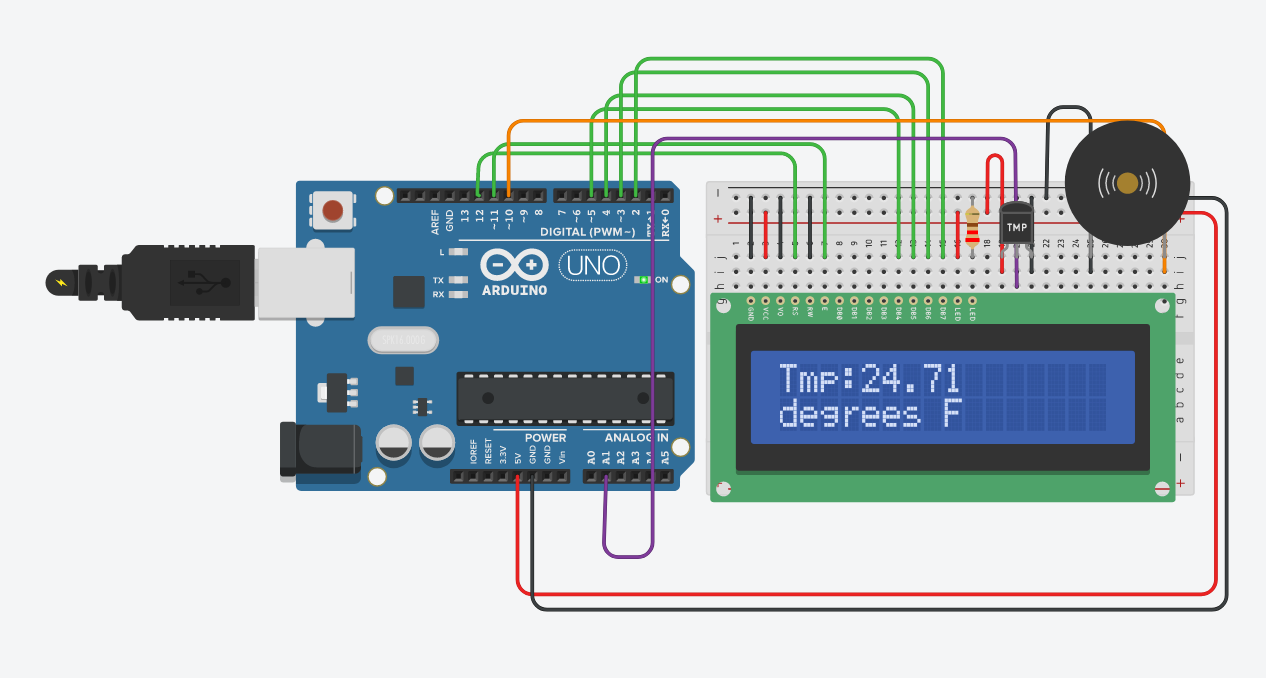
Here's our model functioning, displaying a temperature that is for example too cold.
The Idea
The Temp Alert temperature regulator is meant to improve the comfort of one's home, effort-free. If the temperature of a room falls below 50 degrees Fahrenheit, the device will alert with a high buzzing tone, whereas if the temperature rises above 80 degrees, it will alert with a high buzzing tone. This range could be modified to fit the user's needs, so the same device can be used under many different contexts. A display on the device also depicts the area's current temperature, similar to that of a thermostat.
Building Process
Since it can be challenging to start a project fresh with no instructions, we cross-referenced many of the old labs to see which topics we can apply to each component of our project. Wiring the temperature sensor was similar to the motion sensor and photoresistor in prior labs, so we tried to set it up physically and in the code using similar principles. More specifically, how to set up the range and our desired effects (in the case of Temp Alert, the buzzing) using the if-statements. Likewise, we implemented our buzzer to activate at different pitches similar to the theremin lab. The display was something we hadn't really had much experience with before, so it took some time using the Arduino LiquidCrystal library to get our setup right. All in all, there was a lot of trial and error to get it to look the way we wanted it to, but it worked out in the end!
Components
Hardware Our model features a temperature sensor, buzzer, LiquidCrystal display, and very organized wiring. Our display connects to many different digital pins, making use of PWM to light up the temperature reading from our temperature sensor and to change in real time. If the temperature sensor reads a value below the desired temperature we programmed in, it would trigger a buzzer with high tone, and likewise a low tone if the temperature sensed is too high.
Software In our setup, we had to indicate that all of our sensors and outputs were connected to the right pins, i.e. our temperature with the analog pins, and our buzzer and display with the digital, PWM pins for the sound and light responses we wanted. In our loop, we form our conditional for the temperature range we want, and alarm the buzzer at the right pitch for the respective bound. It was important for us to also indicate that if our temperature is in the "comfortable" range, then the sound should stop buzzing. Outside of our if-statements, we have the display lighting up continuously to always show the user the current temperature using the LiquidCrystal library. We figured that this feature shouldn't depend on whether the current temperature was in or out of our desired range.
Future Improvements
This device can be modified to also send message alerts to the user's phone via Blynk if they are away, and to further take advantage of IoT we also could implement a way for the user to remotely change the temperature of the room the device is in. In person, we could also implement a lighting component indicating the relative temperature of the room, even if the temperature isn't within range to buzz. That is, we could add an LED that changes color based on an RGB gradient dependent on the temperature. If the temperature is in the ideal range, the light is green, but if it's on the warmer side getting close to the upper limit of the range, the light will slowly turn red. Likewise would be the case for is the room is getting on the colder side, triggering a shift to blue light.

Log in or sign up for Devpost to join the conversation.