-
-
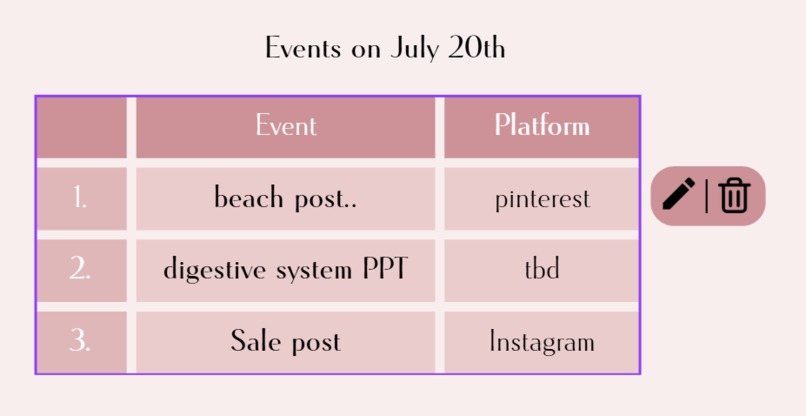
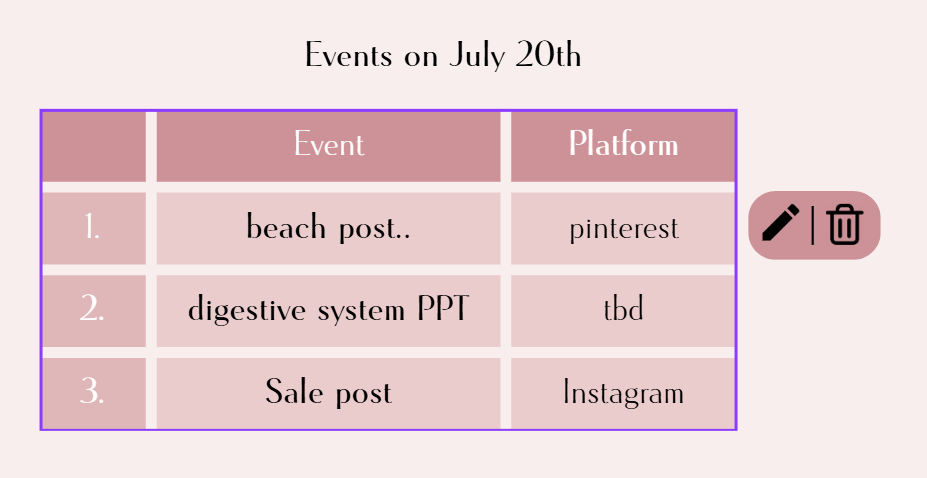
The list view
-
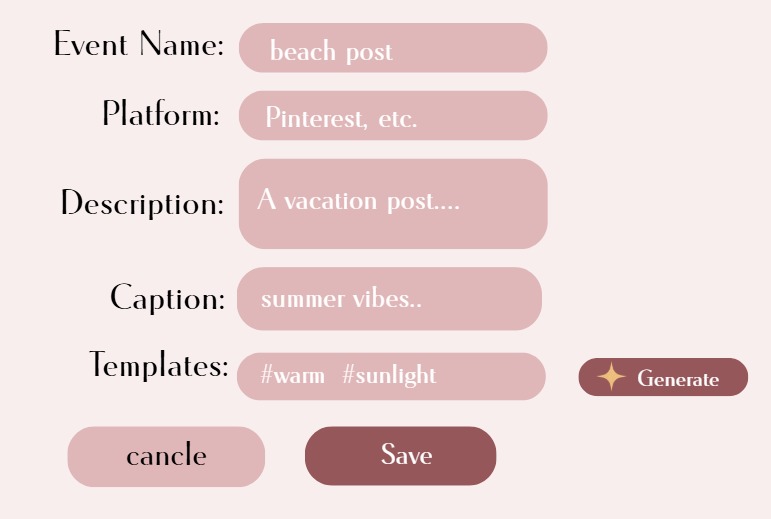
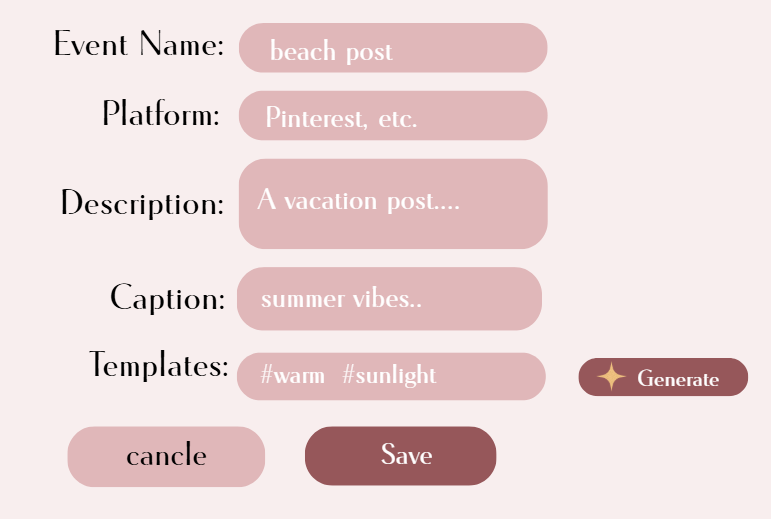
The event form
-
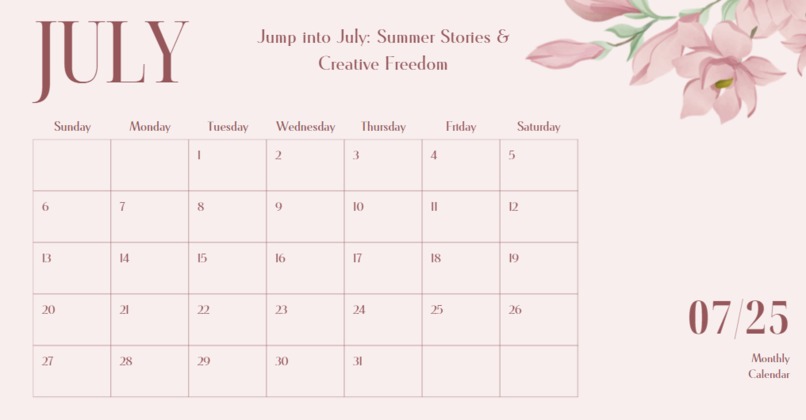
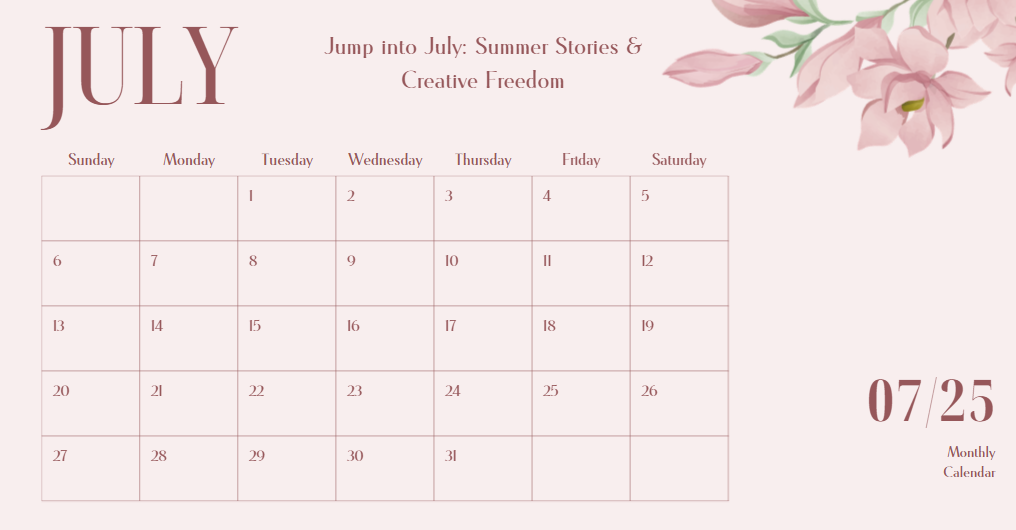
the calendar view
Inspiration
Planning tools today either focus on content or scheduling — rarely both. As students, creators, and organizers ourselves, we found ourselves constantly jumping between calendars, to-do lists, and design platforms like Adobe Express just to stay on track. We thought — what if we could tell our calendar everything we needed and let it organize, schedule, and connect it all in one beautiful flow?
That’s how TellCal was born — a smart, seamless, and expressive scheduling experience for everyone: creators, teachers, students, freelancers, small businesses, and beyond.
What it does
TellCal is a visually intuitive Adobe Express Add-on that acts as a calendar-powered project planner. Here’s what users can do: Open TellCal: Launches a beautiful, interactive calendar 1.Click any date: -If events exist → view them in a clean list view -If not → option to add a new event
- Event Creation includes: -Date & time -Platform to post on (Instagram, YouTube, etc.) -Description -Caption (for future scalability optional AI caption generation based on description) -Tags or categories (e.g., “Design”, “Client Work”, “Assignment”)
3.Project Tracking: Users can create or attach events to Projects (like Adobe Express Projects). Each project keeps: -A history of edits -A timeline of planned tasks -Easy resumption of work across sessions
It’s not just for content creators — anyone who lives by dates and deadlines can use TellCal.
How we built it
I focused on building the foundational UX and form handling first: -Adobe Express Add-on SDK used for integration -React + local state for the dynamic calendar -Form logic and conditional rendering for date-based actions
The structure is designed to scale with additional features — the project model, AI captioning, and user history are already architected in planning.
Challenges we ran into
-Designing inside the limited side panel environment, where styling and space were constraints
-Architecting a vision that works within today’s SDK, but can expand when layered support is added
-Deciding how much to build now vs. how much to keep as an extension idea for after the hackathon
-Balancing a scalable roadmap with limited time
Accomplishments that we're proud of
✅ Built a working calendar + event planner integrated with Adobe Express
✅ Designed a user flow that funnels users into Adobe Express organically
✅ Planned for scalability — including layered UI, AI-powered captioning, and project integration
✅ Crafted a general-purpose planning tool that’s useful not just for content creators, but for students, teachers, freelancers, and small businesses
✅ Realized a key insight: TellCal can act as an entry point into Adobe Express— people come for planning, and naturally transition into designing their content. This gives Adobe Express greater reach and user engagement, especially among non-traditional users. → This is something I'm especially proud of — because it shows the potential impact of the idea beyond just functionality.
What we learned
-How to manage state and event flows in a constrained plugin space
-How to work within SDK constraints but still plan forward-looking architecture
-That UX matters even more in space-constrained environments
-That a good hackathon project isn’t just a build — it’s a vision with impact
-And most importantly — how to build tools that help users transition from planning to action
What's next for TellCal
📋 List view of events
🧩 Layered add-on version for fullscreen project planning
🤖 AI-generated captions
📊 Project creation + save state
🫂 Team collaboration
☁️ Cloud sync
🔗 Seamless linking with Adobe Express design files


Log in or sign up for Devpost to join the conversation.