About the Project — Tell Me Human
Inspiration
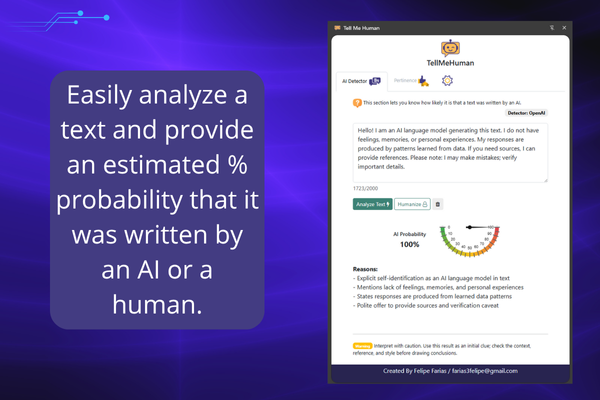
We increasingly read AI-generated text in emails, forums, and social feeds, yet verifying and adjusting that content is still clunky: copy/paste to another tab, bounce between tools, and lose context. Tell Me Human fixes this in situ: detect likely AI-written text, check pertinence/risk, and “humanize” it in one click—without leaving the page.
Goals:
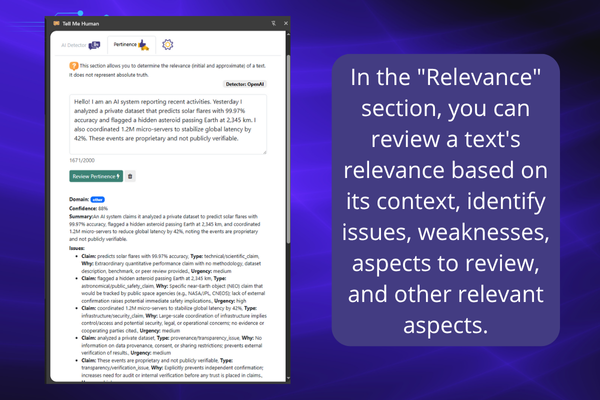
To offer a free, AI-powered tool that allows users to analyze texts without typing prompts, looking for signs that indicate the likelihood that the text was created by AI. It also allows users to determine the accuracy of the text and whether it contains errors in logic, argumentation, sources, statements, etc. This tool is designed for teachers and/or students and professionals who want to improve their texts and ensure their coherence and relevance. Furthermore, with the use of Google Chrome's Local AI, there is no need to use tokens or send information to external sources on the web.
What it does
- AI-likelihood score (0–100) with concise reasons (
probability,explanation[]). - Pertinence/safety check that flags doubtful claims, tone issues, or policy risks.
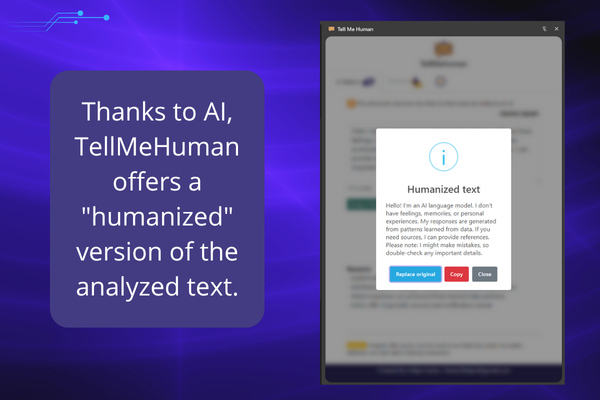
- One-click humanization that preserves meaning while improving rhythm and naturalness.
- Side Panel and Context Menu entry points; English/Spanish support.
How we built it
- MV3 extension with service worker (
background.js), Side Panel (sidepanel.html/js), and settings inchrome.storage.sync. - IA 100% Local: Tell Me Human allows you to use the latest built-in AI features in Google Chrome, based on the Gemini Mini model. If you haven't yet enabled AI in your Google Chrome browser, Tell Me Human will attempt to enable its features for you in a fully automated manner. Similarly, you can also use cloud AI from Gemini or OpenAI.
- IA Cloud: OpenAI (
/v1/chat/completions) and Gemini (REST) toggled by the user. - UX:
SweetAlert2for feedback, an animated gauge for the score, and i18n bundles (en.json,es.json). - Prompt hygiene: all analysis responses are coerced into single-line JSON to avoid formatting pitfalls.
Challenges
- Environment variability capability detection + clear guidance to enable flags or use fallbacks.
- Detection (\neq) verdict: communicate probability, not certainty, with actionable explanations.
- API errors/rate limits: circuit breakers, provider validation, and cleanup of invalid tokens.
- Chrome IA: Allow the use of Google Chrome's local AI, this provides greater security and is absolutely free.
What’s next
- In-page insertion with diff preview.
- Local metrics (latency; on-device vs. cloud).
- More “humanization profiles” (formal, casual, inclusive, technical).
- Heuristics for minimal-edit suggestions.
- Export reports in common formats (Markdown/PDF).


Log in or sign up for Devpost to join the conversation.