-
-
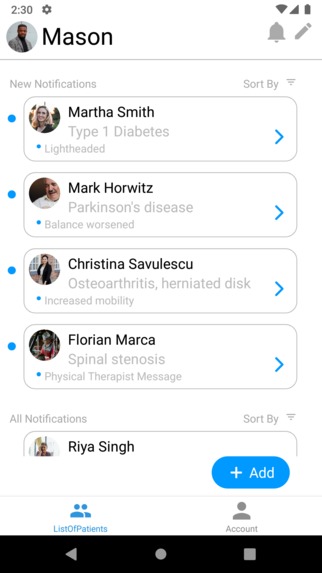
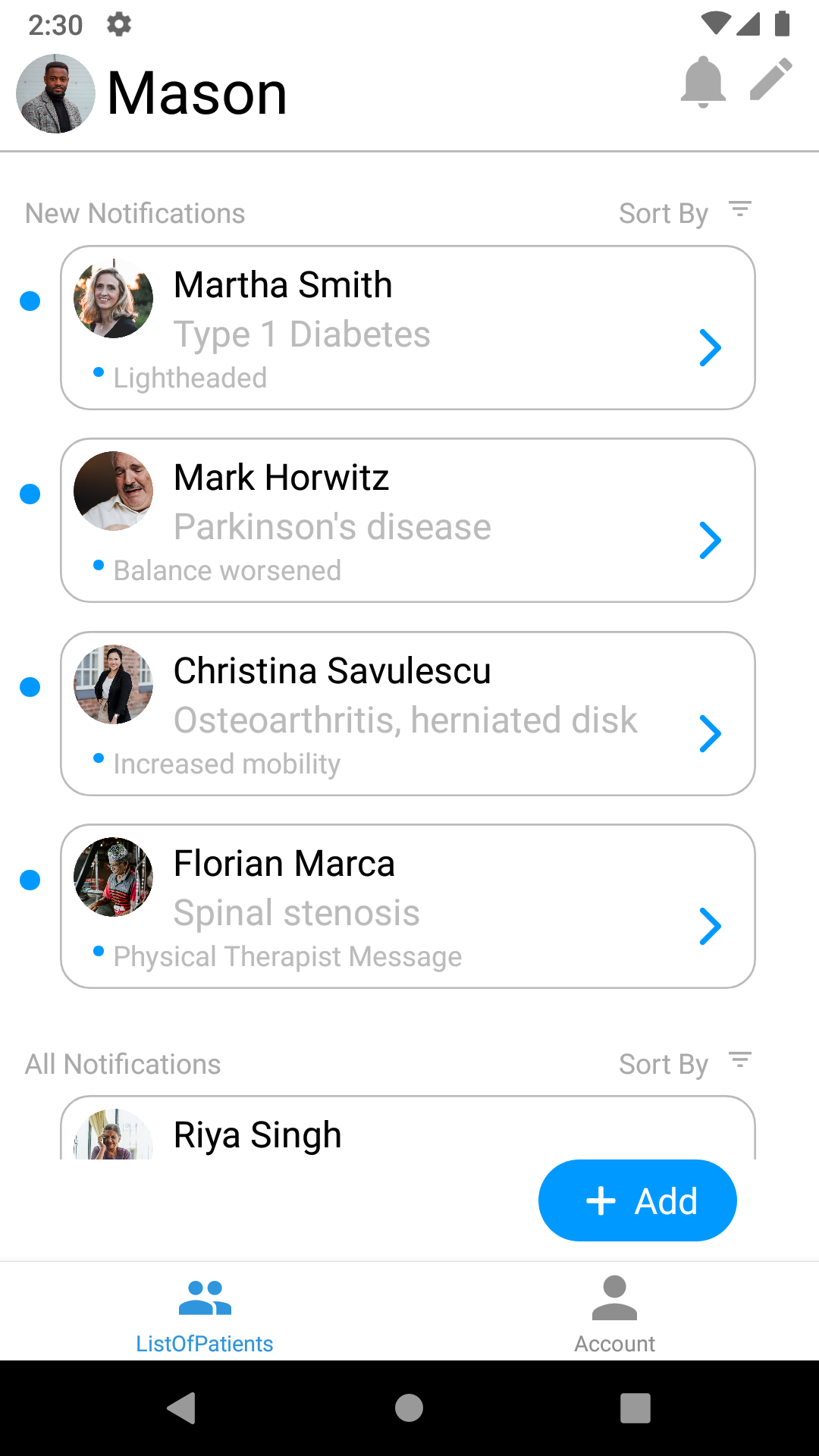
Medical Professional's Home Screen List of Patients
-
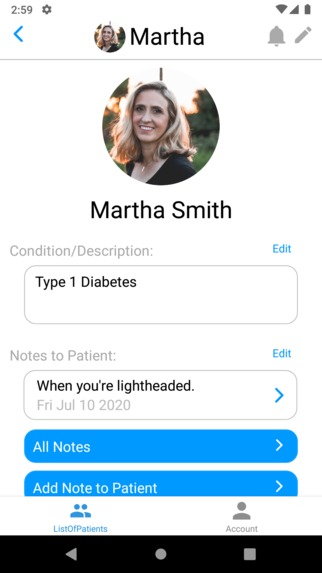
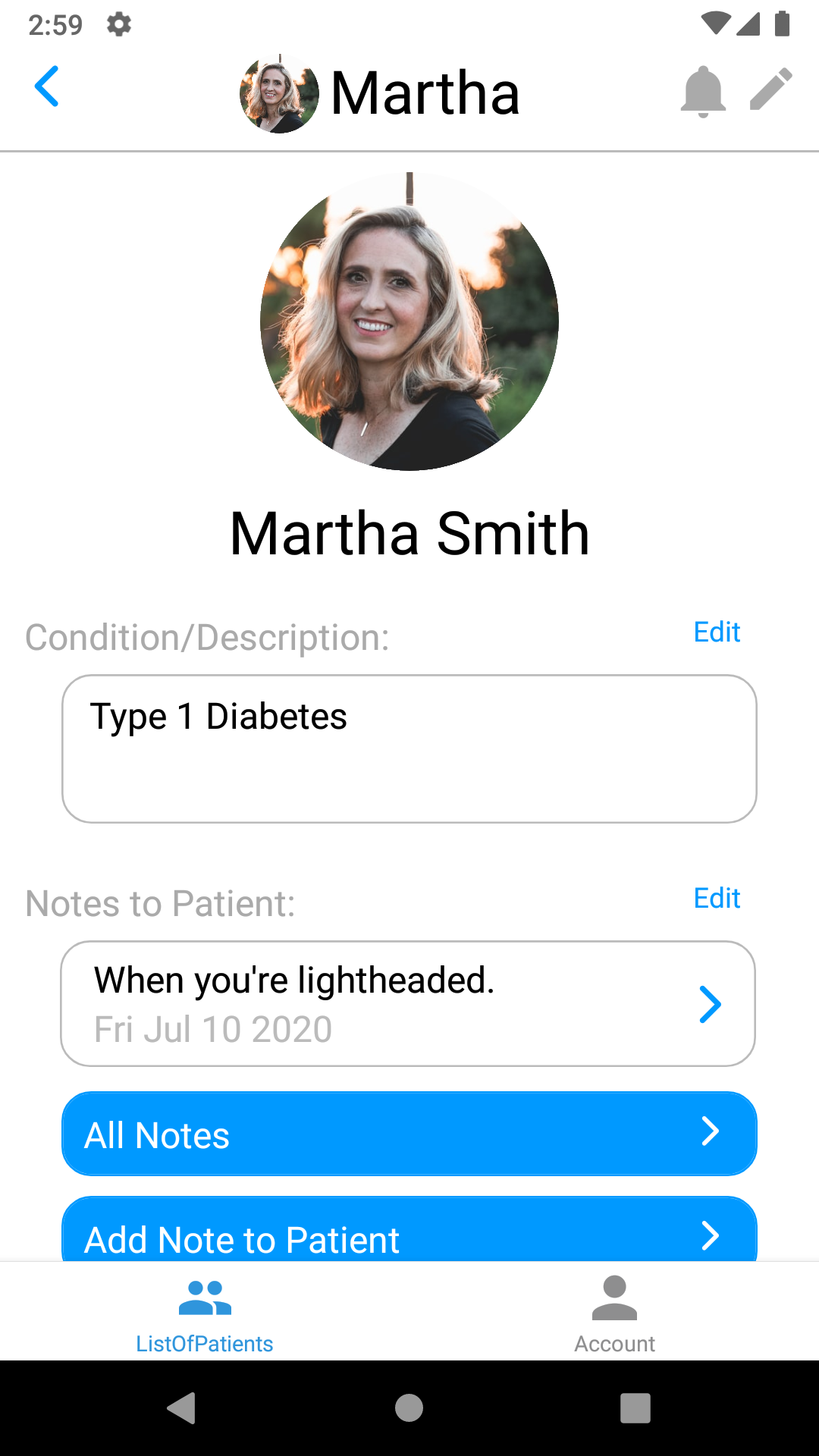
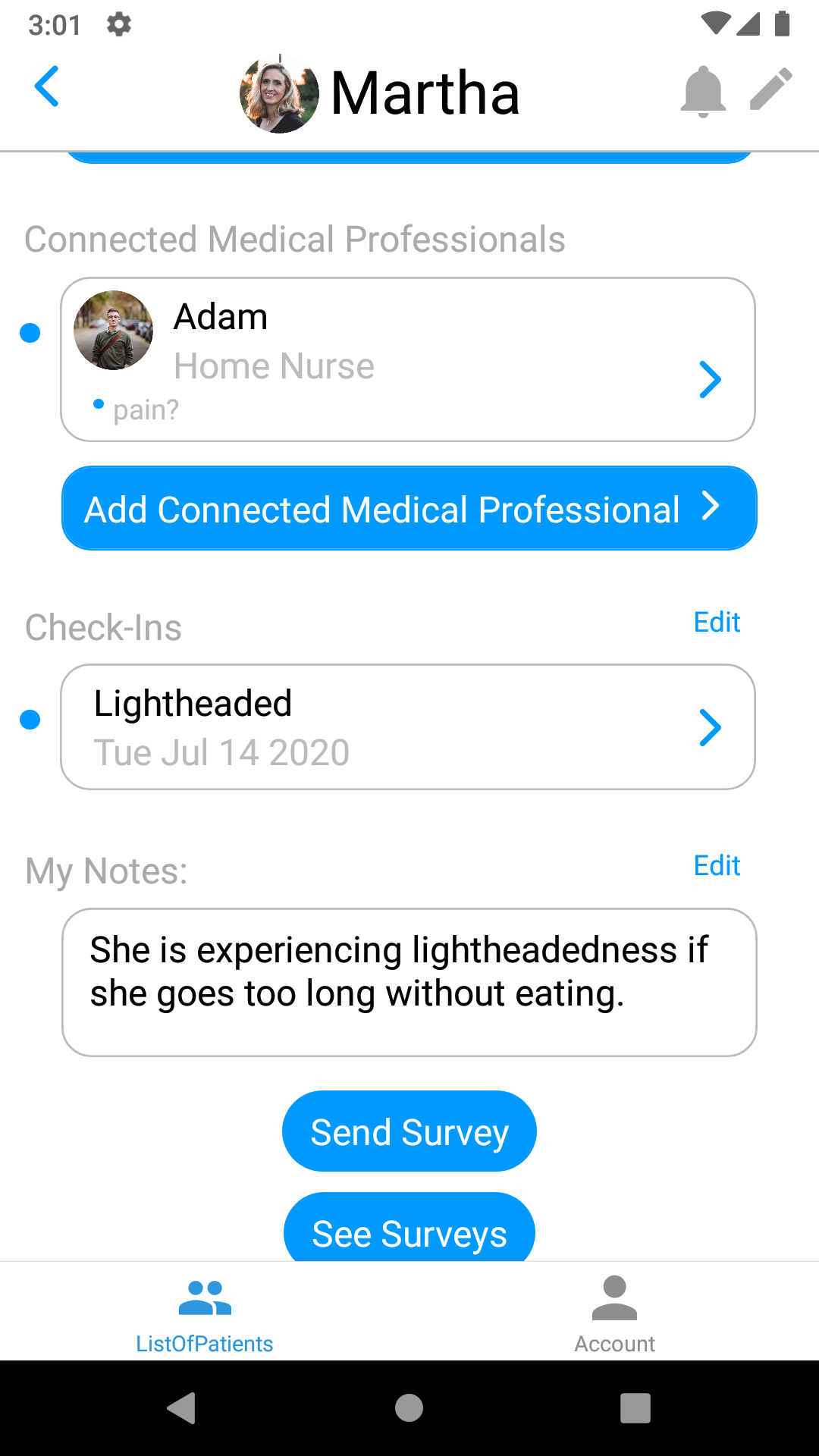
Medical Professional's View of Patient Data including condition and notes
-
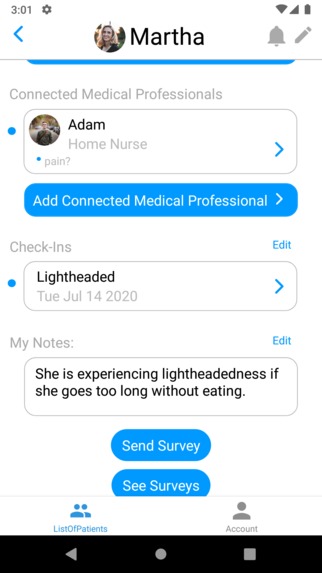
More Patient Data including Connected Medical Professionals, Check-Ins, Personal Notes and surveys.
-
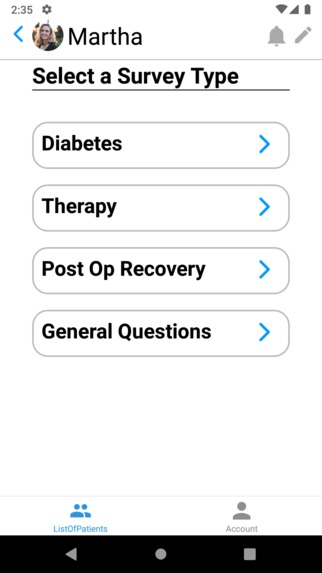
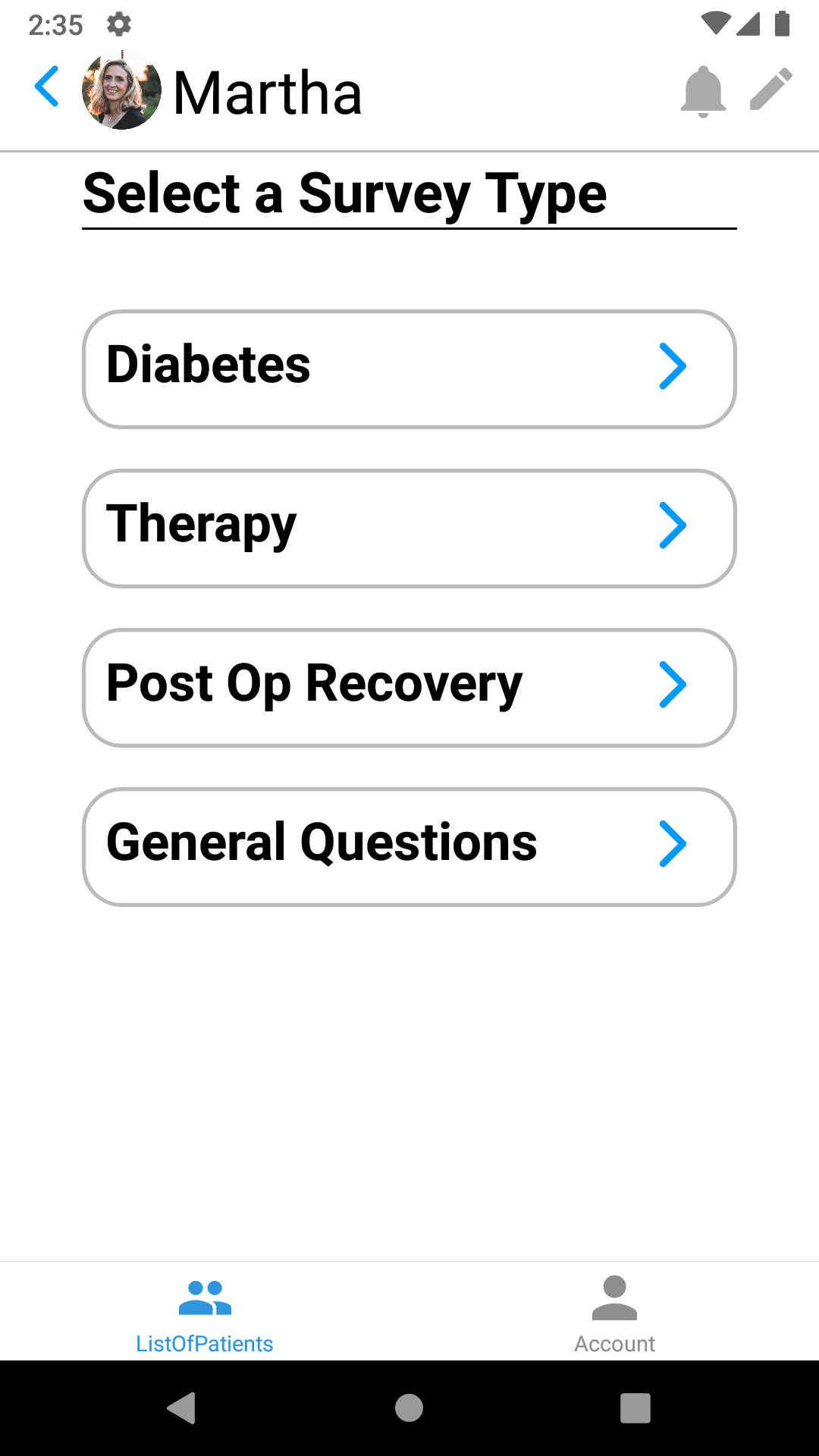
Medical Professional screen of created survey templates for repeated use
-
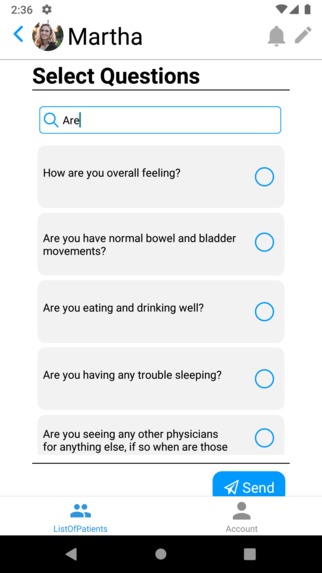
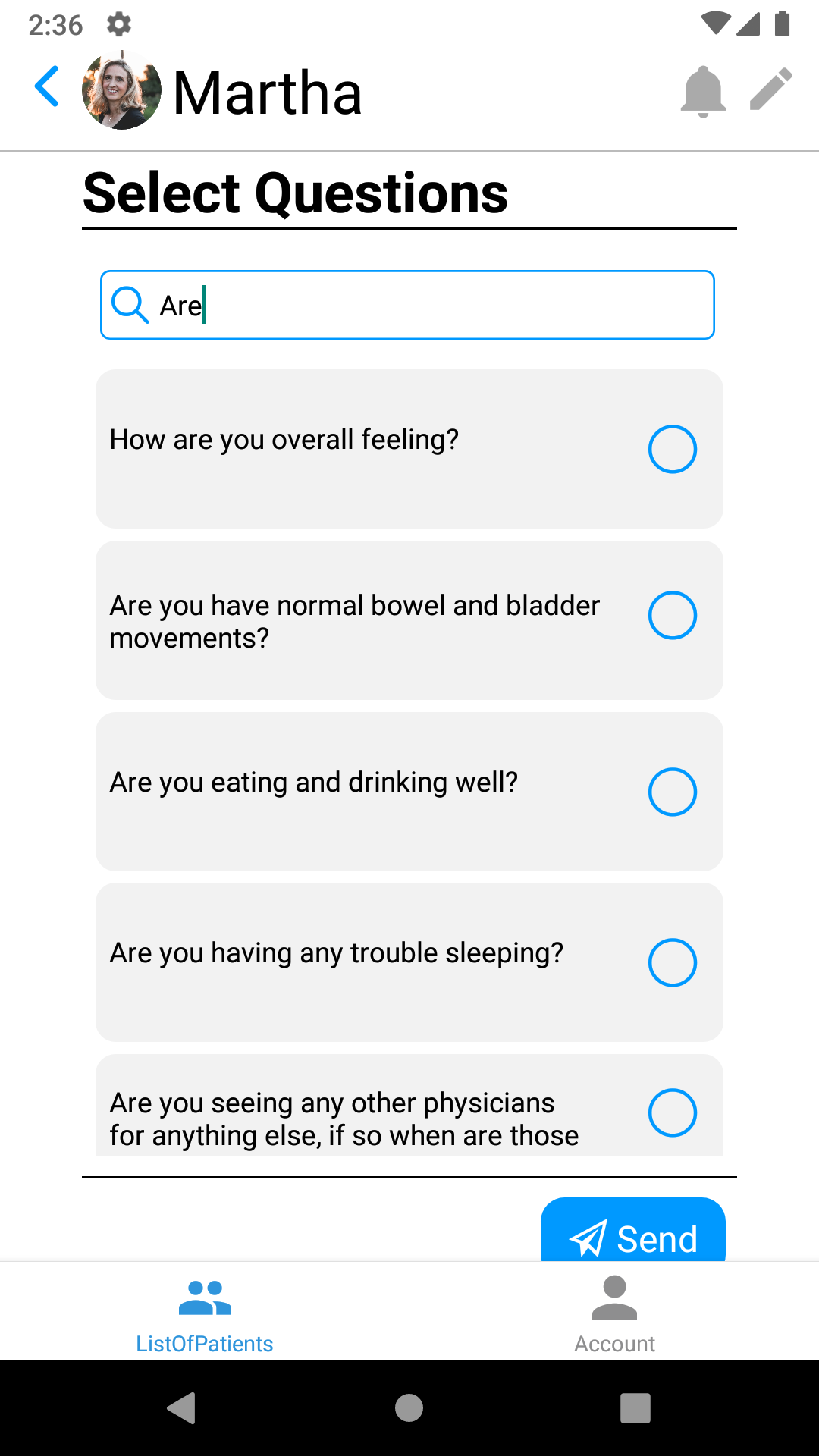
Medical Professional simple creation of surveys
-
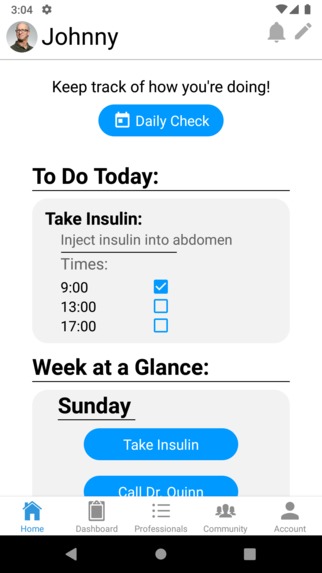
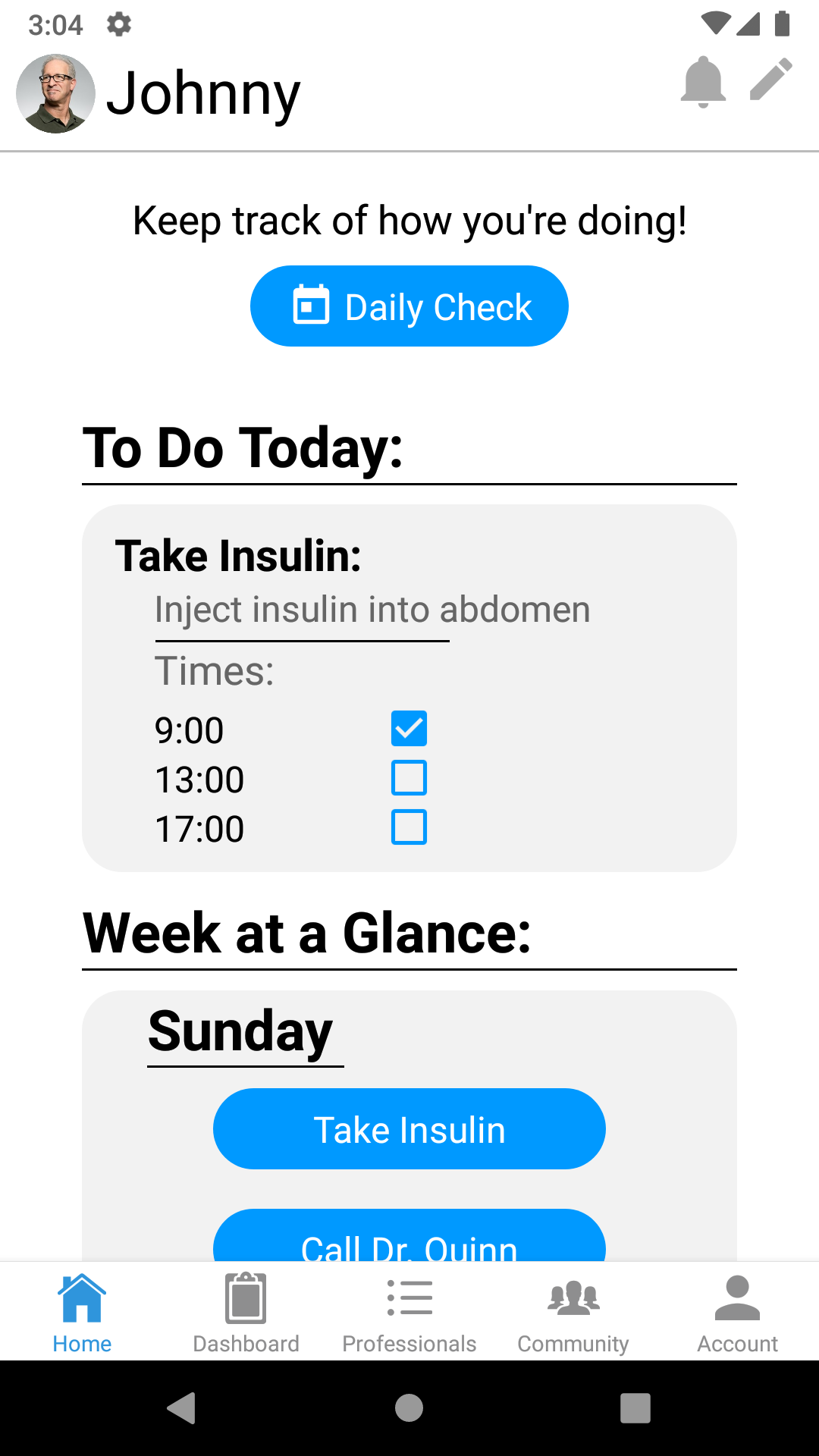
Patient home screen with their daily routines and a daily check-in
-
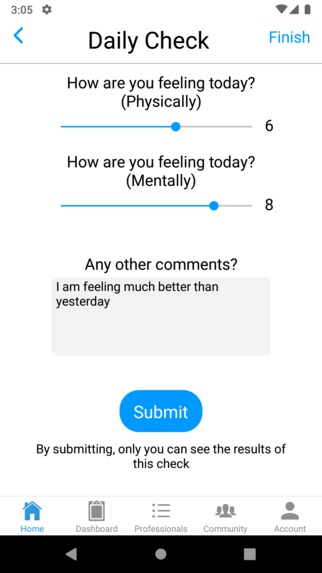
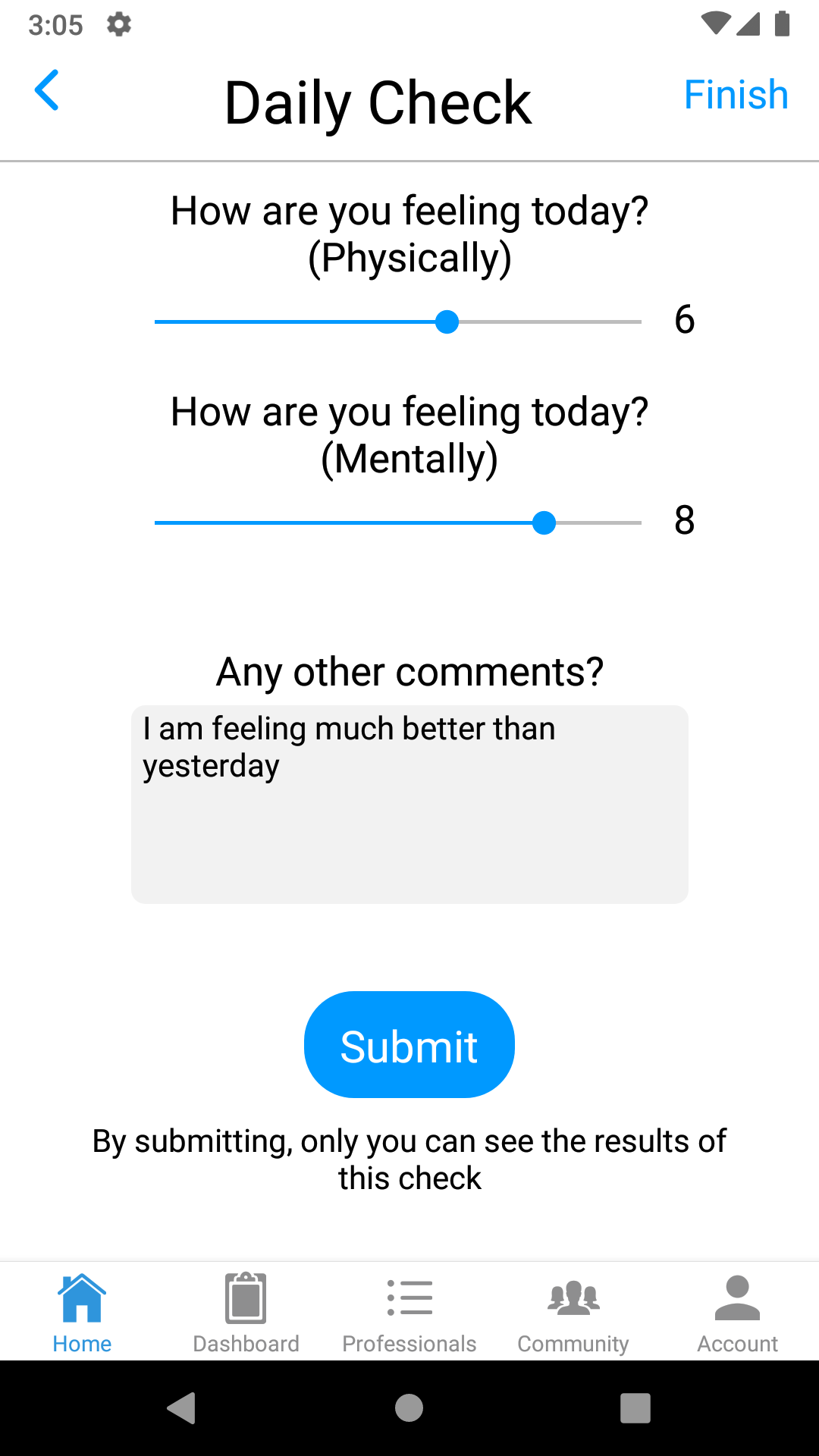
Patient daily check-in screen
-
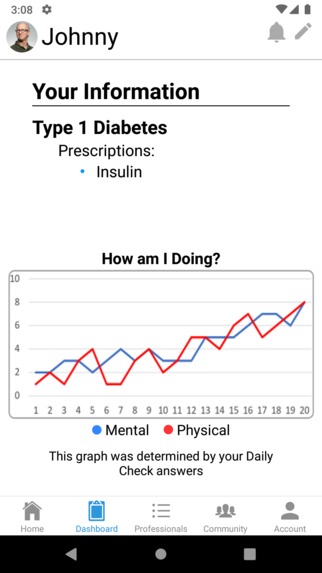
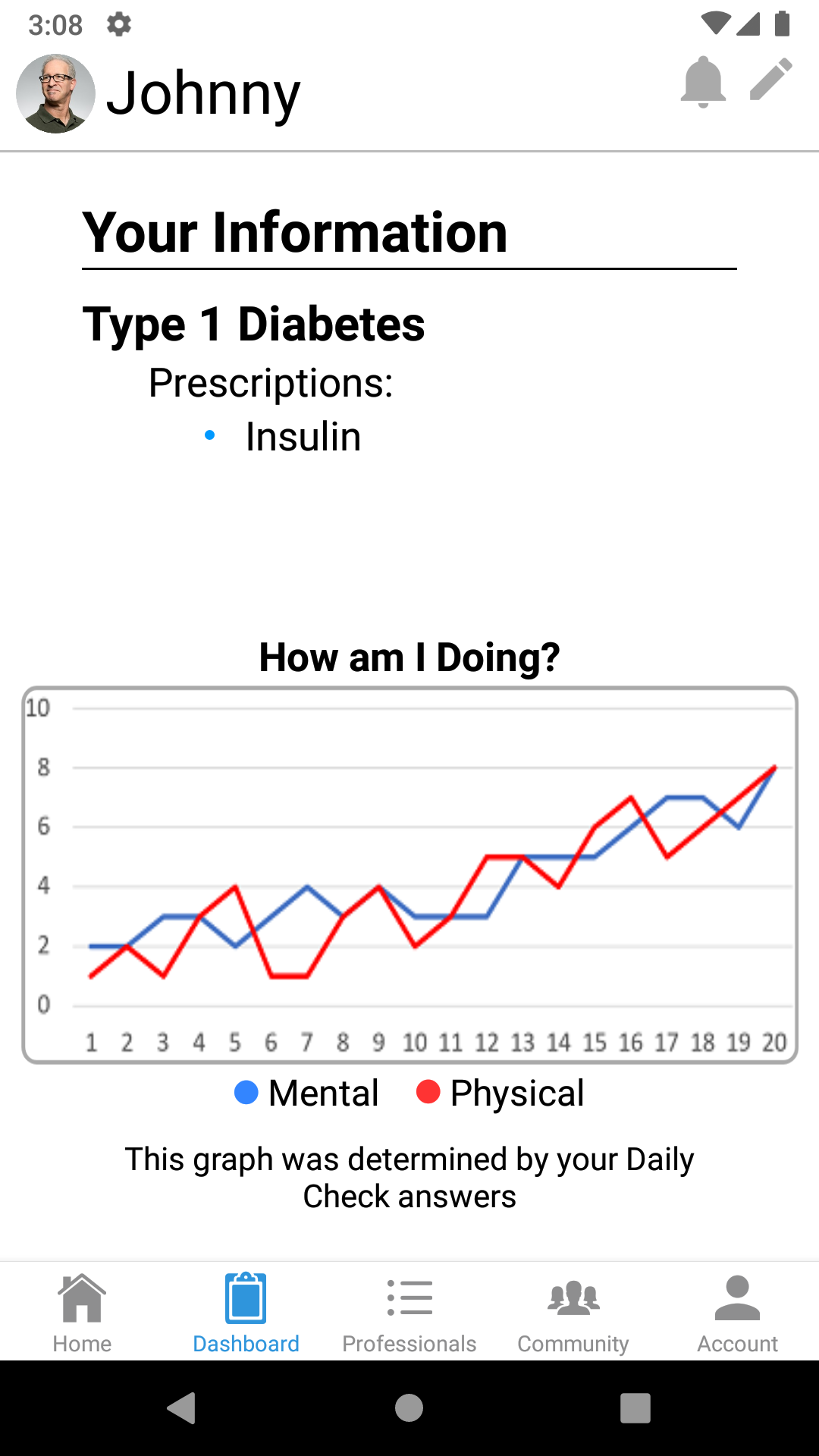
Patient dashboard monitoring progress of daily check-ins
-
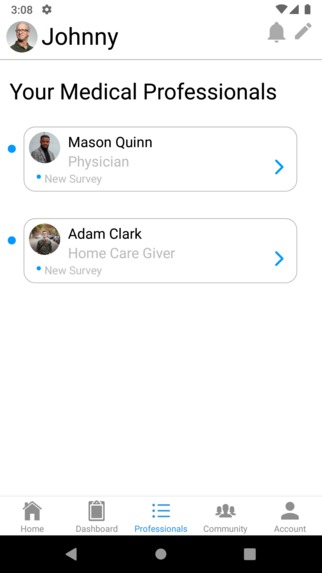
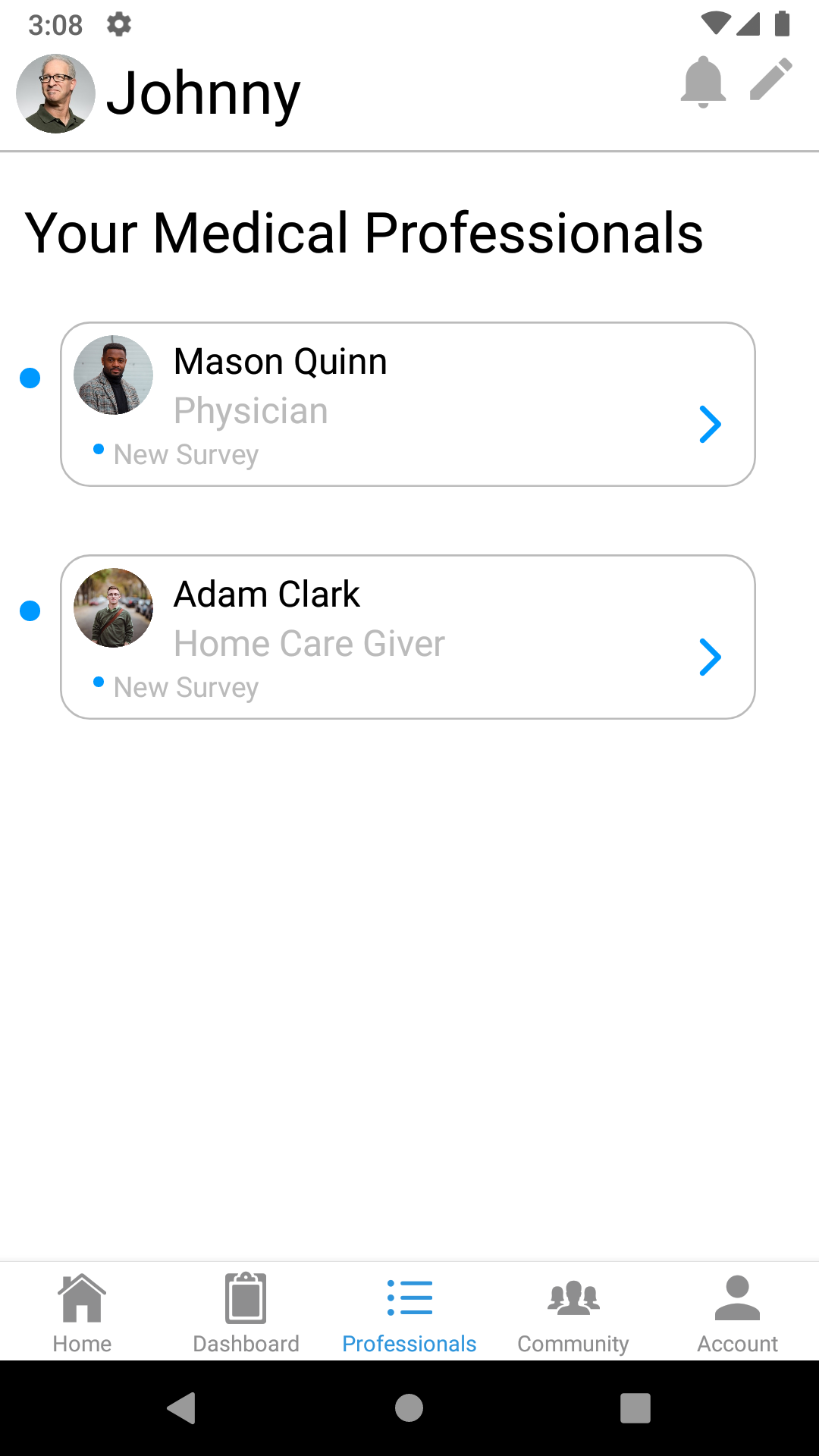
Patient list of connected medical professionals
-
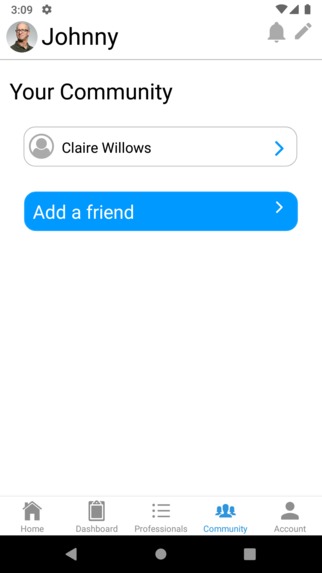
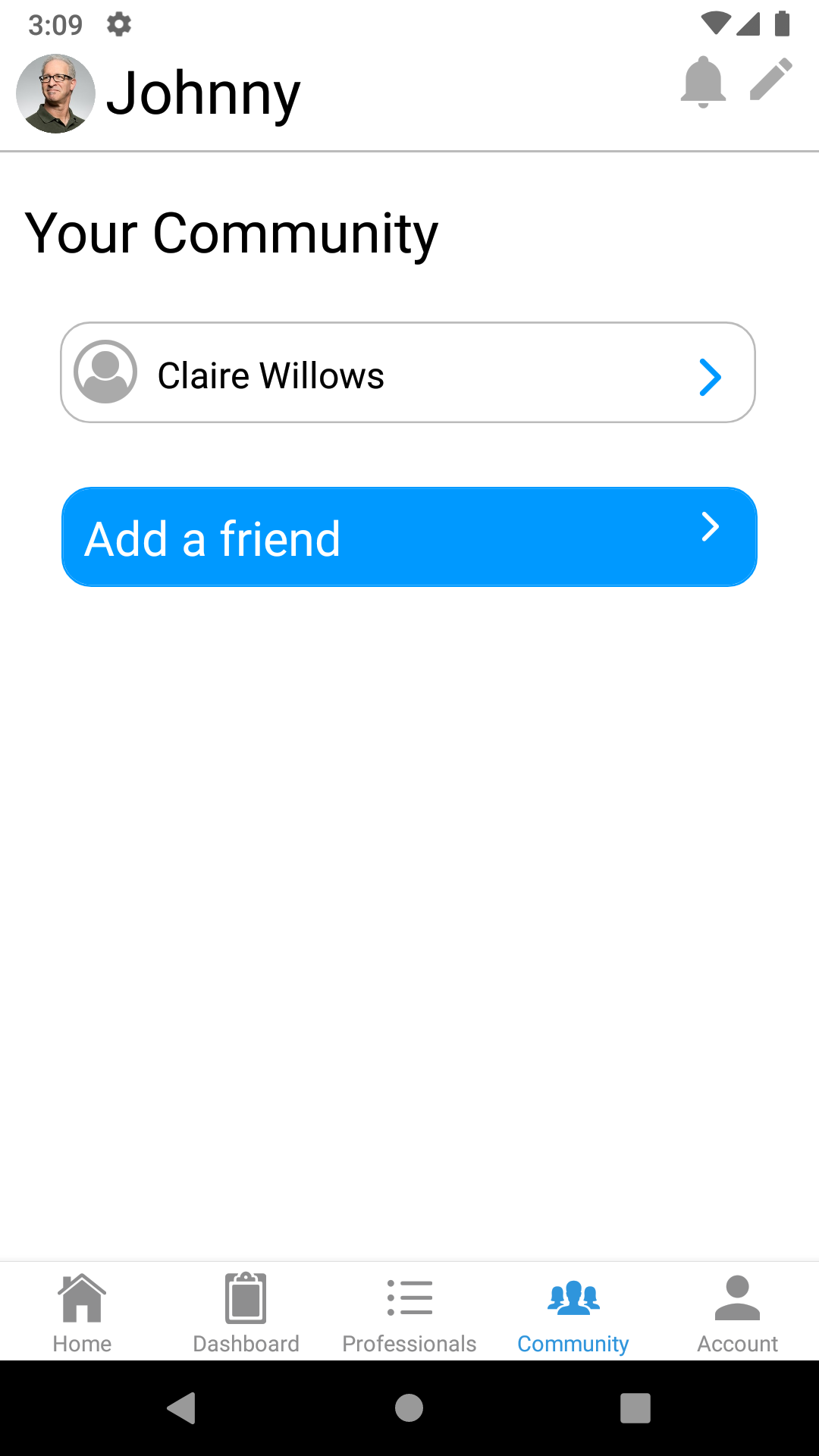
Patient community screen
TeleTech Solutions (Telehealth Team 10)
Video Demos
Overview
The Problem
As the medical field advances, so does the number of specialized medical professionals who work together to cure their patients. In the center of healthcare, in-home caregivers often act as the bridge between these medical professionals and the patient. Unfortunately, busy with their large number of other patients, medical professionals often don’t have the time or resources to individually update caregivers on updates in the treatment. This communication gap between in-home healthcare and medical professionals wastes valuable time and decreases healthcare quality for patients.
Our solution
Our team, TeleTech Solutions, created a simple yet effective app to bridge the communication gap and improve patient care quality. MediLink, our app, connects patients, caregivers and professionals all together to ensure efficient communication of patient data and treatment. Especially with in-person interaction restrictions due to COVID, MediLink serves to eliminate unnecessary trips to the hospital for matters that may be resolved at home. Moreover, with all relevant data in one location, professionals can brief themselves on updates from the patient and connected professionals, thereby increasing efficiency and reducing length of patient visits.
Both patients and connected professionals can use MediLink to bridge communication gaps and increase data accuracy. Patients can connect with all connected professionals by sending real-time updates or filling out personalized surveys on various health conditions. To help monitor their health, patients can also set treatment reminders, graph general wellness, and share health progress. Caregivers and medical professionals can check updates from multiple patients and share notes between other professionals. All three members of the patient treatment process, patients, caregivers and professionals, come together in MediLink to provide the most effective care for patients.
How did you decide on this customer segment, problem, and solution?
Our initial telehealth solution had two main possibilities: to create a precise remote monitoring tool for a specific condition or to avoid in-person visits and hospitalizations. Researching more about the latter, we quickly focused on patients receiving in-home health care. These patients already have connected medical professionals and may need in-person visits more often due to their underlying condition. One of our own team member’s mother is an in-home caregiver, so with her input, we realized that there is a massive communication gap between patients, in-home caregivers, and their physicians or other medical professionals.
Even though we were able to identify this problem and potential solution quickly, our continued research revealed issues in physical therapy and nutrition related fields. After deliberating for two weeks, we finally decided to go tackle the caregiver problem, because the problem was more prevalent for a greater population. Moreover, the app could be expanded more easily to anyone who has more than just a single primary physician.
Now with our customer segment and problem identified, we started to discuss the solution. We decided to create a platform that would allow for simple and easy to use communication between the three different parties. Our team finalized on creating a user friendly app, MediLink, that even elderly patients and busy physicians can navigate our app and use its features with ease.
How did your team build and iterate on the solution?
Paper Prototyping
Before actually coding the solution into reality, we created a basic wireframe and designed paper prototypes to select the screens and features we would implement into the app. Input from five interviews of medical professionals and caregivers gave us ideas and a sense the important features that would be prioritized. We also incorporated user testing feedback after three rounds of paper prototypes. After long deliberations, we narrowed down to these primary features to be created in our app:
- Caregiver and Medical Professional communication through shared notes
- Patient and Professional communication through surveys and notes from the Professional
- Patient treatment monitoring through daily checks and reminders
Code Start
One of the pro team members had prior app building experience using JavaScript and React with Firebase as the database. During the paper prototype testing and feedback cycle, the one member was setting up the basic app formatting and database development, and the other two quickly learned JavaScript and React. With a primary workflow and secondary workflow ideas set in stone, the product team started working on creating the app. To run the app, we used react-native and expo, because we would be able to quickly build, update, and test for both android and ios simultaneously.
The Process
Even within each primary feature, there were many small tasks to create small portions of code at a time before a function would be completed. To make sure we could all work on the code at once, we used GitHub and split up tasks. As the product functionality and user interface progressed, we hosted product team meetings to coordinate tasks and run testing multiple times per week. Additionally, we also conducted a few user tests, and based on the feedback received, we readjusted workflows and tweaked features to ensure an enjoyable and user-friendly experience.
Through this constant cycle of app creation and user feedback loop, we learned the importance of version control and user testing. Even if we have a great idea that would greatly improve the telehealth community, user testing is necessary to ensure that our product provides optimal experience and ideal functionality to implement our idea. On the more technical side, we learned that organizing code well would not only help in group code projects, but also in future testing modifications.
What's next for TeleTech Solutions?
- While we implemented most of the functionality on the patient user side, we weren’t able to fully implement the functionality on the professional user side. Fully implementing all features would be or top priority.
- Patient dashboard screen with data to help monitor health over long periods of time with data from daily check-ins
- Patient add and edit functionality on the professional side
- Professional to Professional full communication functionality
- Community tab on the patient side was one of our features that we would have liked to implement if we had enough time. Patients would be able to add family and friends to help monitor and remind patients of their treatment.
- We chose Firebase as our database with a simple email and password login. To follow HIPPA laws, we would need to implement more security measures by looking into encryption at the data storage level and the data transfer level.
- While we were able to identify customer personas, we would need to create a network of medical providers and insurance agencies and start marketing.
Team Members
Go Team
Seth Parsell (Project Manager, Junior Finance/Economics and Management at Huntington University). Seth was responsible for scheduling group meetings and keeping the team up on the weekly milestones. He also created multiple documents and edited others for the Go Squad. And lastly, he put this document together with help from the rest of the team.
Cameron Rompal (Sales and Business Management, Texas Christian University) Cameron used his professional network and ability to build relationships with influential executives in the home health space to gather market research. He also developed and executed our final solution presentation.
Katherine Young (Product Management and UX Design, Junior Chemical Engineering at Purdue University) Katherine acted as a bridge between the two teams as well as keeping notes from team meetings. She assisted in creating and editing documents for the Go team and completed customer research.
Pro Team
Sean Boltjes (Software Developer, Sophomore Computer Engineering at Purdue). Sean set up the database and user authentication for our project and helped develop both the front and back end of the application. Sean built much of the patient side and created the navigation layout.
Thomas Butler (Product Management and Software Developer, Sophomore Mechanical Engineering Major at Rose-Hulman) Thomas worked on implementing our app. Thomas had very little experience with regards to code but learned a lot.
Jenny Zhao (Software Developer and UX Design, Computer Science Major at MIT) Jenny learned JavaScript and React to build most of the medical professional’s side of her team’s app, creating and designing the user interface, patient screens, navigation functions, and data structures.
Acknowledgements
Coaches Keith Morgan and Mitchell Turnbow helped guide the team along in nearly all aspects of the project. From ideation to presentation, our coaches provided us with valuable advice, so we would like to formally thank them for devoting their valuable time to us. We would also like to thank all TechPoint Staff for their hard work in creating this opportunity to learn and meet new people. This opportunity brought our team together to develop a product in just five weeks. For giving us precious memories and experiences, thank you both coaches and TechPoint Staff.
Key Metrics
- Professional Interviews: 5
- Outside impressions: 30
- Beta tests: 5
- User tests: 5
Technical Architecture

Key Tools, Libraries, and Frameworks
Go Team
- Mural to create templates
- Google Docs to help consolidate and conduct our research.
Pro Team
- React-native and Expo - One of our members was already familiar with these, so we decided to use them due to familiarity and their quick build time and testing iteration
- Firebase - We used Firebase as our database because of familiarity. We do realize that the security measure Firebase uses does not align with HIPAA laws regarding sensitive patient data. However, the time constraints on this challenge led us to use Firebase as our best option to create our app.
- Diagrams.net - We used Diagrams.net to create the navigational layout of the app as well as the database schematic
For more specific external Packages and Items, look below
External Packages and Items we used
- expo
- react-native-check-box
- lodash
- react-native-event-listeners
- react-native-modal-datetime-picker
- react-native-multiple-select-list
- react-native-slider
- react-native-elements
- react-navigation
- firebase
For copyright-free images, such as the profile pictures, we used Unsplash


Log in or sign up for Devpost to join the conversation.