-
-
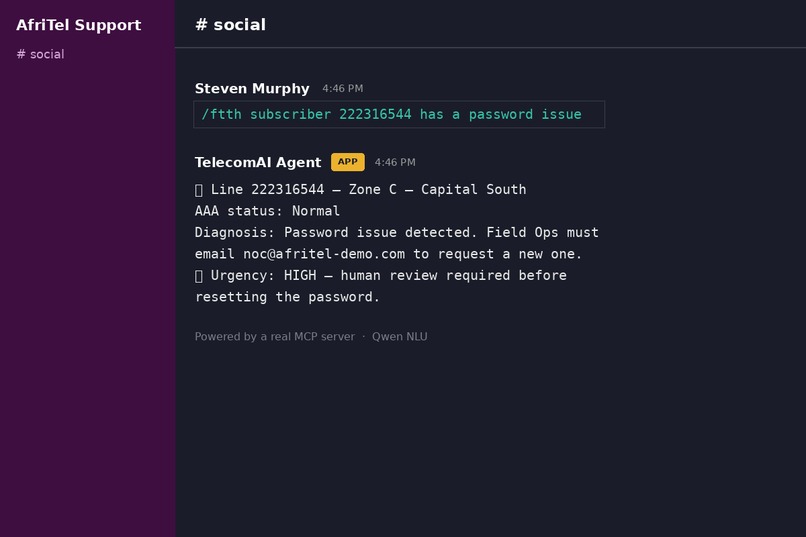
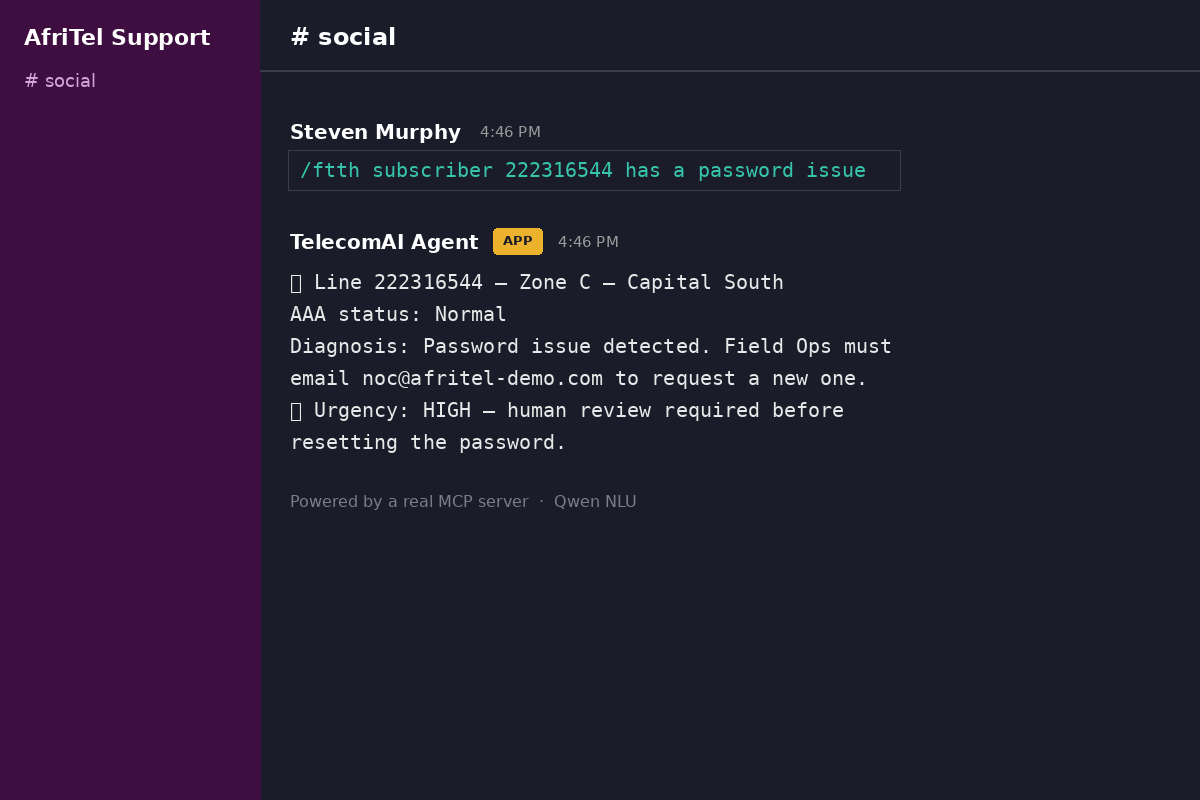
Mockup command /ftth + response
-
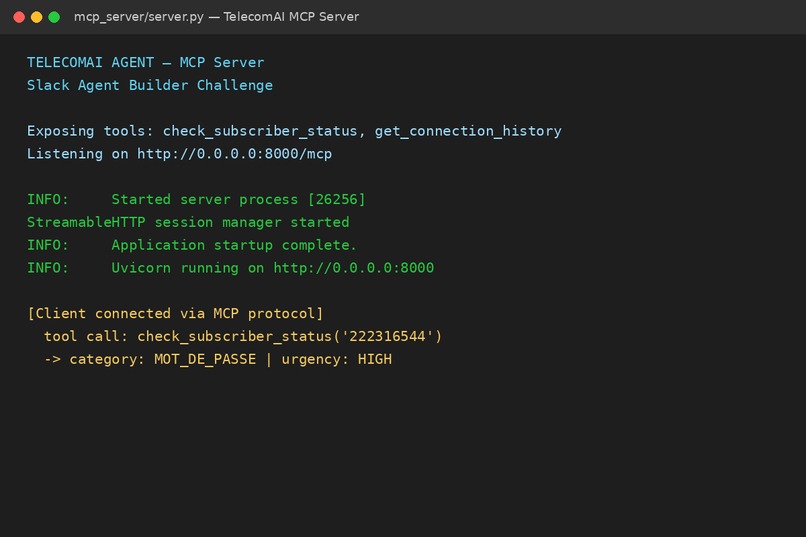
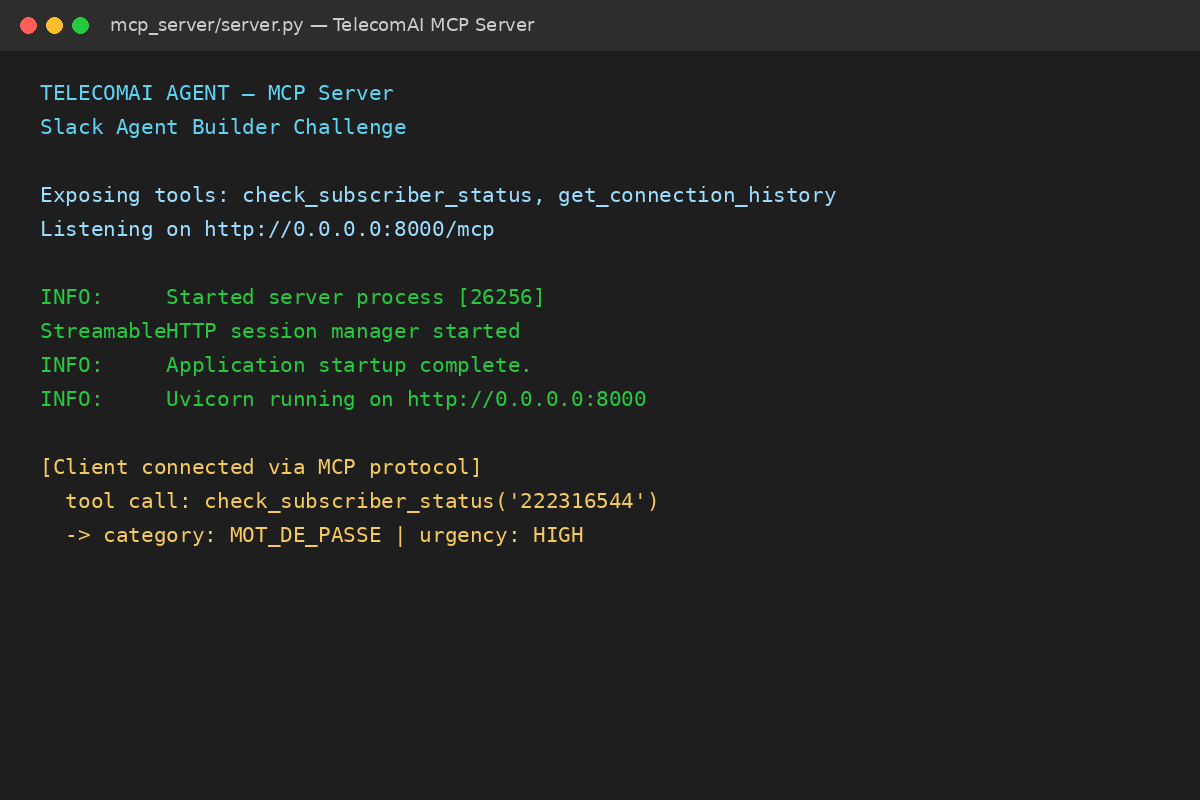
Mockup terminal server MCP
-
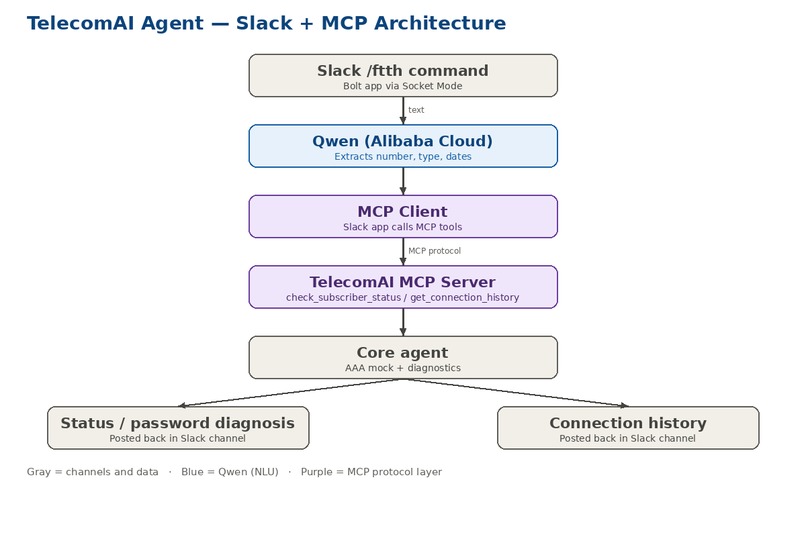
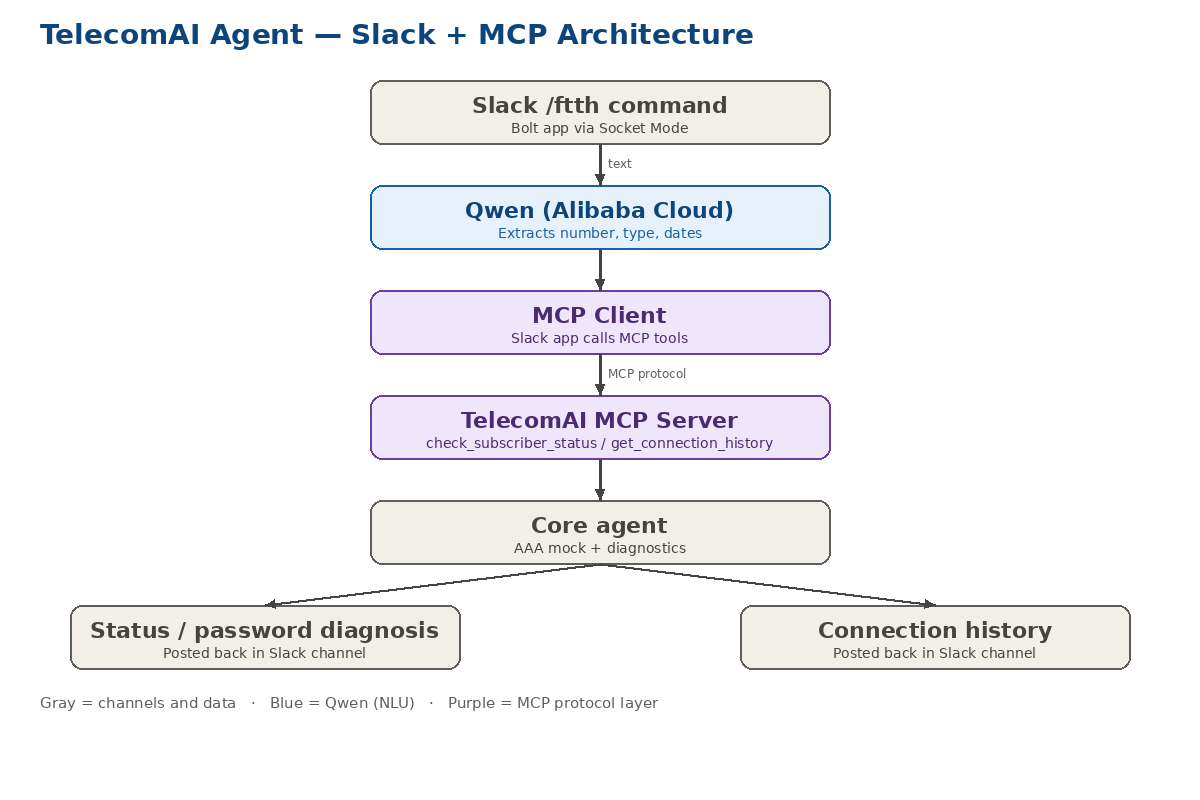
Complete architecture diagram
Inspiration
Telecom support teams handle hundreds of fiber (FTTH) subscriber requests every day, often directly inside Slack — but turning a plain-language message into an actual diagnosis still requires manually checking a separate subscriber platform. We wanted to bring that diagnostic capability directly into Slack, using a real MCP server as the bridge between conversational requests and structured backend data — not just a chatbot wrapper.
What it does
TelecomAI Agent lets anyone in a Slack workspace type:
/ftth subscriber 222316544 has a password issue
/ftth last authentication dates for May and June 2026 - line 222302628
Behind the scenes:
Qwen (via Alibaba Cloud) parses the natural-language request and
extracts the subscriber number, the request type, and any
mentioned dates.
Our Slack app acts as a genuine MCP client, calling tools
exposed by our own TelecomAI MCP server
(check_subscriber_status, get_connection_history) over the
real Model Context Protocol.
The MCP server queries a mocked AAA-style subscriber platform
and returns a structured diagnosis — letting the platform data,
not the requester's wording, determine the real issue.
The result is posted back in the Slack channel, formatted with
clear status, diagnosis, and an urgency flag for cases requiring
human review (e.g. before resetting a password).
How we built it
MCP server (Python, official MCP SDK / FastMCP) exposing two
tools backed by a fictional AAA-style diagnostic engine.
Slack Bolt app (Socket Mode) handling the /ftth slash
command, acting as the MCP client.
Qwen (Alibaba Cloud dashscope API) for natural-language
extraction of subscriber number, request type, and dates.
ngrok to expose the MCP server during development/demo so it
can also be registered as a connected MCP Server in the Slack
app configuration.
Challenges we ran into
We initially relied on Slack's native AI Assistant feature with a connected MCP server, expecting it to autonomously call our tools from a conversational interface. That path turned out to depend on Slack's own AI capability, which isn't available on a free workspace. We pivoted to making our own Slack app a direct MCP client — giving us a fully reliable, self-contained demonstration of real MCP server integration, independent of any paid Slack tier. We also had to make sure the underlying platform data — not the phrasing of the request — always determines the diagnosis, even when an MCP tool is called with a vague or mistaken assumption (e.g. assuming a password issue when the real cause is different).
Accomplishments that we're proud of
A working, end-to-end MCP integration: a real MCP server with typed tools, called by a real MCP client embedded in a Slack app, solving an authentic workflow problem instead of wrapping a generic chatbot in a Slack UI.
What we learned
We learned that MCP's value isn't just "connecting an LLM to data" — it's a clean separation between capability (the server's tools) and interface (any client, Slack or otherwise, that can call them). That separation is what let us pivot away from a blocked integration path without rewriting our diagnostic logic.
What's next for TelecomAI Agent for Slack
Deploying the MCP server on persistent infrastructure (replacing the ngrok tunnel used for this demo) Adding a password-reset tool with a built-in approval step Extending the MCP server with more tools (e.g. zone-level reporting) for richer Slack-based workflows


Log in or sign up for Devpost to join the conversation.