Inspiration
We were inspired by Technovation's colorful website as well as their mission to empower girls to build solutions and make an impact.
What it does
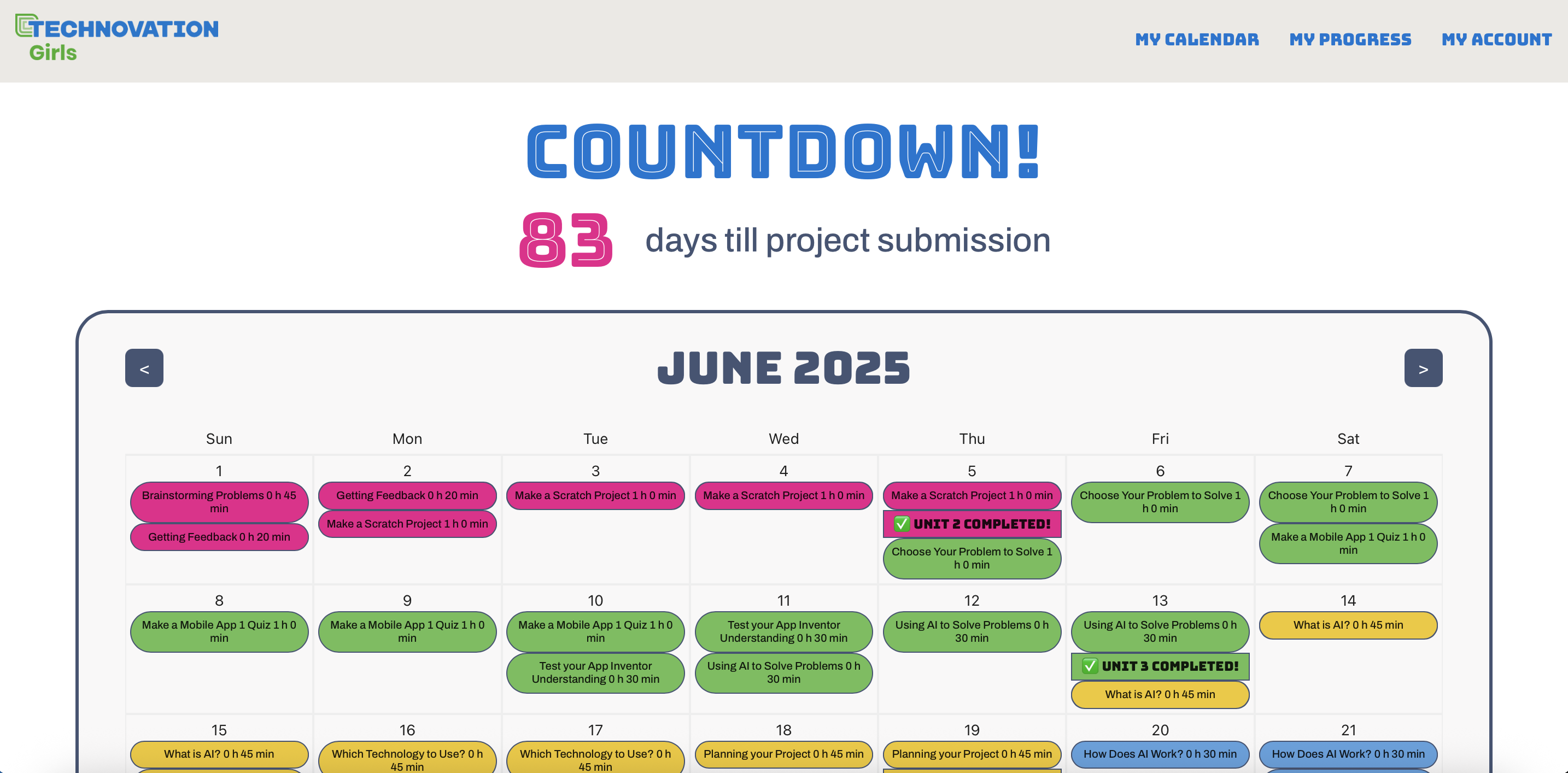
Our planner recommends the program's participants a timeline to stay on track throughout the project given their desired start date, submission deadline, and their division. We display this timeline, including daily lessons to complete along with project milestones (i.e. finishing a unit) on a calendar. We also include a Progress tab that participants can use to check on each lesson they complete and visualize their progress throughout the program.
How we built it
We built this planner using JSX, CSS, React, Firebase, and Figma.
Challenges we ran into
As beginners to full-stack web development, we're pretty new to using tools such as React and Firebase, so when we began to build the website, starting with the navigation bar and the sign-up page, we moved very slowly and ran into many errors. However, as we continued developing, our pace picked up and became smoother as we became more familiar with the tools we were using.
Accomplishments that we're proud of
We successfully created a working website with a connected frontend and backend!
What we learned
We learned so much: from creating a new user and storing it in a Firestore database to recommending the user a timeline in which to complete their project and displaying it on a calendar element in React, this experience has been invaluable in expanding our knowledge and skills while also having the amazing opportunity to make an impact.
What's next for Technovation Planner
We plan to make the Progress tab fully functional and interactive by having the progress bar for each unit update when a user checks off completed lessons. We also hope to link users on the same team by allowing new users to automatically select their team when they are creating an account, if the team already exists, and so that team members have access to the same calendar.


Log in or sign up for Devpost to join the conversation.