-
-
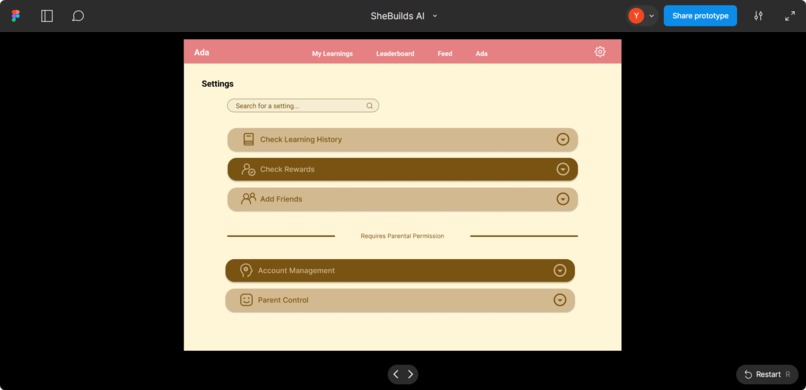
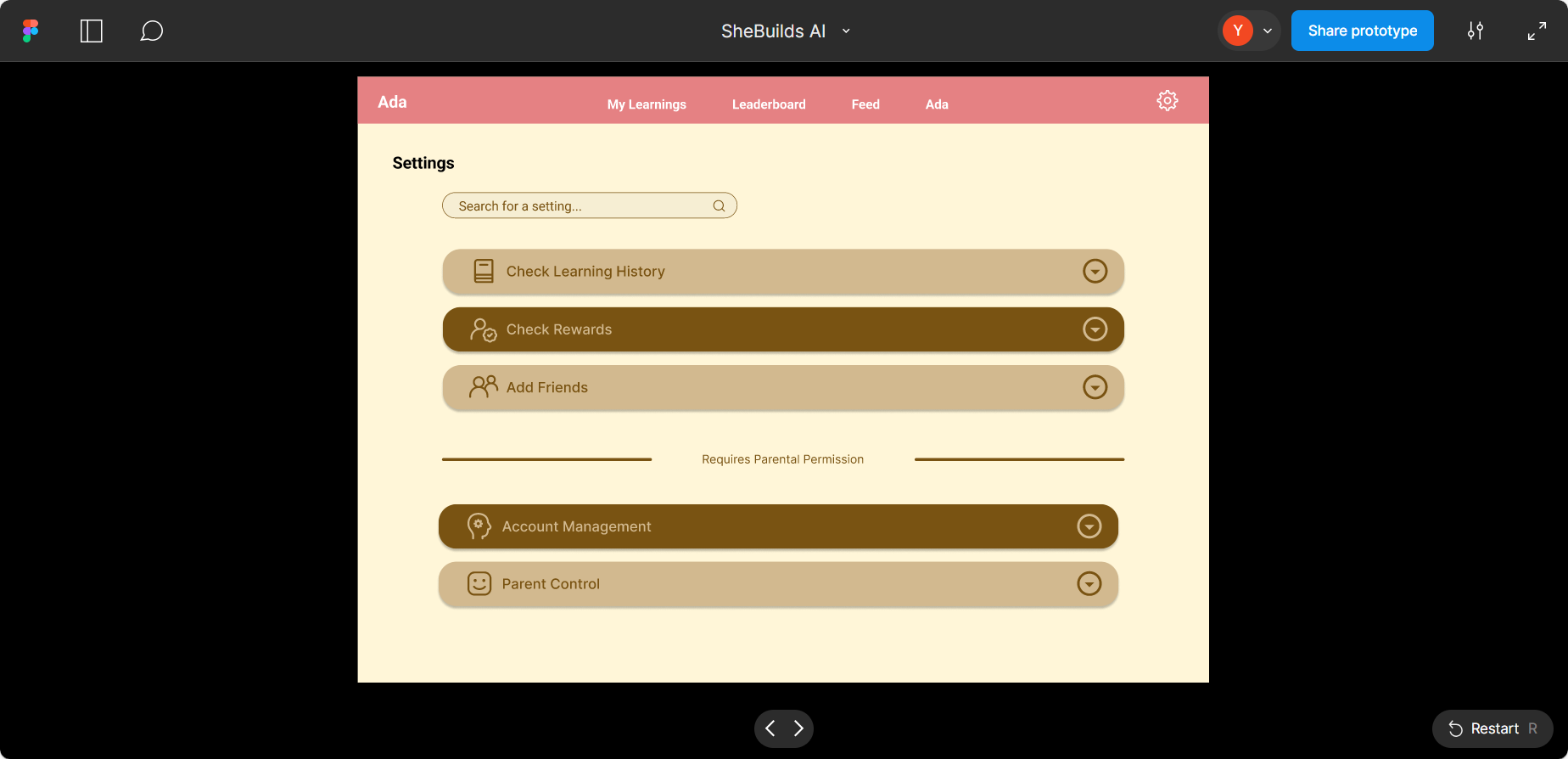
Ada Settings - user management functionality and parent control
-
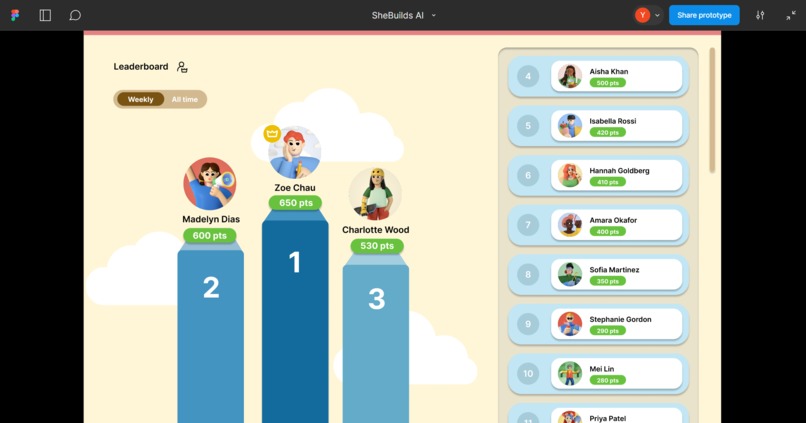
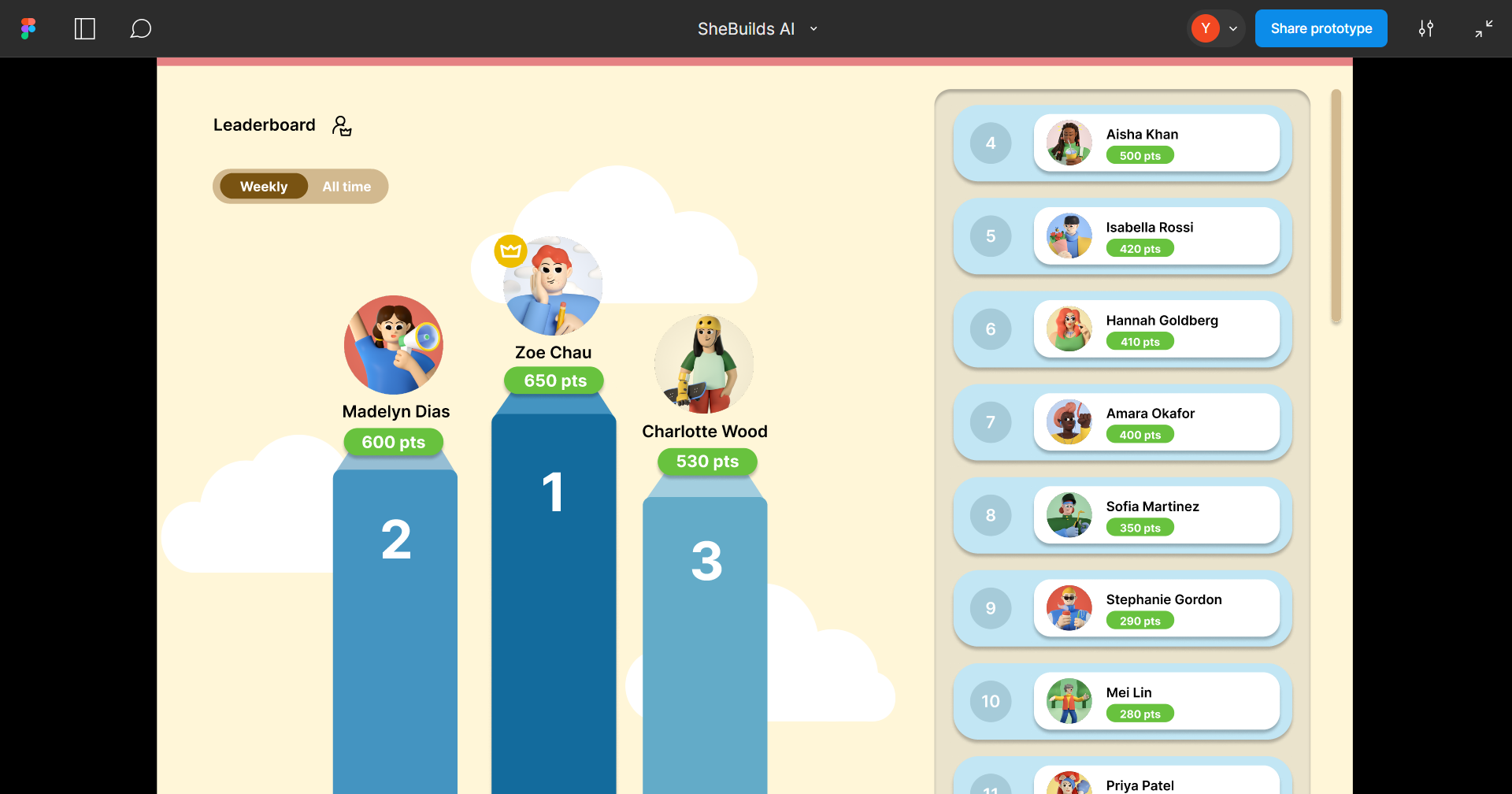
Ada Leaderboard - this app provides a supportive community for girls who're interested in technology
-
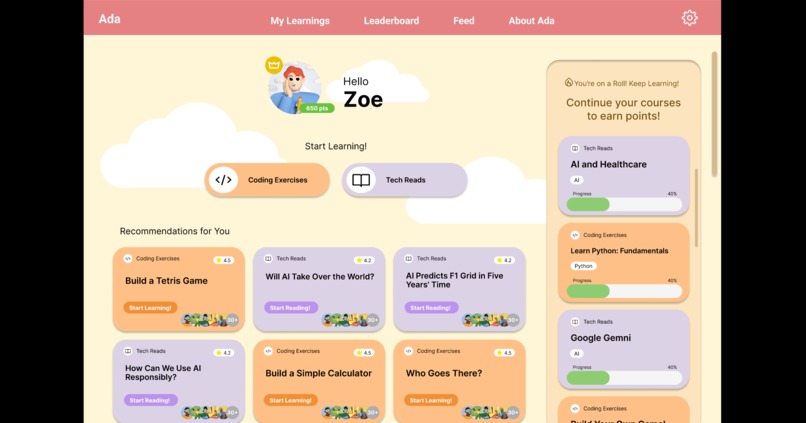
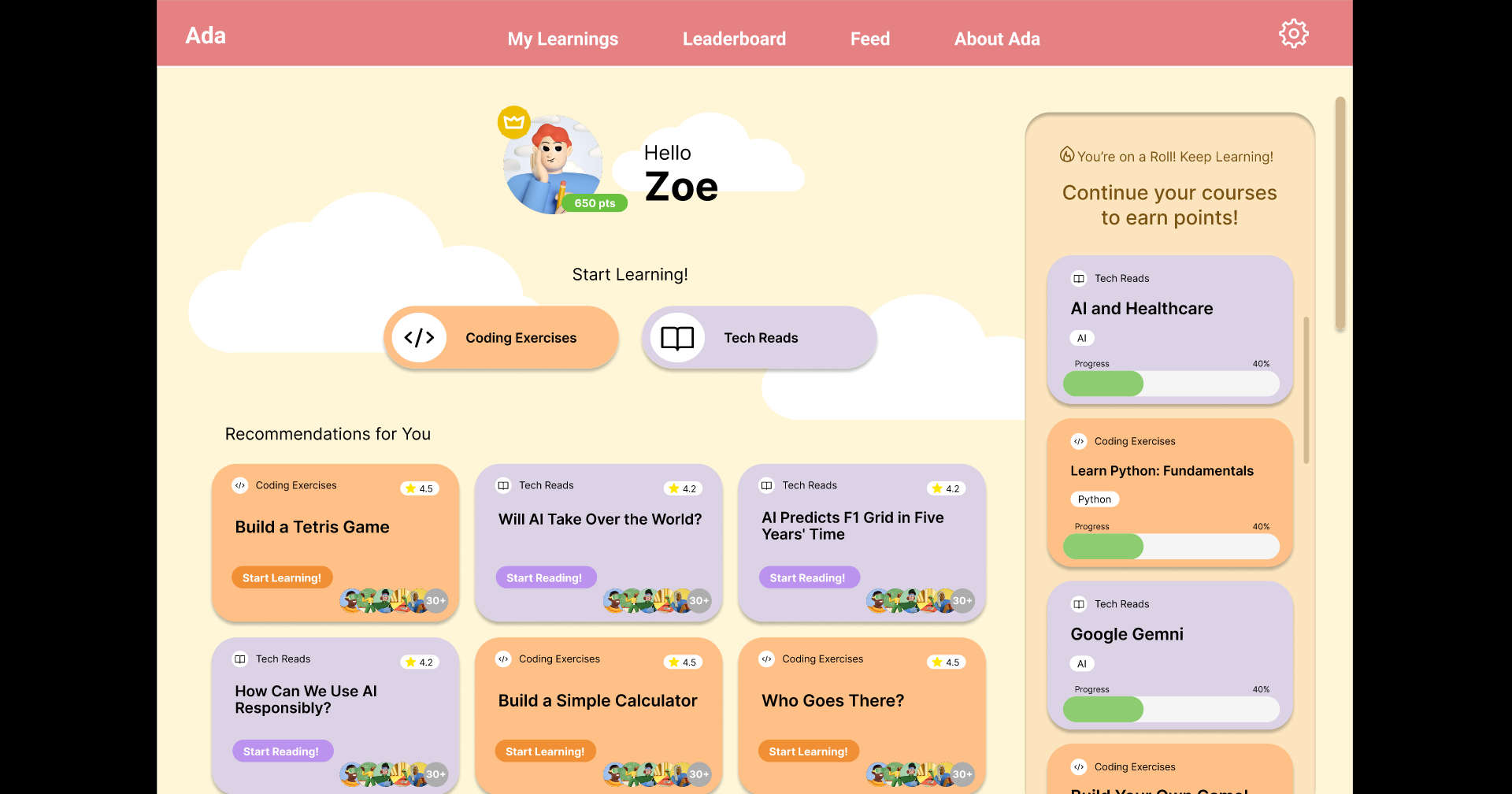
Ada Home page
-
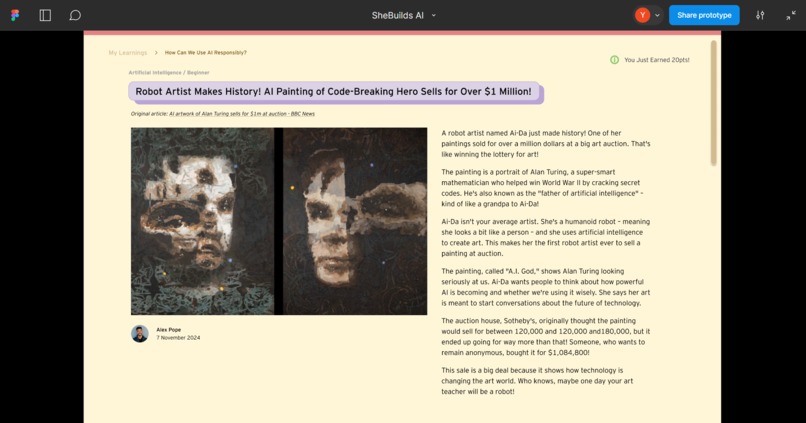
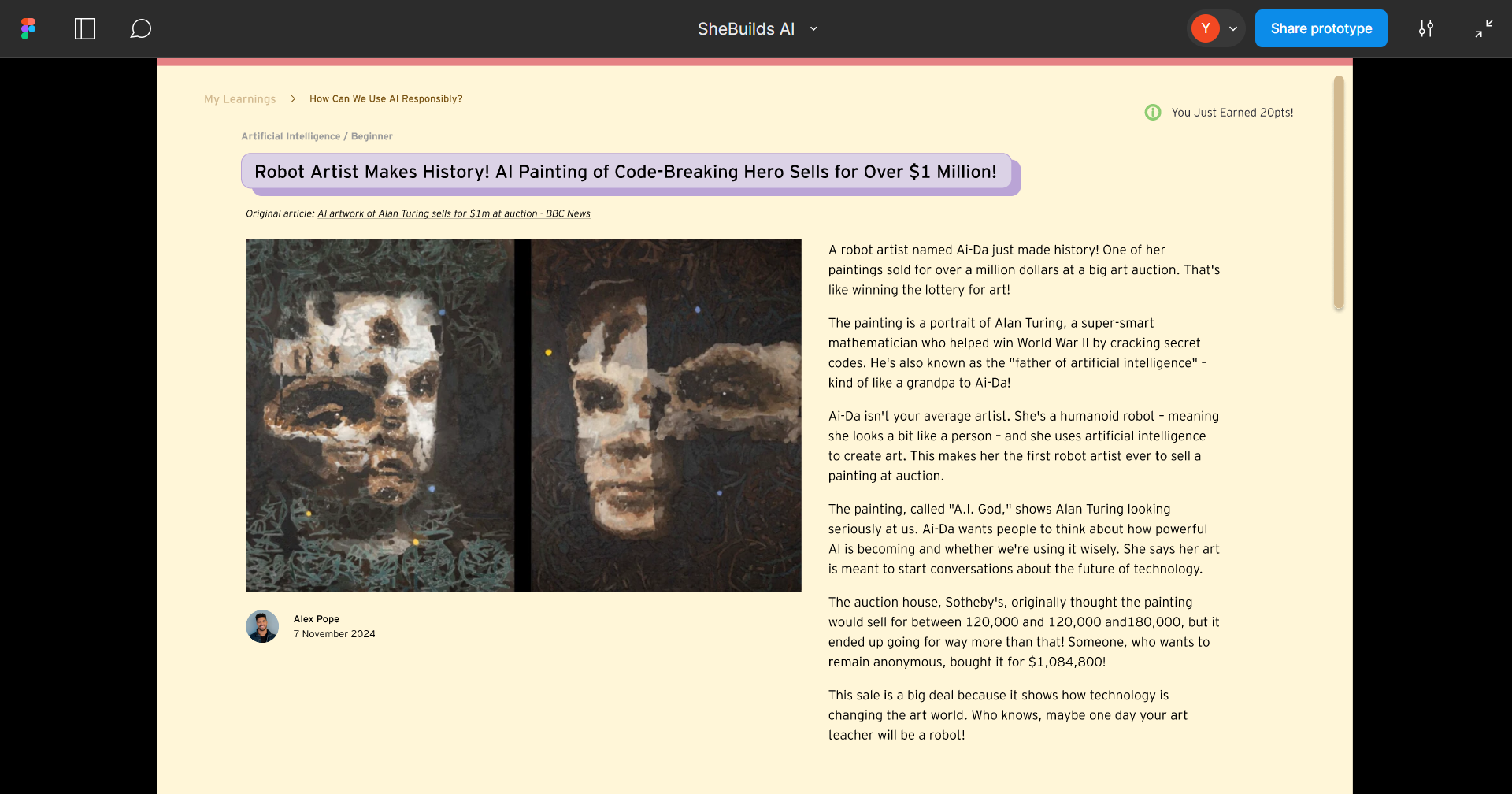
Ada Tech Read page - example AI generated news with children friendly language
-
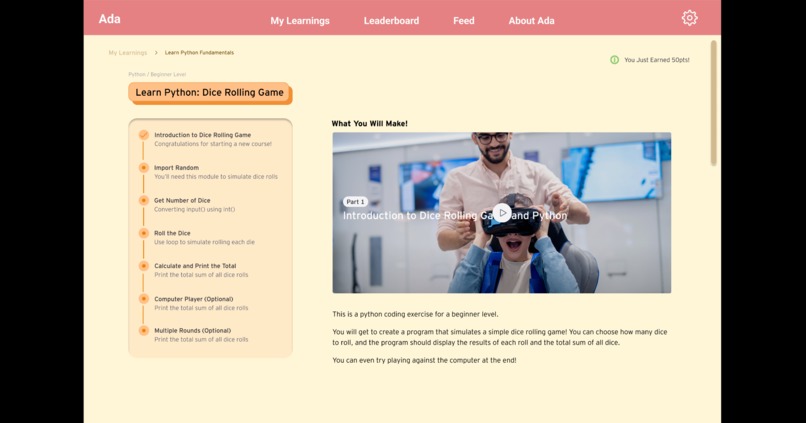
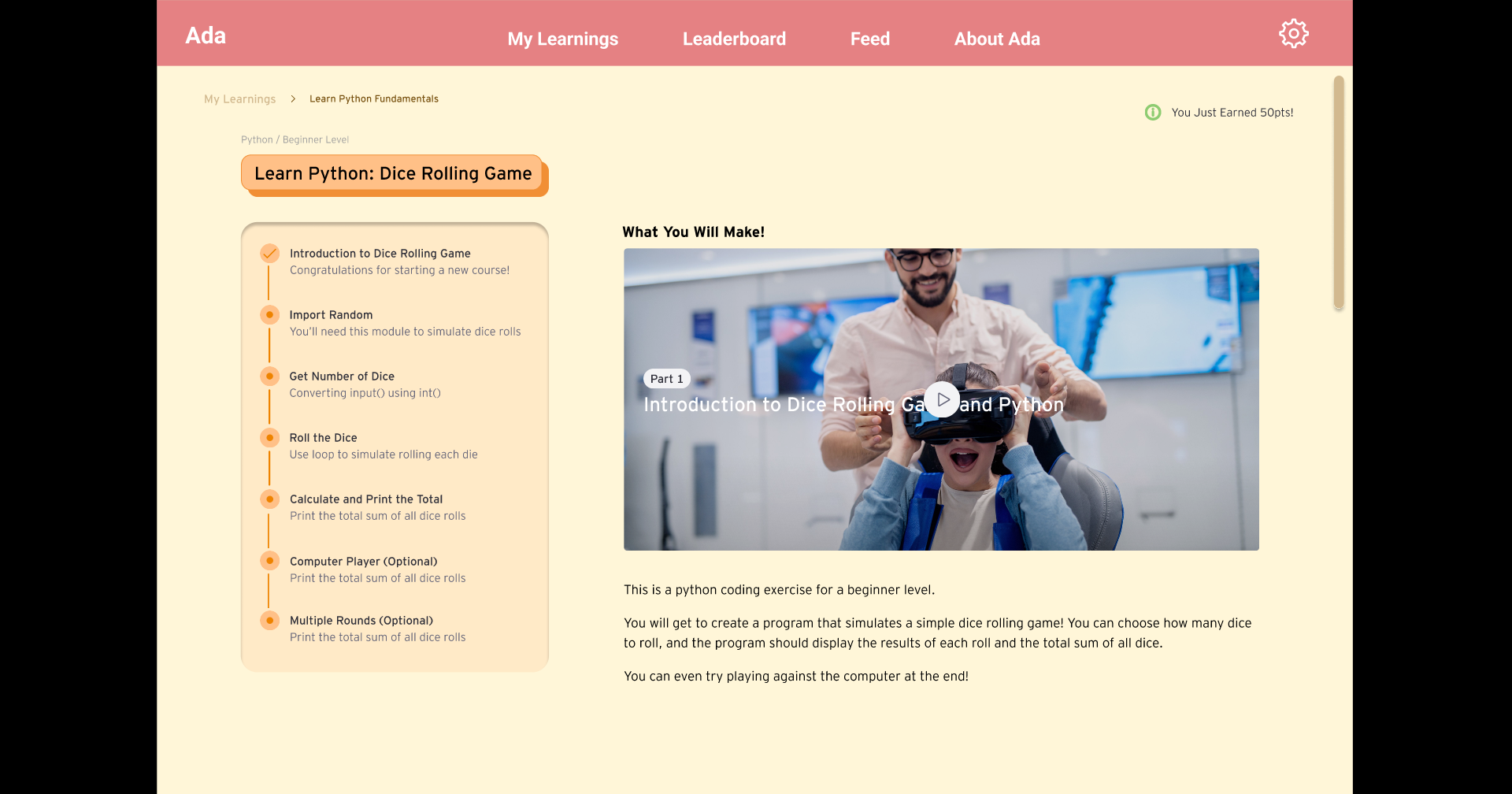
Ada Coding exercise page - example AI generated coding activities based on user's skill and interest
Inspiration
Only 26% of the UK Tech industry are women, we want to bridge the gender gap in technology and empower young girls to become future leaders in STEM fields. Through our team members’ volunteering activities of teach children how to code, we recognise the importance of early exposure to technology, we aimed to create a platform that not only educates but also inspires and motivates girls aged 7 to 17. By leveraging AI technologies, we hope to provide a personalised and engaging learning experience that fosters a lifelong interest in technology and innovation.
What it does
Ada is a web app designed to encourage girls to learn more about technology through three main functionalities:
- User Profile Management: Allows girls to log in, manage personal data, track learning history, check rewards, and add friends. This feature creates a personalised and social learning environment. A parental control setting will be embedded in this app for screentime restriction and safeguarding.
- Recommending Fun and Engaging Coding Exercises: Use AI to recommend coding exercises tailored to the user's skill level and interests. Completing exercises earns users points and rewards, making learning fun and motivating.
- Summarising and Recommending Technology News: Provides technology news in a children-friendly language, similar to National Geographic Kids. This feature keeps users informed and engaged with the latest tech trends in an accessible format.
How we built it
We built Ada using a combination of web development technologies and AI tools:
- Prototype: use Figma to build product prototypes and functionalities
- AI Integration: use Google Gemini to recommend coding exercises and technology news
Challenges we ran into
Our main challenges are around technical skills.
- Figma upskilling: Two of our team members were assigned the responsibility of designing Figma prototypes. Notably, one of these members was using Figma for the first time, enhancing her understanding and proficiency with Figma on the job. She received guidance and support from the more experienced team member and online research, ensuring a collaborative and efficient workflow.
- Google Colab upskilling: One of the challenges are On the BBC technology news website, images and other content are dynamically loaded through JavaScript. Traditional HTML parsing tools (like BeautifulSoup) cannot retrieve this content because they only parse the static HTML of the page, without executing JavaScript or loading dynamic content. We need to simulate a real browser to load and scrape the content dynamically generated by JavaScript, especially when running in headless environments like Google Colab.
To solve this challenge, the following simplified steps were taken to simulate a browser and scrape dynamic content:
- Install necessary tools: First, install the Selenium library and configure Google Chrome and ChromeDriver.
- Set up the browser in headless mode: Run the browser without a graphical interface by configuring Selenium to start Chrome in headless mode.
- Load the page and wait for JavaScript to execute: Use Selenium to launch the browser, load the webpage, and wait for JavaScript to execute fully to ensure dynamic content is loaded.
- Extract the final rendered content: Once the page has loaded, extract the complete webpage content, including images and other elements dynamically loaded by JavaScript.
Accomplishments that we're proud of
We’re proud of the below accomplishments:
- AI-Powered Personalisation: Successfully implemented LLM that provide personalised learning experiences and news recommendations, enhancing user engagement and motivation.
- Engaging User Experience: Created a user-friendly interface and gamification elements that make learning technology fun and rewarding for young girls.
- Inclusive design: Accessibility guided our design process. We used accessible colours to ensure readability for all users and that navigation within the app does not rely solely on colour differentiation. Additionally, our colour palette isn’t stereotypical, relying on pink to signal that our target audience are girls.
What we learned
Throughout the development of Ada, we learned valuable lessons:
- Importance of Feedback: Regularly gathering feedback was crucial in refining the app and ensuring it met the needs and preferences of our target audience. Our team met up regularly to discuss our internal feedback.
- AI Integration: Gained deeper insights into the capabilities and limitations of AI technologies, particularly in the context of personalization and content simplification.
What's next for Ada
- Build the front end web app based on the Figma prototype, then connect the python code to generate the news and coding exercises
- Invite users to test this app and provide feedback


Log in or sign up for Devpost to join the conversation.