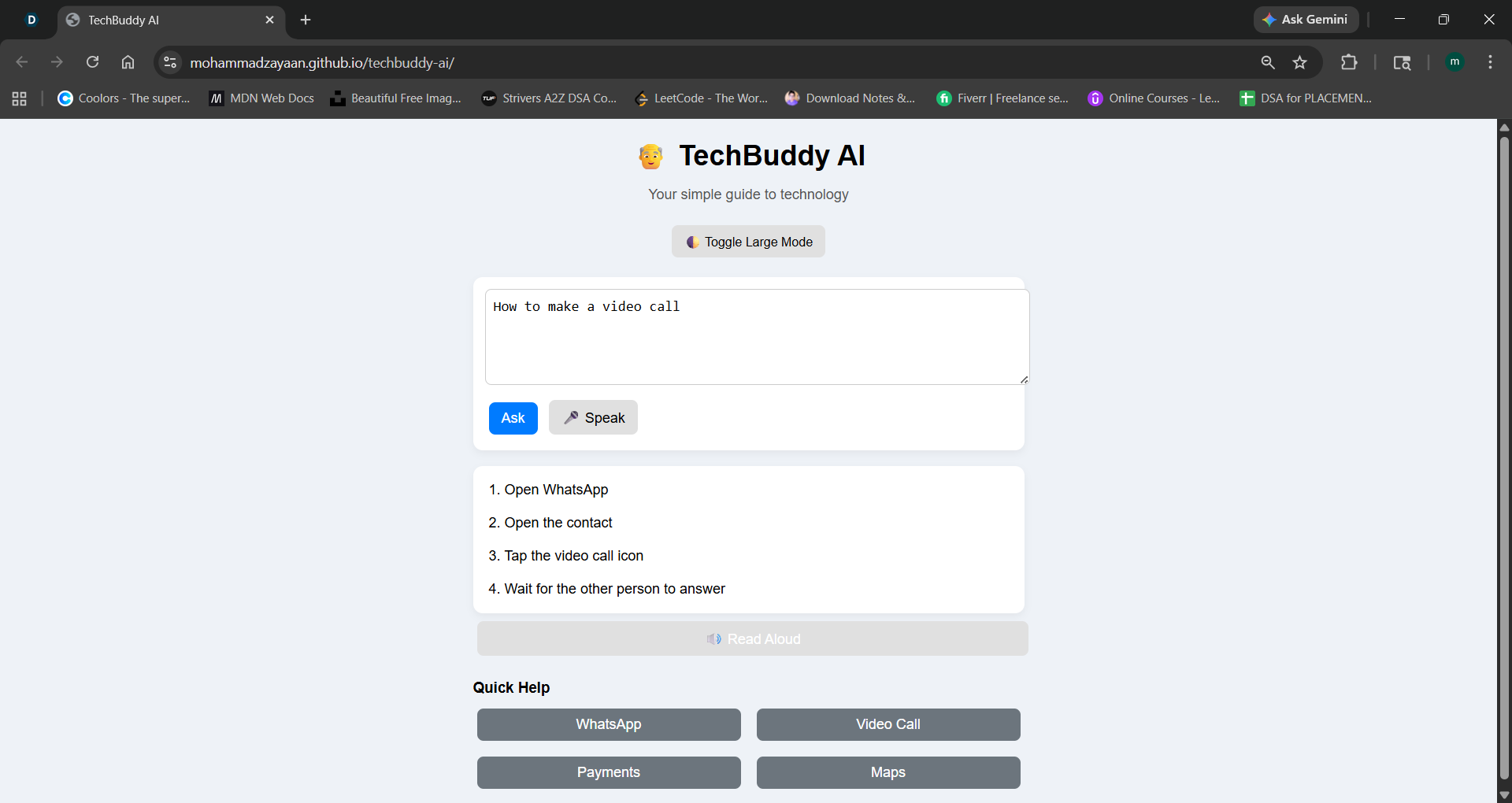
👴 TechBuddy AI — Project Story 🌟 Inspiration As technology rapidly evolves, many senior citizens find it difficult to keep up with everyday digital tasks such as sending messages, making payments, or navigating apps. I was inspired by the gap between modern technology and accessibility for older generations.
The idea behind TechBuddy AI was simple:
What if seniors had a friendly assistant that explains technology in the simplest possible way?
I wanted to build something that is not just functional, but comfortable and approachable for elderly users.
🛠️ How I Built It TechBuddy AI is a lightweight web application designed with simplicity as the core principle.
🔧 Technologies Used: HTML, CSS, JavaScript Web Speech API (for voice input and text-to-speech) GitHub Pages (for deployment) ⚙️ System Design: The system follows a simple interaction model:
Users can type or speak their query The system processes the request It returns clear, step-by-step instructions I also implemented:
🎤 Voice input for ease of use 🔊 Text-to-speech for accessibility 📌 Predefined smart responses for common tasks 🔠 Accessibility mode (large text) 📚 What I Learned This project helped me understand:
The importance of user-centered design, especially for seniors How simplicity beats complexity in real-world applications Basics of voice interaction using browser APIs The challenges of integrating and managing AI APIs How to deploy a project using GitHub Pages I also learned that building for accessibility requires thinking beyond code—it requires empathy.
⚡ Challenges I Faced
- AI Integration Issues I initially attempted to integrate external AI APIs, but faced:
Slow responses Rate limits Reliability issues To ensure a smooth user experience, I implemented a fallback system with optimized responses.
- Performance vs. Complexity I had to balance:
I chose a design that prioritizes:
Fast responses Consistent behavior Ease of use
- Designing for Seniors Creating a senior-friendly interface required:
Larger fonts Clear buttons Minimal distractions This was different from typical modern UI design.
🌍 Impact TechBuddy AI aims to:
Help seniors become more independent Reduce fear of technology Provide a simple learning companion It can be deployed in:
Senior centers Community programs Digital literacy initiatives 🔮 Future Improvements Integration of real-time AI models for dynamic responses Multi-language support (Tamil, Hindi, etc.) Scam detection and safety guidance Personalized assistance based on user behavior 🏁 Conclusion TechBuddy AI is not just a project—it is a step toward making technology inclusive and human-friendly.
Technology should adapt to people, not the other way around.

Log in or sign up for Devpost to join the conversation.