-
-
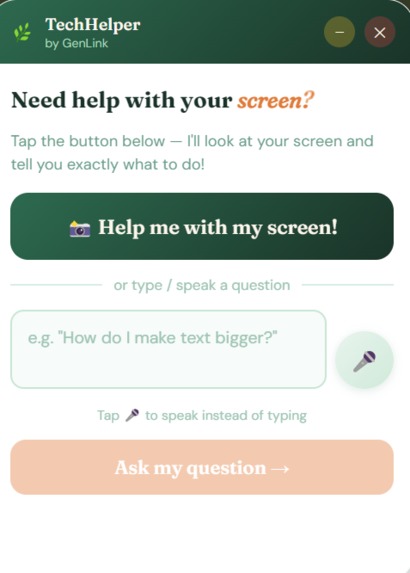
TechHelp ui
-
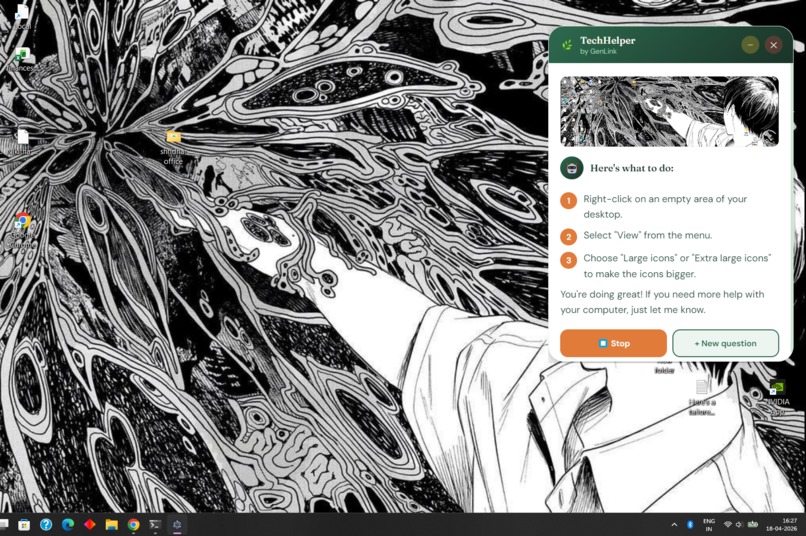
TechHelper in action
💡 Inspiration
Technology is advancing rapidly, but not everyone is able to keep up—especially senior citizens.
Our inspiration came from observing how many seniors struggle with everyday digital tasks like changing settings, using apps, or even understanding error messages. What is “intuitive” for younger users can feel overwhelming and confusing for older adults.
We wanted to build something that doesn’t just answer questions, but actually guides users through their screen in real time, like a patient digital companion.
What it does
TechHelper is a real-time AI assistant that helps users navigate technology using:
- Screen awareness — understands what the user is looking at
- Voice input — allows hands-free interaction
- Text input — supports traditional typing
- AI guidance — provides simple step-by-step instructions
- Read-aloud mode — helps users who prefer listening
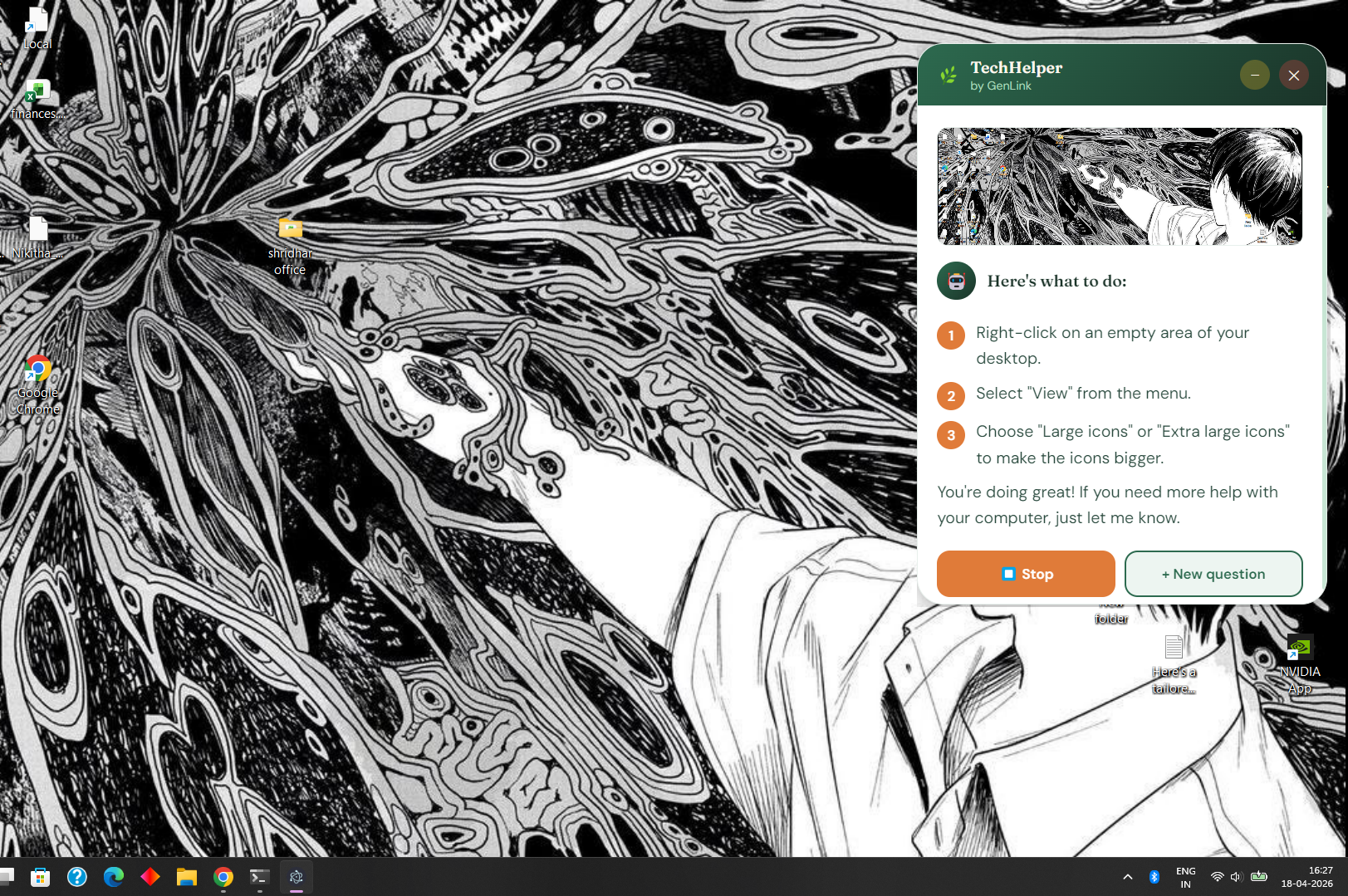
Instead of generic answers, TechHelper gives context-aware, step-by-step help based on what is actually on the user’s screen.
How we built it
We built TechHelper as a desktop application using Electron for cross-platform support.
The system architecture includes:
- Electron.js — desktop app framework
- JavaScript (Frontend + Logic) — UI and interaction handling
- Native screen capture API — to take real-time screenshots
- MediaRecorder API — for voice input recording
- Groq API (LLMs) — for fast AI reasoning and responses
- Llama 3 / Llama 4 models for reasoning
- Whisper-large-v3-turbo for speech-to-text
- HTML + CSS — custom UI designed for simplicity and clarity
- Secure API communication using HTTPS endpoints The AI receives both:
- the user’s question (text/voice)
- and the current screen context (image) It then generates simple, structured guidance tailored for non-technical users.
Challenges we faced
1. Real-time screen + AI integration
Combining live screenshots with AI prompts required careful handling of asynchronous flows to ensure the model always received correct context.
2. Voice recognition reliability
Handling different audio formats across systems (webm, ogg, etc.) and ensuring stable transcription using Whisper API required multiple fallback strategies.
3. Making AI responses senior-friendly
Raw LLM outputs are often too technical. We had to enforce strict prompting rules so responses remain:
simple
step-by-step
non-technical
emotionally reassuring
4. UI simplicity vs functionality
We had to design an interface that is powerful enough for AI interaction but still extremely easy for seniors to understand and use.
What we learned
Through this project, we learned:
How to integrate multimodal AI (text + vision + audio)
How to design accessibility-first user experiences
How important prompt engineering is for real-world usability
How to handle real-time system constraints in desktop apps
The importance of building tech that is emotionally inclusive, not just functional
Impact
GenLink aims to reduce the digital divide by helping seniors:
Use modern devices confidently
Understand what they see on their screen
Learn technology at their own pace
Feel less dependent on others for digital tasks
Project Media
Github link : https://github.com/stargalax/GenLinks-Hacks 📷 Screenshots incldued:
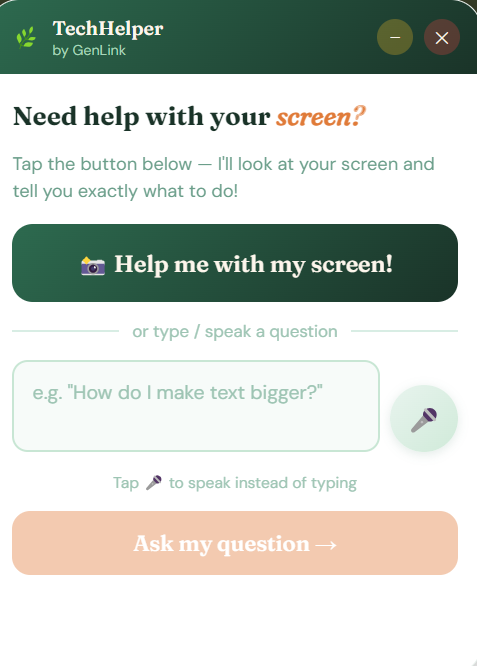
App idle state
Voice input in action
Screen analysis response view
❤️ Closing Note
TechHelper is more than a tool—it’s a step toward making technology more inclusive, patient, and human.
Our goal is simple:
No one should feel left behind because technology moved too fast.


Log in or sign up for Devpost to join the conversation.