-
-
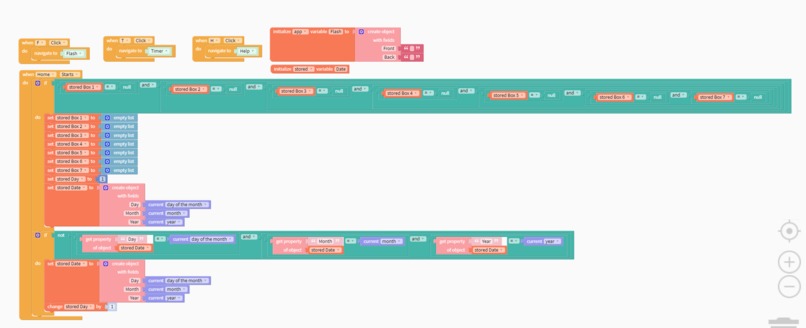
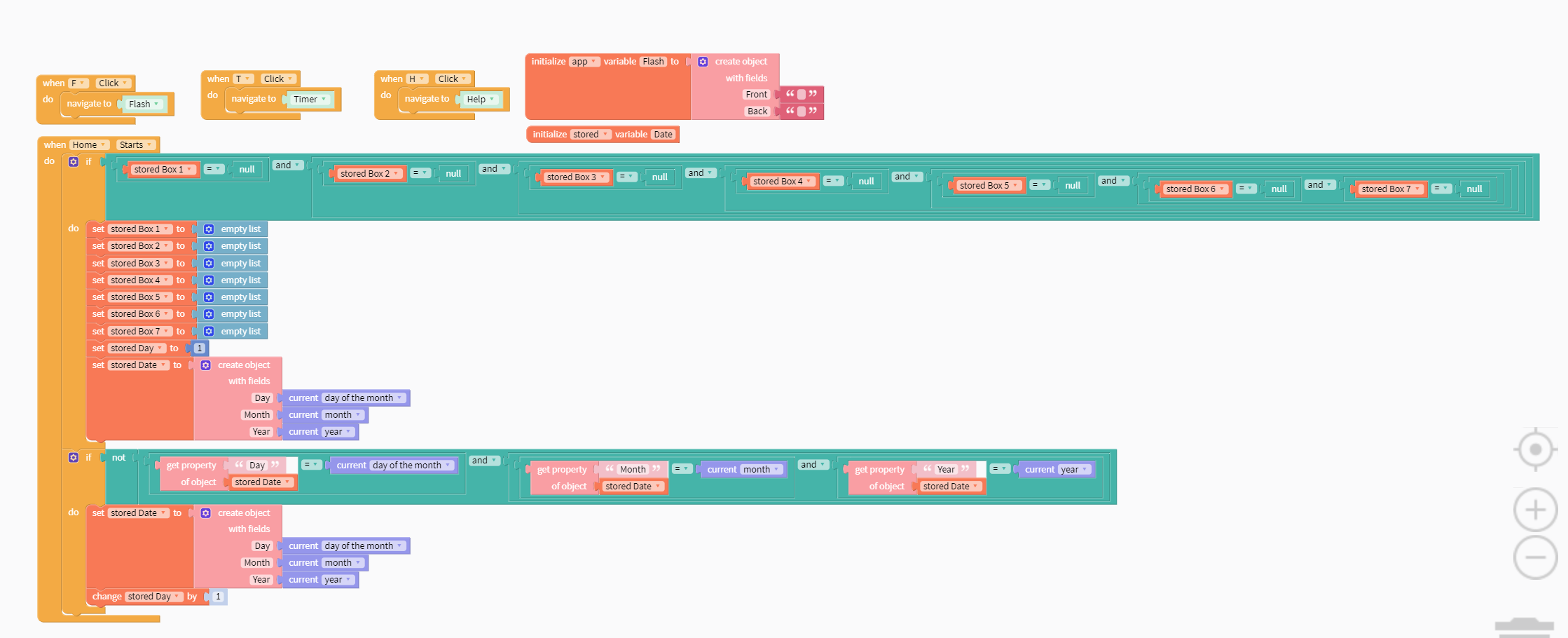
Initializes stored data variables + buttons to timer/flashcards/how it works
-
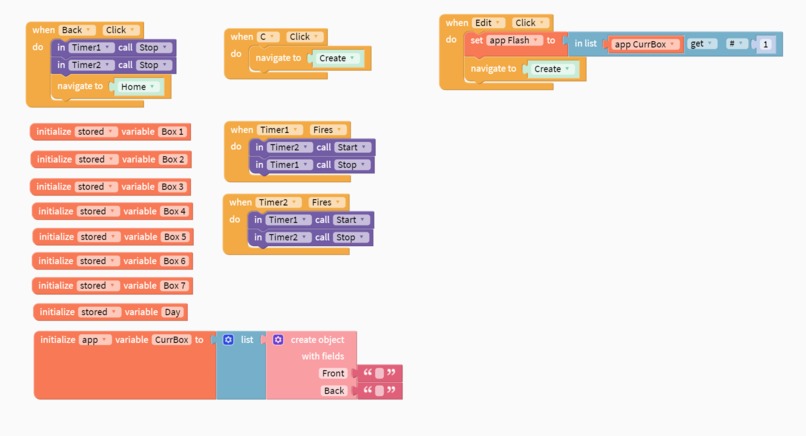
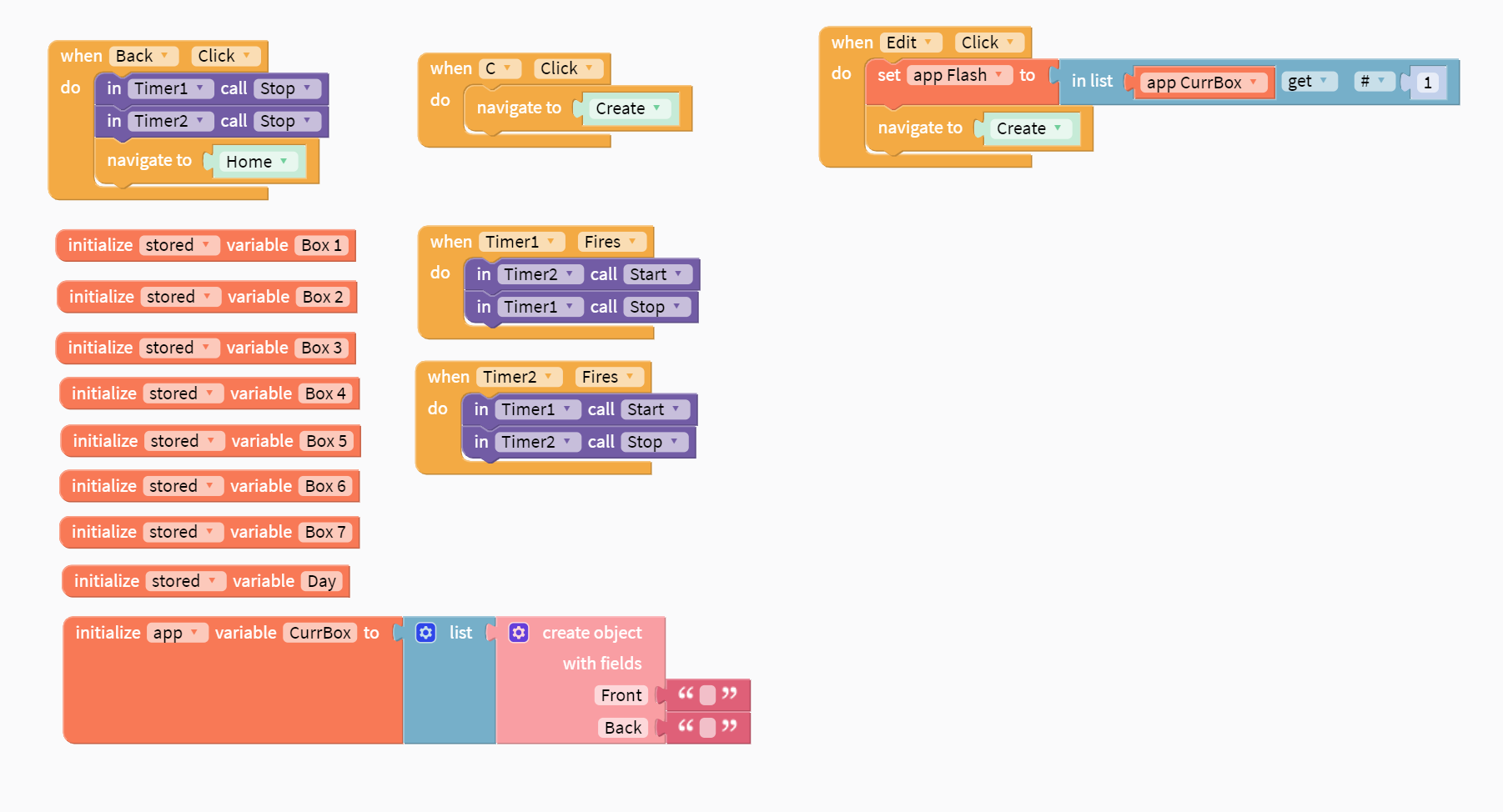
Initializing boxes + button to create + back button to home + alternating study and break timers
-
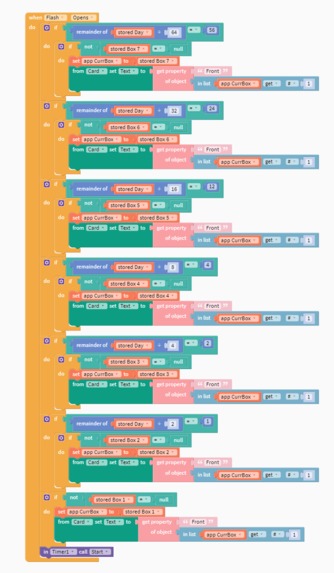
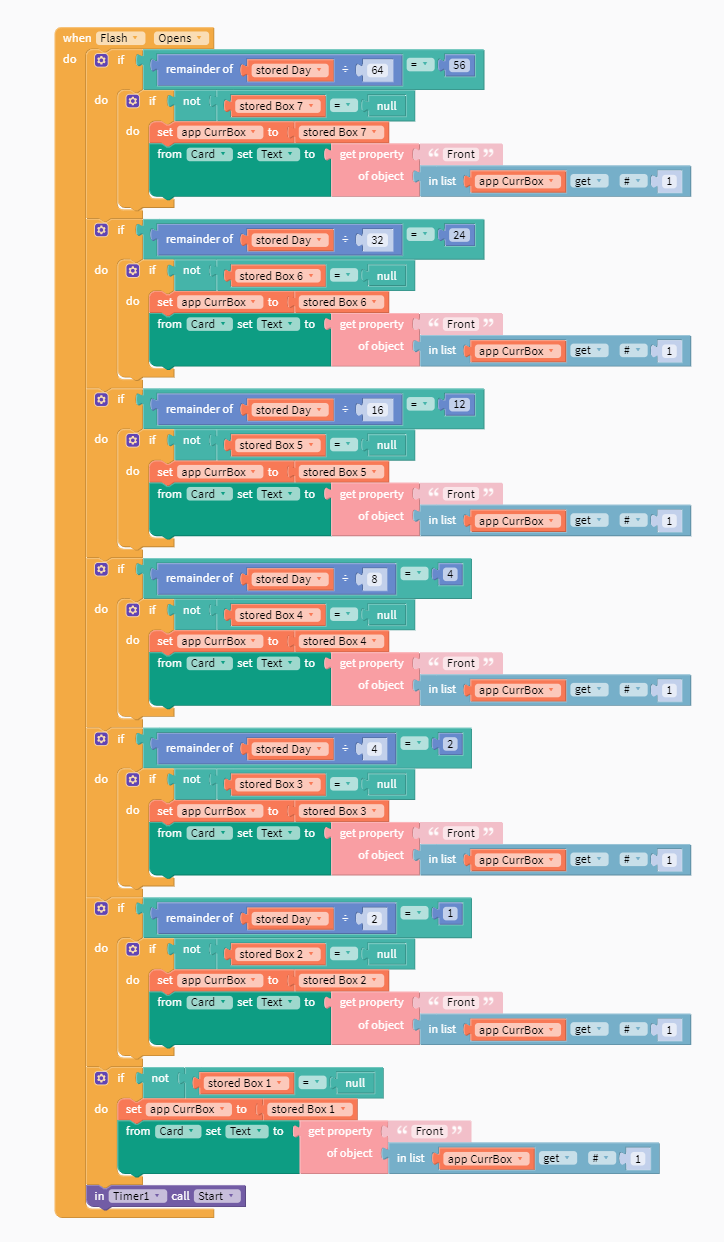
Finding out which boxes to run when flashcard page opens, and running through the needed cards
-
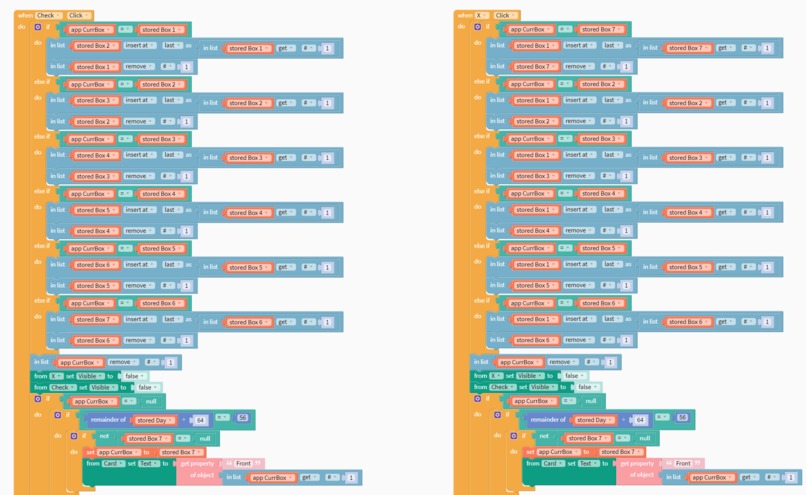
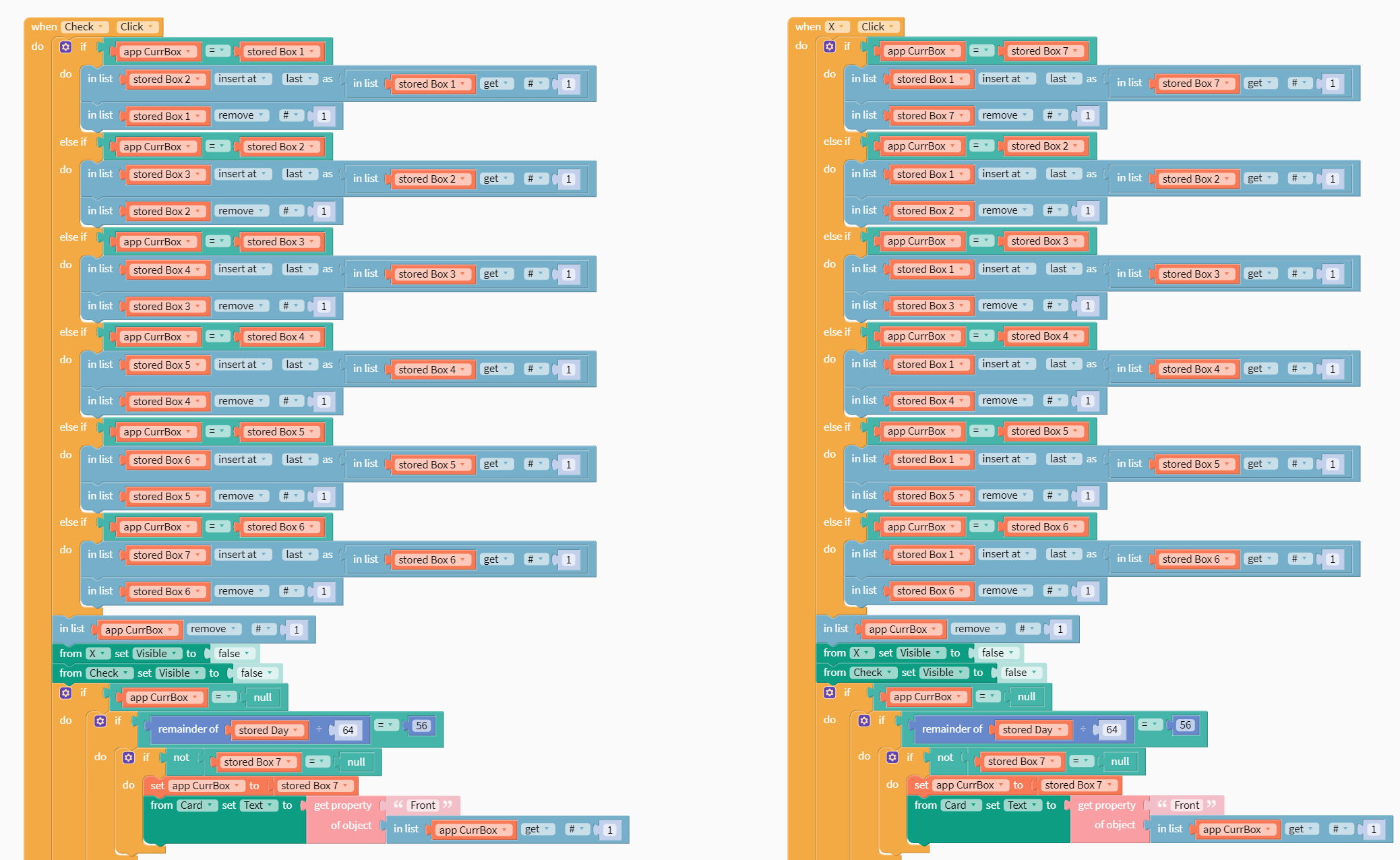
(1) Checkmark and X buttons: finding out what is the current box and moving the card appropriately
-
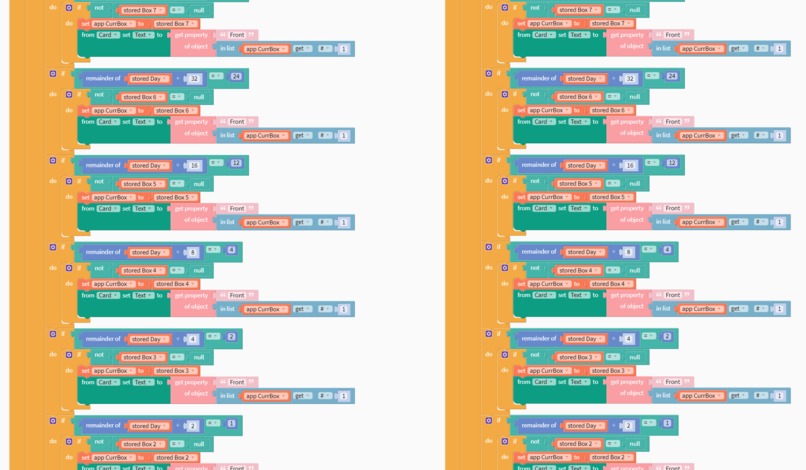
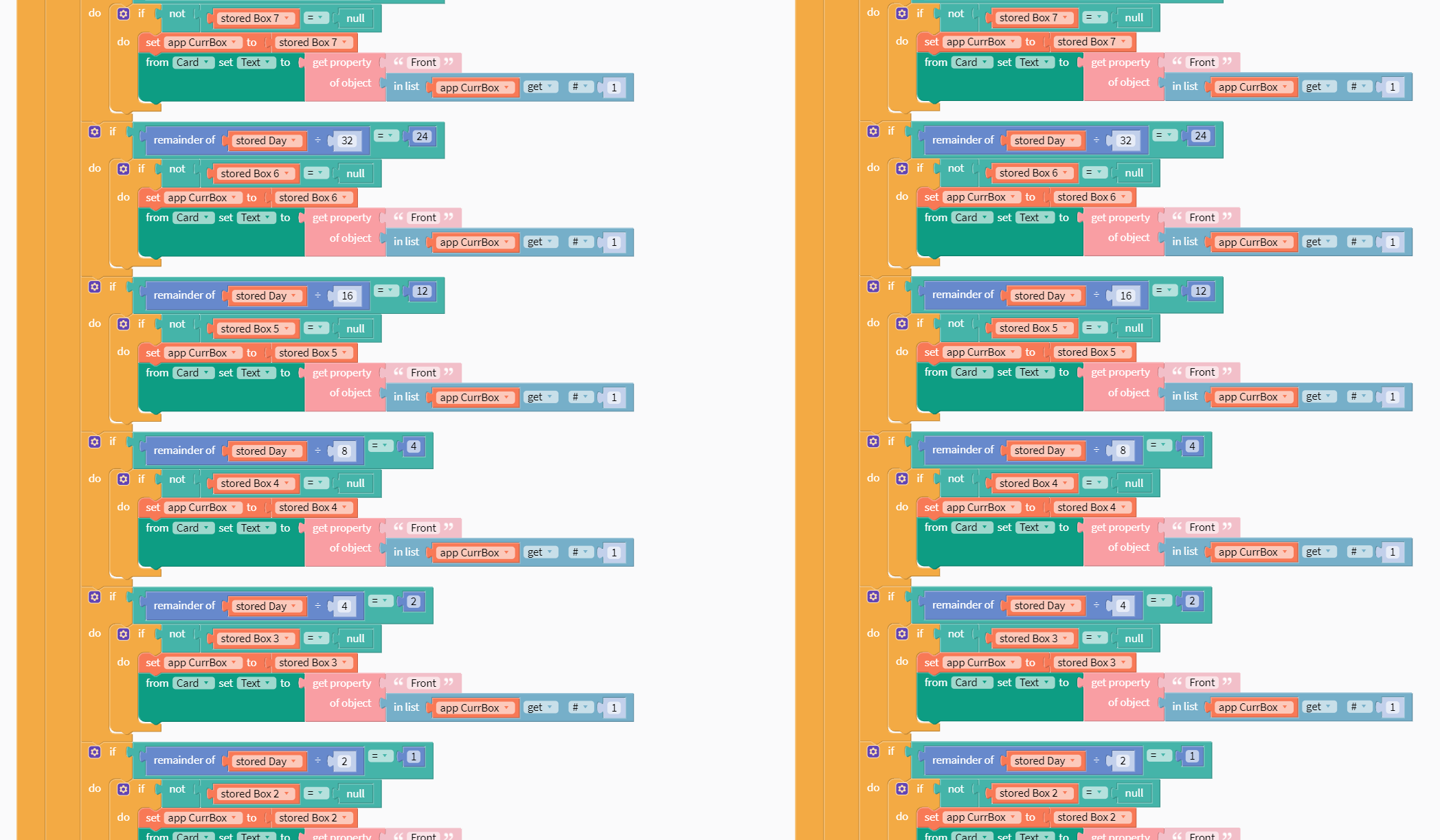
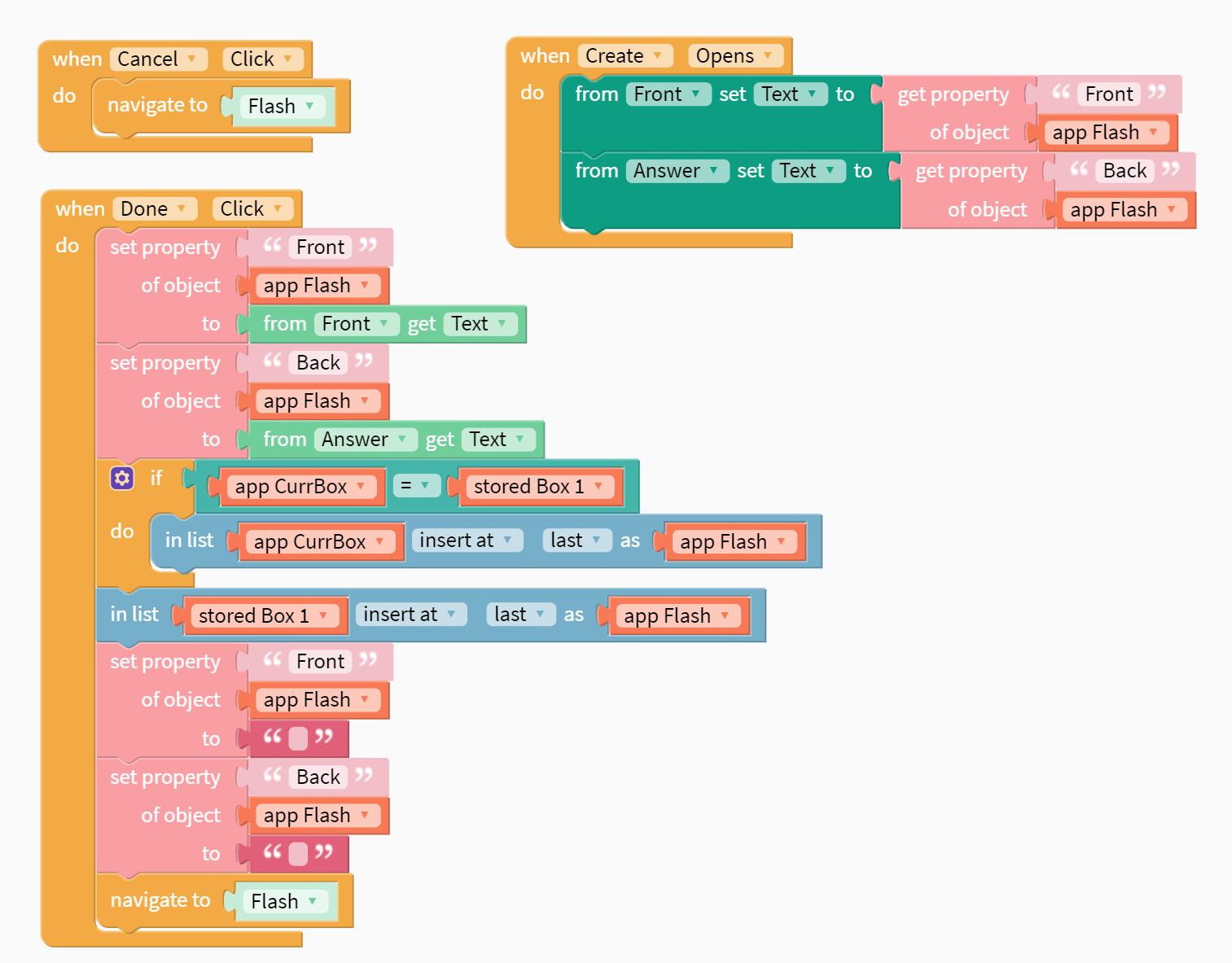
(2) Checkmark and X buttons: finds the next box that has cards
-
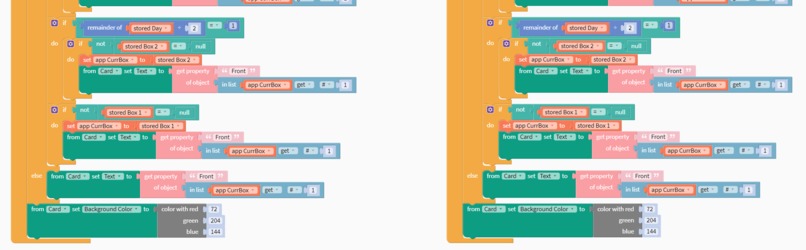
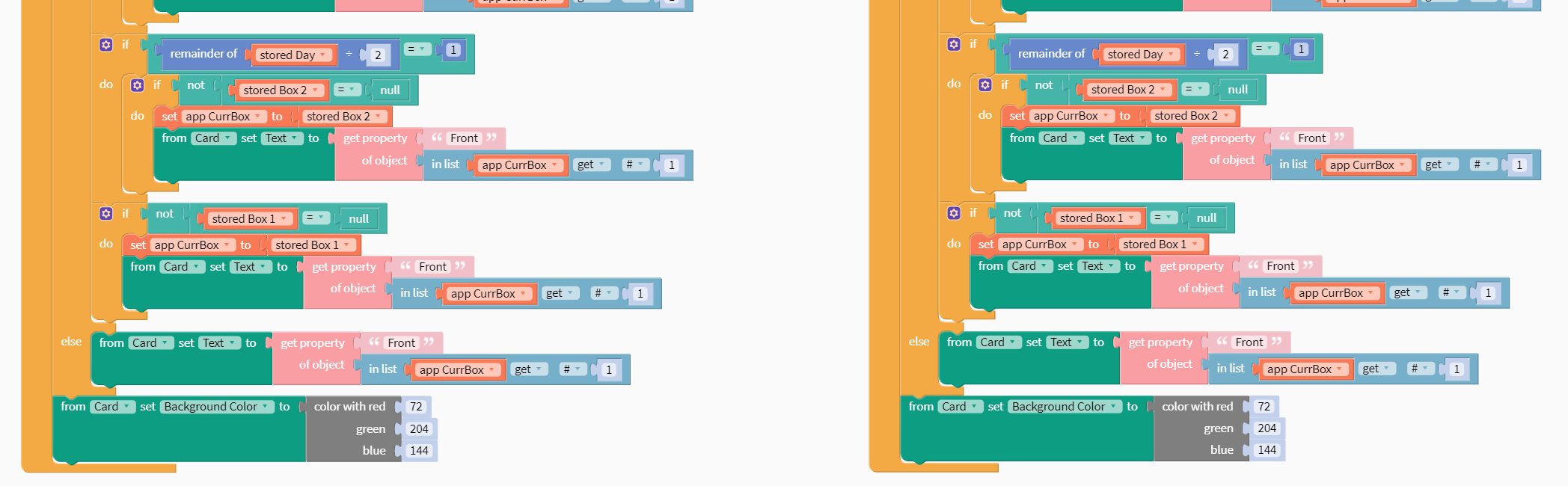
(3) Checkmark and X buttons: continuation as (2) and changing card colour
-
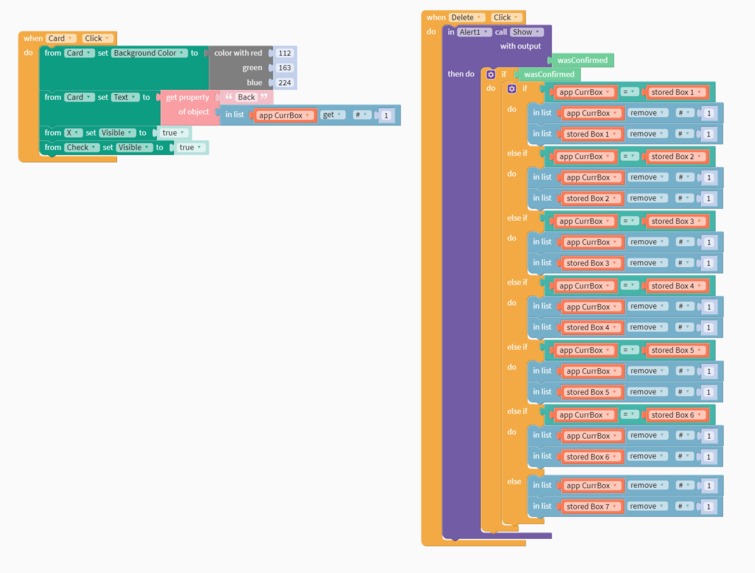
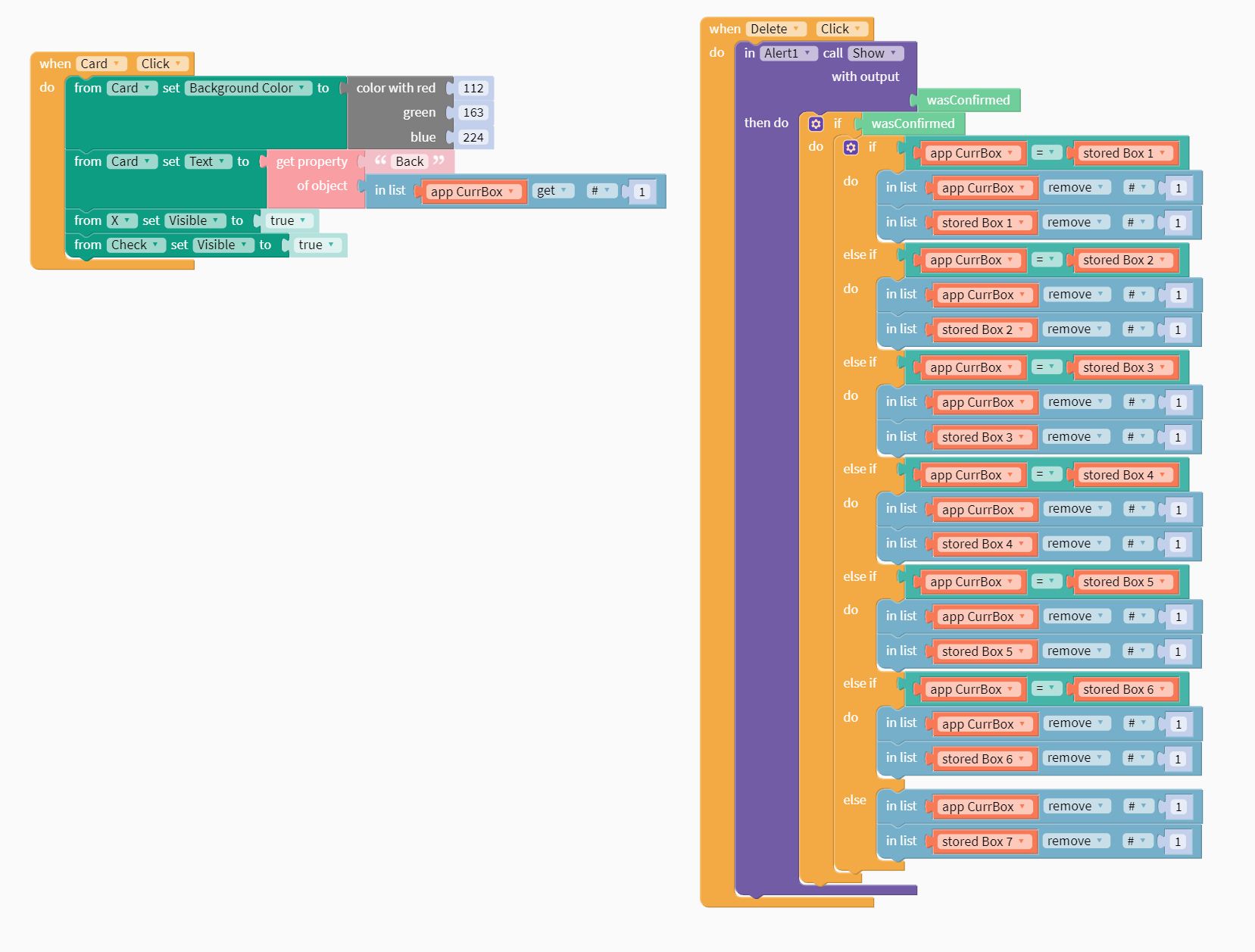
Deleting a card with a pop-up alert asking whether the user is sure they want to delete the card
-
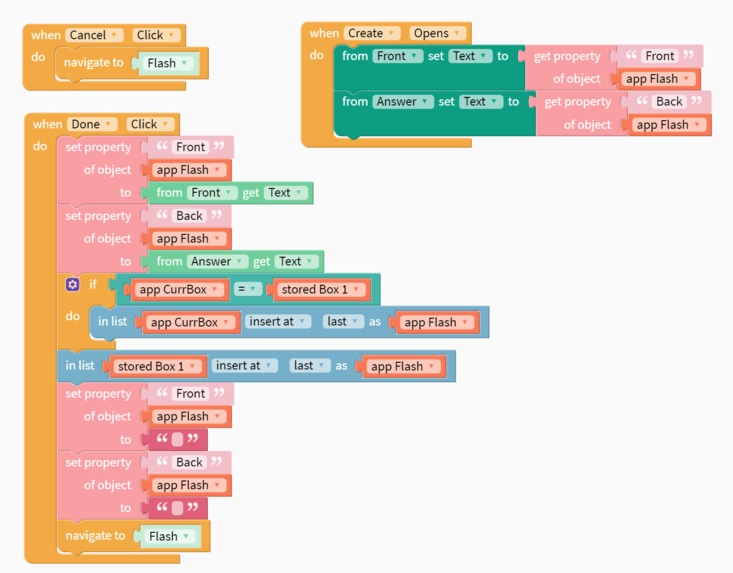
Creating a new card with the text input from the user
-
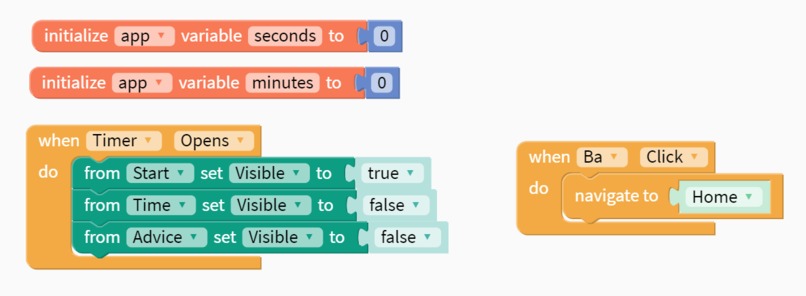
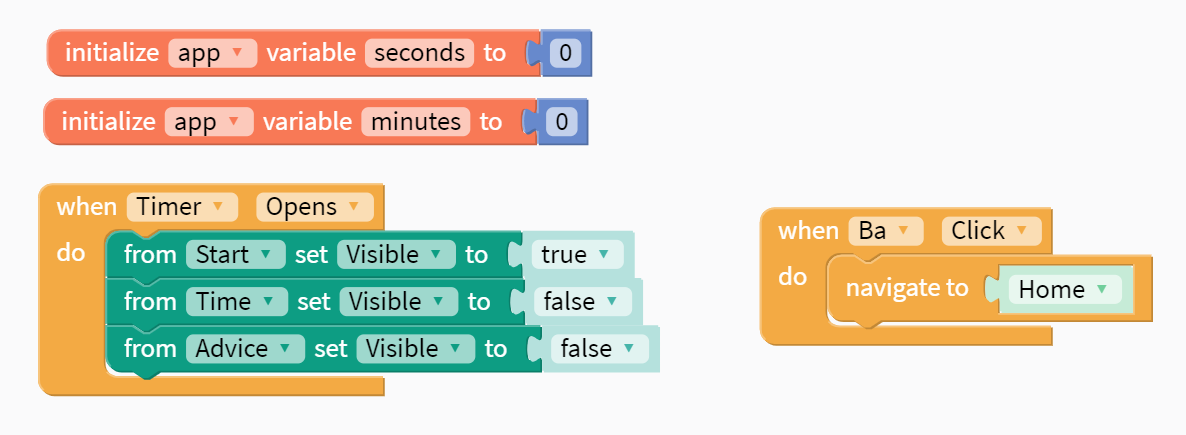
Initializes mins and secs for timer + back button to home + setting visibility of UI elements
-
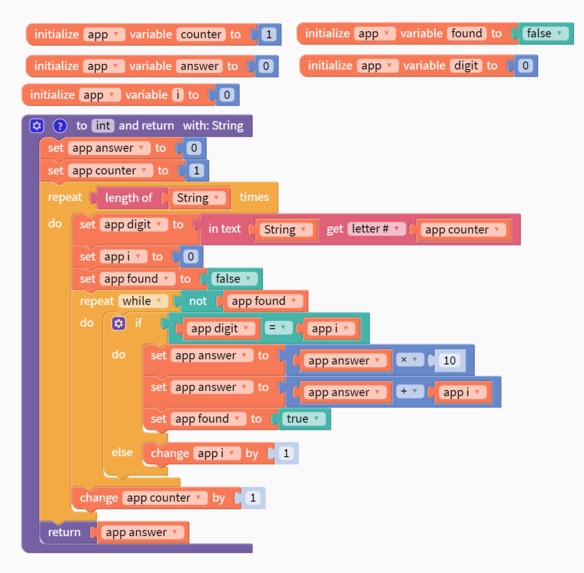
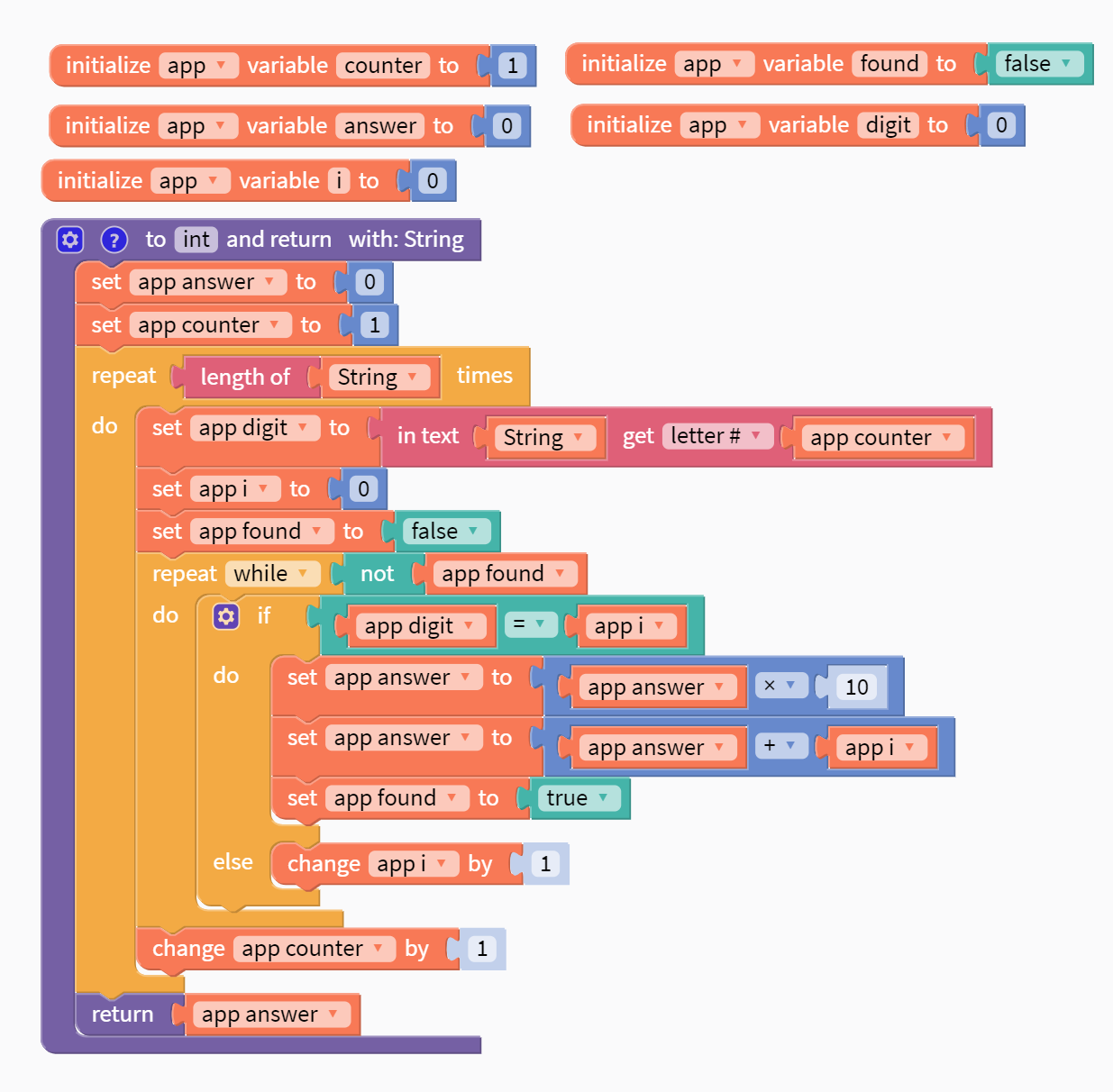
Function to make the user's time input into an integer to use for the timer + initializing local variables
-
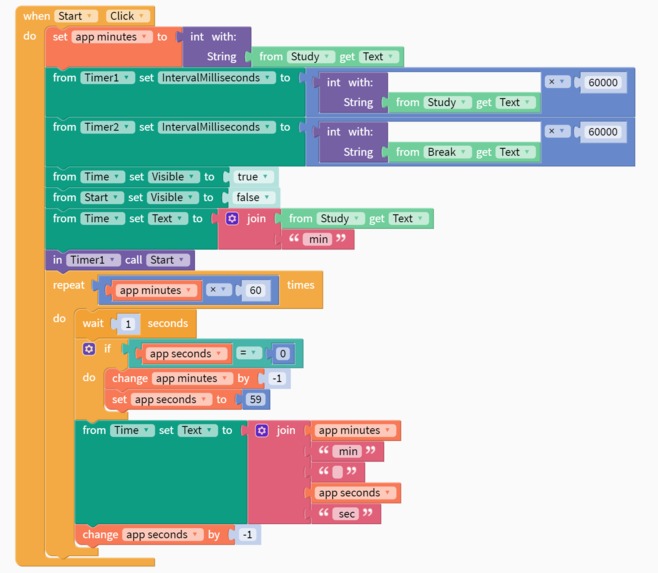
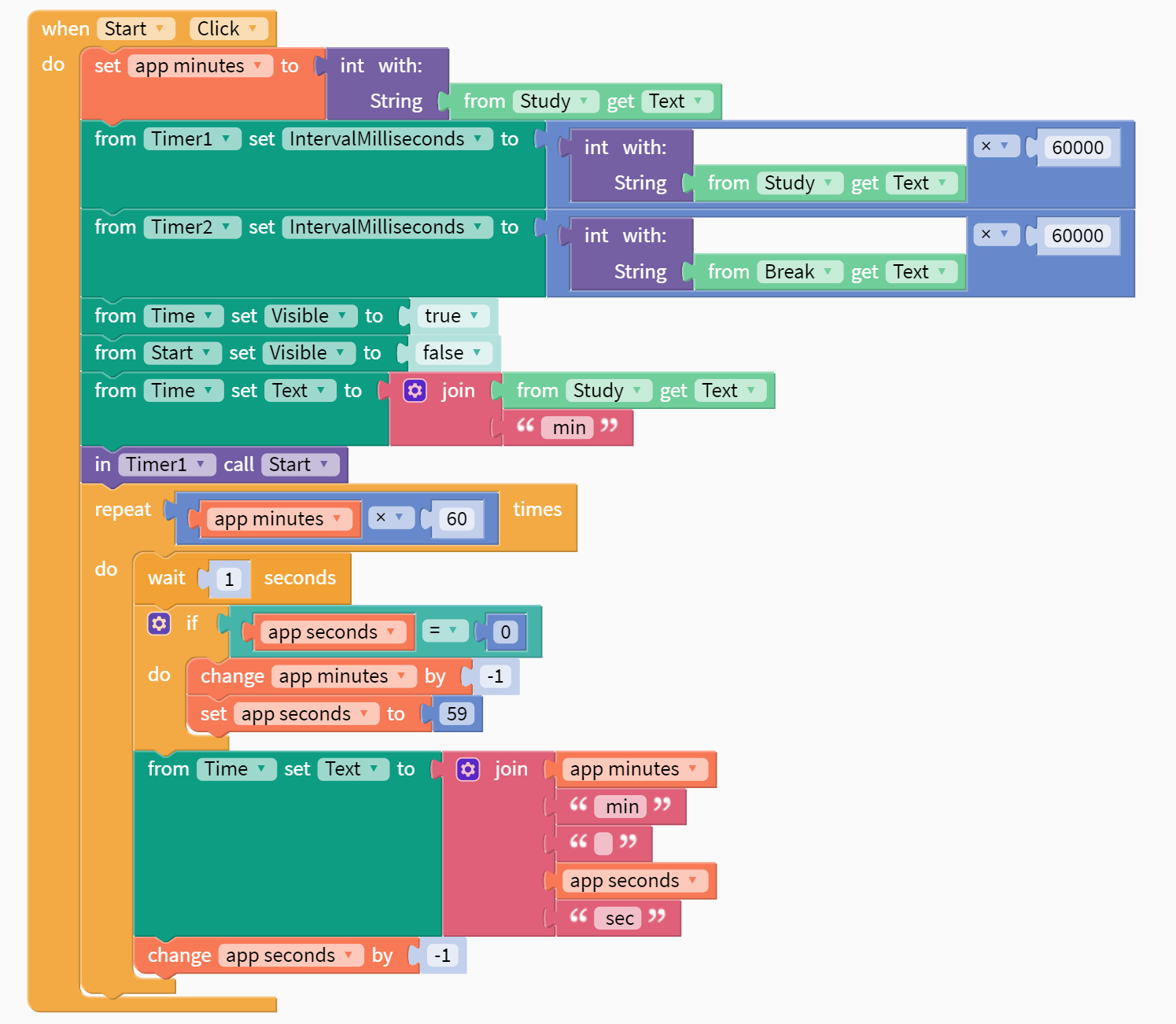
Starting the timer when start is clicked + time countdown
-
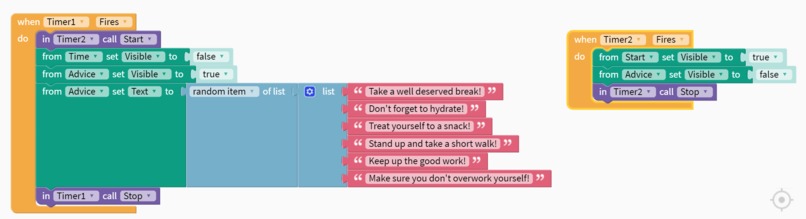
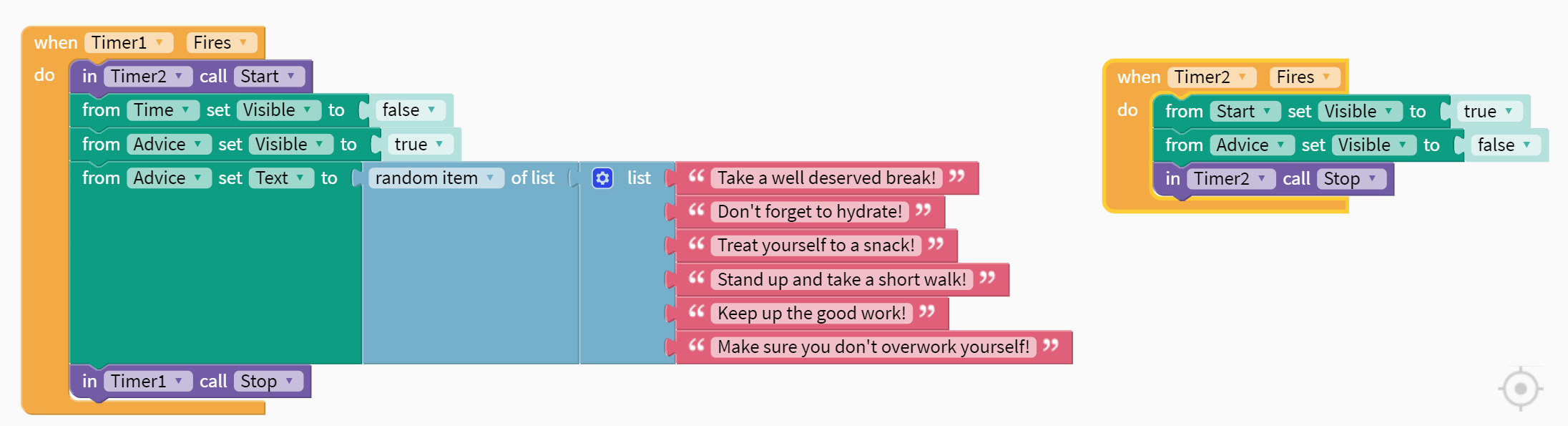
Study timer and break timer alternate + randomized messages during break
-
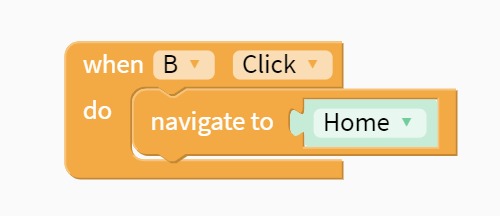
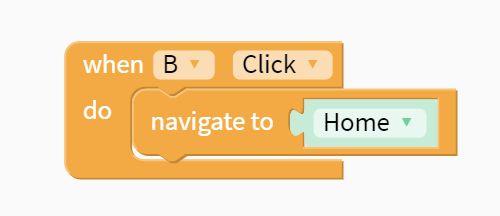
How it works screen goes back to home screen
Inspiration
Our inspiration for creating this app is the experience that all students go through. The process of studying for tests and exams takes up a significant amount of time, and it is a struggle to memorize so many important facts and formulas. Even after putting in so much effort to remember everything, in just a moment you can forget what you studied during the test and your mind can go blank. These challenges that we personally go through, and also watch our classmates go through, are what motivated us to code Memoria.
What it does
Memoria consists of two parts: flashcards and a timer. The flashcards are reviewed in a certain manner to reduce the rate of decay of memory based off of The Forgetting Curve discovered by Herman Ebbinghaus, a German psychologist. The timer plans out certain periods of studying with rest periods in between. Studies show that we concentrate best during these short bursts of time. The amount of time pre-set in the timer is based on the Pomodoro technique.
How we built it
We used Thunkable to code this app. We created a minimalistic user interface, with a soothing green/blue colour scheme. We also designed a logo/app icon for Memoria. It uses logical block code to start events with sophisticated algorithms, and the use of functions.
Challenges we ran into
One of the most prominent challenges was that Thunkable, although containing text input, does not have any numerical input, and it cannot automatically typecast. Because of this, we had to manually write a function that would convert the text input for the amount of minutes in the timer and turn it into an integer.
Accomplishments that we're proud of
We are extremely proud that we managed to fully complete this app, especially as it contains two different functions (the flashcards and timer). Even with these two functions, we found the time to put more effort into the app's design, and ensure the optimal user experience.
What we learned
During the workshops and opening ceremony, we got to hear from many different people. It was so inspirational for us to hear the perspective and journey of so many successful women in the STEM industry.
What's next for TecHacks Memoria - Team Iridescence
After working on it more and perfecting it, we hope to officially publish Memoria in the Google Play Store and App Store. We also look forward to creating more apps to help the student community.
Built With
- thunkable

Log in or sign up for Devpost to join the conversation.