-
-

Tech Noiser
-
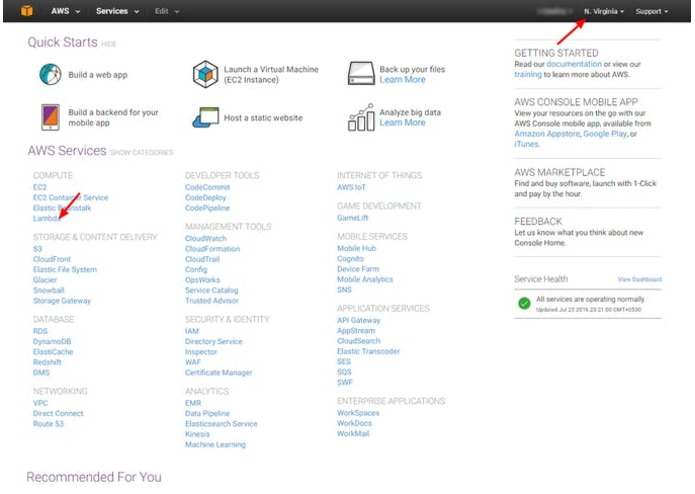
AWS Service
-
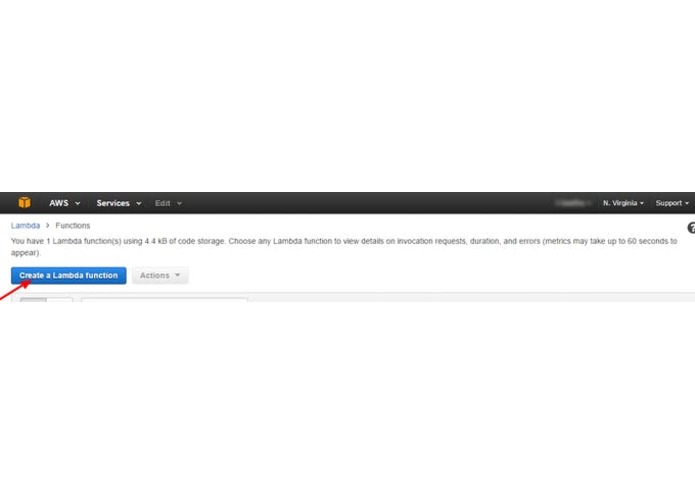
Lambda Management
-
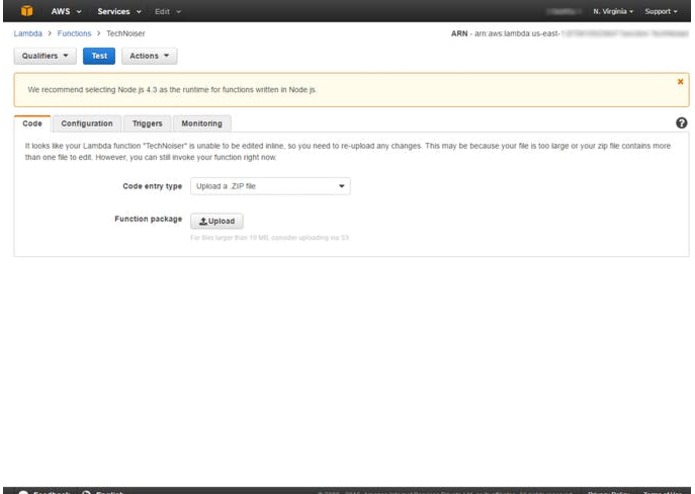
Lambda Function
-
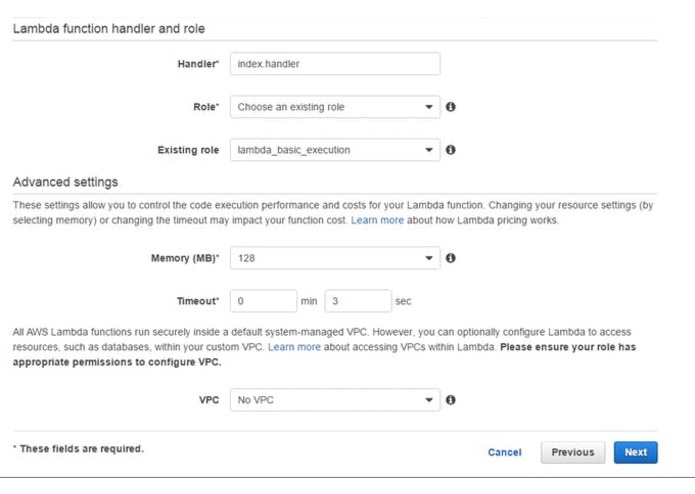
Configure Section
-
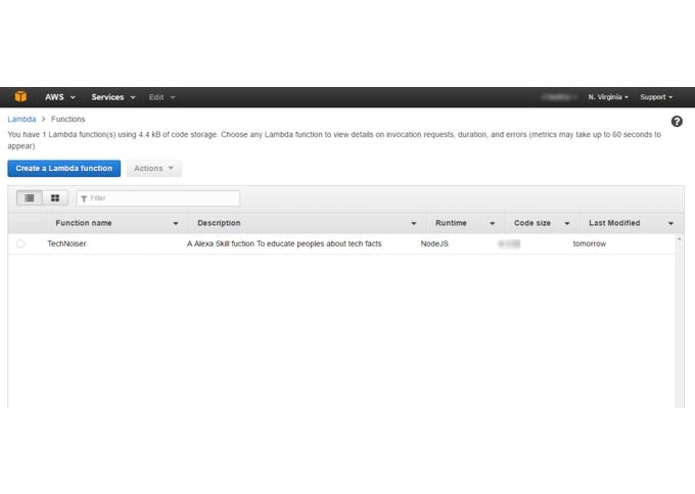
Upload Code
-
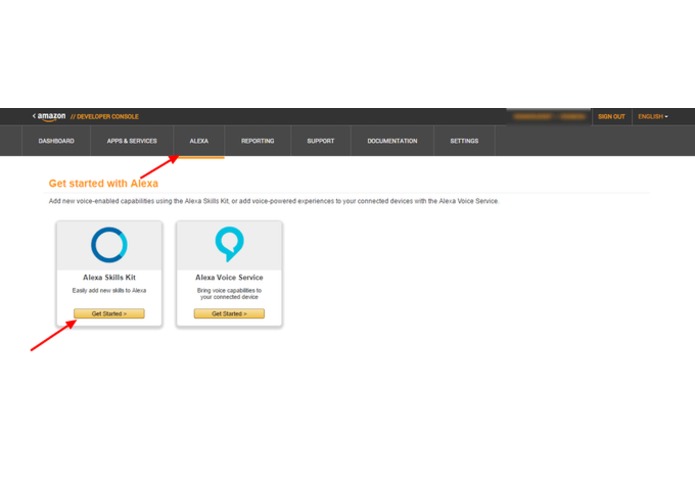
Amazon Developer Portal
-
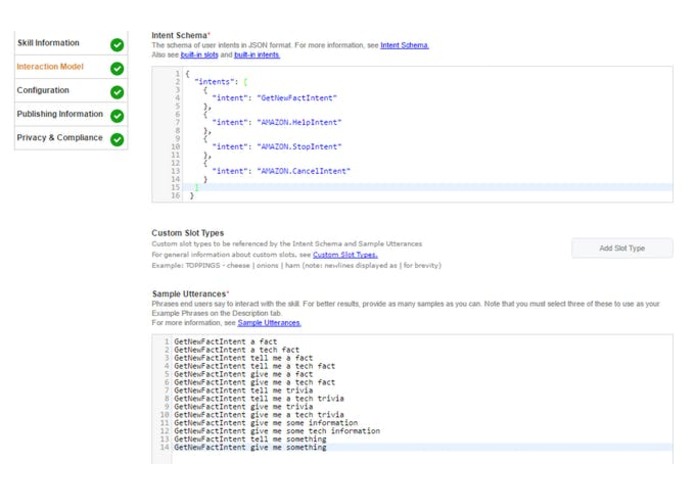
Interaction Model Setup
-
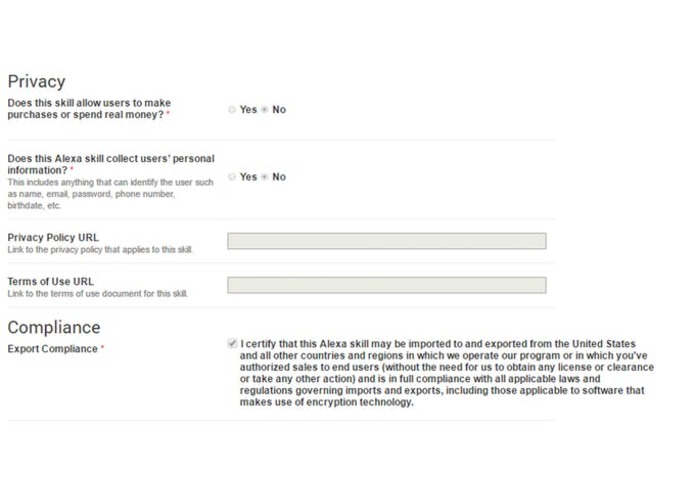
Privacy Settings
-


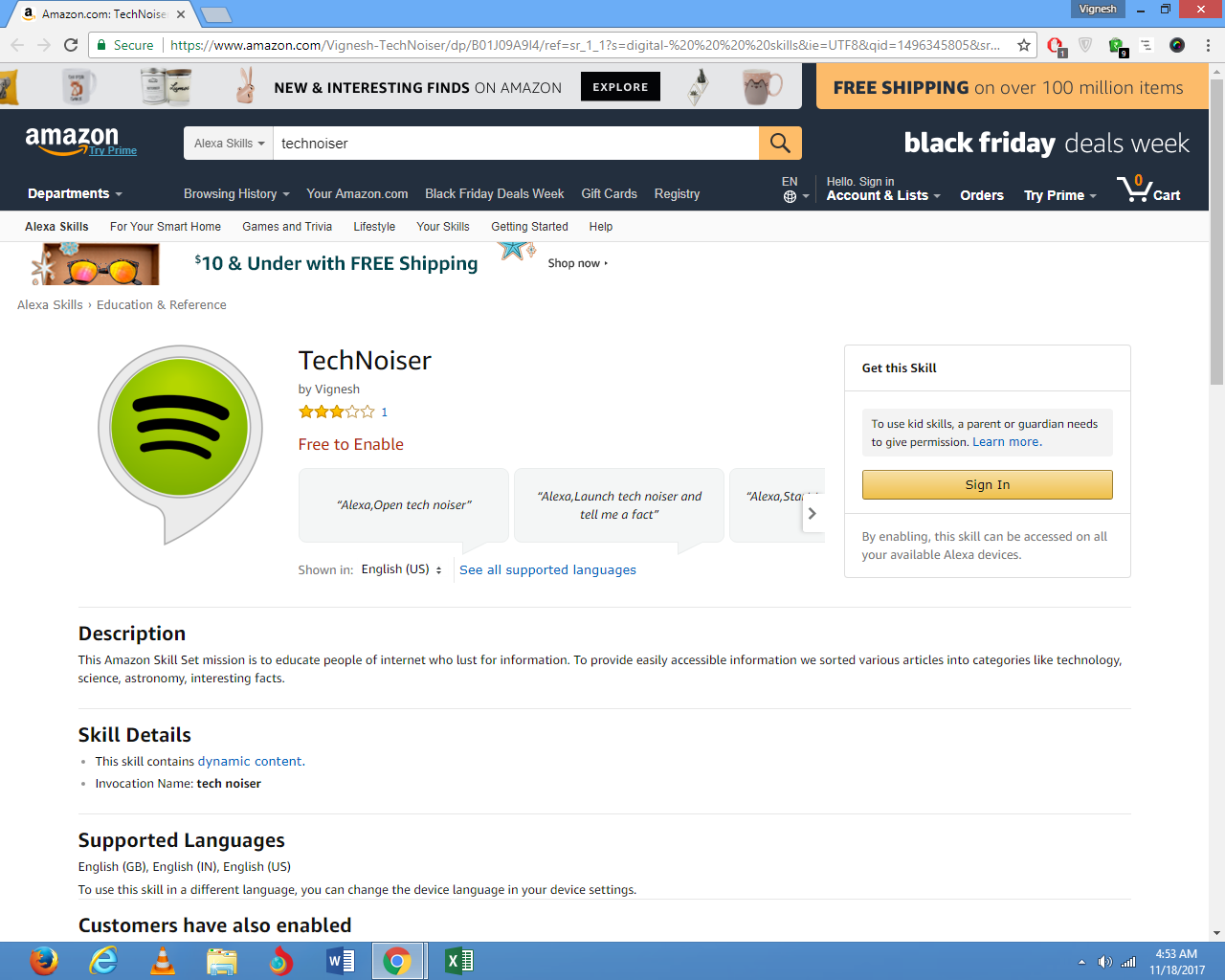
Alexa Skill ID : amzn1.ask.skill.0436b074-cd67-4284-ab03-af4fb901aad0
LINK TO ENABLE THIS SKILL :
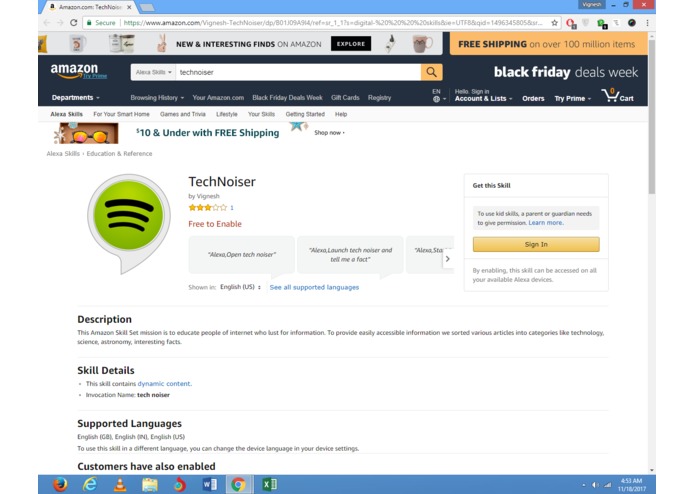
https://www.amazon.com/Vignesh-TechNoiser/dp/B01J09A9I4/ref=sr_1_1?s=digital- skills&ie=UTF8&qid=1496345805&sr=1-1&keywords=technoiser
DEMO_Testing_Video
Link : https://www.youtube.com/watch?v=fduIg3ycGmw
What it does
This Tech Noiser Amazon Skill Set mission is to educate people of internet & students who lust for information, to provide easily accessible Tech information & facts from various articles & websites. The Invocation Name (The name customers use to activate the skill) used for this skill is tech noiser . It uses Lambda function from AWS & Alexa Skills Kit.Steps to build this skill is given below in detail
How I built it / Steps
1.Create an Amazon Web Service account & Amazon Developer account
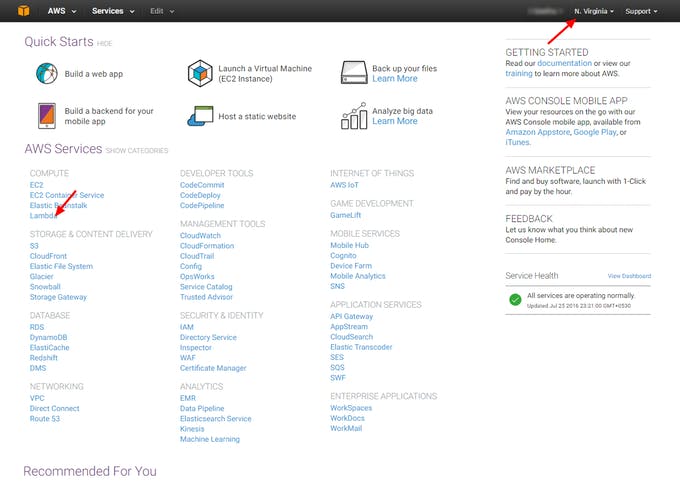
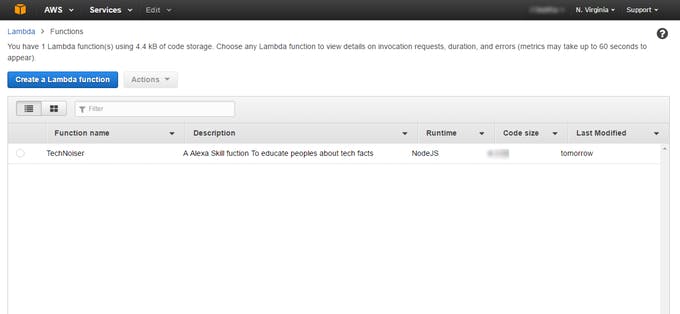
2.In AWS create a Lambda Function in compute section of Web service using the following Configuration.Change the location to U.S (East) -N.virginia.Because Alexa skills sets work only for U.S East
a.) Select Create Lambda Function & click skip or next in select blueprint step
b.)Next Step is selecting Configure Triggers Click Plain square box left to Lambda Icon and Select ALexa Skill Set and Click Next
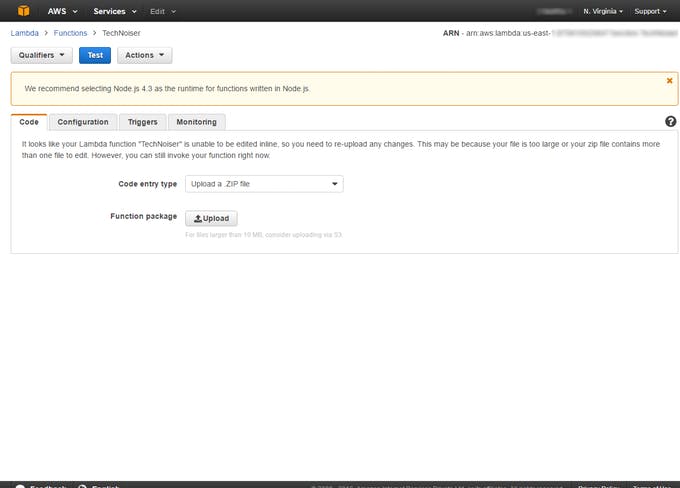
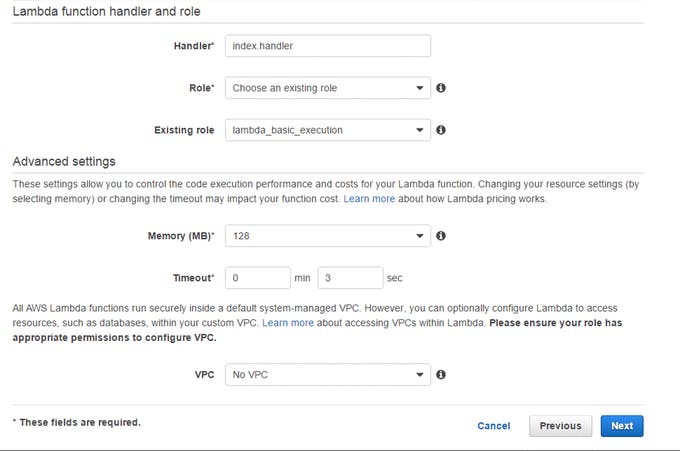
c.)The Next Step is Configure Section. In this Enter the name ,description for your skill,Select runtime as node.js and Select the ‘Code Entry Type’ as ‘Upload Zip File’ and upload the zip file containing the Code. The Code is given bellow or Here’s the link to download Technoiser code Zip.After Uploading Code select handler as index.handler and create a custom role,a pop up appears (IAM).In that select IAM Role as lambda_basic_excecution &policy role as create new role policy and Click allow.After allowing u can see a drop list as choose existing role and select existing role as lambda_basic_excecution
.Review your Function and Click Create function.After Creating Function Select the function .You can see the ARN Code.Copy this code. because it will be required in Developer account
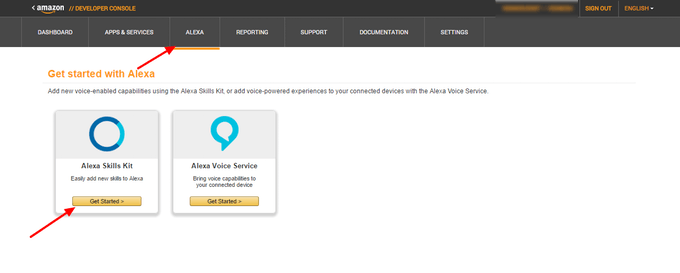
- The next Step is To Set Up Amazon Developer Account.Sign in to amazon Developer Account/Console and click on Alexa tab and select Alexa Skill Set
a.)Click Add New Skill. First step is Skill Information Step In this,Enter the name of the skill. Add the invocation name. Since we are using Technoiser type “tech noiser”.
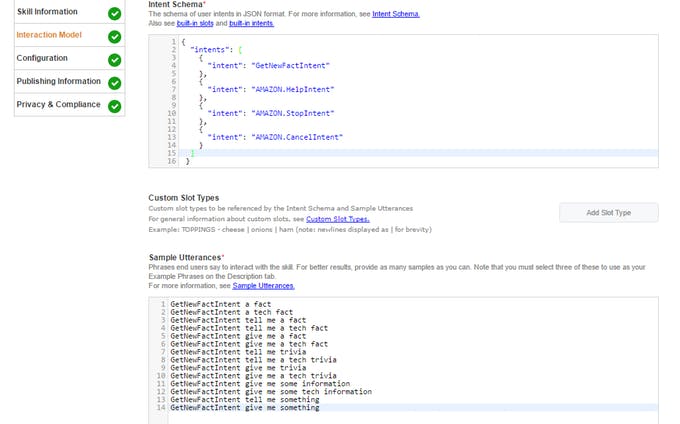
b.)The Next Step is Interaction Model.Here you should type the intent schema code which can be found below and enter sample utterance.
c.)The next step is configuration, In this click lambda& enter the ARN Code Copied From AWS and click no for account linking.The Next Step is testing here instead of speaking enter the phrase "Get me a tech fact".On right side you can see a tech fact.and click on listen to listen icon to listen a tech fact.Its just for testing the skill is working or not
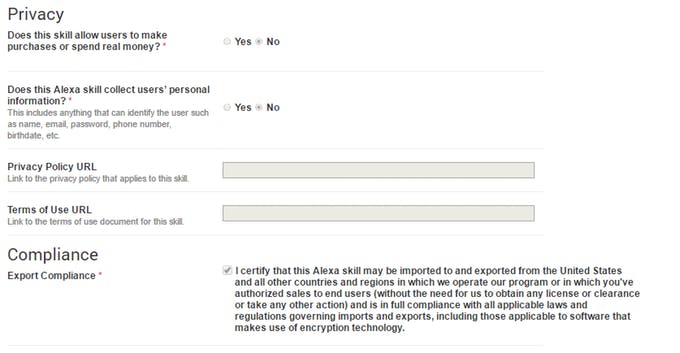
d.)The next is publishing information.Here enter skill Description,example phrases,keywords,category,icon& testing informations.The Next step is privacy & compliance The setting can be seen from image
4.The final step of amazon developer account is submission for certification.click on submit for certification if all goes green
5.If your skill got certification you can enable this for ALexa Devices and stimulate it using echosim.io.
STEPS & LINK TO ENABLE THIS SKILL FOR YOUR AMAZON ALEXA/ECHO :
1.Go to alexa.amazon.com and login to your ECHO linked amazon account account .
2.Next Select Skills from left tab and Search For Tech Noiser and Select Tech Noiser (by Vignesh) from Search List and click on Enable this skill. That's it your amazon's Alexa/Echo as got this skill and ask your Alexa for any Tech Facts
Sample Phrase: Alexa,Launch tech noiser and tell me a tech fact
3.Amazon Alexa Application I.D- amzn1.ask.skill.0436b074-cd67-4284-ab03-af4fb901aad0
CODE
AlexaSkill.js
Link : https://drive.google.com/open?id=1xve2zR4hlNdPmzsoJZyvfy90JRLRR-V8
Index.js
Link : https://drive.google.com/open?id=1U1-zwkIQxjrFQtIyBC-xfmNSML70QGtq


Log in or sign up for Devpost to join the conversation.