-
-
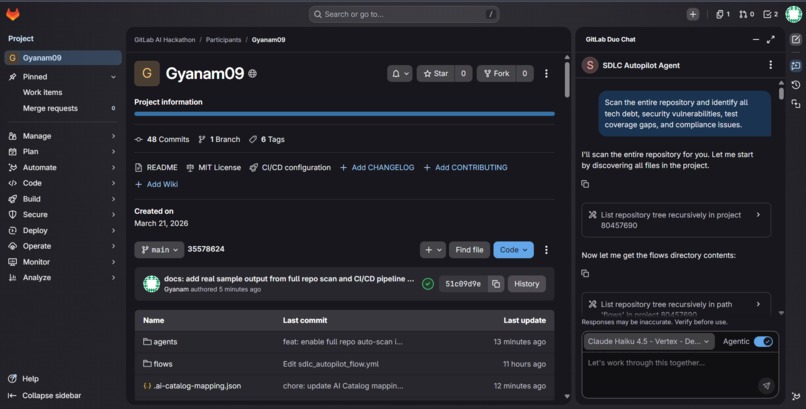
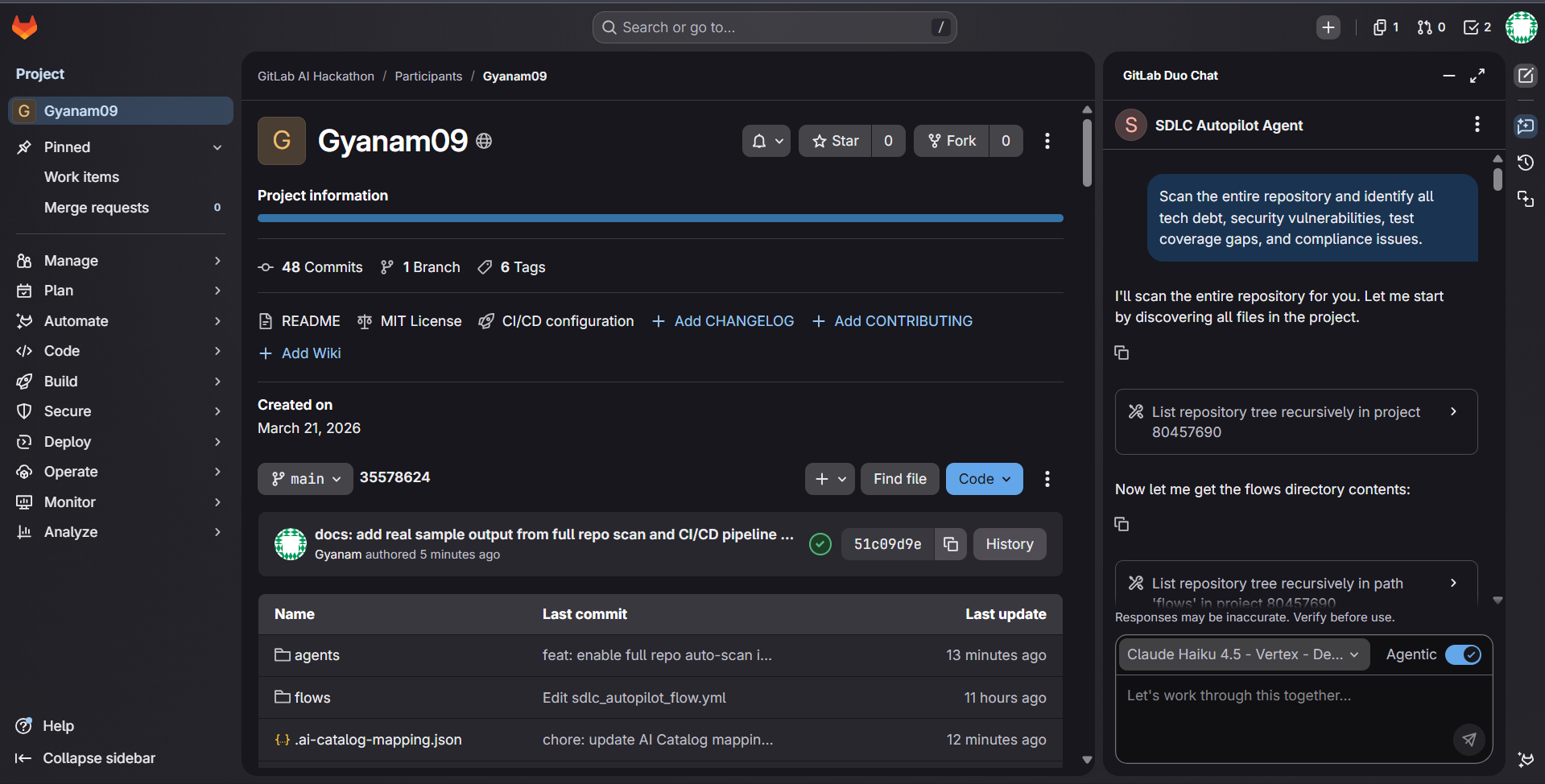
Full project structure showing 8 GitLab AI Agent YAMLs, AI Flow definition, and Python CI/CD agents side by side
-
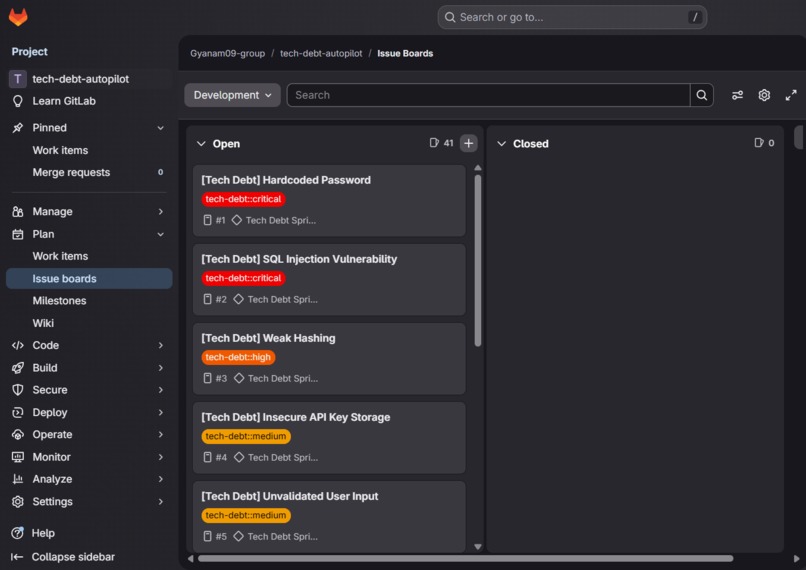
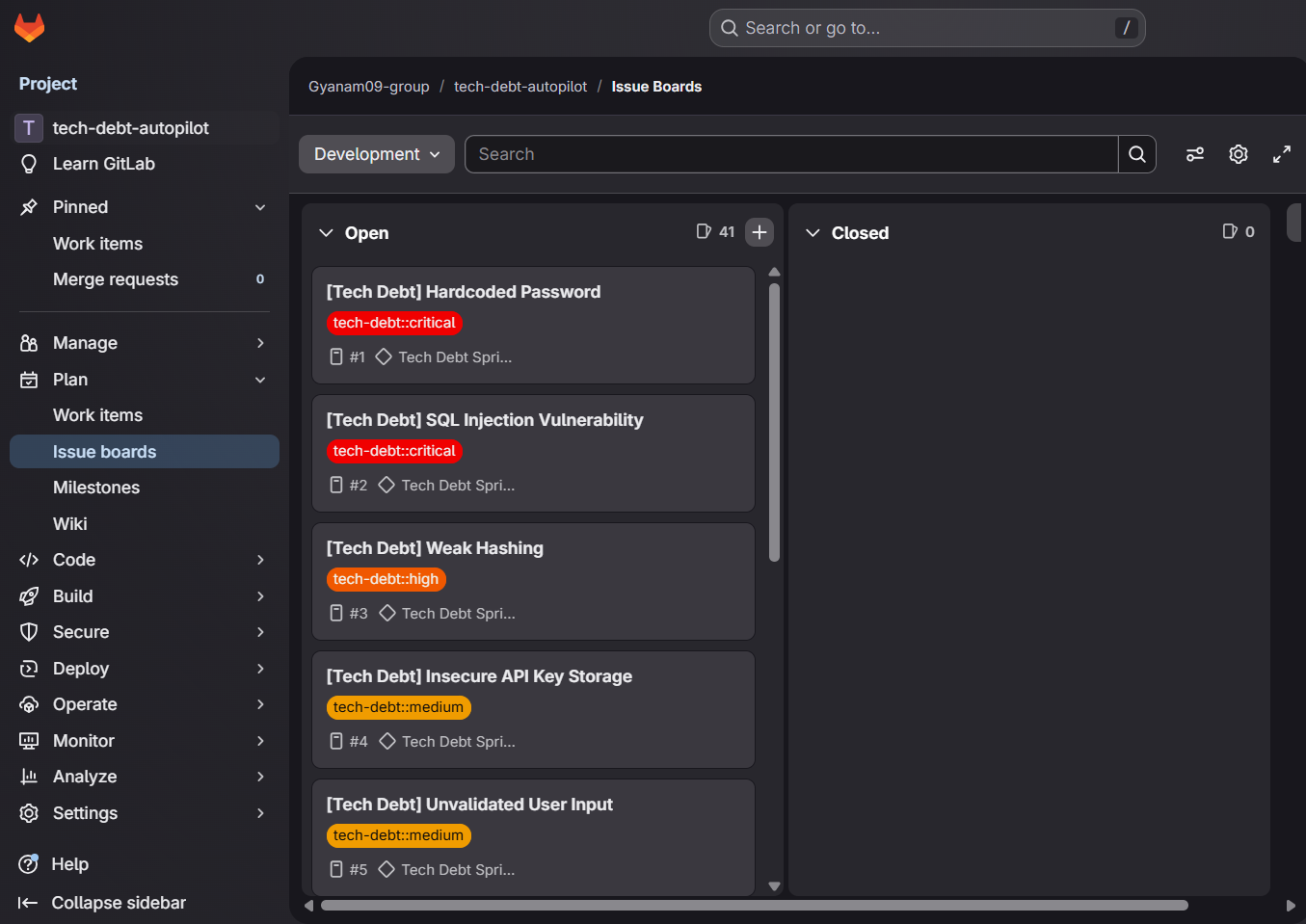
Auto-generated GitLab Issue Board — 41 prioritized issues created automatically with tech-debt::critical, high, medium, low severity labels
-
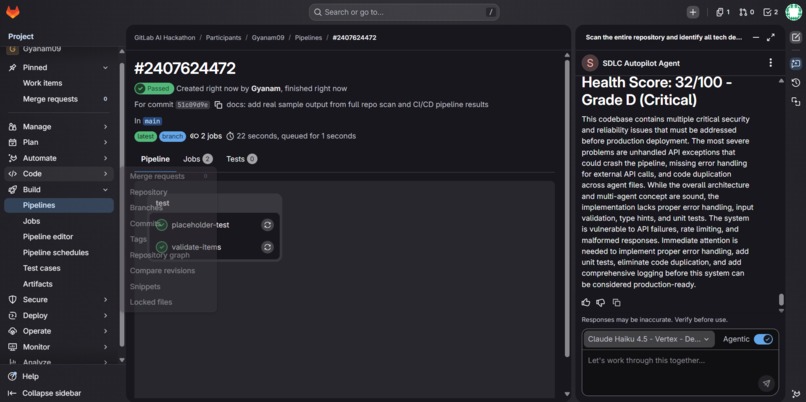
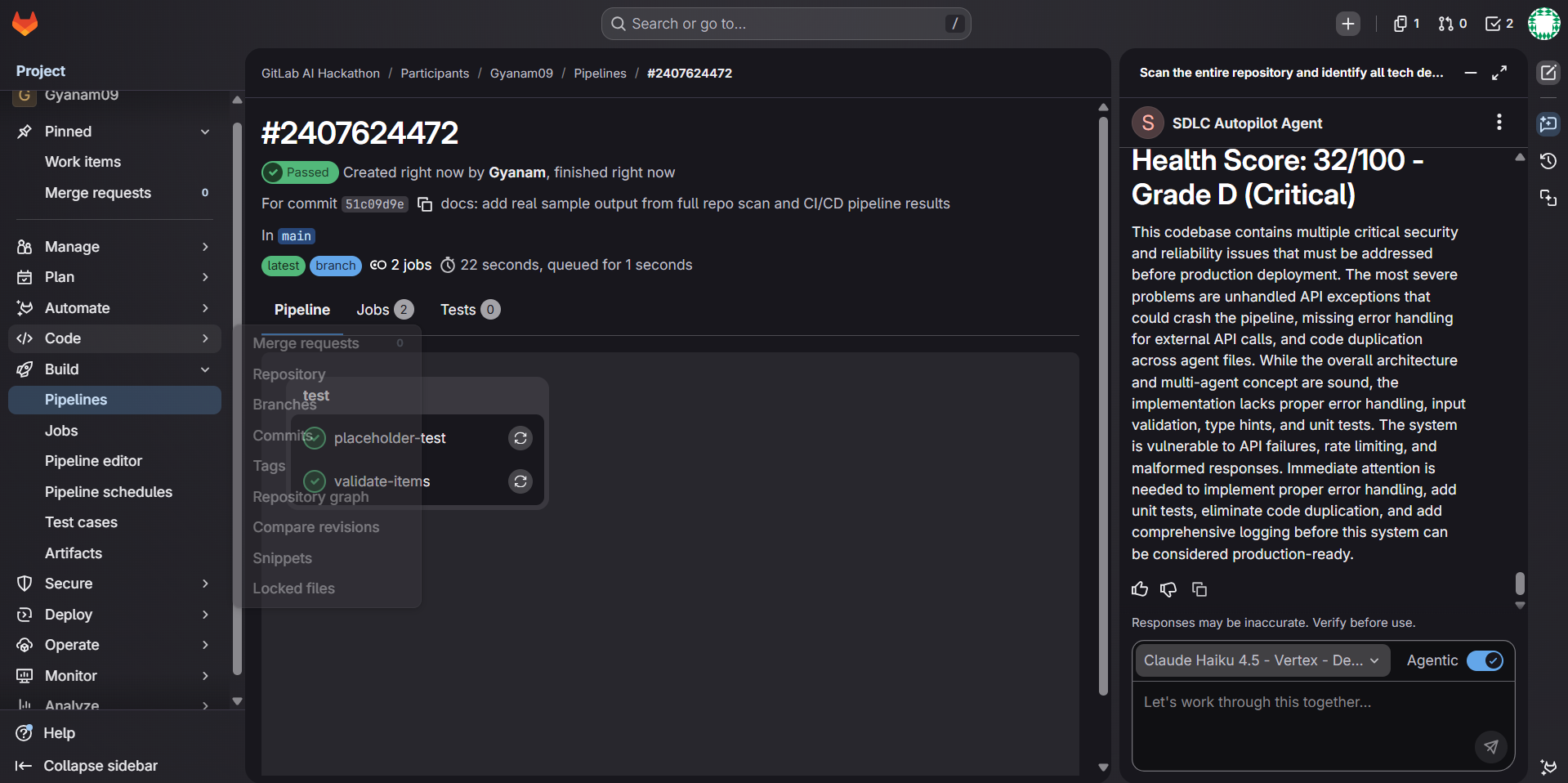
Auto-generated Project Health Dashboard issue showing overall score, grade, and per-agent breakdown created by the CI/CD pipeline
-
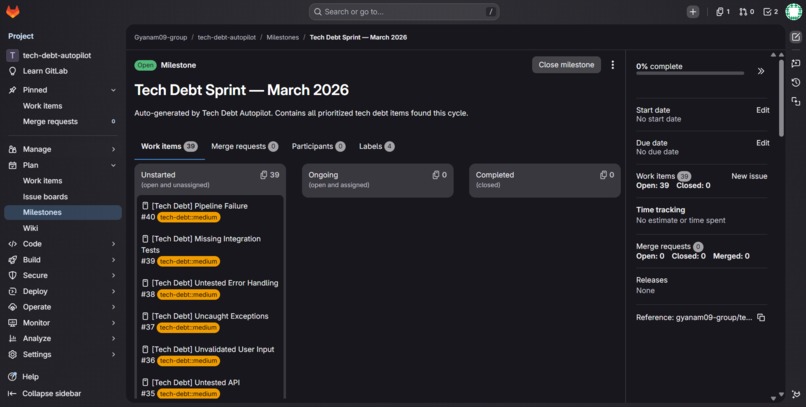
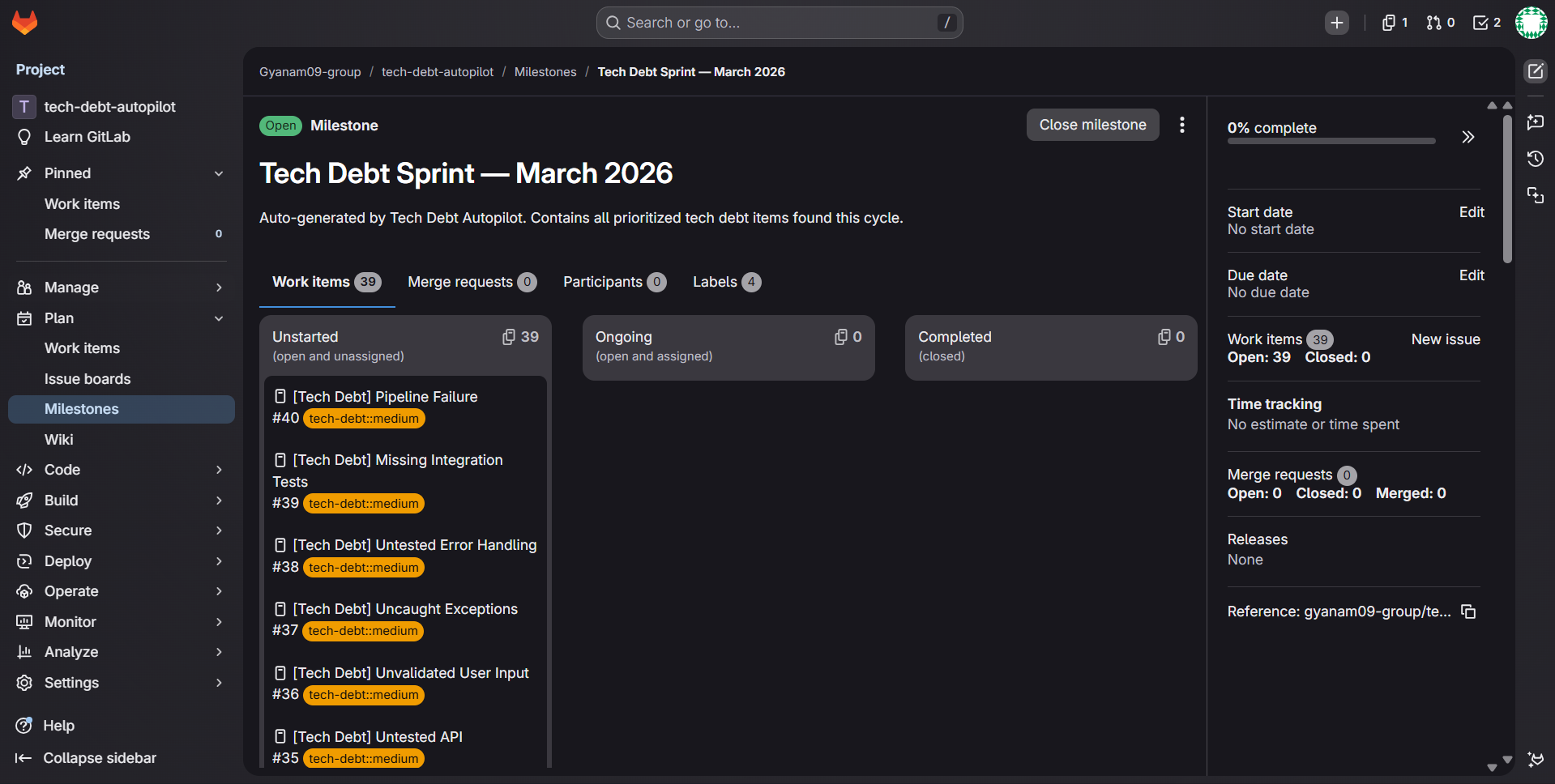
Tech Debt Sprint — March 2026 milestone auto-created by the pipeline with all prioritized issues grouped and labeled by severity
Inspiration
Every software team has the same invisible enemy — accumulated technical debt, unpatched security vulnerabilities, and compliance violations that silently grow week after week. Nobody has time to audit the codebase manually. Nobody prioritizes fixing it. Until it breaks in production.
I wanted to build something that eliminates this problem completely and automatically, without requiring any human action.
What it does
SDLC Autopilot is a fully autonomous multi-agent DevSecOps system that works in three modes:
1. GitLab Duo Chat Agent — Chat directly with the agent and ask it to scan a single file or the entire repository. It automatically discovers all code files using list_repository_tree, reads them one by one, and produces a unified report covering tech debt, security vulnerabilities, test coverage gaps, and compliance violations — complete with a Project Health Score (0-100) and letter grade.
2. GitLab AI Flow — Mention @ai-sdlc-autopilot-flow in any issue or merge request comment to trigger the full multi-agent pipeline directly from your workflow.
3. Automated CI/CD Pipeline — Every Monday at 9am (or on-demand), the pipeline runs 5 specialist AI agents in sequence, calculates a health score, and automatically creates a prioritized GitLab Issue Board grouped under a "Tech Debt Sprint" milestone with severity labels.
How I built it
The system consists of 5 specialist agents — Tech Debt, Security, Test Coverage, Compliance, and Pipeline Fix — each with their own GitLab AI Agent YAML definition. These feed into a Prioritizer Agent and a Synthesis Agent (Orchestrator) that merges all findings into a single actionable sprint plan.
The CI/CD pipeline mode uses Python agents powered by Groq's LLaMA 3.3 70B model to perform deep analysis and then automatically creates GitLab Issues, Milestones, and Labels via the GitLab API — with zero human intervention.
The GitLab Duo Chat Agent uses native GitLab tools (read_file, read_files, list_repository_tree, gitlab_blob_search) to autonomously navigate and analyze the entire codebase in a single conversation.
Challenges I faced
- GitLab AI tool naming — The agent YAML validator enforces a strict allowlist of tool names. Tools like
gitlab_searchare not valid — the correct name isgitlab_blob_search. This took several pipeline iterations to resolve. - Output formatting in Duo Chat — Markdown tables render poorly in the Duo Chat sidebar, causing text to appear vertically. Switching to bold headers and plain paragraphs fixed the rendering.
- CI/CD variable access — The hackathon namespace enforces a pipeline execution policy that ignores user-defined CI/CD variables. The Python pipeline requires
GROQ_API_KEYandGITLAB_TOKENwhich can only be set on projects where you have maintainer access. - Dual architecture — Building the same system in both GitLab-native AI YAML format and Python CI/CD format required careful design to keep both approaches consistent and functional.
What I learned
- How to design and publish GitLab AI Agents and Flows using the YAML catalog format
- The difference between GitLab-native AI tooling and external API-based automation
- How to chain multiple specialist agents into a coherent multi-agent pipeline
- The importance of output formatting when building conversational AI agents


Log in or sign up for Devpost to join the conversation.