-
-
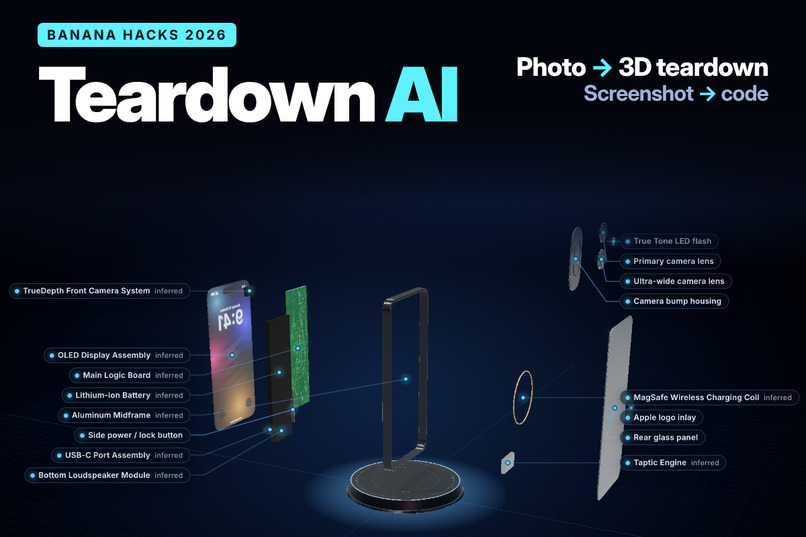
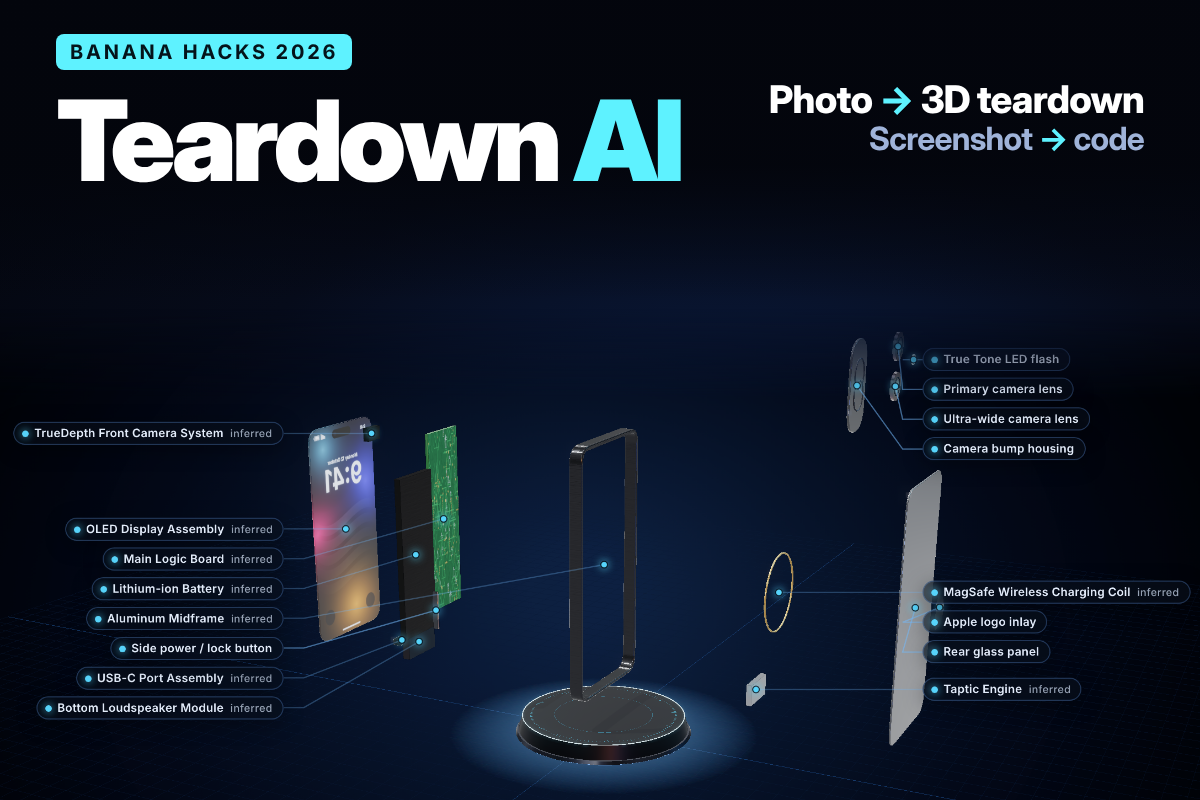
Teardown AI: one photo or screenshot in, the whole system out.
-
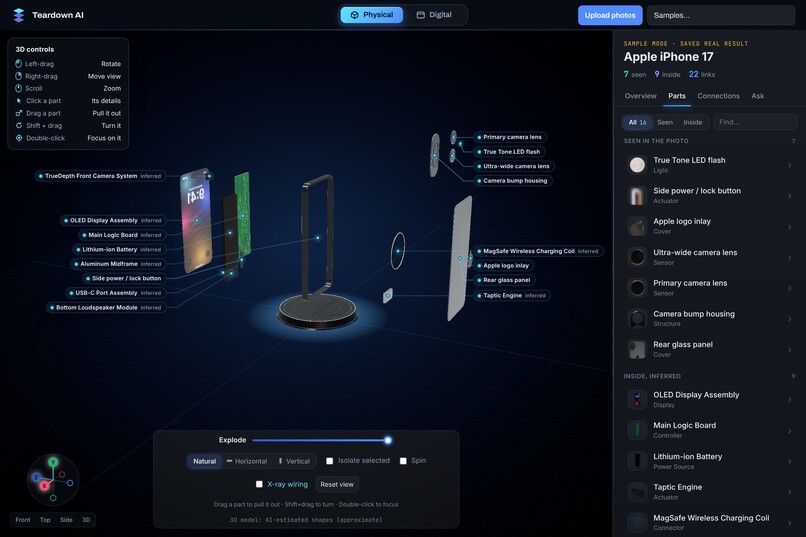
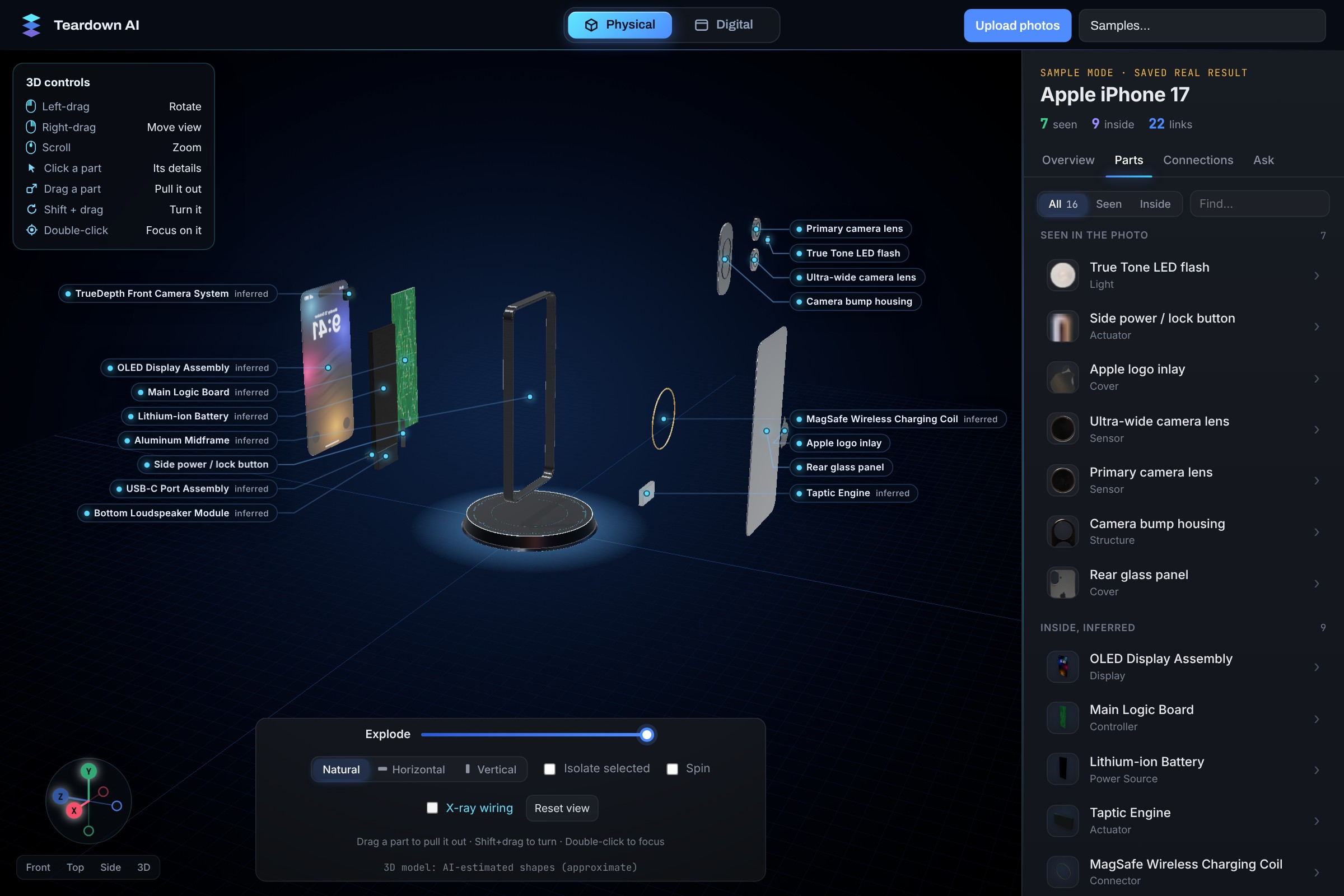
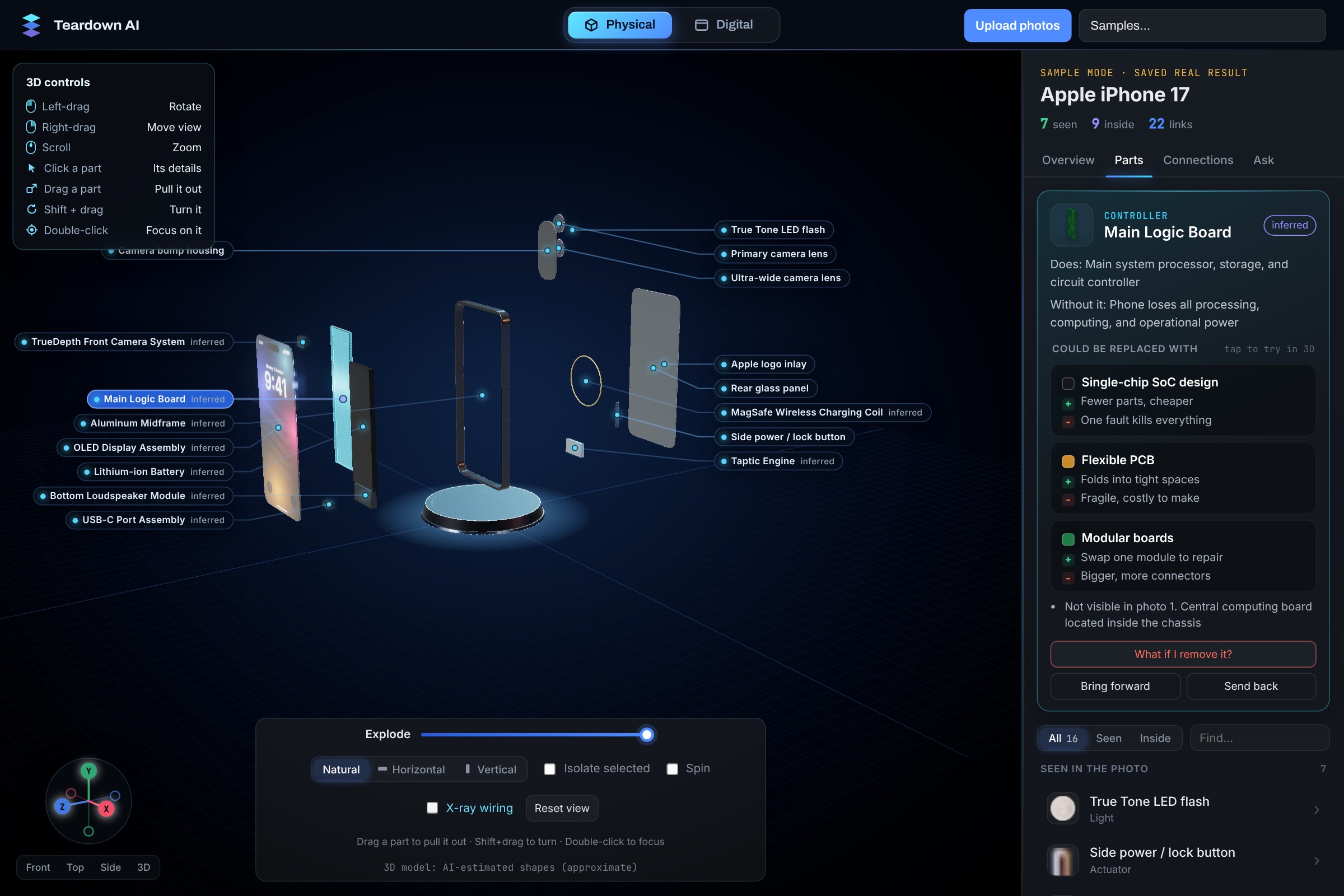
An iPhone 17 photo turned into an exploded 3D model. Parts seen in the photo and parts inferred inside are labelled differently.
-
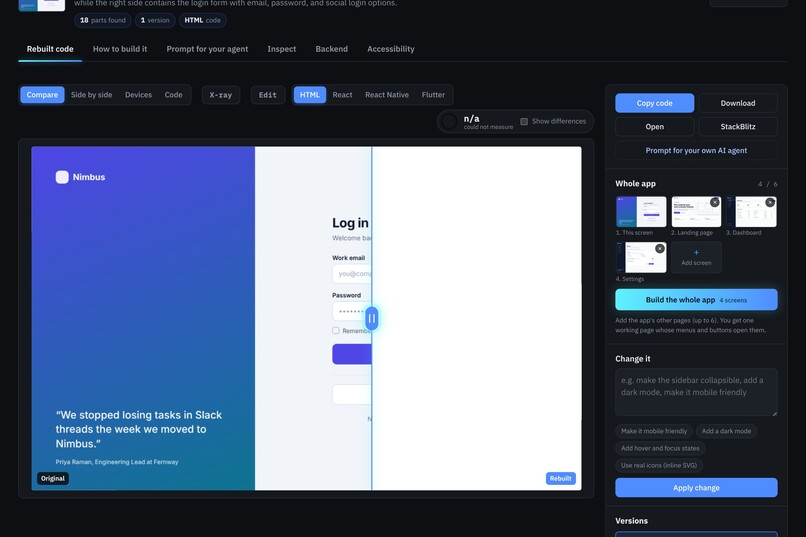
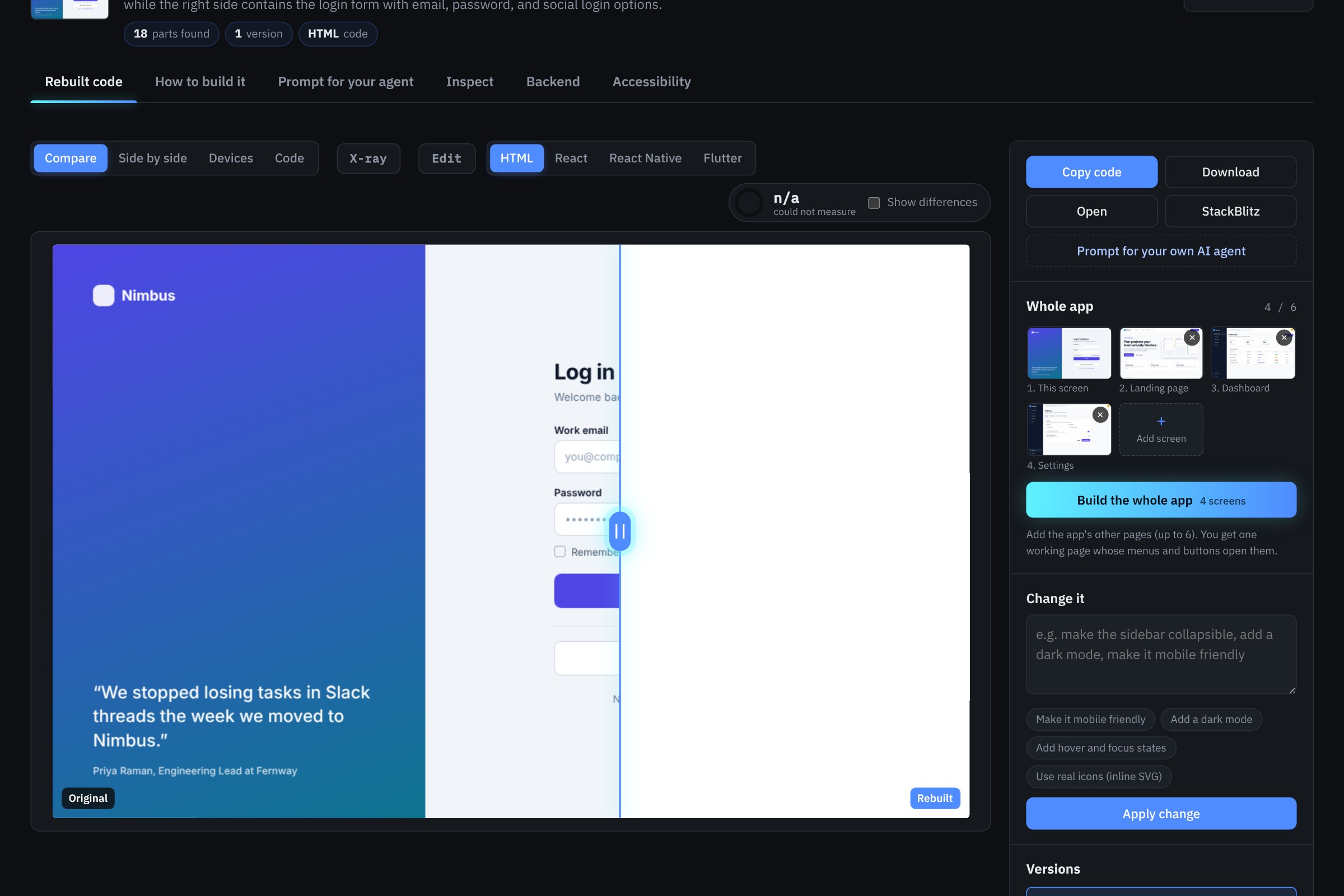
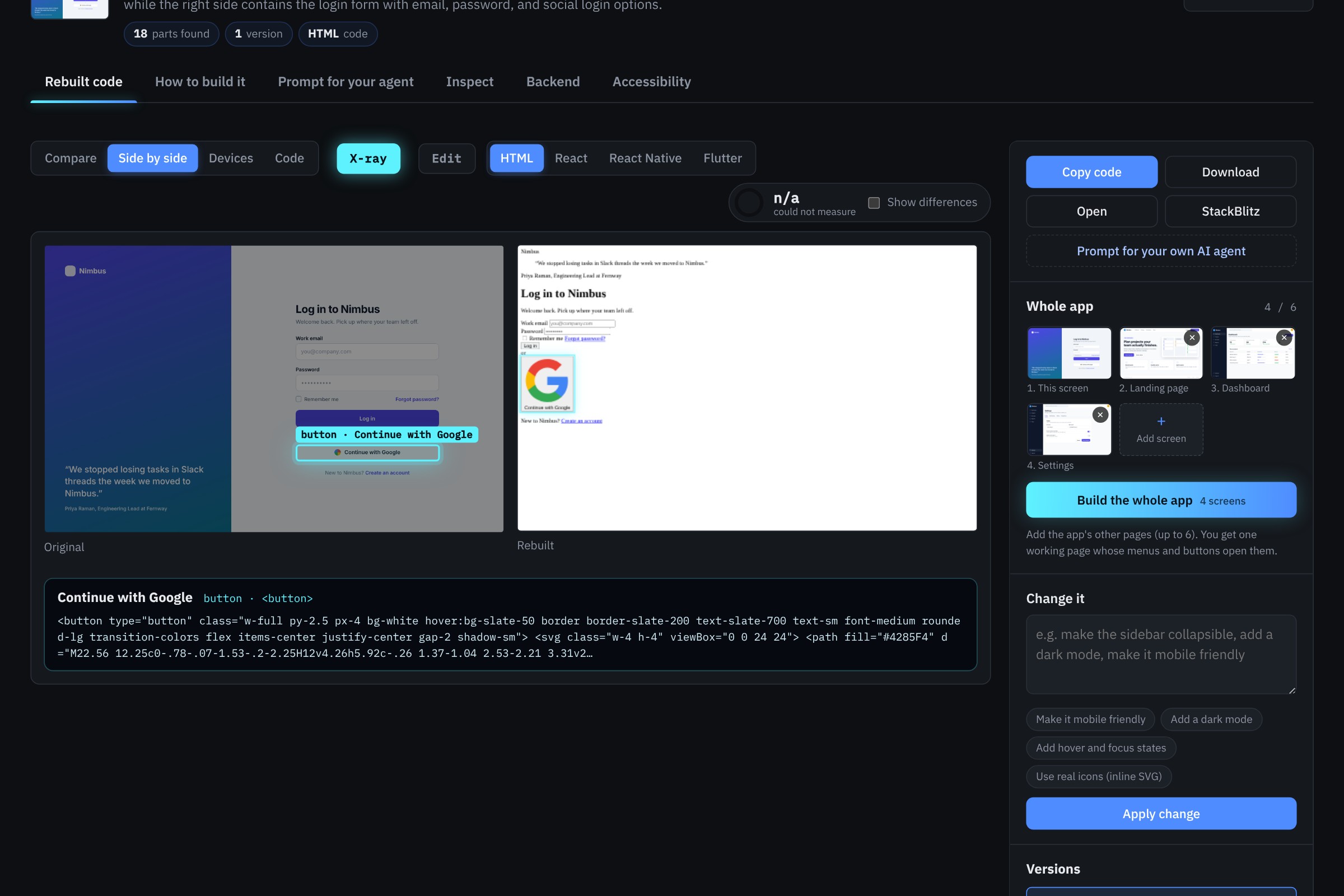
A login screen rebuilt as working code. Drag the slider to compare it with the original.
-
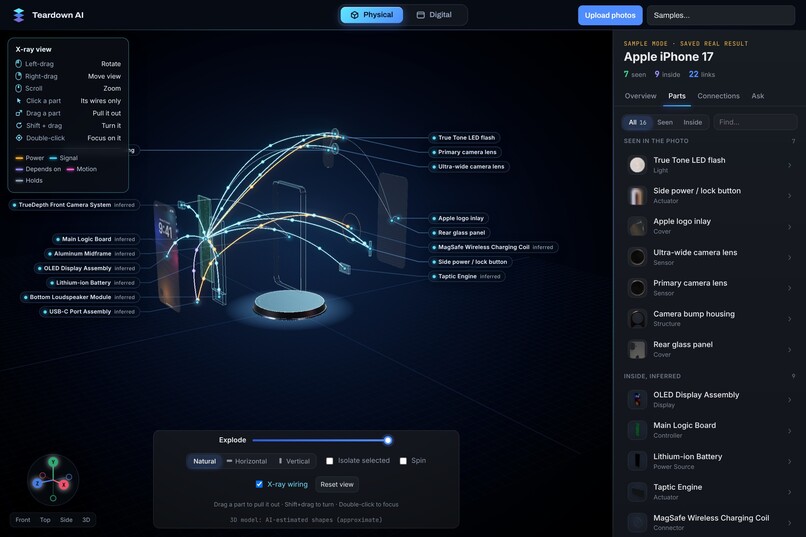
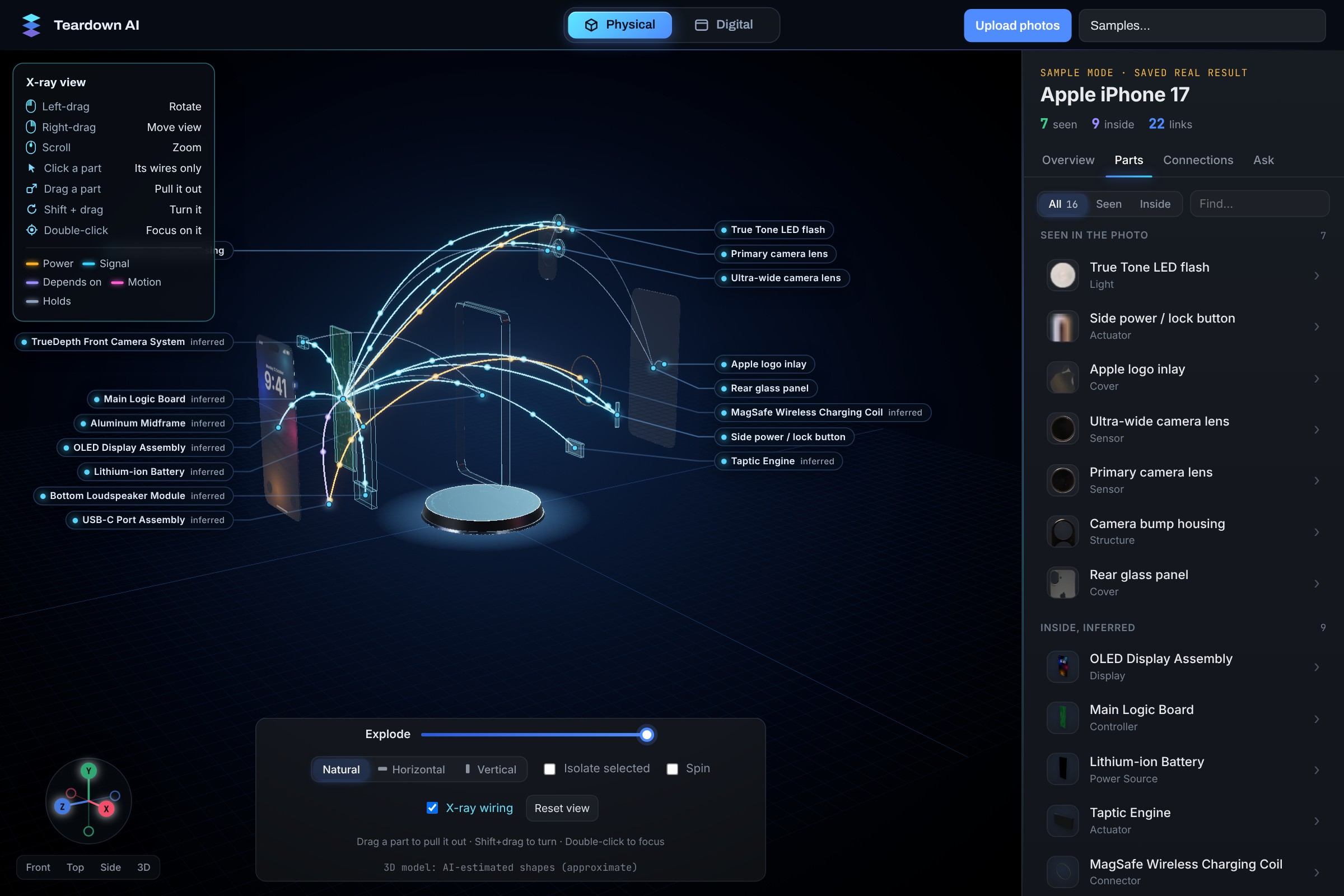
X-ray mode shows how power and signals flow between the parts.
-
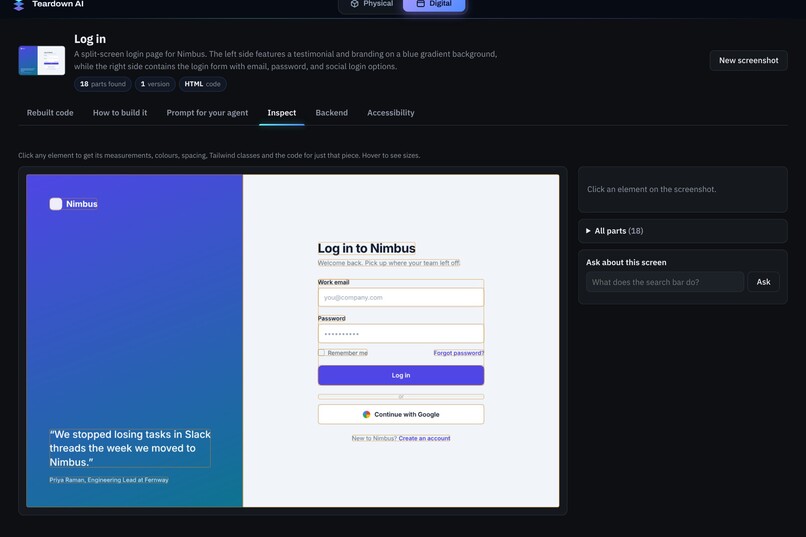
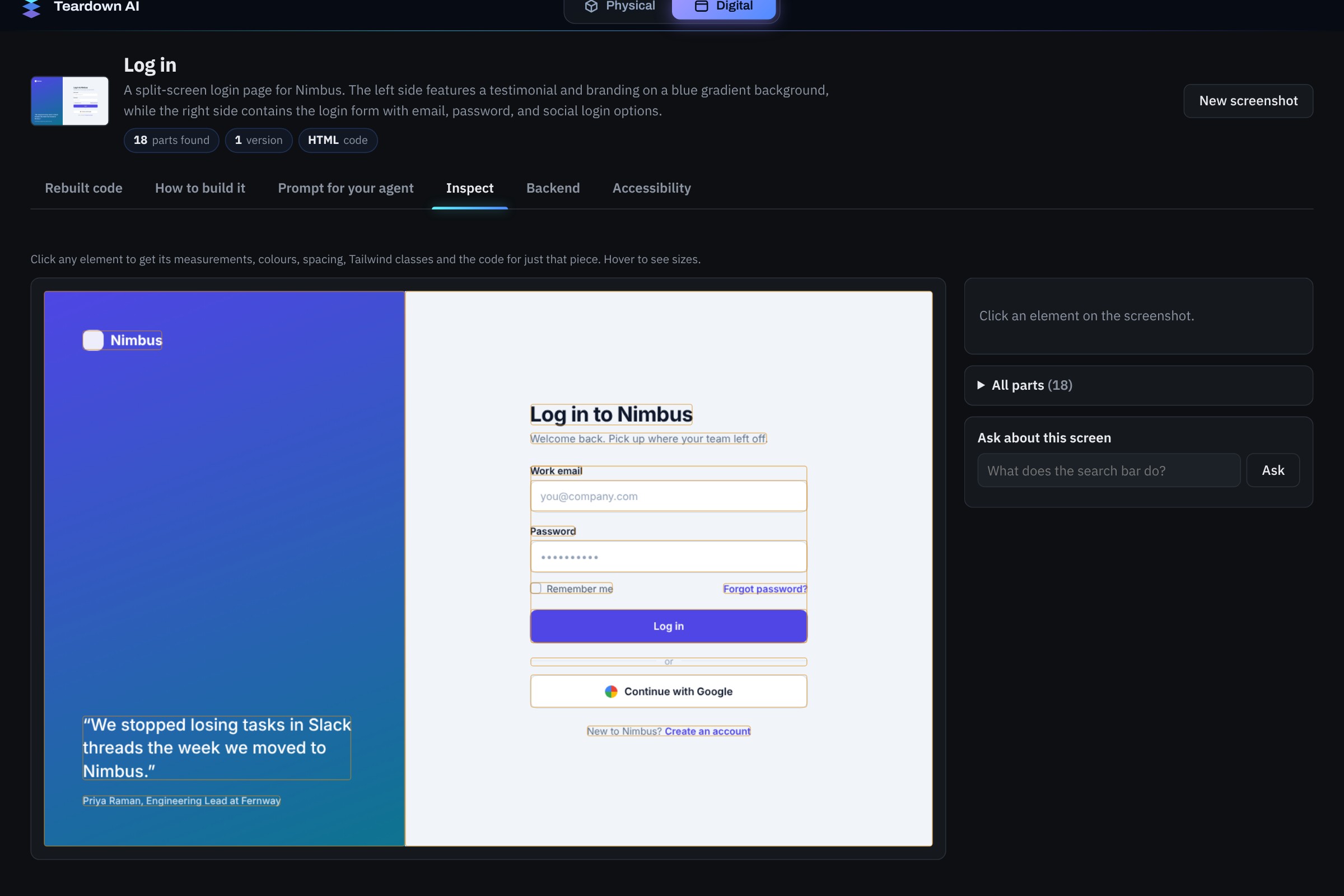
Inspect view: the full component tree, with every element boxed on the original.
-
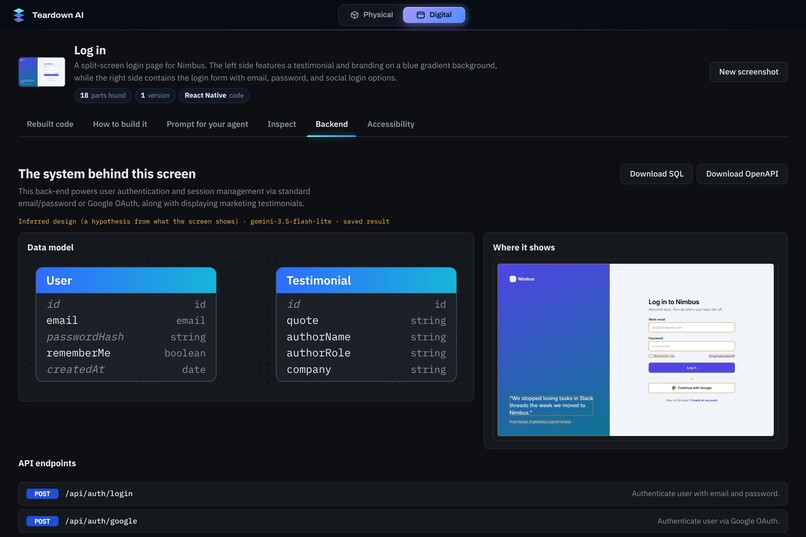
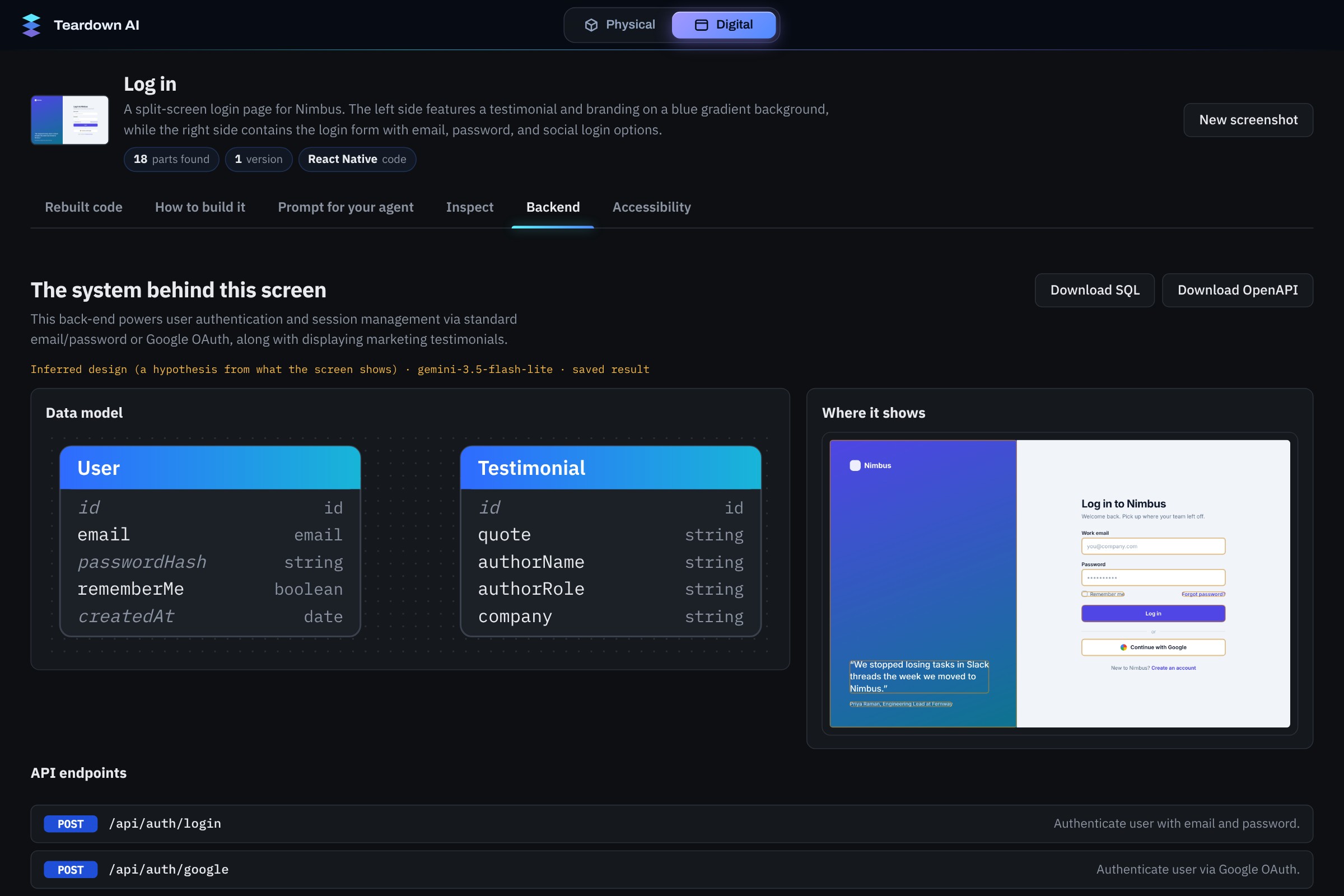
It infers the backend behind the screen: data models and API endpoints, ready to download as SQL or OpenAPI.
-
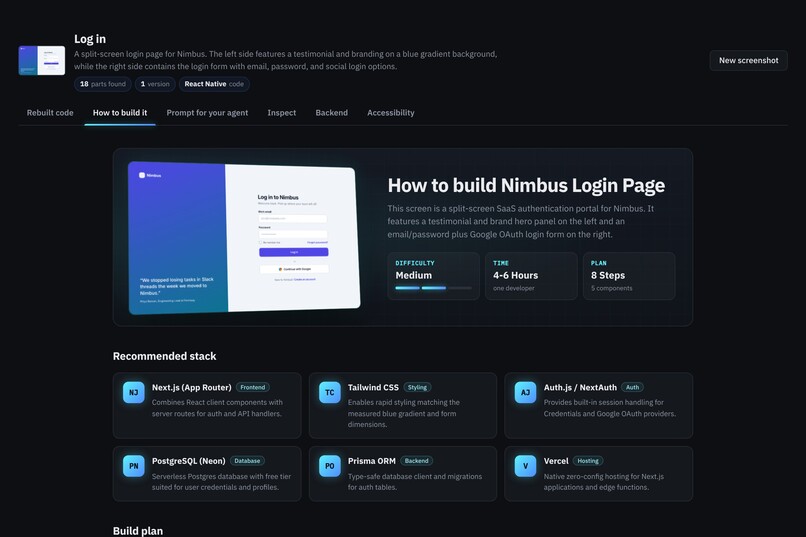
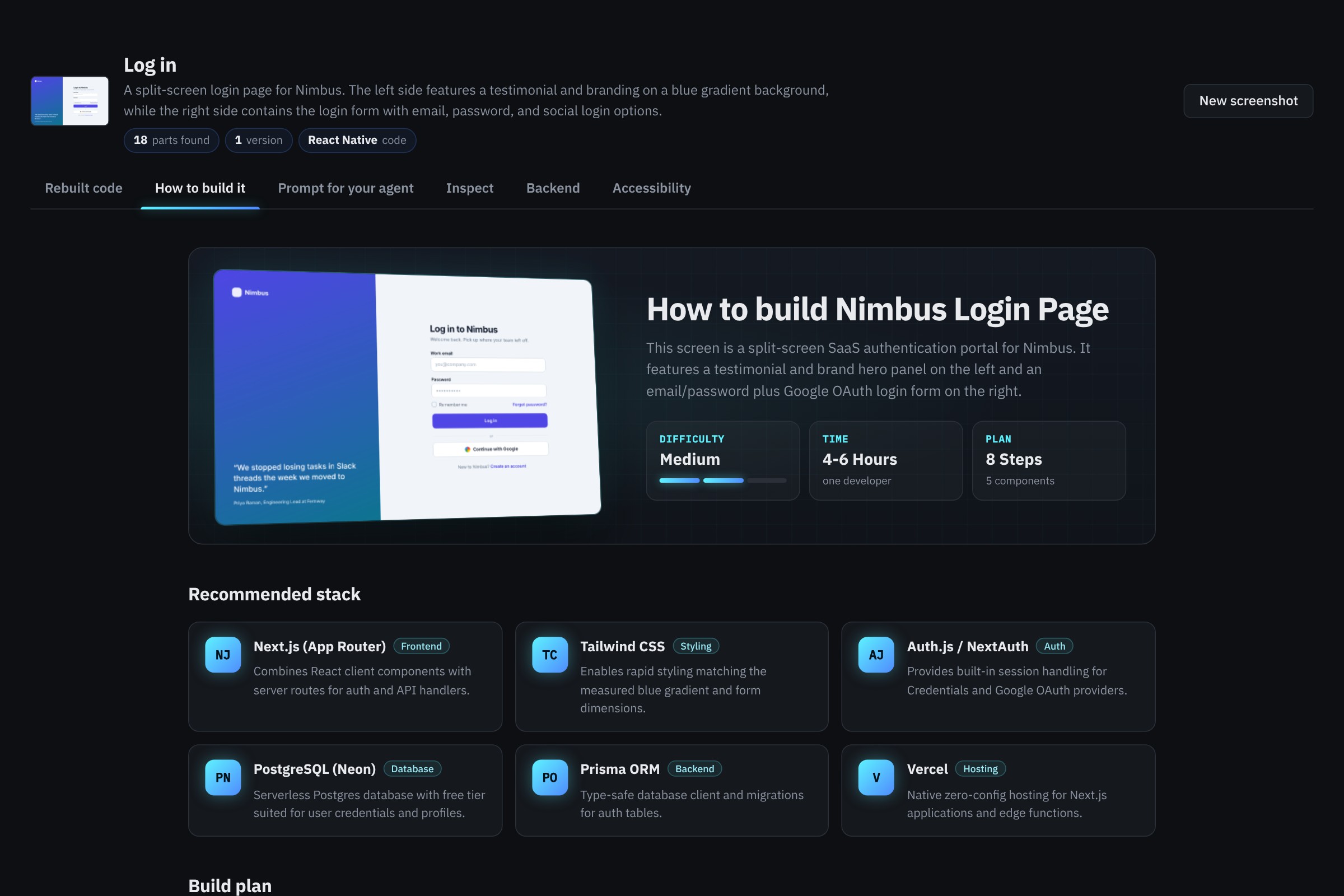
A step-by-step plan to build it for real: stack, steps, difficulty and time.
-
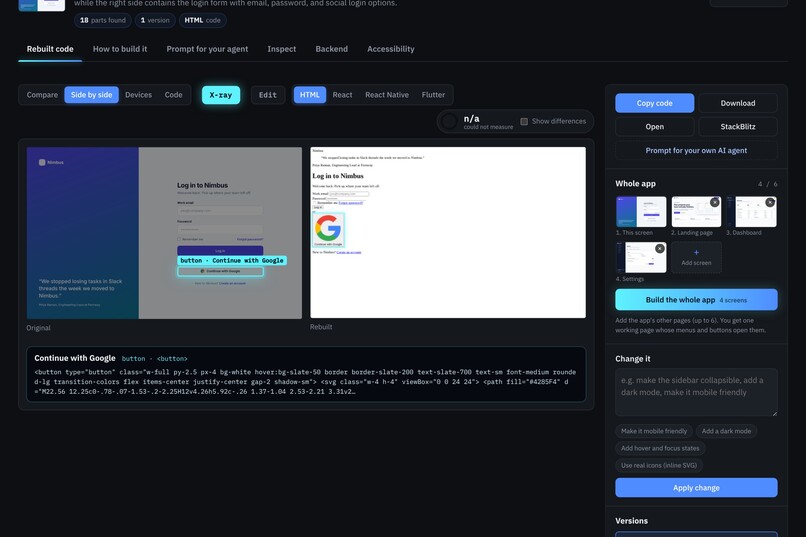
X-ray links every element in the rebuild back to the original screenshot and its exact code.
-
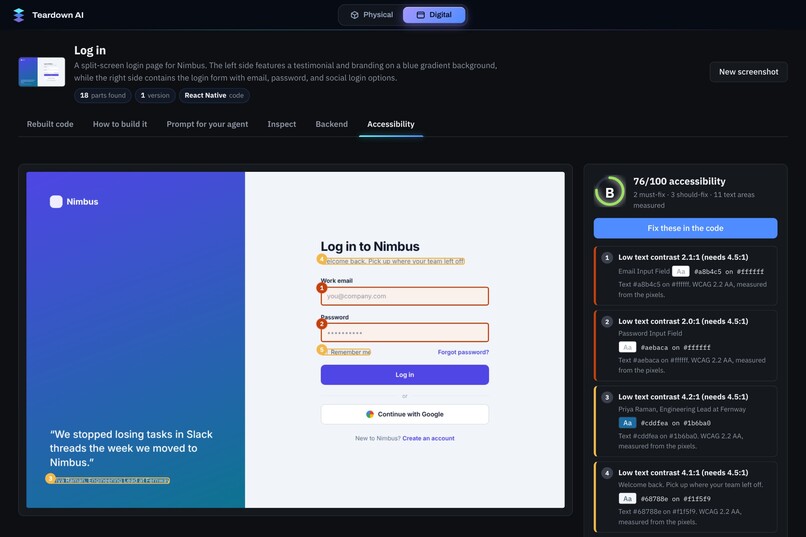
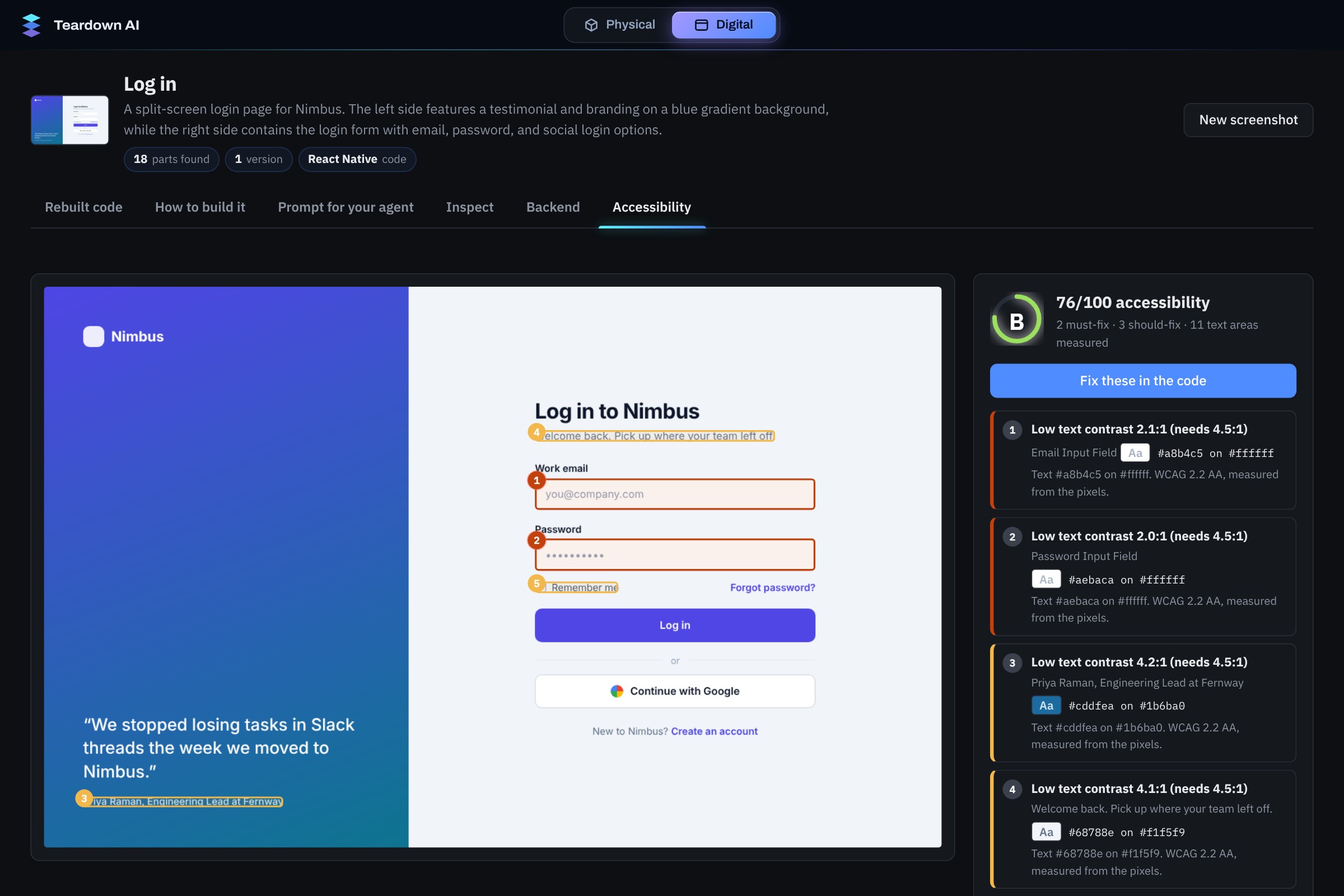
An accessibility audit with a score, the issues it found on the screen, and one-click fixes.
-
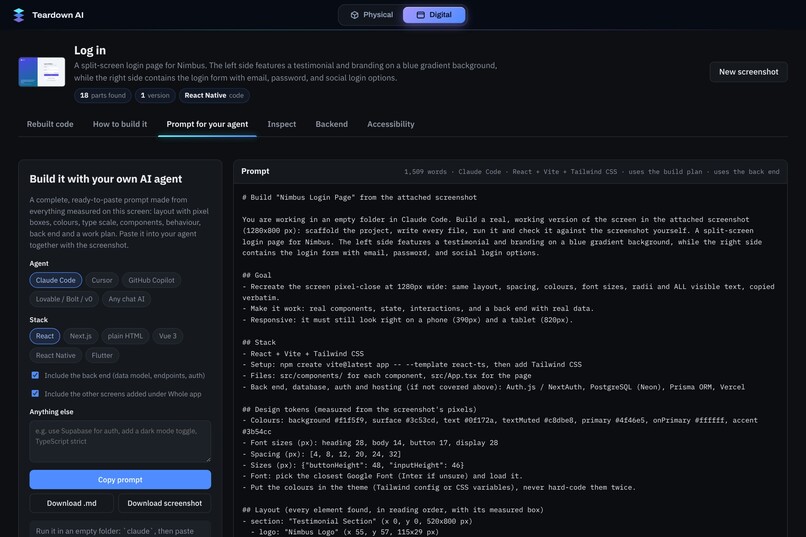
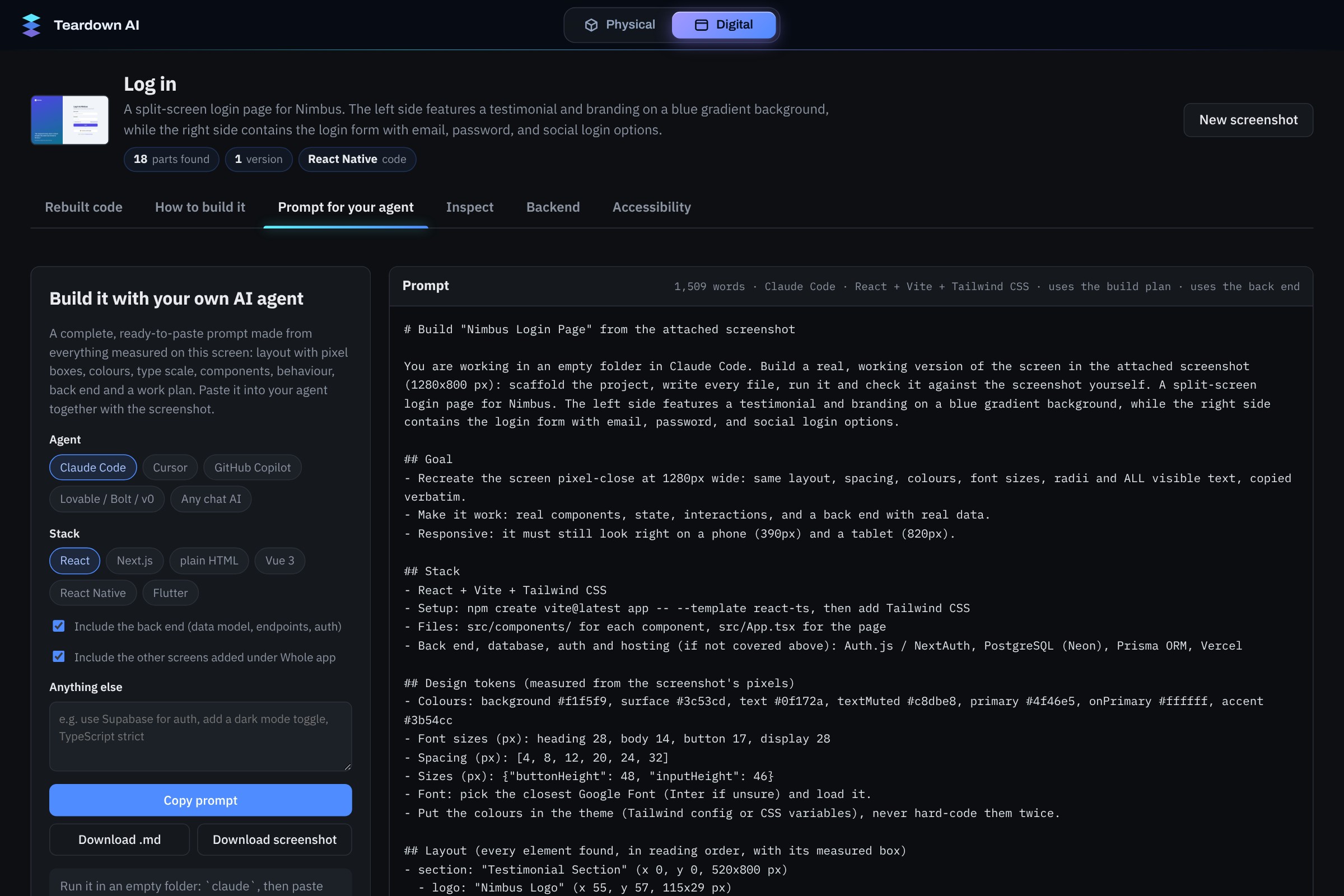
Want to build it yourself? Get a ready-to-paste prompt for Claude Code, Cursor or any AI agent, with layout, colours and back end included.
-
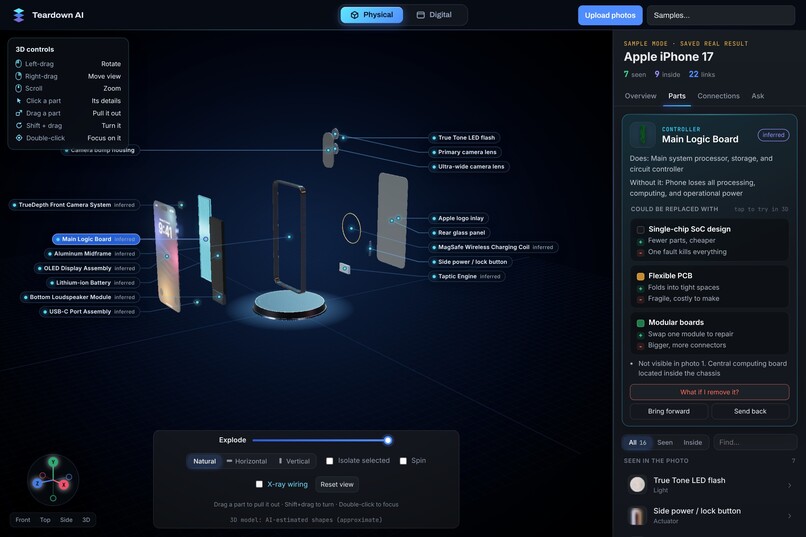
Click any part to see what it does, what happens without it, and what it could be replaced with.
-
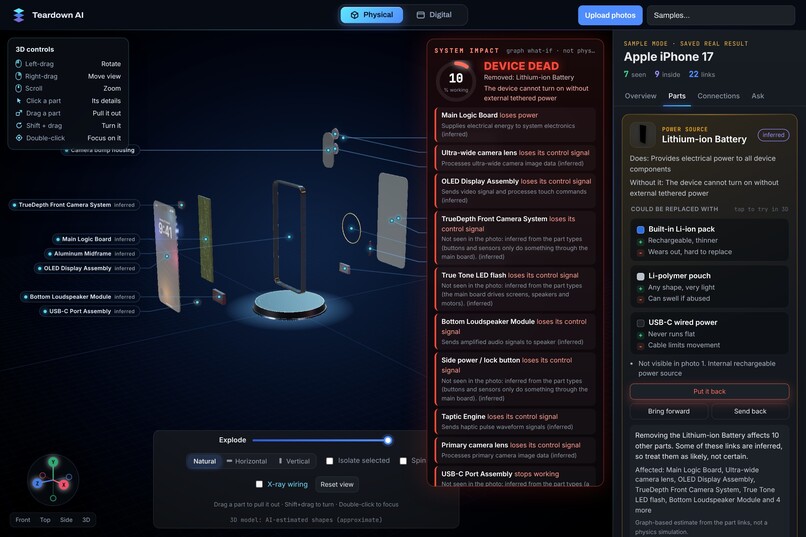
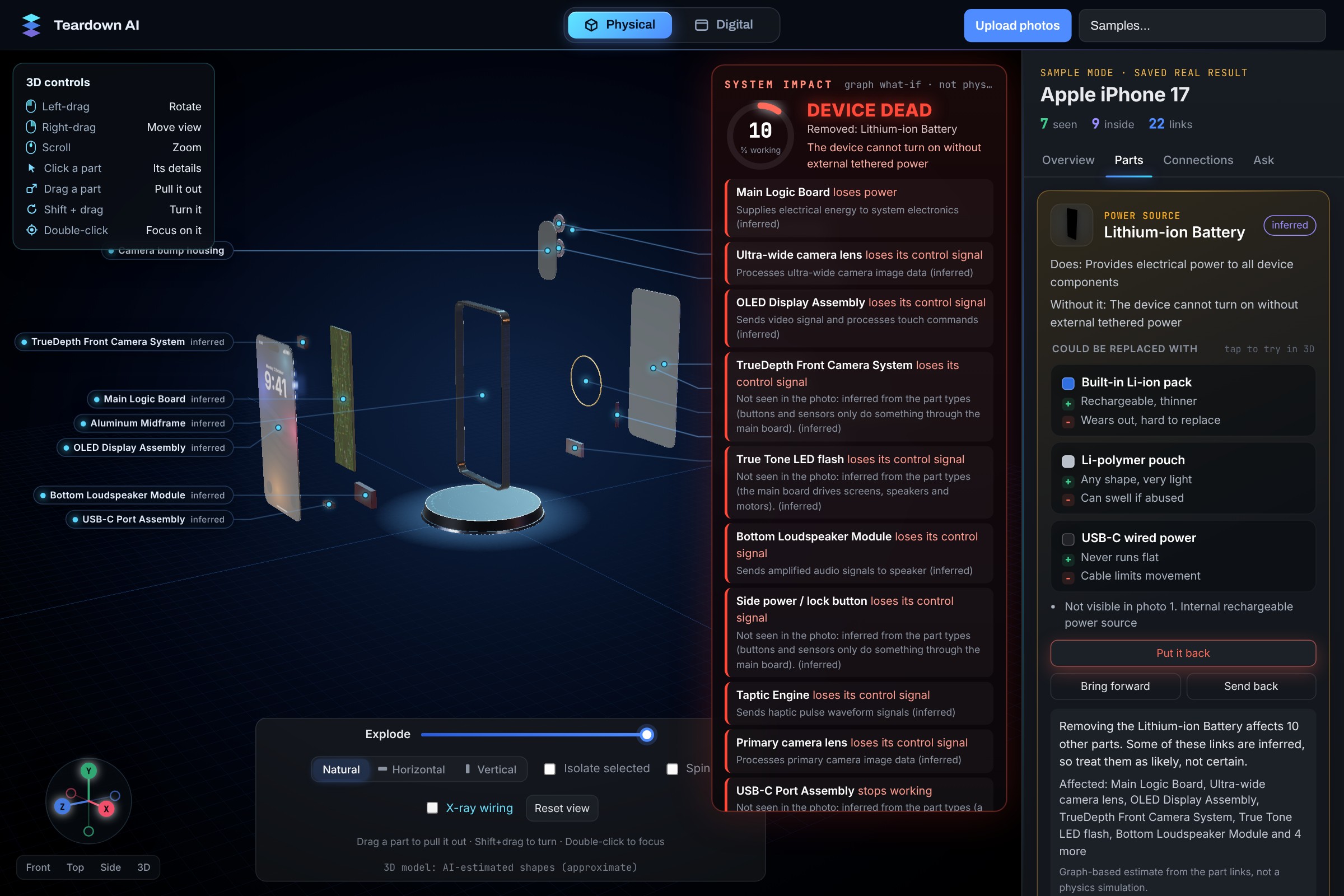
What if the battery fails? The failure cascade shows every part that stops working.
Inspiration
We've always been the kind of people who open things up just to see what's inside. The problem is you can't really do that with most stuff you own. Teardown videos and repair guides only exist for popular products, and for software it's even worse, you see a nice app screen and have no idea how it's actually put together.
So we asked a simple question: what if one picture was enough? Take a photo of an object, or a screenshot of an app, and get back the whole system behind it. That became Teardown AI.
What it does
Teardown AI has two labs that run on the same engine.
Physical Lab: you upload a photo of an object. It figures out the exact product (down to the model), finds every part it can see, adds the parts that are hidden inside, and builds an exploded 3D model you can actually play with. You can pull parts out by hand, turn on X-ray mode to see how power and signals flow, click any part to see what it does, and ask "what if this part fails?" to see everything that stops working.
Digital Lab: you paste a screenshot of any website or app. It breaks the screen down into its components, rebuilds it as working code (HTML or React, and it can convert to React Native or Flutter), and shows the rebuild next to the original with a slider so you can compare. It also gives you a step-by-step build plan, guesses the backend (data models and API endpoints), and runs an accessibility audit with fixes.
Every item is marked as either seen in the image or inferred, because we didn't want the tool pretending to know things it can't see.
How we built it
- Backend: Python + FastAPI. Both labs return the same
SystemAnalysisshape (components, relationships, evidence, status), which is what made the "one engine, two worlds" idea possible. - Vision: Gemini (free tier) does the main structured call per image. A second call with Google Search grounding identifies the exact product and its real dimensions. If the free quota runs out it switches models, and falls back to a local model through LM Studio.
- Checking the AI: inside parts are cross-checked against iFixit teardown guides and web search, and a part only gets a "verified" tag when a real source backs it up.
- Image processing: OpenCV cleans the part masks (GrabCut as a fallback), cuts each part out as its own layer, and fills in the background behind it.
- 3D viewer: Three.js. Each part becomes a simple solid with real proportions, then we explode the layers without overlaps.
- Digital Lab: box geometry is used to check the model's parent/child guesses, and anything a screenshot can't actually prove (like click handlers or API calls) gets downgraded to "appears related".
We also wrote a small eval script for the Digital Lab using three mock screens we made ourselves, and got recall 1.0 with mean IoU around 0.89 to 0.95. It's only three screens so it's more of a sanity check than a benchmark, but it helped us catch bad changes fast.
Challenges we ran into
- Real image-to-3D was too much. Proper 3D reconstruction from one photo is slow, expensive, and not free. We went with a layered 2.5D exploded view instead, which runs fast, costs nothing, and honestly looks clearer for explaining how something is built.
- Hallucinated parts. Early versions confidently invented parts that the product doesn't have. That's why we added the iFixit and search checks and the seen/inferred labels everywhere.
- Free tier limits. We had zero budget, so we had to cache every result by image hash, switch between Flash models when one quota ran out, and keep a local fallback.
- Making the rebuild actually match. Getting the generated code to look like the original screenshot took a lot of iterations on layout and design tokens.
Accomplishments that we're proud of
- It works on pretty much any object, not just one demo product.
- The same engine handles both physical objects and software screens.
- Being honest about what the AI saw versus what it guessed.
- Built entirely on free tools.
What we learned
We learned that getting a model to output something is easy, but getting it to output something you can trust is the real work. Validation, grounding and clear labels mattered more than prompt tweaks. We also learned a lot about Three.js, OpenCV and how much a good demo depends on small UI details.
What's next for Teardown AI
- Multi-photo input for better 3D accuracy
- Repair mode: step-by-step disassembly guides for the exact model
- Exporting the parts list as a bill of materials with prices
- Turning multi-screen app screenshots into a full clickable prototype


Log in or sign up for Devpost to join the conversation.